





Signalverlängerung

Max. Auflösung

TCP/IP-Netzwerk

Netzwerkverlängerung

Stabile Anzeige

Tastatur und Maus
Fernsteuerung
HDMI KVM Extender | 120 m, 1080p60 & KVM over IP
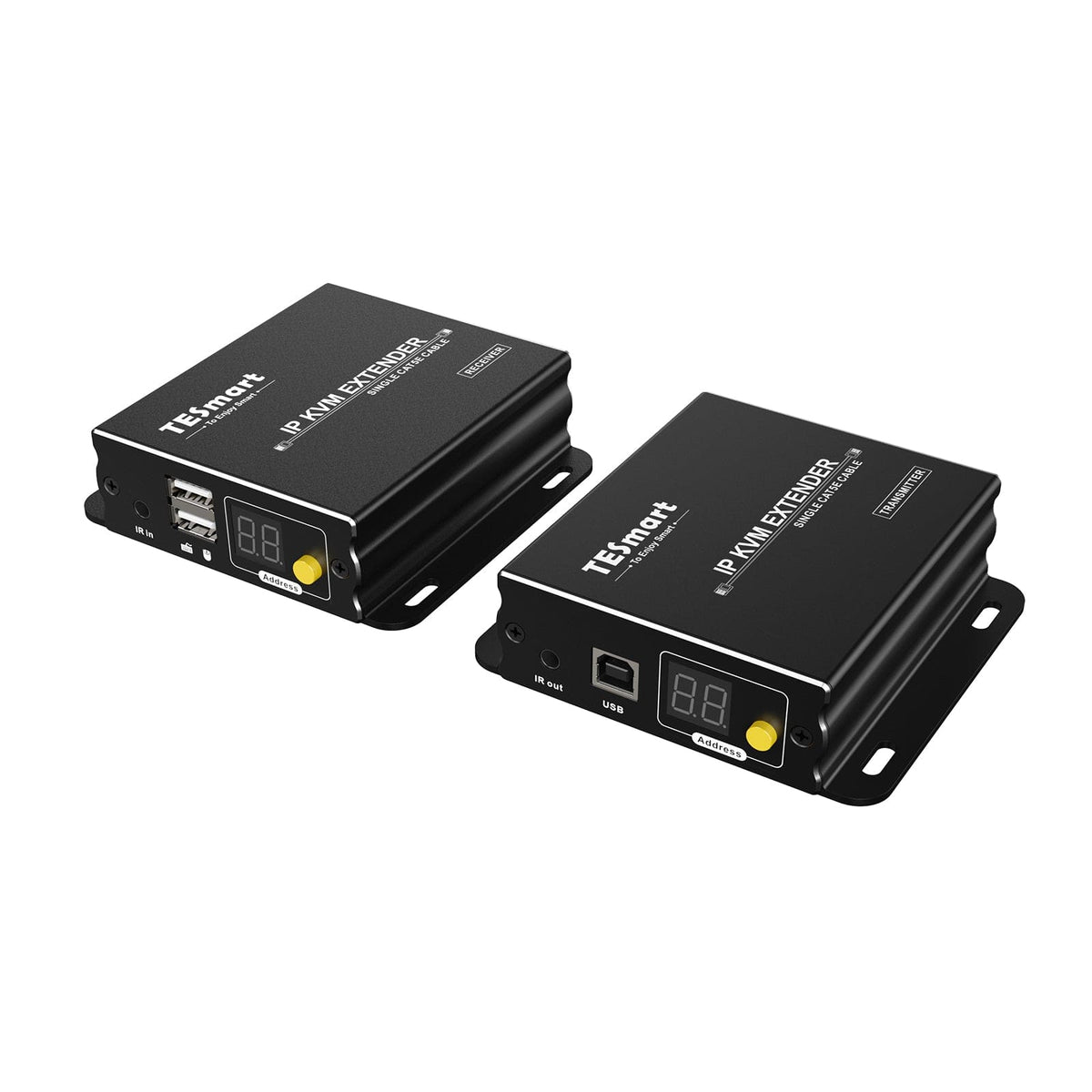
HKE120-EH23 extends HDMI as well as keyboard and mouse at 1080p60 up to 120 m. Multiple transmitters and receivers can be integrated into a compatible TCP/IP network.
Signalverlängerung
Max. Auflösung
TCP/IP-Netzwerk
Netzwerkverlängerung
Stabile Anzeige
Tastatur und Maus
Fernsteuerung
HDMI KVM Extender | 120 m, 1080p60 & KVM over IP
Why HKE120-EH23?
Overview

01
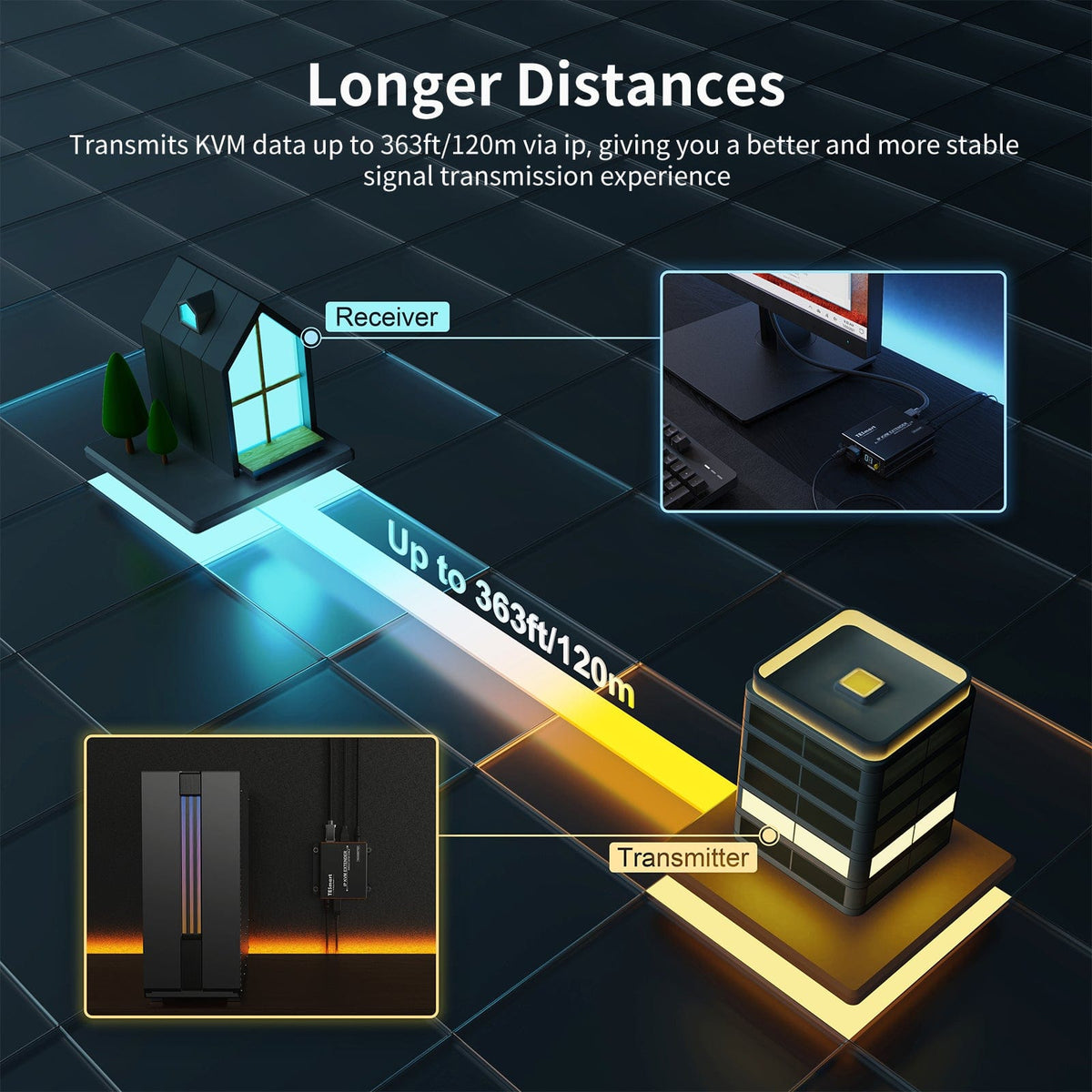
Control the source from up to 120 m away
A CAT5e/6 cable transmits 1080p60, keyboard/mouse control and IR between transmitter and receiver – for control rooms, server areas, security systems and classrooms.

02
Build the appropriate distribution
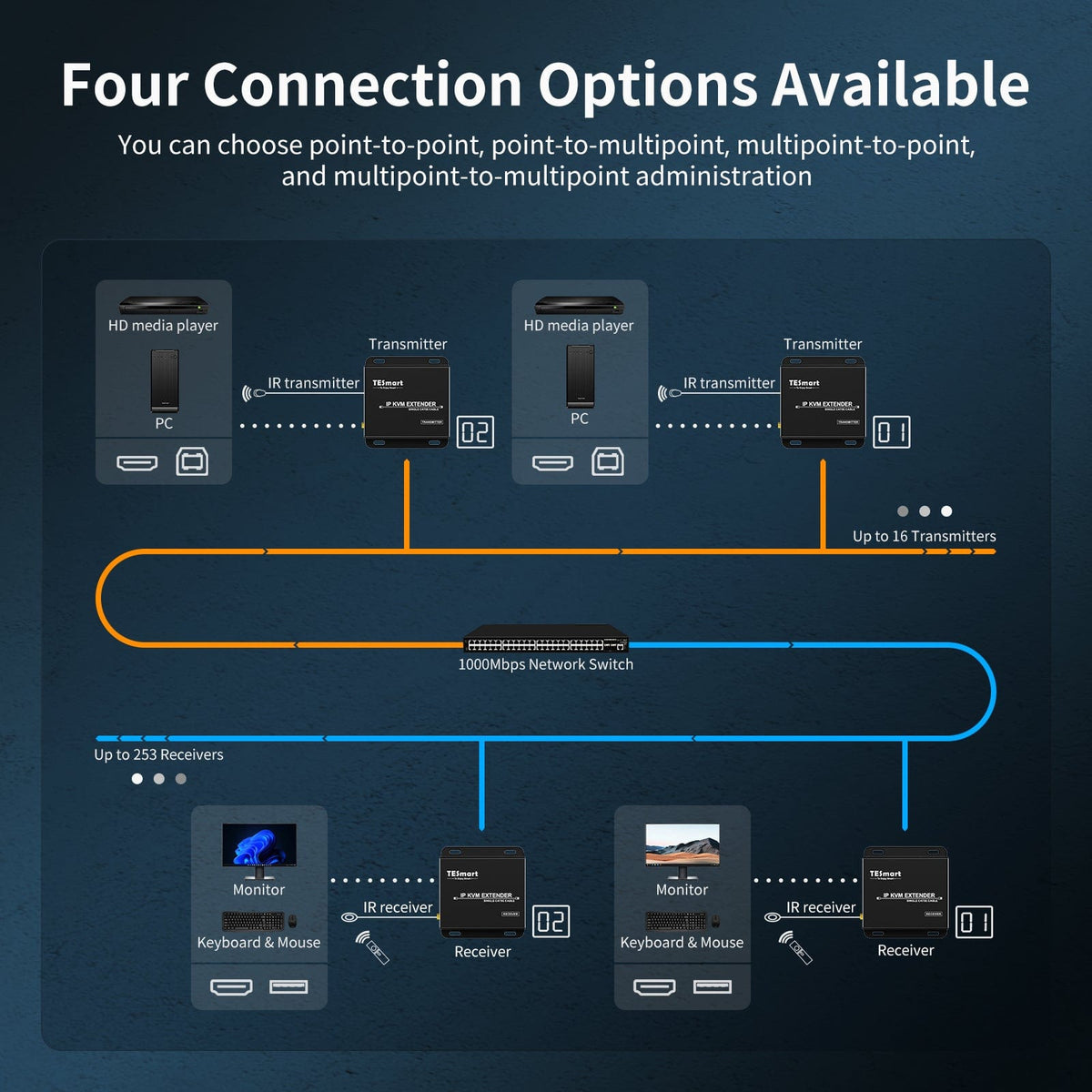
Use a direct connection, distribute one source to multiple receivers, or connect multiple sources and receivers via compatible routers or switches. Communication IDs select the desired source.
03
Up to 16 transmitters and 253 receivers
A supported local network connects up to 16 transmitters with IDs 1–16 and 253 receivers. Receivers with the same transmitter ID display and control the same source.
Data & Support
Compatibility & Connections
Technical data
Instructions & Downloads
Scope of delivery

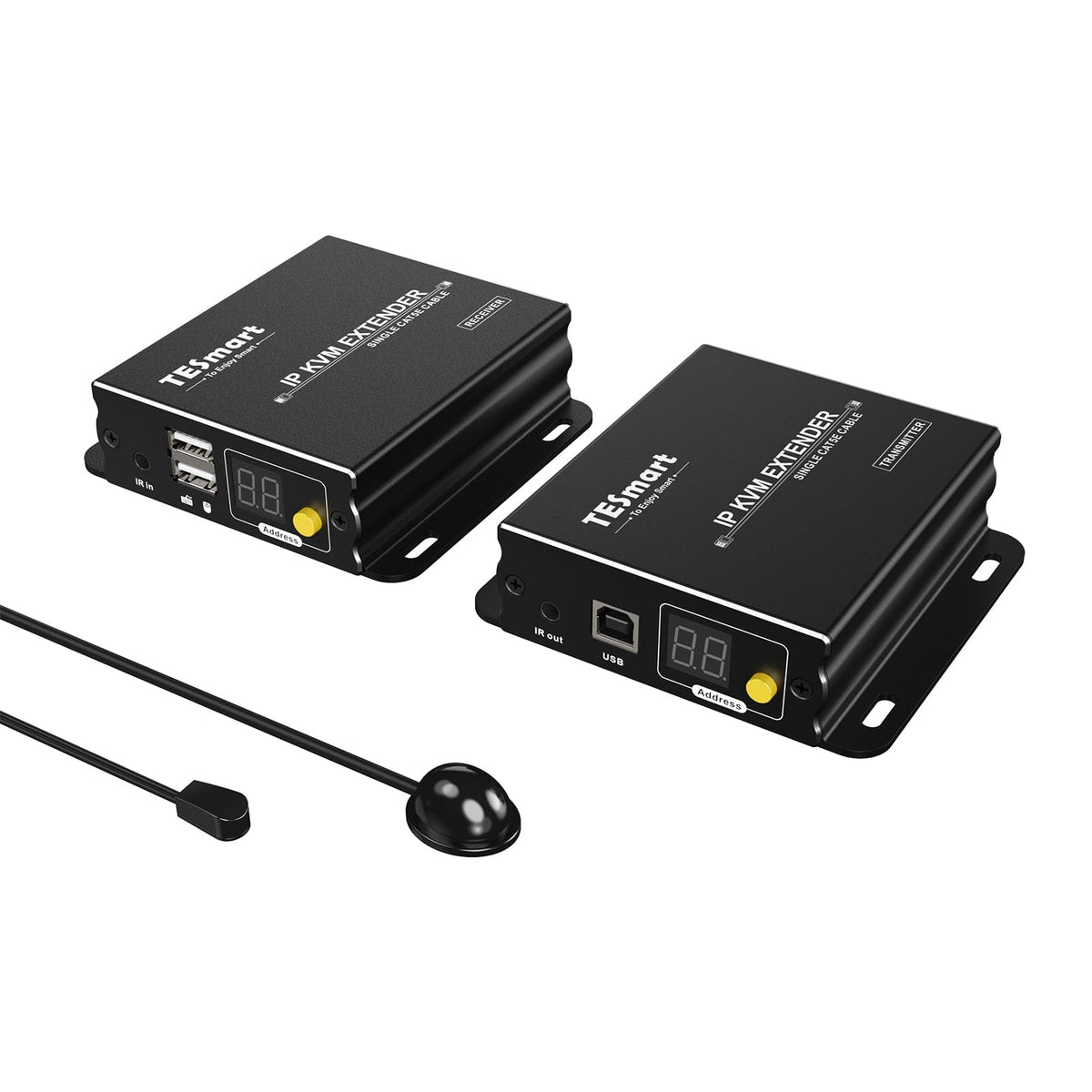
1 × HDMI KVM Extender Transmitter 1 × HDMI KVM Extender Receiver

1 × IR Transmitter Cable

1 × IR Receiver Cable

2 × DC 5V power supplies

1 × IR Remote Control

1×User manual


Compare suitable models
Select the models in the menus to compare computer connections, distance, image output, and installation requirements.
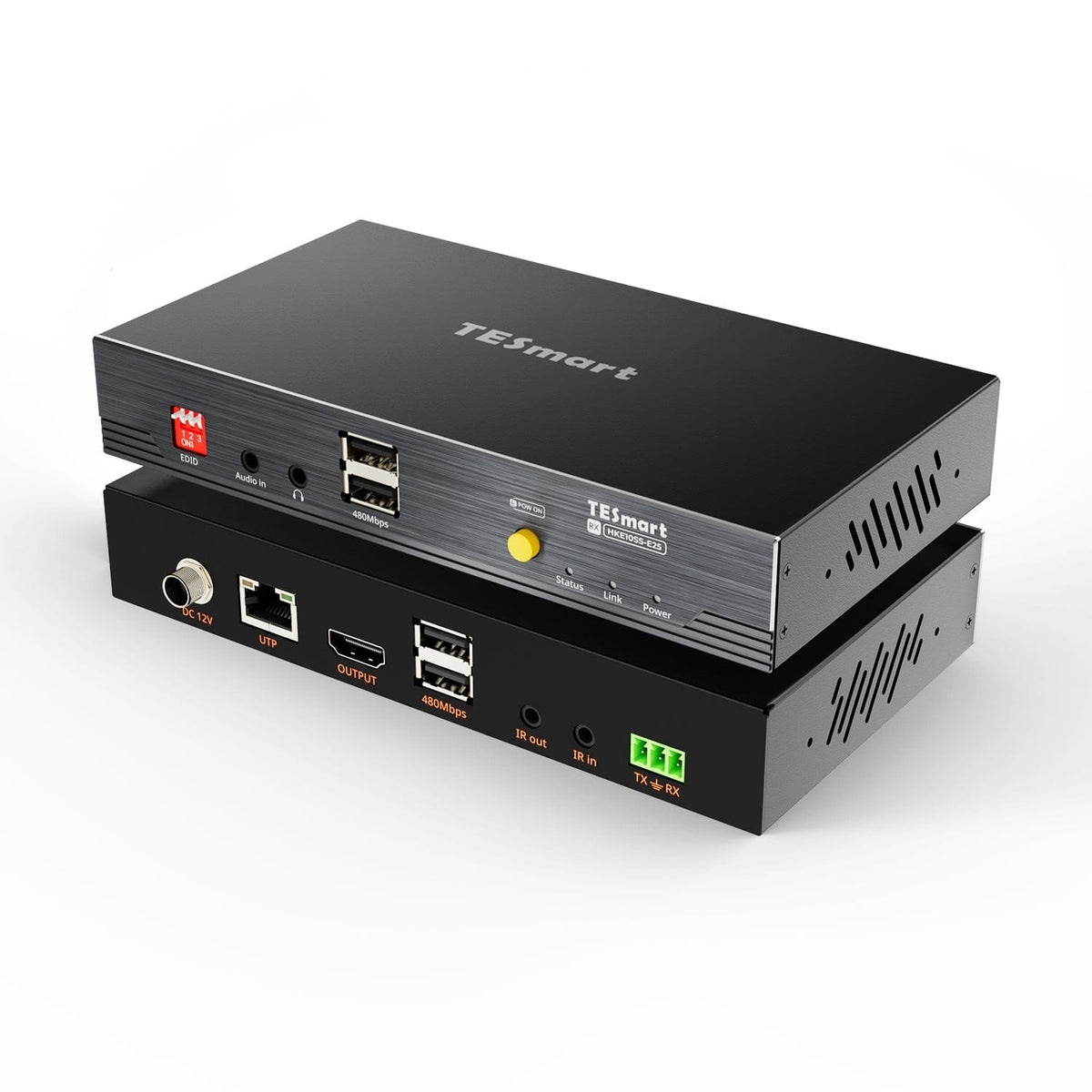

Model
HKE120-EH23
Model
HKE10SS-E25
Model
HKE10SS-PD25
Computer connection
HDMI + USB per transmitter
Computer connection
HDMI + USB
Computer connection
USB-A computer port with USB 3.2 Gen 1 or higher
Monitor outputs
1 × HDMI per receiver
Monitor outputs
1 × HDMI
Monitor outputs
2 × HDMI
Image output
1080p60
Image output
4K30
Image output
Dual 4K60
Transmission medium
Cat5e/Cat6, UTP or FTP
Transmission medium
23AWG Cat6 or higher, S/FTP
Transmission medium
23AWG Cat6a or higher, S/FTP
Maximum distance
120 m/393 ft at 1080p60
Maximum distance
100 m/328 ft
Maximum distance
100 m/328 ft
Connection establishment
Point-to-point or network-based; up to 16 transmitters + 253 receivers
Connection establishment
Direct point-to-point connection
Connection establishment
Direct point-to-point connection
USB at the remote workplace
Keyboard and mouse
USB at the remote workplace
USB 2.0/up to 480 Mbit/s
USB at the remote workplace
USB 3.2 Gen 1/5 Gbit/s
Software requirements
Video connection via hardware
Software requirements
Video connection via hardware
Software requirements
DisplayLink driver required
Power supply
2 × 5V DC power supplies
Power supply
12V DC power supply to transmitter or receiver
Power supply
2 × 12V DC power supplies
Installation requirements
TCP/IP network modes; Sender IDs 1–16
Installation requirements
A continuous shielded cable; without an Ethernet switch or router.
Installation requirements
Direct TX-RX connection; HDCP videos under macOS are subject to DisplayLink limitations.
Frequently asked questions
You can find further answers in our Help Center.
[Compatibility] Which devices does the HKE120-EH23 support?
Connect an HDMI source such as a computer, DVR, server, DVD player, set-top box, or streaming device to the transmitter and a display to the receiver. For a keyboard/mouse, the computer also needs a USB connection to the transmitter.
[Compatibility] What resolution and distance are supported?
The HKE120-EH23 supports up to 1920×1080@60Hz via CAT5e/6 up to 120 m. Video is transmitted compressed via TCP/IP.
[Compatibility] Which Ethernet cable do I need?
CAT5e or CAT6 UTP/FTP according to EIA/TIA-568B. HDMI and Ethernet cables are not included.
[Compatibility] Can I mix old and new transmitters/receivers?
Not directly. Both versions use different IGMP protocols and cannot transfer data between them. Contact TESmart support for an upgrade for older devices.
[Compatibility] How do I recognize the new version?
Check the security label near the screw opening and the manufacturing date. TESmart support can use this information to confirm the version.
[Functions] What distribution modes are there?
Point-to-point, one source to multiple receivers, multiple sources to one receiver, and multiple sources to multiple receivers. Use direct CAT5e/6 or routers/switches compatible with multiple devices.
[Functions] How many transmitters and receivers are possible?
Up to 16 senders with unique IDs 1–16 and 253 receivers per local network. Multiple receivers may use the same sender ID.
[Functions] Can I use a keyboard and mouse with the receiver?
Yes. Connect the computer's HDMI and USB cables to the transmitter and the USB keyboard/mouse to the receiver. Input is transmitted via the CAT5e/6 connection.
[Functions] How does IR passthrough work?
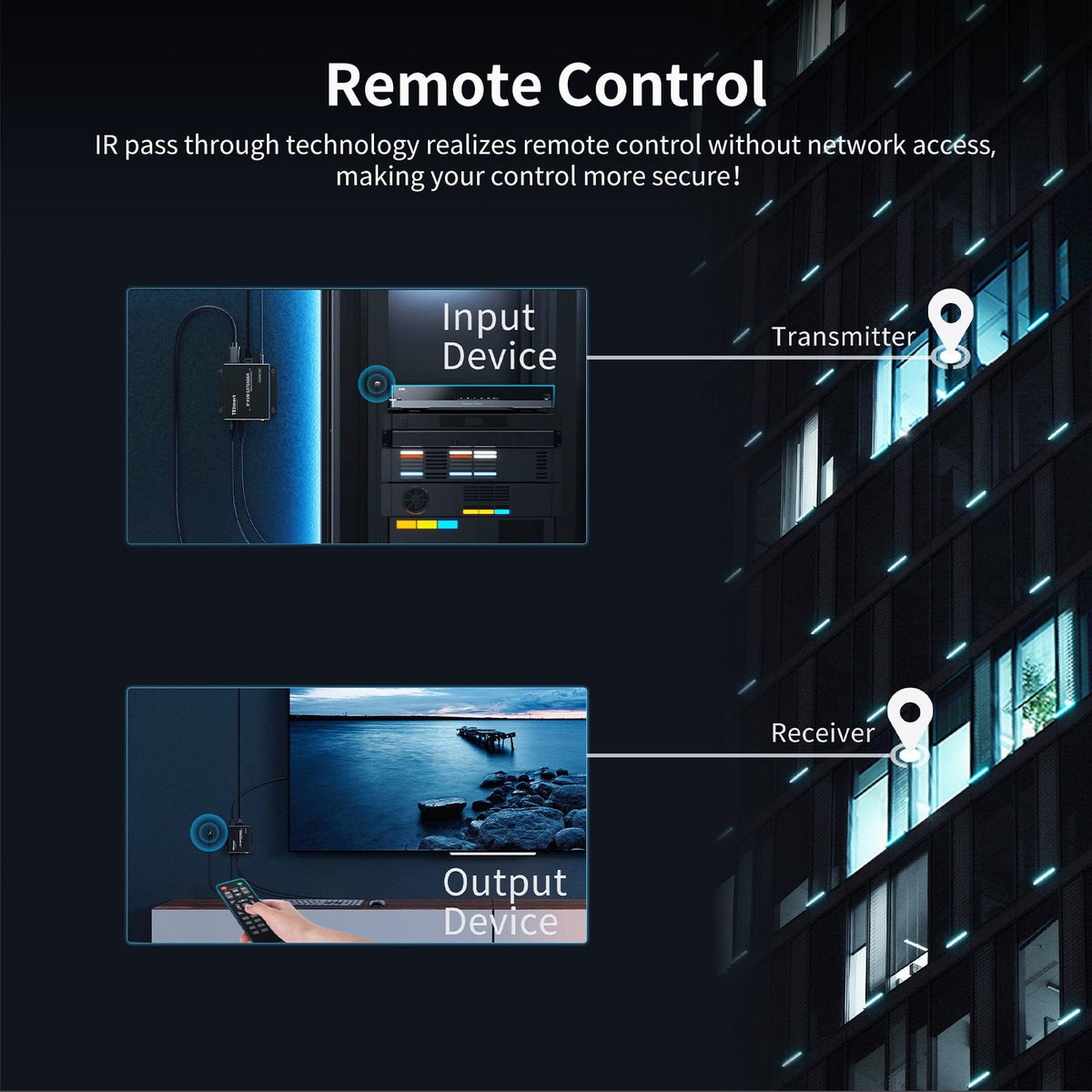
Place the included IR transmitter on the IR sensor of the source device. Connect the IR receiver at the display location. Operate the source device there using its original remote control.
[Functions] Is the video compressed?
Yes. The HKE120-EH23 uses compressed TCP/IP transmission for full HD remote access and distribution, not lossless video transmission.
[Furnishings] How do I set up a direct connection?
Connect the source and transmitter via HDMI, and additionally connect the keyboard/mouse via USB. Connect the display and input devices to the receiver. Connect both via CAT5e/6 cable, supply them with power, and configure them to use the same communication ID.
[Switch] How do I select a transmitter on the receiver?
Set the receiver ID to the desired transmitter ID – via button, IR remote control or hotkey.
[Switch] Which hotkeys change the IDs?
Press right Ctrl twice within 2 seconds, and then press the command within 3 seconds. For IDs 1–9, enter the respective number; for IDs 10–16, enter 1 first, then 0–6. The keyboard must be connected to the receiver's keyboard/mouse port.
[Scope of delivery] Are HDMI, USB, and Ethernet cables included?
HDMI and Ethernet are not included. Listed are the transmitter, receiver, IR transmitter/receiver cable, two 5V DC power supplies, IR remote control, and instruction manual. A USB-A to USB-B cable is required for a keyboard/mouse; this cable is not included.
