introduction
In the world of modern home entertainment and gaming, HDMI has undoubtedly become the preferred connection standard. Many televisions, game consoles, Blu-ray players, and home theater PCs (HTPCs) use HDMI for transmitting video and audio. However, the situation is somewhat different for high-end desktop PCs. For users seeking superior picture quality and higher performance, more advanced connection types are required, and DisplayPort has become the preferred choice for many premium monitors and graphics cards.
DisplayPort is a digital video interface specifically designed to meet the demands of high-performance displays. It offers higher bandwidth, supports higher resolutions and refresh rates, and includes advanced features such as Variable Refresh Rate (VRR) and High Dynamic Range (HDR). For gamers and professional users seeking the best visual experience and smooth gameplay, DisplayPort is undoubtedly the ideal solution.
With the continuous development of the technology, DisplayPort has produced several versions, whereby DisplayPort 1.2, 1.4 and the newly introduced DisplayPort 2.1 These are among the most important standards. While DP 2.1 represents the future of display technology, DP 1.4 remains the most widely used version today. Understanding the differences between these versions is crucial for gamers and professional users when upgrading their hardware or purchasing new devices.
This article will discuss the key features of DisplayPort, compare the differences between the various versions, and explain why DisplayPort 1.4 remains the best choice in today's technology landscape. Whether for high-resolution gaming, professional video editing, or multi-monitor setups, DisplayPort continues to deliver exceptional performance and image quality. As DP 2.1 gradually becomes more widespread, it will pave the way for even higher bandwidth and resolution for the next generation of displays.
What is DisplayPort?
DisplayPort (DP) is a digital display interface primarily used to connect a video source to a display device such as a computer monitor. Developed by the Video Electronics Standards Association (VESA), DisplayPort can transmit audio, USB, and other data formats. The interface is known for its high performance and supports high resolutions, high refresh rates, and large color depths.
Key features of DisplayPort:
-
High resolutions and refresh rates, e.g. DP 2.1 supports up to 16K@120Hz with DSC.
-
Support for HDR (High Dynamic Range) and VRR (Variable Refresh Rate).
-
Compatibility with Multi-Stream Transport (MST) for daisy-chaining multiple monitors.
-
In most versions, higher bandwidth than HDMI.
Active vs. passive DisplayPort cables
DisplayPort cables come in various designs and they can either active or passive be.
-
Passive DP cables They transmit the signal directly from the source to the display without amplification. They are best suited for short distances of up to 2 meters and work well with standard resolutions and refresh rates.
-
Active DP cables They contain integrated electronics that amplify and process the signal. This makes them ideal for longer distances of up to 15 meters or more, as well as for high-performance setups such as 4K@120Hz or 8K resolutions.
DP 1.2 vs. DP 1.4 vs. DP 2.1: Key Differences
To better illustrate the differences, here is a comparison table:
| feature | DP 1.2 | DP 1.4 | DP 2.1 |
| bandwidth | 21.6 Gbps | 32.4 Gbps | Up to 80 Gbps |
| Maximum resolution | 4K@60Hz | 8K@60Hz (with DSC) | 16K@120Hz (with DSC) |
| Display Stream Compression (DSC) | No | Yes (DSC 1.2) | Yes (DSC 1.2a) |
| HDR support | Limited (SDR) | HDR10 & Dynamic HDR | Improved HDR & higher color depth |
| Forward Error Correction (FEC) | No | Yes | Yes |
| Color depth | 10-bit (without compression) | 12-bit (with DSC) | 16-bit (with DSC) |
| Multi-Stream Transport (MST) | Yes | Yes (better performance) | Improved for higher resolutions |
| Audio support | Up to 8 channels (192 kHz) | Up to 32 channels (1536 kHz) | Improved with additional formats |
| Use case | Standard 4K setups | Gaming with high refresh rate & 8K video | Future-proof for next-gen displays |
Why DP 1.4 is still the best choice today
Although DP 2.1 offers significant improvements, it is not yet widely adopted by consumer monitors and graphics cards. DP 1.4 remains the most prevalent. most widely supported and most cost-effective A solution for high-performance gaming and professional work.
-
Supports 8K and high refresh rates for gaming and media playback.
-
Wide compatibility with GPUs, monitors and KVM switches.
-
Advanced features such as DSC, HDR and VRR ensure excellent image quality.
KVM switches with DP 1.4 support
For users who want to improve their gaming or productivity setup, KVM switches with DisplayPort 1.4 support An excellent choice. They offer superior bandwidth, high refresh rates, and compatibility with multi-monitor setups.
Recommended DP 1.4 KVM switches:
-
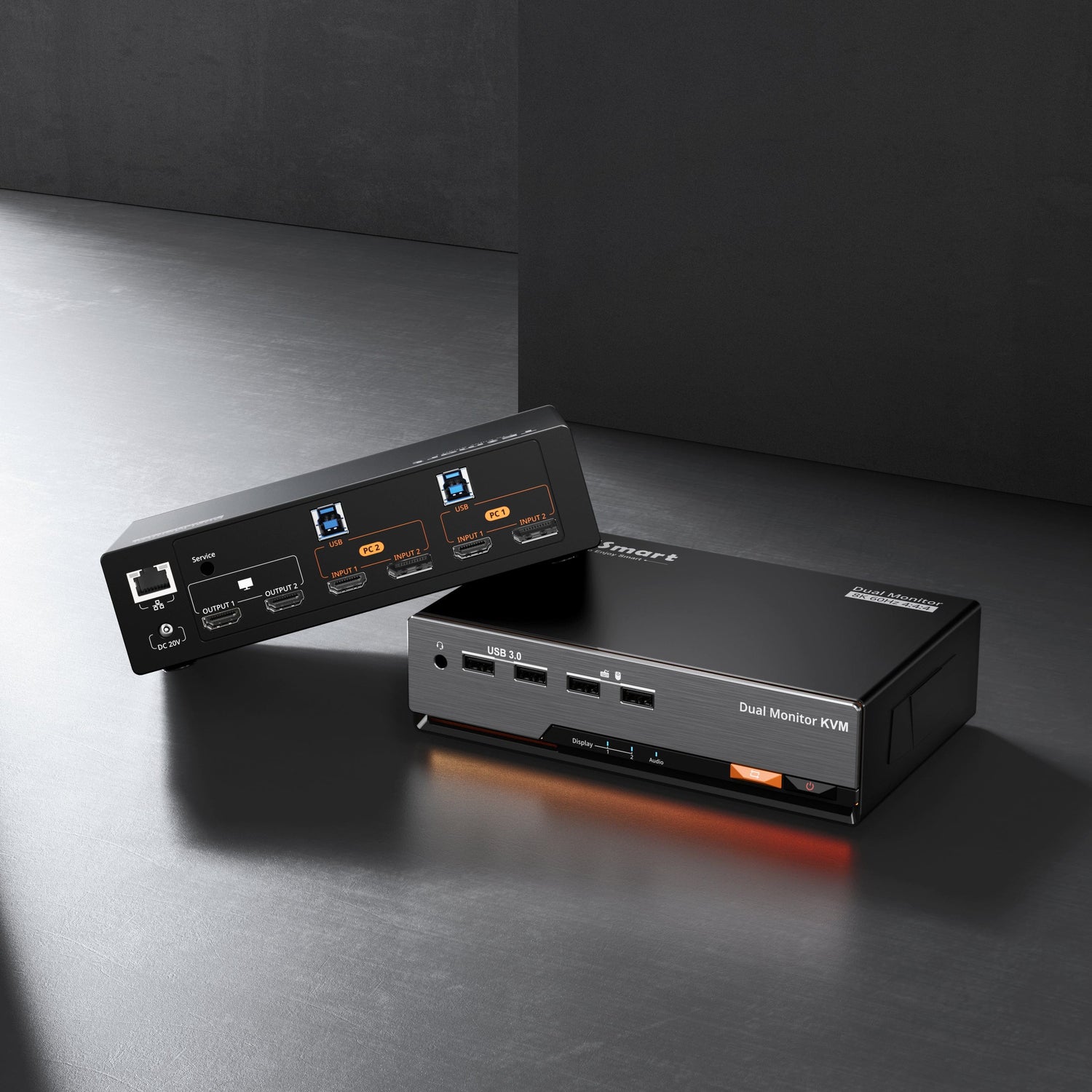
TESmart DP 1.4 Dual 8K@60Hz KVM Switch (DKS202-M24) – Ideal for Dual-monitor gaming and professional editing, with support for 4K@144Hz as well as G-Sync and FreeSync.
-
TESmart DP 1.4 Triple 8K@60Hz KVM Switch (DKS203-M24) – Perfect for Triple monitor setups and offers seamless switching and powerful image display.


Conclusion
DisplayPort remains a top choice for high-quality video and audio transmission in gaming and professional environments. While DP 2.1 represents the future of display technology, Due to its extensive range of functions and broad compatibility, DP 1.4 remains the best and most practical choice today..
For users who Dual or triple monitor setups If you want to optimize, the DP 1.4 KVM switches TESmart delivers outstanding performance and is therefore ideally suited for both high-resolution editing as well as immersive gaming.
Stay tuned for future developments when the The spread of DP 2.1 is increasing. and the next generation of displays higher bandwidths and resolutions made possible.