

For many professional Mac users, storage space is no longer a luxury – it's a structural necessity. Video editors working with ProRes, developers with large local environments, AI users managing datasets, and photographers processing RAW archives all face the same problem: Apple's internal storage expansions are exceptionally expensive..
Using the latest as an example MacBook with M4 Max This article examines the true costs of Apple's internal storage strategy – and explains why. TESmart TBE-X5Max in combination with a powerful 8TB SSD, it offers a more rational, flexible and cost-effective alternative.
Apple Internal Storage Expansion: The Real Costs
Example configuration
-
Apple M4 Max chip
- 14-core CPU
- 32-core GPU
- 16-core Neural Engine
36GB Unified Memory
Base storage: 1TB
If you use this configuration from 1TB to 8TB Apple expands, calculates an additional 2,200 USD.

This extension:
- Cannot be reused between devices
- Cannot be expanded later
- Cannot be shared with other computers
- Becomes obsolete once the Mac device is replaced
From a purely financial perspective, this is a sunk cost item that is permanently tied to a single device.
A smarter alternative: External 8TB via Thunderbolt
Instead of paying for Apple's expensive internal storage expansions, users can achieve the same – or greater – capacity via external Thunderbolt storage while retaining complete control and flexibility.
Cost breakdown
Samsung SSD 9100 PRO 8TB: 1,084.13 USD
TESmart TBE-X5Max Thunderbolt Enclosure: 415 USD
In total: ~1,499 USD


That is Over $700 cheaper than Apple's internal 8TB expansion, while it offers:
- 8TB high-speed external storage
- 1TB more capacity than Apple's 8TB expansion, combined with the internal base drive
- Cross-device usability
What makes TBE-X5Max different?
The TBE-X5Max is not a generic external enclosure. It is specifically designed for professional Thunderbolt workflows Designed to ensure maximum performance, compatibility, and long-term reliability.
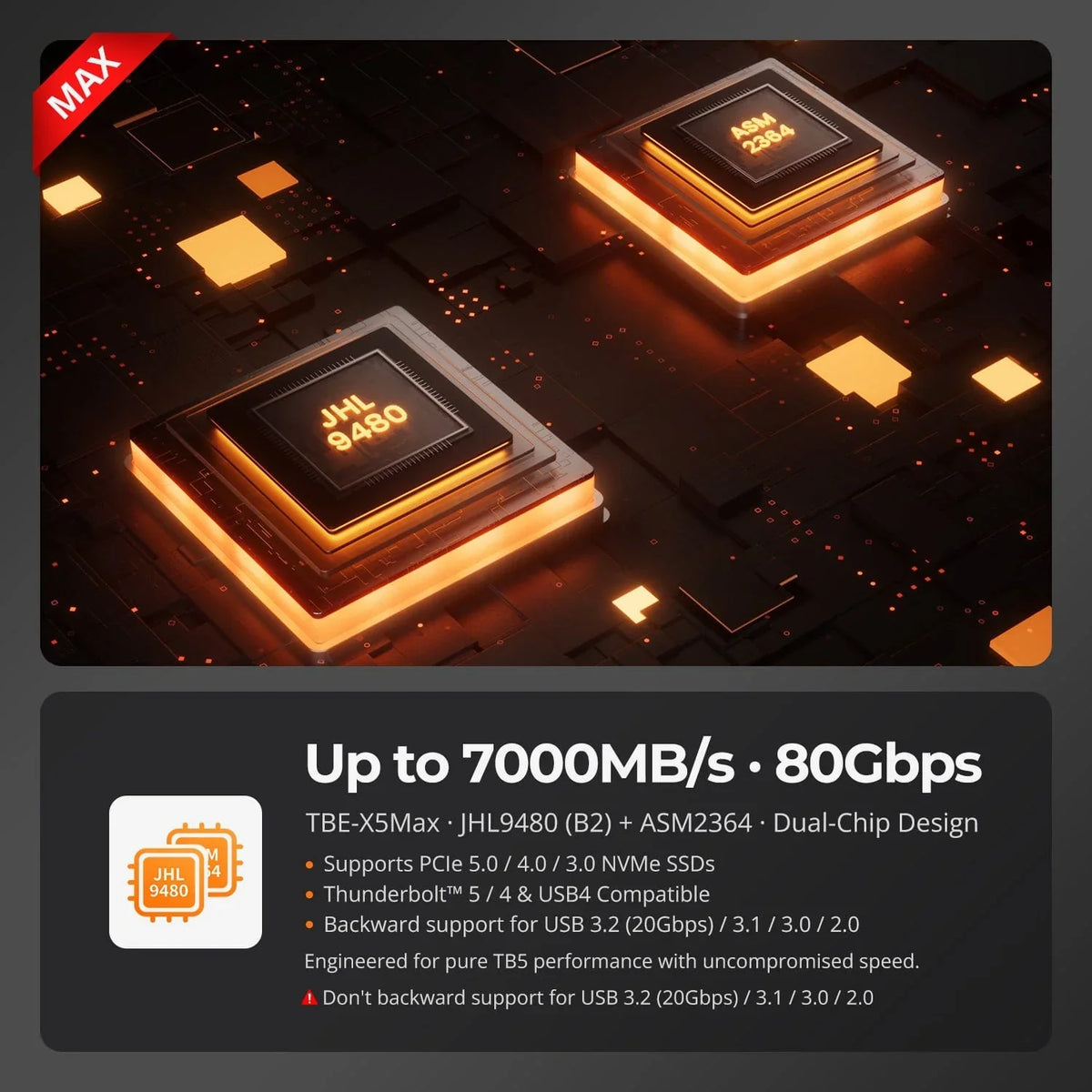
Dual-chip architecture for maximum compatibility
TBE-X5Max uses a Dual-controller design, that works seamlessly across multiple host interfaces:
- Intel JHL9480 (B2) – Thunderbolt 5 Controller
- Native Thunderbolt architecture
- Ultra-low latency PCIe tunneling
- Optimized for modern Mac and high-end PC platforms
- ASMedia ASM2364 – USB Controller
- Provides backward compatibility USB 3.2/USB 3.0/USB 2.0 secure
- Enables operation on non-Thunderbolt systems
This architecture ensures that the housing is not tied to a single protocol or generation and its lifespan is significantly extended.
Plug-and-play performance for macOS
For Mac users, TBE-X5Max behaves like a native Thunderbolt storage device:
- No drivers required
- No complicated configuration
- Instant detection in macOS
Applications, media libraries, virtual machines and active project files can be run directly from the external drive without any noticeable performance loss.
Memory that travels with you
Unlike internal memory expansions:
- TBE-X5Max can shared between multiple Macs
- It can be on Can be used on Mac and Windows systems
- It remains valuable even if you replace or upgrade your computer.
In practice, this means:
- A storage investment
- Multiple devices
- Longer-term benefit
Internal vs. External: A rational comparison
| aspect | Apple Internal 8TB | TBE-X5Max + 8TB SSD |
|---|---|---|
| Additional costs | 2,200 USD | ~1,499 USD |
| Expandable | No | Yes |
| Reusable | No | Yes |
| Divisible | No | Yes |
| Device-bound | Yes | No |
| Upgrade flexibility | No | Full |
Conclusion: Buy it once, not with every Mac upgrade.
Apple's internal storage expansions prioritize simplicity—at a high and irreversible cost. For professionals who need more than Total costs, Device independence and future scalability When you think about it, external Thunderbolt storage is the more rational choice.
With TESmart TBE-X5Max Mac users receive:
- Enterprise Controller Architecture
- Broad protocol compatibility
- Lower cost per terabyte
- Storage that outlasts every single computer.
FAQ
1. Does external Thunderbolt storage feel slower than internal Mac storage?
For most professional workflows – video editing, development, accessing large files – the difference is negligible. Thunderbolt-based NVMe storage delivers sufficiently high sustained performance.
2. Can the TBE-X5Max be used with non-Thunderbolt devices?
Yes. Thanks to the ASM2364 USB Controller The TBE-X5Max is backward compatible with USB 3.x and USB 2.0, but with reduced speeds.
3. Is it safe to run applications or projects directly from the external drive?
Yes. macOS supports running applications, libraries, and project files completely from external Thunderbolt storage.
4. Can the SSD be replaced or upgraded later?
Yes. Unlike the internal storage of a Mac, the SSD in the TBE-X5Max can be replaced or expanded if storage needs change.
5. Is this solution suitable for multi-computer environments?
Absolutely.One of the main advantages of TBE-X5Max is that it can be shared between multiple Macs or PCs, ideal for studios, dual-machine setups or hybrid working environments.

Split:
DKE30SS-M25: Guide to selecting the right LC-LC OM4 fiber for reliable high-speed connections
TESmart HDC203-PM24 Common Usage Issues Explained: Complete Guide from Connection to Performance Optimization