

HDC203-PM24-EUBK
Triple 4K60Hz DisplayLink® Hybrid KVM Dockingstation – USB-C mit EDID & 100W PD für 2 PCs (Mac & Desktop)
- Regulärer Preis
-
€770,19 - Regulärer Preis
-
€770,19 - Verkaufspreis
-
€770,19
Abholverfügbarkeit konnte nicht geladen werden
-
¡Date prisa, solo queda uno! 10 ¡Artículo en stock!
Descripción general & Aspectos destacados
Konzipiert für hybride Workflows mit Mac & Desktop
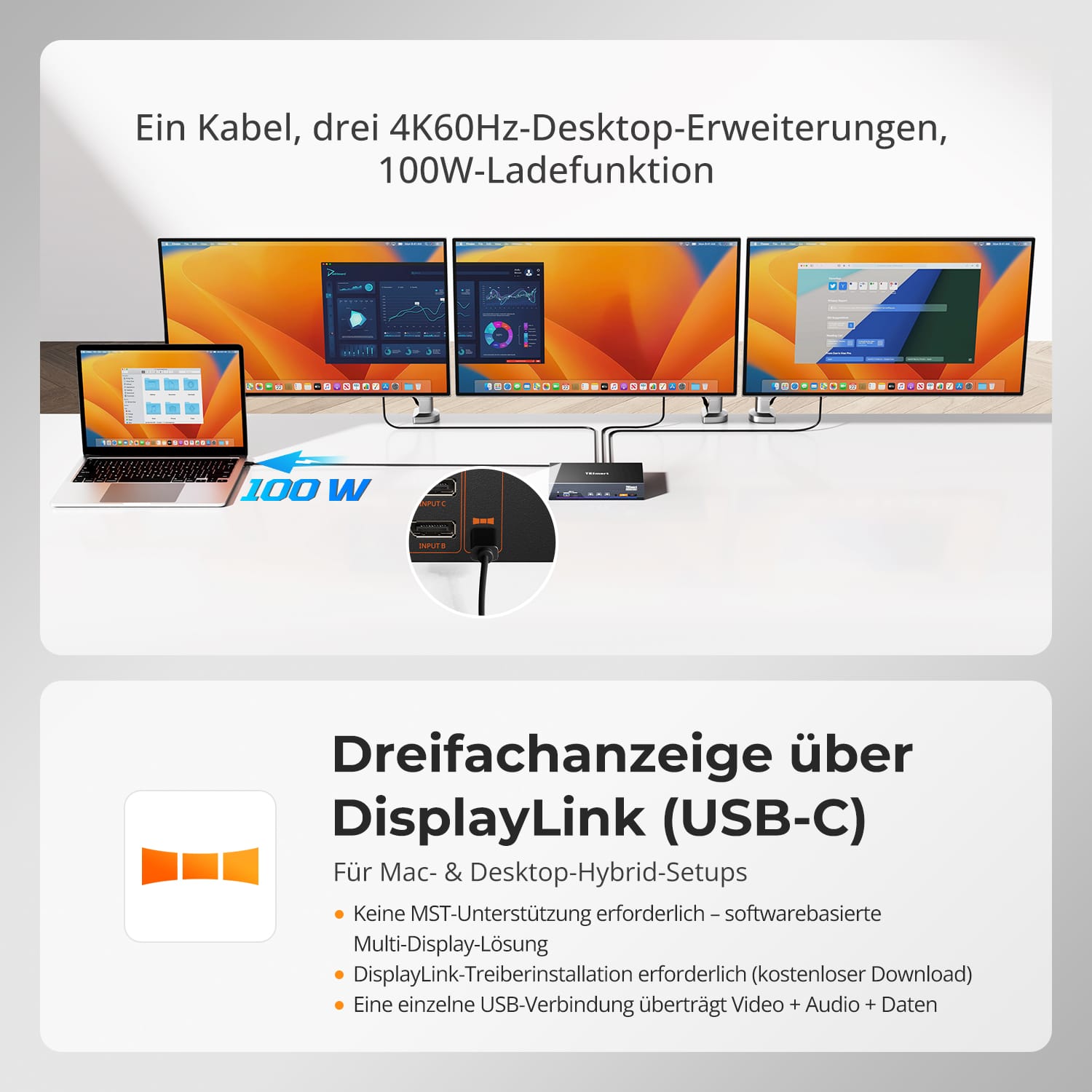
Ein USB-C-Kabel überträgt Video, Daten und Strom – ermöglicht echten Triple-Display-Betrieb, sofortiges Umschalten und volle Docking-Station-Funktionalität.
Wichtige Funktionen
-
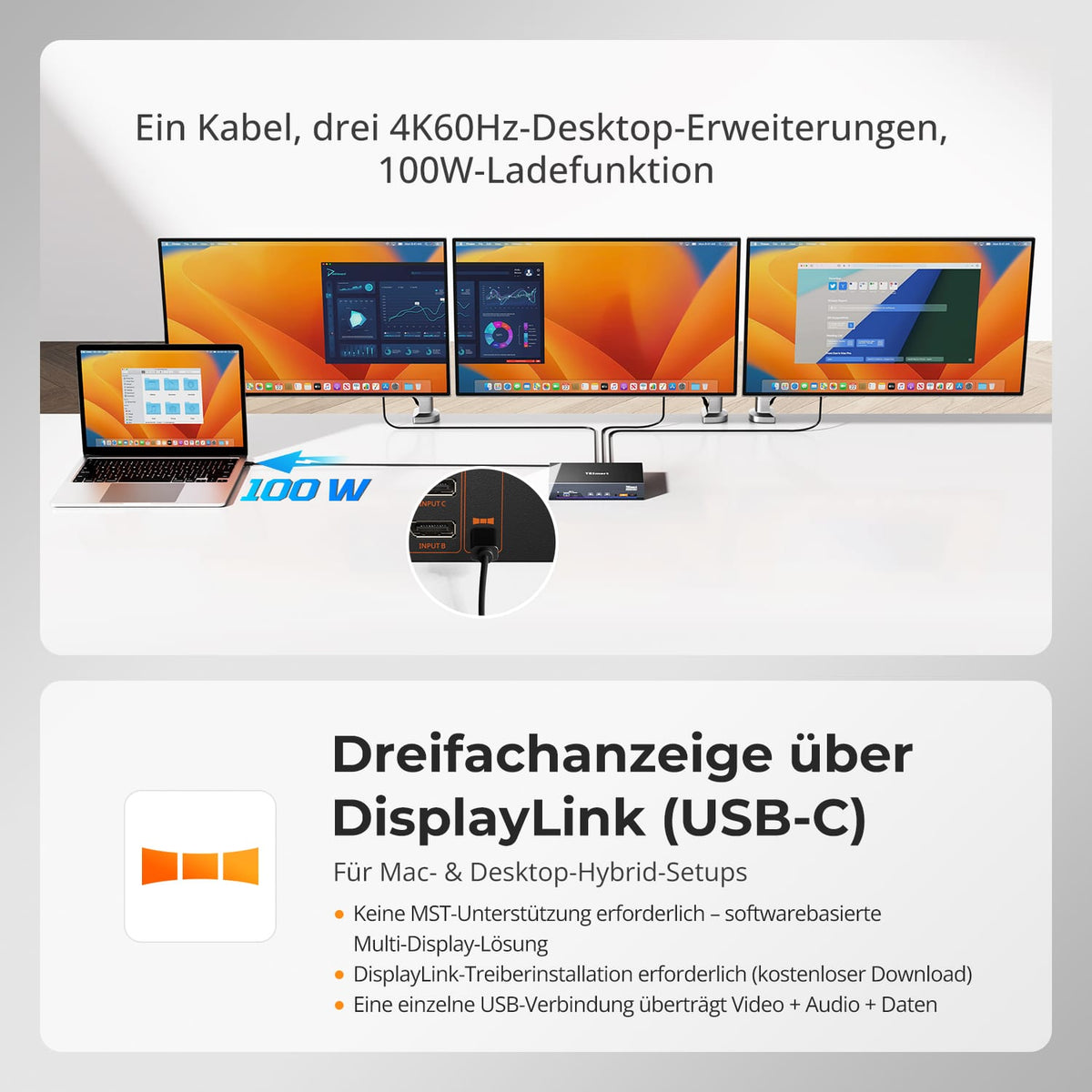
Triple Display für Mac – Überwindet die macOS-MST-Beschränkungen und erweitert nahtlos auf 3×4K-60-Hz-Bildschirme.
-
Hybride KVM + Dockingstation – Ein Arbeitsplatz für MacBook und Desktop-PC; Video, Daten, Audio, 1000M LAN und Strom über ein einziges Kabel.
-
100W PD (Power Delivery) – Versorgt leistungsstarke Laptops auch bei hoher Auslastung mit voller Leistung.
-
Intelligentes EDID-Sofortumschaltung – Wechseln Sie blitzschnell zwischen PCs – kein Signalverlust, keine langen Blackouts.
-
Unterstützt durch DisplayLink® – Kombiniert 1 DP- + 2 USB-Videostreams für eine stabile, flüssige Triple-Display-Leistung.
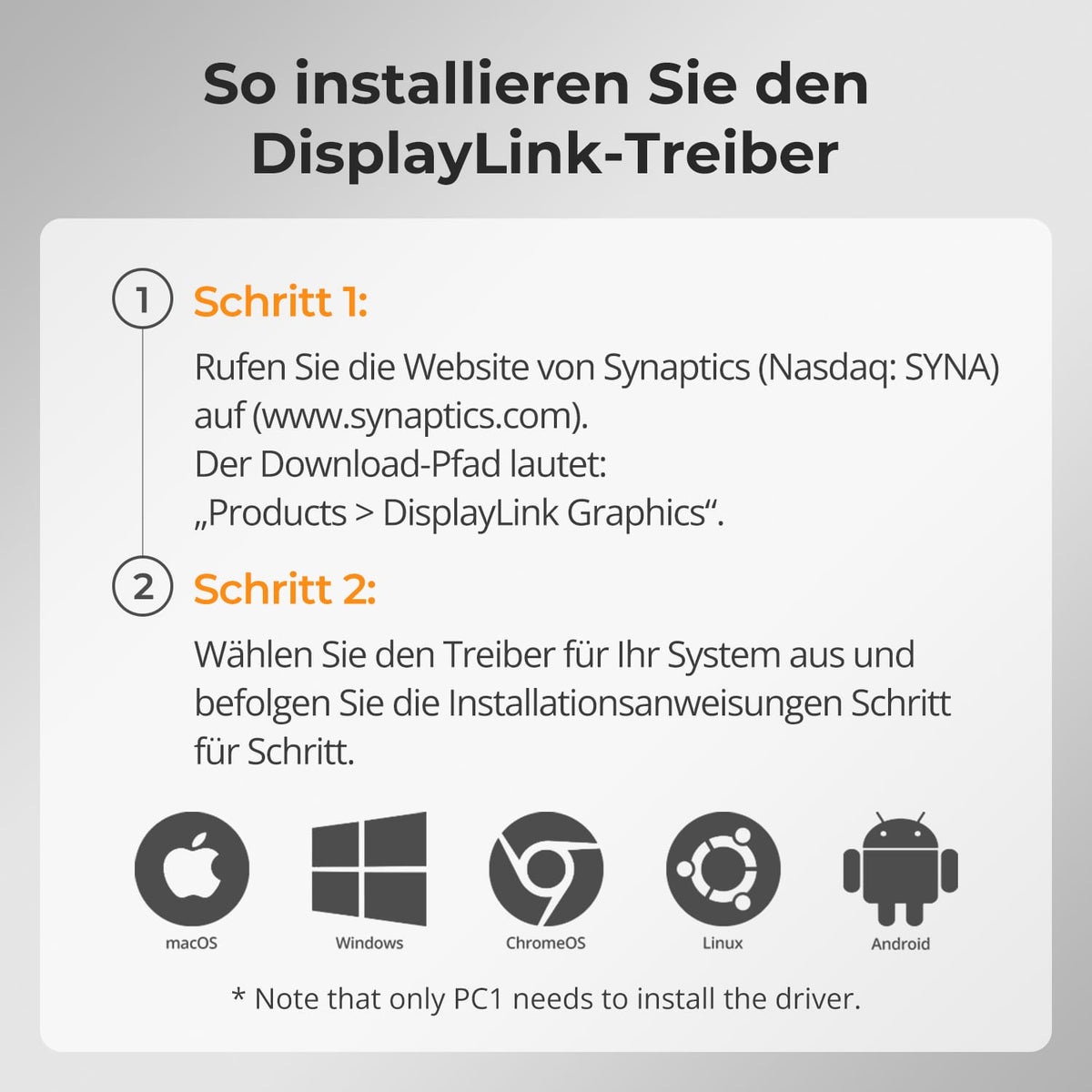
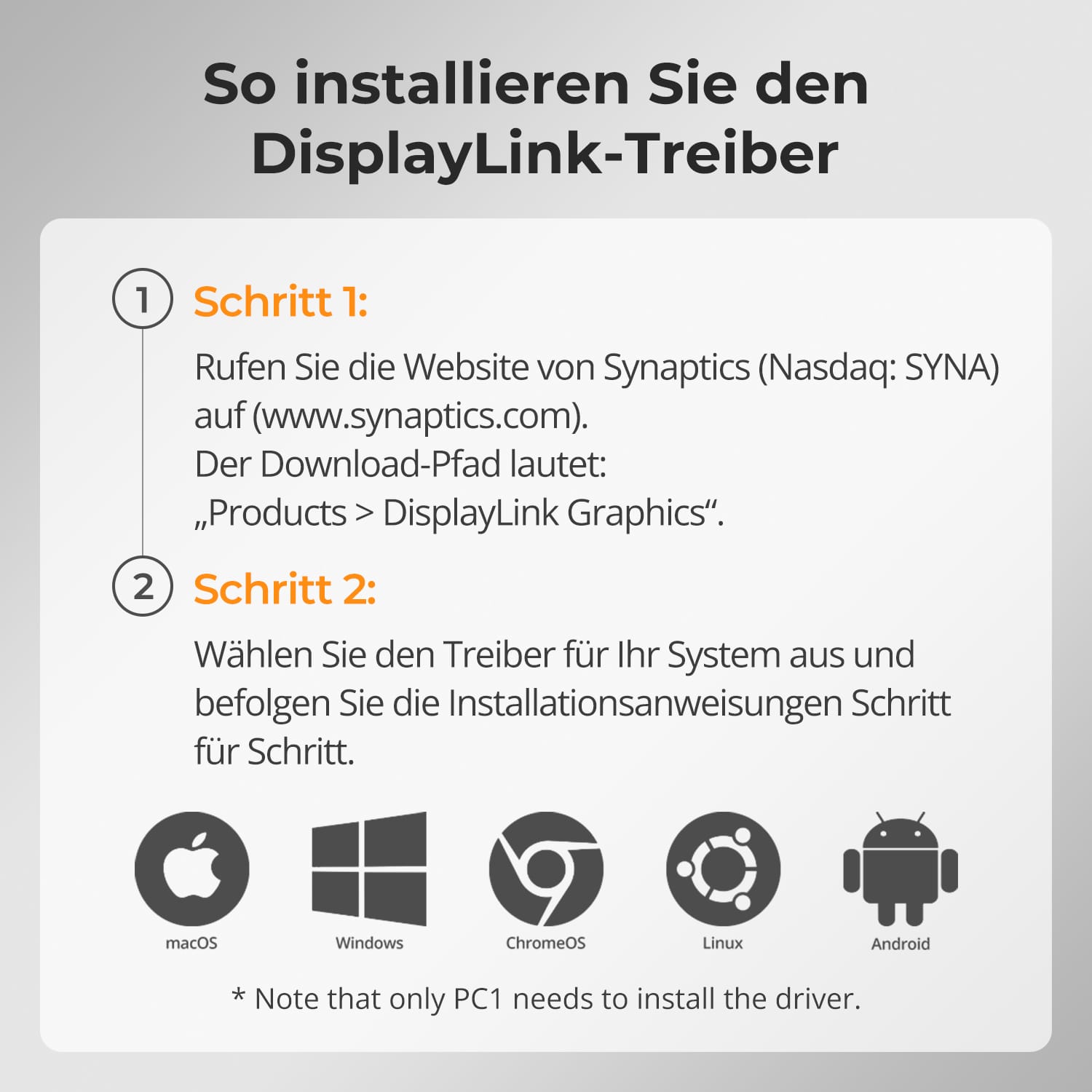
⚠️ DisplayLink-Treiber erforderlich (kostenloser Download).
Unter macOS können Videos von Amazon Prime Video, Netflix, Disney+ und anderen HDCP-geschützten Diensten nicht über DisplayLink angezeigt werden.
Wenn der DisplayLink-Treiber aktiv ist, kann macOS die von diesen Plattformen benötigte HDCP-Sicherheitsprüfung nicht abschließen. Infolgedessen wird das Videofenster vollständig schwarz. Dies ist eine bekannte Einschränkung der macOS- und DisplayLink-Architektur und wird nicht durch ein Hardwareproblem verursacht.
Alcance de la entrega
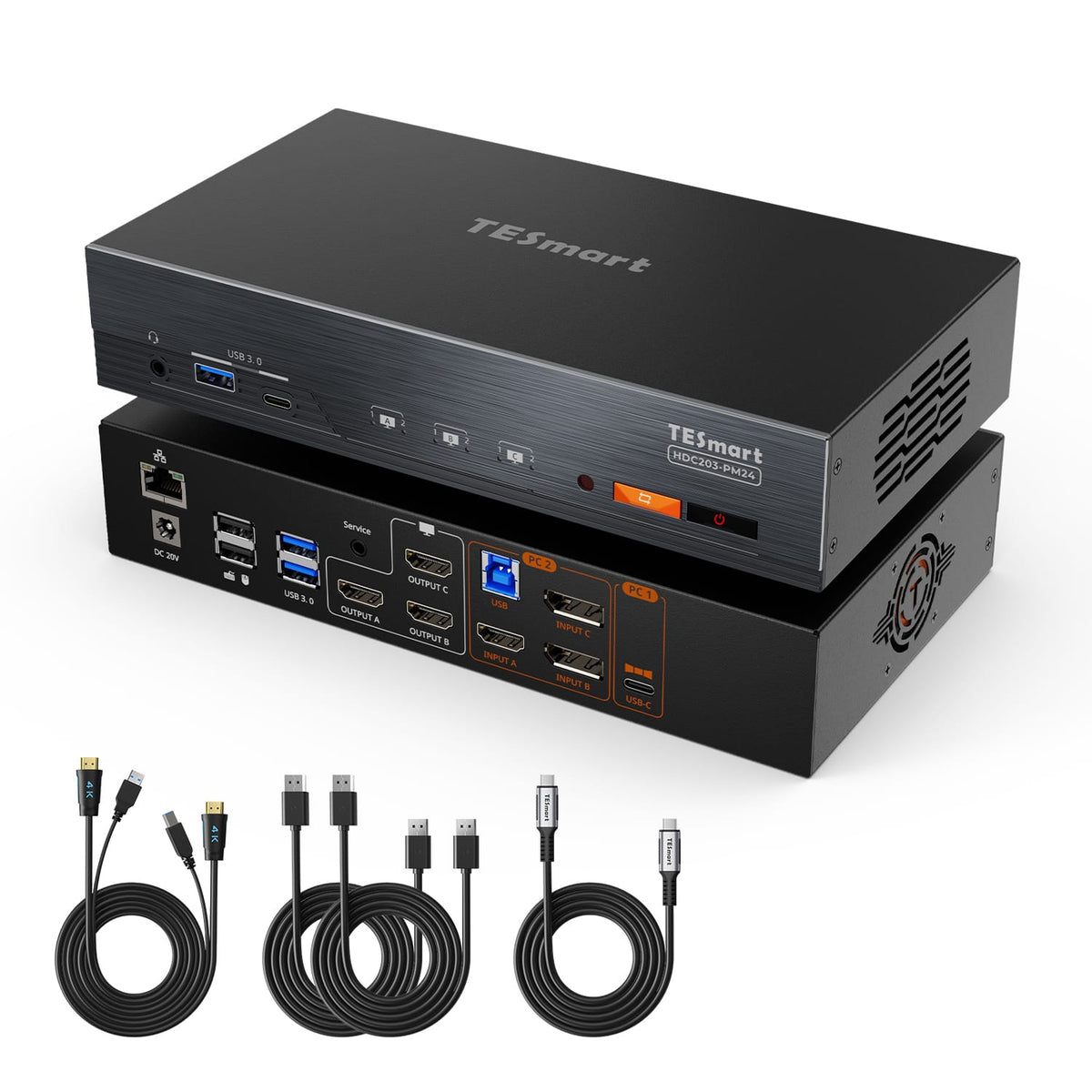
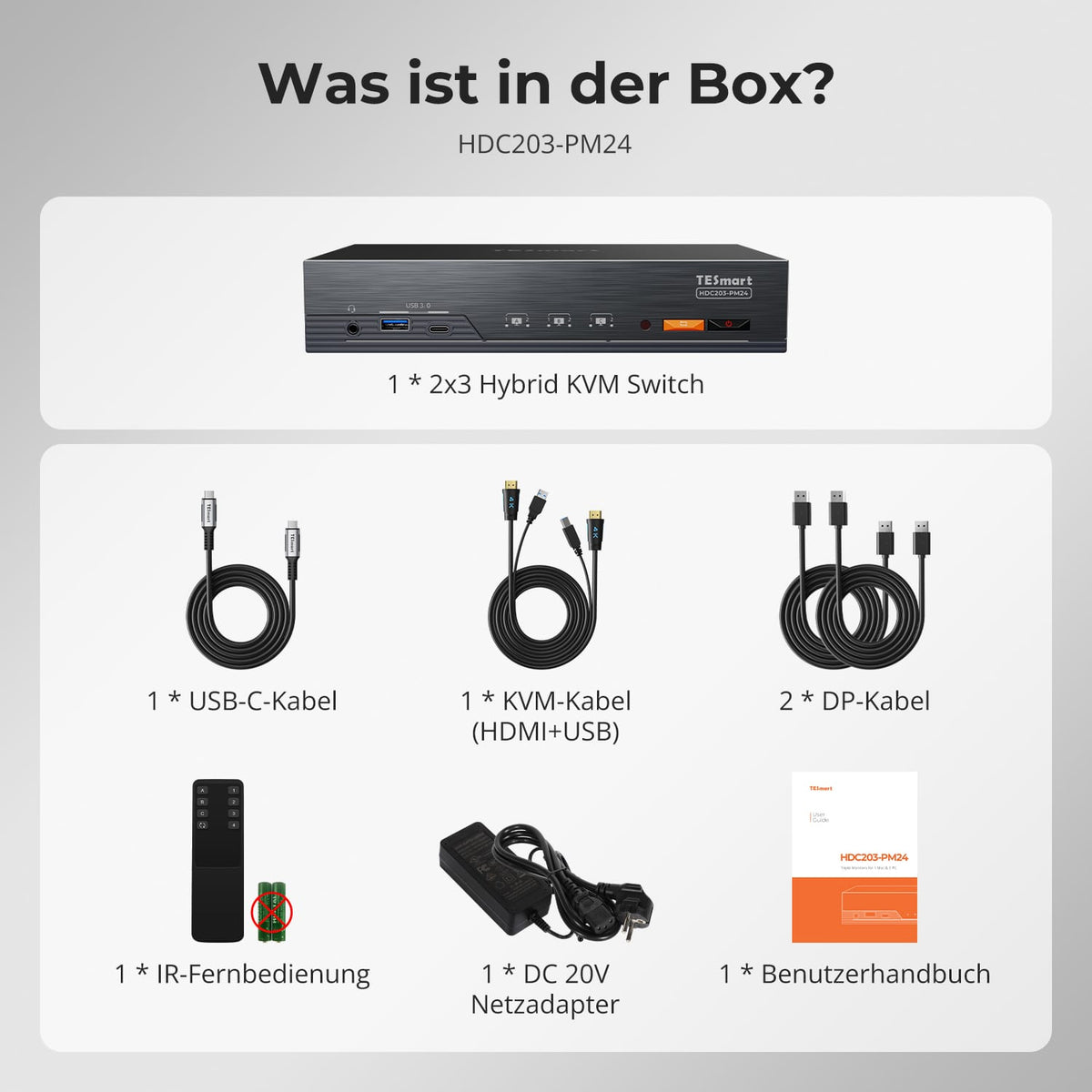
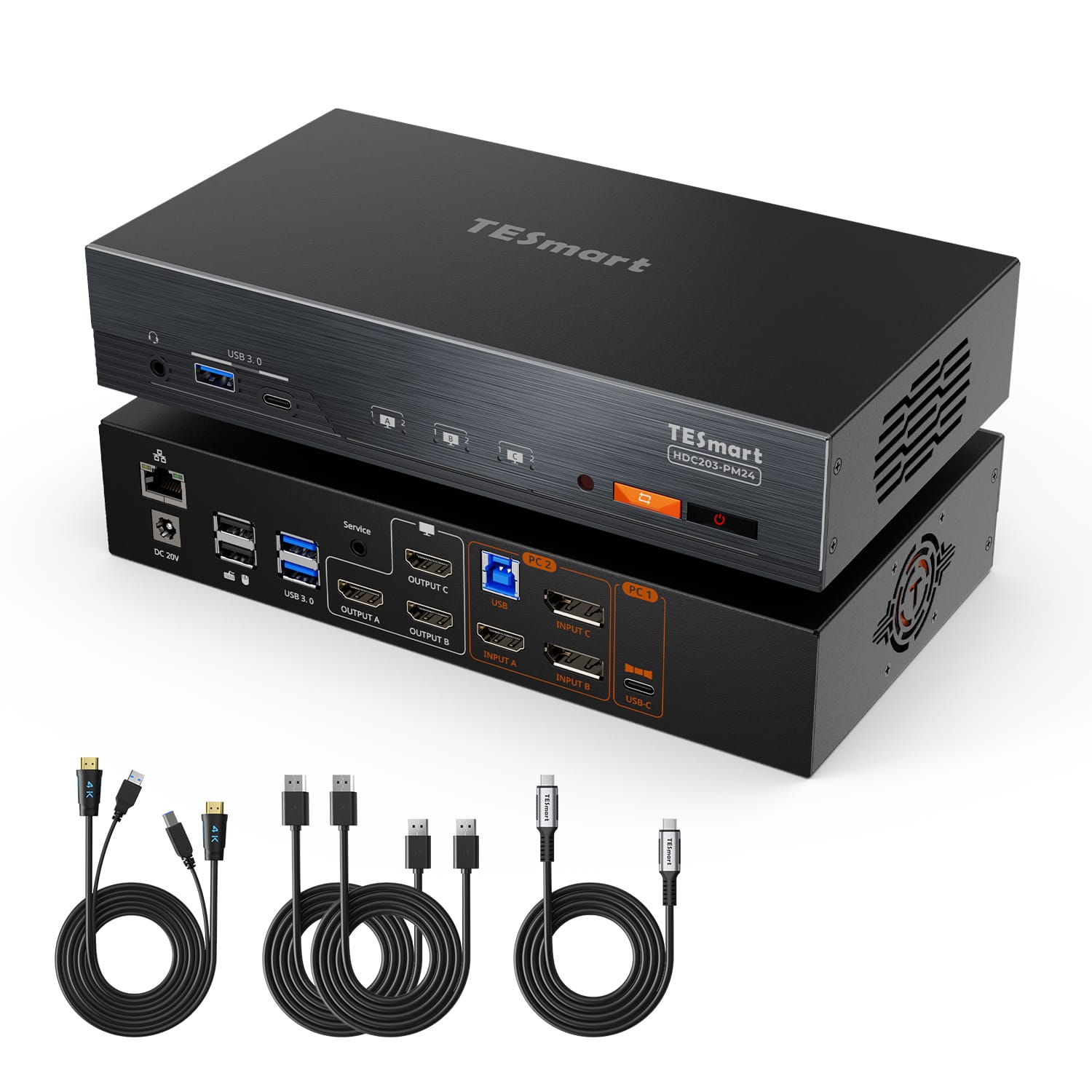
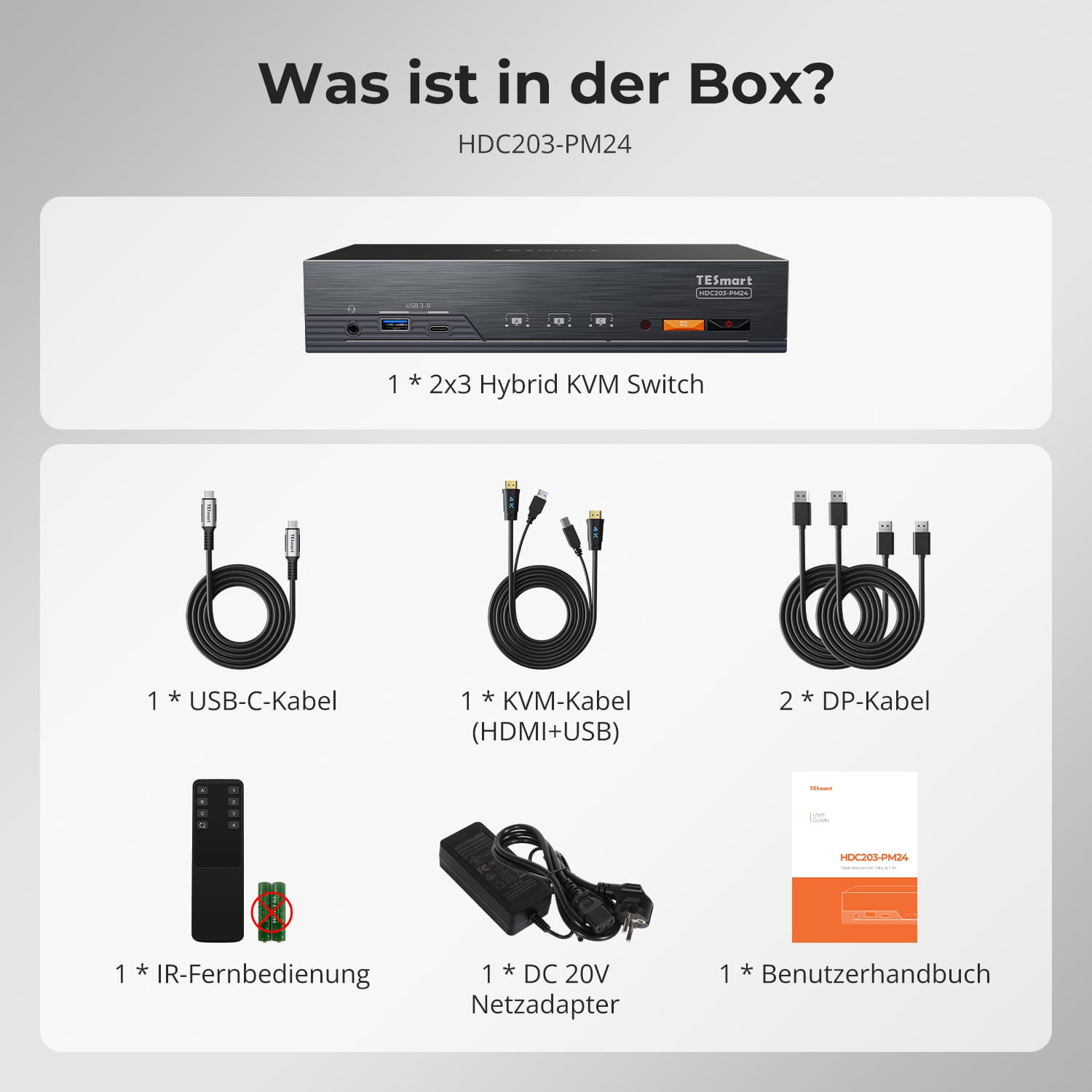
- 1 * Conmutador KVM híbrido 2x3
- 1 * Cable USB-C
- 1 cable KVM
- 2 cables DP
- 1 * Control remoto IR
- 1 fuente de alimentación de 20 V
- 1 * Manual de usuario
Descargas & Manual de usuario

Nuestra política de envíos consta de las siguientes 7 secciones:
Tiempo de procesamiento del pedido (plazo de envío)
- gastos de envío & El tiempo de entrega
- Seguimiento de pedidos
- Envíos retrasados
- Cancelación de pedidos
- Buey & Derechos arancelarios
- Contáctanos
1. Tiempo de procesamiento del pedido
El tiempo de procesamiento del pedido se refiere al período que transcurre desde que se realiza el pedido hasta que este se entrega al proveedor del servicio de envío.
• Los pedidos suelen enviarse en un plazo de 1 a 2 días laborables tras la confirmación/pago.
• Los pedidos realizados durante el fin de semana pueden sufrir retrasos.
Nuestro almacén opera de lunes a viernes en horario comercial habitual (excepto festivos). En tales casos, haremos todo lo posible para minimizar los retrasos en los envíos.
Contamos con almacenes en Alemania y otras regiones. Su pedido se enviará directamente desde el almacén más cercano, según su dirección de entrega. Si el almacén más cercano no dispone del producto, enviaremos su pedido desde otro almacén cercano para que lo reciba lo antes posible.
Envíos al Reino Unido 🇬🇧
Para garantizar una entrega sin contratiempos y un correcto despacho de aduanas, los pedidos procedentes del Reino Unido se procesan a través de nuestra tienda en Estados Unidos.
Los pedidos con destino al Reino Unido no se pueden enviar a través de nuestra tienda en la UE.
2. Gastos de envío & El tiempo de entrega
| País o región | Tiempo estimado de entrega | gastos de envío | proveedor de servicios logísticos |
| Alemania | 3 días laborables | Envío gratis | DHL |
| Otros países de la UE | De 3 a 7 días laborables | Envío gratis | DHL/DPD |
| países no pertenecientes a la UE | 5-12 días laborables | Desde 60 euros | Unión Postal Universal |
3. Seguimiento de pedidos
4.Envíos retrasados
5. Cancelación del pedido
6. Impuestos & Derechos arancelarios
7. Contáctanos
- Los pedidos de TESmart se procesan automáticamente. Una vez enviados, no se pueden cancelar ni modificar, incluyendo cambios de dirección.
- Si desea devolver el producto o solicitar un reembolso, póngase en contacto con nosotros en un plazo de 30 días a partir de la recepción del producto. service@tesmart.de.
- Las devoluciones solo son posibles si el producto no ha sido usado, está completo y en su embalaje original.
- En el caso de devoluciones que no se deban a problemas de calidad, el cliente correrá con los gastos de envío de la devolución.
- TESmart cubrirá los gastos de envío de las devoluciones o reembolsos por problemas de calidad.
- Productos que se buscan 30 días y dentro 2 años Los artículos que presenten problemas no se pueden devolver, pero según la inspección, se pueden reparar o reemplazar (solo por el mismo modelo; se prefieren los reemplazos para los miembros).
- Entre el segundo y el tercero. Este año no se ofrece servicio de devolución ni reembolso. Los miembros pueden después 3 meses Se aplicará un descuento de [cantidad] a partir de la fecha de compra como parte de la política de intercambio. hasta un 50% Recibirá un reembolso del precio original del producto para la compra de un nuevo producto. Para consultar los términos y condiciones detallados, visite: https://tesmart.de/pages/tesmart-id-trade-in
- Los reembolsos se procesarán dentro de los 5 días hábiles posteriores a la recepción de la mercancía en el almacén.
Para preguntas: service@tesmart.de
Directrices completas:

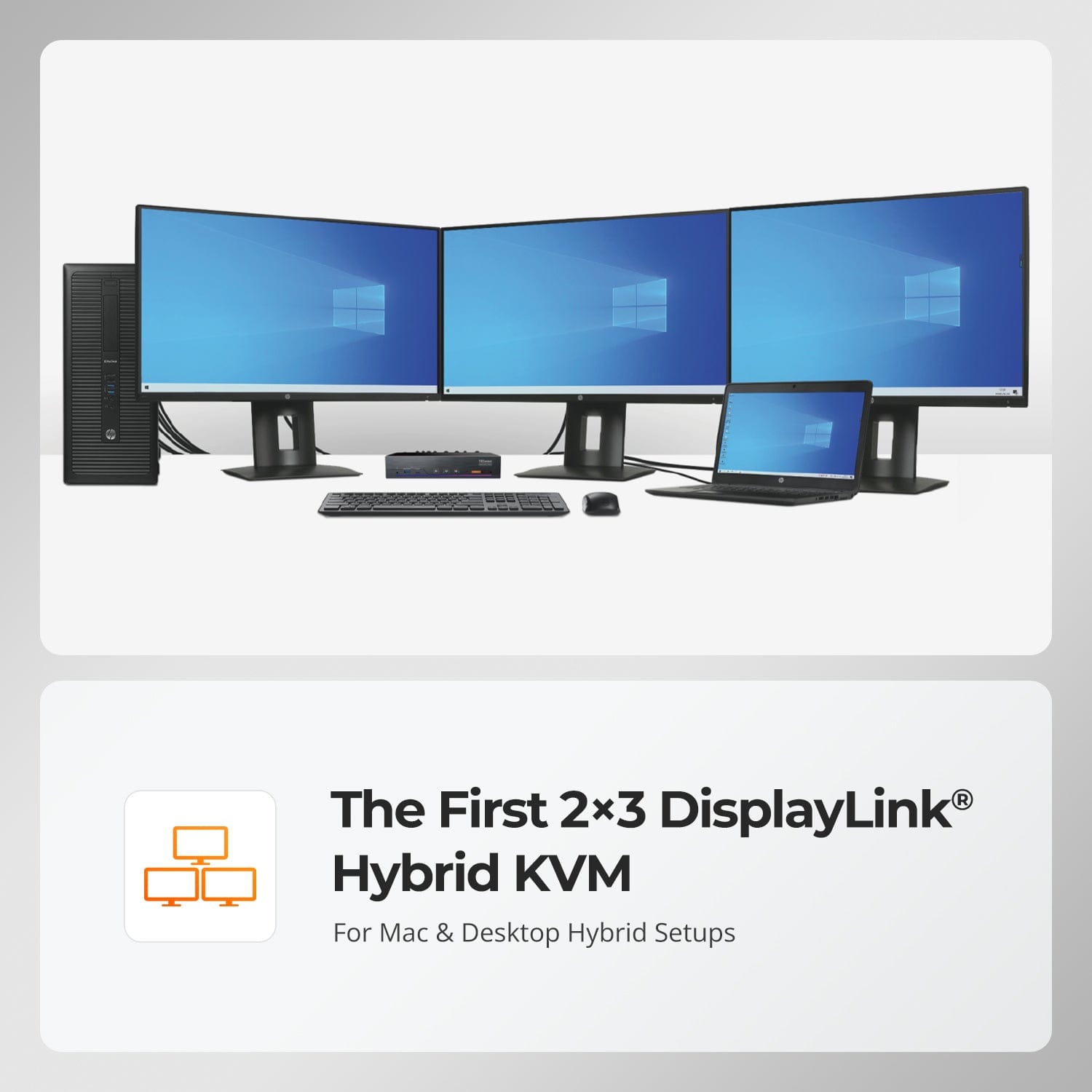
El primer KVM híbrido DisplayLink® 2×3
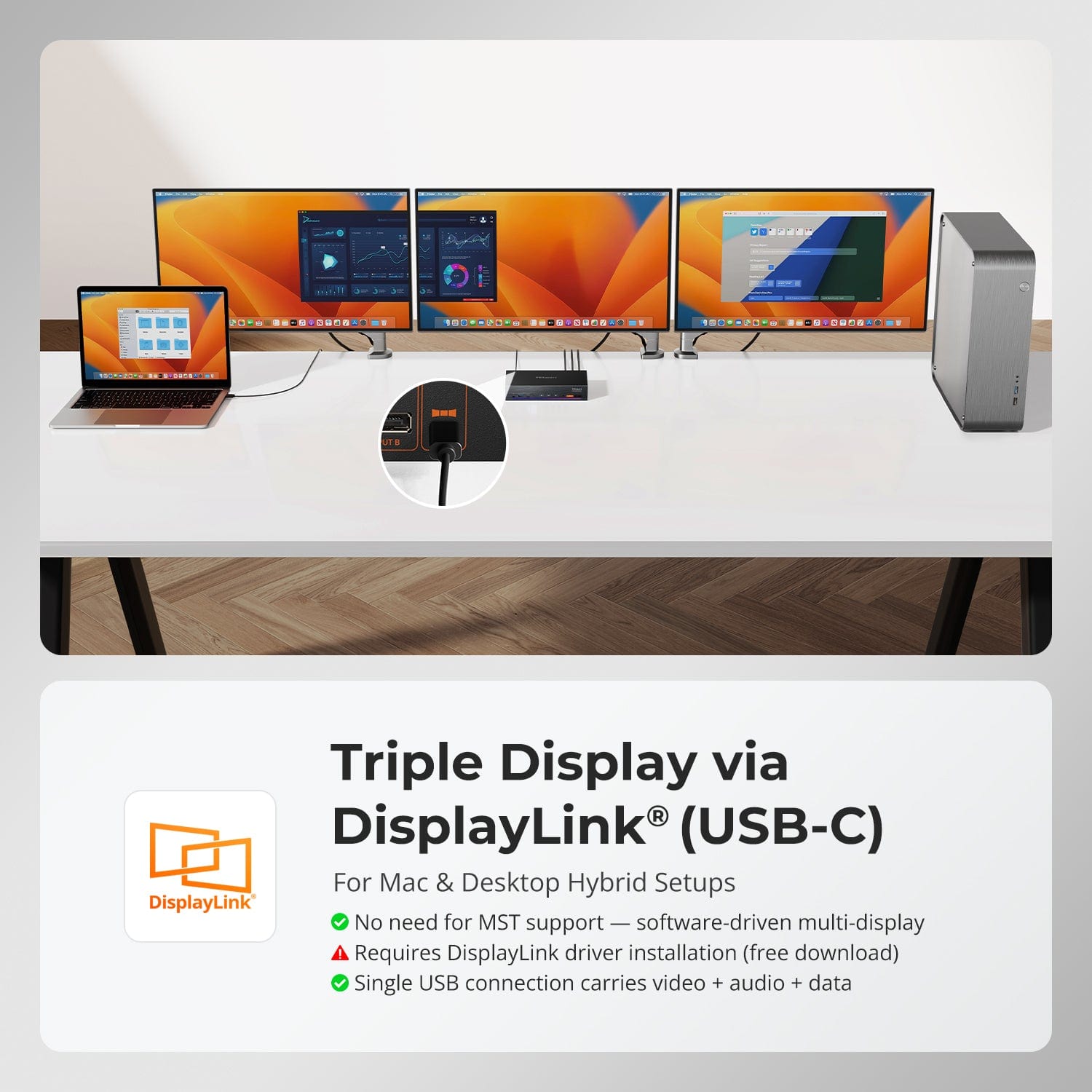
Pantalla triple a través de DisplayLink® (USB-C)
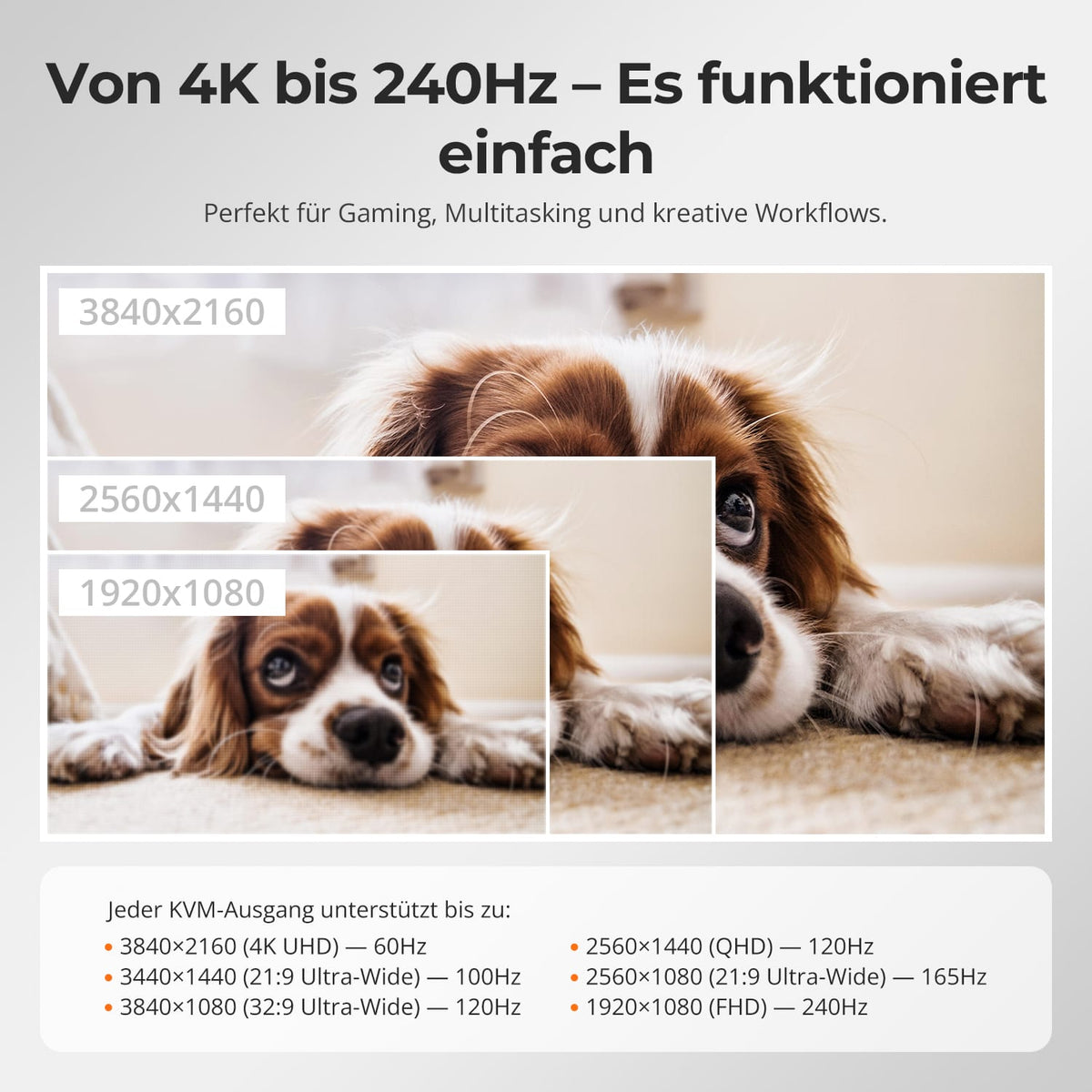
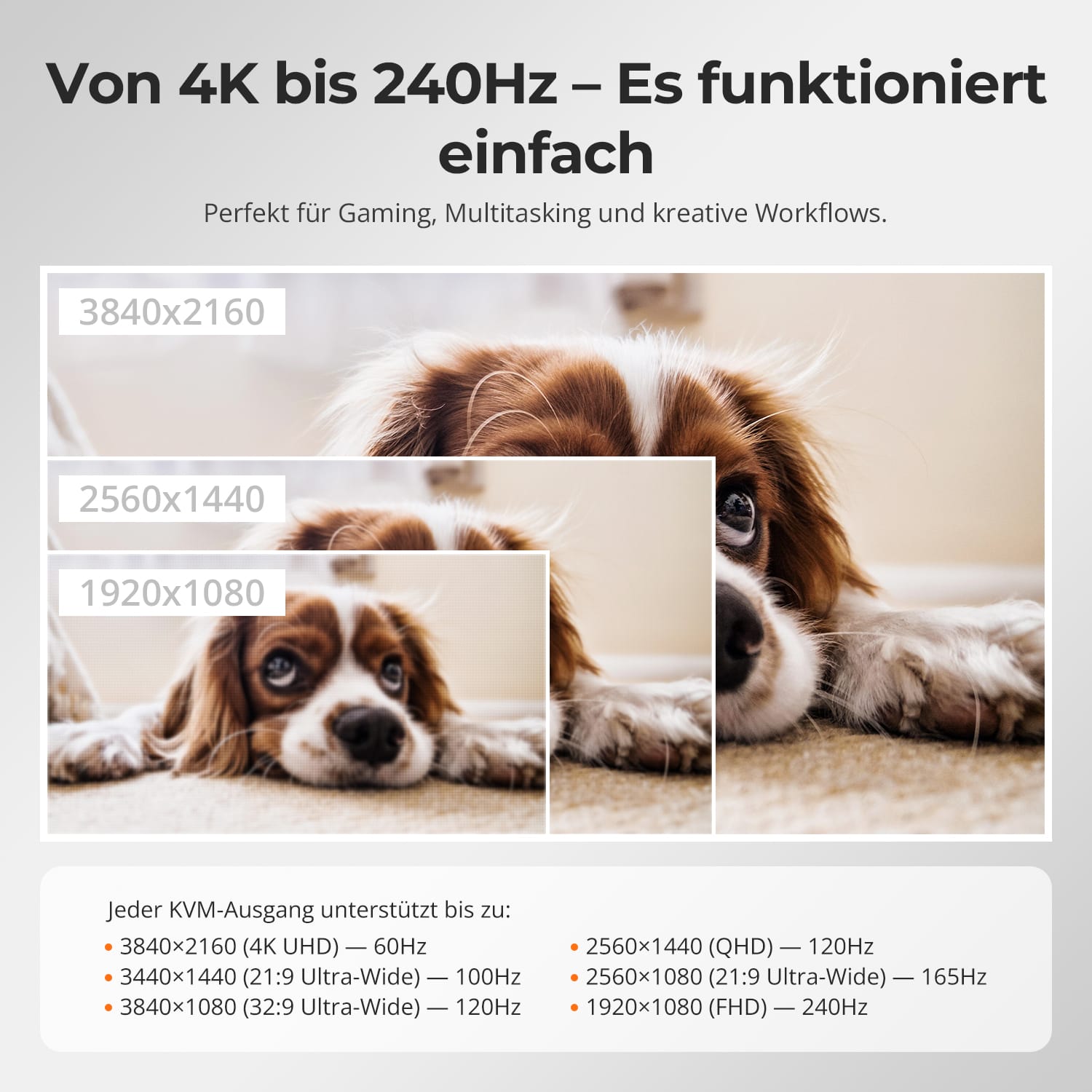
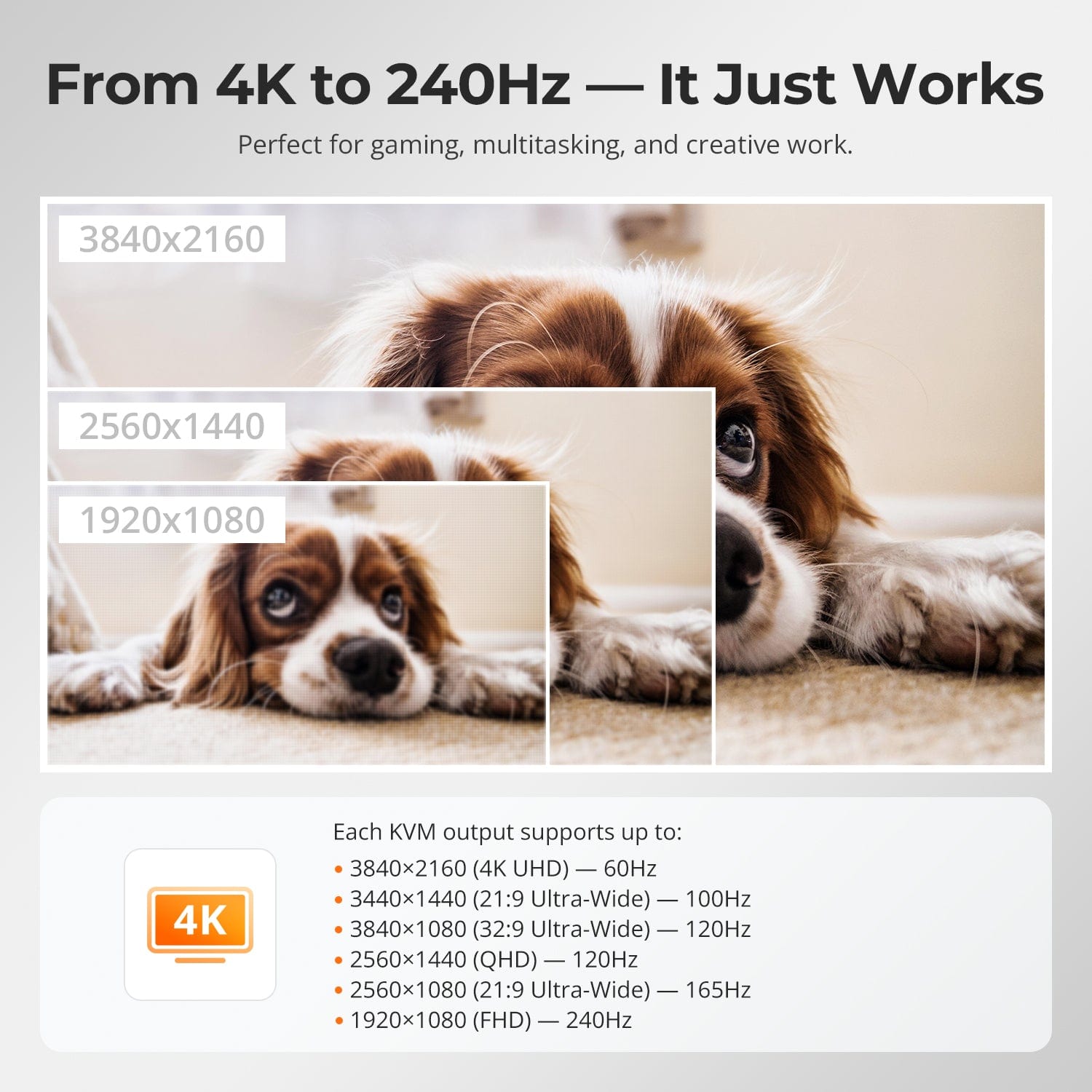
De 4K a 240 Hz: simplemente funciona
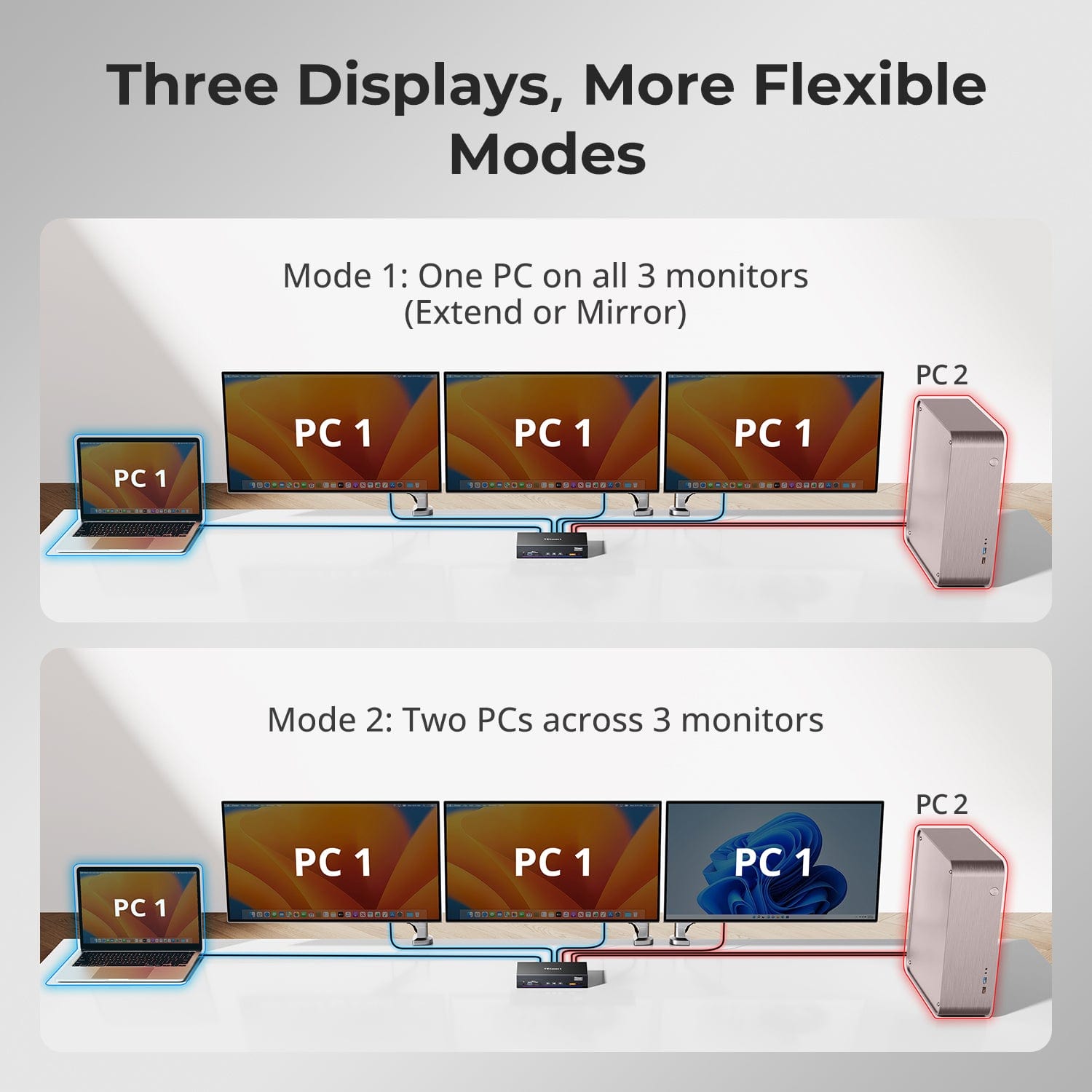
Tres pantallas, modos más flexibles
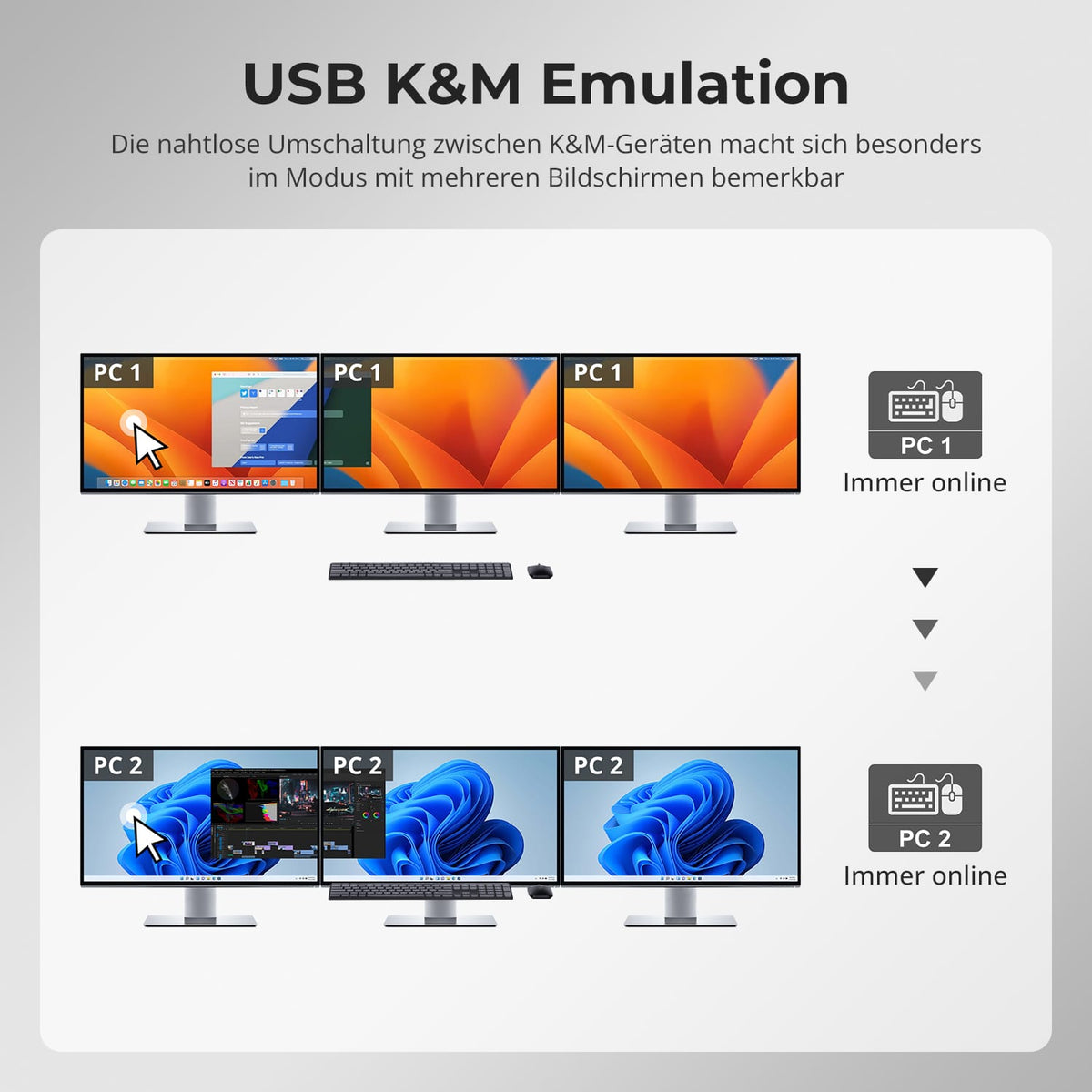
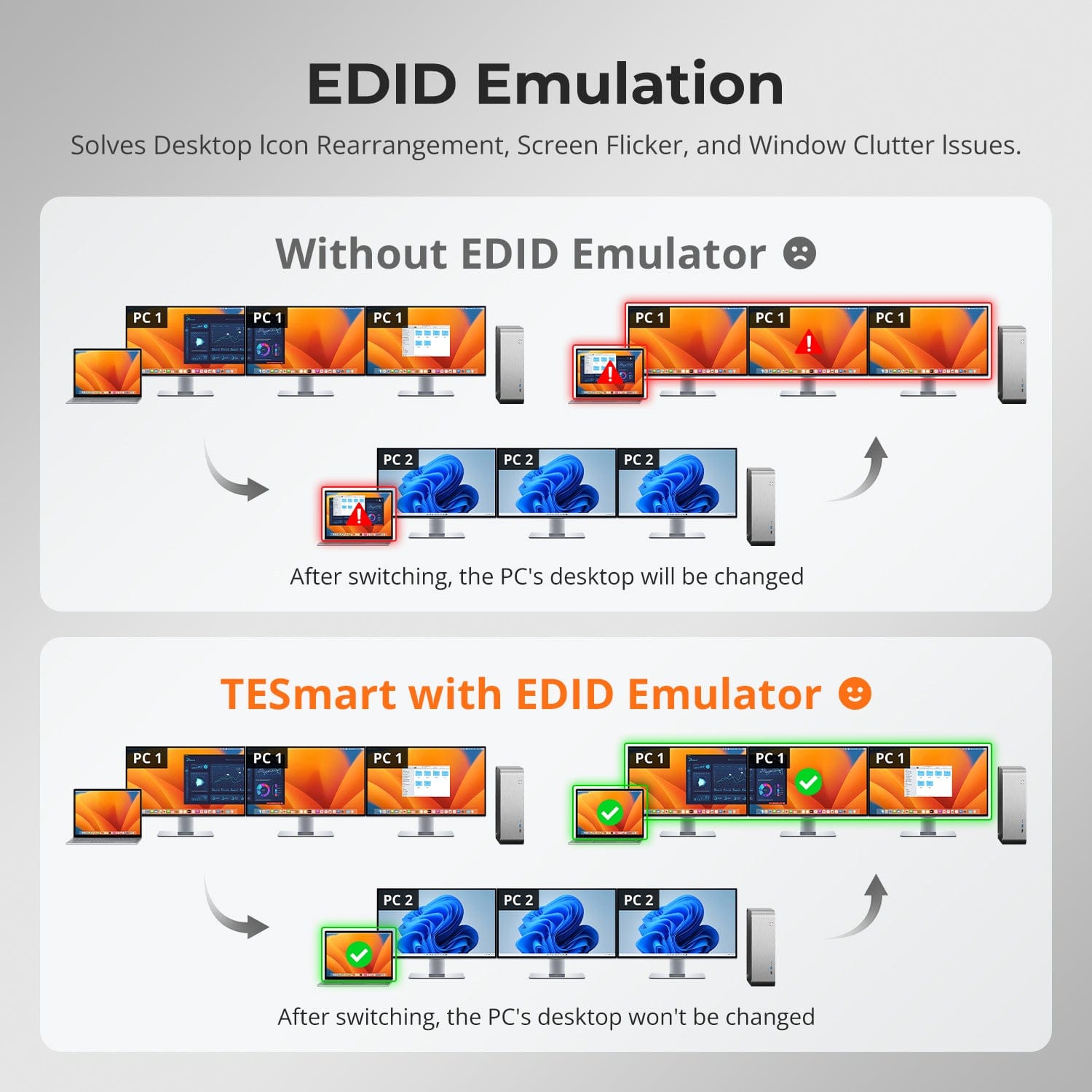
Emulación EDID
Para configuraciones híbridas con Mac & De oficina
Este es el primer conmutador KVM de doble ordenador del mundo que admite tres monitores simultáneamente con DisplayLink®.
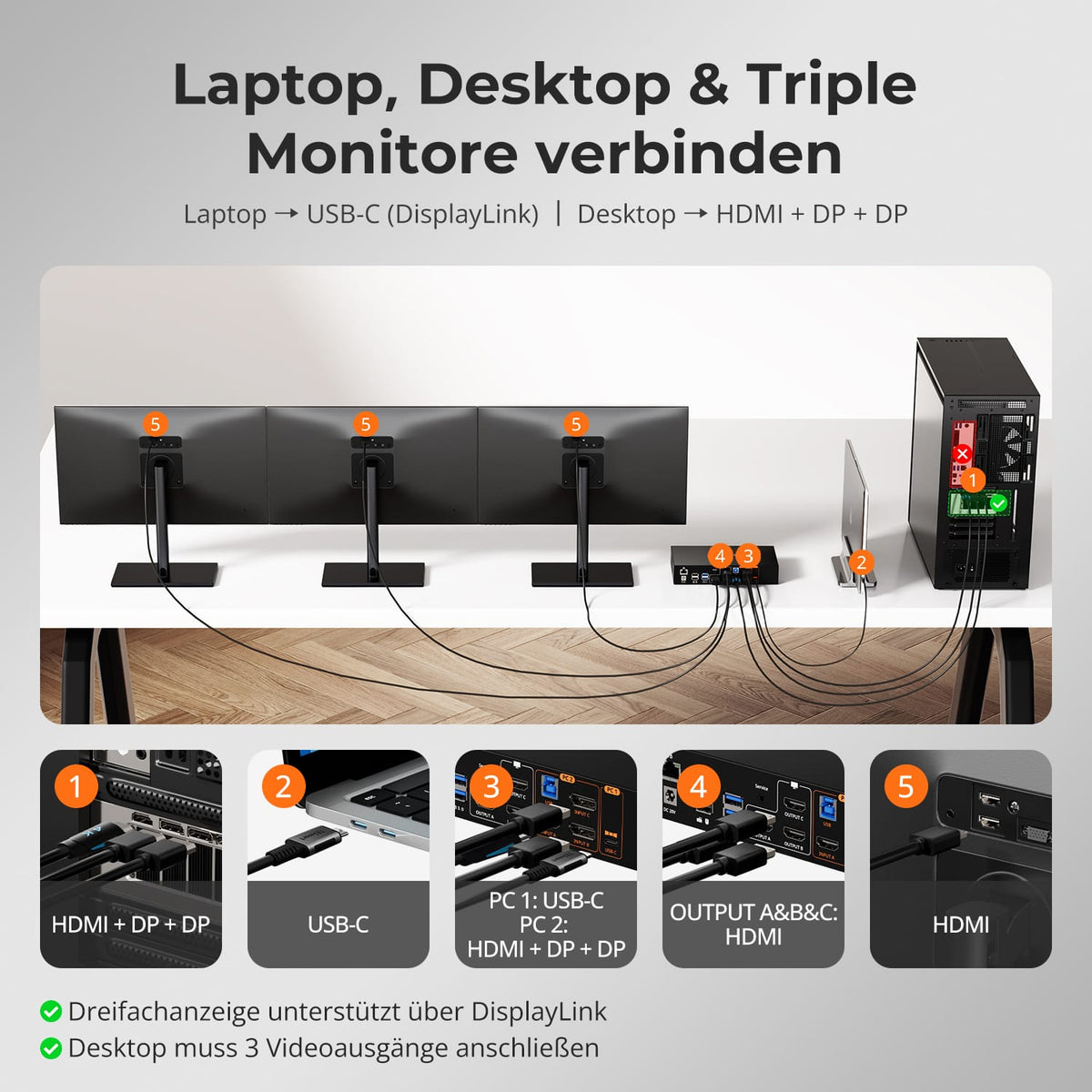
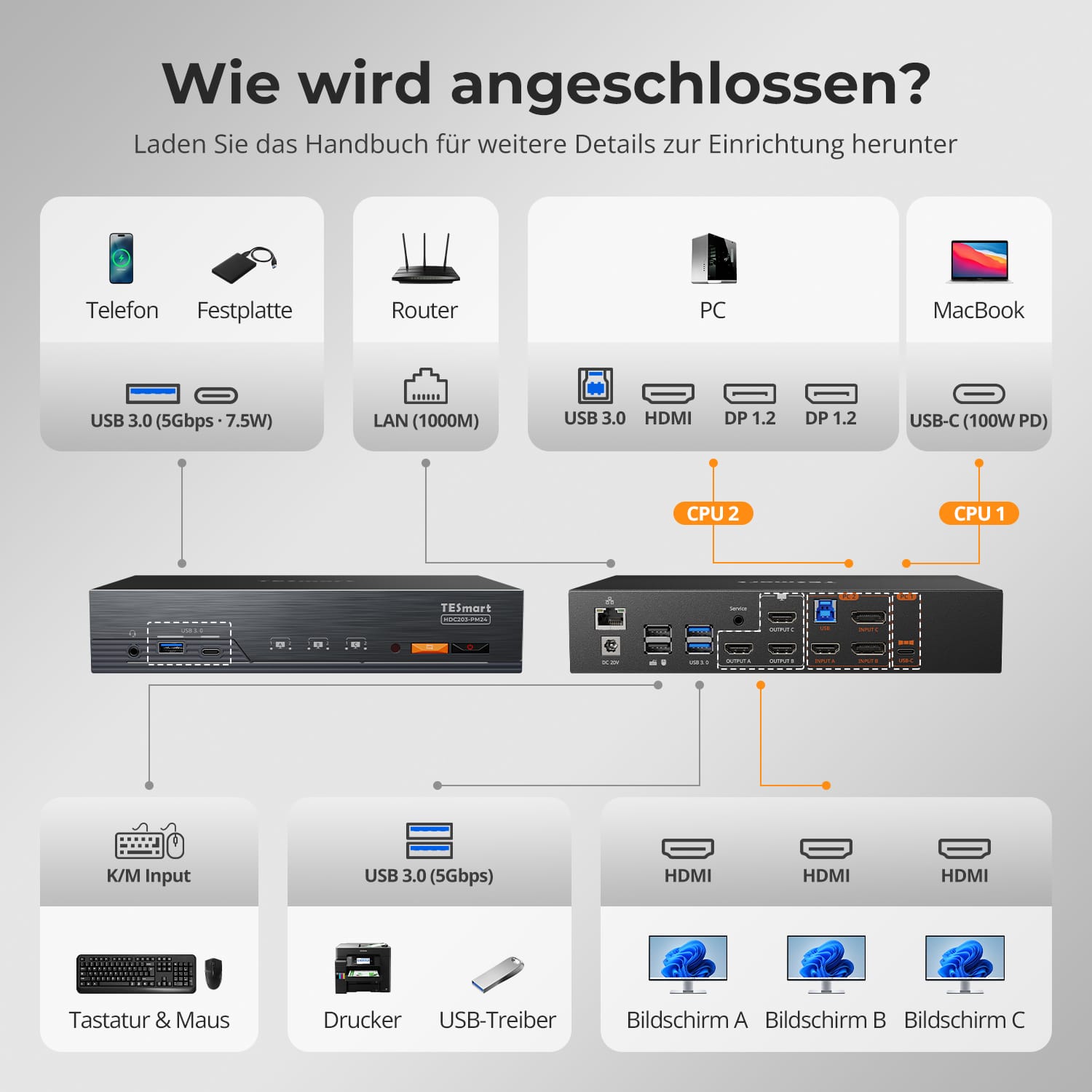
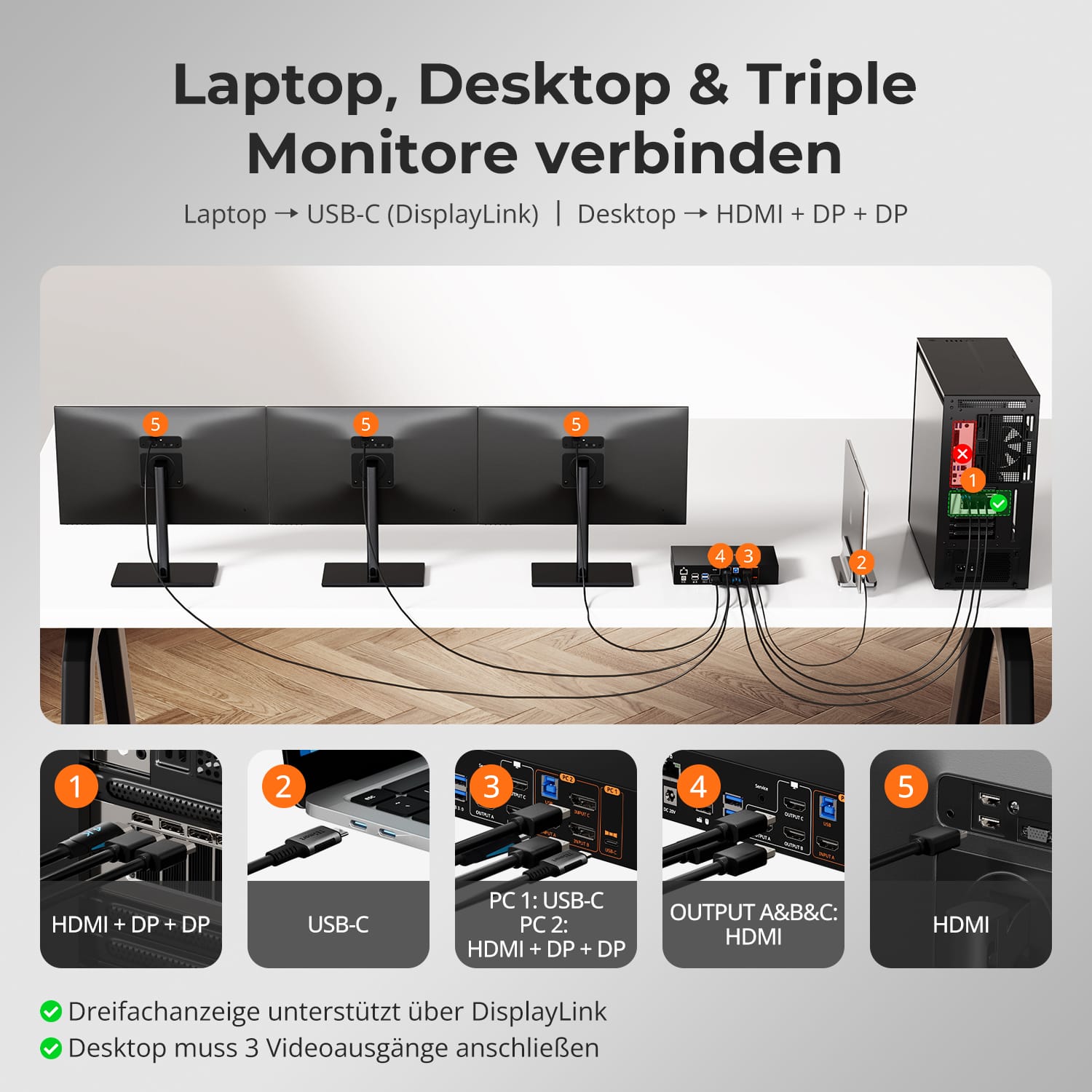
- Combina sin problemas un portátil con USB-C y un ordenador de sobremesa con múltiples puertos para crear una estación de trabajo compartida con tres monitores.
- Optimizado para macOS y Windows, sin comprometer la flexibilidad ni la velocidad.
- El mecanismo de conmutación híbrido patentado de TESmart garantiza una respuesta inmediata y una demora mínima durante la conmutación.
Para configuraciones híbridas con Mac & De oficina
El software DisplayLink® desbloquea la capacidad completa de triple pantalla, incluso en sistemas sin soporte MST.
- Transmite imagen, sonido y datos simultáneamente a través de un único cable USB-C.
- Requiere la instalación del controlador DisplayLink (descarga gratuita).
- Permite la expansión a múltiples monitores para portátiles macOS que tradicionalmente solo admiten una pantalla externa.
Esto simplifica y uniformiza las configuraciones complejas en todas las plataformas.
Los conmutadores KVM de TESmart están diseñados para creadores, jugadores y profesionales que exigen una reproducción de imagen precisa y un movimiento fluido.
- Admite una amplia gama de resoluciones y frecuencias de actualización de hasta 4K@60Hz und 1080p@240Hz.
- Garantiza una sincronización de imagen y una precisión de color uniformes en entornos con múltiples monitores.
- La integridad de la señal optimizada garantiza la ausencia total de parpadeos o pérdidas de fotogramas, incluso bajo cargas elevadas.
Obtendrás un rendimiento listo para juegos con una fiabilidad profesional.
Adapta tu espacio de trabajo a cada tarea. Los modos de visualización flexibles de TESmart ofrecen una versatilidad sin igual.
- Modo 1: Extiende o duplica la pantalla de un único PC en tres monitores para una productividad ultraancha.
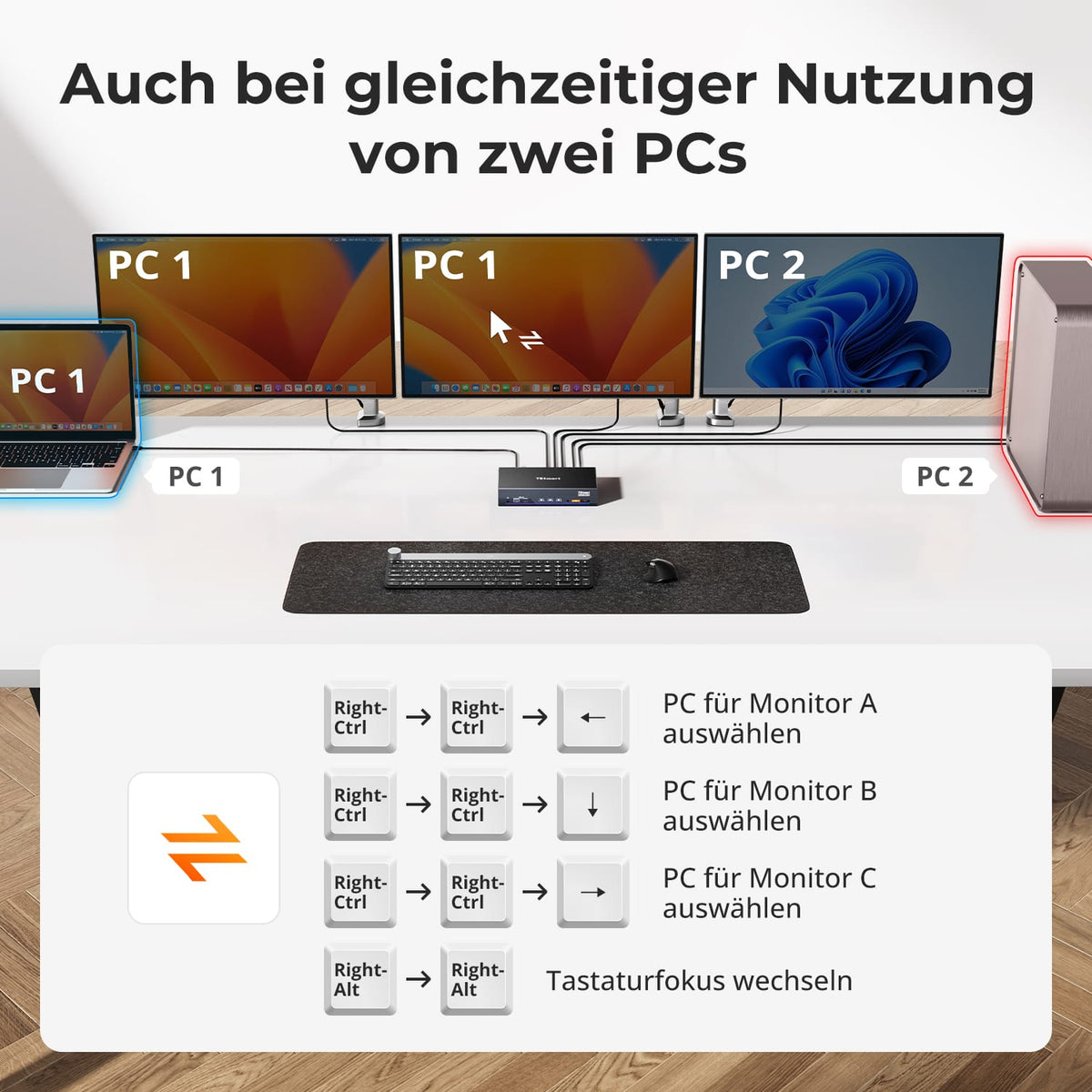
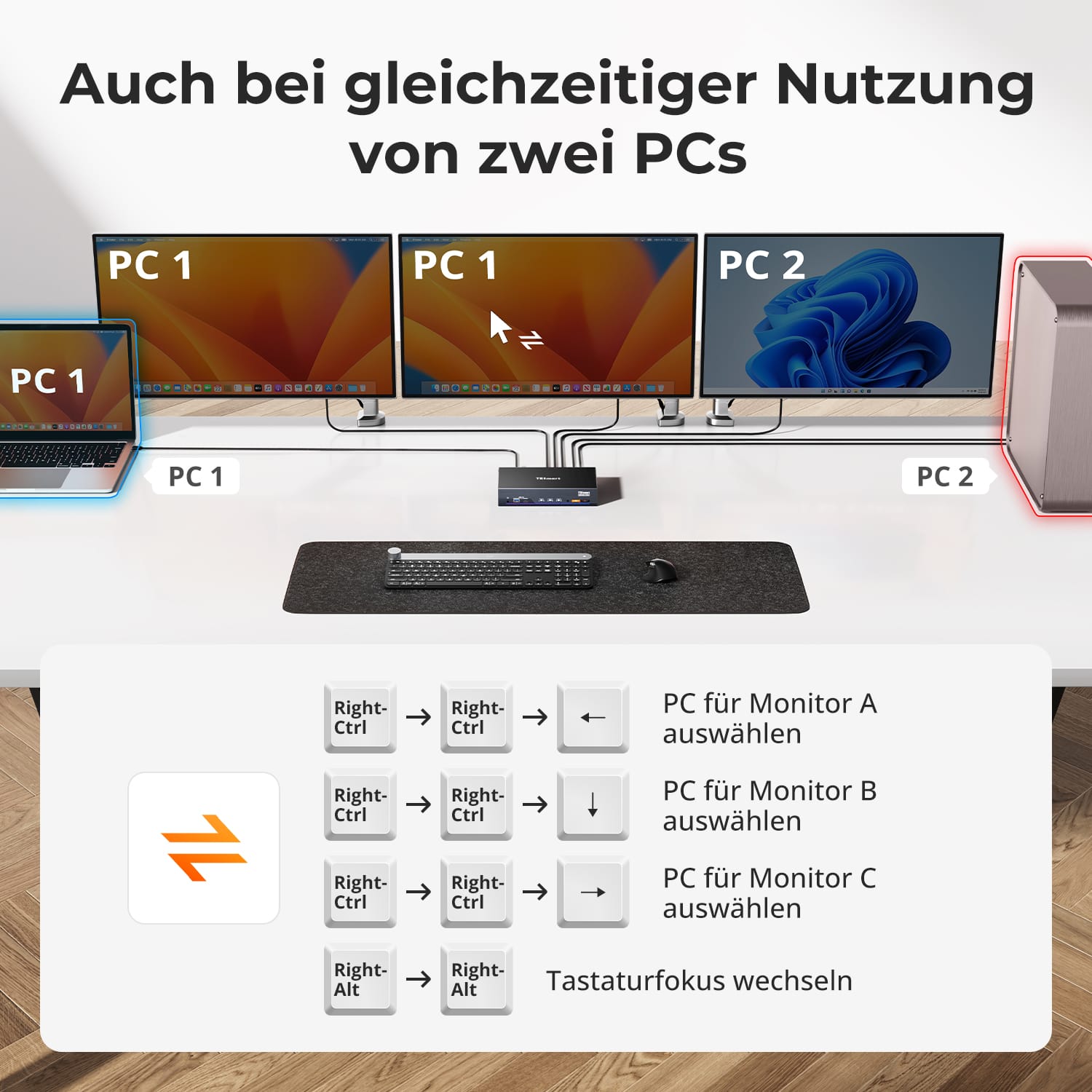
- Modo 2: Divide las pantallas entre dos PC; ideal para la monitorización en tiempo real, el desarrollo o la revisión de contenido.
Cambiar entre modos solo lleva unos segundos y permite realizar ajustes sin necesidad de recablear ni reconfigurar.
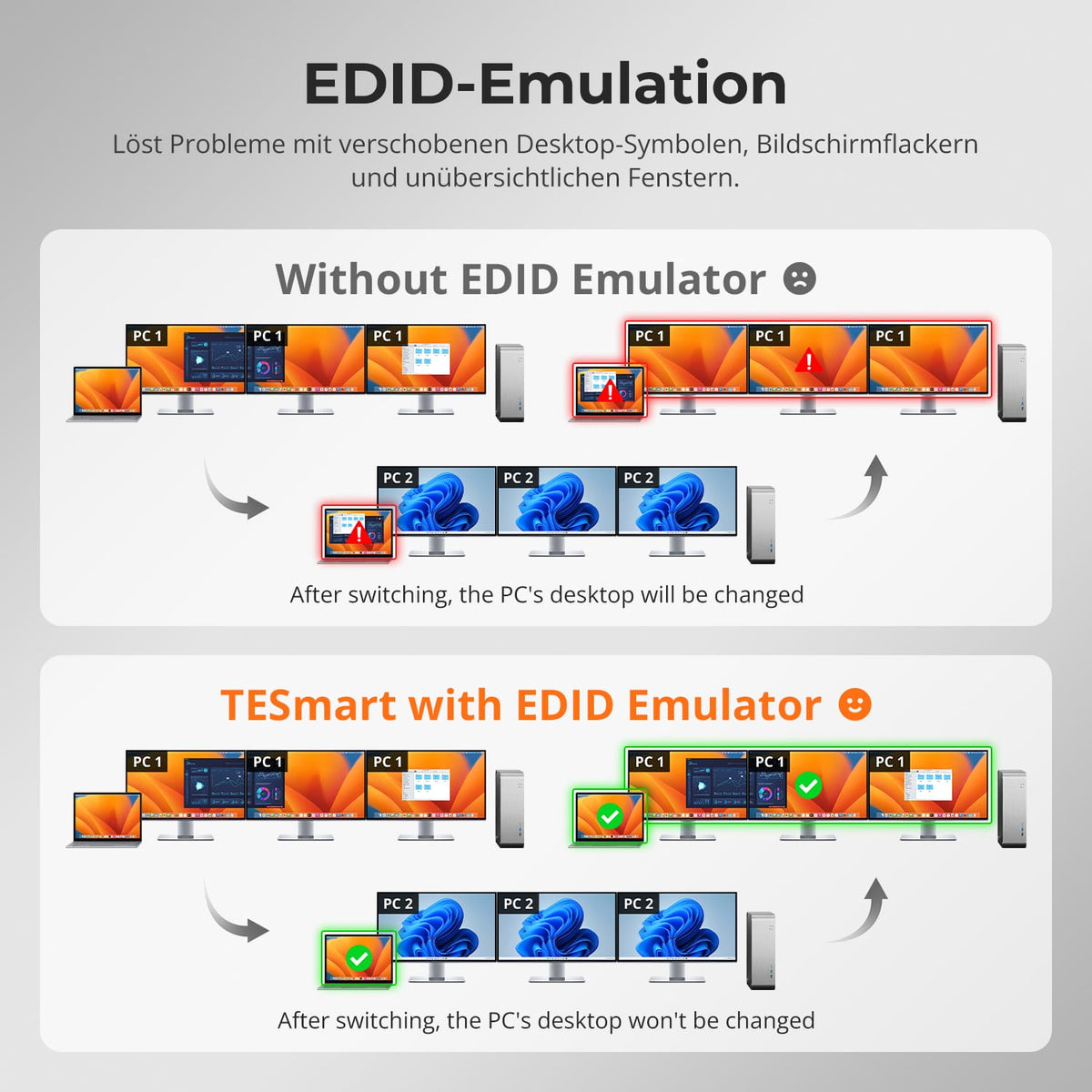
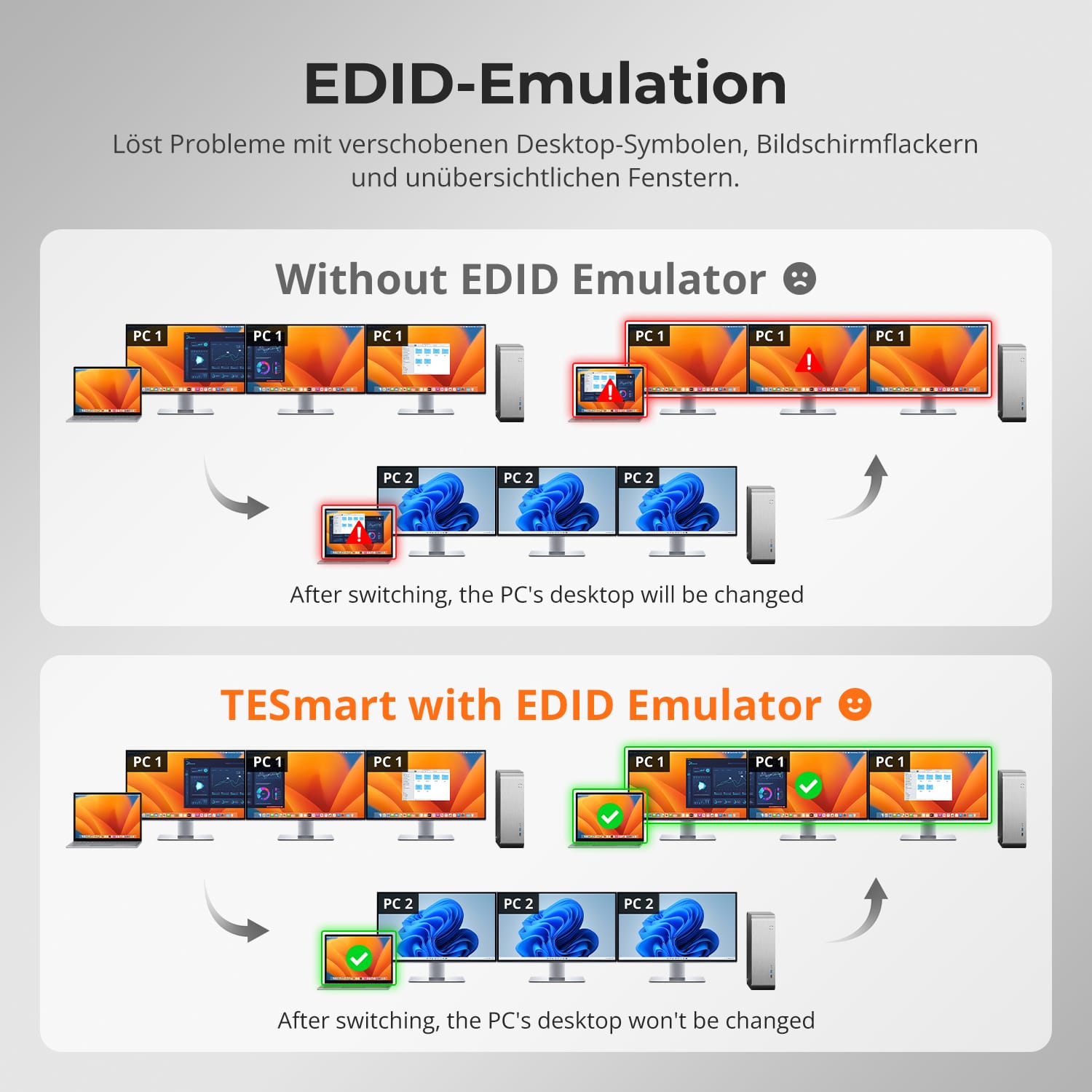
Se acabaron los problemas de reorganización de iconos y el caos de ventanas al cambiar de entrada. La emulación EDID inteligente de TESmart mantiene la estructura de tu escritorio estable.
- Conserva la configuración de la pantalla entre conmutadores.
- Evita el parpadeo de la pantalla, los apagones o el restablecimiento de la resolución.
- Ahorra un tiempo valioso en entornos con múltiples monitores donde la colocación precisa de las ventanas es importante.
Tus monitores recuerdan exactamente cómo los dejaste.
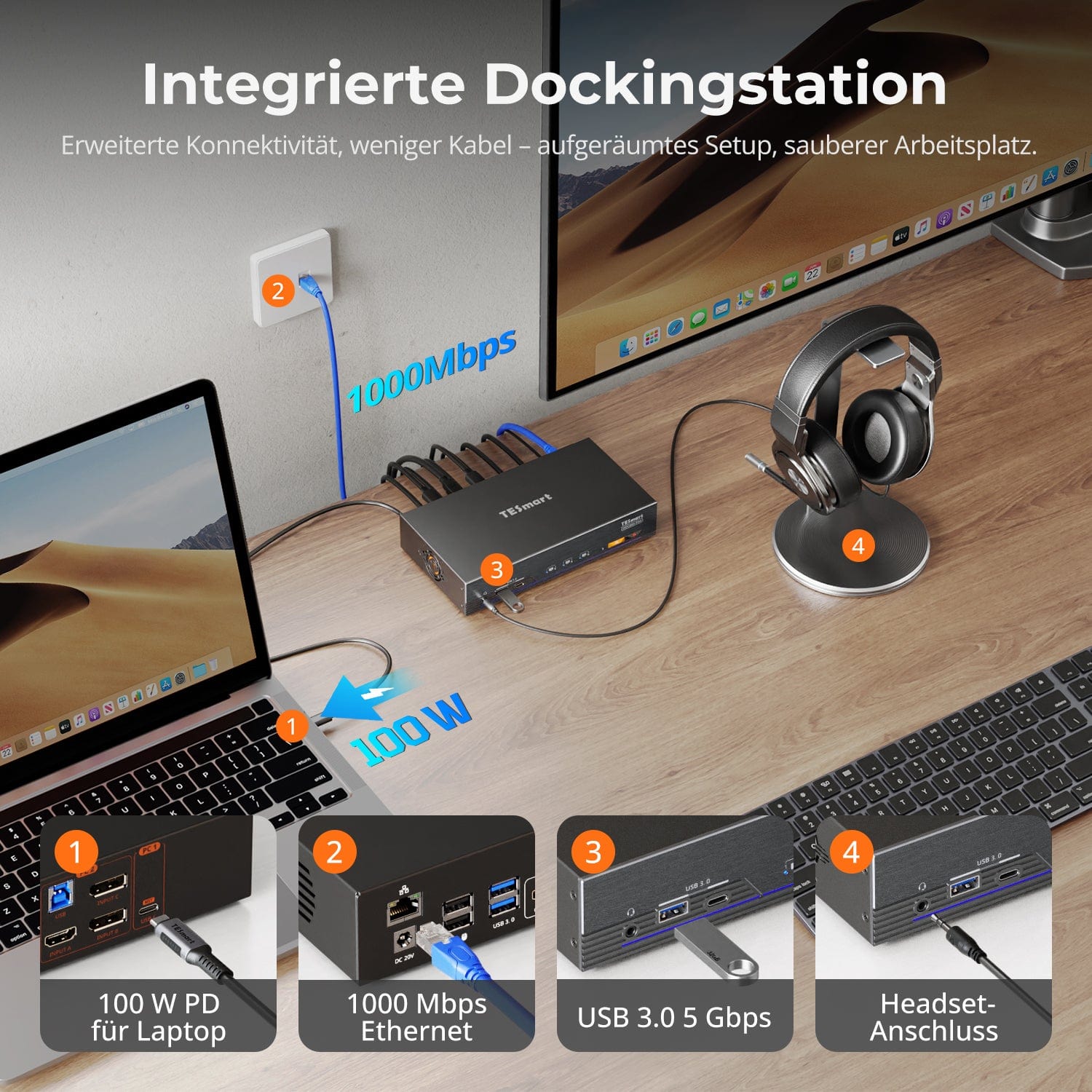
Estación de acoplamiento compartida integrada
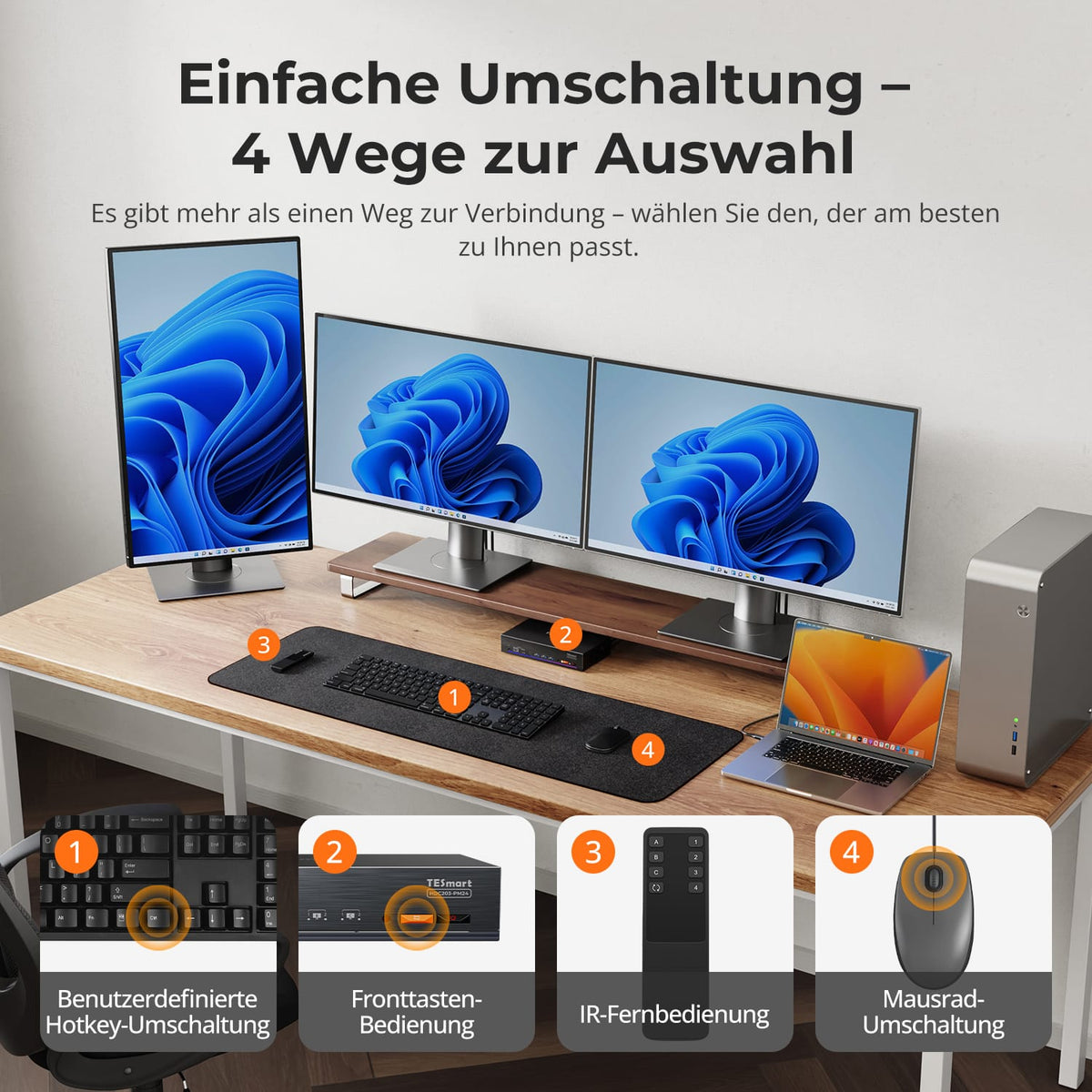
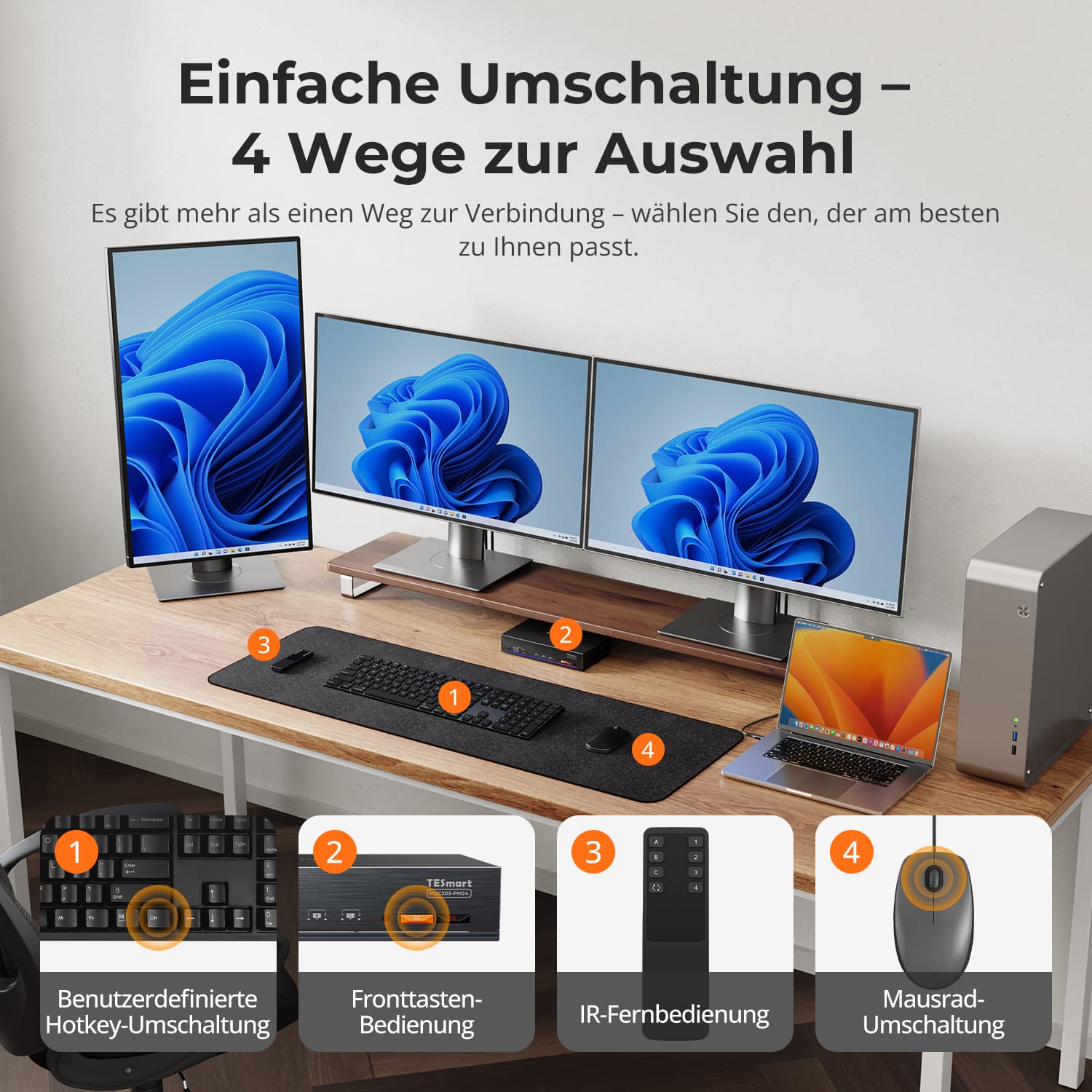
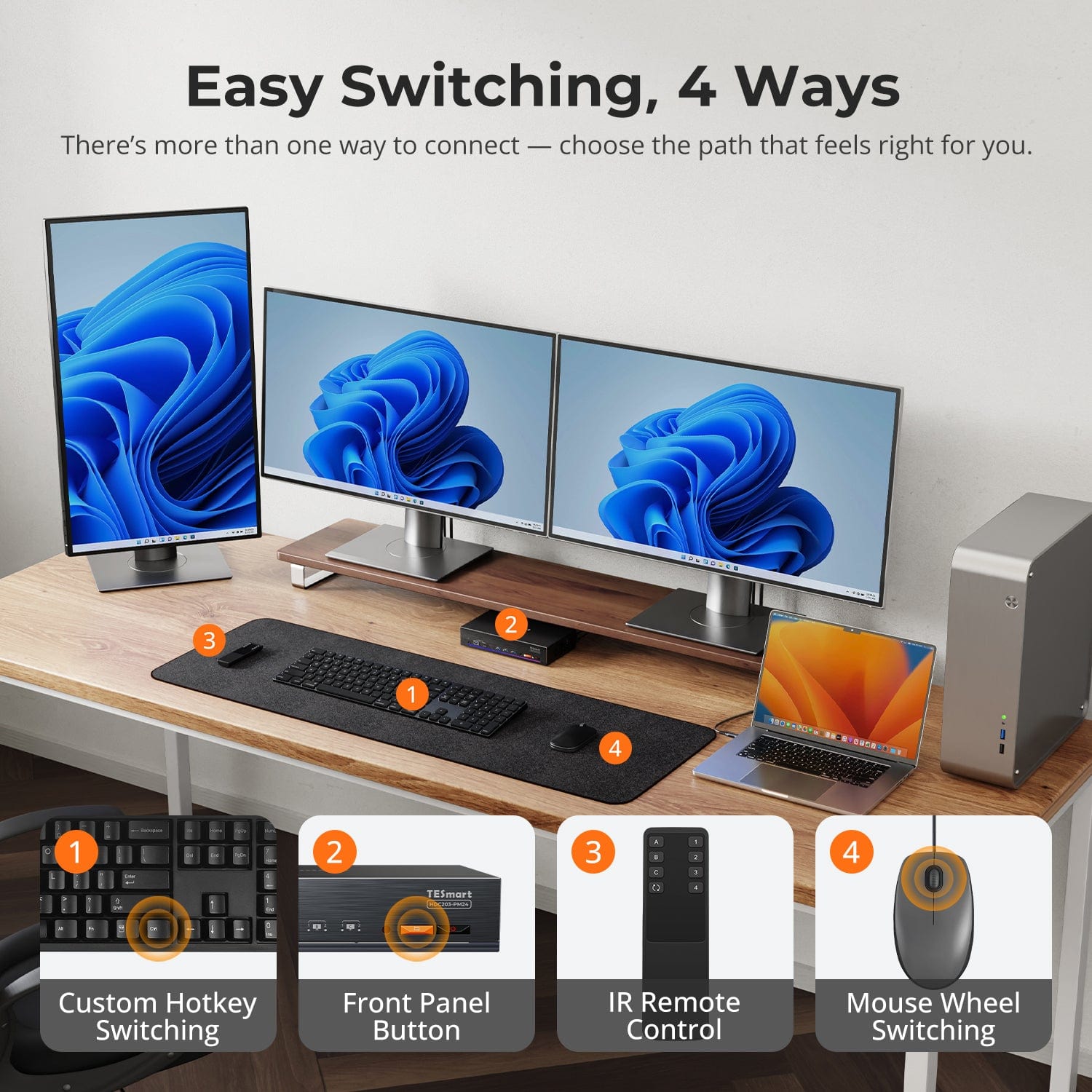
Cambio fácil, 4 maneras
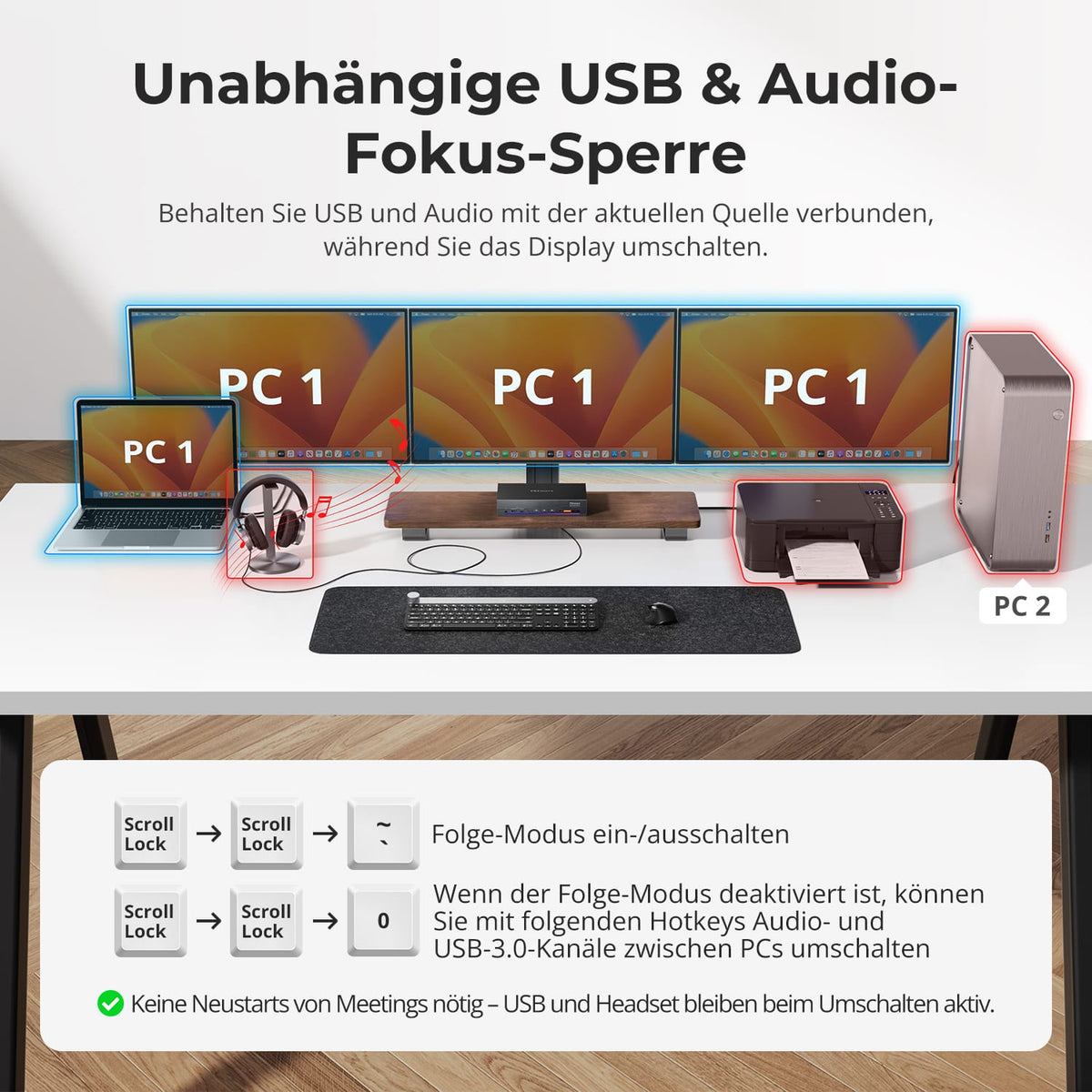
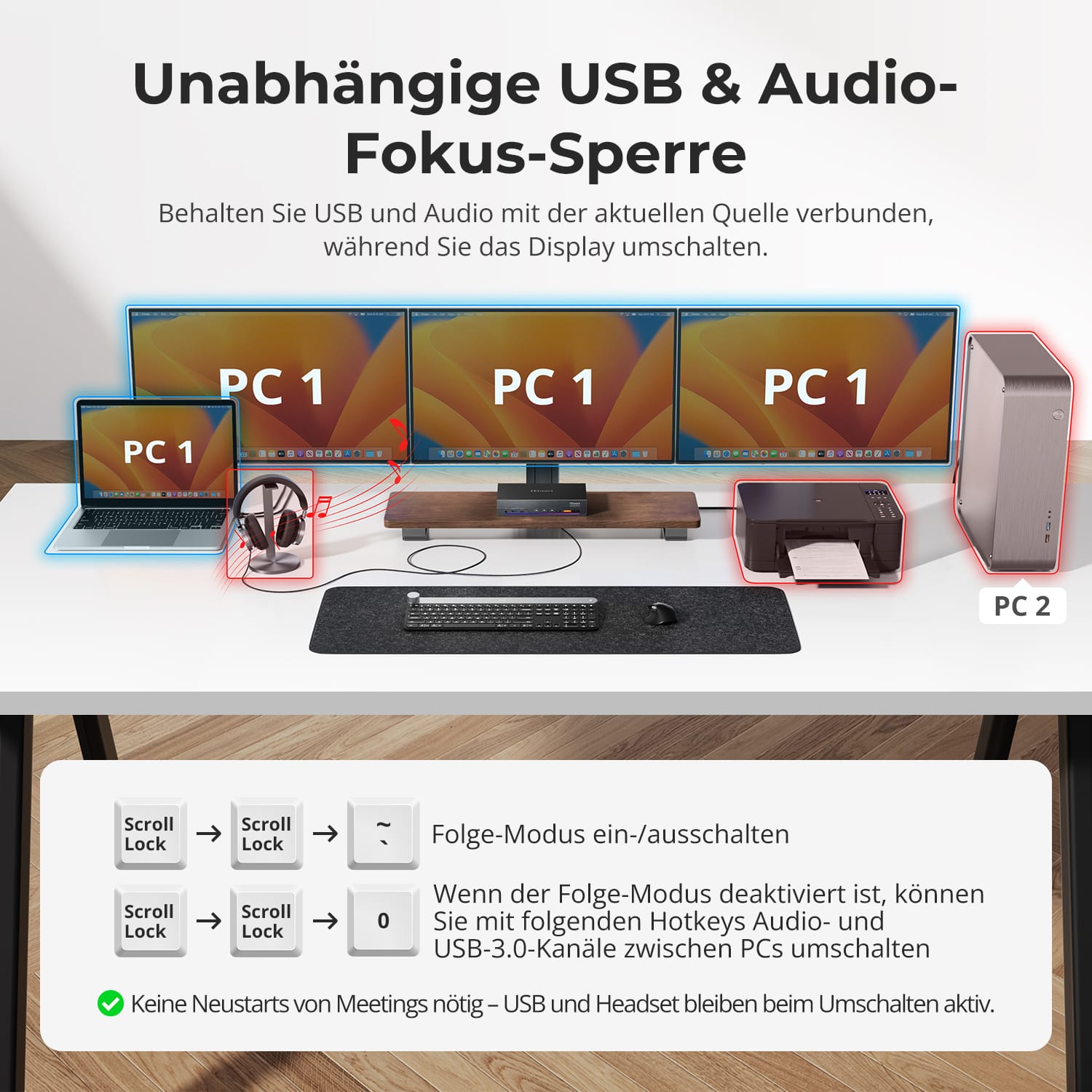
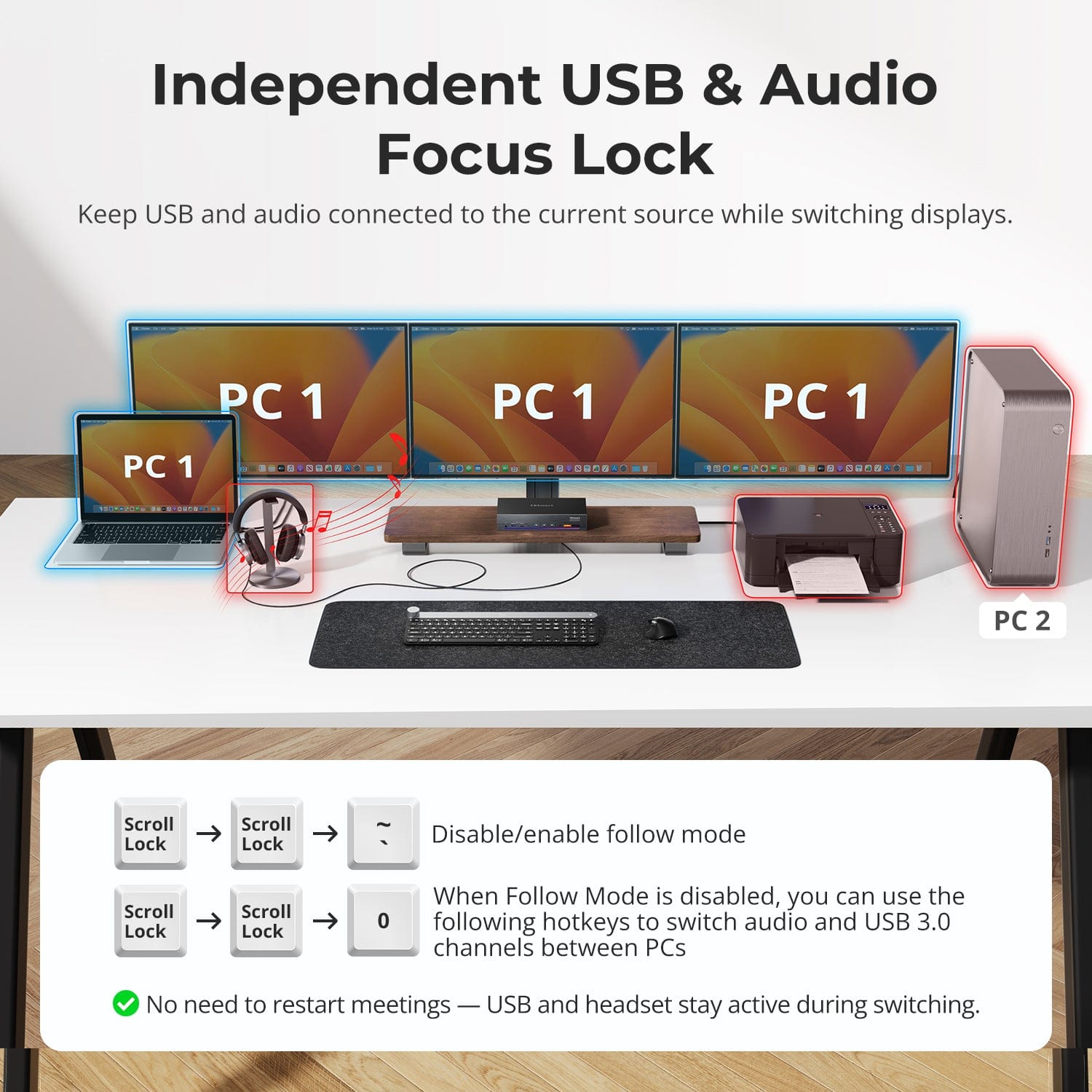
Bloqueo de enfoque de audio USB & independiente
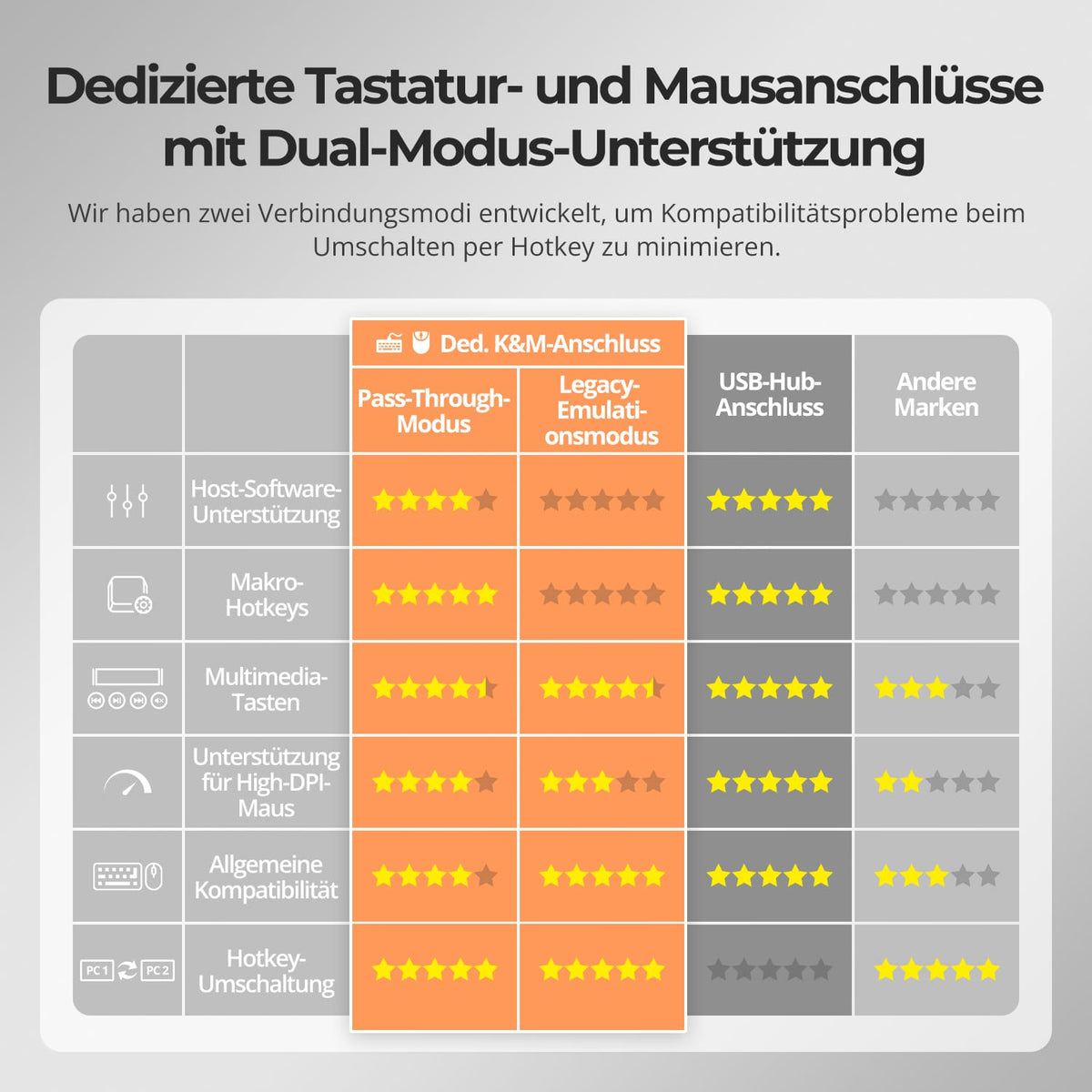
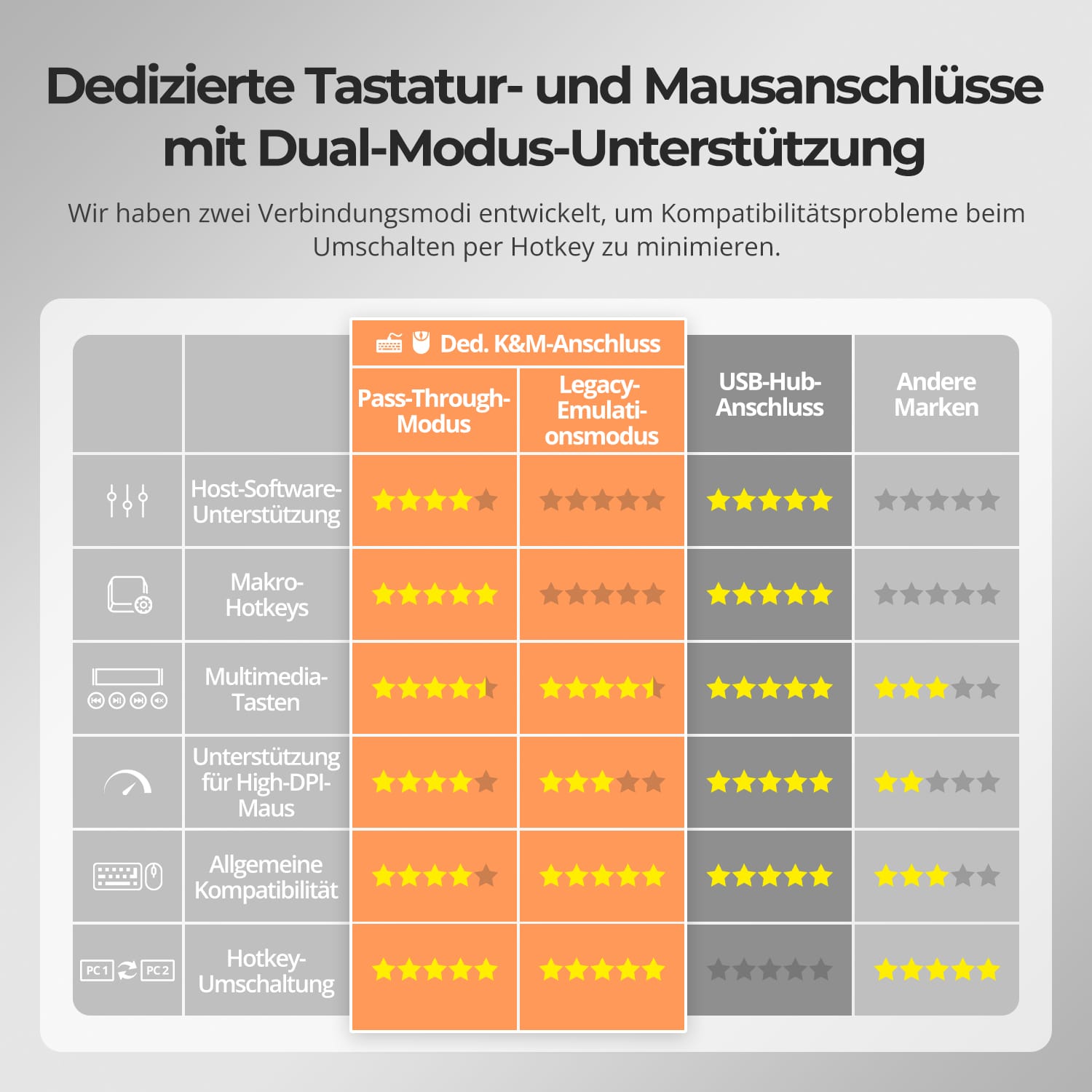
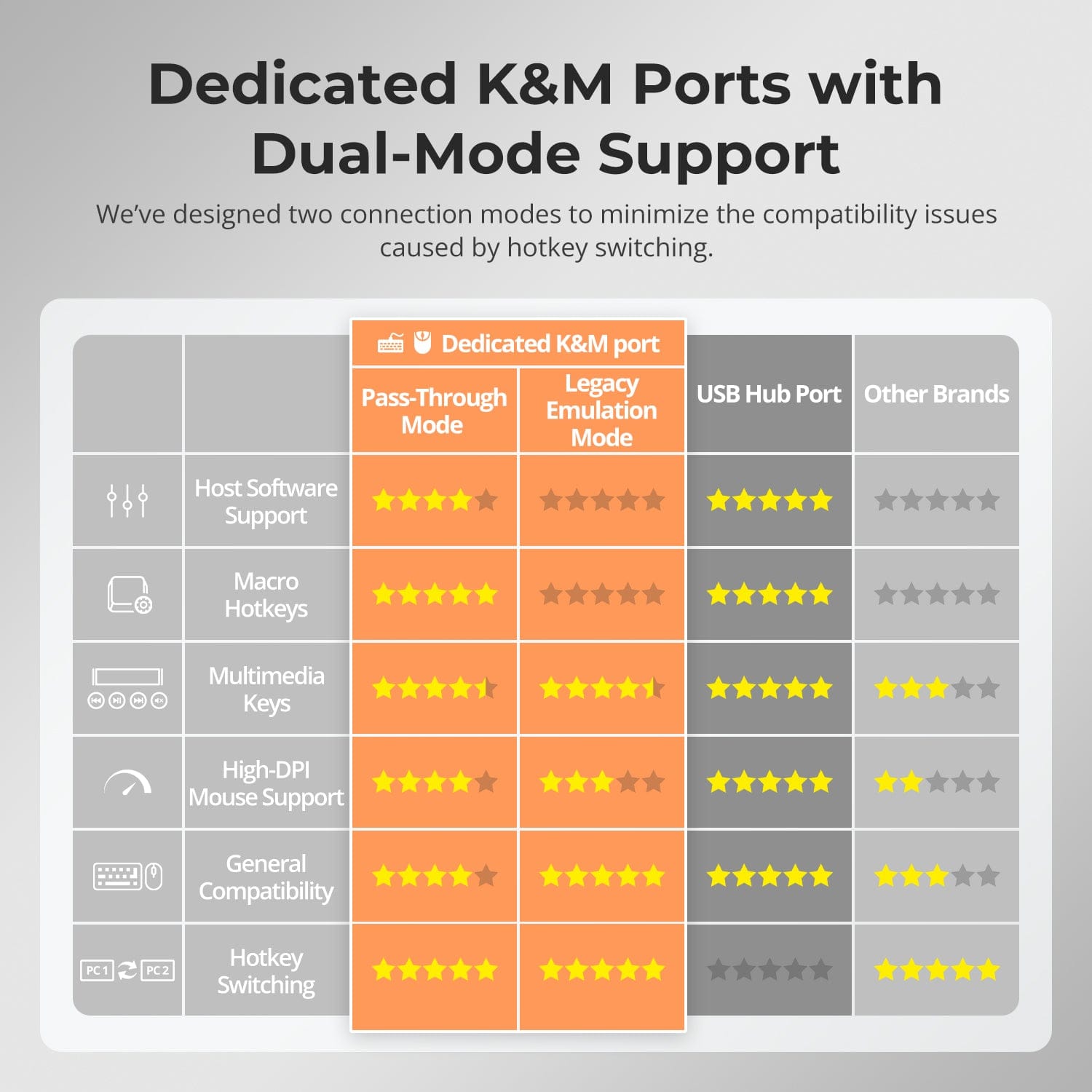
K dedicado&M-Puertos con soporte para modo dual
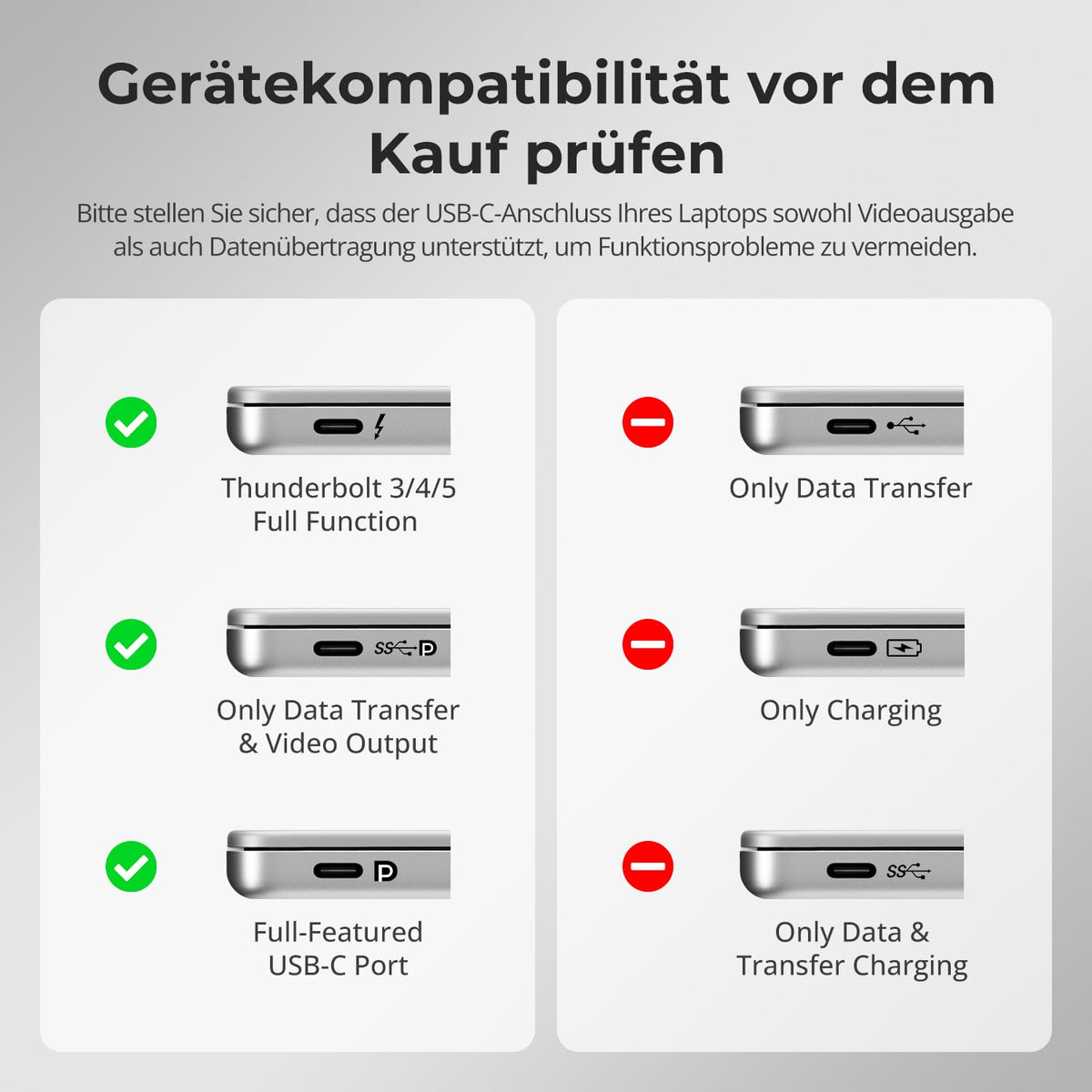
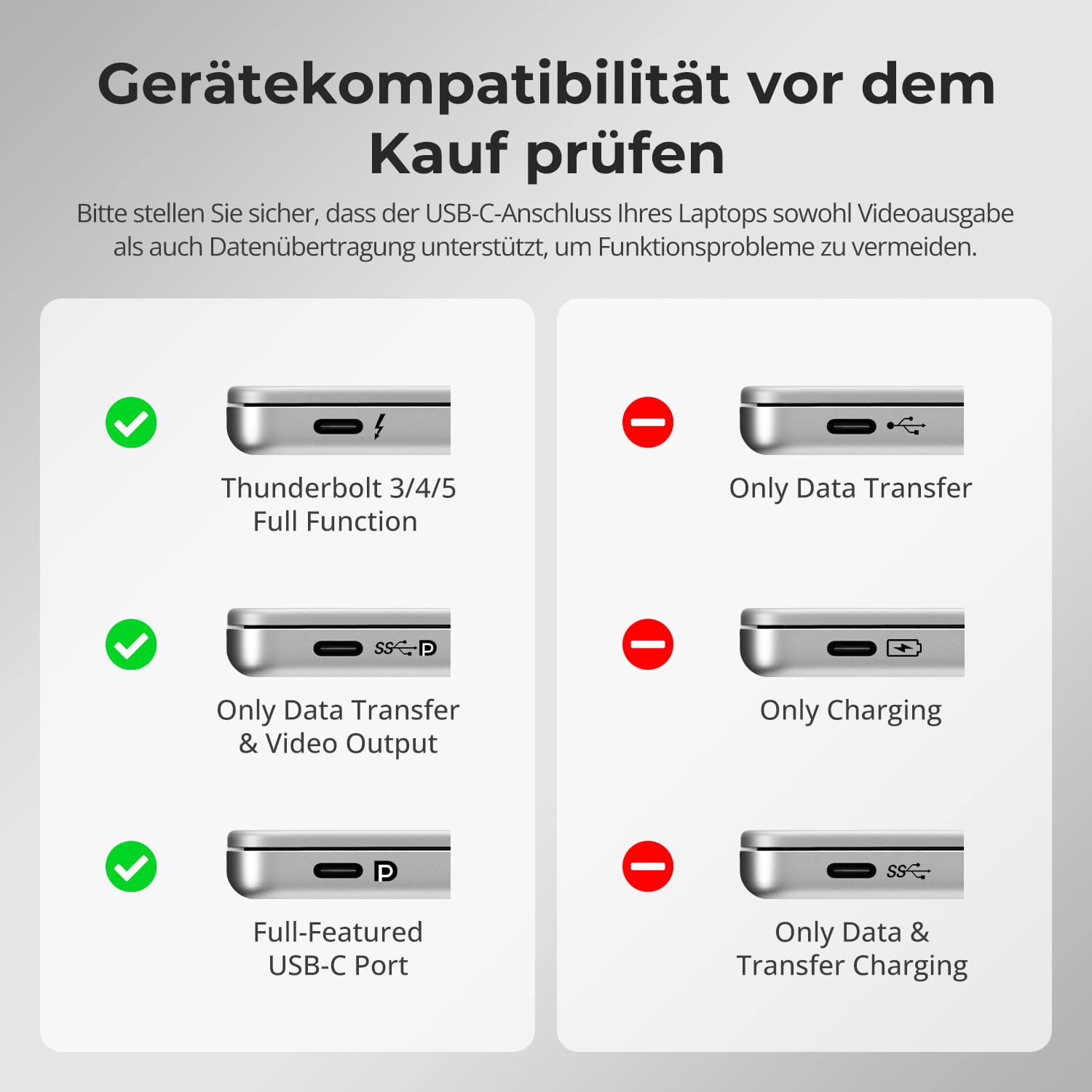
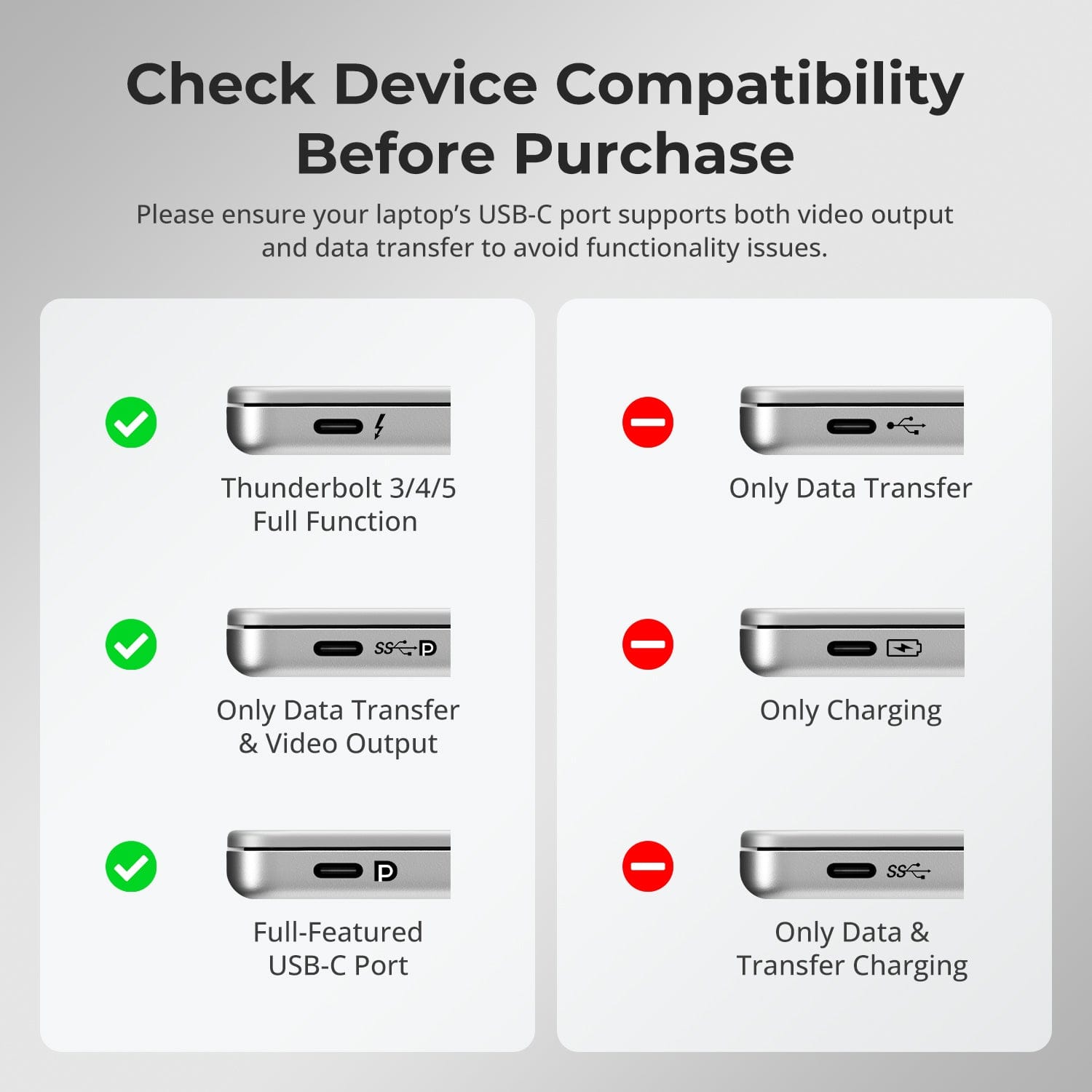
Verifique la compatibilidad del dispositivo antes de comprar
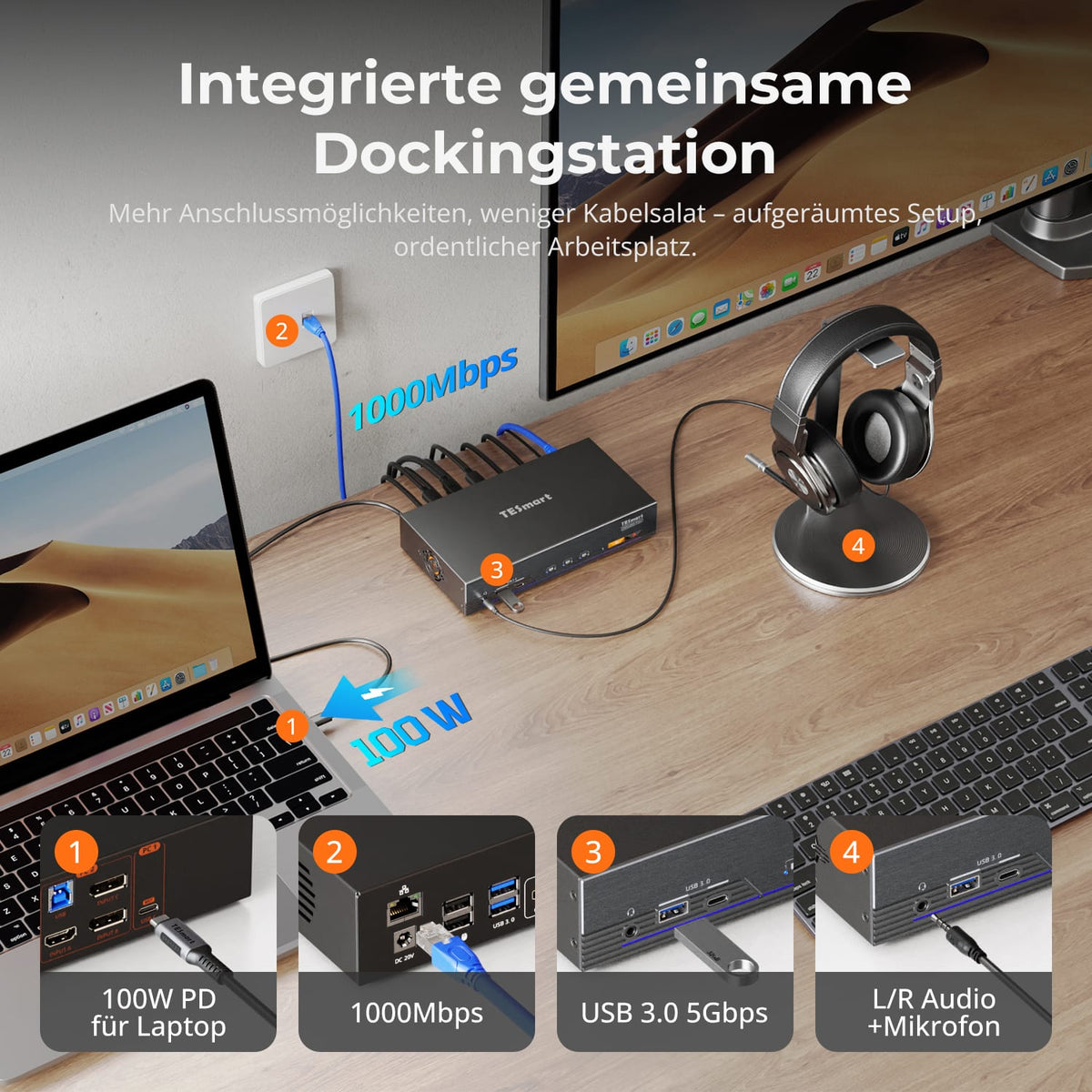
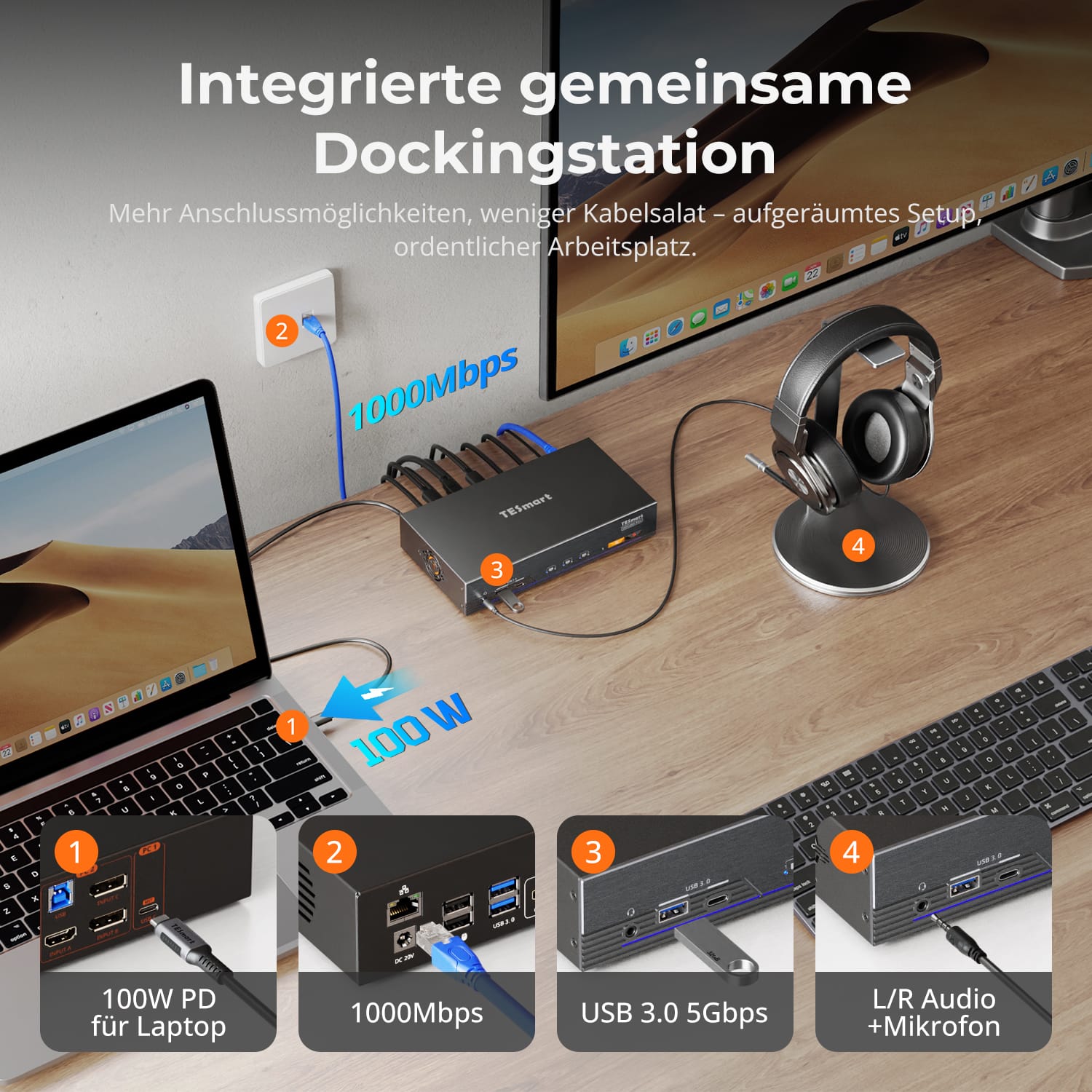
Menos cables desordenados, mayor eficiencia con un sistema de acoplamiento totalmente integrado.
- Carga rápida del portátil mediante PD de 100 W.
- USB 3.0 (5 Gbit/s) para periféricos y almacenamiento.
- Ethernet Gigabit (1000 Mbit/s) para conexiones de cable estables.
- Conector de audio combinado para auriculares o altavoces.
Este diseño de base única elimina la necesidad de concentradores adicionales, manteniendo su configuración ordenada y organizada.
Cambia de ordenador como prefieras, sin tener que adaptarte a un método de control fijo.
- Teclas de acceso rápido personalizables para cambiar de tecla al instante.
- Botones frontales para un acceso rápido y al alcance de la mano.
- Control remoto por infrarrojos para configuraciones de escritorio flexibles.
- El control mediante la rueda del ratón permite transiciones de flujo de trabajo fluidas.
Cada método está diseñado para ofrecer velocidad y fiabilidad, lo que le brinda un control total sobre su configuración.
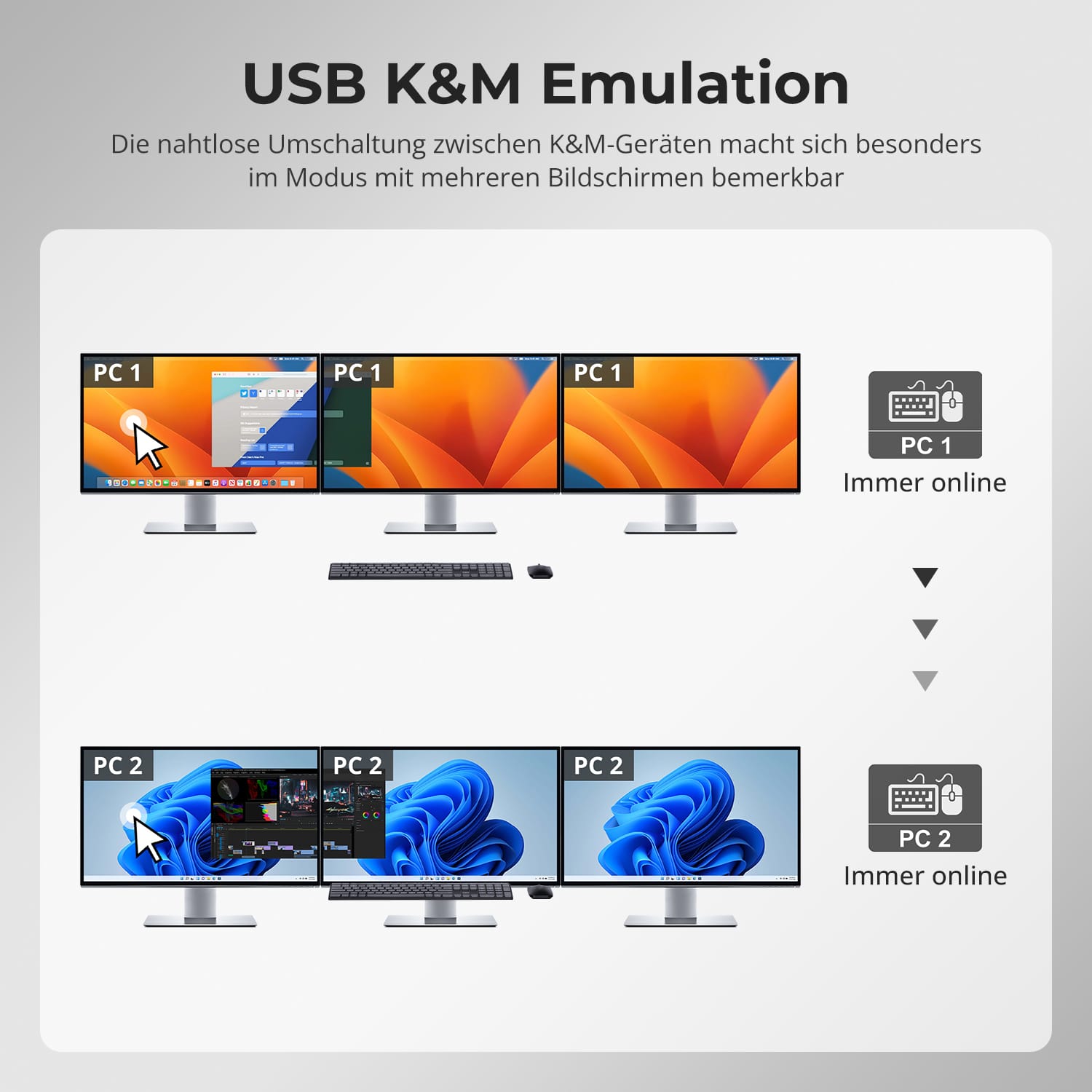
Mantente en tu reunión o sesión de música, incluso al cambiar de pantalla.
- Los dispositivos USB y de audio permanecen conectados al ordenador activo hasta que usted los cambie manualmente.
- Evita interrupciones en las llamadas o transferencias de datos en curso.
- Ideal para entornos de conferencias, transmisión en directo y multitarea.
Puedes cambiar de pantalla sin interrumpir la conexión.
Los KVM TESmart cuentan con puertos dedicados para teclado y ratón (K&M), lo que minimiza los problemas de compatibilidad.
- Modo de emulación: Garantiza una respuesta instantánea y el control mediante teclas de acceso rápido.
- Modo de transferencia directa: Proporciona el comportamiento nativo del dispositivo para juegos o dispositivos de entrada especiales.
Elige el modo que mejor se adapte a tu flujo de trabajo: estabilidad para el trabajo, precisión para el ocio.
- Antes de conectar el dispositivo, compruebe si el puerto USB-C de su portátil admite tanto la salida de vídeo como la transferencia de datos.
- Algunos puertos USB-C solo transfieren datos, lo que limita la funcionalidad de la pantalla.
Comprueba las especificaciones de tu portátil para garantizar un rendimiento óptimo y evitar problemas de configuración.
Preguntas frecuentes
¿Es compatible con computadoras macOS para salida de pantalla triple?
Sí. El HDC203-PM24 está optimizado para macOS y utiliza la tecnología DisplayLink. Al instalar el controlador DisplayLink, puede superar las limitaciones nativas de macOS para múltiples monitores y habilitar tres pantallas independientes.
Nota: El controlador DisplayLink en macOS solo se inicia después de iniciar sesión, por lo que la SALIDA C debe estar conectada a un monitor para ver la pantalla de inicio.
¿Puede cargar una computadora portátil conectada?
El HDC203-PM24 admite carga rápida PD (Power Delivery) y puede suministrar hasta 100 W (20 V, 5 A) a través del puerto USB-C. La mayoría de los portátiles, incluidos el MacBook Pro y el MacBook Air, se pueden cargar de forma fiable en entornos típicos de oficina o creativos.
Notas:
- Si el portátil requiere más de 100 W (z.B. Para portátiles de juegos de gama alta o estaciones de trabajo móviles, se recomienda utilizar el adaptador de corriente original para una carga estable.
- Durante el funcionamiento prolongado a alta potencia, asegúrese de que haya una ventilación adecuada para evitar el sobrecalentamiento.
- Apague el conmutador KVM si no se va a utilizar durante un período prolongado.
Si el puerto USB-C de mi computadora portátil no admite el modo DP Alt, ¿puedo lograr una salida de pantalla triple?
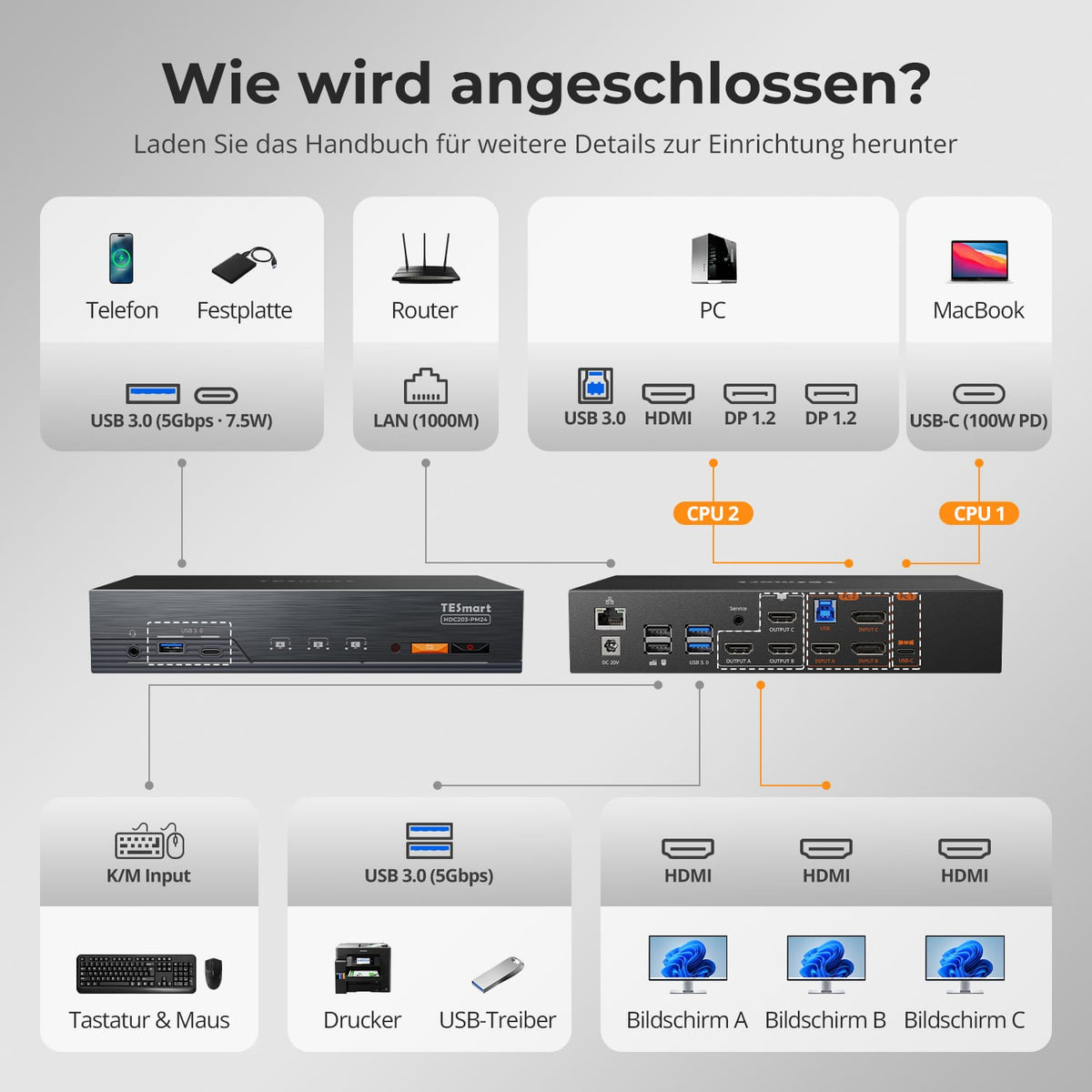
El conector PC1 del HDC203-PM24 utiliza una arquitectura combinada que integra la tecnología DisplayLink, un canal de vídeo DP-1.2 y un canal de datos USB-3.0 para la expansión a tres pantallas.
Configuración de triple pantalla:
- Vídeo DP nativo → SALIDA C (Monitor 1)
- Dos señales de vídeo DisplayLink (a través de datos USB) → SALIDAS A/B (Monitores 2 y 3)
Puerto USB-C del portátil sin modo alternativo DP:
- Sin controladores DisplayLink: No hay salida de vídeo, todos los monitores permanecen en negro.
- Con el controlador DisplayLink: Dos señales DisplayLink permiten obtener una pantalla dual (SALIDAS A/B).
Puerto USB-C para portátil con modo alternativo DP:
- Sin controlador DisplayLink: Salida DP nativa, pantalla única (SALIDA C)
- Con controlador DisplayLink: Triple salida de vídeo (SALIDAS A/B/C)
Notas:
- Solo el puerto PC1 admite DisplayLink.
- Descarga del controlador DisplayLink: https://www.synaptics.com/products/displaylink-graphics/downloadsMantén tu controlador actualizado para garantizar la funcionalidad de triple pantalla.
- DisplayLink utiliza transmisión de vídeo comprimido; pueden producirse ligeras variaciones de latencia o de color.
- Para obtener una señal de vídeo DisplayLink estable, utilice cables compatibles con USB 3.0 o superior.
¿Qué versiones de sistemas operativos son compatibles?
Windows:
Windows 10/11
macOS:
Ventura 13, Sonoma 14, Sequoia 15
Androide:
5.0 (Lollipop) o superior
ChromeOS:
R51 o superior
Linux:
Ubuntu 20.04/22.04/23.04/24.04
¿Cómo puedo cambiar de periféricos USB o dispositivos de audio de forma independiente?
Por defecto, el conmutador KVM funciona en modo de seguimiento, lo que significa que los dispositivos USB 3.0 y los dispositivos de audio conectados cambian automáticamente el foco junto con el teclado/ratón.
Aquí te explicamos cómo desactivar el modo de seguimiento:
Pulsa [Ctrl derecho] → [Ctrl derecho] → [~] para activar o desactivar el modo de seguimiento.
Nota: El zumbador suena dos veces al activarse y una vez al desactivarse.
Cómo activar USB 3.0 & Enfoque de audio independiente:
Después de desactivar el modo de seguimiento, pulse [Ctrl derecho] → [Ctrl derecho] → [O] para alternar de forma sincrónica el enfoque de los dispositivos USB 3.0 y de audio entre ambos ordenadores.
¿Por qué mi dispositivo de audio no funciona?
Requisitos de conexión:
La funcionalidad de audio del conmutador KVM se limita al puerto USB-C PC1 y al puerto USB-B PC2. Asegúrese de que los ordenadores estén conectados correctamente a estos dos puertos.
Configuración de sonido del ordenador:
- Para la conexión mediante conector de 3,5 mm: seleccione "Audio enchufable" como dispositivo de salida predeterminado en la configuración de sonido de su ordenador.
- Para la conexión USB 3.0: seleccione la salida de audio USB adecuada, como "Dispositivo de audio USB" o "Auriculares USB", según lo que muestre el sistema.
Si no se emite sonido a través de la salida de 3,5 mm incluso después de configurar correctamente los ajustes, recomendamos utilizar una tarjeta de sonido USB (adaptador de USB a 3,5 mm) para mejorar la compatibilidad y garantizar que la salida de audio funcione correctamente.
¿Por qué mi computadora no puede usar WiFi después de conectarse al conmutador KVM?
El conmutador KVM tiene una tarjeta de red integrada que está habilitada por defecto. Es posible que los ordenadores den prioridad a la conexión por cable.
Aquí te explicamos cómo puedes usar Wi-Fi en lugar de la conexión KVM por cable:
- Desactive la tarjeta de red integrada del conmutador KVM para el ordenador seleccionado.
Presione [Ctrl derecho] → [Ctrl derecho] → [F4] para desactivar la tarjeta de red integrada.
Nota: El zumbador suena dos veces al activarse y una vez al desactivarse. - Deshabilitar el adaptador de red USB en la configuración del equipo (ejemplo de Windows 11):
Método 1: Configuración avanzada de red
Pulsa [Win + I] para abrir la configuración de Windows.
Ve a "Red" & Internet → Configuración avanzada de red
Busque en la lista el adaptador llamado "Plugable Ethernet".
Haz clic en "Desactivar"
Método 2: Administrador de dispositivos
Pulsa [Win + X] y selecciona "Administrador de dispositivos".
Expanda "Adaptadores de red" y busque "Ethernet conectable".
Haz clic con el botón derecho y selecciona "Deshabilitar dispositivo".
-
reciclaje & intercambio
Hasta un 50% de crédito por reciclaje
-
Alemania: 3 días laborables · UE: 3-7 días laborables
-
Devoluciones sin complicaciones & Garantía de compra
-
Regístrate y recibe un año adicional de garantía.