

HDC203-PM24-EUBK
Triple 4K60Hz DisplayLink® Hybrid KVM Dockingstation – USB-C mit EDID & 100W PD für 2 PCs (Mac & Desktop)
- Regulärer Preis
-
€770,19 - Regulärer Preis
-
€770,19 - Verkaufspreis
-
€770,19
Abholverfügbarkeit konnte nicht geladen werden
-
Dépêchez-vous, il n'en reste qu'un ! 10 Article en stock !
Présentation & Points forts
Konzipiert für hybride Workflows mit Mac & Desktop
Ein USB-C-Kabel überträgt Video, Daten und Strom – ermöglicht echten Triple-Display-Betrieb, sofortiges Umschalten und volle Docking-Station-Funktionalität.
Wichtige Funktionen
-
Triple Display für Mac – Überwindet die macOS-MST-Beschränkungen und erweitert nahtlos auf 3×4K-60-Hz-Bildschirme.
-
Hybride KVM + Dockingstation – Ein Arbeitsplatz für MacBook und Desktop-PC; Video, Daten, Audio, 1000M LAN und Strom über ein einziges Kabel.
-
100W PD (Power Delivery) – Versorgt leistungsstarke Laptops auch bei hoher Auslastung mit voller Leistung.
-
Intelligentes EDID-Sofortumschaltung – Wechseln Sie blitzschnell zwischen PCs – kein Signalverlust, keine langen Blackouts.
-
Unterstützt durch DisplayLink® – Kombiniert 1 DP- + 2 USB-Videostreams für eine stabile, flüssige Triple-Display-Leistung.
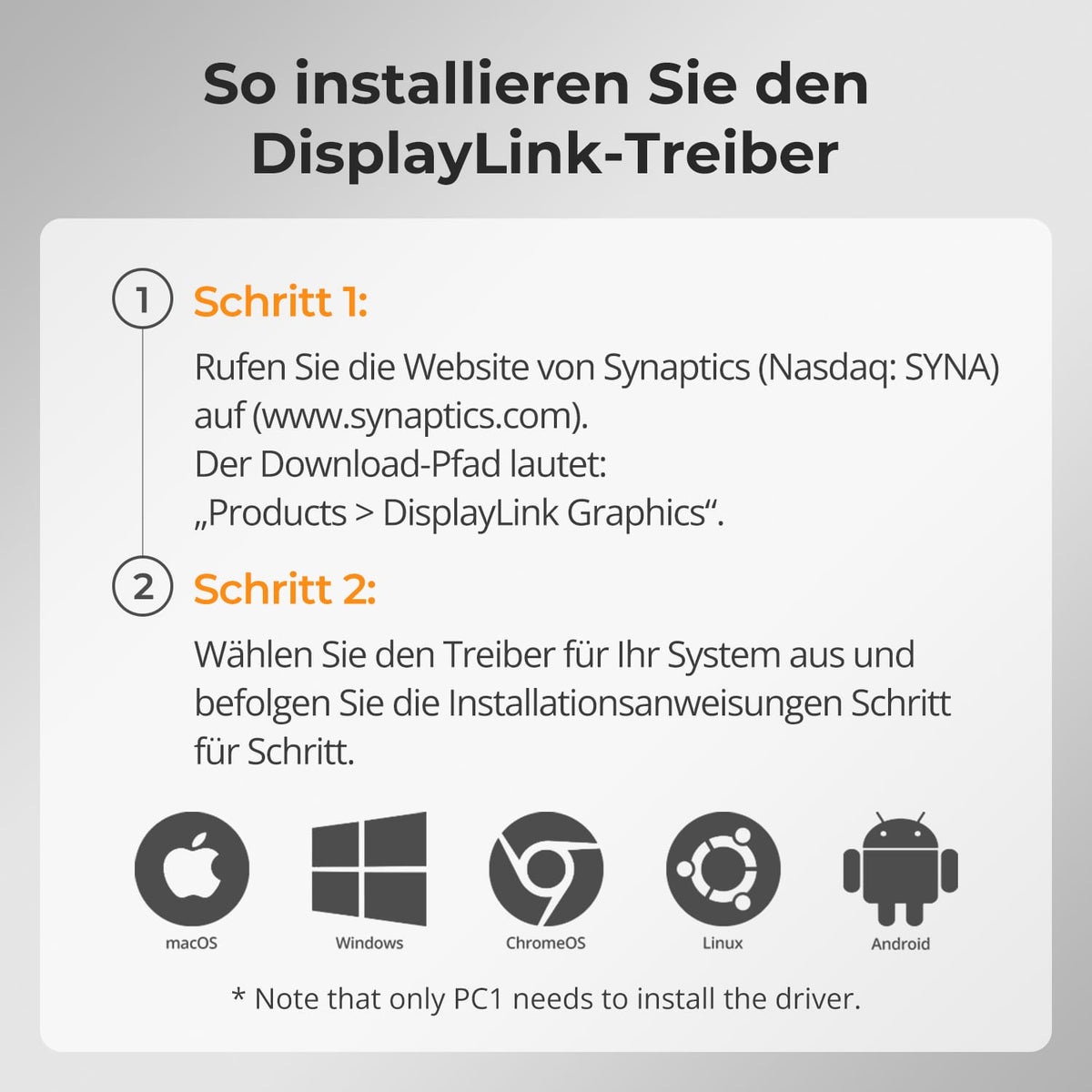
⚠️ DisplayLink-Treiber erforderlich (kostenloser Download).
Unter macOS können Videos von Amazon Prime Video, Netflix, Disney+ und anderen HDCP-geschützten Diensten nicht über DisplayLink angezeigt werden.
Wenn der DisplayLink-Treiber aktiv ist, kann macOS die von diesen Plattformen benötigte HDCP-Sicherheitsprüfung nicht abschließen. Infolgedessen wird das Videofenster vollständig schwarz. Dies ist eine bekannte Einschränkung der macOS- und DisplayLink-Architektur und wird nicht durch ein Hardwareproblem verursacht.
Contenu de la livraison
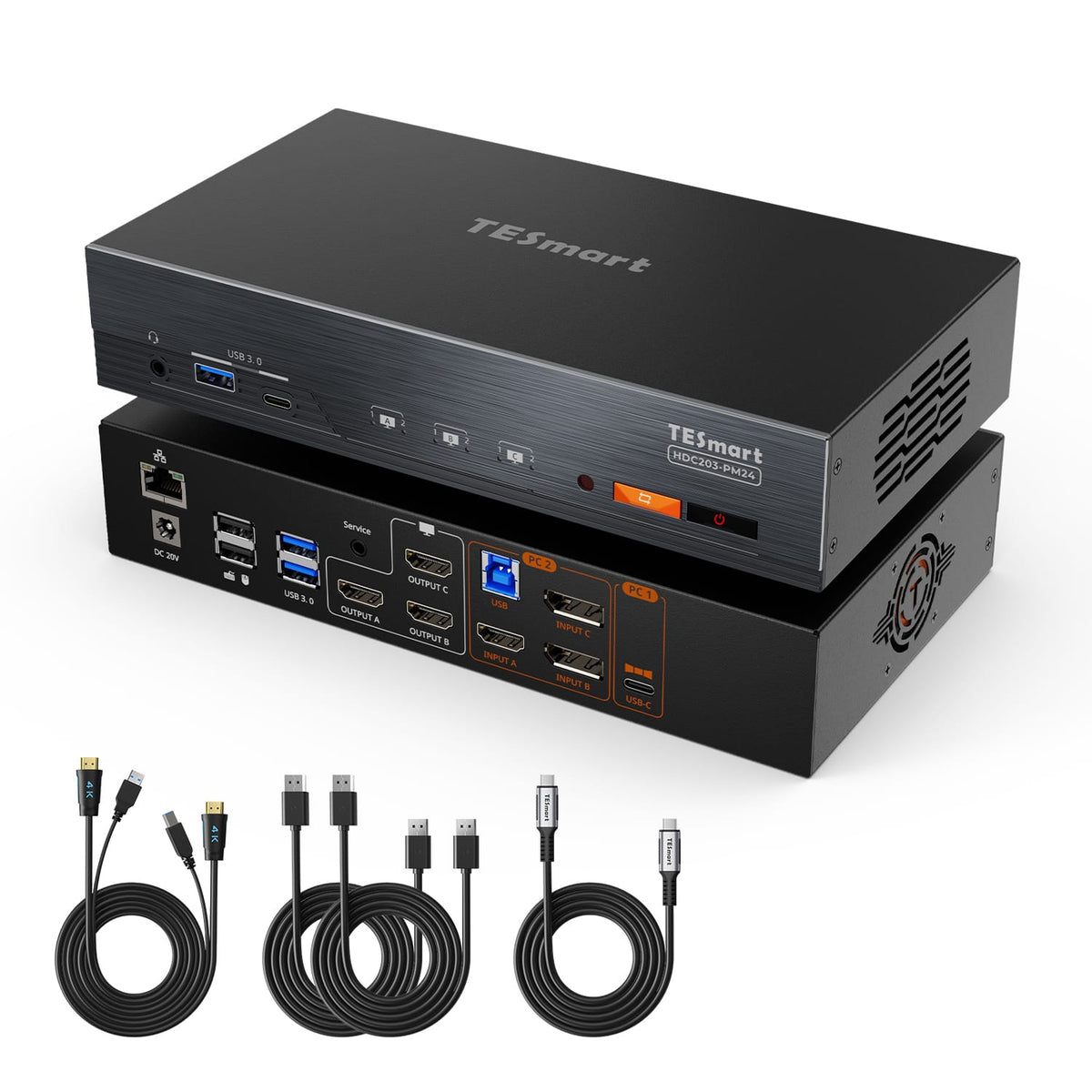
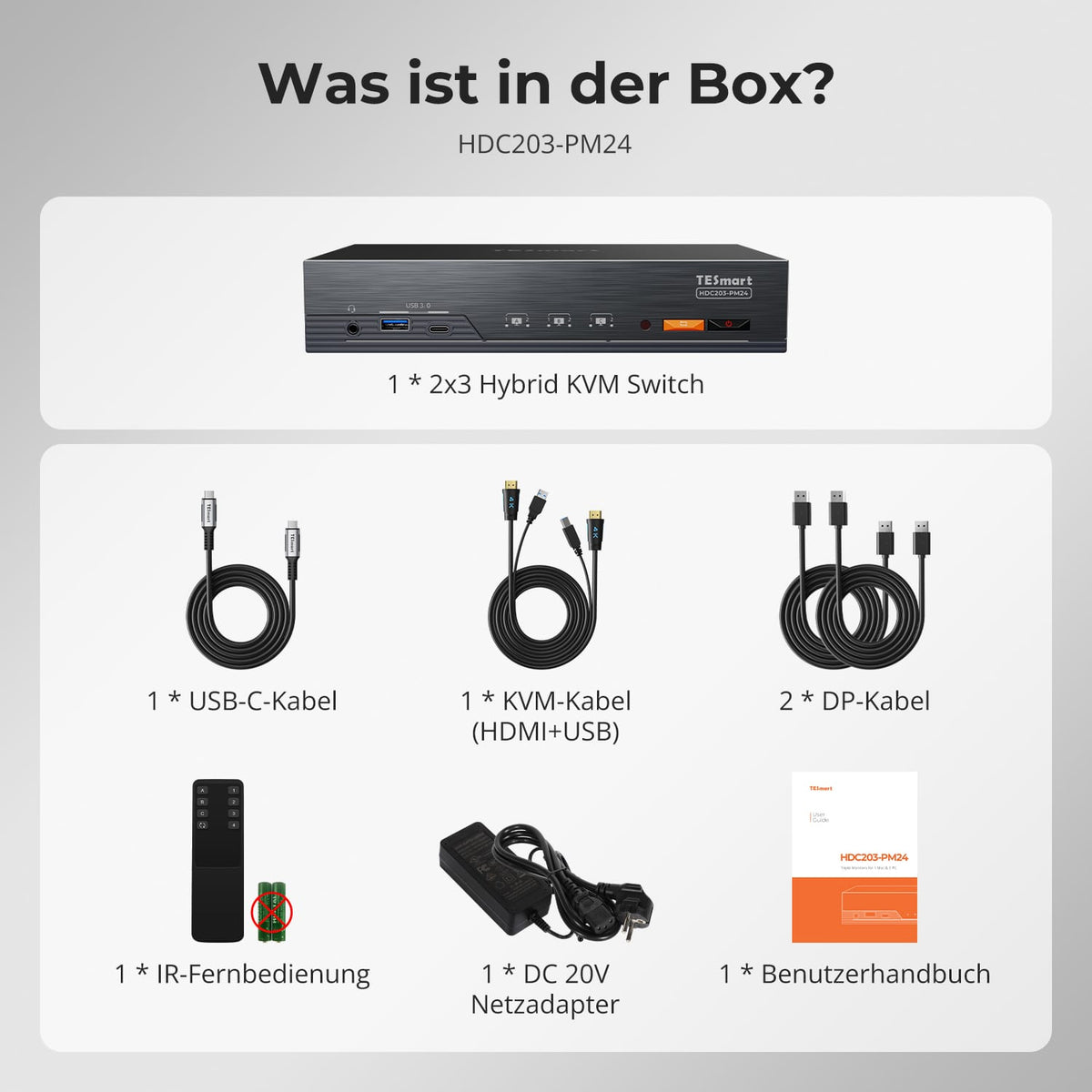
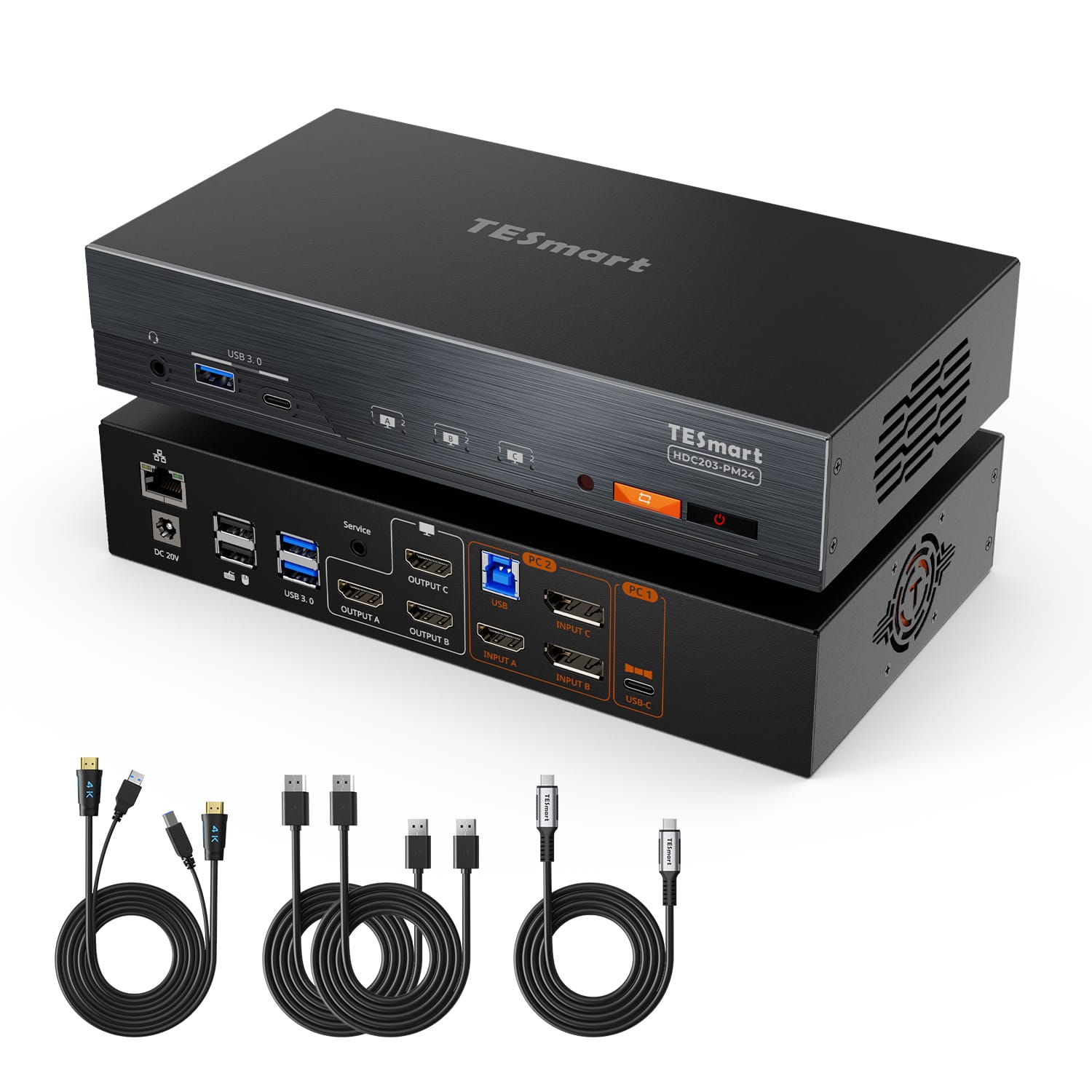
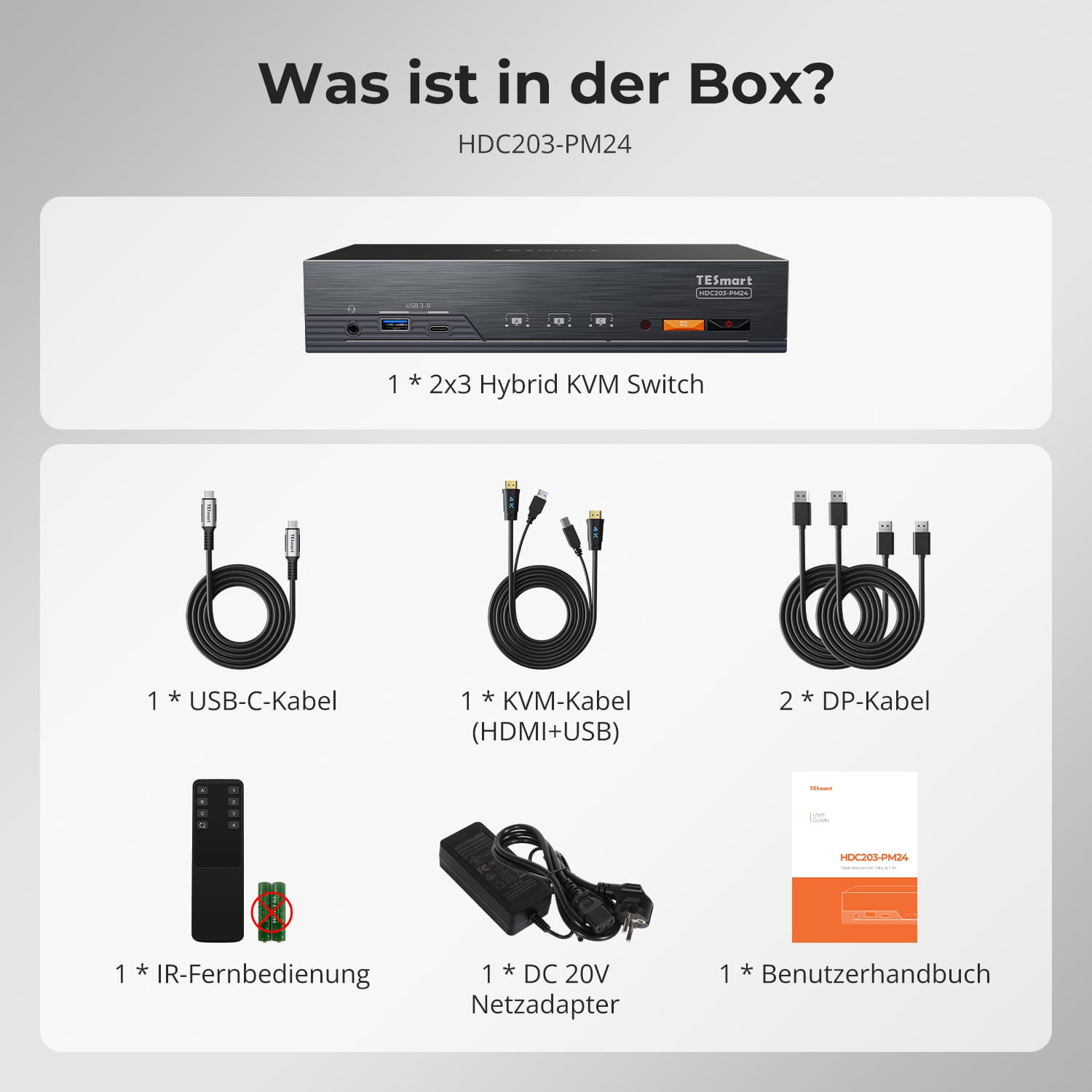
- 1 commutateur KVM hybride 2x3
- 1 câble USB-C
- 1 câble KVM
- 2 câbles DP
- 1 * Télécommande infrarouge
- 1 alimentation 20 V
- 1 * Manuel d'utilisation
Téléchargements & Manuel d'utilisation

Notre politique d'expédition comprend les 7 sections suivantes :
Délai de traitement de la commande (délai d'expédition)
- Frais d'expédition & Délai de livraison
- Suivi de commande
- Livraisons retardées
- Annulations de commandes
- Diriger & Droits de douane
- Contactez-nous
1. Délai de traitement des commandes
Le délai de traitement de la commande correspond à la période qui s'écoule entre la passation de la commande et sa remise au prestataire de services d'expédition.
• Les commandes sont généralement expédiées sous 1 à 2 jours ouvrables après confirmation/paiement.
• Les commandes passées le week-end peuvent subir des retards.
Notre entrepôt est ouvert du lundi au vendredi aux heures de bureau habituelles (hors jours fériés). Dans ce cas, nous mettrons tout en œuvre pour minimiser les retards de livraison.
Nous disposons d'entrepôts en Allemagne et dans d'autres régions. Votre commande sera expédiée directement depuis l'entrepôt le plus proche de votre adresse de livraison. Si le produit n'est pas en stock dans cet entrepôt, nous expédierons votre commande depuis un autre entrepôt à proximité afin de vous garantir une livraison dans les meilleurs délais.
Livraison au Royaume-Uni 🇬🇧
Pour garantir une livraison sans encombre et un dédouanement correct, les commandes en provenance du Royaume-Uni sont traitées via notre boutique américaine.
Les commandes à destination du Royaume-Uni ne peuvent pas être expédiées via notre boutique européenne.
2. Frais d'expédition & Délai de livraison
| Pays ou région | Délai de livraison estimé | Frais d'expédition | prestataire de services logistiques |
| Allemagne | 3 jours ouvrables | Livraison gratuite | DHL |
| Autres pays de l'UE | 3 à 7 jours ouvrables | Livraison gratuite | DHL/DPD |
| Pays non membres de l'UE | 5 à 12 jours ouvrables | À partir de 60 euros | UPS |
3. Suivi de commande
4.Livraisons retardées
5. Annulation de commande
6. Impôts & Droits de douane
7. Contactez-nous
- Les commandes TESmart sont traitées automatiquement. Une fois expédiées, elles ne peuvent être ni annulées ni modifiées, y compris en cas de changement d'adresse.
- Si vous souhaitez retourner un article ou demander un remboursement, veuillez nous contacter dans les 30 jours suivant sa réception à l'adresse suivante : service@tesmart.de.
- Les retours ne sont possibles que si le produit est inutilisé, complet et dans son emballage d'origine.
- Pour les retours non liés à des problèmes de qualité, les frais de retour sont à la charge du client.
- TESmart prendra en charge les frais de retour pour les retours ou les remboursements dus à des problèmes de qualité.
- Produits recherchés 30 jours et à l'intérieur 2 ans Les articles présentant des problèmes ne peuvent pas être retournés, mais selon l'inspection, ils peuvent être réparés ou remplacés (même modèle uniquement, remplacement préféré pour les membres).
- Entre le 2e et le 3e. Aucun service de retour ou de remboursement n'est offert cette année. Les membres peuvent après 3 mois Une réduction de [montant] sera accordée à compter de la date d'achat dans le cadre de la politique de reprise. jusqu'à 50% Vous recevrez un remboursement du prix initial du produit, applicable à l'achat d'un nouveau produit. Pour connaître les conditions générales détaillées, veuillez consulter : https://tesmart.de/pages/tesmart-id-trade-in
- Les remboursements seront traités dans les 5 jours ouvrables suivant la réception des marchandises à l'entrepôt.
Pour toute question : service@tesmart.de
Directives complètes :

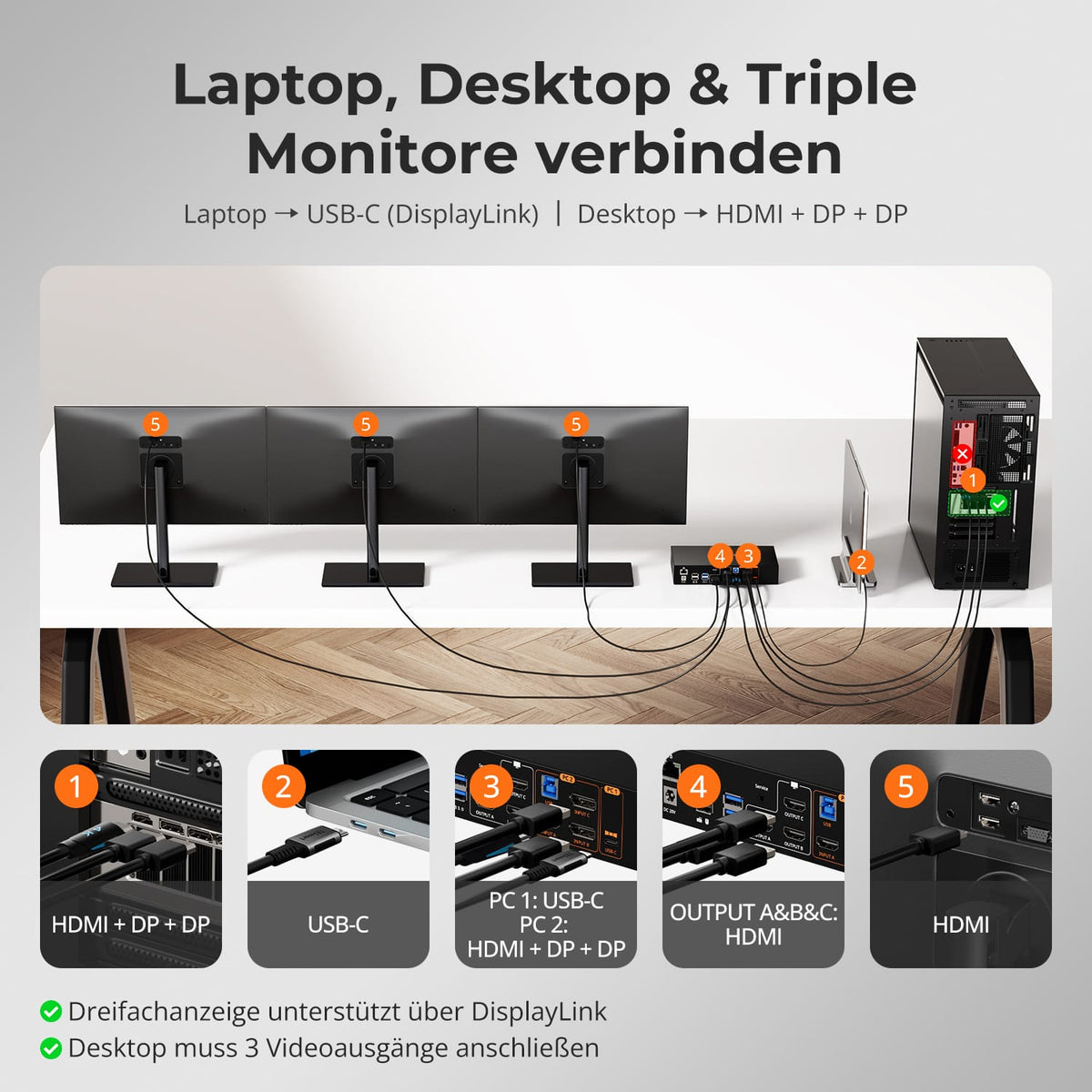
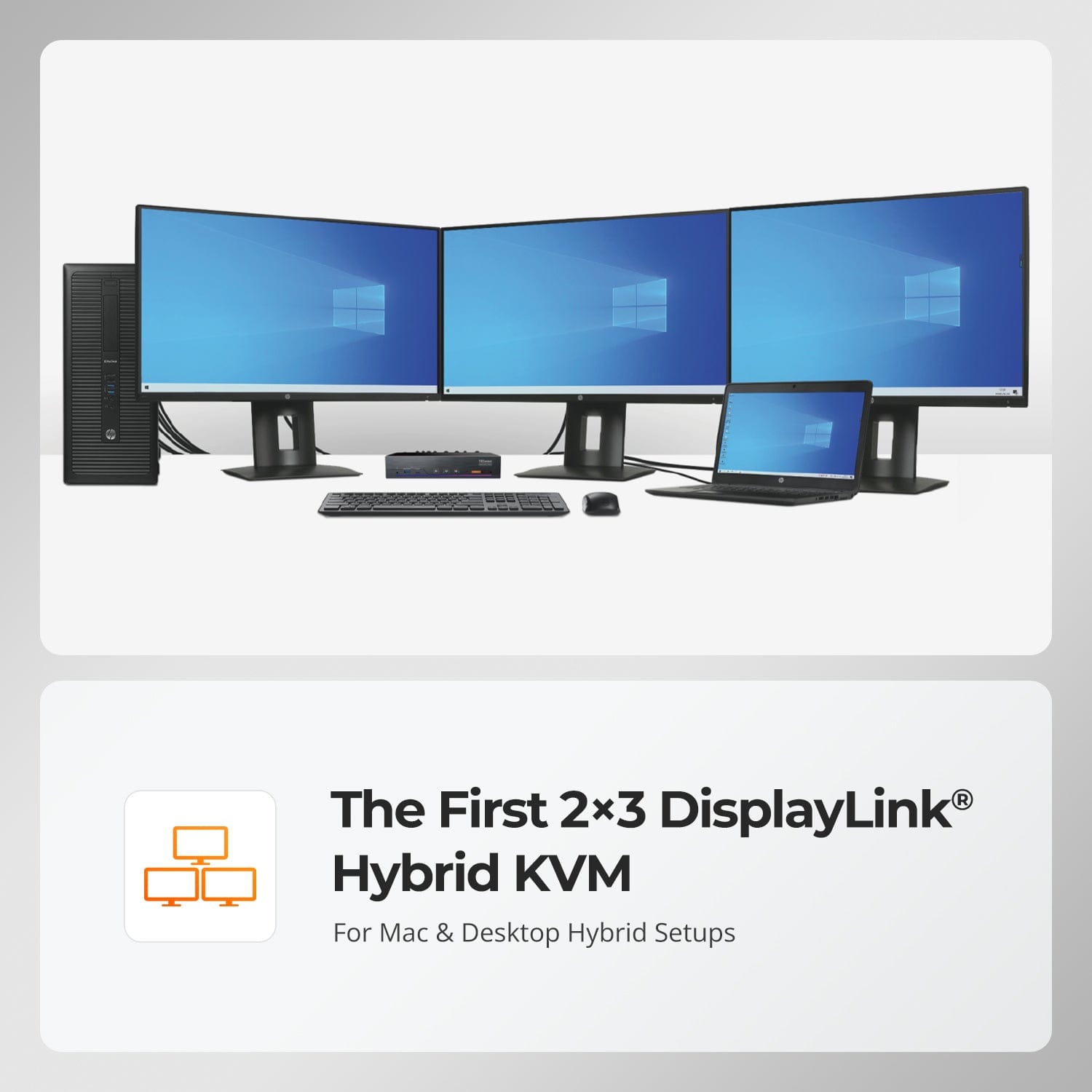
Le premier KVM hybride DisplayLink® 2×3
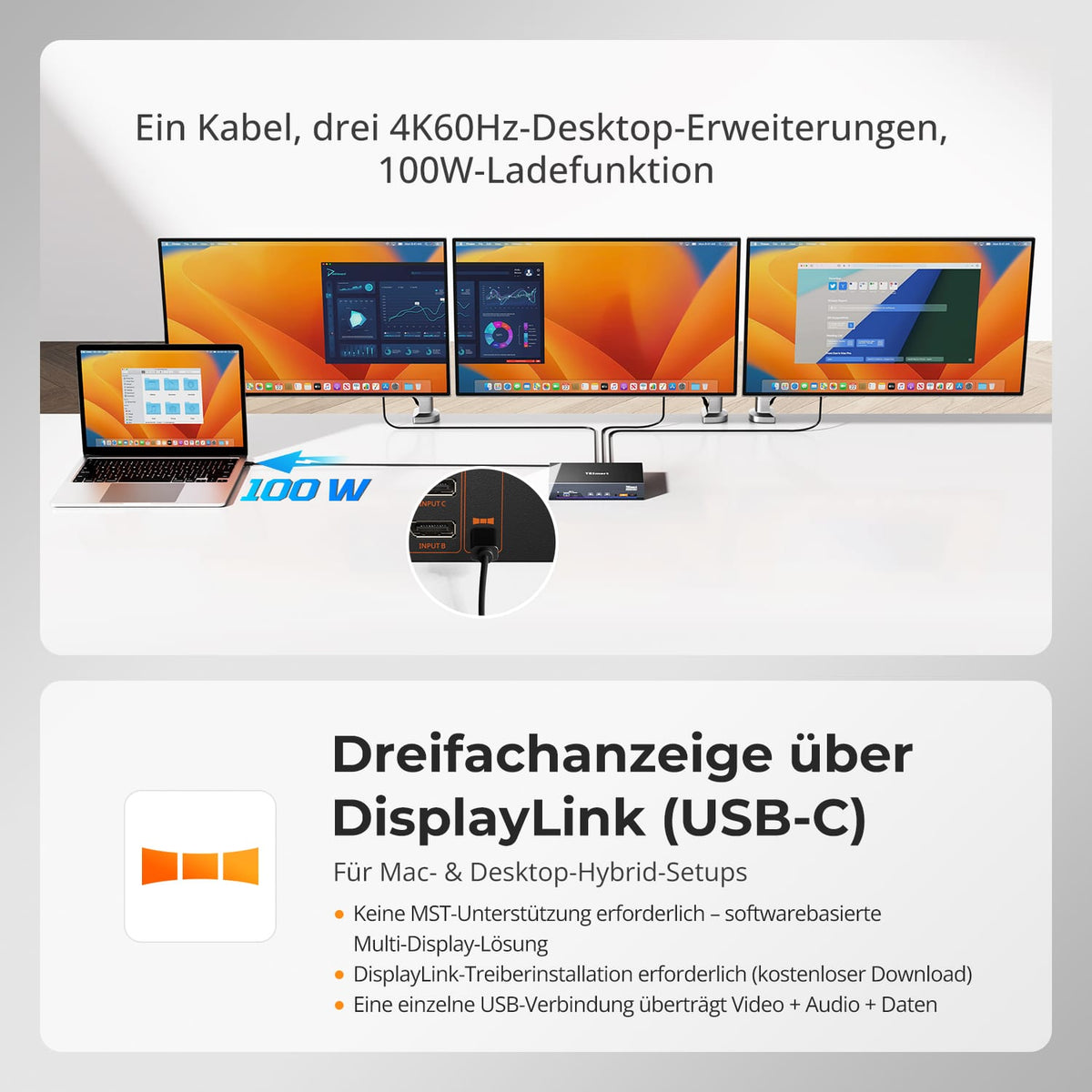
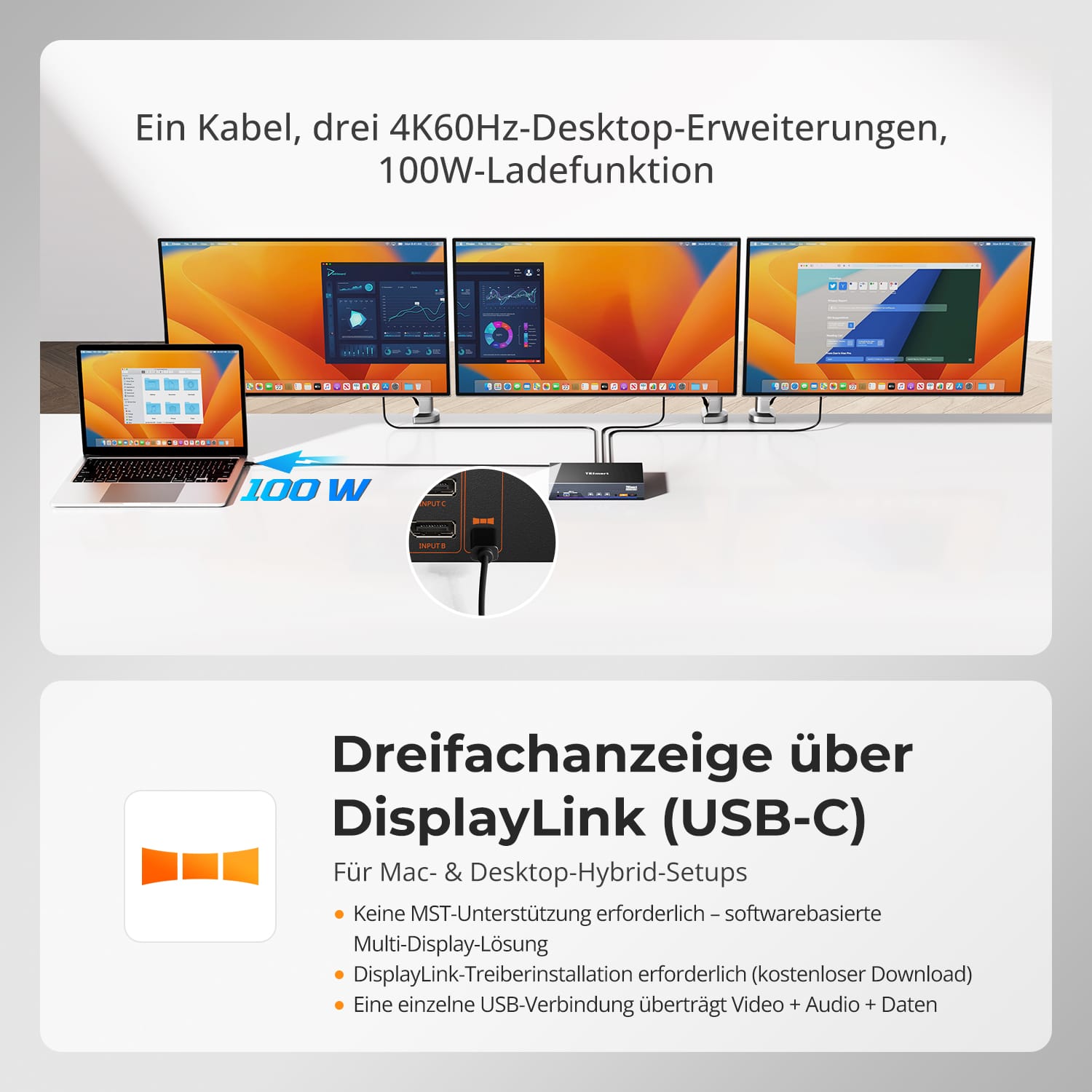
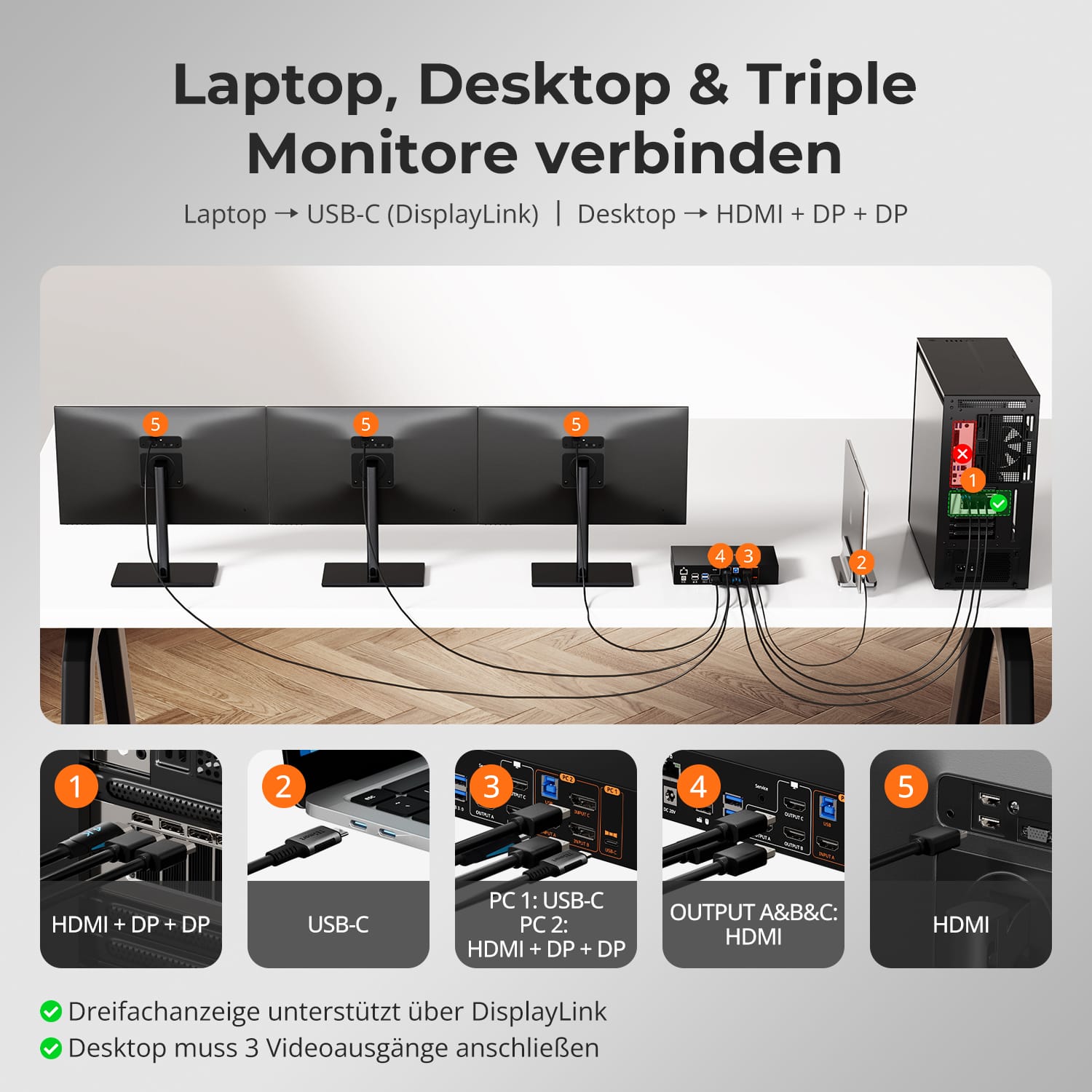
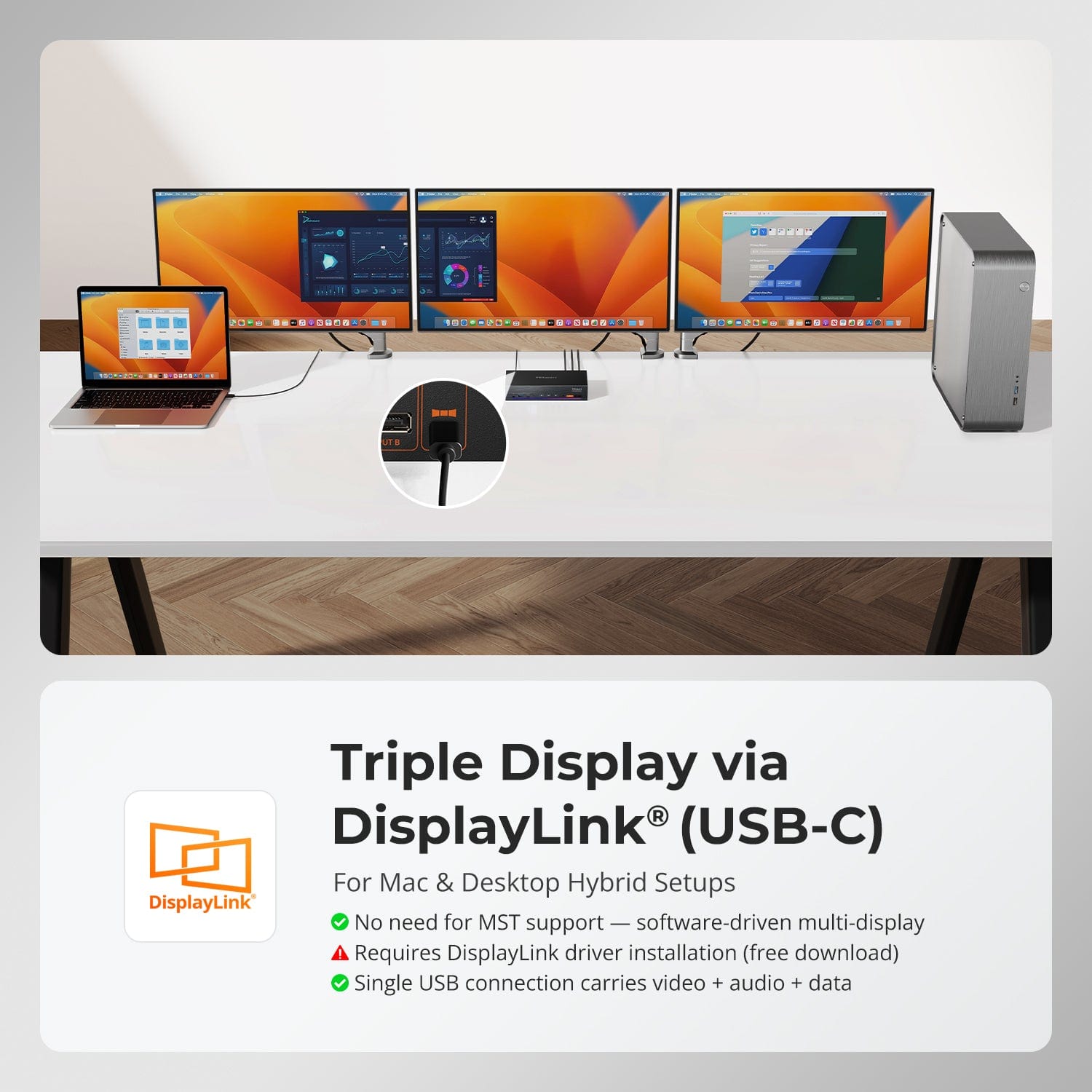
Triple affichage via DisplayLink® (USB-C)
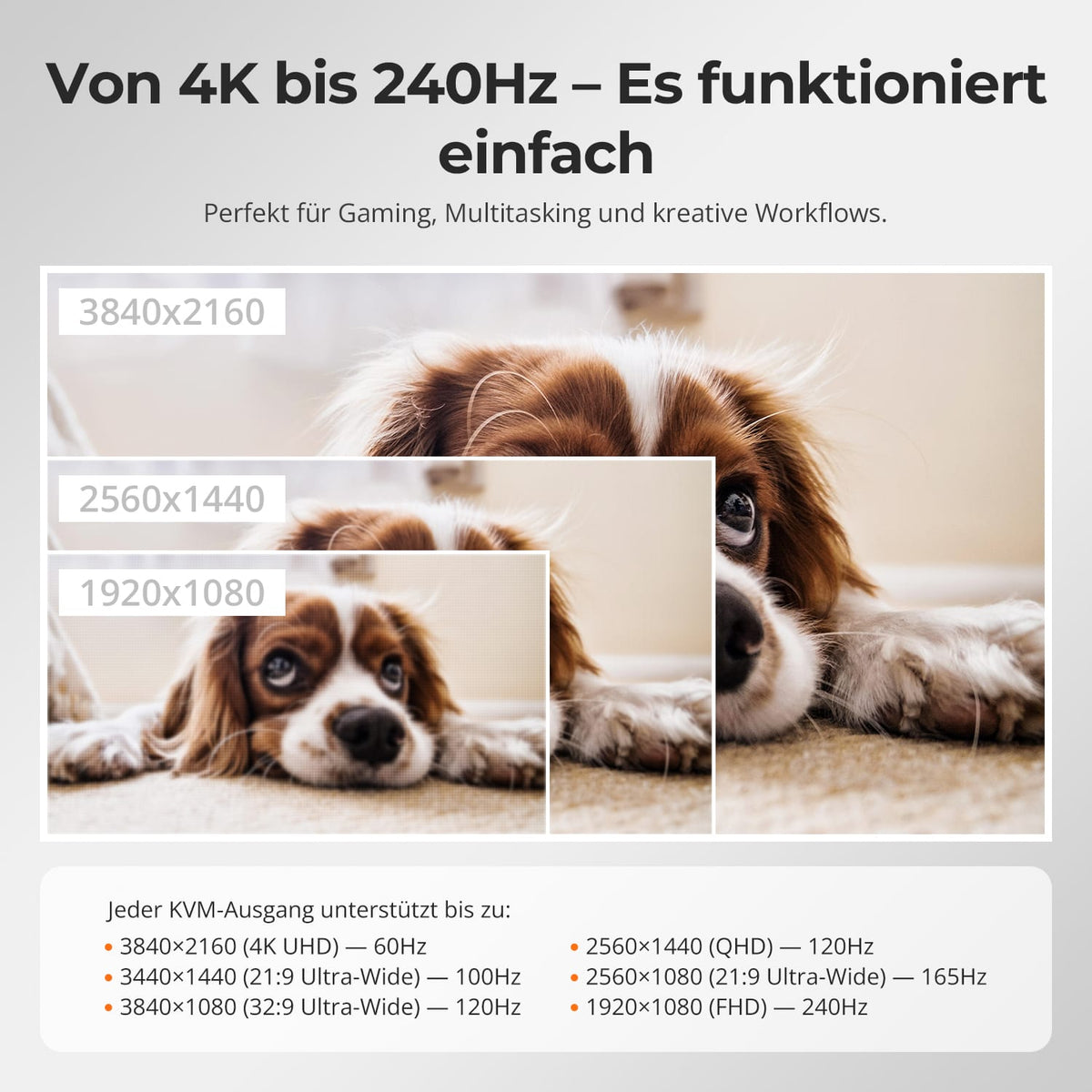
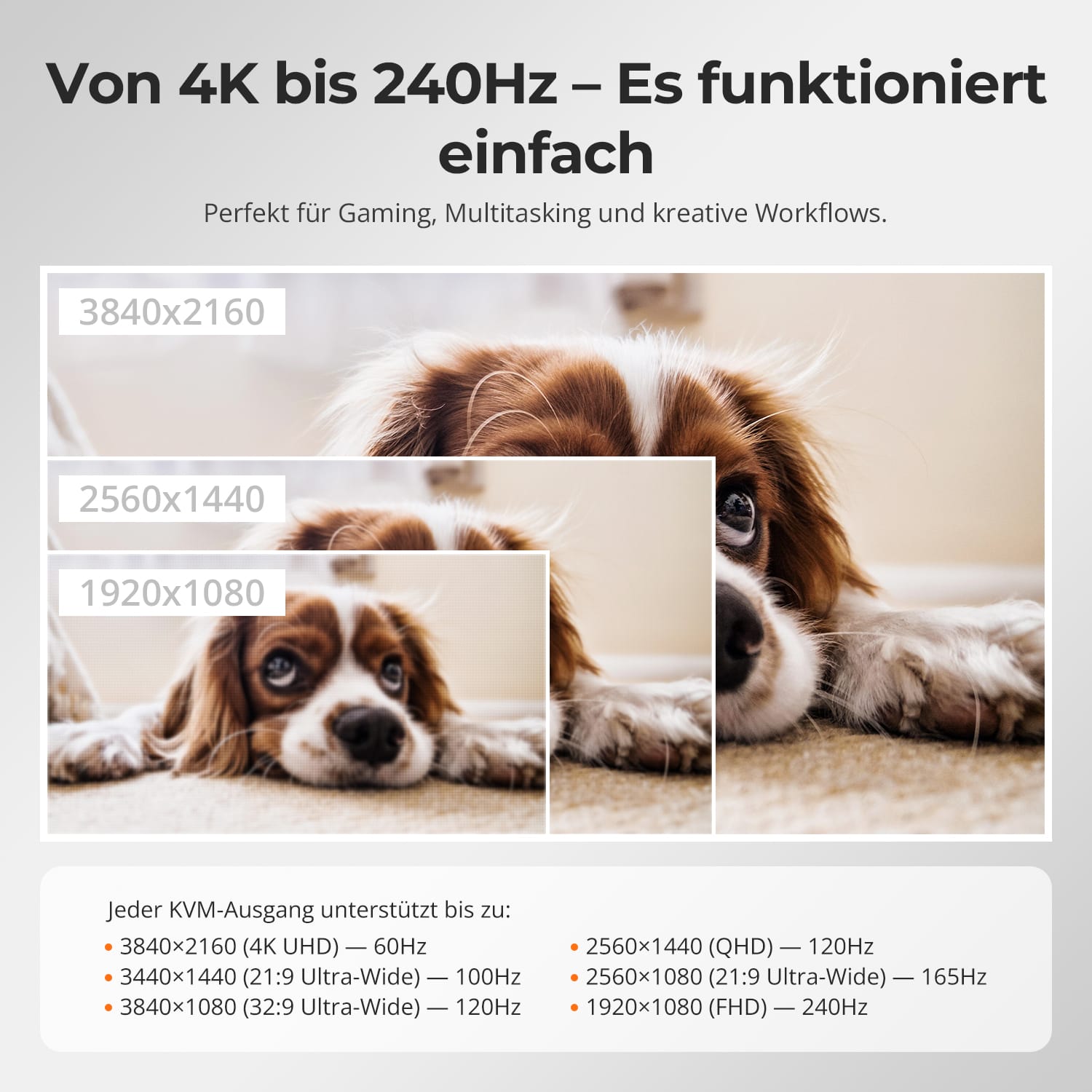
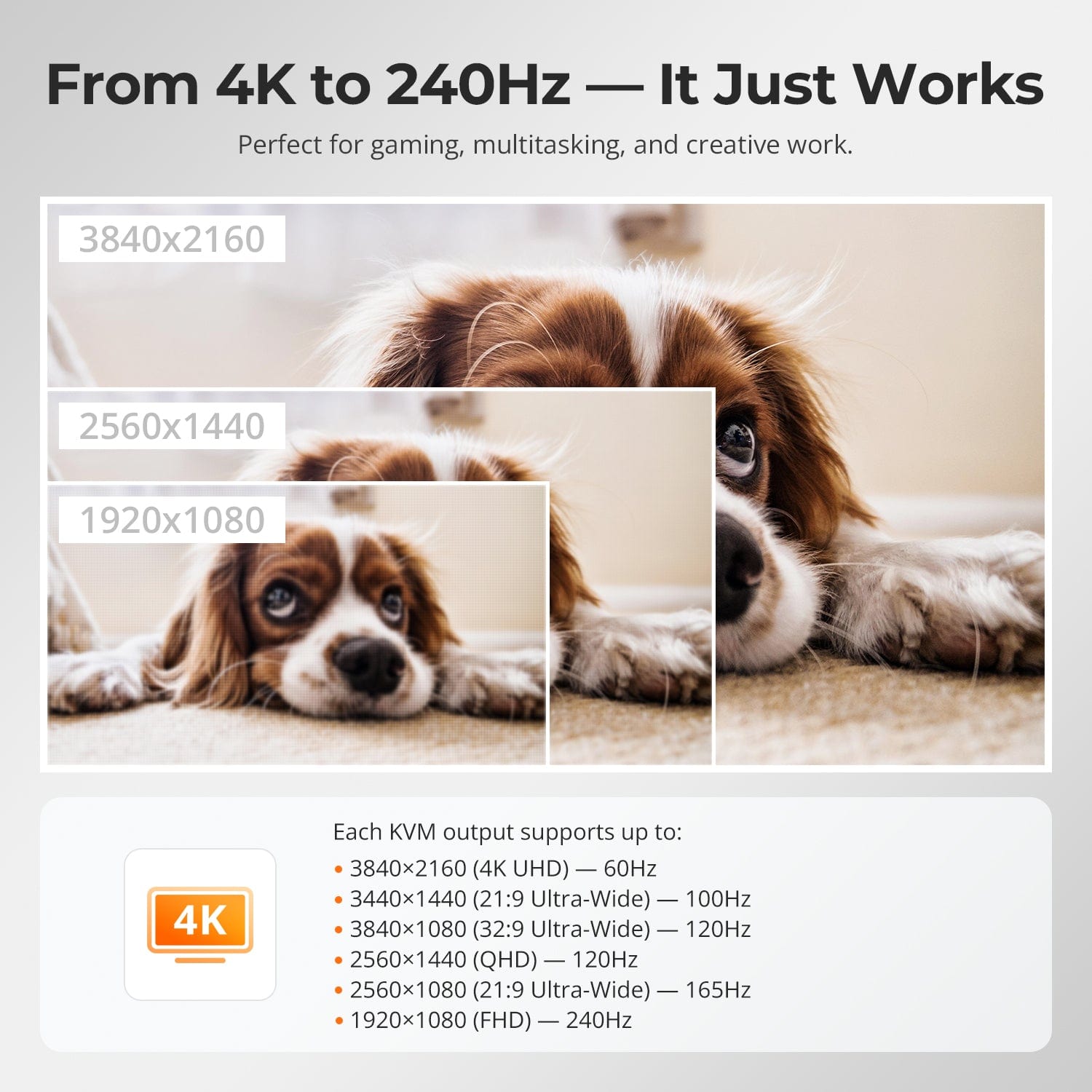
De 4K à 240 Hz — Ça marche
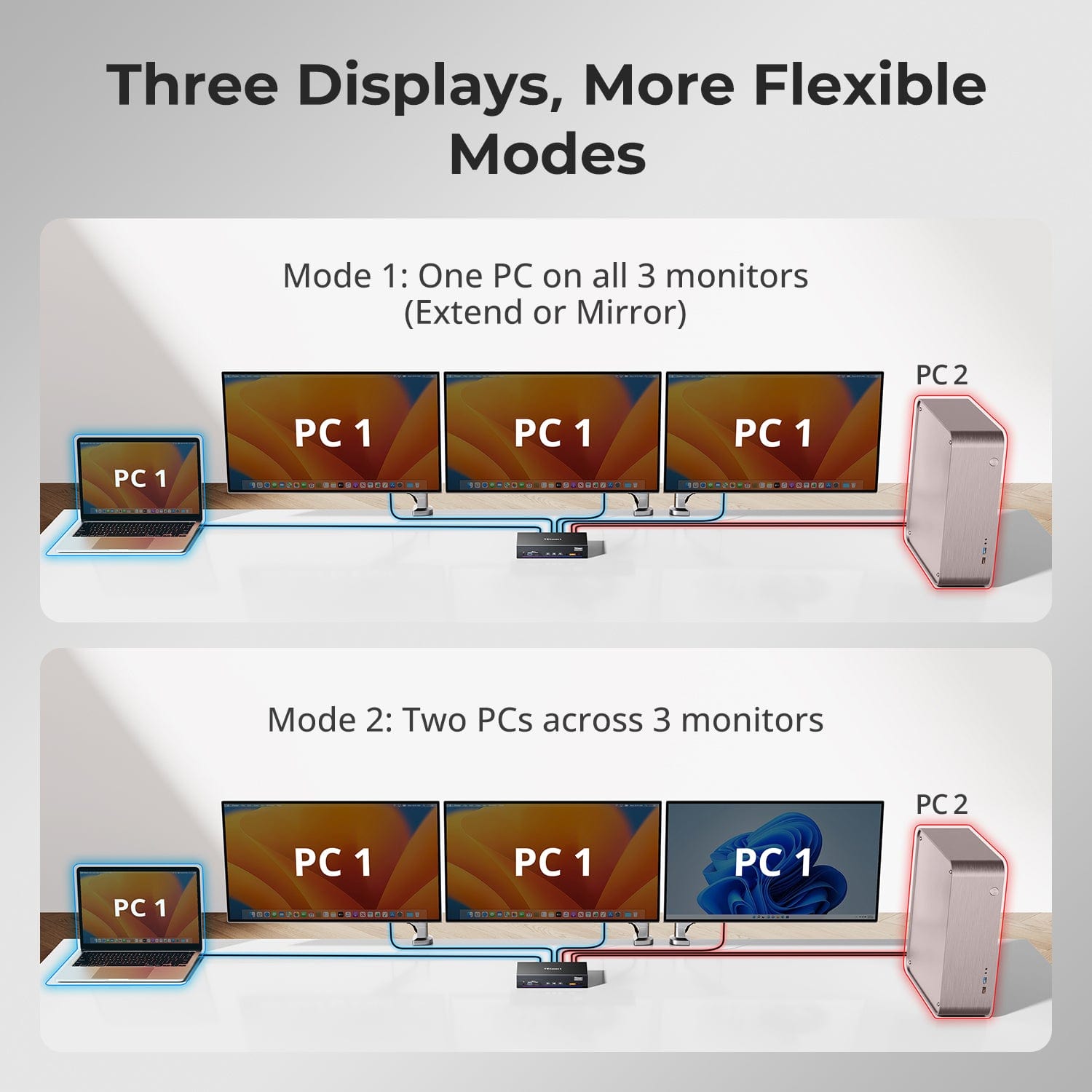
Trois écrans, des modes plus flexibles
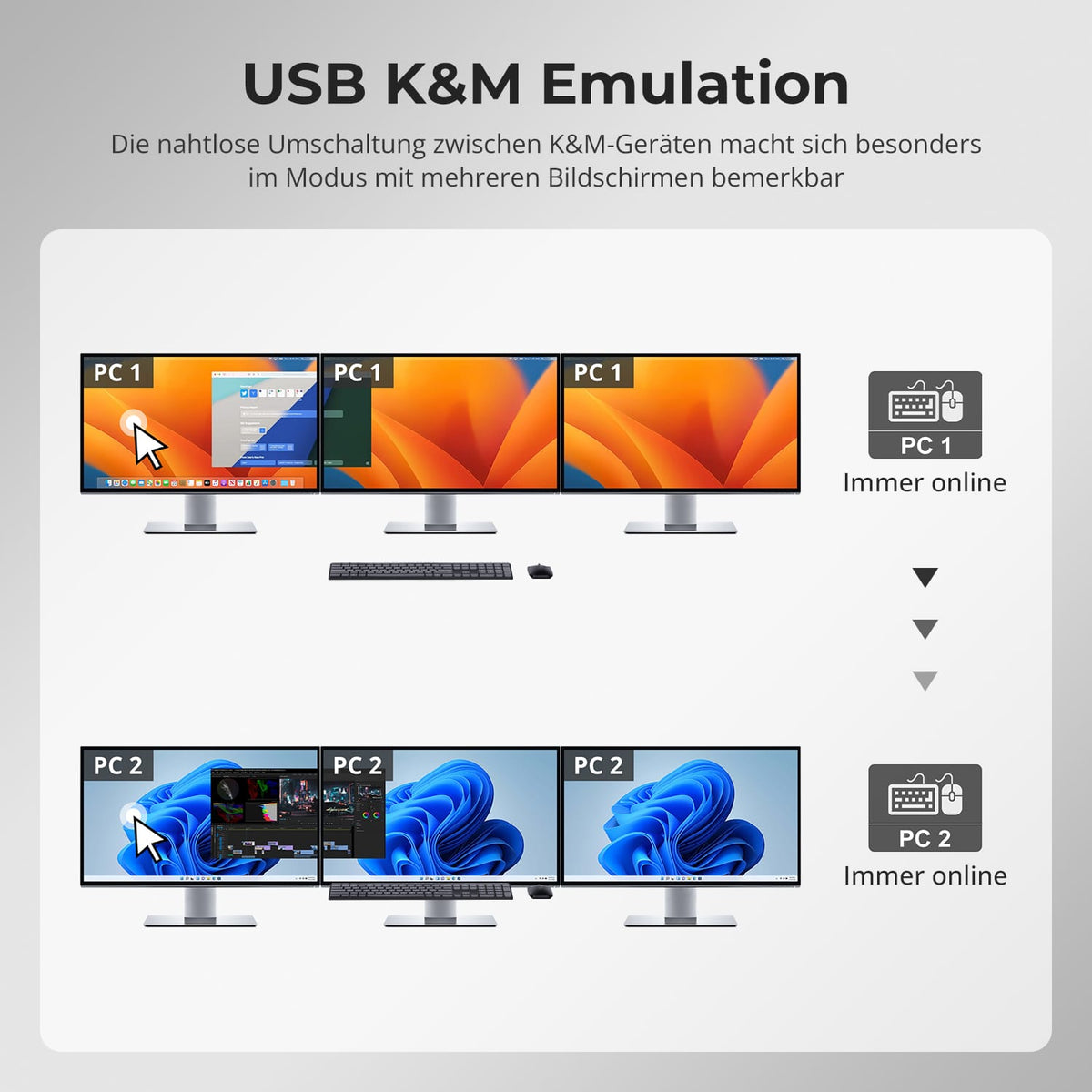
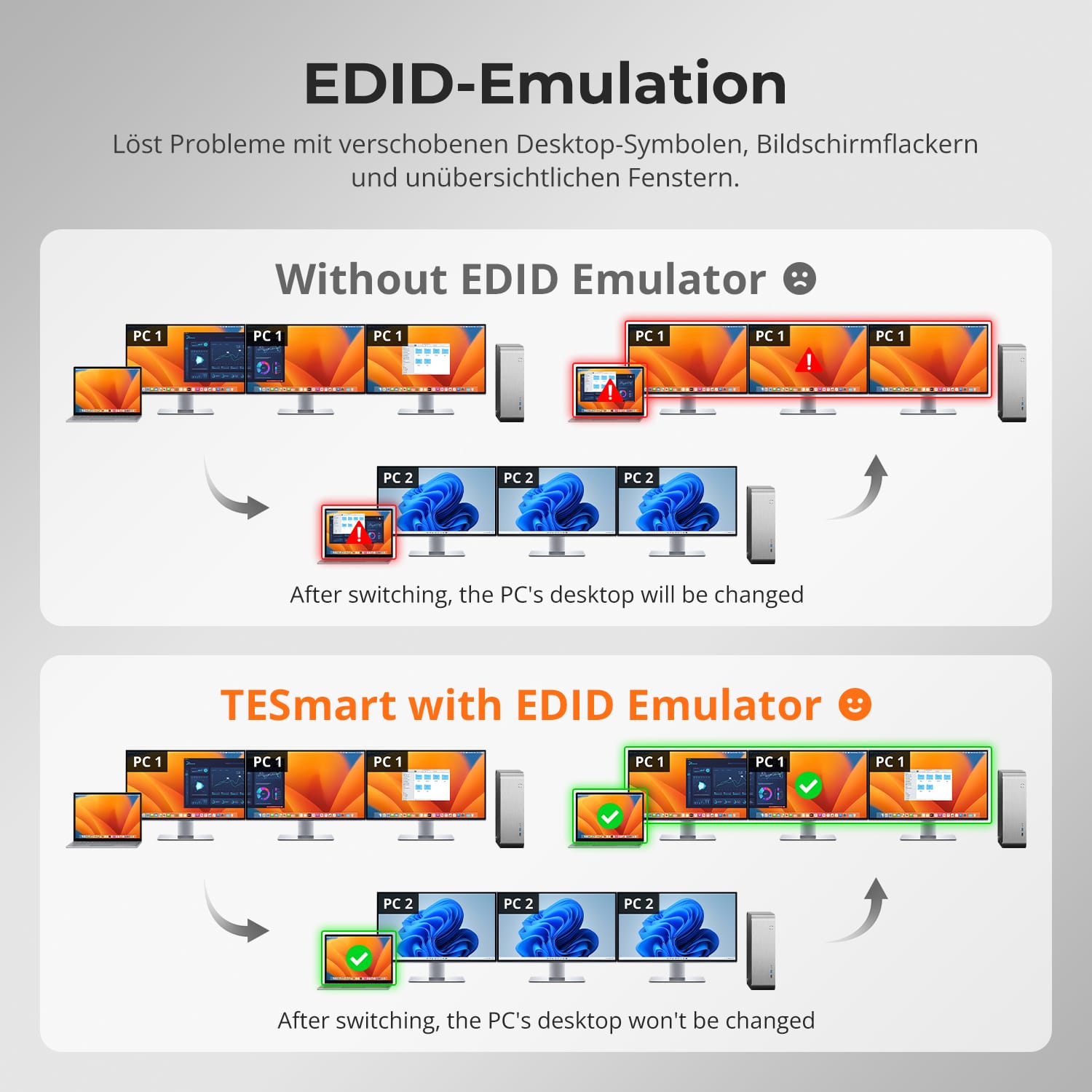
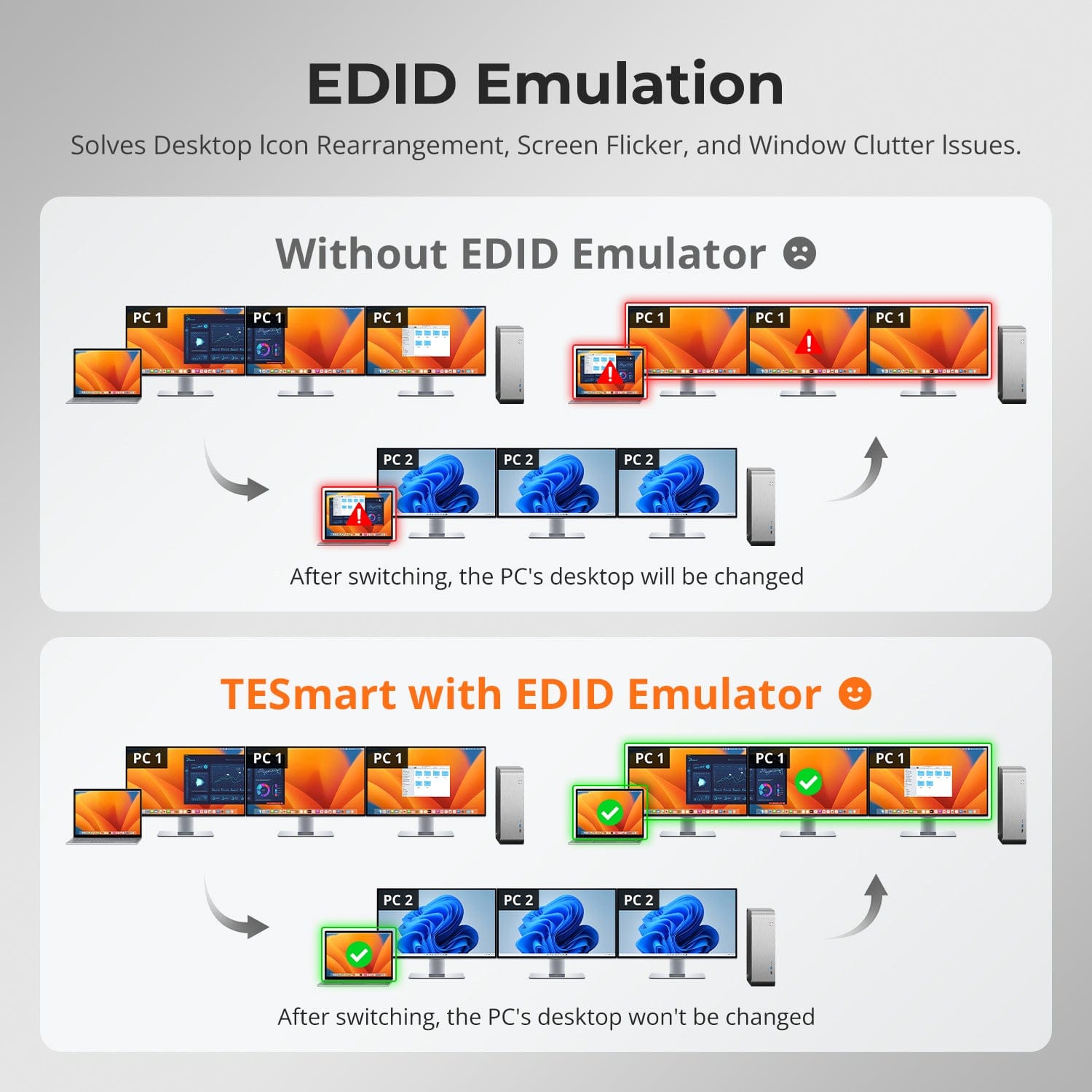
Émulation EDID
Pour les configurations hybrides avec Mac & Ordinateur de bureau
Il s'agit du premier commutateur KVM à double ordinateur au monde prenant en charge simultanément trois moniteurs avec DisplayLink®.
- Combinez facilement un ordinateur portable USB-C et un PC de bureau multiport en un poste de travail partagé à 3 écrans.
- Optimisé pour macOS et Windows – sans compromis sur la flexibilité ni la vitesse.
- Le mécanisme de commutation hybride exclusif de TESmart garantit une réponse immédiate et un délai minimal lors de la commutation.
Pour les configurations hybrides avec Mac & Ordinateur de bureau
Le logiciel DisplayLink® débloque la pleine capacité d'affichage sur trois écrans – même sur les systèmes sans prise en charge MST.
- Transmet simultanément l'image, le son et les données via un seul câble USB-C.
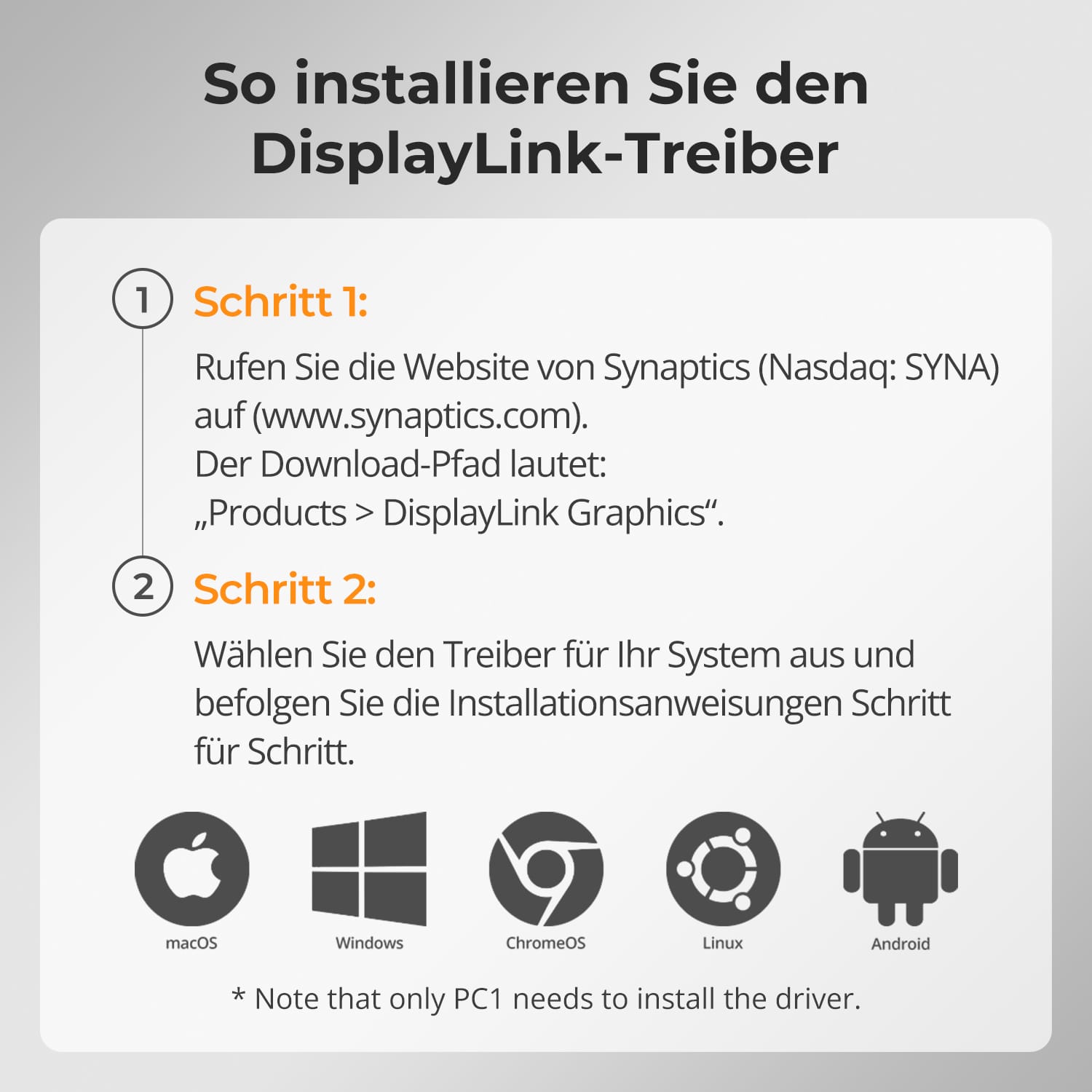
- Nécessite l'installation du pilote DisplayLink (téléchargement gratuit).
- Permet l'extension multi-écrans pour les ordinateurs portables macOS qui ne prennent traditionnellement en charge qu'un seul écran externe.
Cela permet de simplifier les configurations complexes et de les rendre cohérentes sur toutes les plateformes.
Les commutateurs KVM TESmart sont conçus pour les créateurs, les joueurs et les professionnels exigeant une reproduction d'image précise et un mouvement fluide.
- Prend en charge une large gamme de résolutions et de taux de rafraîchissement jusqu'à 4K@60Hz und 1080p@240Hz.
- Garantit une synchronisation d'image et une précision des couleurs constantes dans les environnements multi-écrans.
- L'intégrité optimisée du signal garantit l'absence de scintillement ou de perte d'images, même en cas de charge élevée.
Vous bénéficiez de performances optimales pour le jeu et d'une fiabilité professionnelle.
Adaptez votre espace de travail à chaque tâche. Les modes d'affichage flexibles de TESmart offrent une polyvalence inégalée.
- Mode 1 : Étendez ou dupliquez un seul PC sur trois écrans pour une productivité ultra-large.
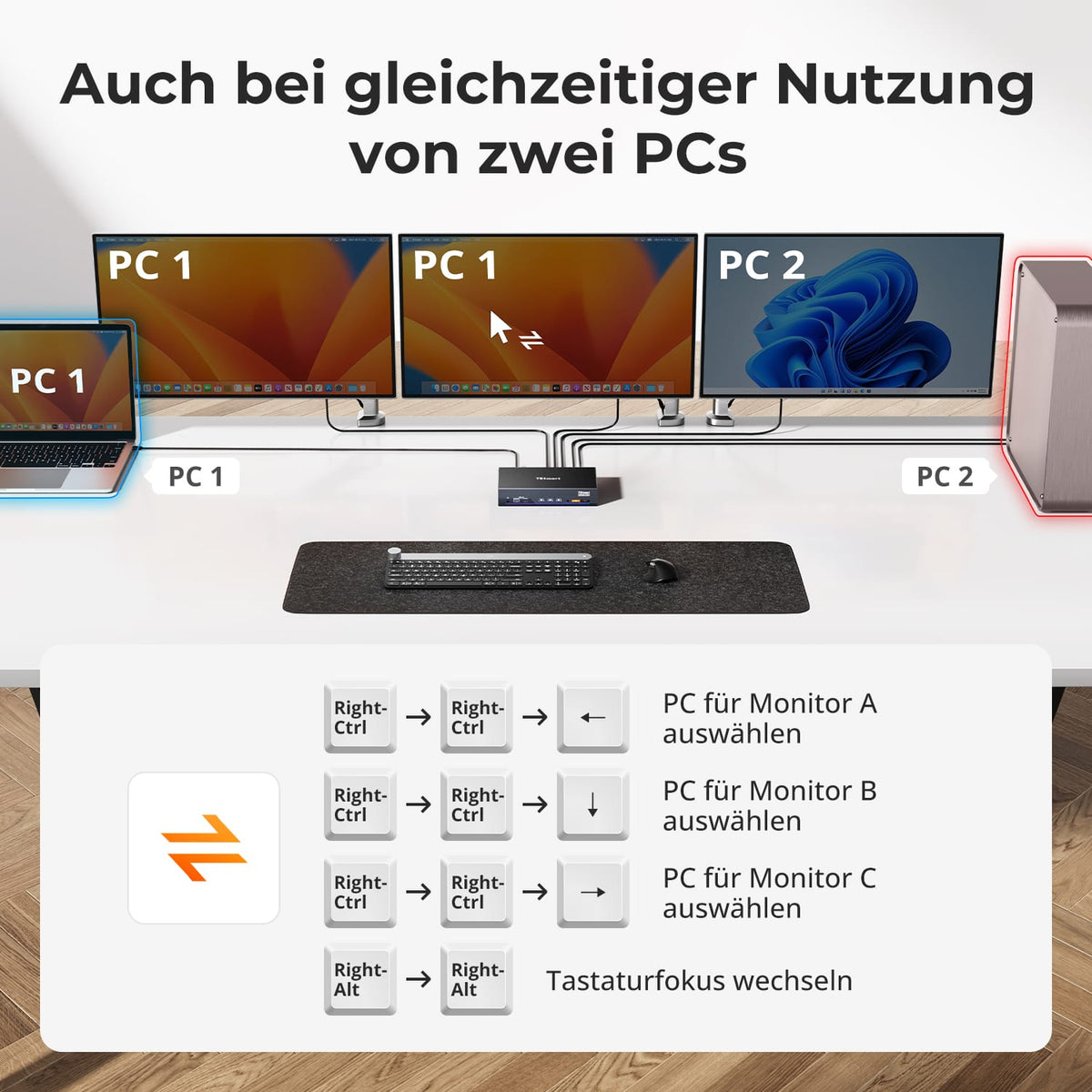
- Mode 2 : Partagez l’écran entre deux PC – idéal pour la surveillance en temps réel, le développement ou la révision de contenu.
Le passage d'un mode à l'autre ne prend que quelques secondes et vous permet d'effectuer des réglages sans recâblage ni reconfiguration.
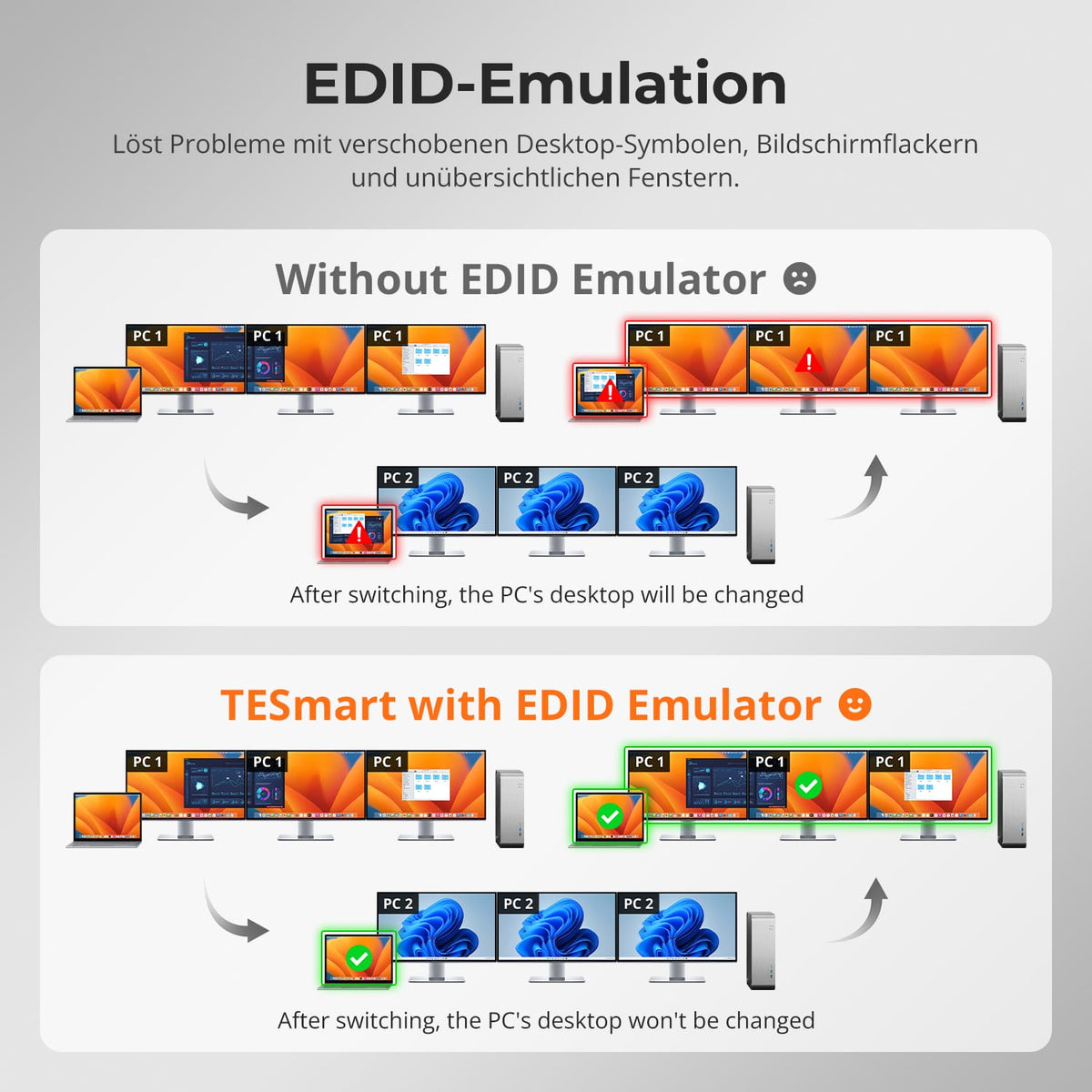
Plus besoin de réorganiser les icônes ni de désorganiser les fenêtres après avoir changé de source d'entrée. L'émulation EDID intelligente de TESmart préserve la stabilité de votre bureau.
- Préserve la configuration de l'écran entre les changements de configuration.
- Empêche les scintillements d'écran, les coupures noires ou les réinitialisations de résolution.
- Permet de gagner un temps précieux dans les environnements multi-écrans où le placement précis des fenêtres est important.
Vos écrans se souviennent exactement de l'état dans lequel vous les avez laissés.
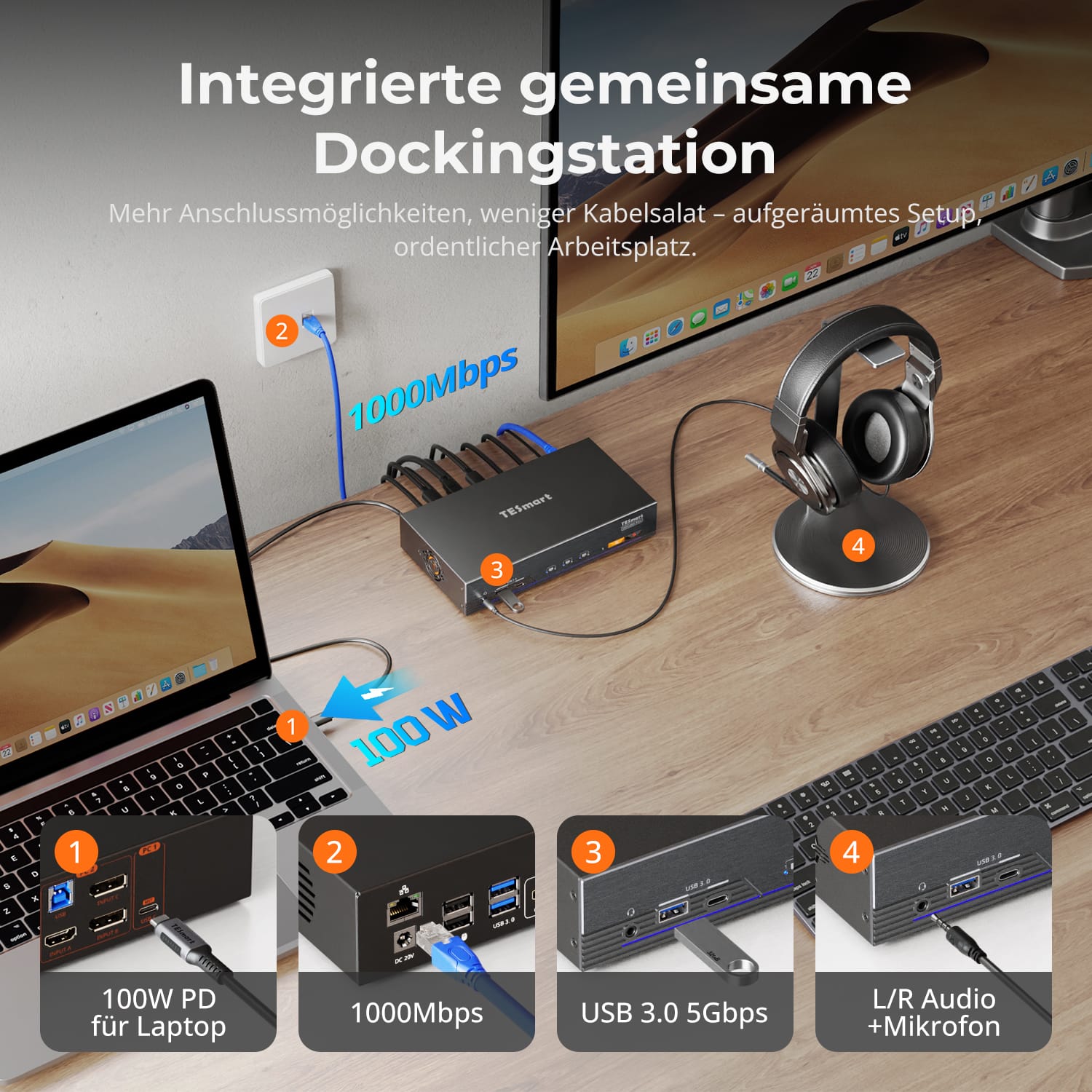
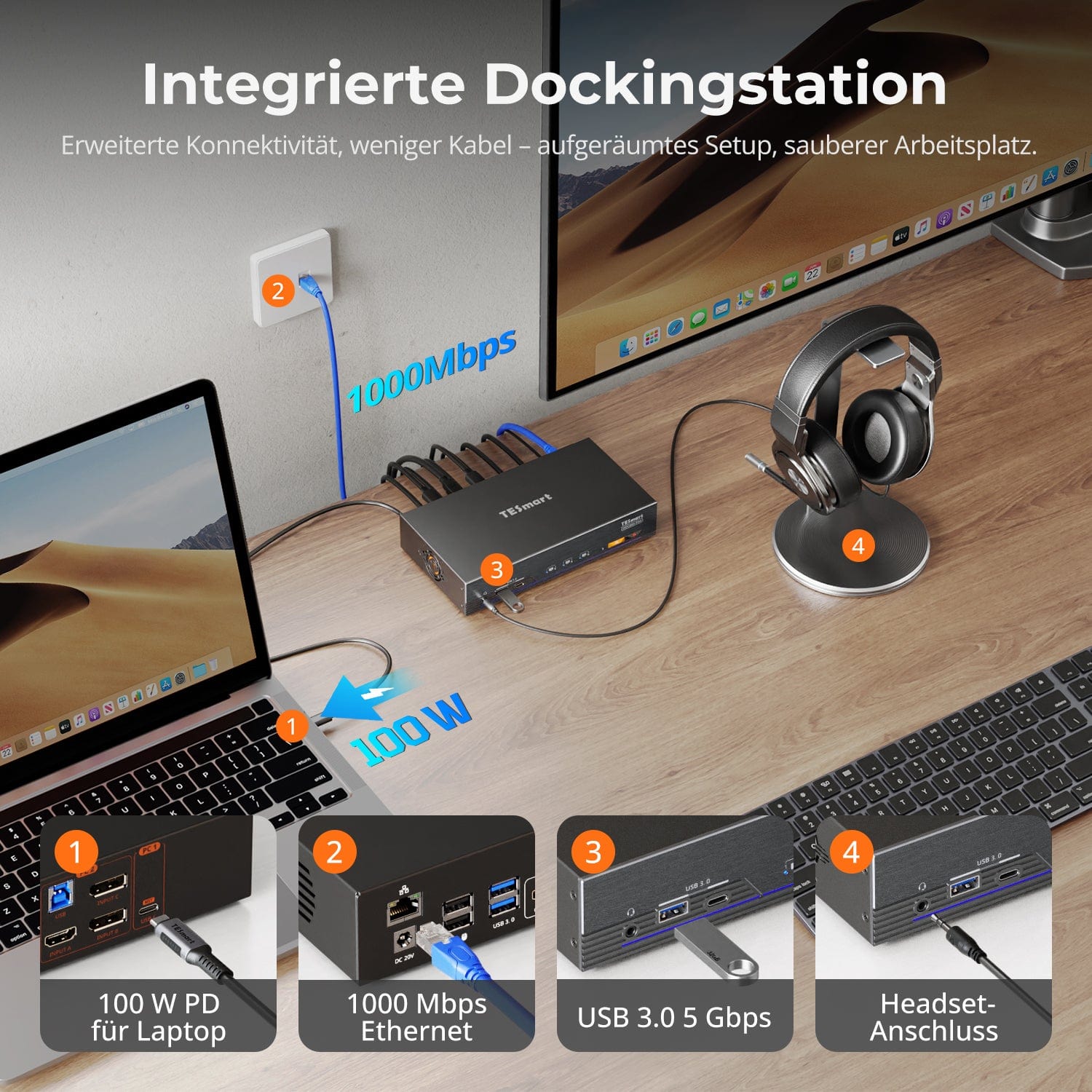
Station d'accueil partagée intégrée
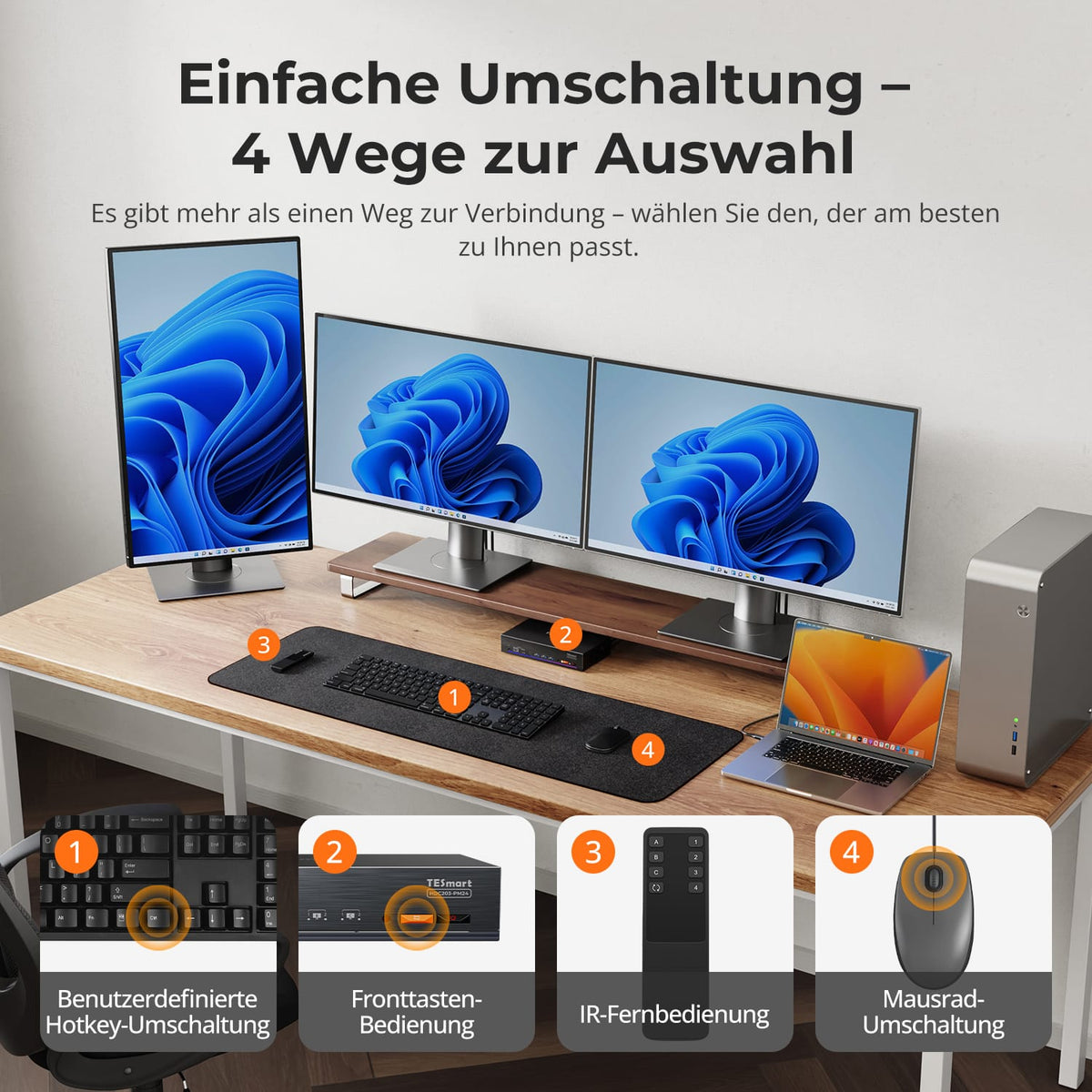
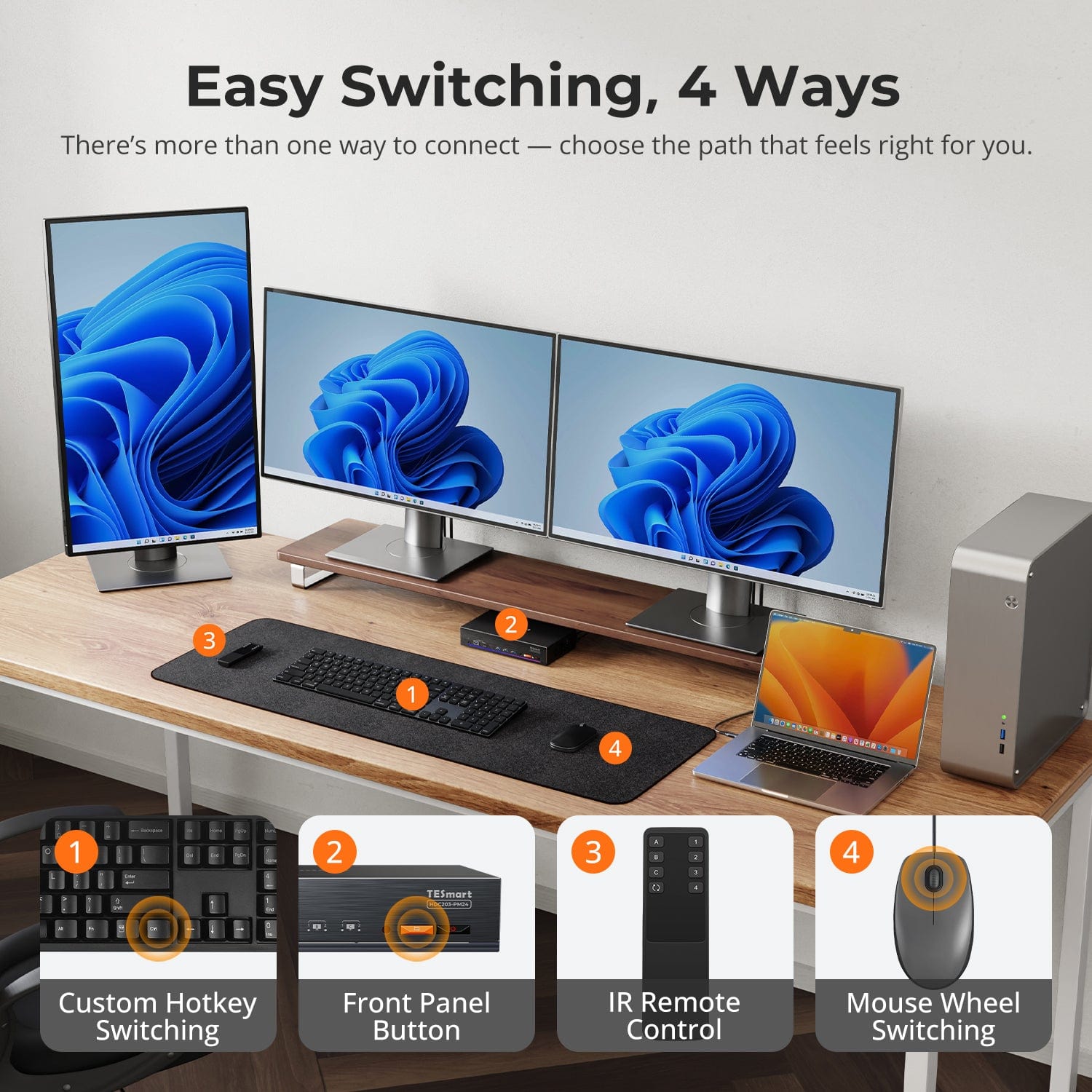
Commutation facile, 4 façons
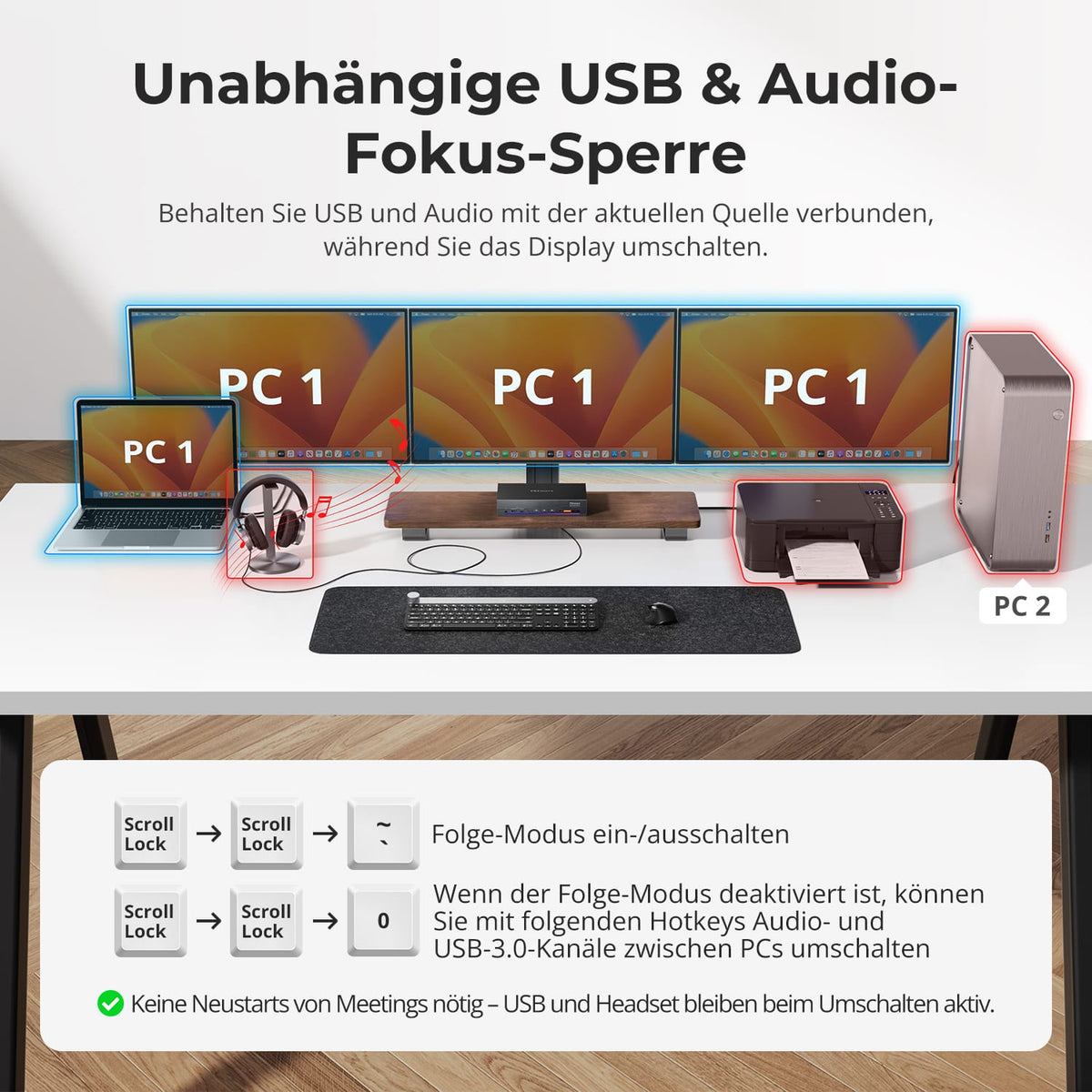
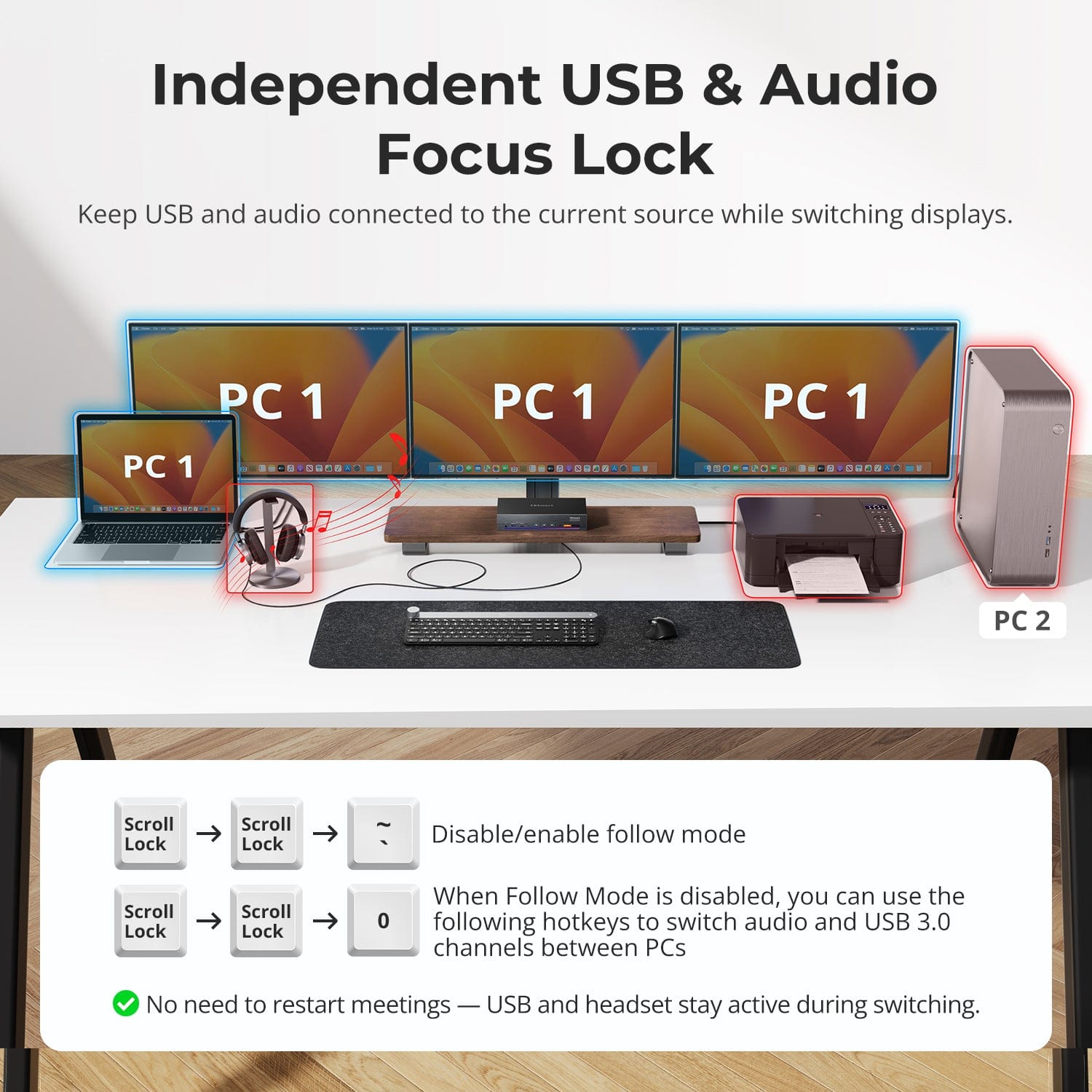
Verrouillage de la mise au point audio & USB indépendant
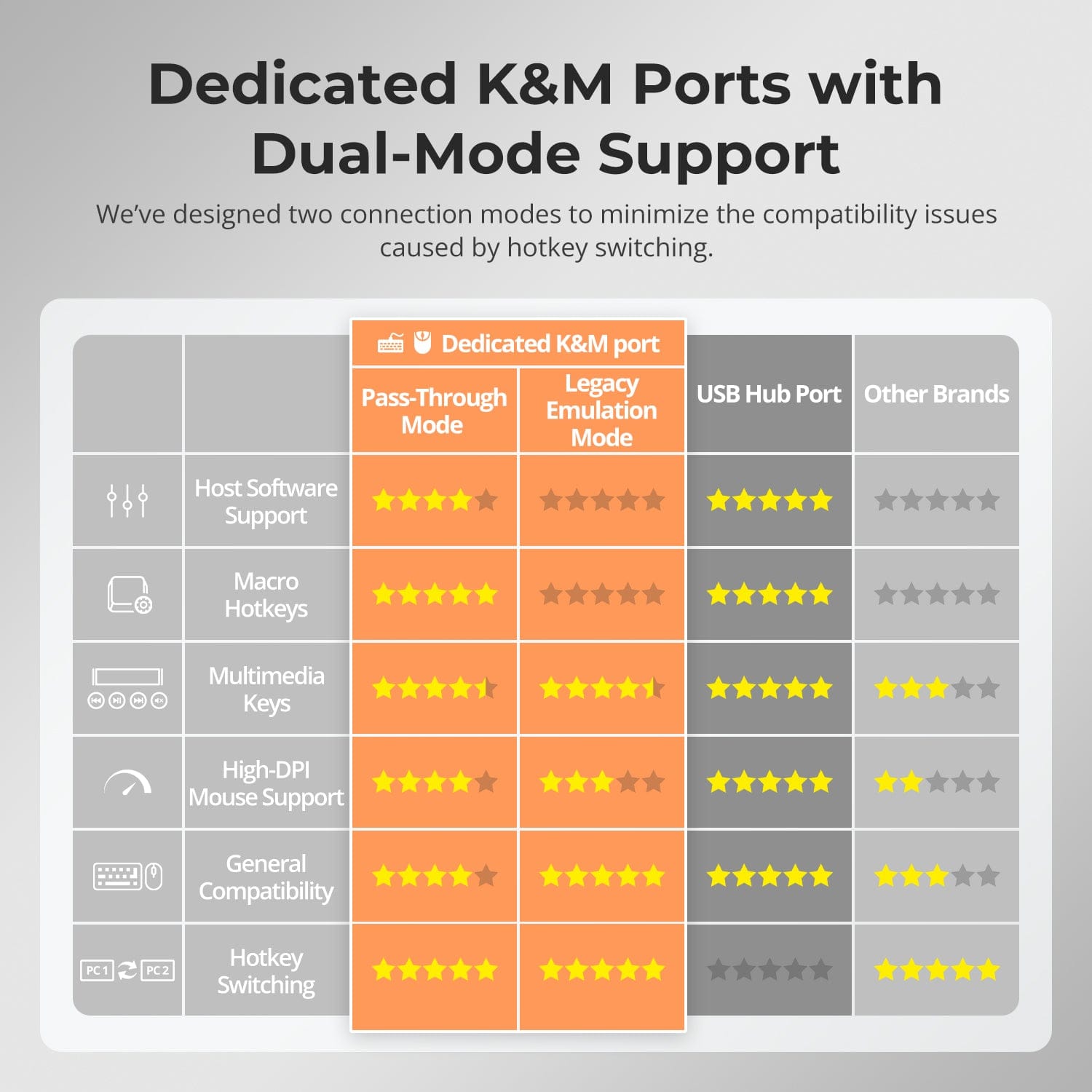
K dédié&M-Ports compatibles avec le mode double
Vérifiez la compatibilité de l'appareil avant d'acheter
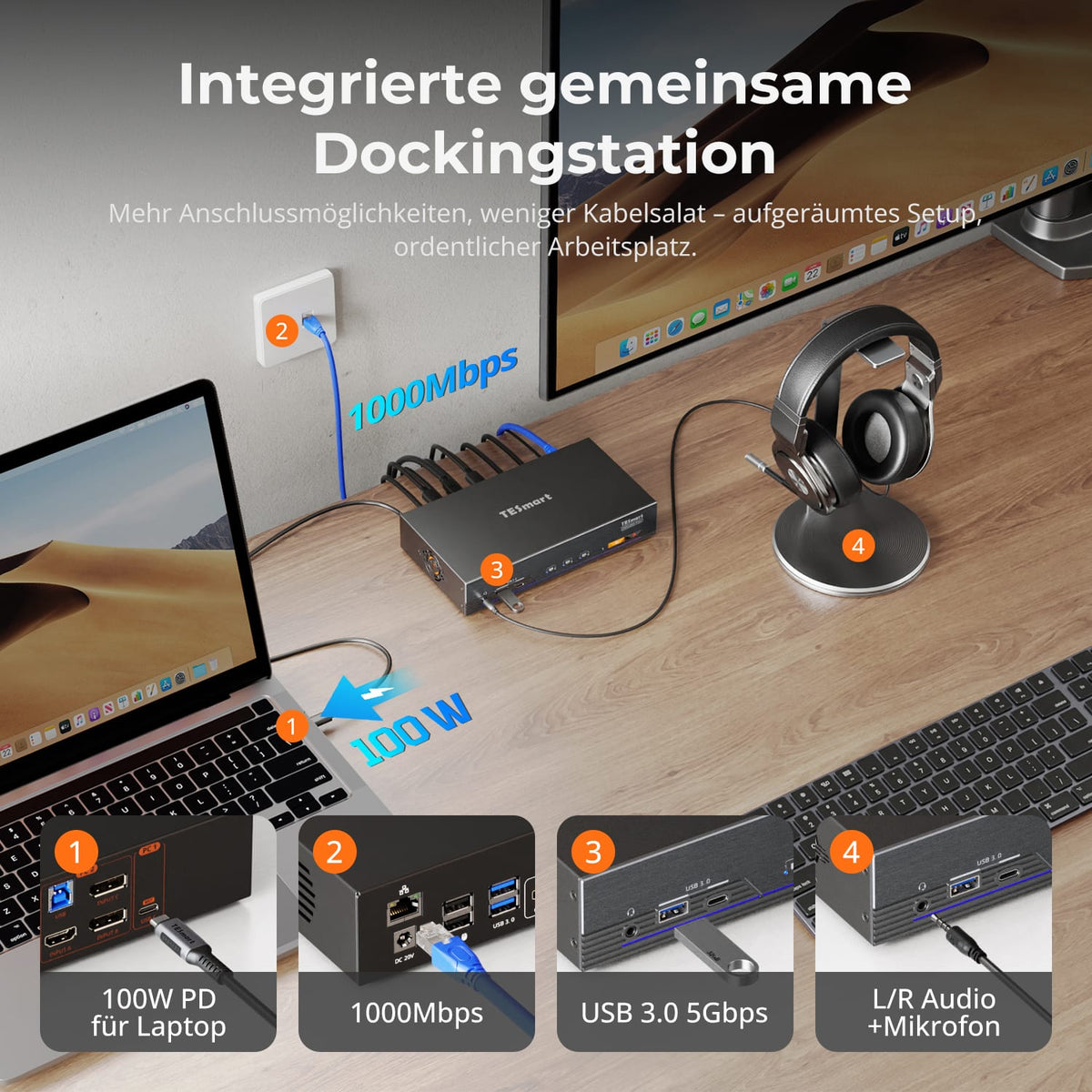
Moins de câbles encombrants, plus d'efficacité grâce à un système d'accueil entièrement intégré.
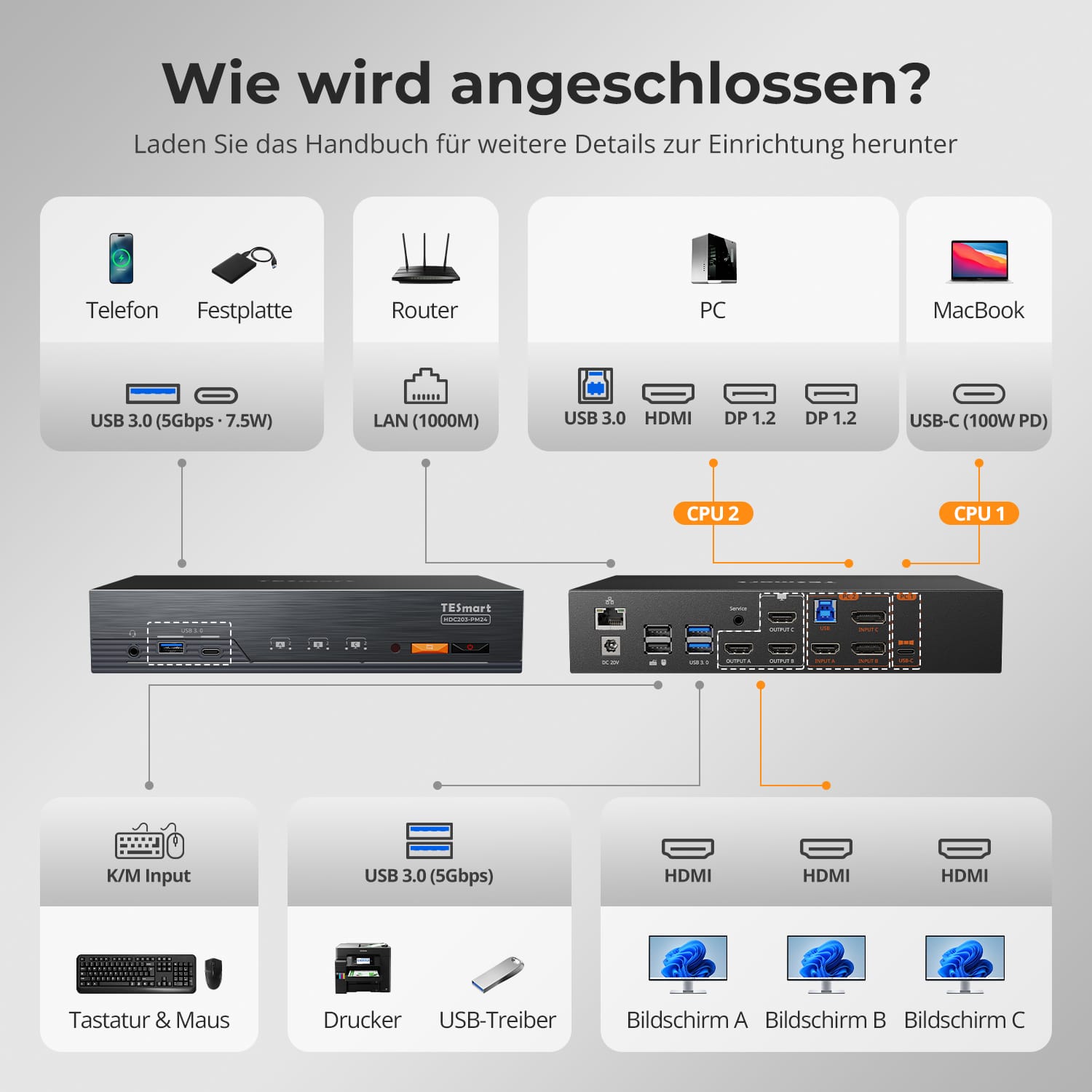
- Chargeur rapide PD 100 W pour ordinateur portable.
- USB 3.0 (5 Gbit/s) pour les périphériques et le stockage.
- Ethernet Gigabit (1000 Mbit/s) pour des connexions câblées stables.
- Prise jack audio combinée pour casque ou haut-parleurs.
Cette conception à station d'accueil unique élimine le besoin de hubs supplémentaires, ce qui permet de garder votre installation propre et organisée.
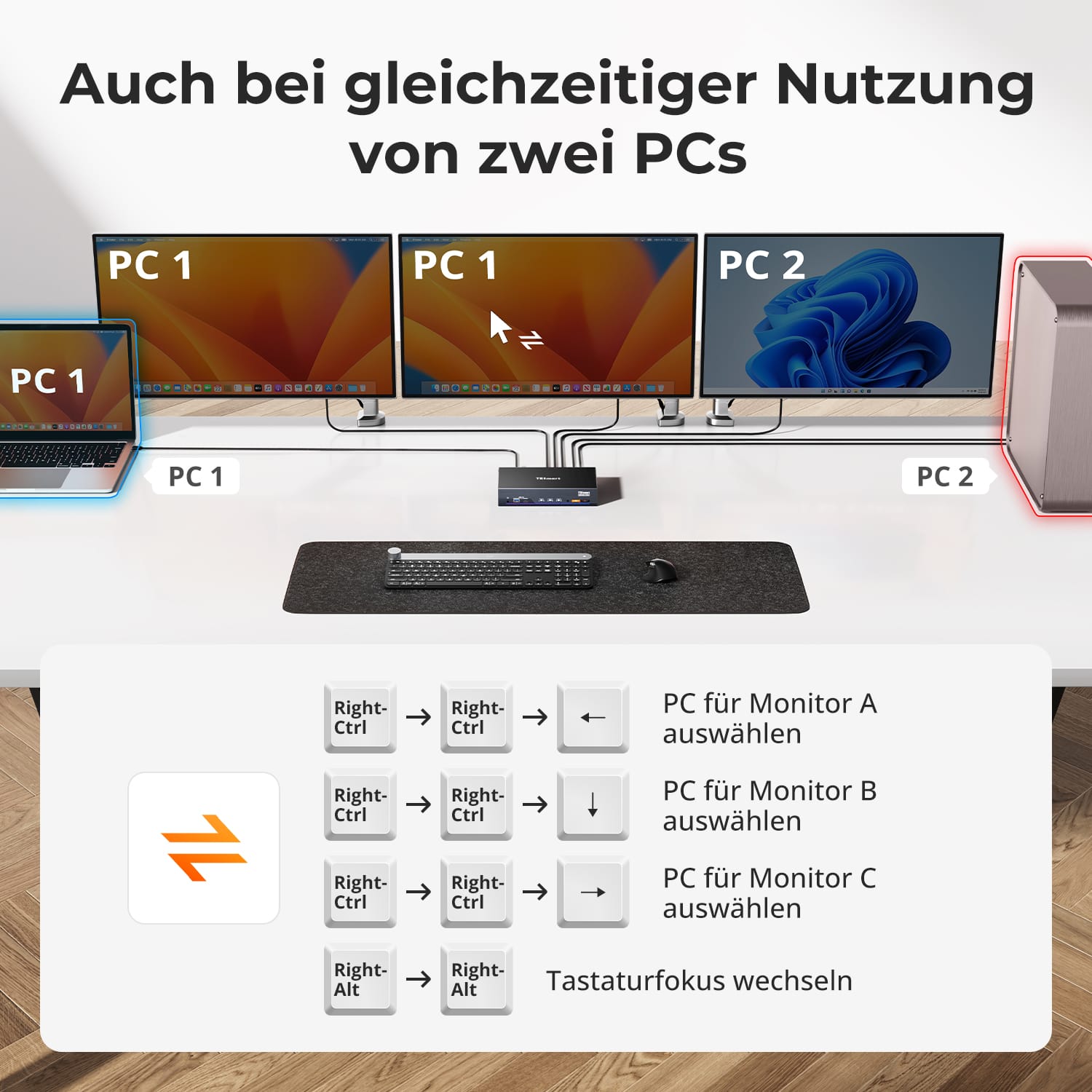
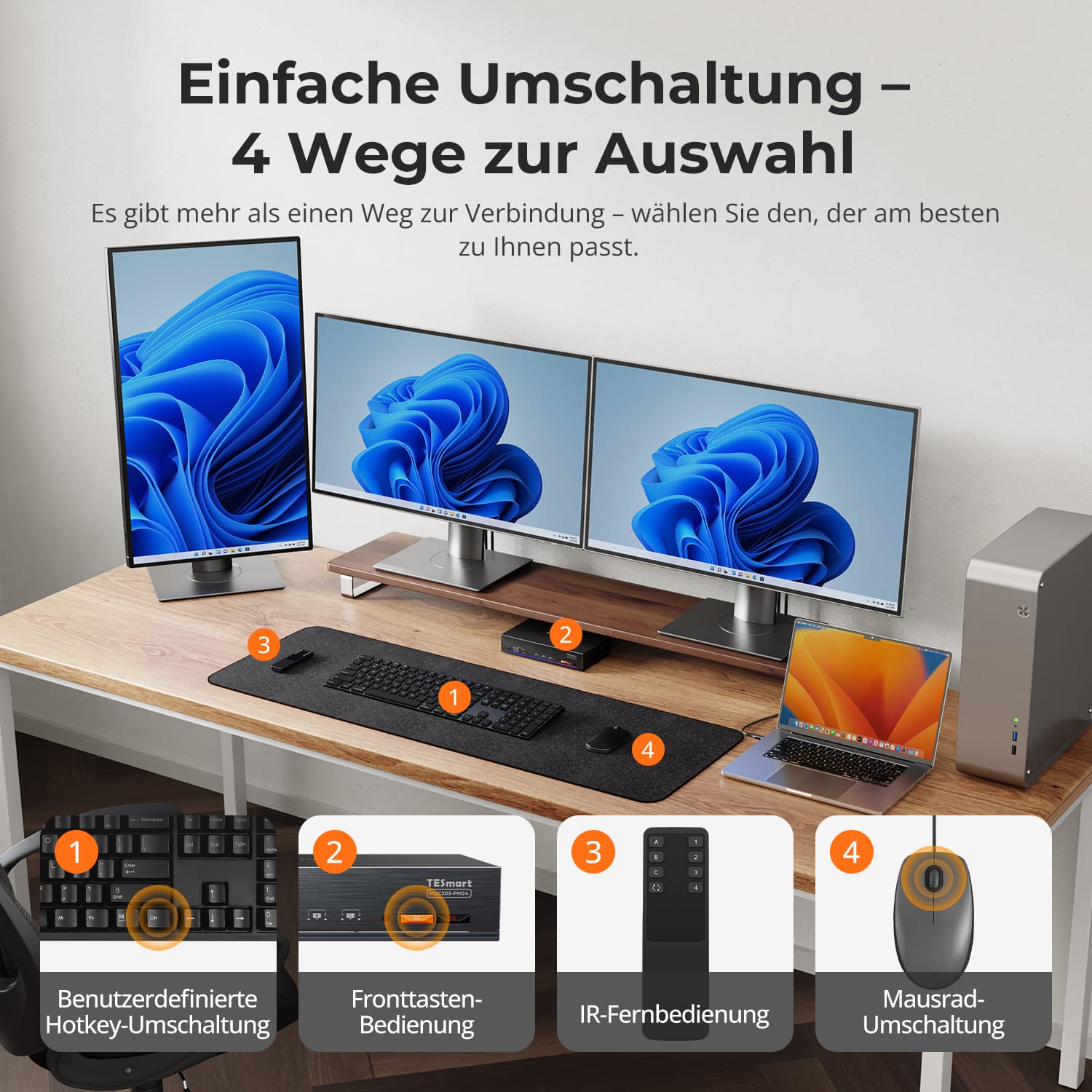
Passez d'un ordinateur à l'autre comme vous le souhaitez, sans avoir à vous adapter à une méthode de contrôle fixe.
- Raccourcis clavier personnalisables pour une commutation instantanée.
- Boutons frontaux pour un accès rapide et facile.
- Télécommande infrarouge pour des configurations de bureau flexibles.
- Basculement de la molette de la souris pour des transitions de flux de travail fluides.
Chaque méthode est conçue pour la rapidité et la fiabilité, vous offrant un contrôle total sur votre configuration.
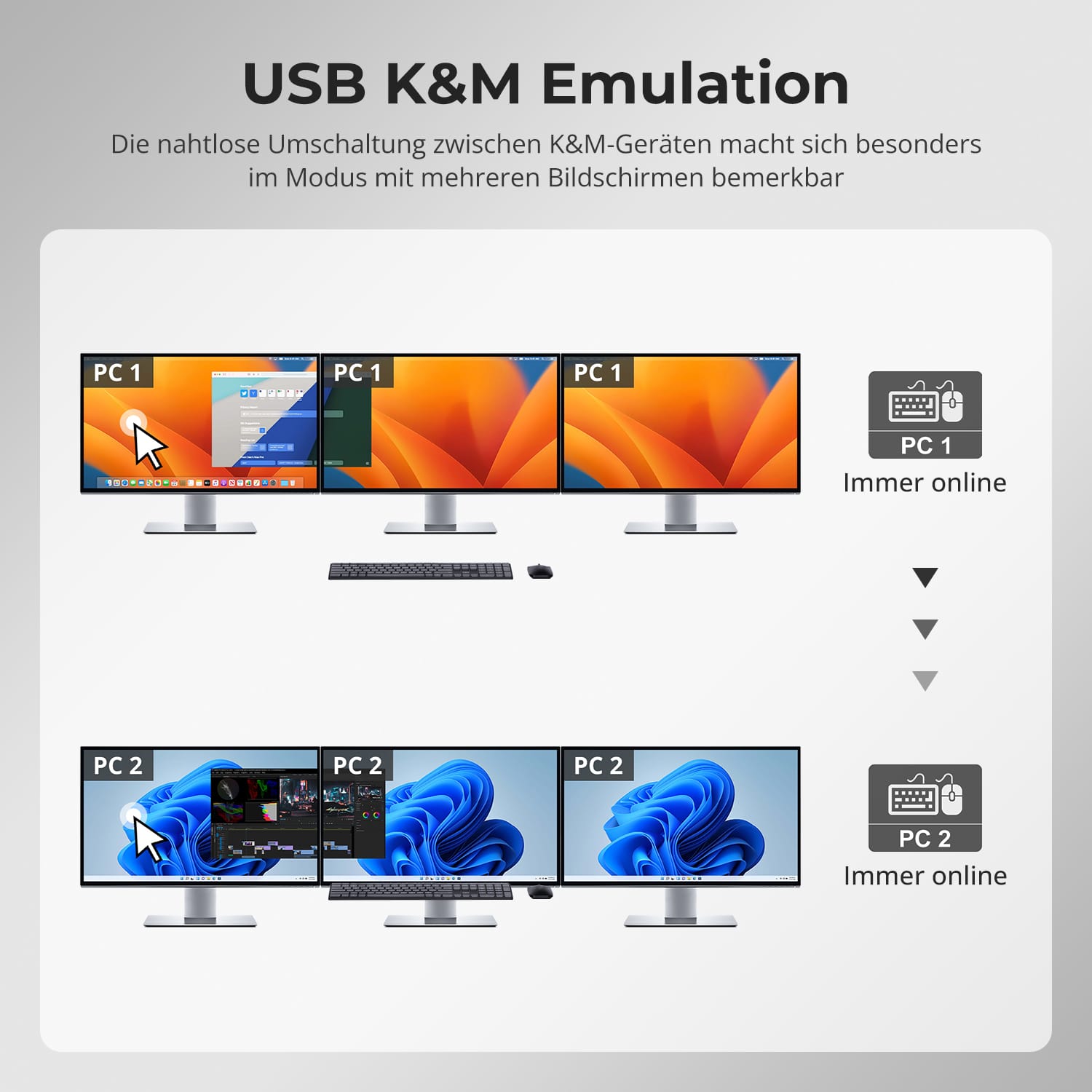
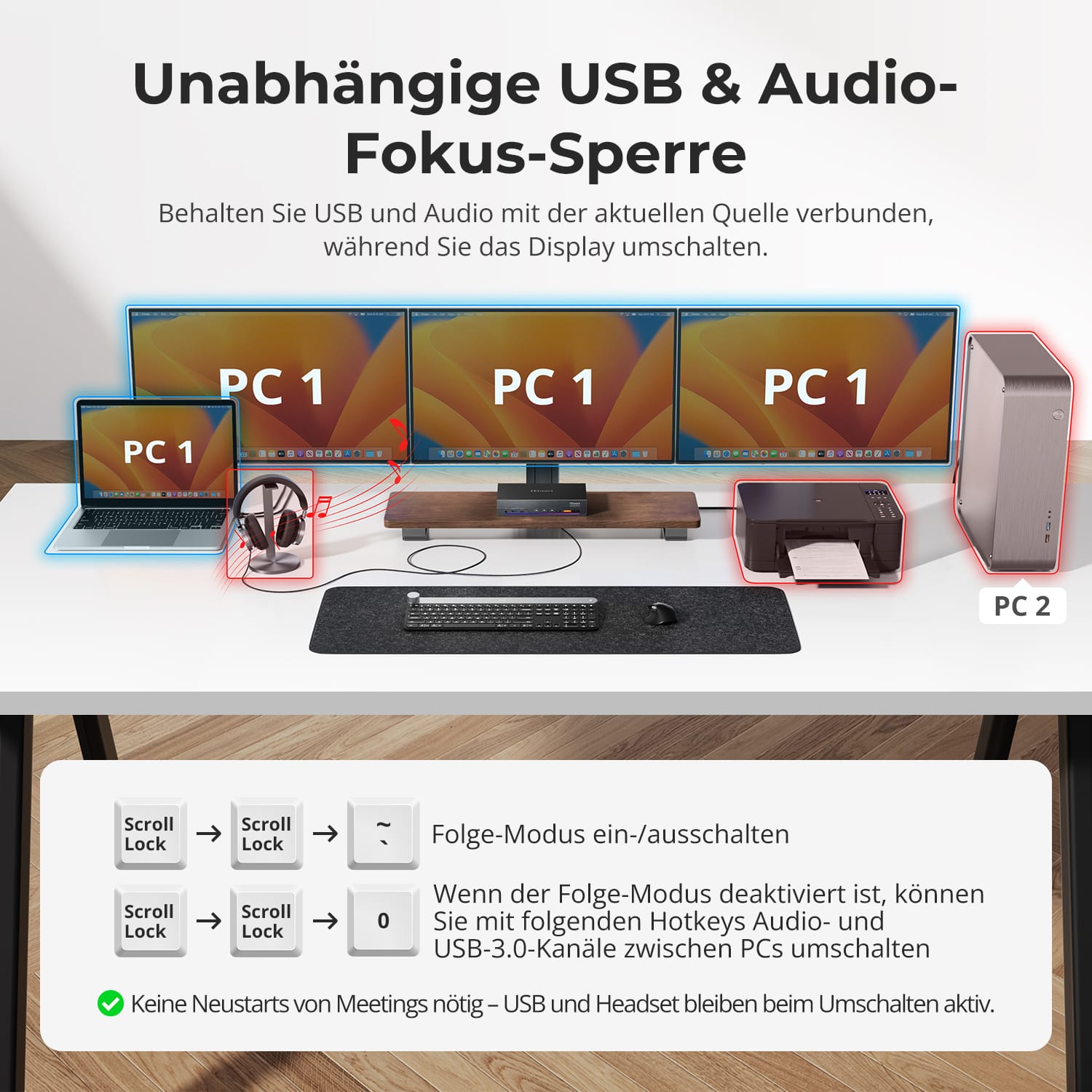
Restez concentré(e) sur votre réunion ou votre session musicale, même lors du changement d'écran.
- Les périphériques USB et audio restent connectés à l'ordinateur actif jusqu'à ce que vous les activiez manuellement.
- Empêche les interruptions des appels ou des transferts de données en cours.
- Idéal pour les environnements de conférence, de streaming et multitâches.
Vous pouvez changer d'écran sans interrompre votre connexion.
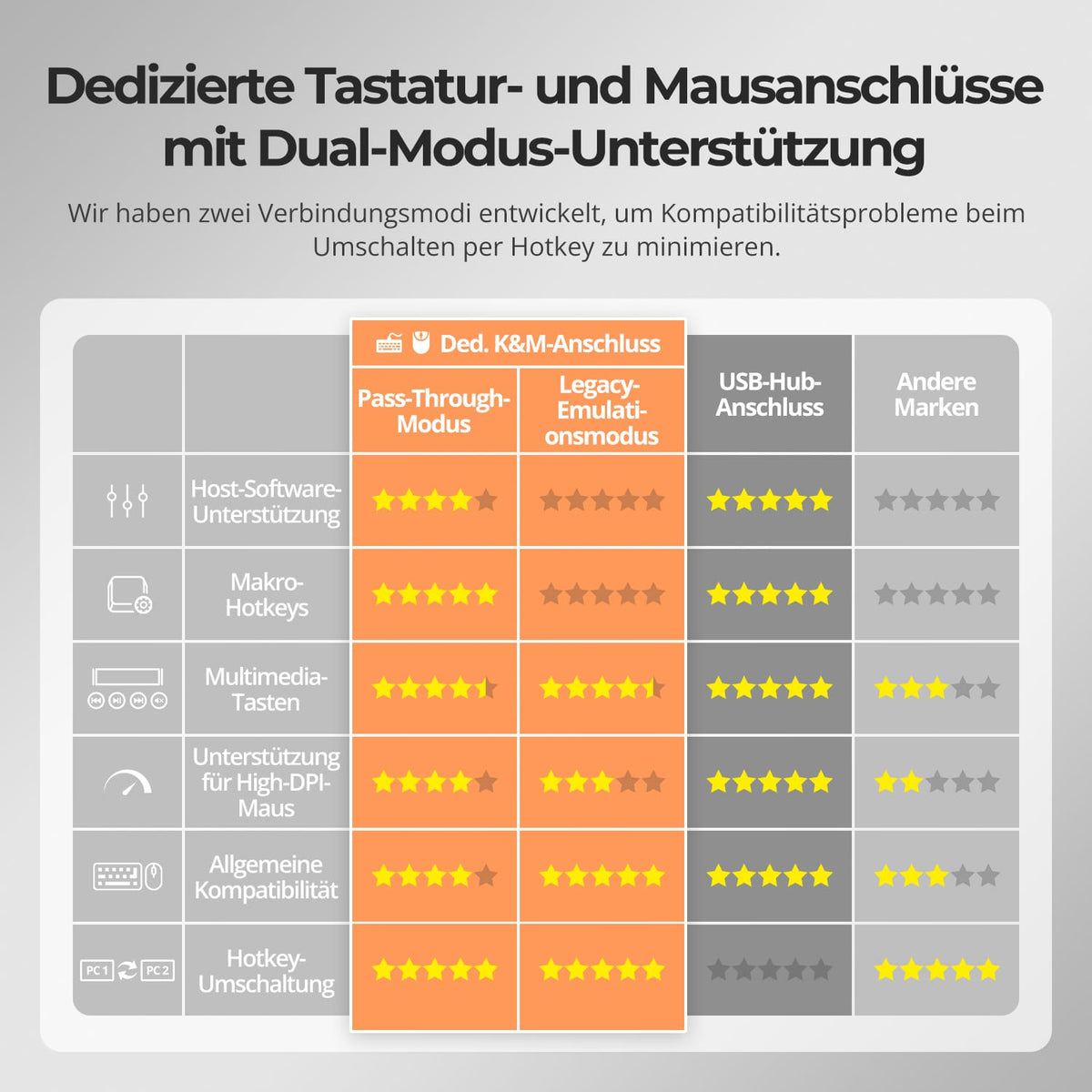
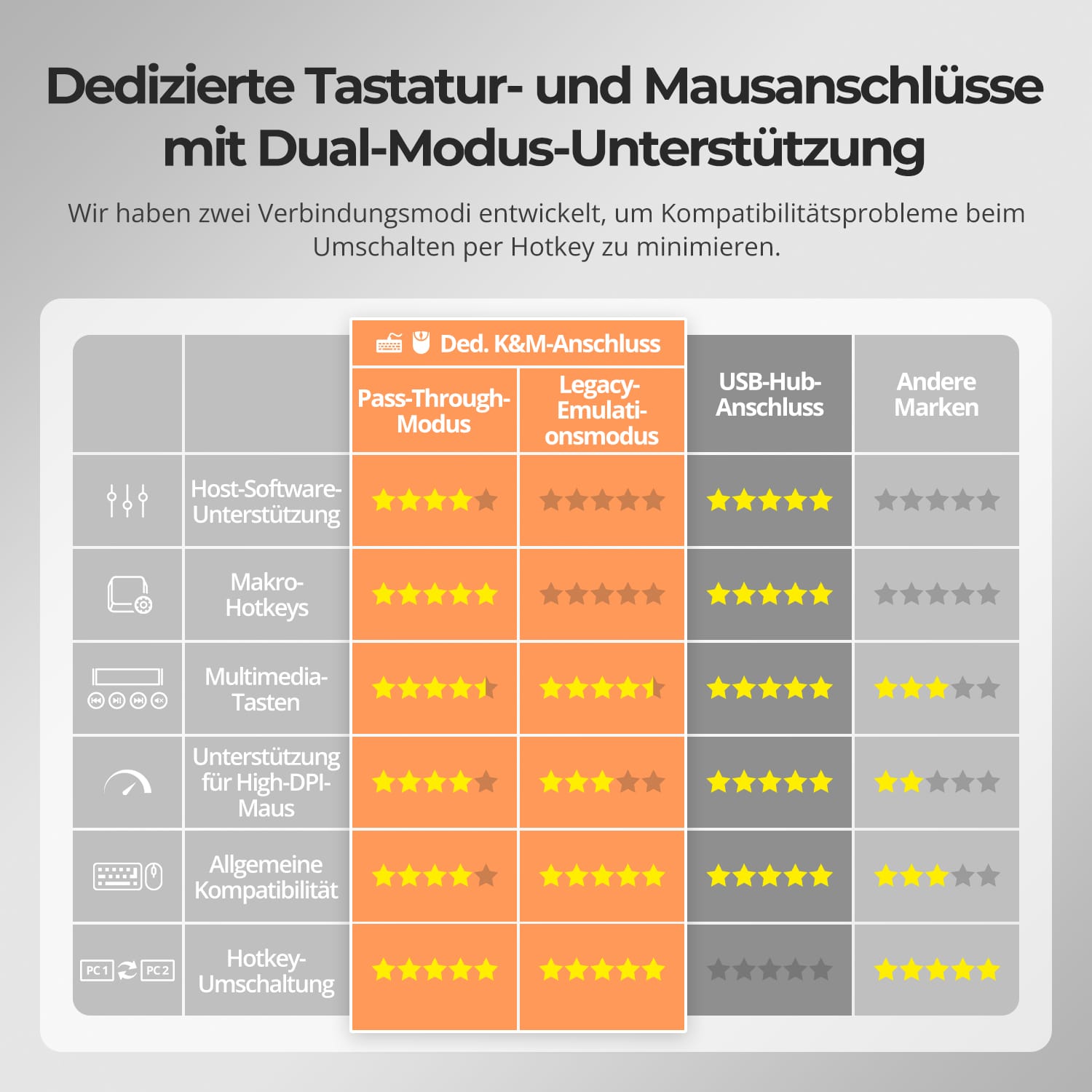
Les commutateurs KVM TESmart sont dotés de ports dédiés pour le clavier et la souris (K&M), ce qui minimise les problèmes de compatibilité.
- Mode d'émulation : assure une réponse instantanée et un contrôle précis par raccourcis clavier.
- Mode de transmission directe : Offre un comportement natif du périphérique pour les jeux ou les périphériques d’entrée spéciaux.
Choisissez le mode qui convient le mieux à votre flux de travail : stabilité pour le travail, précision pour les loisirs.
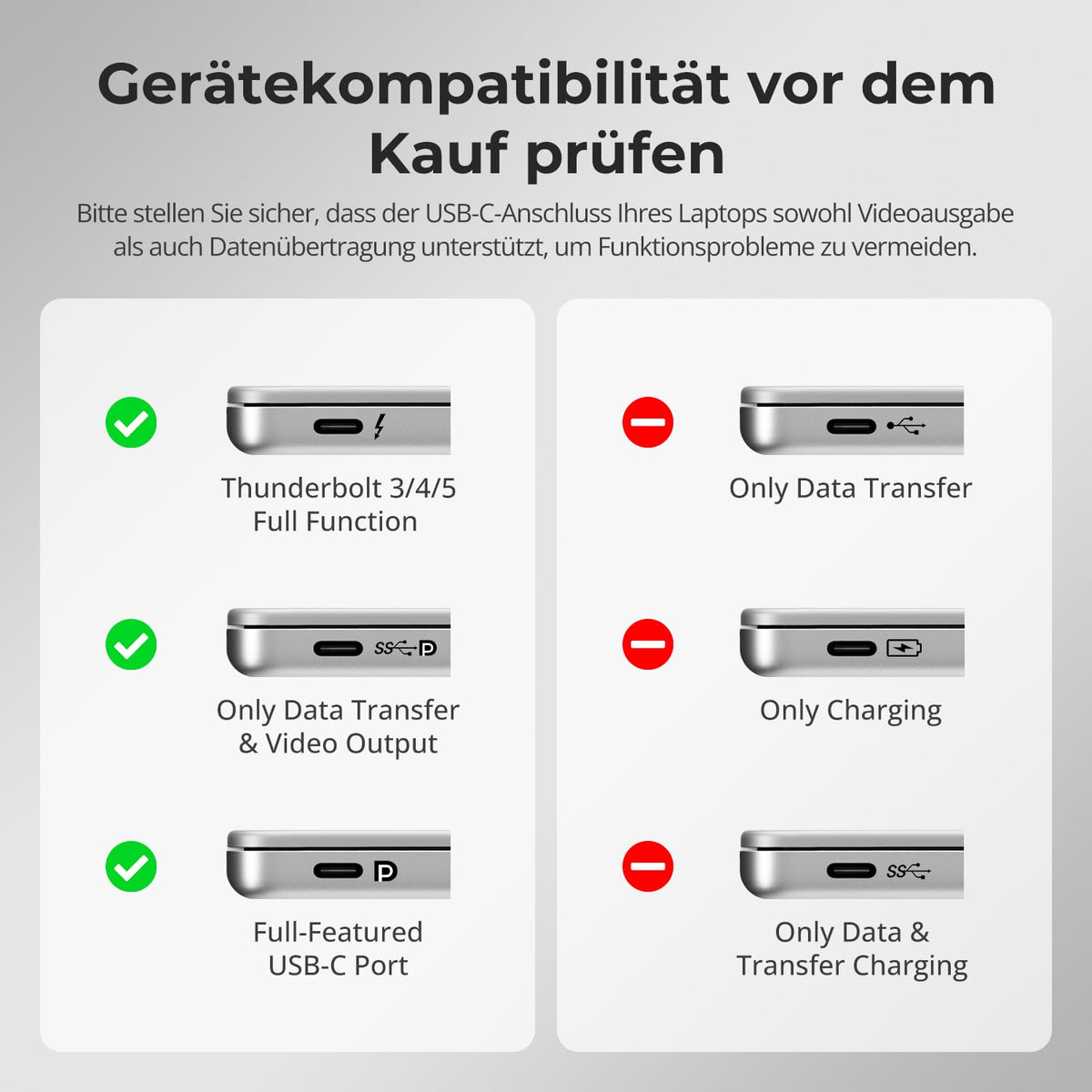
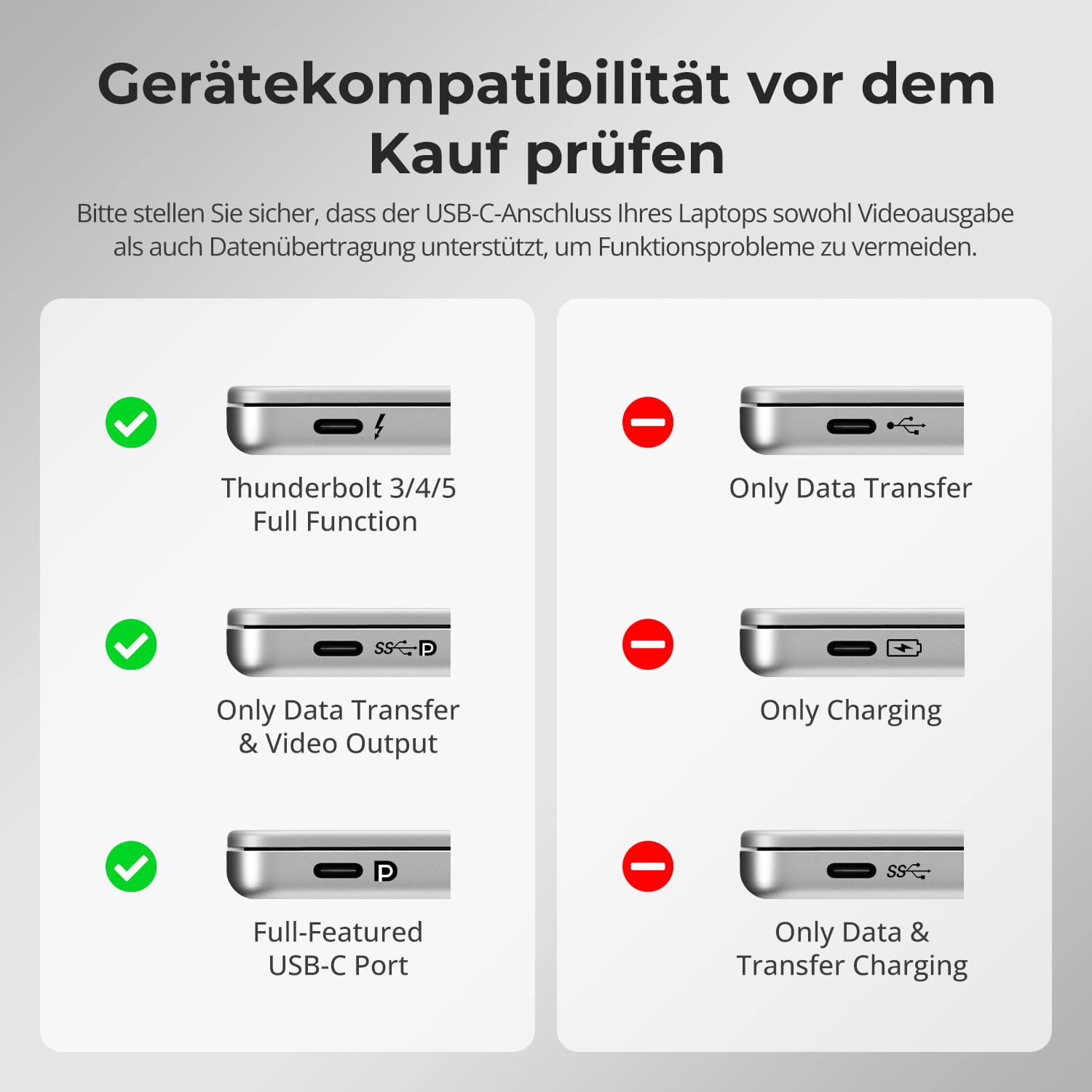
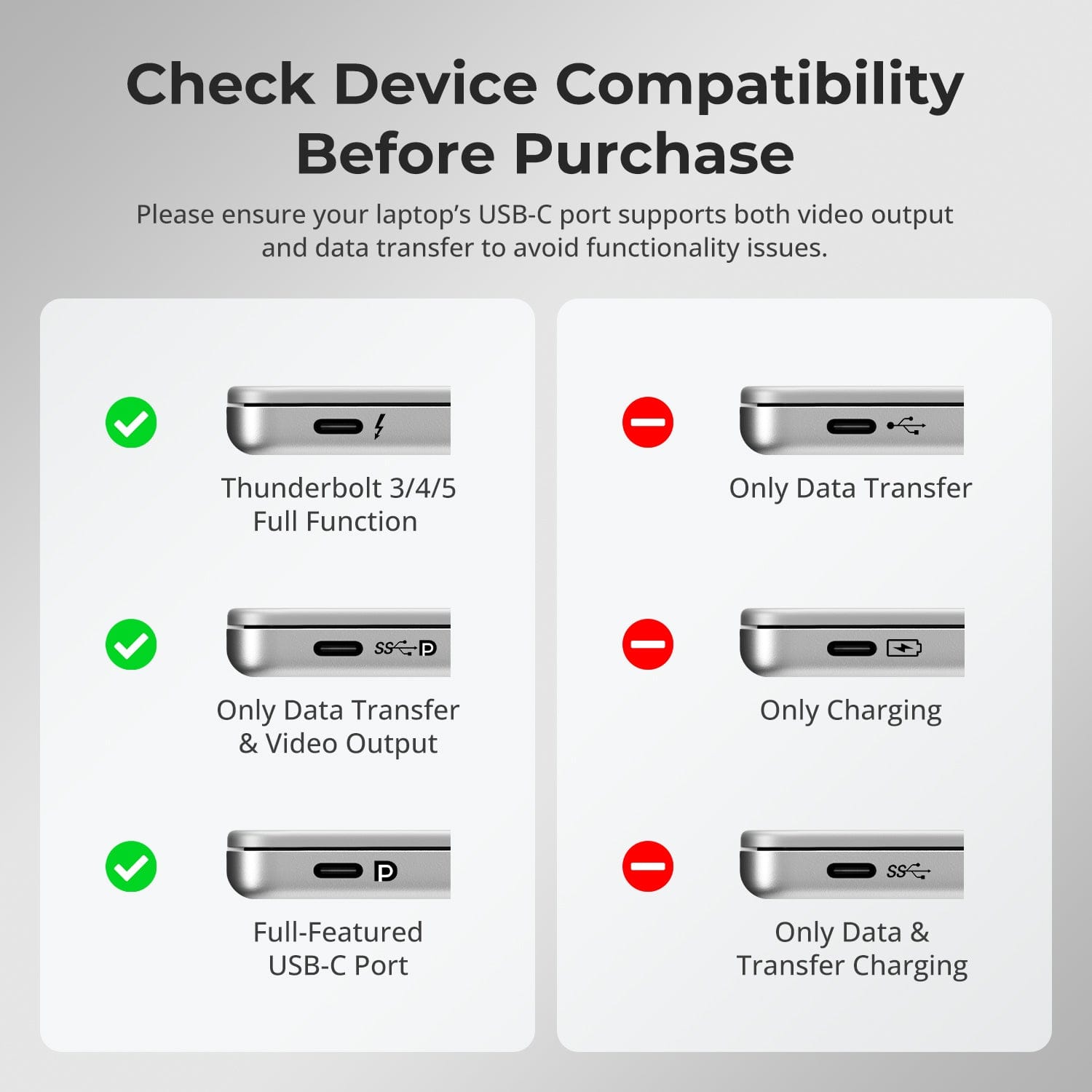
- Avant de procéder à la connexion, vérifiez si le port USB-C de votre ordinateur portable prend en charge à la fois la sortie vidéo et le transfert de données.
- Certains ports USB-C ne font que transférer des données, ce qui limite les fonctionnalités d'affichage.
Vérifiez les spécifications de votre ordinateur portable pour garantir des performances optimales et éviter les problèmes d'installation.
FAQ
Est-il compatible avec les ordinateurs macOS pour une sortie triple affichage ?
Oui. Le HDC203-PM24 est optimisé pour macOS et utilise la technologie DisplayLink. L'installation du pilote DisplayLink permet de contourner les limitations natives de macOS en matière de gestion multi-écrans et d'activer jusqu'à trois écrans indépendants.
Remarque : le pilote DisplayLink sous macOS ne démarre qu’après la connexion ; par conséquent, la sortie C doit être connectée à un moniteur pour afficher l’écran de démarrage.
Peut-il charger un ordinateur portable connecté ?
Le chargeur HDC203-PM24 prend en charge la charge rapide PD (Power Delivery) et peut fournir jusqu'à 100 W (20 V, 5 A) via le port USB-C. La plupart des ordinateurs portables, y compris les MacBook Pro et MacBook Air, peuvent être chargés de manière fiable dans des conditions d'utilisation bureautiques ou créatives classiques.
Remarques :
- Si l'ordinateur portable nécessite plus de 100 W (z.B. Pour les ordinateurs portables de jeu haut de gamme ou les stations de travail mobiles, il est recommandé d'utiliser l'adaptateur secteur d'origine pour une charge stable.
- Lors d'un fonctionnement prolongé à puissance élevée, assurez-vous d'une ventilation adéquate pour éviter toute surchauffe.
- Éteignez le commutateur KVM s'il n'est pas utilisé pendant une période prolongée.
Si le port USB-C de mon ordinateur portable ne prend pas en charge le mode DP Alt, puis-je obtenir une sortie triple affichage ?
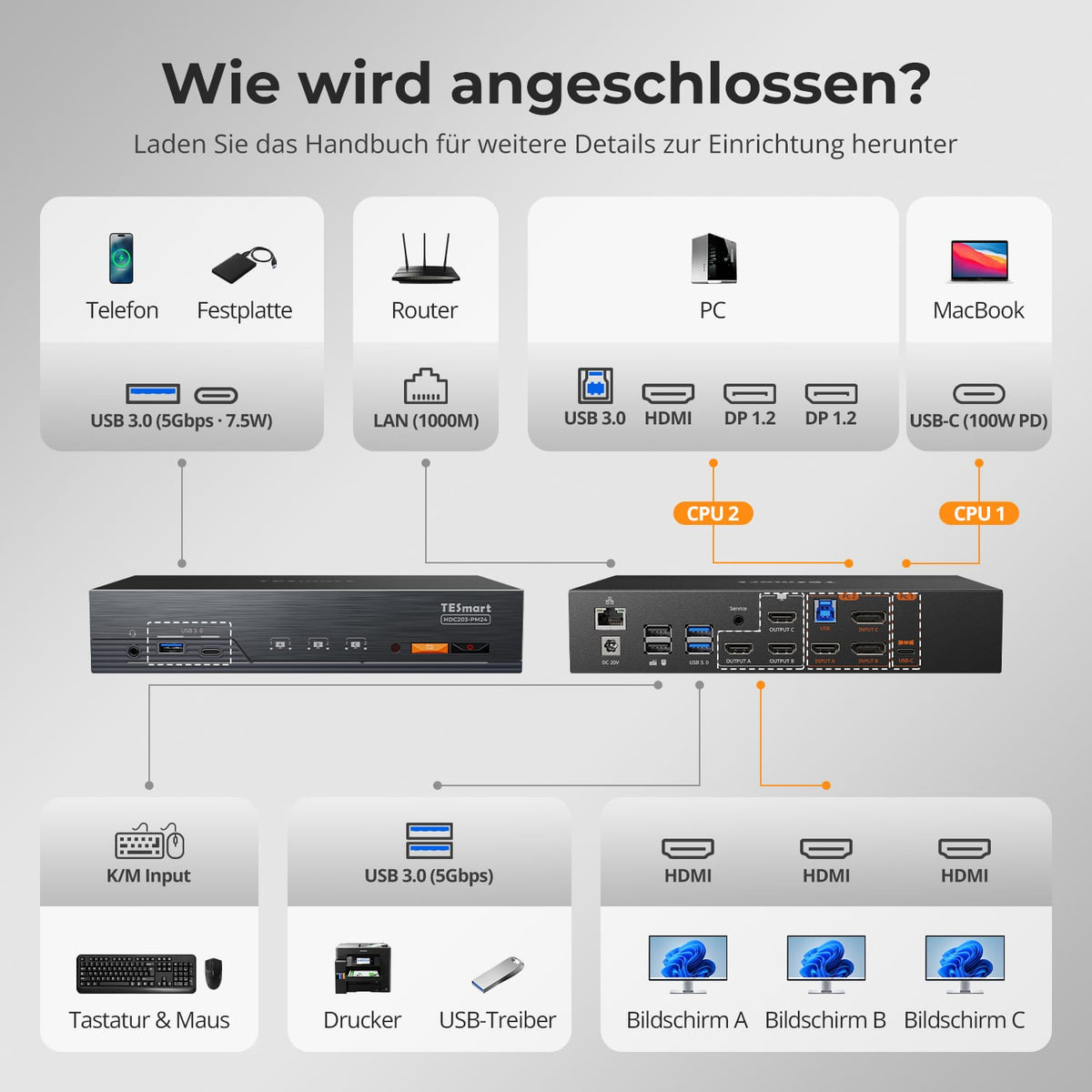
Le connecteur PC1 du HDC203-PM24 utilise une architecture combinée qui intègre la technologie DisplayLink, un canal vidéo DP-1.2 et un canal de données USB-3.0 pour l'extension à trois écrans.
Configuration à triple affichage :
- Vidéo DP native → SORTIE C (Moniteur 1)
- Deux signaux vidéo DisplayLink (via données USB) → SORTIES A/B (Moniteurs 2 et 3)
Ordinateur portable USB-C sans mode DP Alt :
- Sans pilotes DisplayLink : aucune sortie vidéo, tous les moniteurs restent noirs.
- Avec le pilote DisplayLink : deux signaux DisplayLink permettent un double affichage (SORTIES A/B)
Ordinateur portable USB-C avec mode DP alternatif :
- Sans pilote DisplayLink : sortie DP native, un seul écran (SORTIE C)
- Avec pilote DisplayLink : triple sortie d’affichage (SORTIES A/B/C)
Remarques :
- Seul le port PC1 prend en charge DisplayLink.
- Téléchargement du pilote DisplayLink : https://www.synaptics.com/products/displaylink-graphics/downloadsMettez à jour votre pilote pour garantir le bon fonctionnement du triple affichage.
- DisplayLink utilise une transmission vidéo compressée ; de légères variations de latence ou de couleur peuvent survenir.
- Utilisez des câbles compatibles USB 3.0 ou supérieur pour une transmission vidéo DisplayLink stable.
Quelles versions du système d'exploitation sont prises en charge ?
Windows :
Windows 10/11
macOS :
Ventura 13, Sonoma 14, Sequoia 15
Androïde:
5.0 (Lollipop) ou version ultérieure
ChromeOS :
R51 ou supérieur
Linux :
Ubuntu 20.04/22.04/23.04/24.04
Comment puis-je changer de périphérique USB ou de périphérique audio indépendamment ?
Par défaut, le commutateur KVM fonctionne en mode Suivi, ce qui signifie que les périphériques USB 3.0 et les périphériques audio connectés alternent automatiquement le focus avec le clavier/la souris.
Voici comment désactiver le mode suivi :
Appuyez sur [Ctrl droit] → [Ctrl droit] → [~] pour activer/désactiver le mode suivi.
Remarque : Le buzzer émet deux sons lorsqu'il est activé et un seul lorsqu'il est désactivé.
Comment activer l'USB 3.0 & Indépendant du focus audio :
Après avoir désactivé le mode suivi, appuyez sur [Ctrl droit] → [Ctrl droit] → [O] pour basculer de manière synchrone le focus des périphériques USB 3.0 et audio entre les deux ordinateurs.
Pourquoi mon appareil audio ne fonctionne-t-il pas ?
Exigences de connexion :
La fonctionnalité audio du commutateur KVM est limitée au port USB-C du PC1 et au port USB-B du PC2. Assurez-vous que les ordinateurs sont correctement connectés à ces deux ports.
Paramètres audio de l'ordinateur :
- Pour une connexion jack 3,5 mm : sélectionnez « Plugable Audio » comme périphérique de sortie par défaut dans les paramètres audio de votre ordinateur.
- Pour la connexion USB 3.0 : sélectionnez la sortie audio USB appropriée, telle que « Périphérique audio USB » ou « Casque USB », en fonction de l’affichage du système.
Si aucun son n'est émis via la sortie 3,5 mm même après des réglages corrects, nous recommandons l'utilisation d'une carte son USB (adaptateur USB vers 3,5 mm) pour améliorer la compatibilité et garantir un fonctionnement correct de la sortie audio.
Pourquoi mon ordinateur ne peut-il pas utiliser le WiFi après s'être connecté au commutateur KVM ?
Le commutateur KVM possède une carte réseau intégrée activée par défaut. Les ordinateurs peuvent privilégier la connexion filaire.
Voici comment utiliser le Wi-Fi à la place de la connexion KVM filaire :
- Désactivez la carte réseau intégrée du commutateur KVM pour l'ordinateur sélectionné.
Appuyez sur [Ctrl droit] → [Ctrl droit] → [F4] pour désactiver la carte réseau intégrée.
Remarque : Le buzzer émet deux sons lorsqu'il est activé et un seul lorsqu'il est désactivé. - Désactivation de la carte réseau USB dans les paramètres de l'ordinateur (exemple sous Windows 11) :
Méthode 1 : Paramètres réseau avancés
Appuyez sur [Win + I] pour ouvrir les paramètres Windows.
Allez dans « Réseau » & Internet → Paramètres réseau avancés
Recherchez dans la liste l'adaptateur appelé « Ethernet enfichable ».
Cliquez sur « Désactiver »
Méthode 2 : Gestionnaire de périphériques
Appuyez sur [Win + X] et sélectionnez « Gestionnaire de périphériques ».
Développez « Cartes réseau » et recherchez « Ethernet enfichable ».
Faites un clic droit et sélectionnez « Désactiver le périphérique ».
-
recyclage & reprise
Jusqu'à 50 % de crédit pour le recyclage
-
DE : 3 jours ouvrables · UE : 3 à 7 jours ouvrables
-
Retours sans tracas & Garantie d'achat
-
Inscrivez-vous et bénéficiez d'une année de garantie supplémentaire.