





Monitorkonfiguration
Max. Auflösung
Anzeigetechnik
Stabile Anzeige
Netzwerksteuerung
Laptop laden
USB-Geschwindigkeit
KVM hybride 4×2 | USB-C, 4K60, MST et EDID
Le HDC402-P23 connecte deux ordinateurs portables USB-C et deux ordinateurs de bureau avec deux moniteurs HDMI – avec MST, jusqu'à 4K60, EDID et hub USB partagé.
Monitorkonfiguration
Max. Auflösung
Anzeigetechnik
Stabile Anzeige
Netzwerksteuerung
Laptop laden
USB-Geschwindigkeit
KVM hybride 4×2 | USB-C, 4K60, MST et EDID
Pourquoi HDC402-P23 ?
Aperçu

01
Configuration à double écran pour ordinateurs portables et ordinateurs de bureau
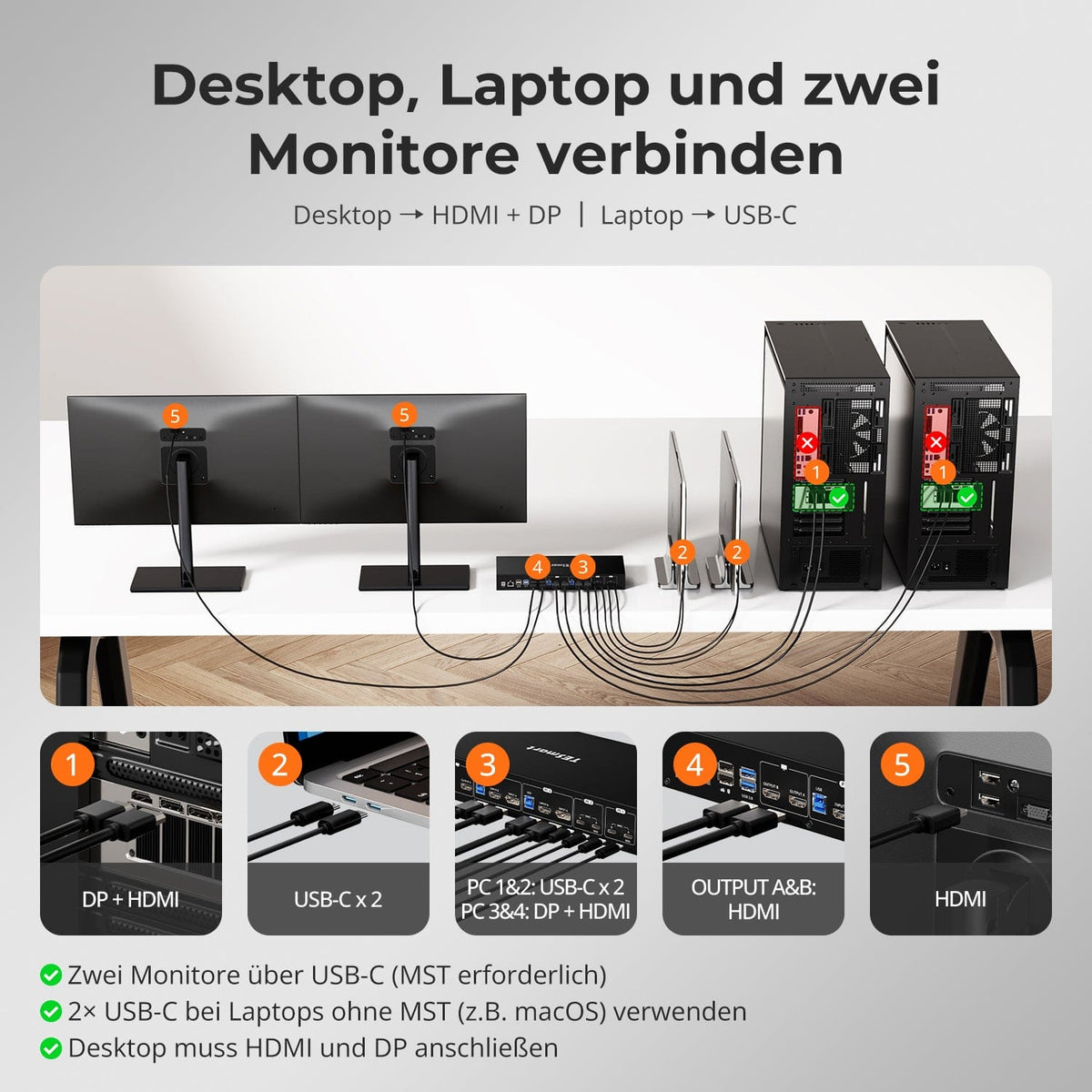
Connectez deux ordinateurs portables USB-C et deux ordinateurs de bureau au même poste de travail. Les ordinateurs portables compatibles MST utilisent les deux écrans via un seul port USB-C. Les systèmes non compatibles MST, tels que macOS, nécessitent deux connexions USB-C et la prise en charge native du double affichage. Chaque ordinateur de bureau requiert un port HDMI et un port DisplayPort.

02
Deux modes d'affichage pour un travail ciblé ou parallèle
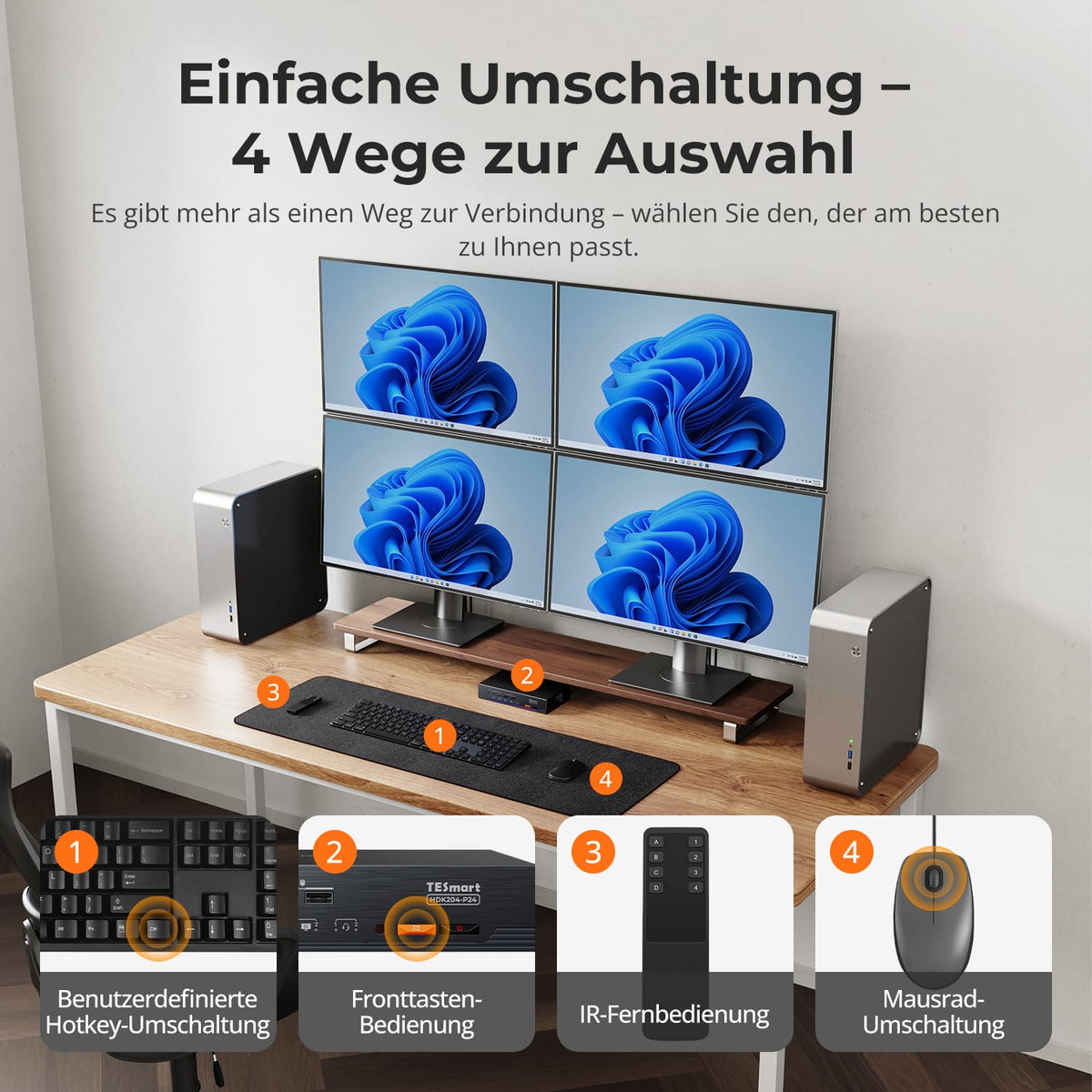
Utilisez un seul ordinateur sur les deux écrans, en mode étendu ou dupliqué. Vous pouvez également afficher deux ordinateurs côte à côte, chacun sur son propre écran, et basculer entre eux pour contrôler le clavier et la souris.

03
Connexion de deux écrans via un seul câble USB-C sous Windows
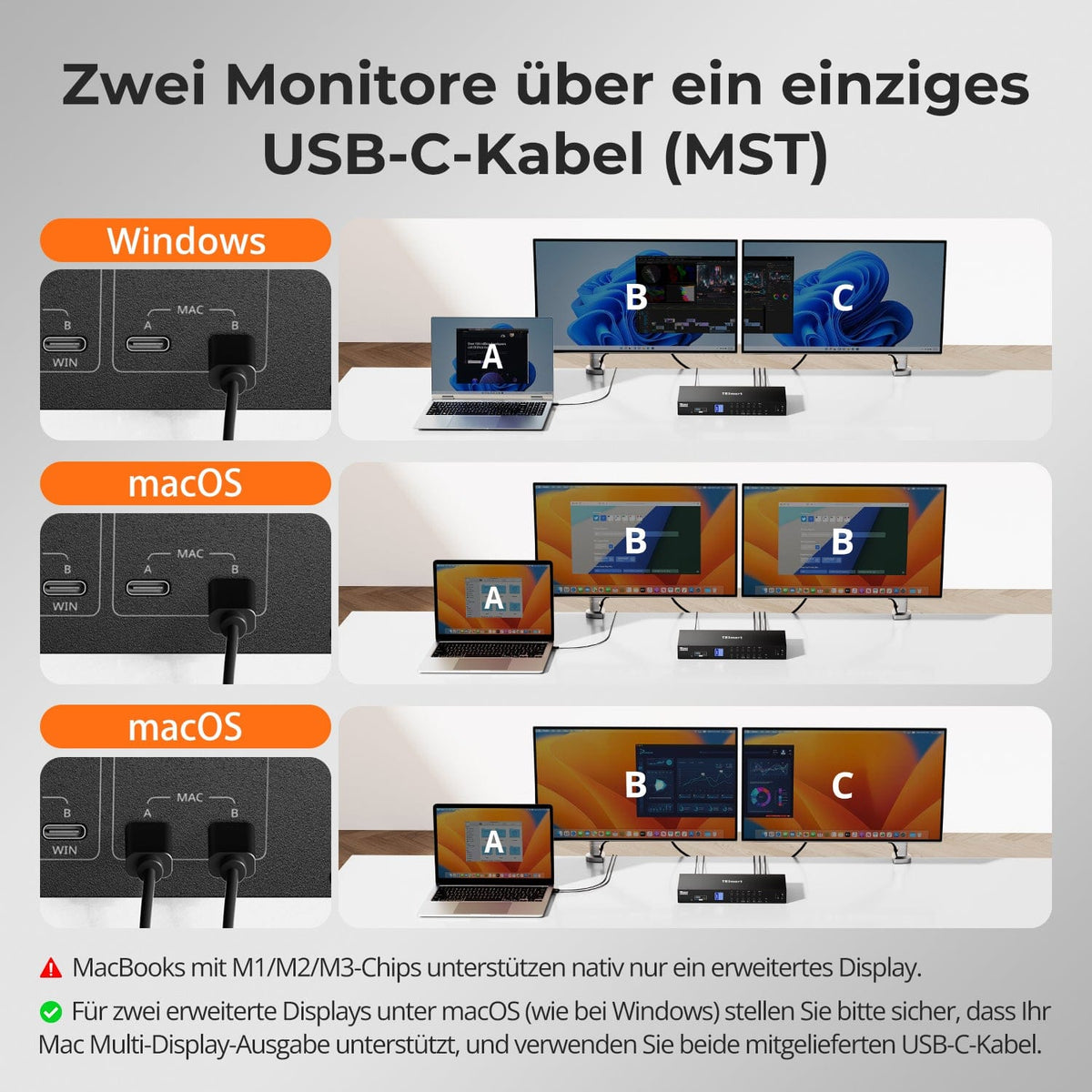
Un ordinateur portable Windows compatible utilise DisplayPort 1.2 MST pour connecter deux écrans HDMI via un seul port USB-C. Sous macOS, vous pouvez utiliser les deux ports USB-C, à condition que le Mac prenne en charge deux écrans externes.
04
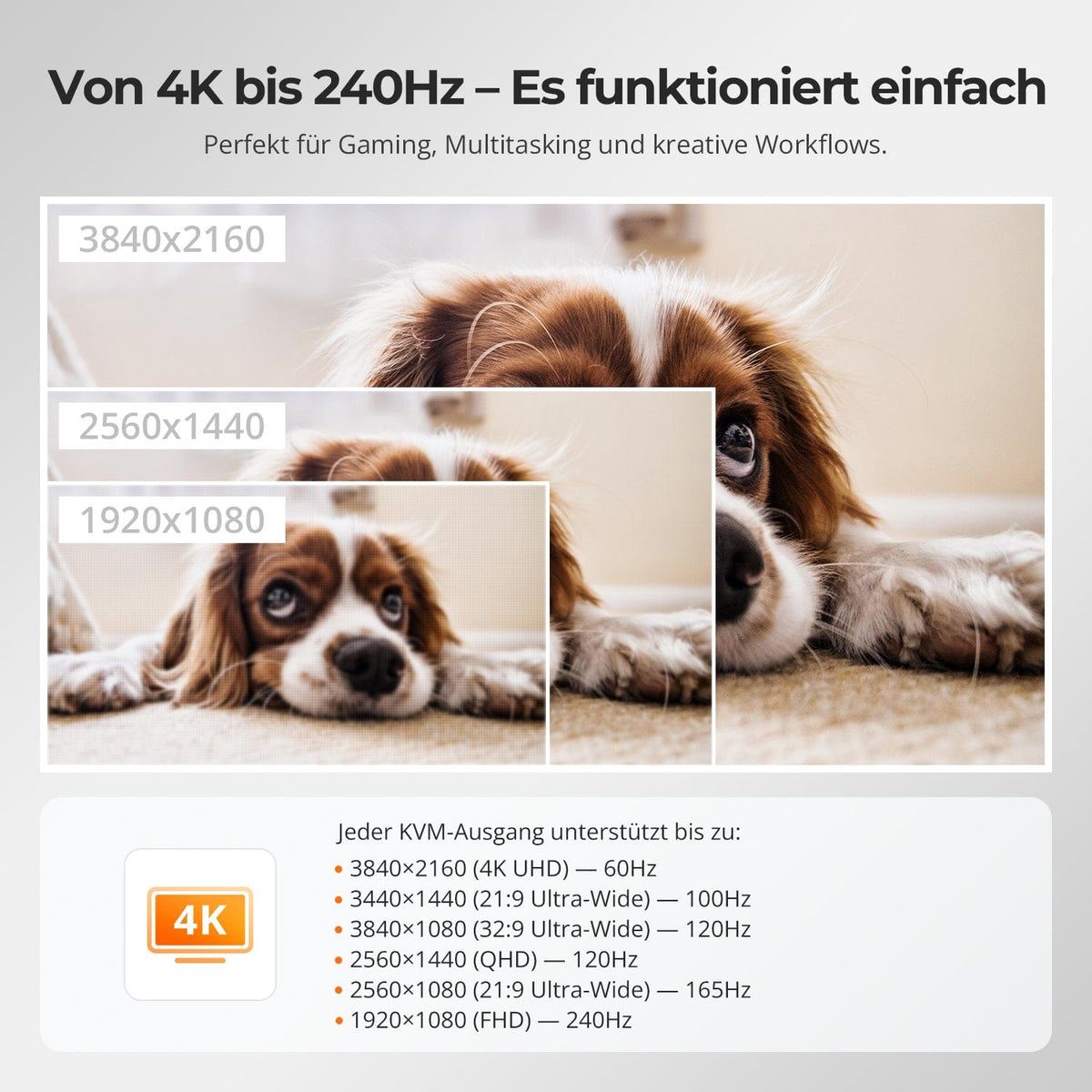
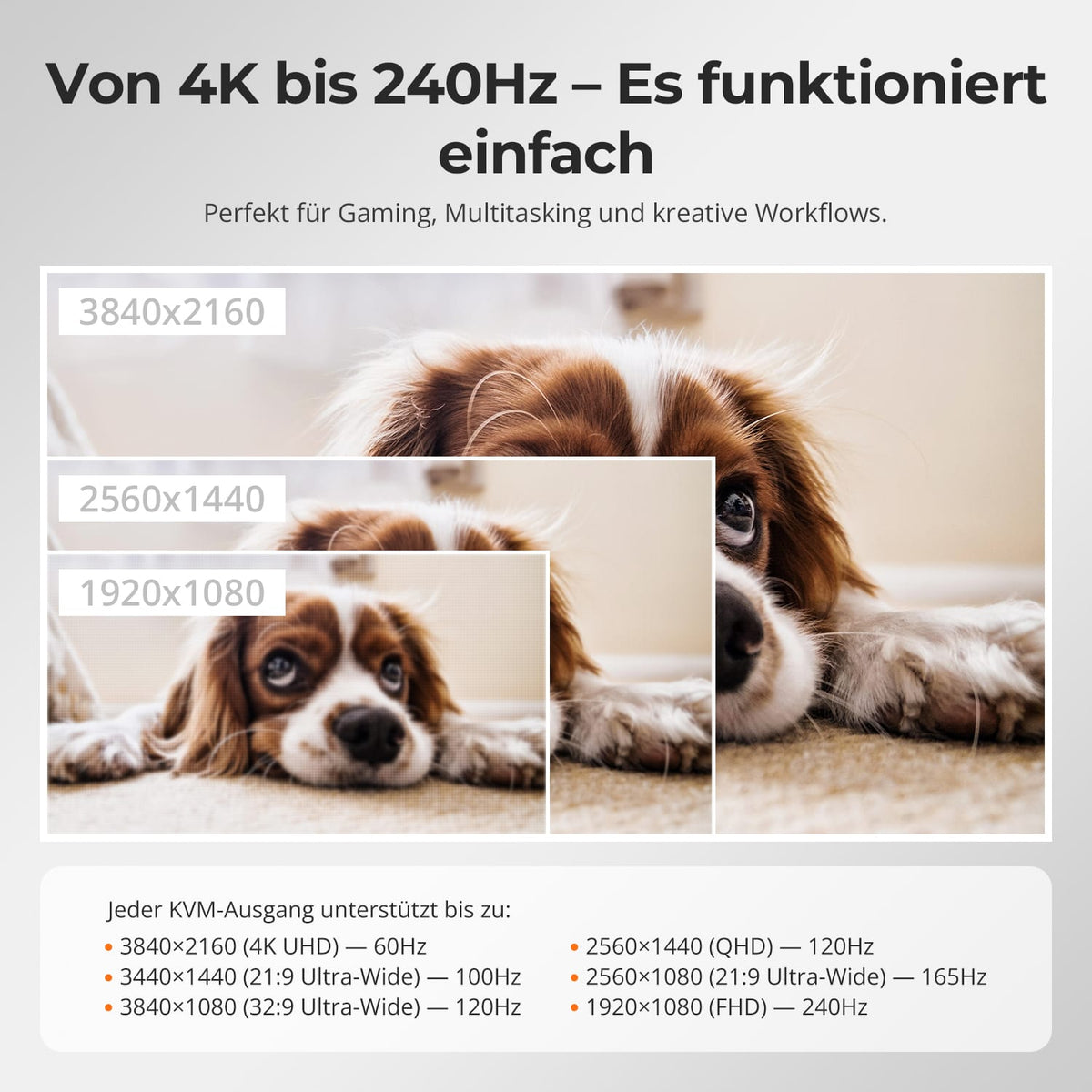
De deux fois 4K60 jusqu'à 240 Hz
Chaque sortie KVM prend en charge jusqu'à 3840×2160@60Hz. NiedLes résolutions inférieures permettent environ 3440×1440@100Hz, 2560×1440@165Hz und 1920×1080@240Hz. QuelLe moniteur et l'écran doivent prendre en charge la résolution et la fréquence de rafraîchissement souhaitées.

05
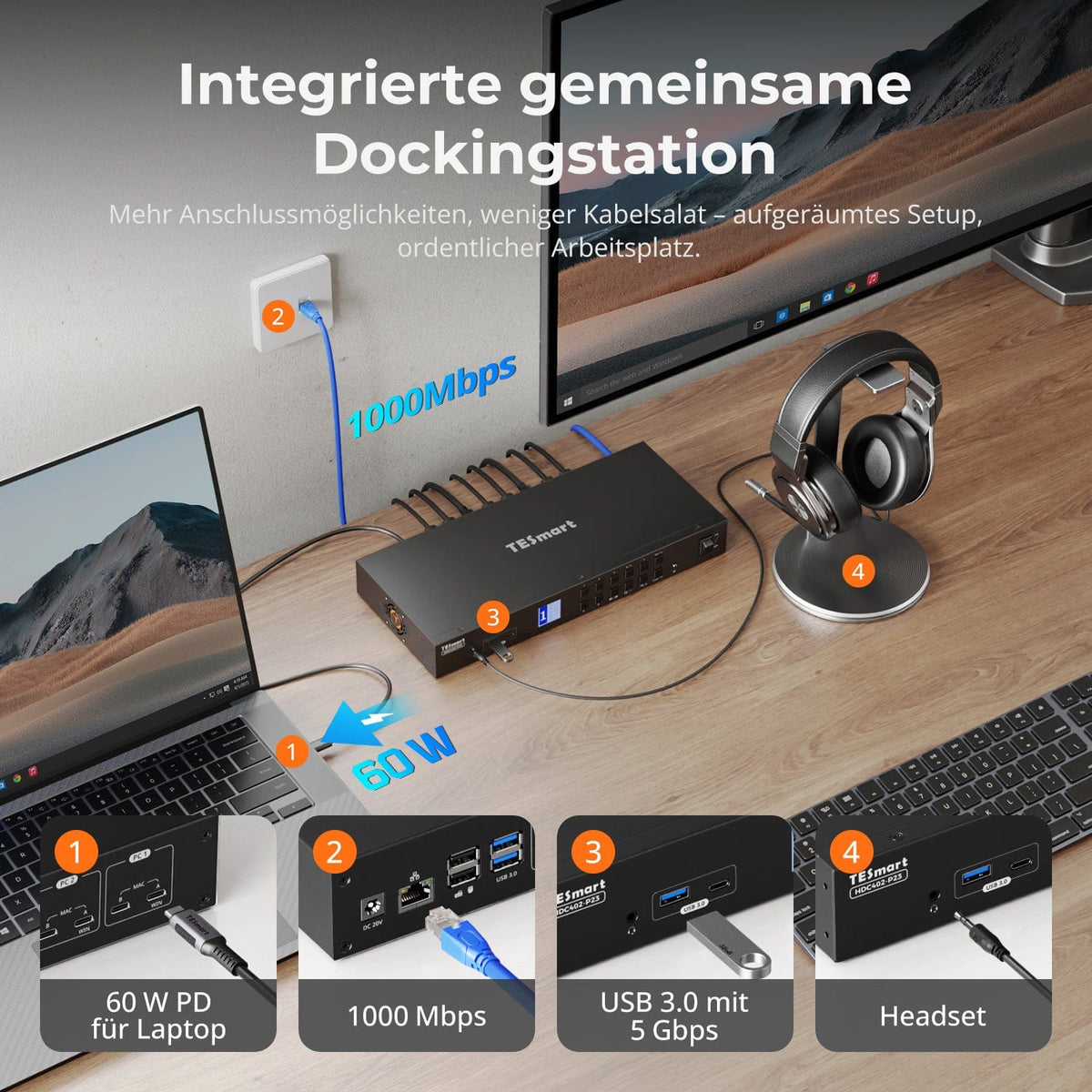
Chargement, réseau et appareils sur une seule station d'accueil
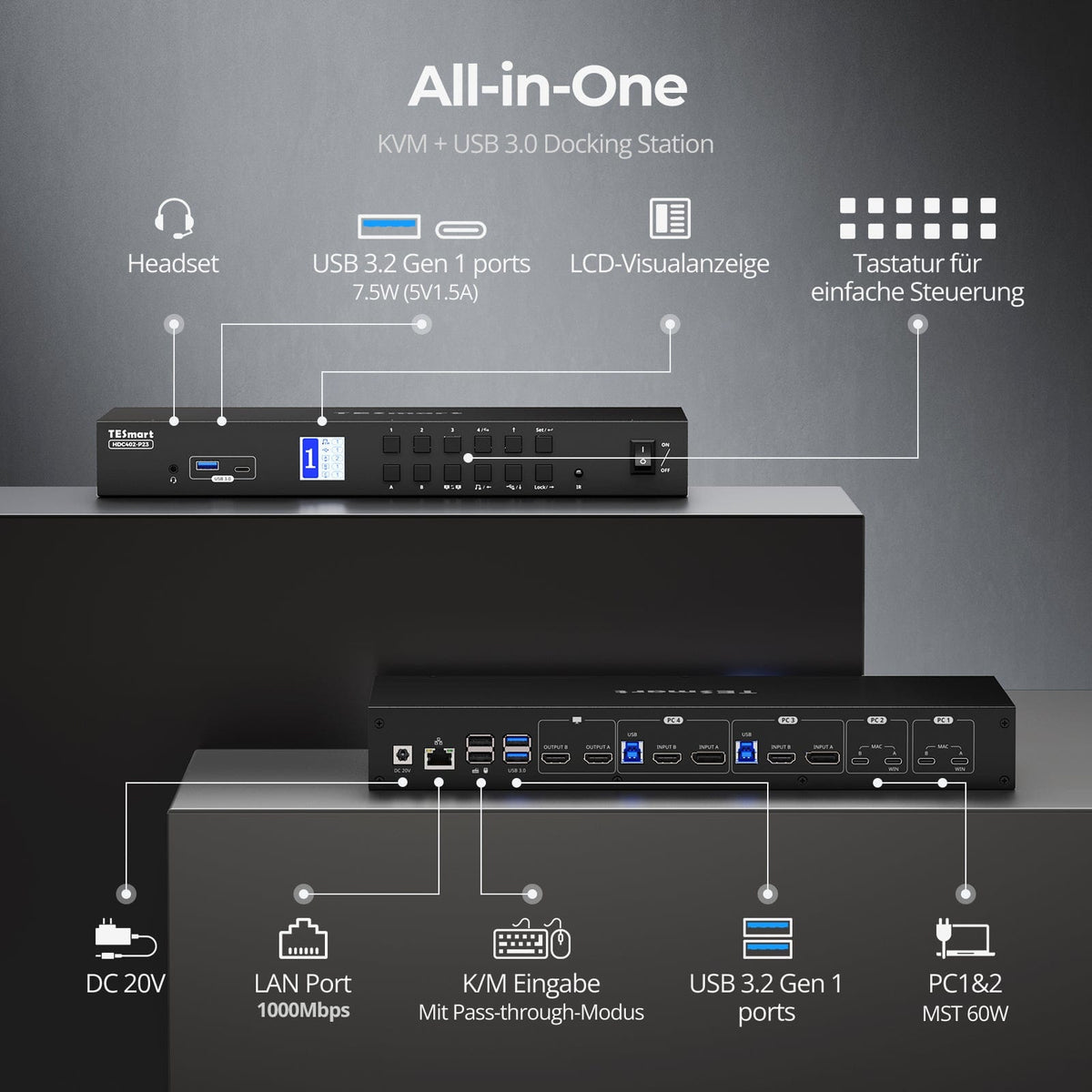
Partagez les ports les plus importants sans hubs supplémentaires :
- Chargeur USB-C PD 60 W pour ordinateur portable
- USB 3.0 avec 5 Gbit/s pour le stockage, les webcams et plus encore
- Ethernet Gigabit à 1000 Mbit/s
- Connexion casque pour l'audio et le microphone
Idéal pour les configurations mixtes, le bureau à domicile et un bureau bien rangé.
06
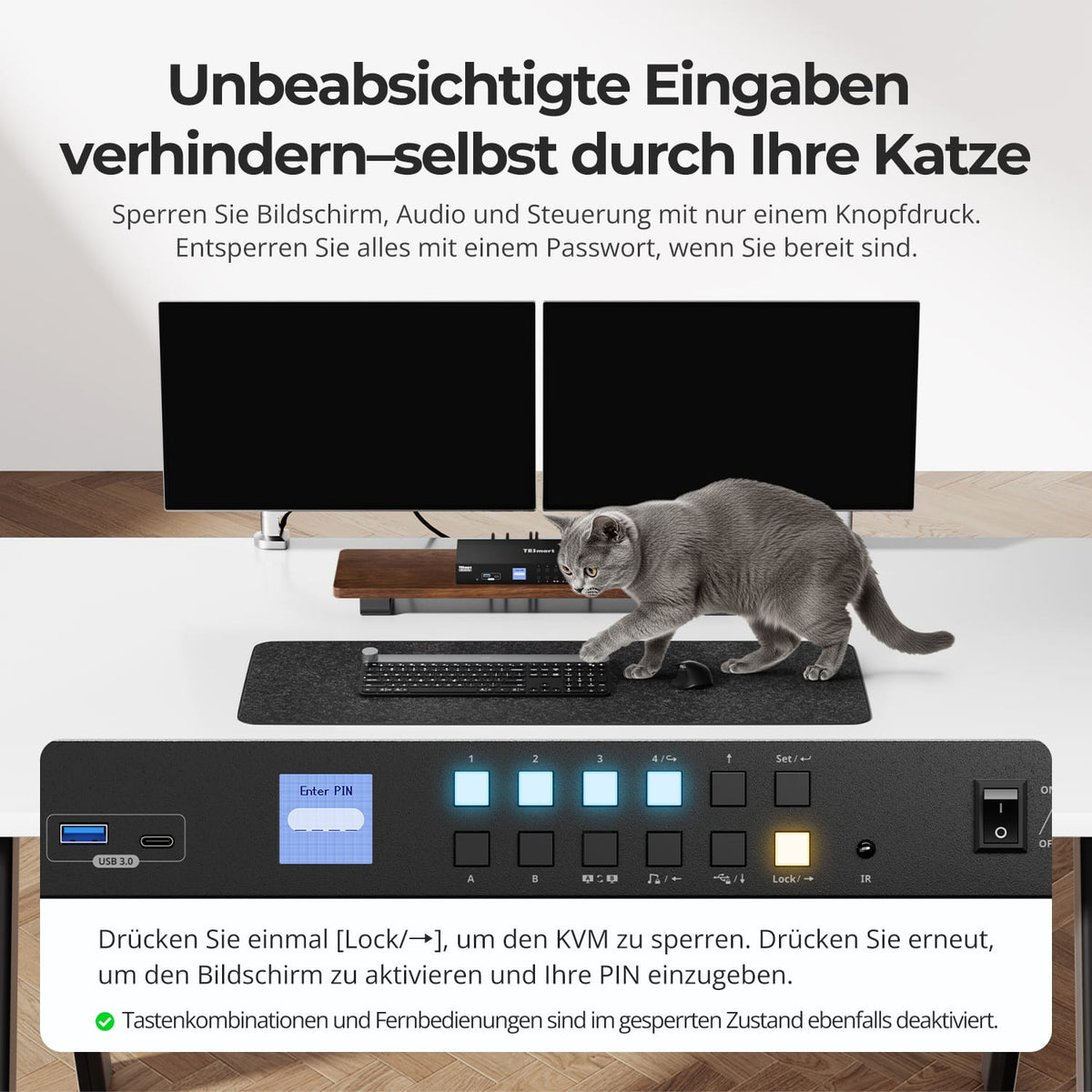
Verrouillez votre poste de travail en appuyant simplement sur un bouton
Le bouton de verrouillage éteint les deux écrans et désactive l'audio, le port USB, les raccourcis clavier et la télécommande infrarouge. Appuyez de nouveau dessus et saisissez le code PIN défini pour rétablir l'accès.
07
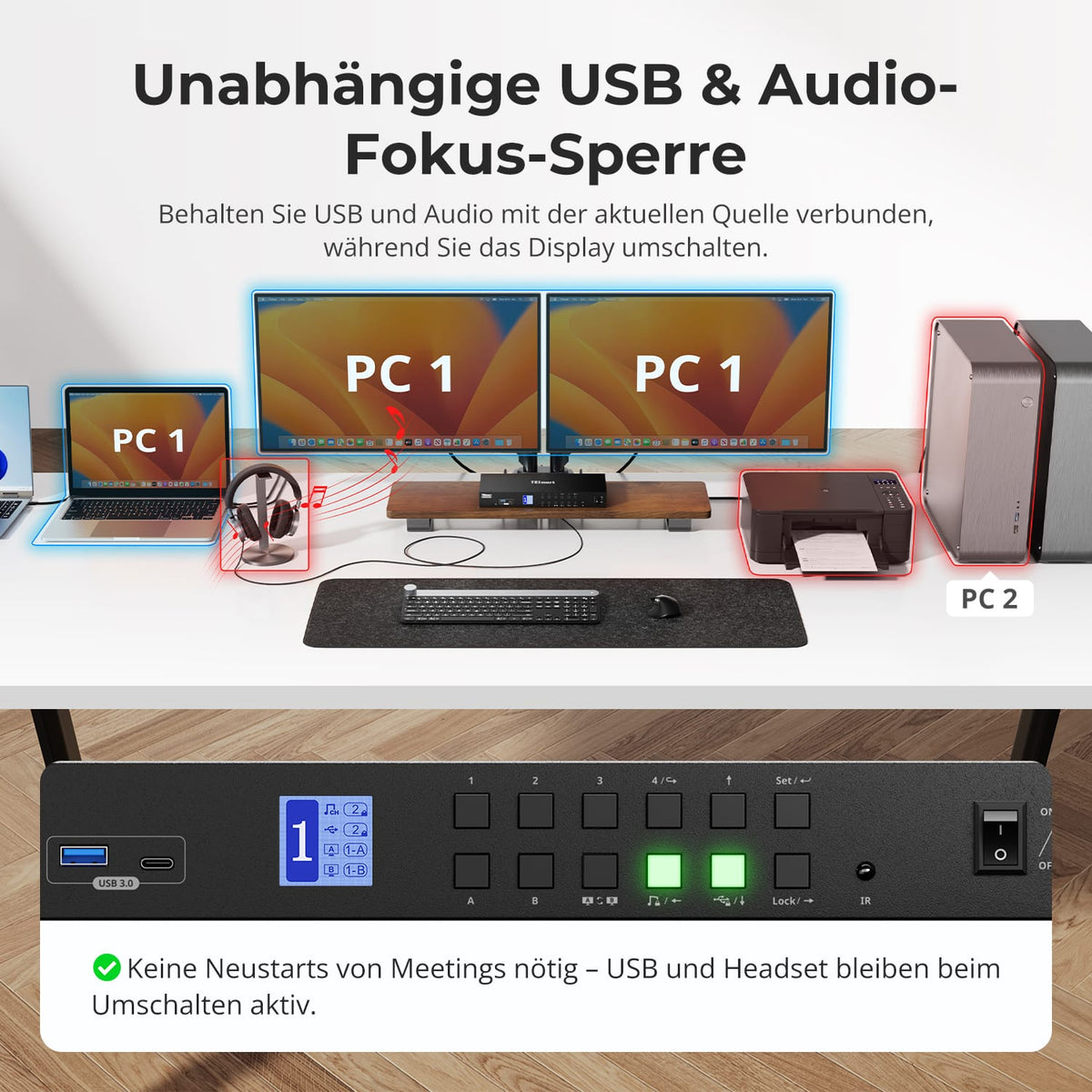
Laissez l'USB et l'audio sur l'ordinateur souhaité
Il est possible d'attribuer des périphériques USB ou audio à l'ordinateur actuel tout en changeant d'écran, de clavier et de souris. Ces attributions sont indépendantes et conservées après un redémarrage, ce qui est pratique pour les appels et les transferts en cours.

08
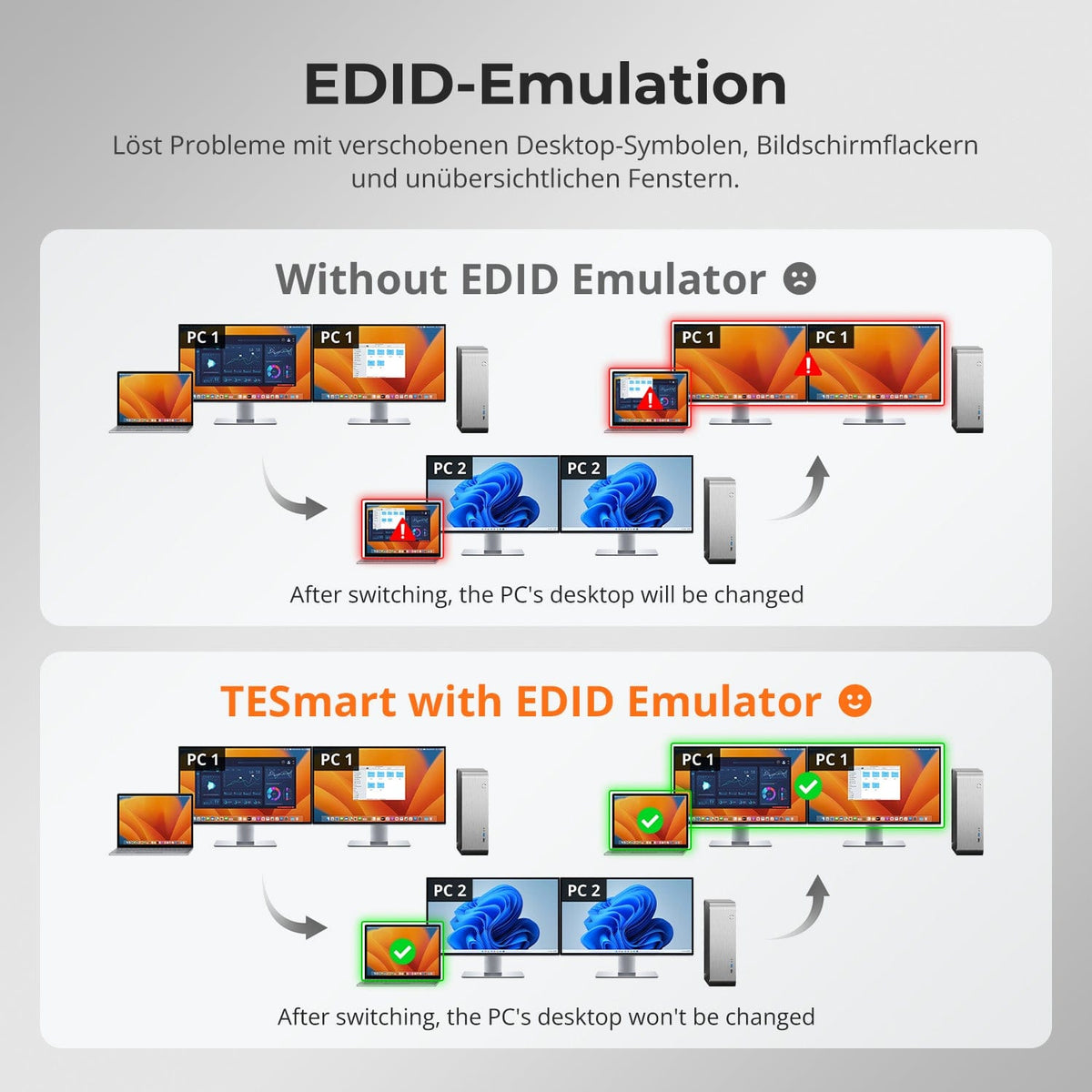
Émulation EDID pour des affichages stables
L'émulation EDID permet de conserver les informations d'affichage disponibles pendant la commutation :
- Il préserve la position des symboles et la taille des fenêtres.
- Réduit les écrans noirs et les scintillements grâce à une détection d'affichage renouvelée.
- Maintient la stabilité de la disposition du bureau lors du passage d'un poste de travail à un autre.
Sans émulation EDID, les icônes et les fenêtres peuvent être réorganisées et les affichages peuvent être réinitialisés.
09

10
11
Données et assistance
Compatibilité et connexions
Données techniques
Instructions et téléchargements
Contenu de la livraison
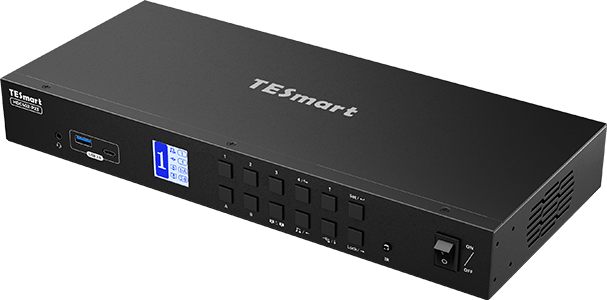
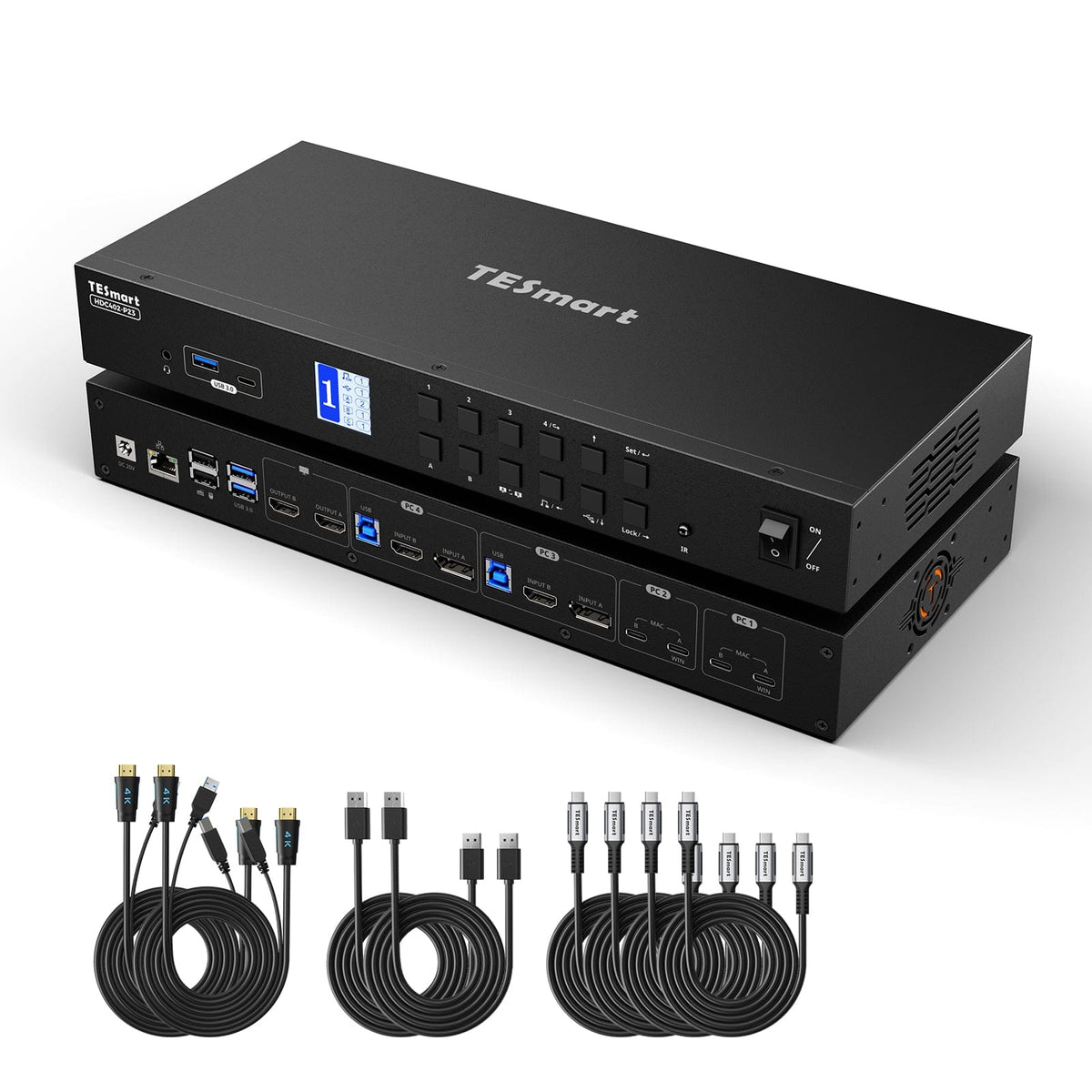
1 × commutateur KVM HDC402-P23

4 × câbles KVM (HDMI + USB)

2 × câble DisplayPort

4 × câbles USB-C
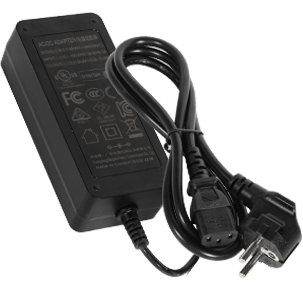
Alimentation 1 × 20 V CC

1 × télécommande infrarouge
1 × manuel d'utilisation


Comparez les modèles adaptés
Sélectionnez les modèles dans les menus pour comparer les connexions, la qualité d'image et les fonctionnalités partageables.
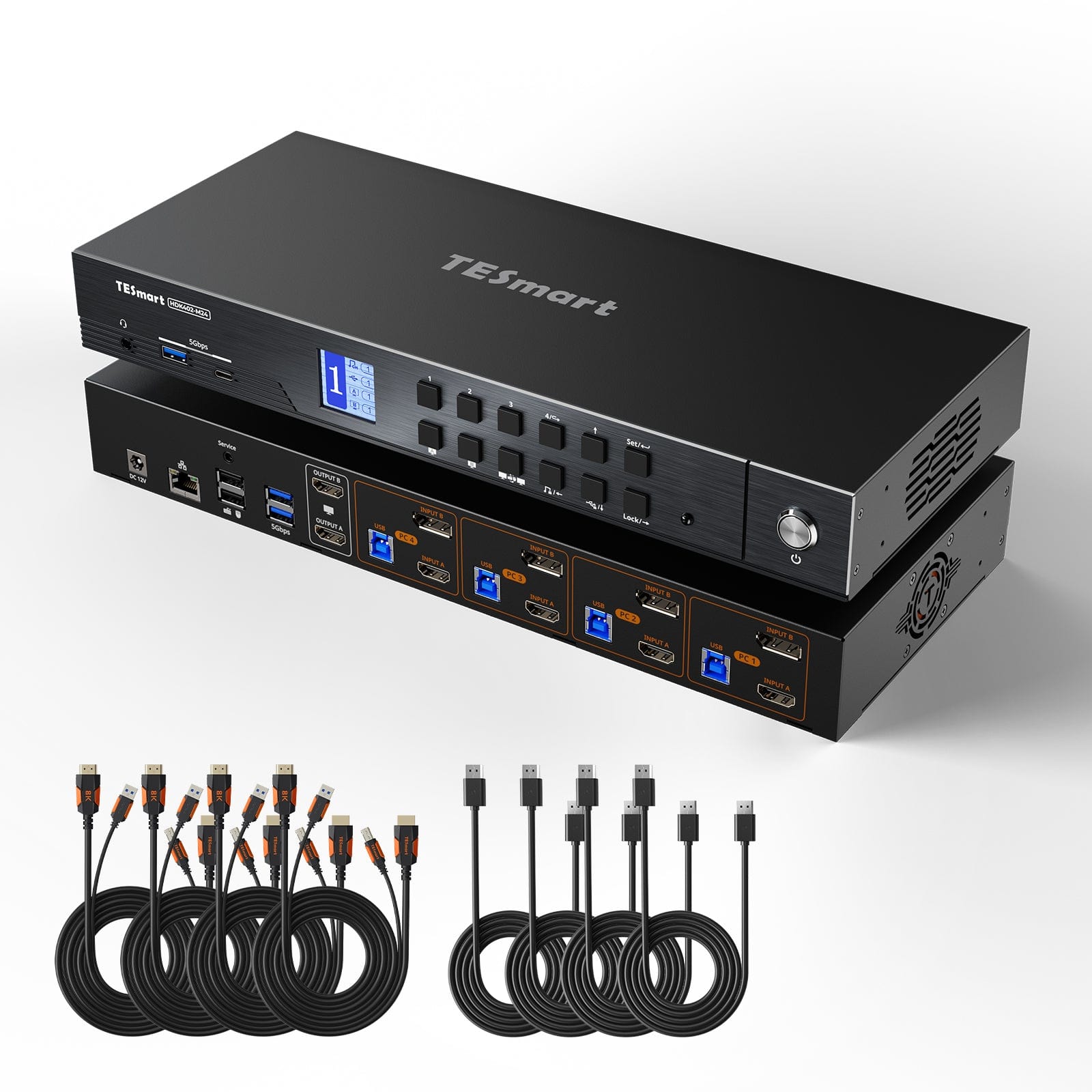
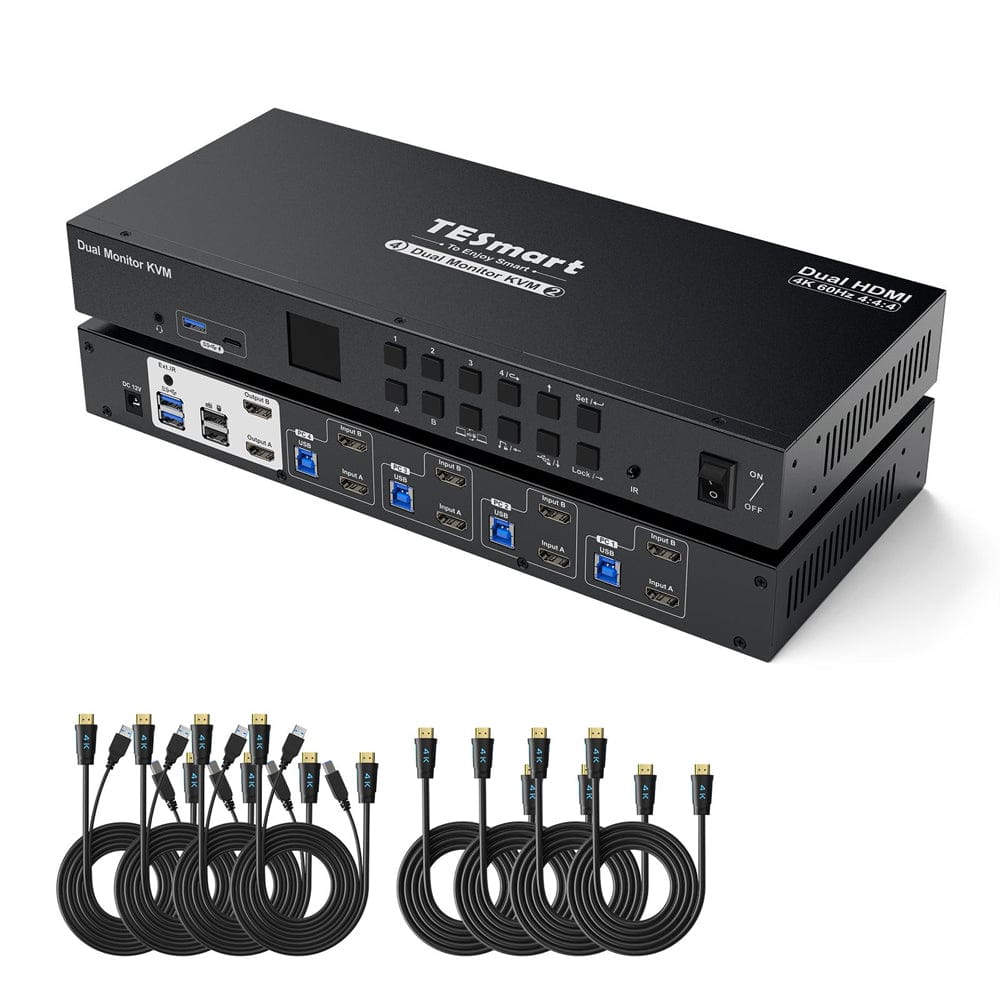
Modèle
HDC402-P23
Modèle
HDK402-M24
Modèle
HKS402-P24
Nombre d'ordinateurs
2 ordinateurs de bureau + 2 ordinateurs portables
Nombre d'ordinateurs
4 ordinateurs
Nombre d'ordinateurs
4 ordinateurs
Connexions informatiques
2 groupes de connexion pour ordinateurs portables, chacun doté de 2 ports USB-C ; 2 groupes de connexion pour ordinateurs de bureau, chacun doté de ports HDMI, DP et USB.
Connexions informatiques
Par PC : HDMI + DisplayPort + USB
Connexions informatiques
Par PC : 2 ports HDMI + USB
Sorties moniteur
2 × HDMI
Sorties moniteur
2 × HDMI
Sorties moniteur
2 × HDMI
Sortie d'image
4K60
Sortie d'image
8K60/4K144
Sortie d'image
4K60
Périphériques USB partagés
USB 3.0/5 Gbit/s
Périphériques USB partagés
USB 3.0/5 Gbit/s
Périphériques USB partagés
USB 3.0/5 Gbit/s
Charger un ordinateur portable
Jusqu'à 60 W par ordinateur portable
Charger un ordinateur portable
FAUX
Charger un ordinateur portable
FAUX
Accès au réseau partagé
1000 Mbit/s
Accès au réseau partagé
1000 Mbit/s
Accès au réseau partagé
1000 Mbit/s
Émulation EDID
vrai
Émulation EDID
vrai
Émulation EDID
vrai
Fonctionnement multi-moniteurs
Windows avec MST ou ports compatibles via deux câbles USB-C
Fonctionnement multi-moniteurs
Sorties vidéo séparées sur chaque ordinateur
Fonctionnement multi-moniteurs
Sorties vidéo séparées sur chaque ordinateur
Surveiller les exigences
L'utilisation de deux écrans externes sur un seul câble nécessite la technologie MST ; sur un Mac, des connexions compatibles via deux câbles USB-C sont requises.
Surveiller les exigences
Chaque ordinateur doit pouvoir gérer deux écrans.
Surveiller les exigences
Chaque ordinateur doit pouvoir gérer deux écrans.
Questions fréquemment posées
Vous trouverez d'autres réponses dans notre Centre d'aide.
[Compatibilité] Le KVM est-il compatible avec Mac et Windows ?
Oui. Le HDC402-P23 est compatible avec Windows, macOS, Unix, Raspberry Pi OS et Linux, notamment Debian, Ubuntu, Fedora et Raspbian.
[Compatibilité] Quelles fonctionnalités le port USB-C de l'ordinateur portable doit-il prendre en charge ?
Le mode alternatif DisplayPort permet le transfert de données vidéo et USB. Les ports de charge ou de données uniquement n'offrent pas toutes les fonctionnalités KVM.
[Compatibilité] Pourquoi le Mac affiche-t-il deux écrans ou un seul ?
macOS ne prend pas en charge l'affichage MST étendu. Connectez votre Mac aux deux ports USB-C de son groupe d'entrée et vérifiez s'il prend en charge deux écrans externes. Sur certains modèles M3, le couvercle de l'ordinateur portable doit être fermé pour que cela fonctionne.
[Compatibilité] Quelles sont les résolutions et les fréquences de rafraîchissement possibles ?
Le HDC402-P23 prend en charge les résolutions jusqu'à 3840 × 2160 à 60 Hz. Les résolutions inférieures incluent 3440 × 1440 à 100 Hz, 2560 × 1440 à 120 Hz, 2560 × 1080 à 165 Hz et 1920 × 1080 à 240 Hz. La qualité d'image réelle dépend de la source, de l'écran et des câbles.
[Fonctions] Comment puis-je basculer indépendamment entre l'USB et l'audio ?
Attribuez les périphériques USB ou audio à l'ordinateur actuel à l'aide des touches correspondantes. La sortie vidéo reste commutable indépendamment. Les ports clavier/souris désignés ne peuvent pas être verrouillés.
[Fonctions] Pourquoi le moniteur ne se met-il pas en veille après avoir été verrouillé ?
Certains moniteurs détectent encore le signal d'horloge HDMI. Une mise à jour du micrologiciel permet de désactiver complètement ce signal. Contactez l'assistance TESmart pour obtenir le micrologiciel approprié et les instructions.
[Relations] Pourquoi le Wi-Fi ne fonctionne-t-il pas après la connexion du commutateur KVM ?
L'ordinateur peut privilégier la carte réseau KVM filaire. Pour la désactiver, appuyez deux fois sur Ctrl droit puis sur F4. Vous pouvez également désactiver le « Contrôleur de famille USB GbE Realtek » dans les paramètres du système d'exploitation.
[Charger] Pourquoi l'ordinateur portable signale-t-il un chargement lent ?
Le chargeur HDC402-P23 fournit jusqu'à 60 W sous 20 V/3 A. Si une puissance supérieure est requise ou si l'alimentation 20 V n'est pas disponible, la charge de l'ordinateur portable peut être lente. Dans ce cas, utilisez également l'adaptateur secteur d'origine.
[Fonctions] Les mises à jour du firmware sont-elles possibles ?
Oui. Les mises à jour peuvent améliorer la compatibilité ou corriger certains problèmes. Installez uniquement le firmware destiné au HDC402-P23. L'assistance TESmart vous fournira le fichier et les instructions nécessaires.
[Relations] Pourquoi mes périphériques USB ne fonctionnent-ils pas ?
Vérifiez le port USB-C d'entrée A pour PC1/PC2 ou le câble USB-B pour PC3/PC4. Les périphériques autres que le clavier et la souris doivent être connectés aux ports USB standard. Pour les applications nécessitant une alimentation ou une bande passante élevée, utilisez un concentrateur USB alimenté ou une connexion directe à l'ordinateur.
[Relations] Pourquoi mon périphérique audio ne fonctionne-t-il pas ?
Connectez le port USB-C d'entrée A pour PC1/PC2 ou le port USB-B pour PC3/PC4. Dans les paramètres audio, sélectionnez « Audio USB » pour la prise jack 3,5 mm ou le périphérique audio USB connecté.
[Fonctions] Comment régler le ventilateur ?
Appuyer deux fois sur Ctrl droit puis sur F3 permet de basculer entre les modes Désactivé, Automatique, Faible et Élevé. Le mode Automatique est le réglage par défaut.
[Ameublement] Comment connecter mes appareils au commutateur KVM ?
Connectez les ordinateurs portables Windows MST aux PC1/PC2 via l'entrée USB-C A. Pour macOS ou les autres systèmes sans MST, utilisez les entrées A et B. Les PC3/PC4 nécessitent des connexions HDMI, DisplayPort et USB. Connectez deux écrans aux sorties HDMI A/B, puis un clavier, une souris, des périphériques USB et un casque audio. Les câbles HDMI pour écrans ne sont pas fournis.
[Changer] Comment puis-je transférer le clavier et la souris entre deux ordinateurs ?
En mode d'affichage 2, appuyer deux fois sur la touche Alt droite permet de basculer entre les ordinateurs affichés et le contrôle clavier/souris. Une mise à jour du micrologiciel peut être nécessaire pour activer le panneau de configuration.
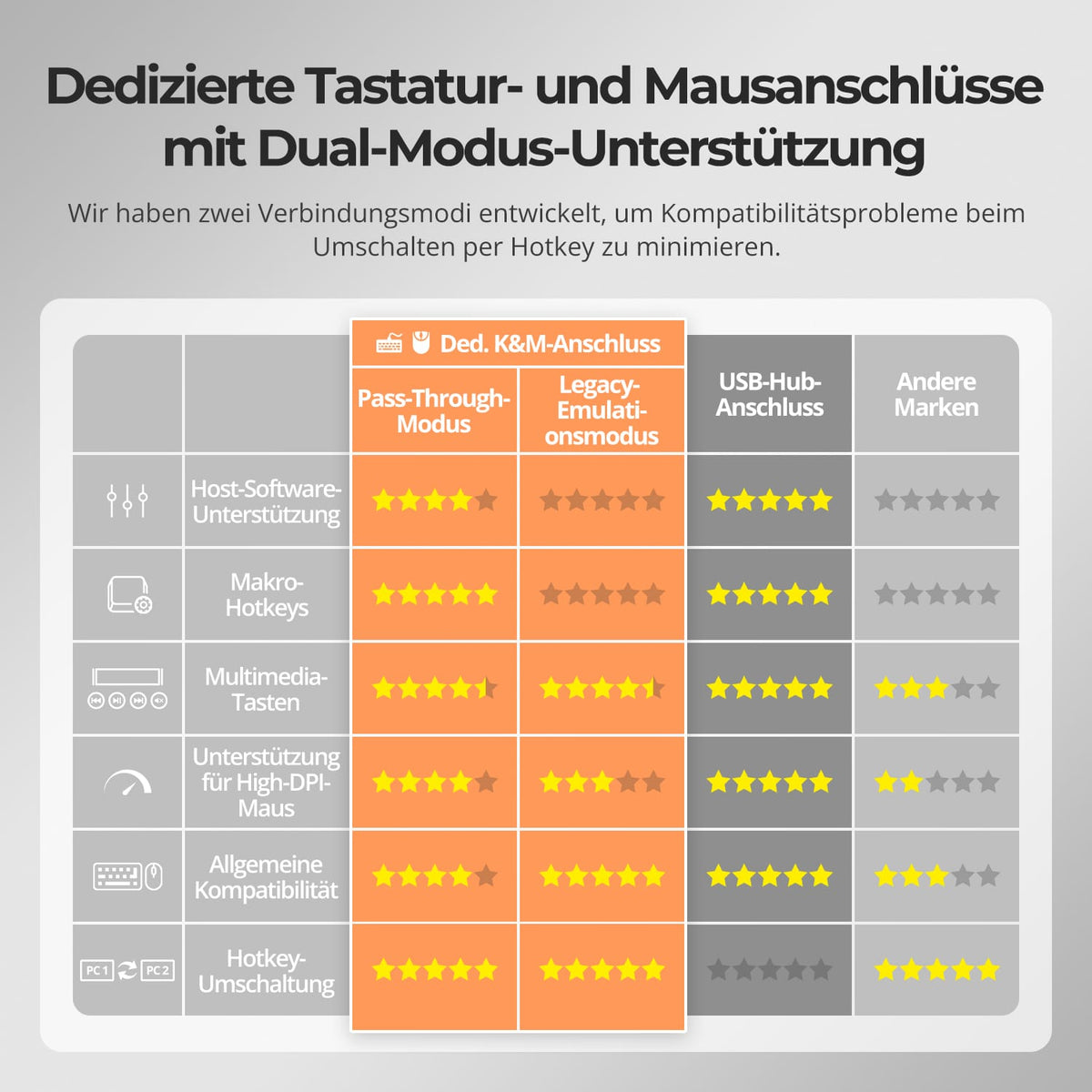
[Ameublement] Pourquoi le clavier et la souris ne fonctionnent-ils pas correctement ?
Si les raccourcis clavier fonctionnent, appuyez deux fois sur Ctrl droit, puis sur F2 pour activer le mode d'émulation hérité. Si le problème persiste ou si les raccourcis clavier ne répondent pas, contactez l'assistance TESmart.
