


HCK402-P23-EUBK
Dual Monitor USB-C KVM Docking Station Kit - 4K60Hz, MST, EDID for 2 Laptops and 2 PCs
- Regulärer Preis
-
€515,64 - Regulärer Preis
-
€793,30 - Verkaufspreis
-
€515,64
Abholverfügbarkeit konnte nicht geladen werden
Product overview
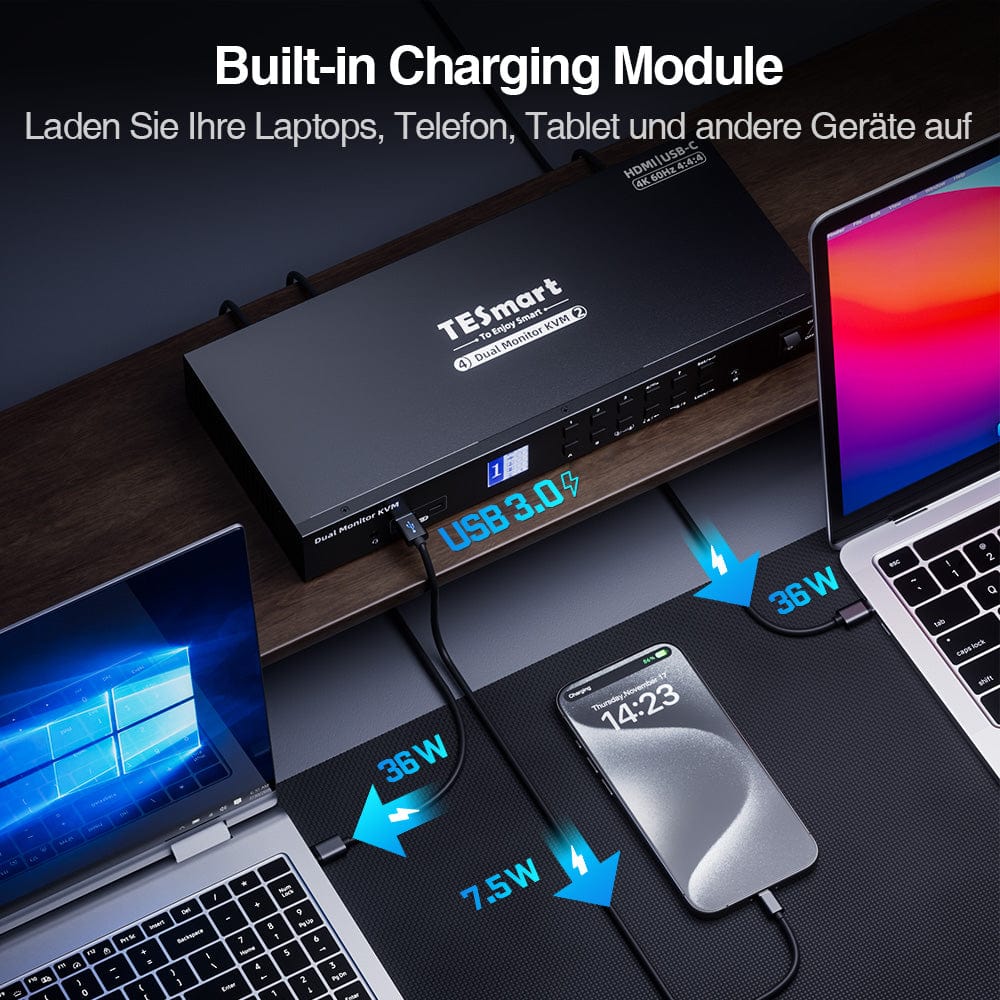
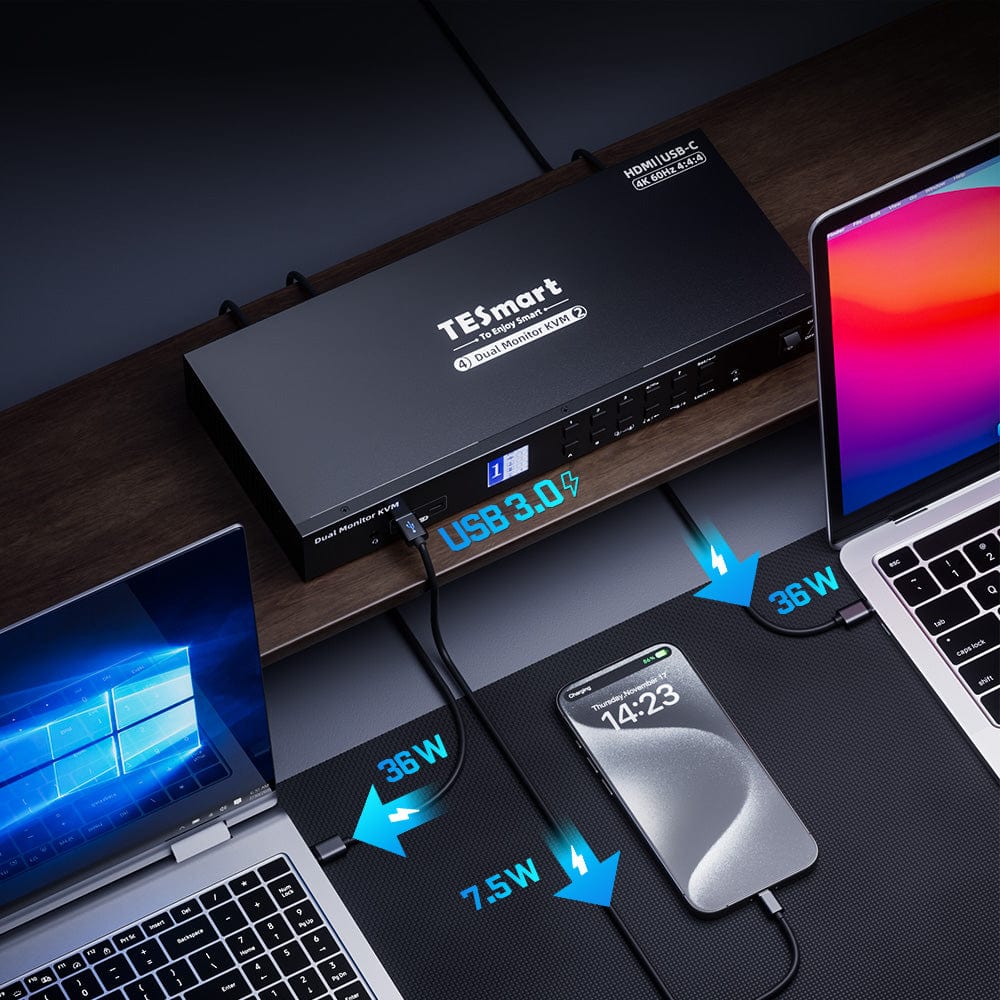
If your laptop does not support the standard 20V DC power input, it will only receive a low power output of 7.5W when connected to the KVM.
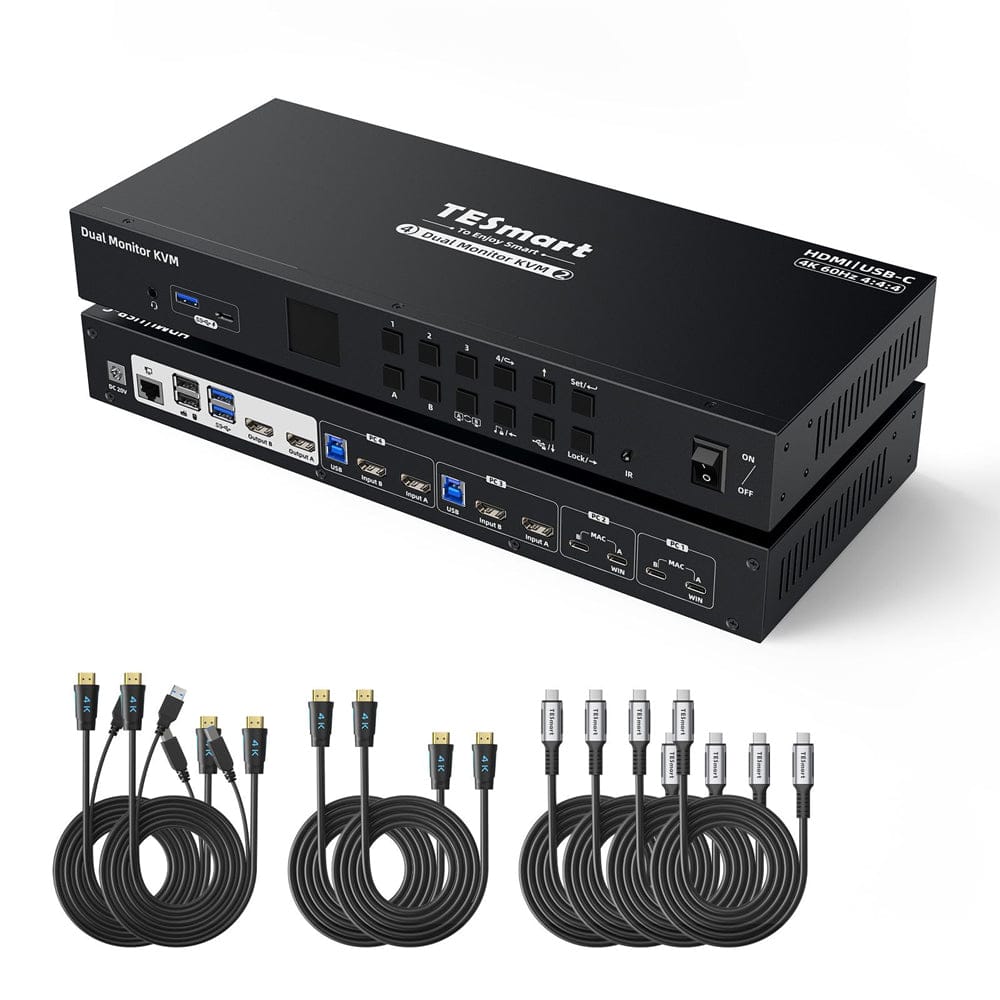
- Includes KVM-to-laptop cables (4 * USB-C cables) and KVM-to-PC cables (2 * KVM cables). & 2 * HDMI cables) for a complete setup.
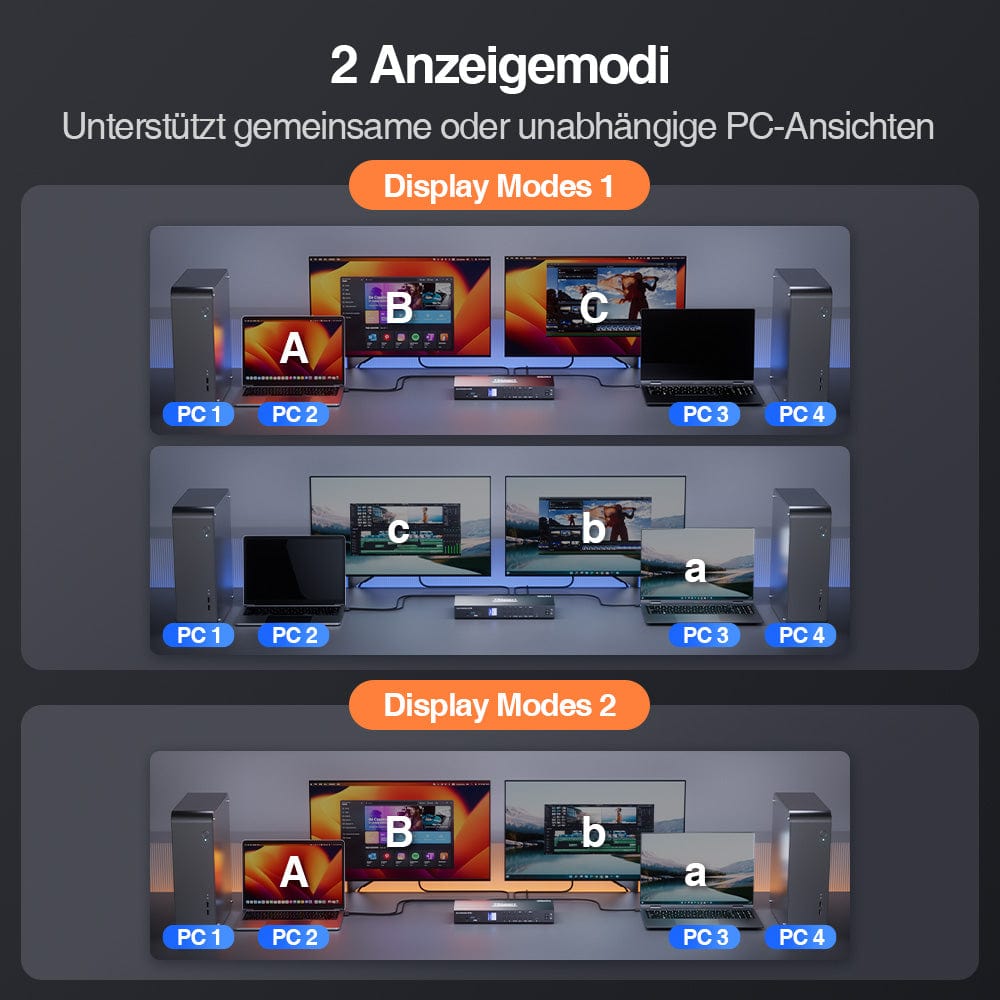
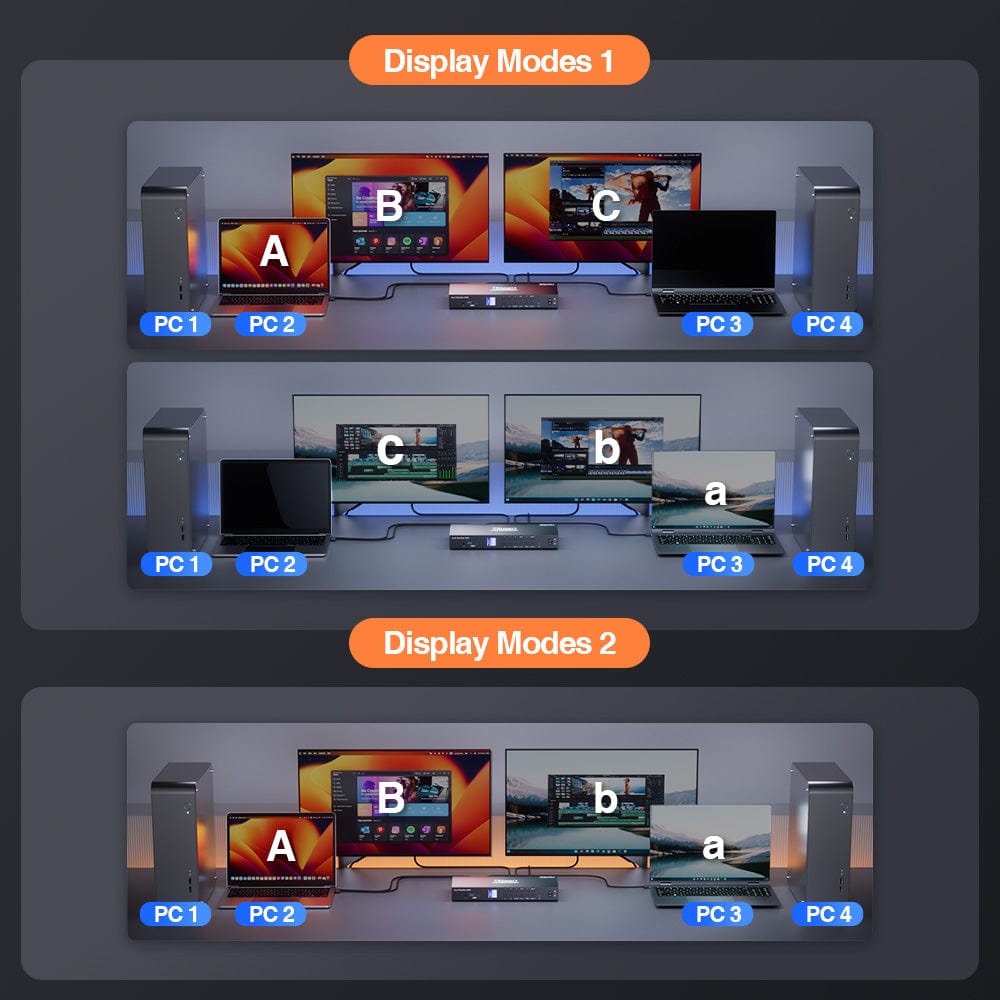
- Choose between shared or independent PC views with 2 modes.
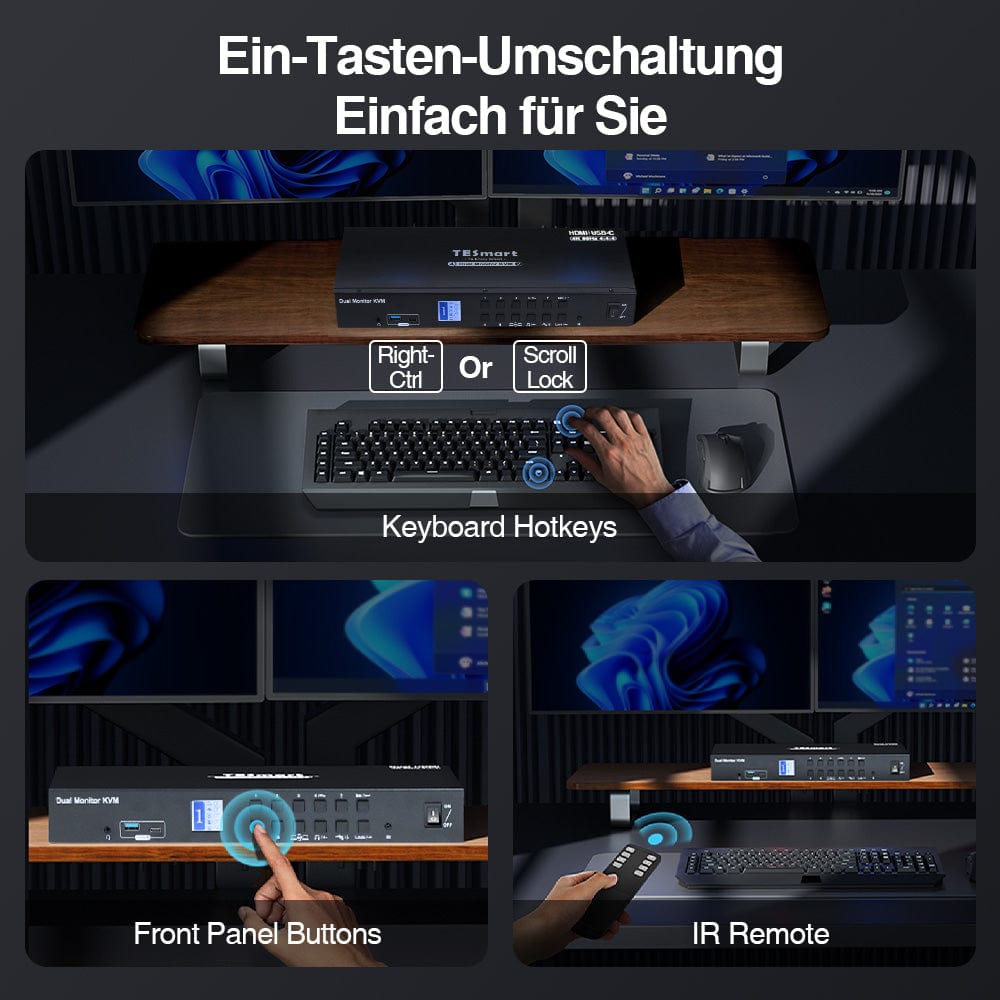
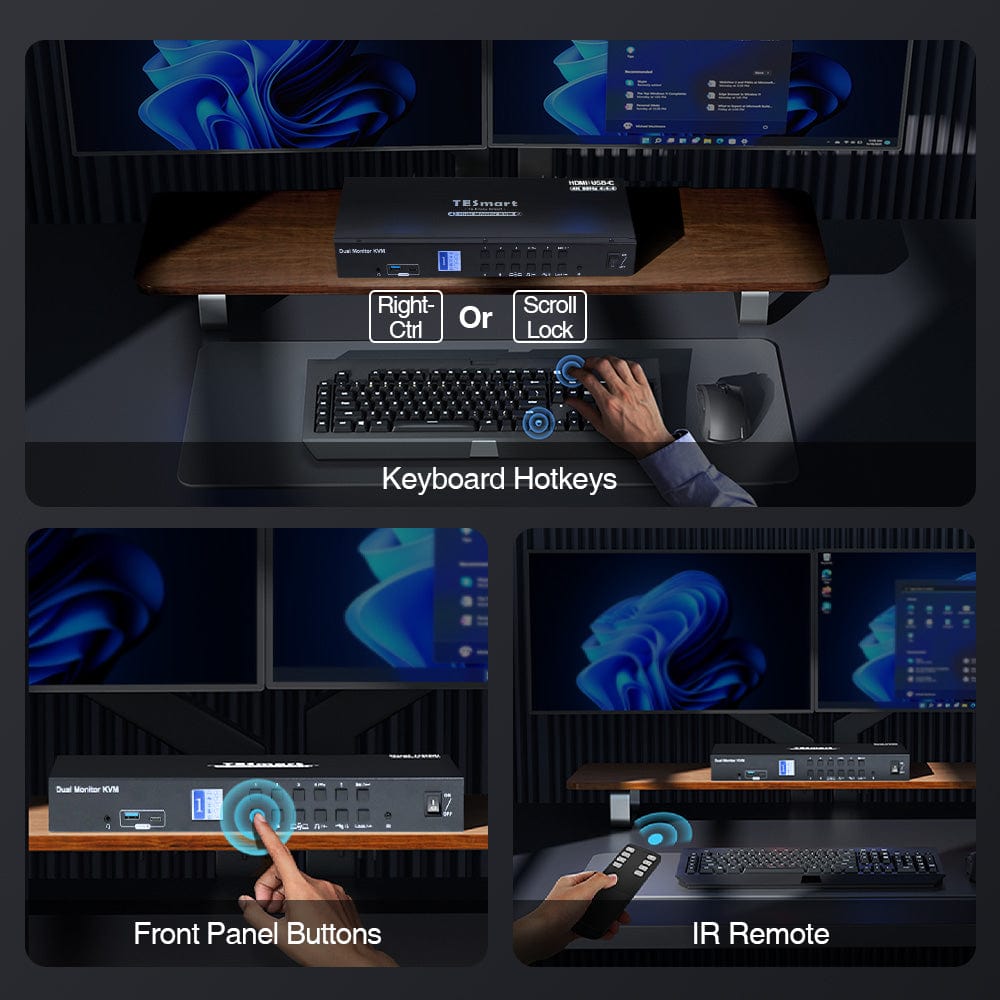
- Switch effortlessly between inputs using key combinations, the front panel button, or the remote control. Seamless K&M-operation after switching.
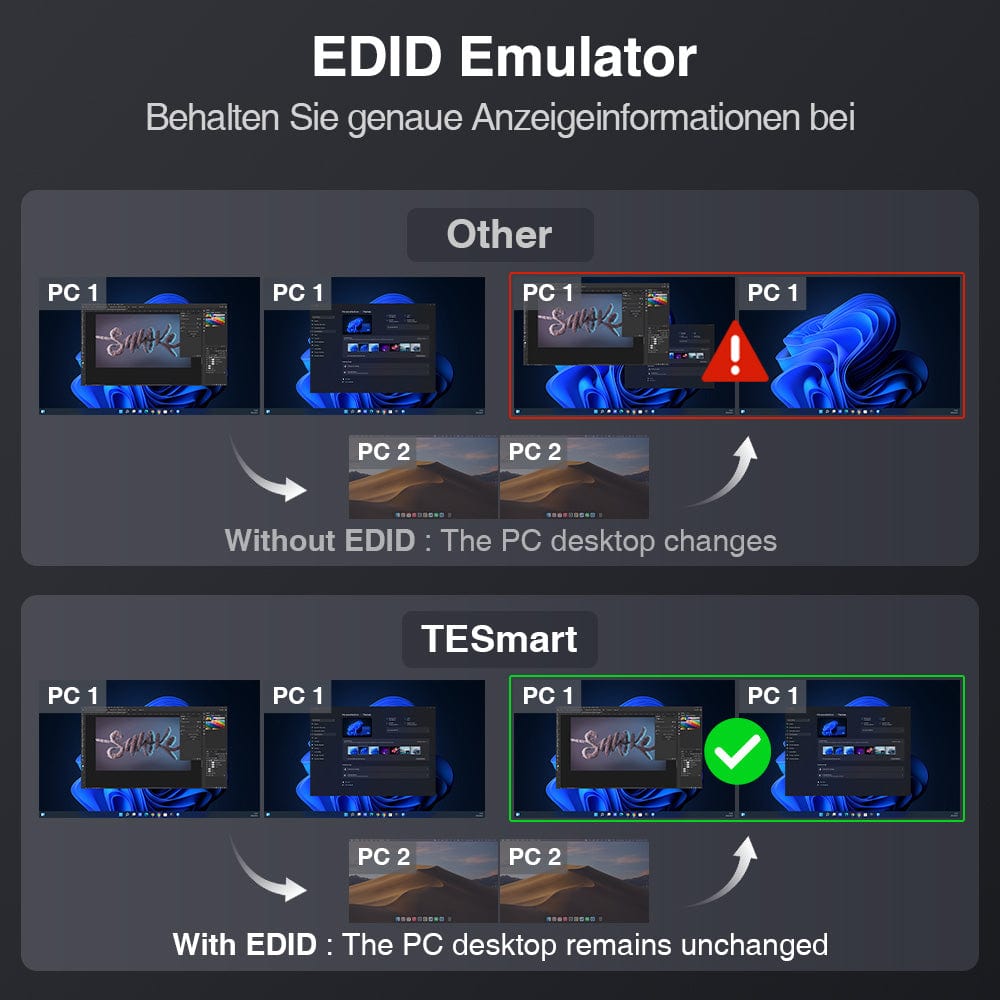
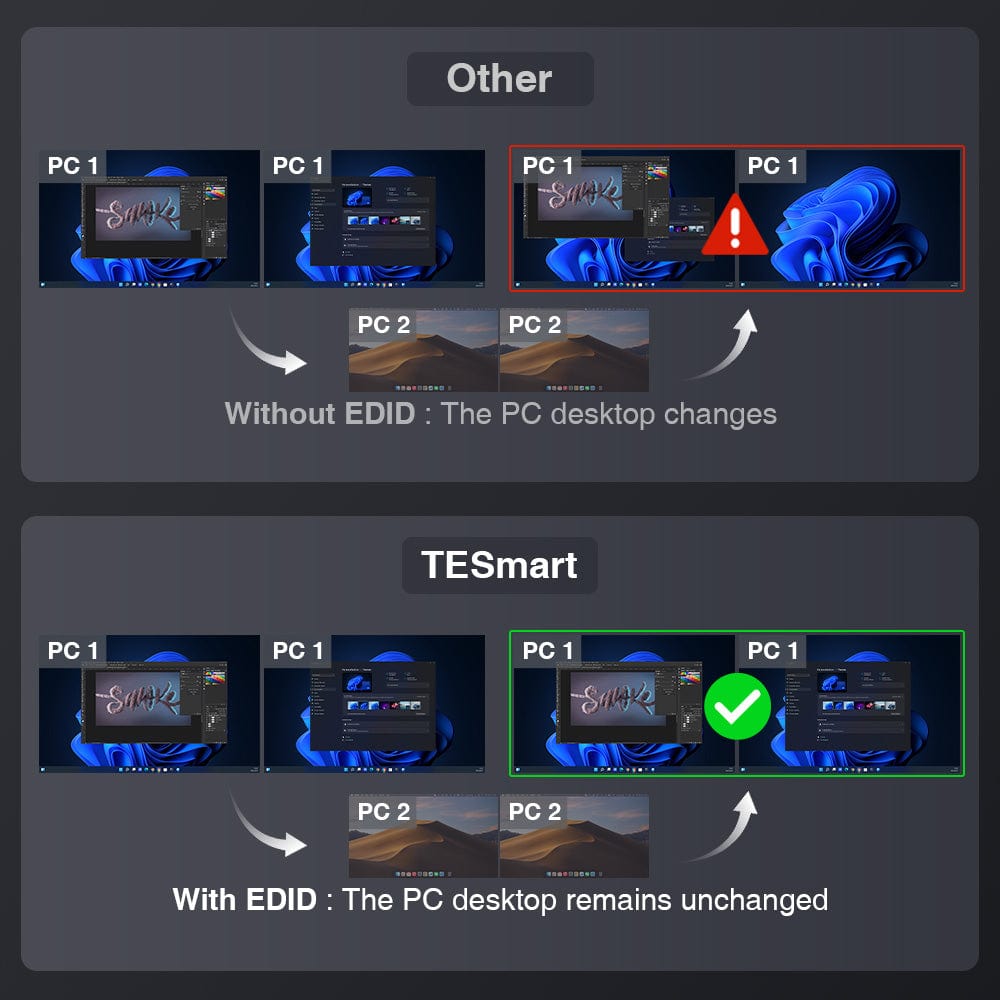
- EDID emulation prevents changes to resolution and symbol layout.
- K&M-pass-through ensures adaptability to various keyboards, including wired, wireless, mechanical and gaming keyboards.
- One-button locking of the KVM to protect private information, with interruption of audio output and reduction of the LCD screen brightness.
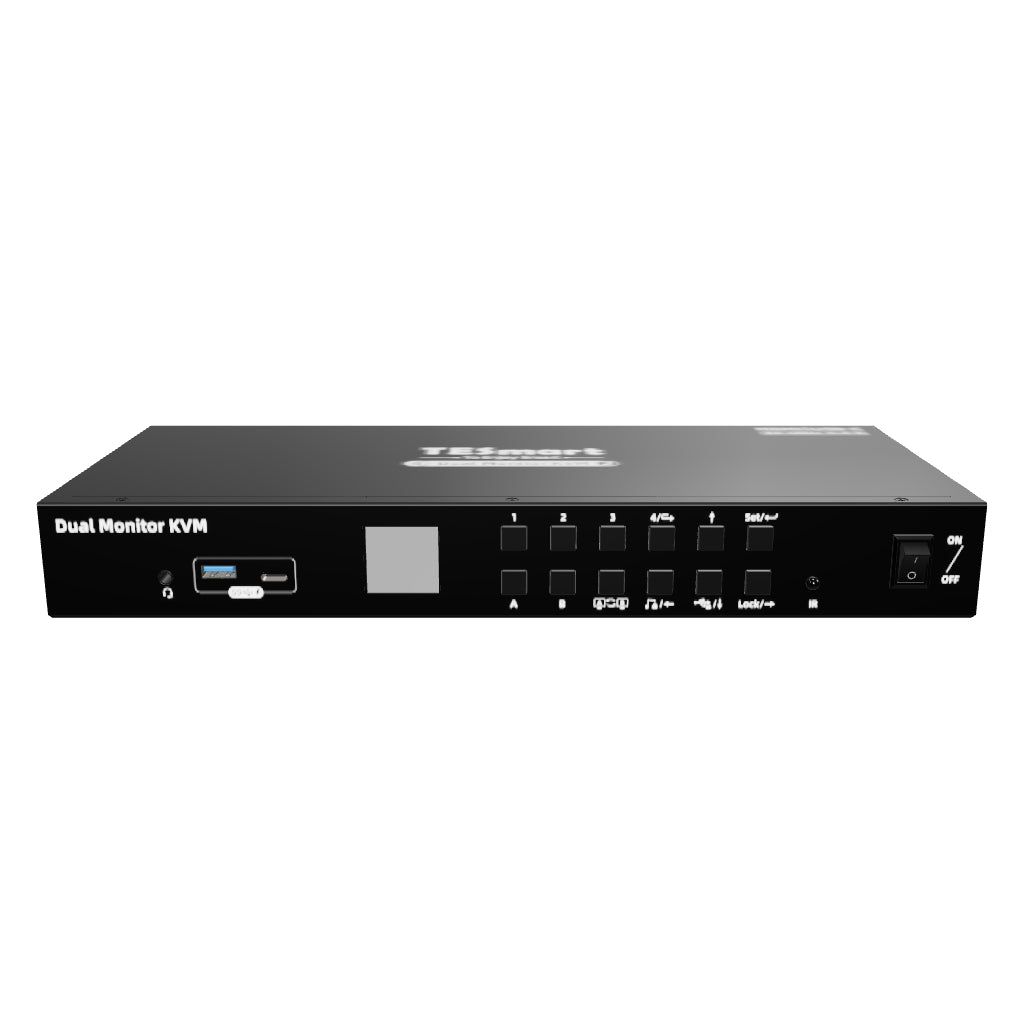
- LCD visual display for easy setup, equipped with 3 lockable USB 3.0 channels and 1 integrated microphone as well as L/R audio output.
- Removable rack ears for easy rack integration.
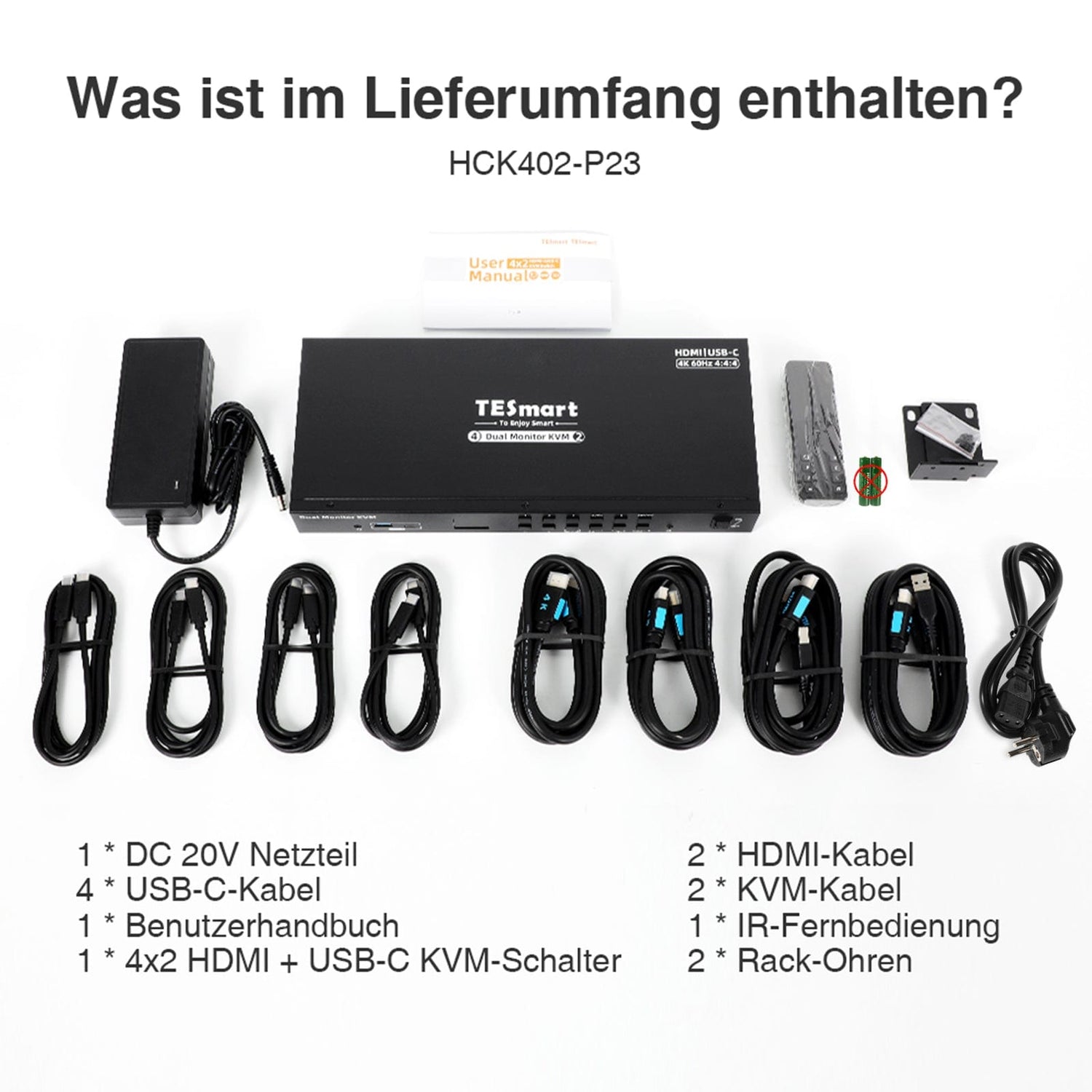
What's in the box
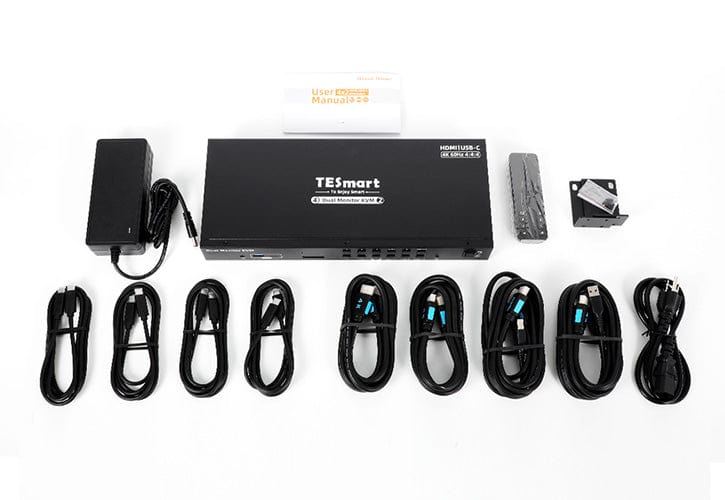
The KVM switch kit comes with all necessary KVM-to-PC cables for complete setup. We ensure that your two desktop PCs and two laptops are connected to the KVM.
- 1 * 4x2 HDMI + USB-C KVM Switch
- 2 * KVM cables
- 2 HDMI cables
- 4 * USB-C cables
- 1 * IR remote control
- 1 * DC 20V power supply
- 1 * User manual
- 2 * Rack ears
| Produkattribute | |
|---|---|
Modell (SKU) |
HCK402-P23-EUBK
|
Kompatibles Setup |
|
Max Resolution |
|
Supported Resolutions |
|
VRR (Variable Bildwiederholfrequenz) |
|
MST (Multi-Stream Transport) |
|
Laptop-Aufladung |
|
Netzwerkanschluss |
|
Independent Audio Focus Switching |
|
Independent Audio Focus Locking |
|
Thunderbolt 4 Ports |
|
EDID Emulation |
|
Umschaltmethoden |
|
Belegbare Hotkeys |
|
Legacy-Emulationsmodus |
|
Input Ports |
|
Output Ports |
|
Docking Ports |
|
Anzeigemodi |
|
Handbuch (PDF) |
|
Share


Our shipping policy consists of the following 7 sections:
Order processing time (shipping lead time)
- Shipping costs & Delivery time
- Order tracking
- Delayed shipments
- Order cancellations
- Steer & Customs duties
- Contact us
1. Order processing time
The order processing time refers to the period from the time of the order until the order is handed over to the shipping service provider.
• Orders are usually shipped within 1-2 working days after confirmation/payment.
• Orders placed on weekends may be subject to delays.
• Our warehouse operates Monday to Friday during regular business hours (excluding public holidays). In such cases, we will make every effort to minimize shipping delays.
We have warehouses in Germany and other regions. Your order will be shipped directly from the nearest warehouse, depending on your delivery address. If the nearest warehouse does not have the product in stock, we will ship your order from another nearby warehouse to ensure you receive it as quickly as possible.
Shipping to the United Kingdom 🇬🇧
To ensure smooth delivery and correct customs clearance, orders from the United Kingdom are processed through our US shop.
Orders to UK addresses cannot be shipped via our EU shop.
2. Shipping costs & Delivery time
| Country or region | Estimated delivery time | Shipping costs | Logistics service provider |
| Germany | 3 working days | Free Shipping | DHL |
| Other EU countries | 3-7 working days | Free Shipping | DHL/DPD |
| Non-EU countries | 5-12 working days | From 60 euros | UPS |
3. Order tracking
4.Delayed shipments
5. Order Cancellation
6. Taxes & Customs duties
7. Contact us
Below you will find an overview of the return and refund process. The complete guidelines can be found on the "Full Guidelines" page below.

1. Order cancellation and modification
- To ensure that every order is delivered as quickly as possible, TESmart's ordering and shipping process is fully automated. Once shipped, the order cannot be canceled or changed, including address changes. For returns and refunds, please contact our customer service team within 30 days of receiving your order.
- If you still wish to return the product after receiving it, please contact us within 30 days after receipt under service@tesmart.de, and ensure that the product and packaging are undamaged and complete.
- ⚠️ For returns due to reasons unrelated to quality, the customer bears the shipping costs.
- Details can be found in the guidelines below.
2. Return process
2.1 Conditions for returns:
- The product must be returned in its original packaging and include all accessories, manuals and documents.
- Products purchased through third-party providers.
- Products that have been damaged by improper use or handling by the customer.
2.2 Return request:
Please koContact the Contact TESmart customer service to request a return.
E-mail: service@tesmart.de
2.3 When making your request via email, please provide the following information:
- Order number
- Proof of purchase
- Photos or videos of the defective product (for faster processing)
- Full delivery address
- Telephone number
2.4 Processing time:
Our support team will respond within 24 hours to respond to your return request and provide you with the return address of the warehouse in your country/region.
For certain countries/regions (e.g., USA, Germany and EU), we may provide you with a prepaid return label to expedite the return/refund process.
2.5 Return address:
Please send the product to the return warehouse specified by TESmart.
2.6 Goods inspection:
3. Refund process
3.1 Triggering the refund:
Once the returned product has been received and inspected by the warehouse, the refund will be initiated.
3.2. Refund period:
The refund will be processed within 5 working days after receiving the returned product in the warehouse.
3.3 Types of services after the sale:
3.3.1 Within 30 days of receipt:
- The original packaging is intact and all accessories are included.
- Return photos will be provided in advance.
3.3.2 From 30 days to 2 years after receipt (warranty period):
3.3.3 Between 2 and 3 years after purchase (for VIP members):
- No returns or refunds possible.
- You can contact our support team to request an exchange for the same model.
-
If you are looking for the product 3 months Members who wish to upgrade from the date of purchase can do so as part of the upgrade program.&The trade-in program offers a discount of up to 50% on Receive the originally paid order amount for the new purchase.
For detailed terms and conditions, please visit: https://tesmart.de/pages/tesmart-id-trade-in
3.4 If you have any questions about the above guidelines, please contact: service@tesmart.de.com
4. Customer Service & Problem solving
4.1 Contact:
For questions or support requests, please contact TESmart customer service.
📧 service@tesmart.de
4.2 Delayed refund (if no refund has been issued after 5 working days):
- Check your bank account (make sure it's the account used for the purchase).
- Contact your card issuer (credit/debit cards may experience delays).
- Contact your bank to check the transaction status.


Compare products
 |  |  | |
|---|---|---|---|
| Produkattribute | |||
Modell (SKU) |
HCK402-P23-EUBK
|
DKS402-P23-EUBK
|
HDK402-M24-EUBK
|
Kompatibles Setup |
|
|
|
Max Resolution |
|
|
|
Supported Resolutions |
|
|
|
VRR (Variable Bildwiederholfrequenz) |
|
—
|
|
MST (Multi-Stream Transport) |
|
|
|
Laptop-Aufladung |
|
|
|
Netzwerkanschluss |
|
|
|
Independent Audio Focus Switching |
|
|
|
Independent Audio Focus Locking |
|
|
|
Thunderbolt 4 Ports |
|
|
|
EDID Emulation |
|
|
|
Umschaltmethoden |
|
|
|
Belegbare Hotkeys |
|
|
|
Legacy-Emulationsmodus |
|
|
|
Input Ports |
|
|
|
Output Ports |
|
|
|
Docking Ports |
|
|
|
Anzeigemodi |
|
|
|
Handbuch (PDF) | |||
Key Features
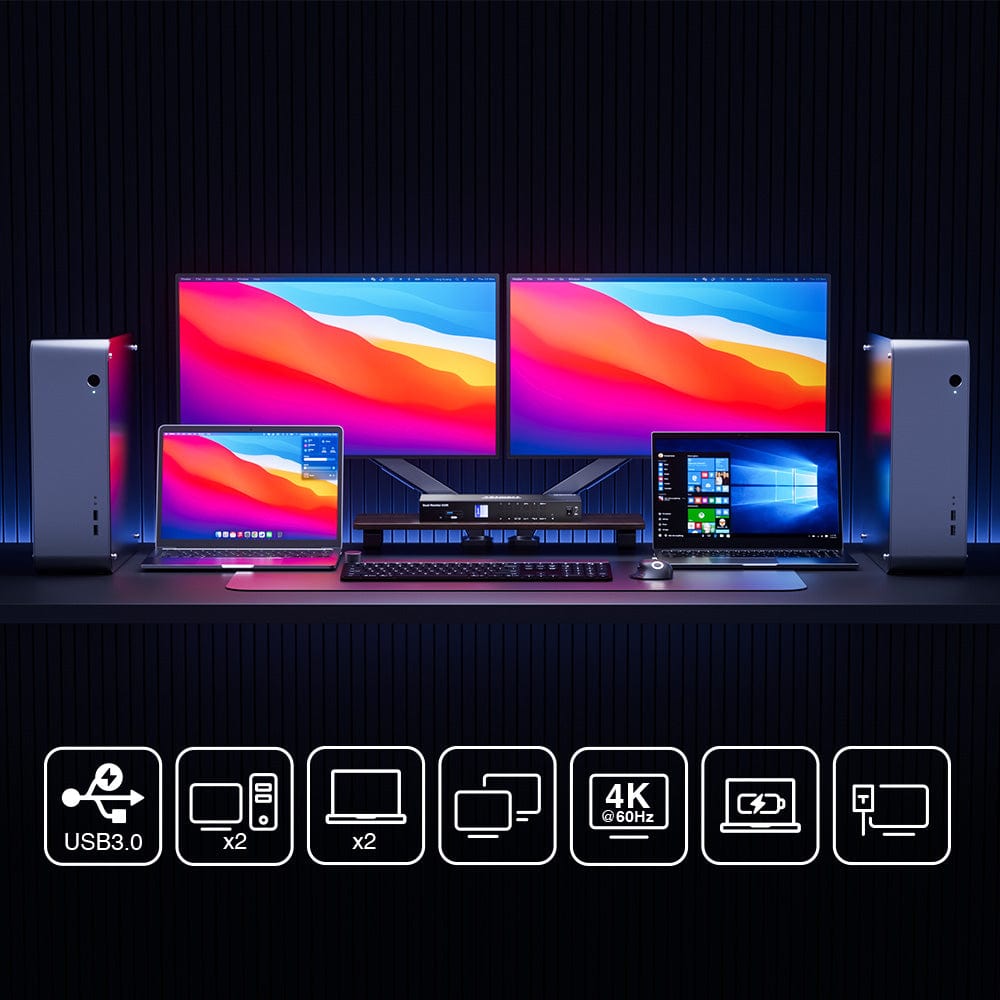
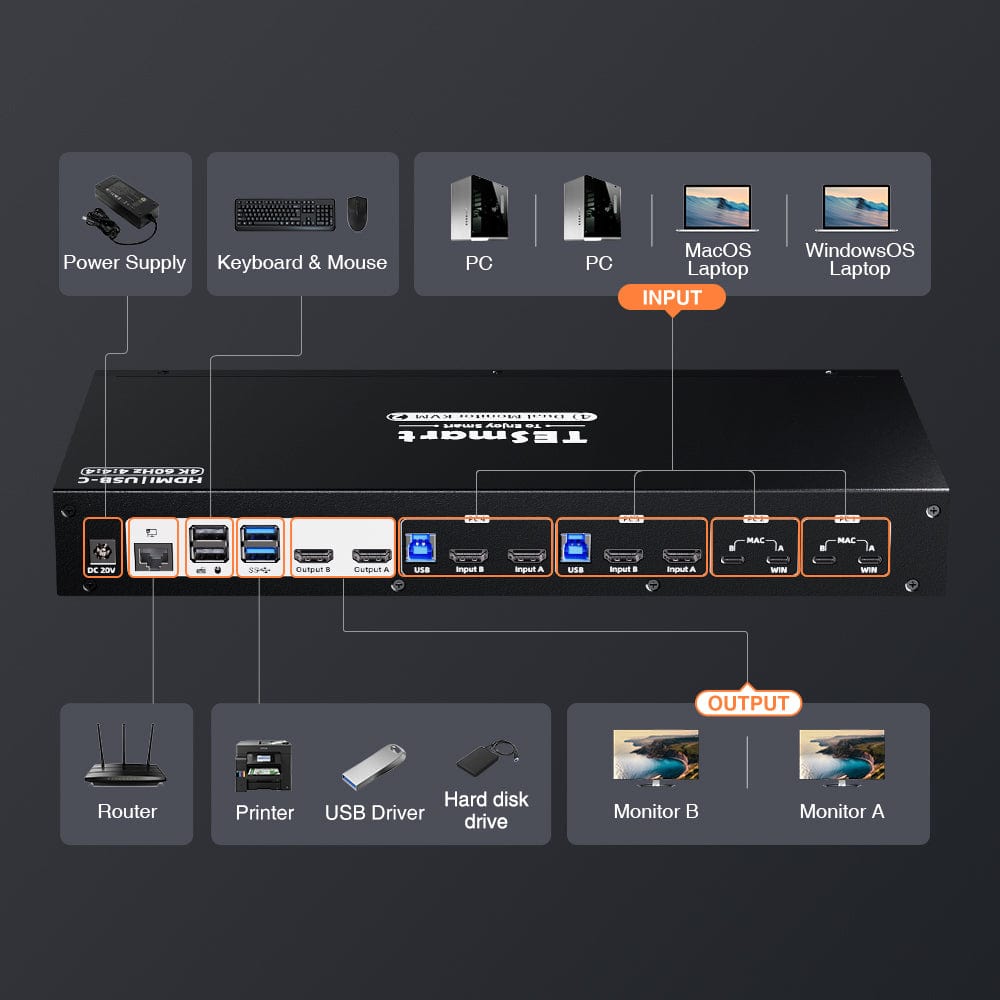
- Dual display design: Compatible with up to 2 monitors and 4 PCs (2 desktops + 2 laptops).
- Supports MST (Multi-Stream Transport) mode, which enables dual HDMI display from a single USB-C source.
- Two USB-C input ports: Perfect compatibility with 2 laptops, supports Windows laptops with MST and MacBooks without MST. Important NOTE: The dual USB-C input function does not currently support the "ABC" effect of two extended monitors for Mac Mini and Mac Studio models.
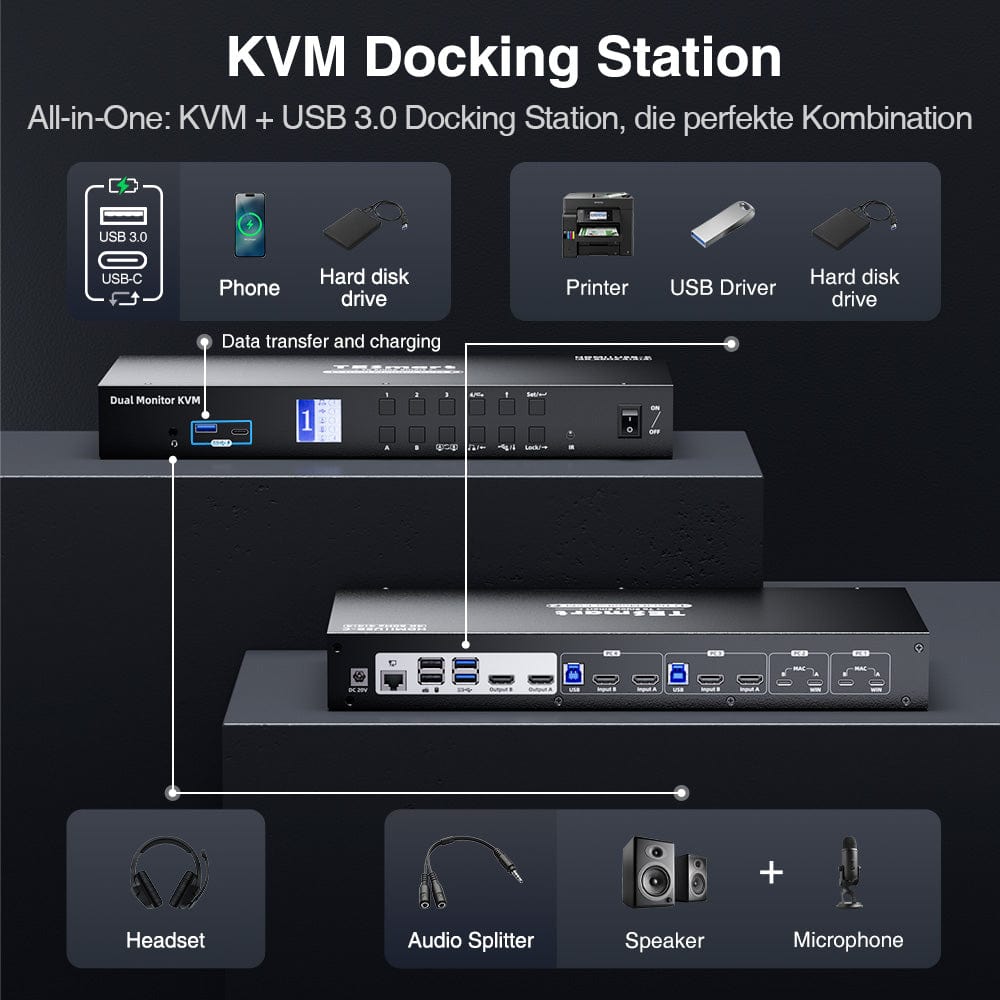
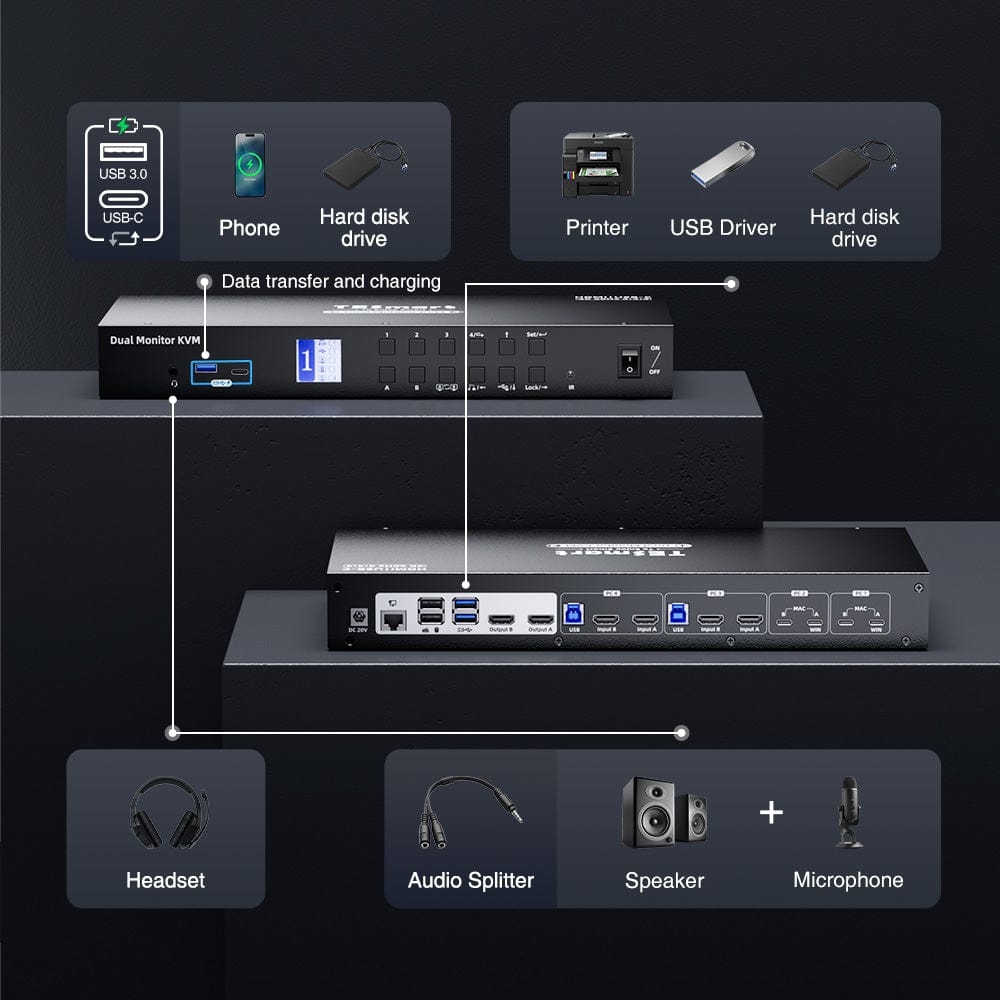
- Versatile all-in-one peripheral connections: Discover 4x USB 3.0, 2x USB for K&M, 1x LAN, 1x 3.5 mm headphone/microphone jack and two HDMI outputs.
- High resolution + high refresh rate: HDMI 2.0 compatible, supports up to 4K@60Hz 4:4:4 and is ideal for lovers of high refresh rates.
- Supports 2 display modes. Implement a 2-screen extended display, duplicate the display, or show different PCs across 2 monitors.
- EDID emulation: With EDID emulators in each input port, PCs can always have correct display information to prevent resolution and icon rearrangements.
- Effortless switching: Use hotkeys, the front panel button, or the remote control for seamless keyboard- & Mouse operation.
- Keyboard & Mouse passthrough: Ensures compatibility with various keyboards, including wired, wireless, mechanical and gaming keyboards.
- One-Touch-Locking KVM: Protect private information by pausing audio output and reducing LCD screen brightness.
- LCD visual display: For easy setup, equipped with 4 lockable USB 3.0 channels and 1 integrated microphone and L/R audio output.
- Detachable rack ear design: Convenient rack installation for seamless integration.
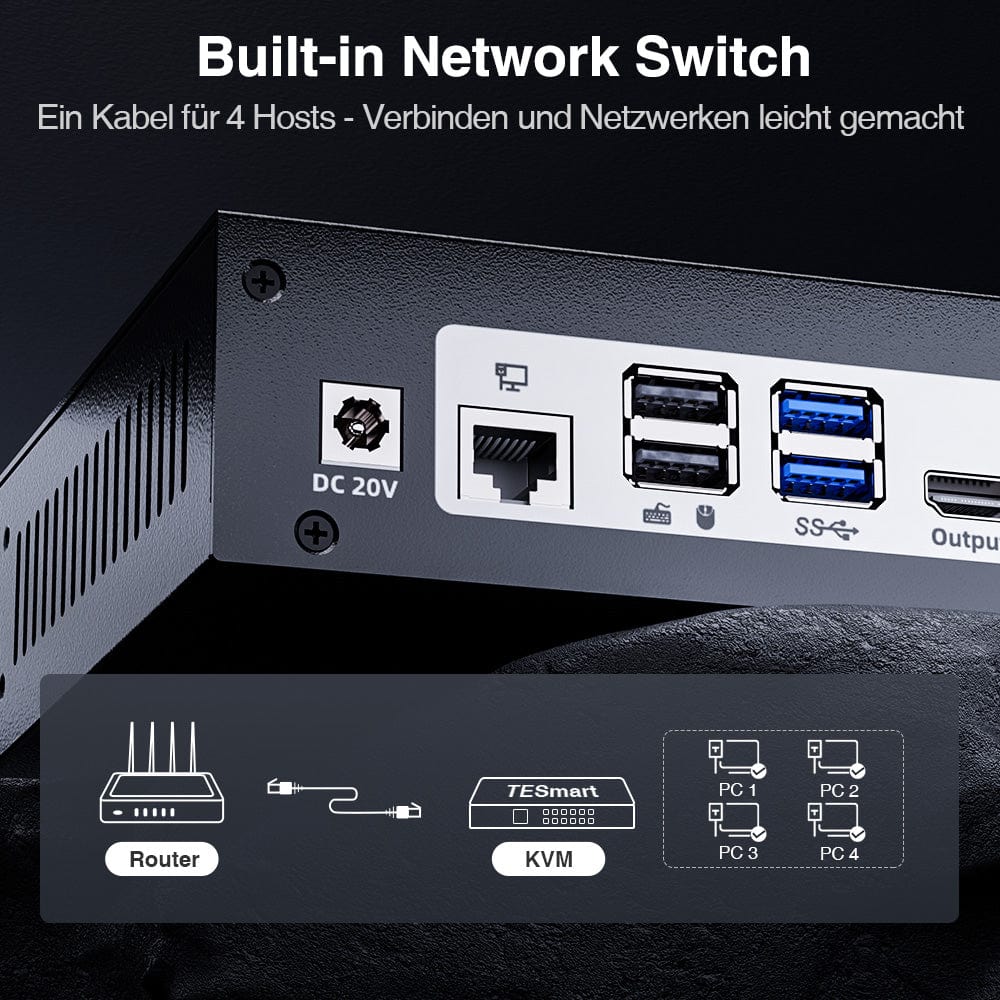
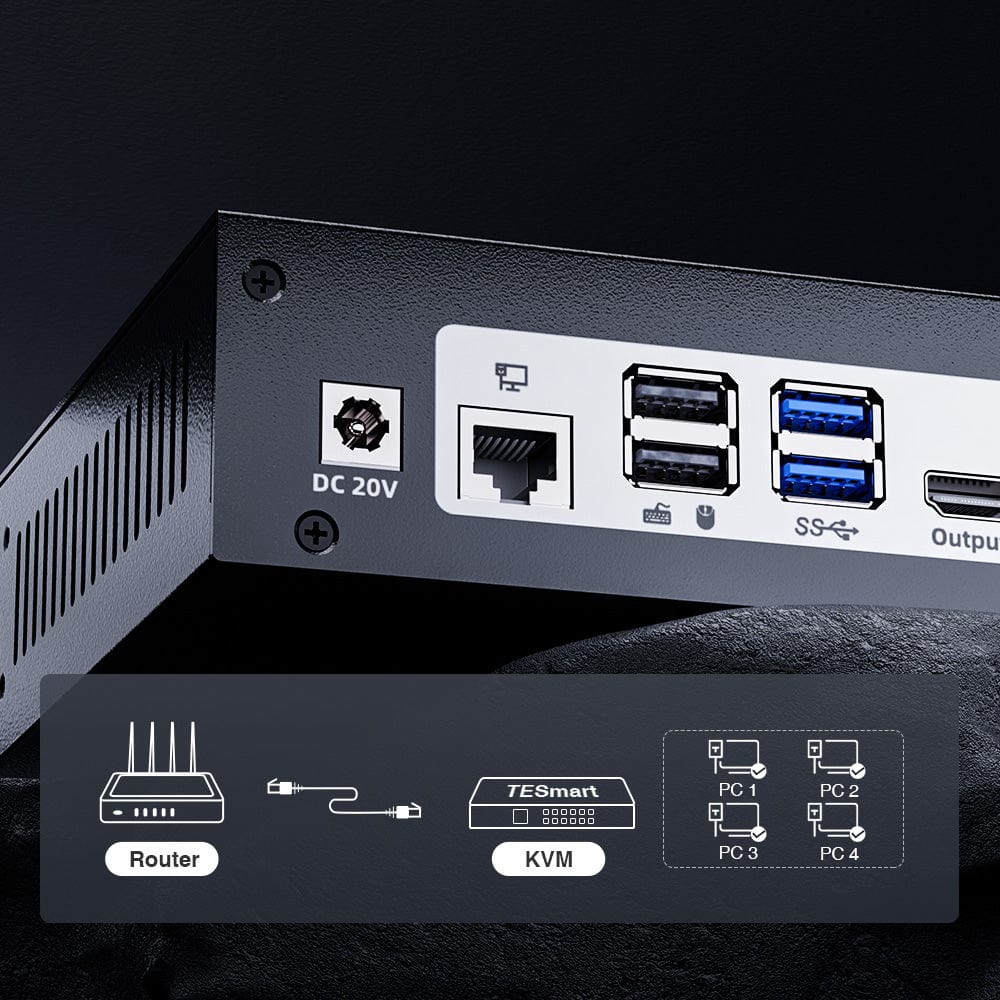
- Supports wired network connection; 4 PCs connected to the KVM can access the network with just one network cable.
- Supports charging devices connected to the corresponding group.
- Supports connecting mobile devices to the front panel USB port for charging.
- Simple plug-and-play setup, no drivers required.
- Supports Unix/Windows/Debian/Ubuntu/Fedora/MacOS X/Raspbian/Ubuntu for Raspberry Pi and other Linux-based systems, ideal for home, office or educational scenarios.
- Extended KVM Switch Kit: The KVM switch kit comes with complete KVM-to-laptop cables, including KVM-to-laptop cables (4 * USB-C cables) and KVM-to-PC cables (2 * KVM cables). & (2 HDMI cables). We ensure that all four of your computers are connected to the KVM. Monitors typically come with their own cables. If you need additional cables, we also have a selection of high-quality cables available.
Before purchasing
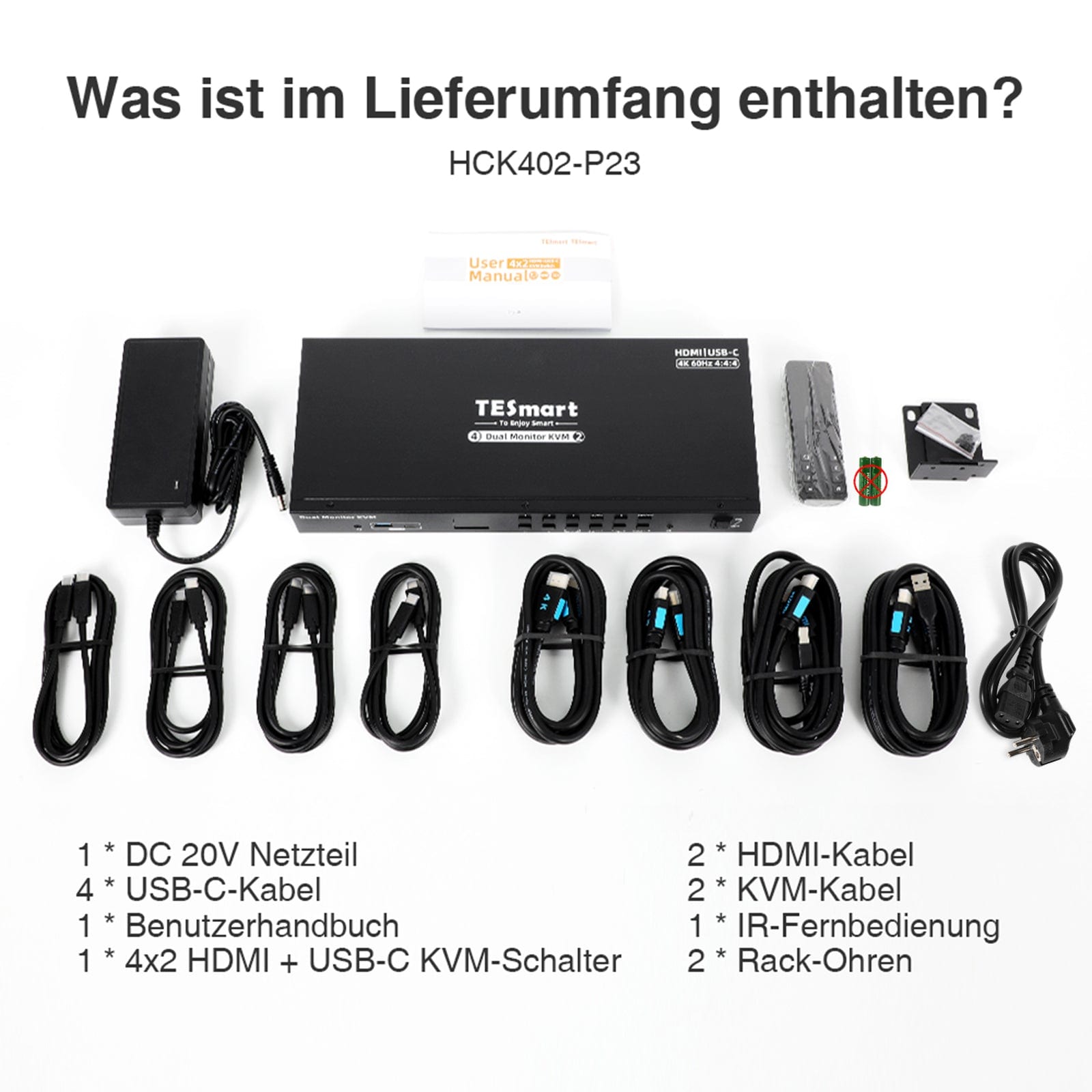
Scope of delivery
The KVM switch kit comes with all the necessary KVM-to-PCS cables for a complete setup. We ensure that both your
- 1 * 4x2 HDMI + USB-C KVM Switch
- 2 * KVM cables
- 2 HDMI cables
- 4 * USB-C cables
- 1 * IR remote control
- 1 * DC 20V power supply
- 1 * User manual
- 2 * Rack ears
SHIPMENT
- We offer free express shipping (DHL/FEDEX) for EU shipping orders.
2-YEAR WARRANTY, EXTENDED TO 3 YEARS
- The TESmart KVM switch comes with a 2-year warranty from the date of purchase. We offer a warranty extension program. Register to extend the warranty to 3 years.
- The warranty covers all defects in materials and workmanship under normal use. We reserve the right to replace any defective product under warranty (no repairs, only exchanges).
Support
FAQs
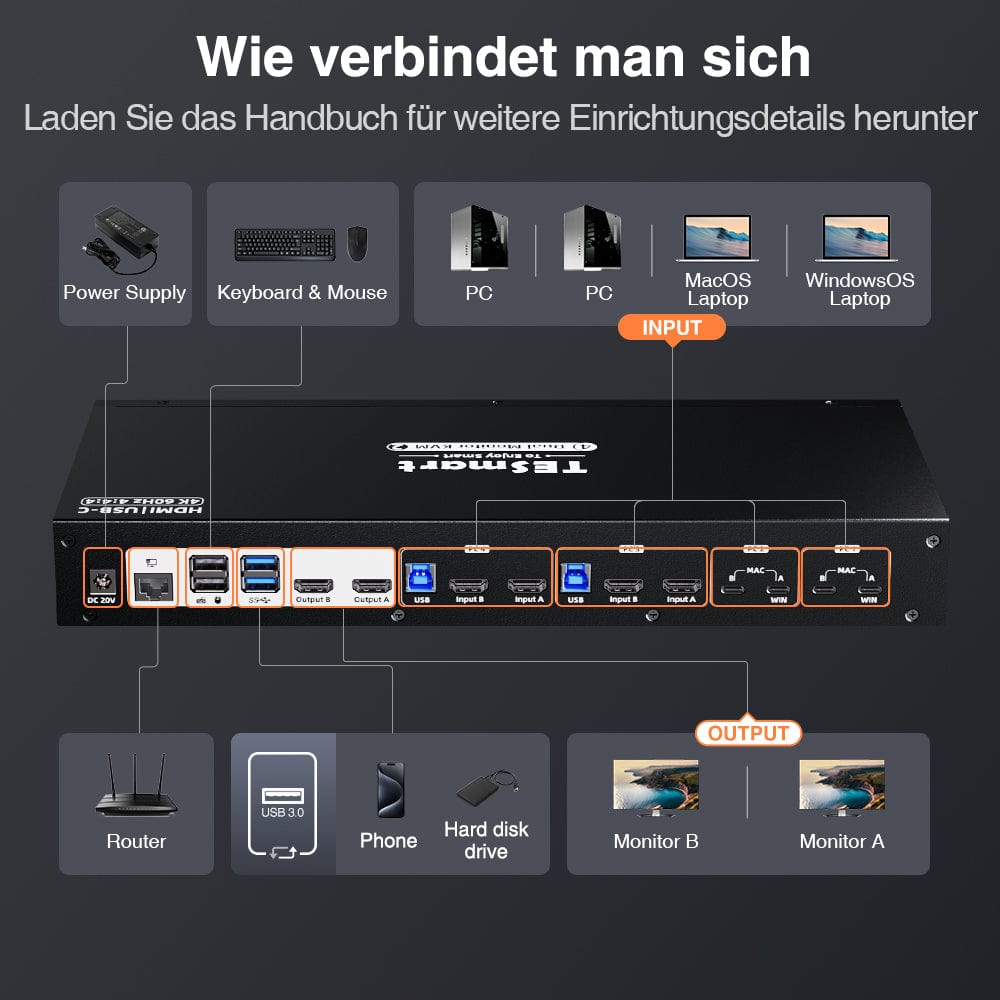
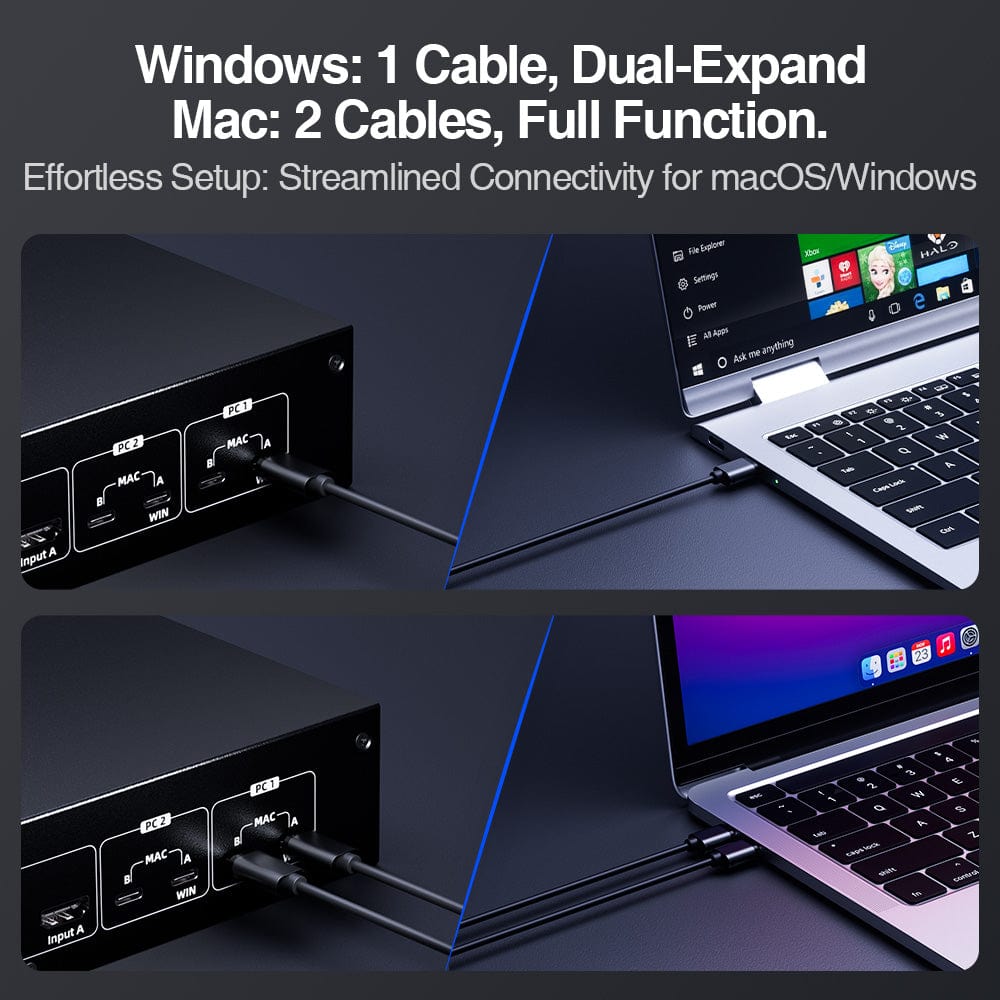
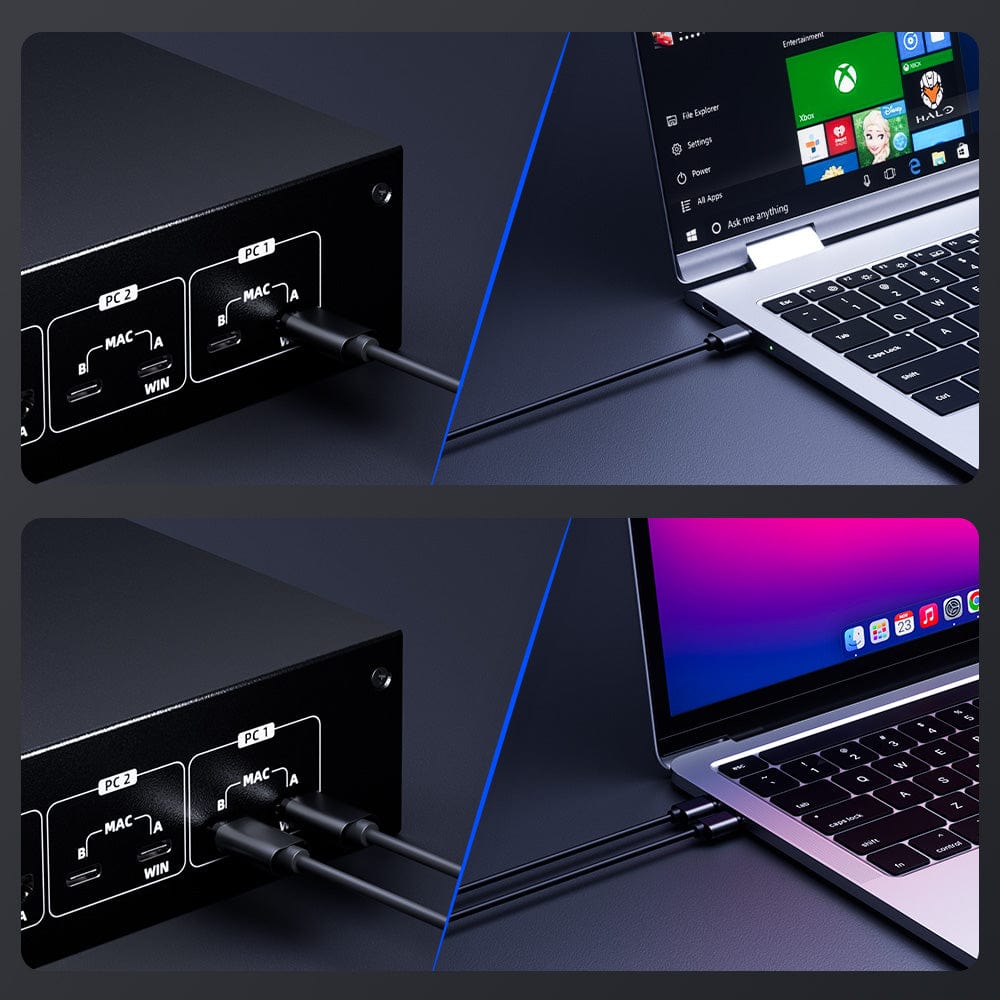
- If your PCs are running Windows OS: Connect two PCs to the input ports labeled 'A' of each input group on the KVM using two USB-C cables to enable MST mode. Connect two PCs to the 'A' inputs.&'B' or only with the input ports of each input group marked 'B' to disable MST mode.
- If your PCs are running MacOS: Connect 2 PCs to inputs 'A'.&'B' of each input group of the KVM with 4 USB-C cables.
- Hotkeys are triggered via a keyboard connected to the dedicated mouse or keyboard ports.
- The emulation programming is fixed and cannot be changed by the mouse. & Keyboard ports will be removed.
- Dedicated mouse & Keyboard ports should not be used for other types of USB devices.
- Use a powered USB hub to expand the number of USB 3.0 ports.
- If the wireless mouse/keyboard is "jumpy", use a USB extender to reduce the distance to the receiver.
- Please install 2 AAA batteries before using the remote control (batteries not included).
COMPATIBILITY INFORMATION
- Dedicated mouse & Keyboard ports have emulation programming. Second-generation chipsets have a "passthrough mode" to send special characters such as multimedia keys (play, pause, volume up/down, etc.), which significantly improves keyboard compatibility.
- Keyboard software such as Logitech Options, DAS Q, Corsair iCUE, etc., conflicts with emulation programming and limits the ability to use dedicated macro keys. We recommend using the KVM's USB 3.0 port as a workaround if this software is desired. The USB 3.0 port does not support emulation programming, and therefore the KVM will not recognize hotkey switching commands. Use a powered USB hub to extend USB connectivity if needed.
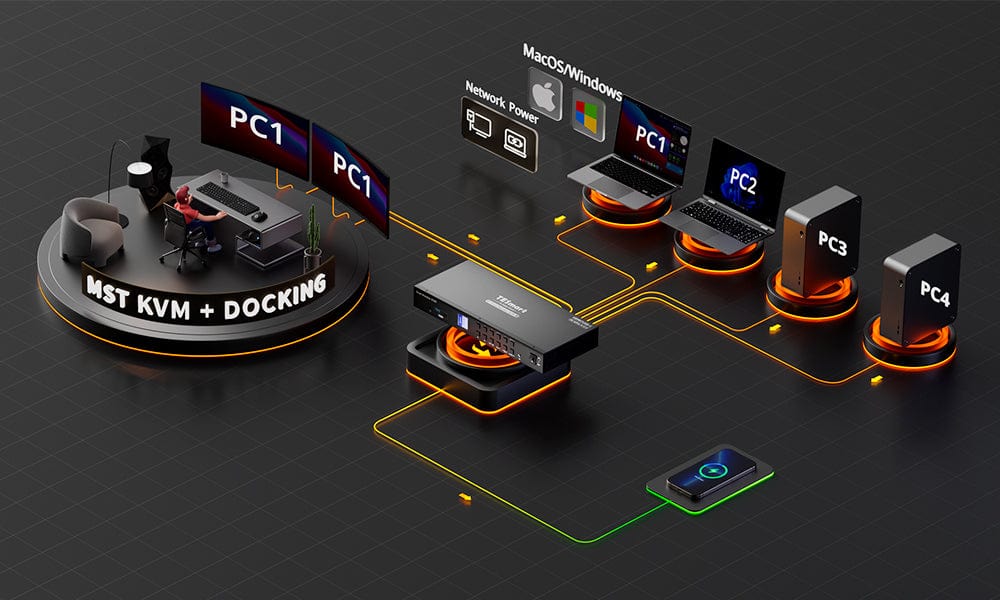

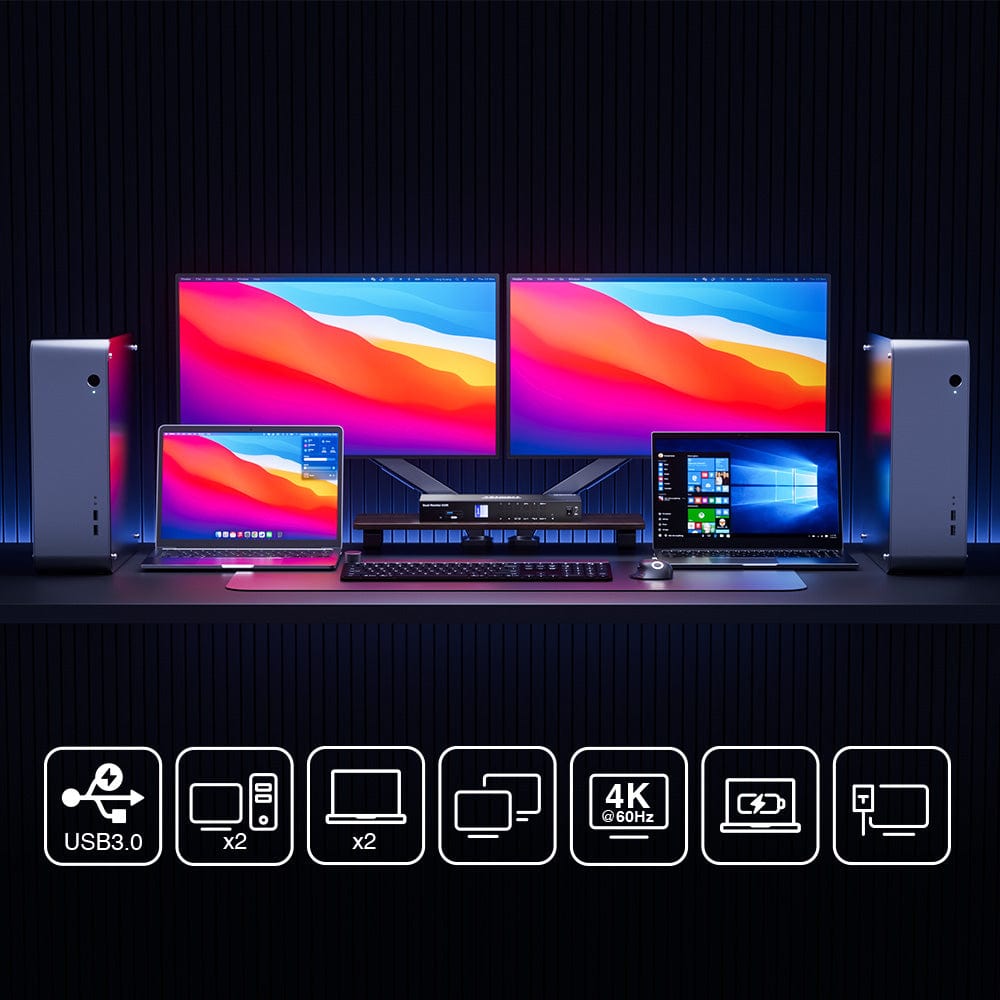
2 laptops + 2 desktops: dual monitor KVM
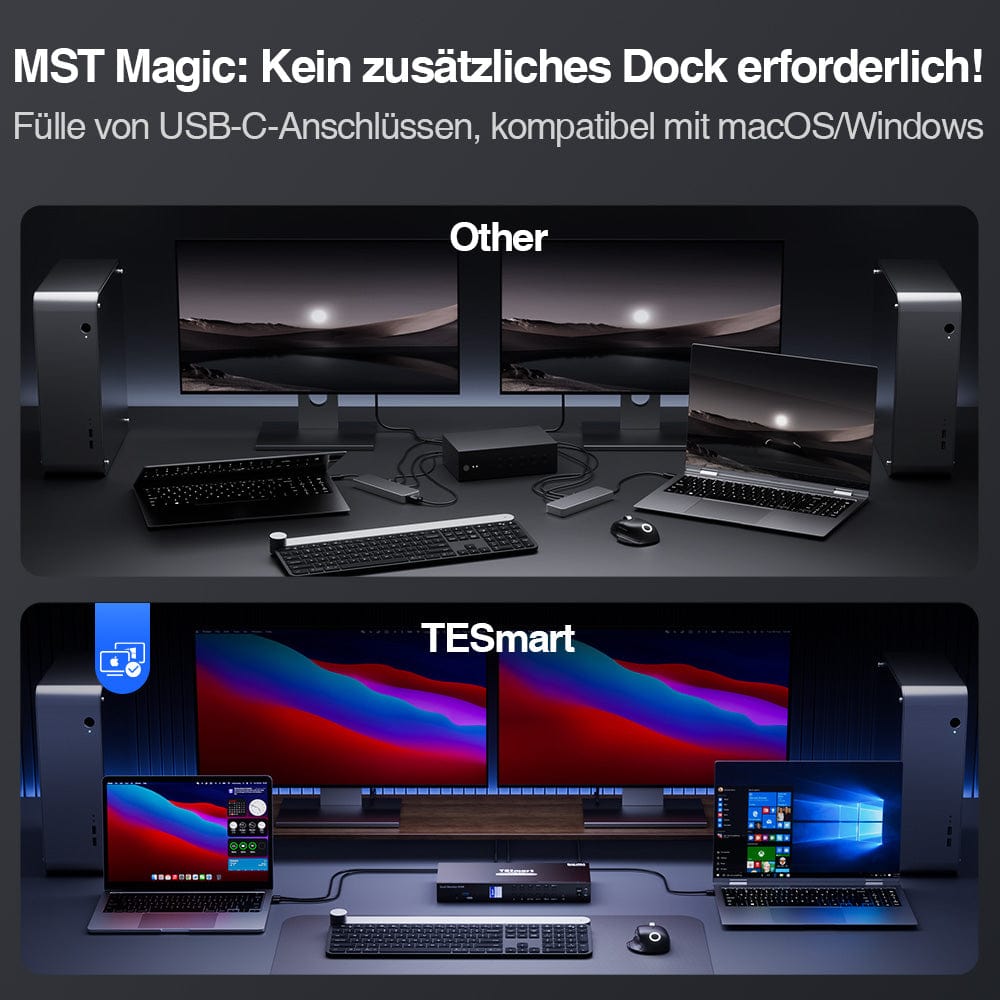
Experience MST: No additional dock required
Windows: 1 cable, dual expand. Mac: 2 cables, full function.
KVM docking station: all-in-one connectivity
Integrated charging module: Supply your devices with energy
- Boost your productivity with our KVM switch. Designed for a dual-monitor configuration across two laptops and two desktops. Ensure MST-enabled USB-C ports are available for seamless operation.
- Discover the power of MST with our KVM switch. Connect multiple monitors without additional hardware. Simplify your workspace with our MST functionality.
- Windows or Mac, we simplify your setup. One cable for Windows, two for Mac. Ensure your USB-C ports are MST-enabled for a seamless, uncluttered workspace.
- Connect all your devices to our KVM docking station. Reduce cable clutter and increase productivity.
- Charge laptops, phones, and more with our integrated module. Say goodbye to multiple chargers.
Integrated network switch: Seamless file exchange
2 display modes: tailored to your needs
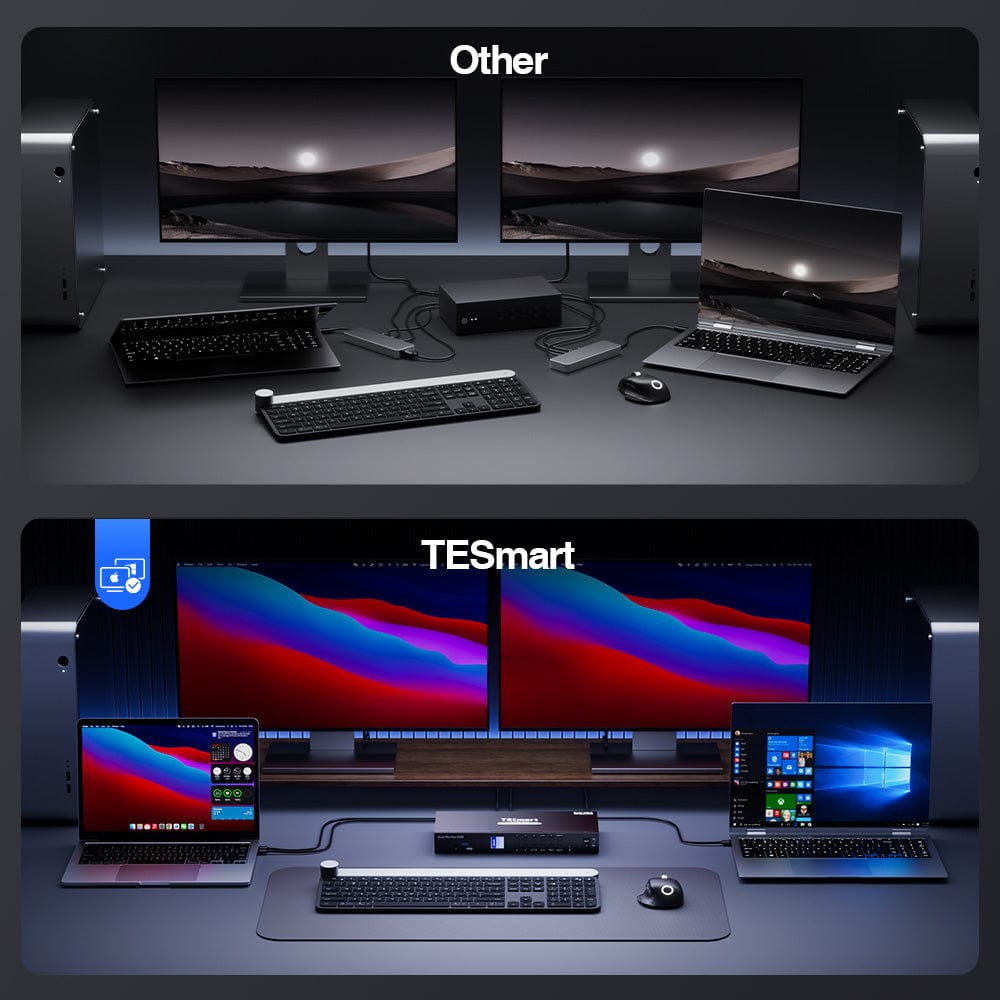
EDID Emulator: Consistent display settings
One-key switching: Simplified workflow
How do you connect?
- Easily set up a network between two laptops to easily share files and collaborate.
- Choose between shared or independent PC views with our KVM switch. Boost productivity with dual displays.
- With EDID emulators, your PCs always have the correct display information. No more troubleshooting display problems.
- Switch between inputs with a single touch. Ideal for multitasking and increasing productivity.
- Download the manual for further setup details.
HCK402-P
What is included?
- 1 * 4x2 HDMI + USB-C KVM switch
- 2 * KVM cables
- 2 HDMI cables
- 4 * USB-C cables
- 1 * IR remote control
- 1 * DC 20V power supply
- 1 * User manual
- 2 * Rack ears
The KVM switch kit comes with all necessary KVM-to-PC cables for a complete setup. We ensure that both of your two laptops are connected to the KVM.
-
Free EU shipping
Fast delivery from the local warehouse
-
Hassle-free returns
30-day money-back guarantee
-
Secure payment
No payment information is stored.
-
Lifetime tech support
Official professional customer service
-
Free EU shipping
Fast delivery from the local warehouse
-
Hassle-free returns
30-day money-back guarantee
-
Secure payment
No payment information is stored.
-
Lifetime tech support
Official professional customer service
