


Signalverlängerung
Max. Auflösung

Empfohlenes Setup

Netzwerkgröße
Netzwerkverlängerung
Netzwerkkonfiguration

Vier Ansichten, gemeinsame Bedienung
HDMI KVM Extender | 120m, 1080p60 & Quad View
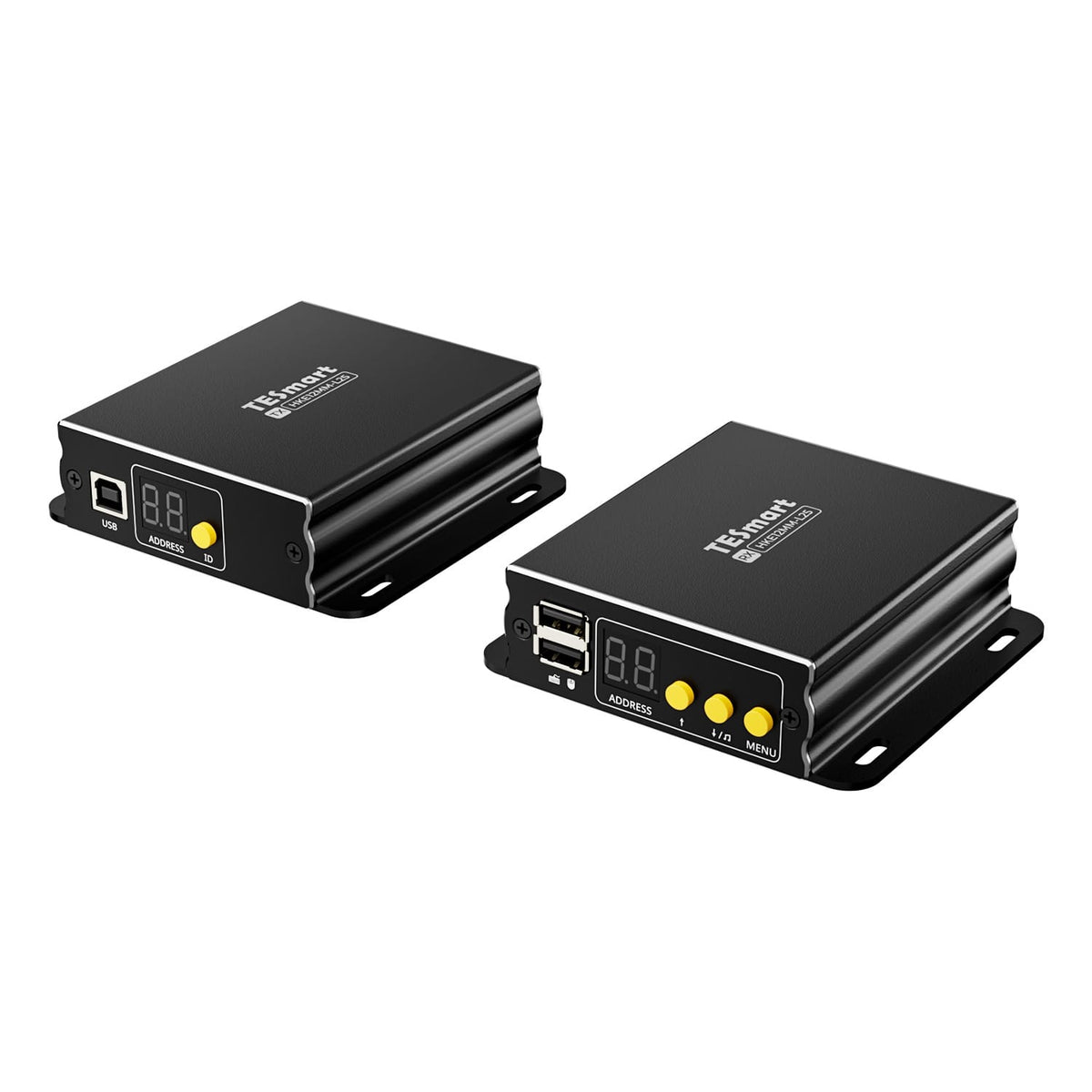
HKE12MM-L25 connects remote PCs and workstations over up to 120 m: 1080p60, KVM over IP, PoE and Quad-View with cross-screen keyboard/mouse control.
Signalverlängerung
Max. Auflösung
Empfohlenes Setup
Netzwerkgröße
Netzwerkverlängerung
Netzwerkkonfiguration
Vier Ansichten, gemeinsame Bedienung
HDMI KVM Extender | 120m, 1080p60 & Quad View
Why HKE12MM-L25?
Overview
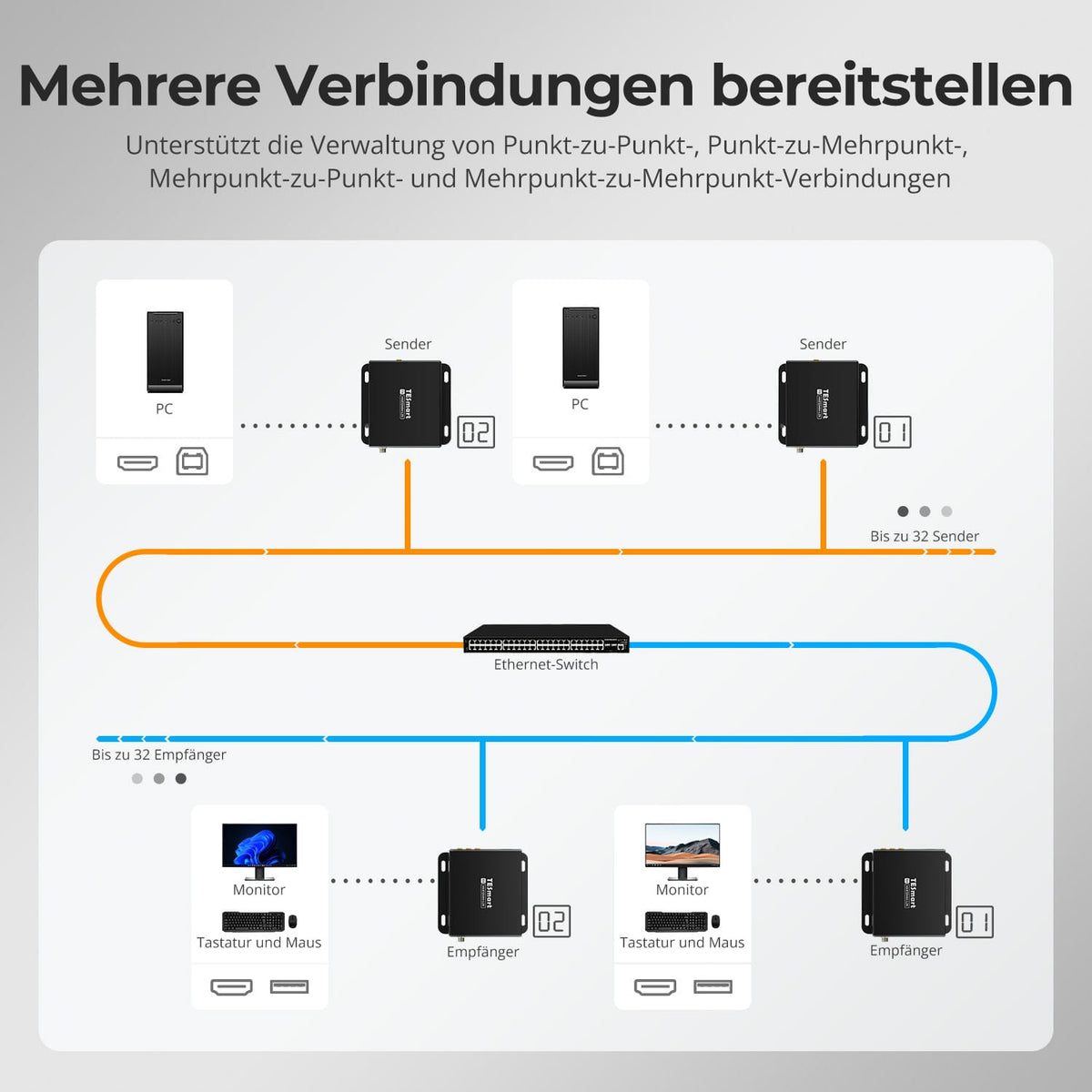
01
Direct or networked: up to 32 TX and 32 RX
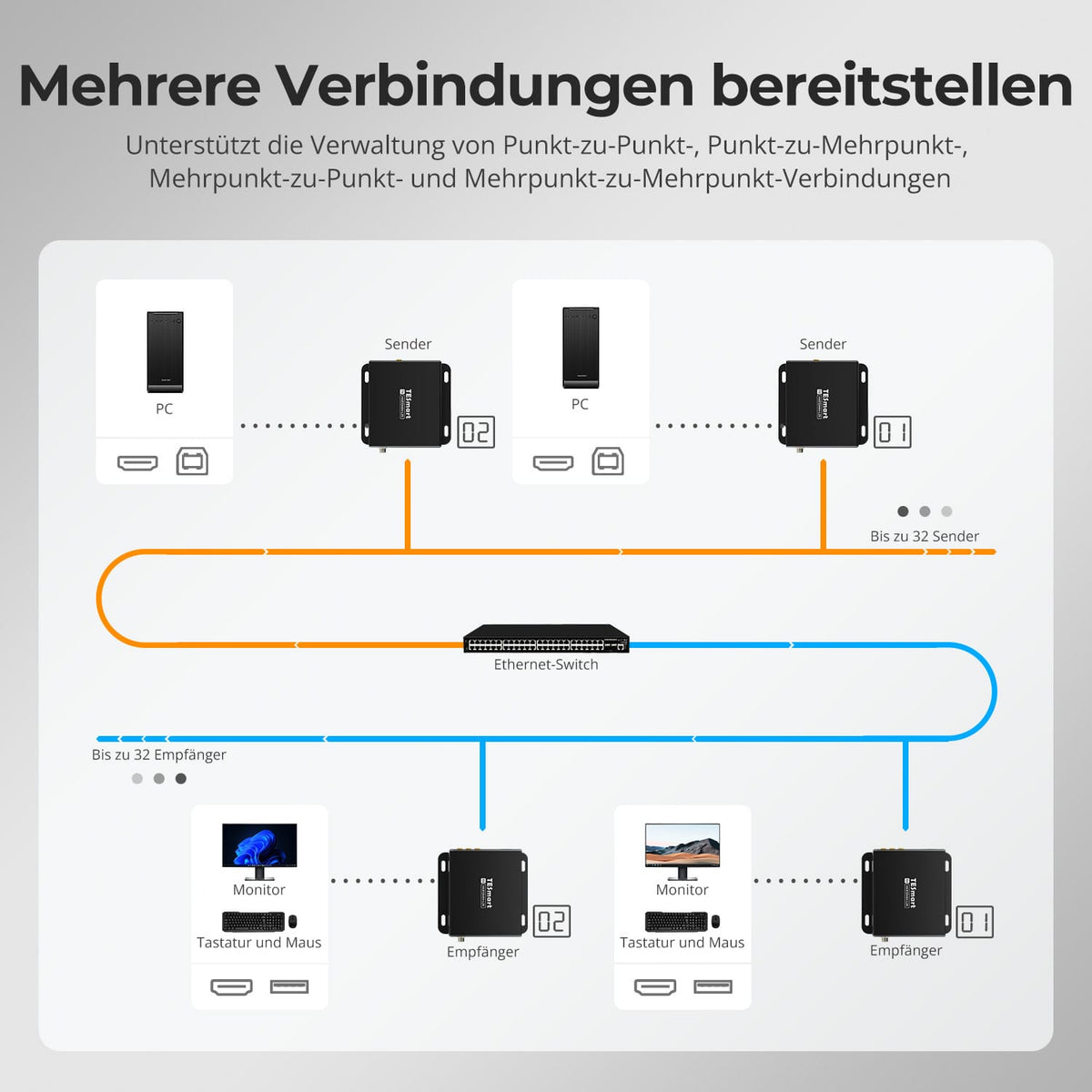
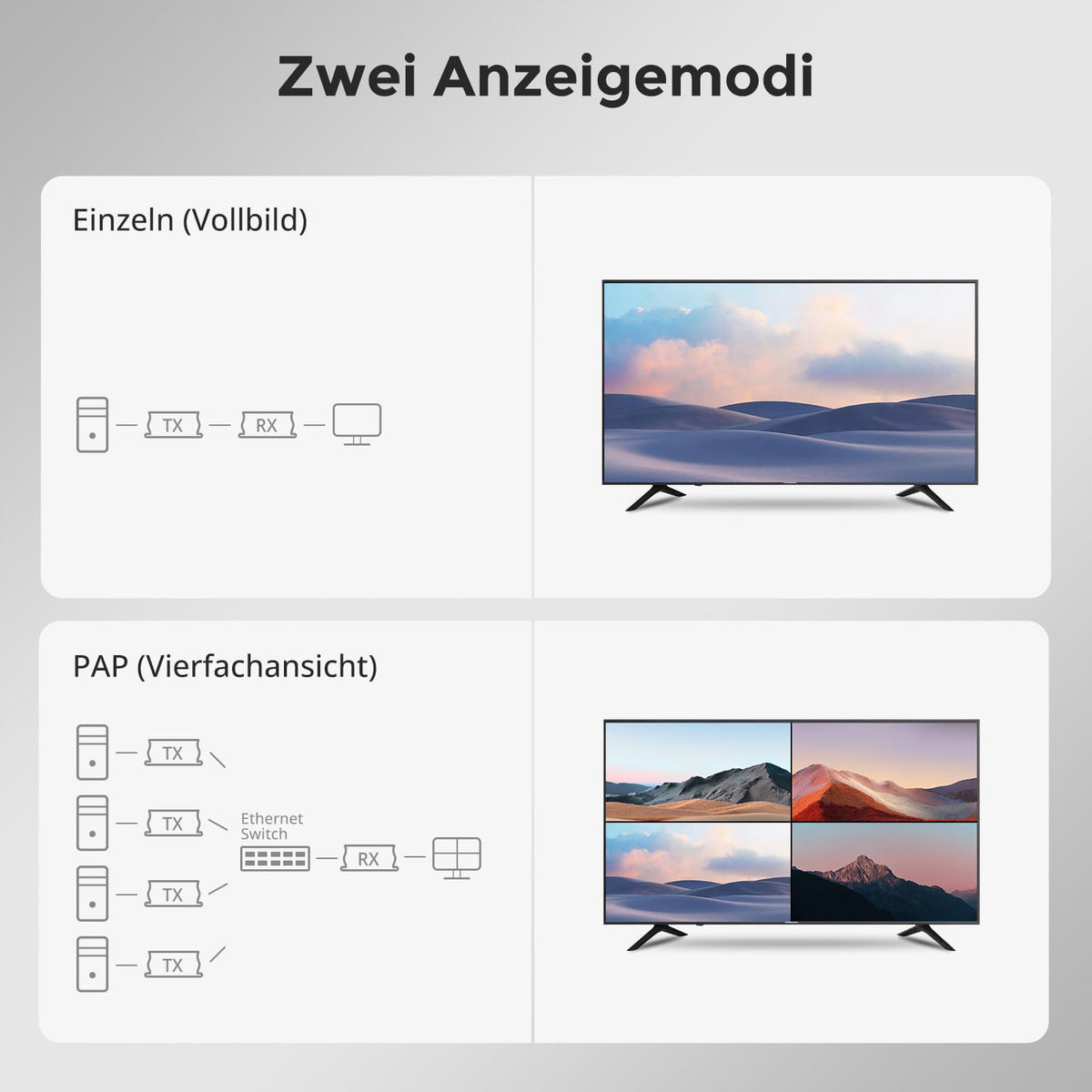
Connect one transmitter to one receiver or multiple devices via a network switch. Up to 32 transmitters (TX) and 32 receivers (RX) are supported.
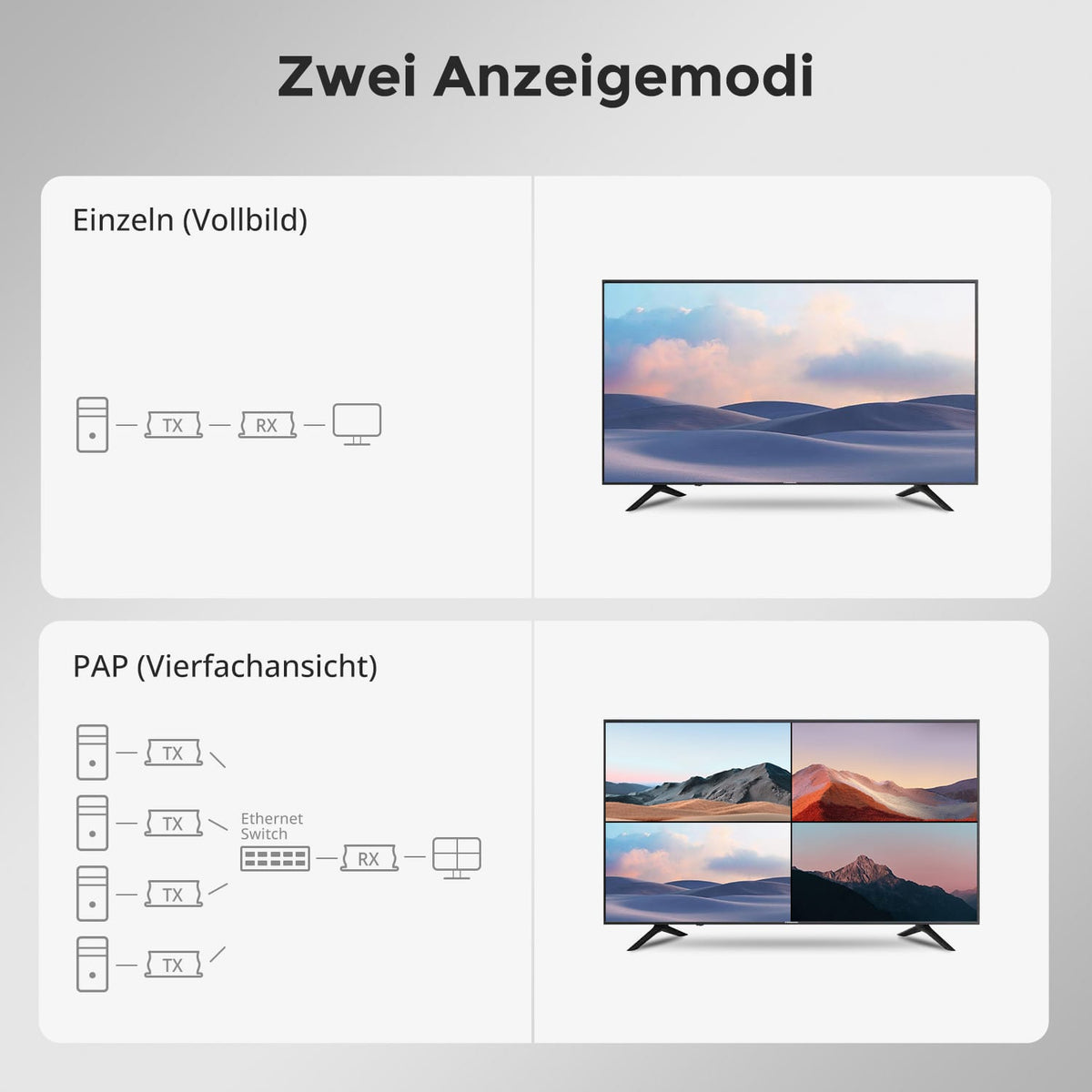
02
Full screen or four sources at the same time
Display one source in full screen or four sources simultaneously in quad view (PAP).
03
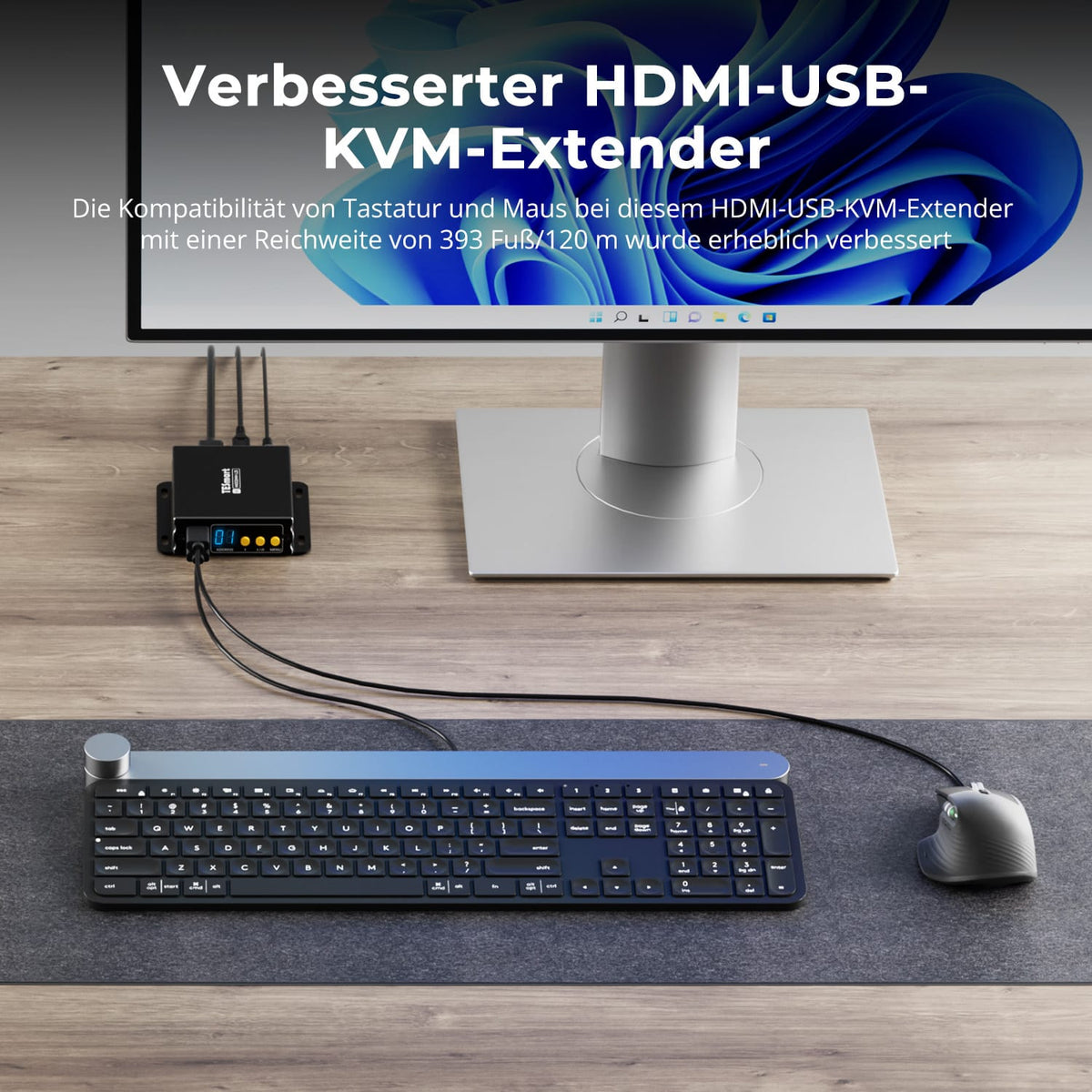
Better keyboard/mouse compatibility at 120m
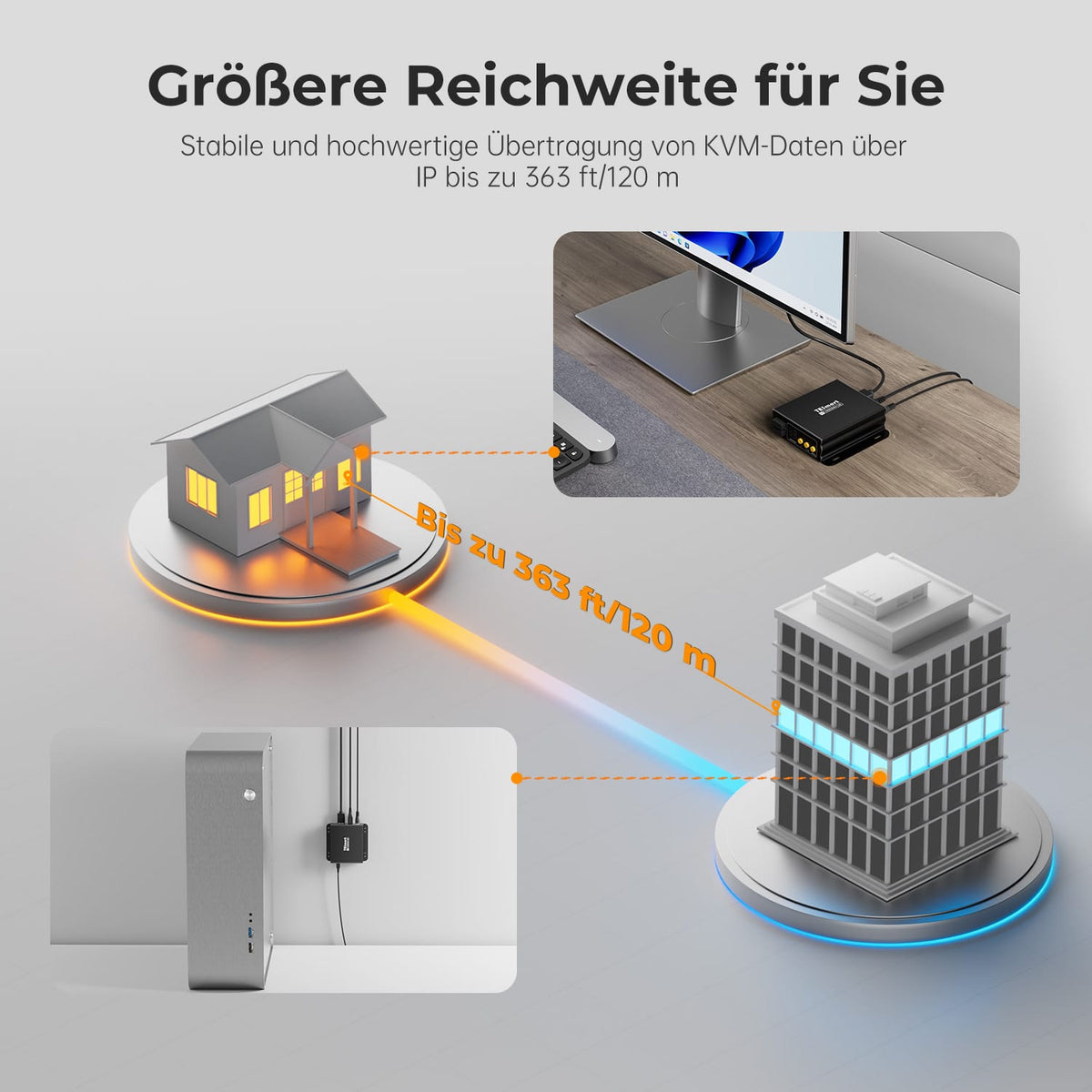
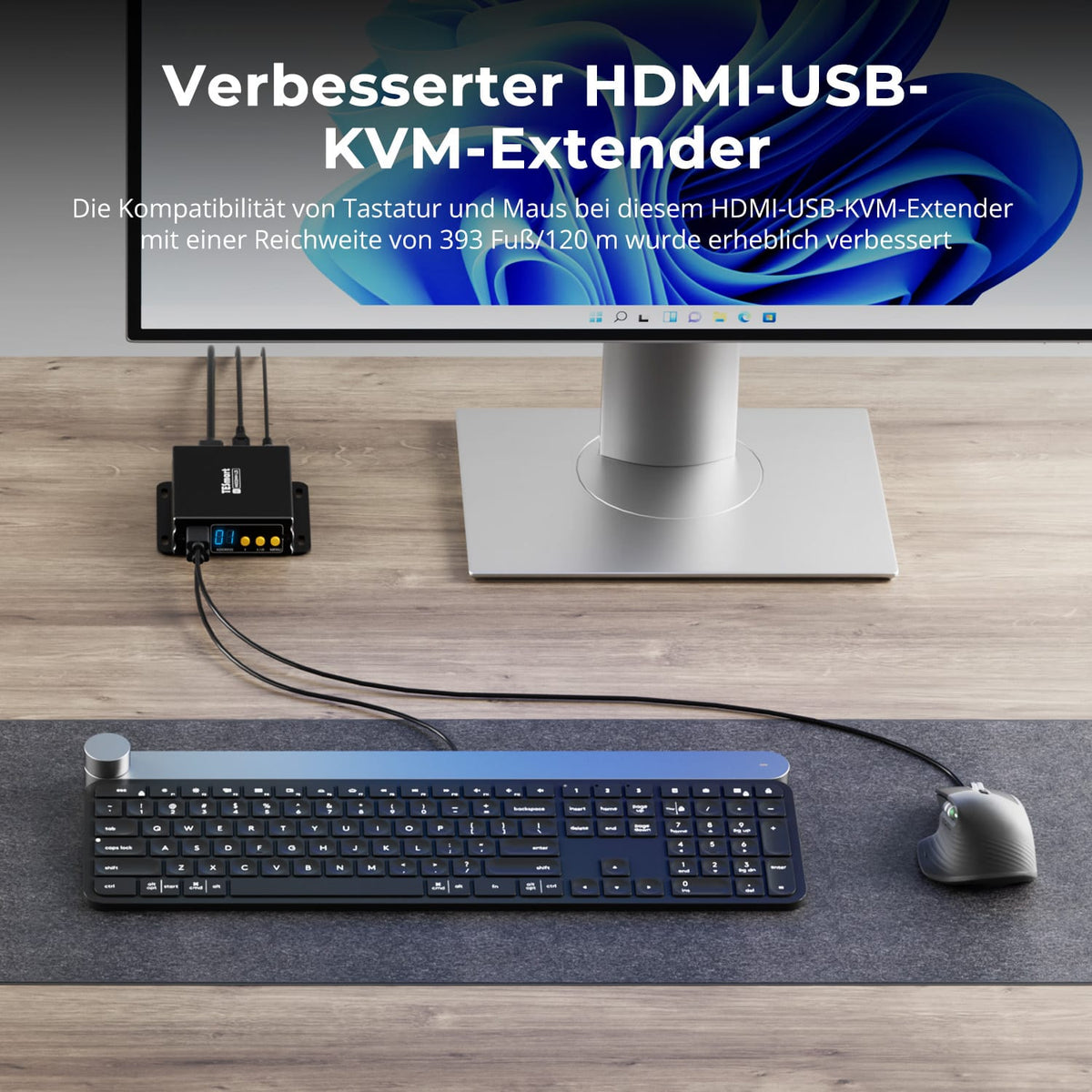
Control your computer from up to 120 m away. The redesigned HDMI-to-USB KVM extender improves keyboard and mouse compatibility.
Data & Support
Compatibility & Connections
Technical data
Instructions & Downloads
Scope of delivery
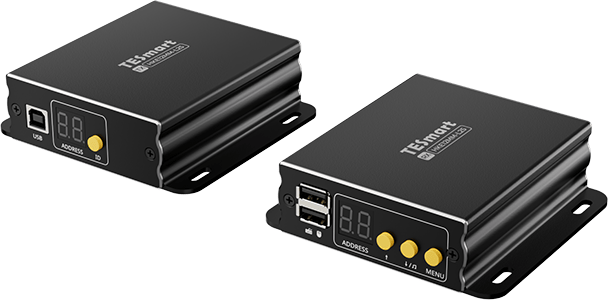
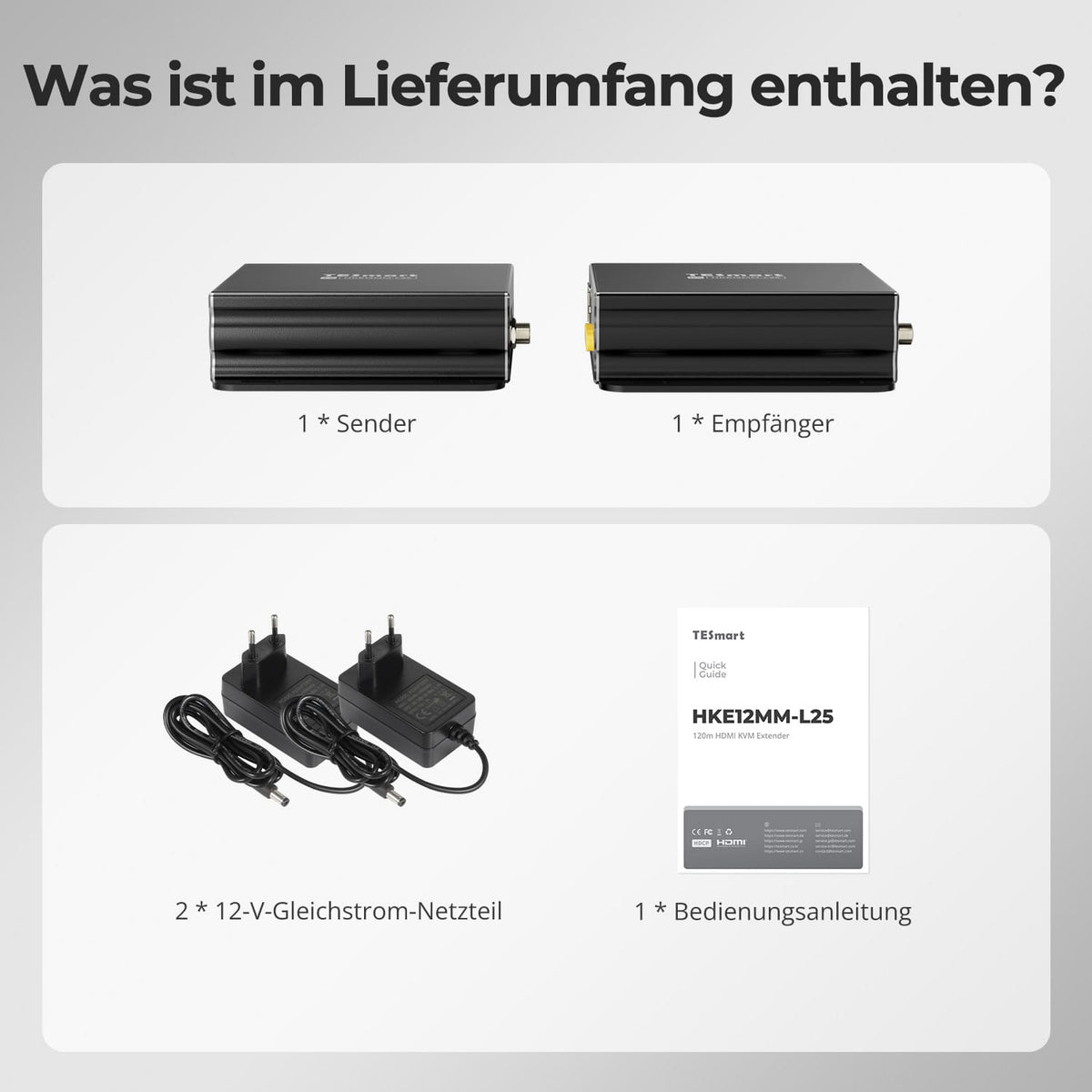
1 × HKE12MM-L25 TX+RX
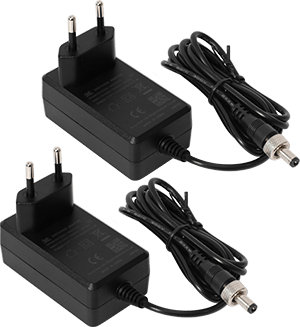
2 × 12V DC power supplies
1×User manual
Compare suitable models
Select the models in the menus to compare computer connections, distance, image output, and installation requirements.
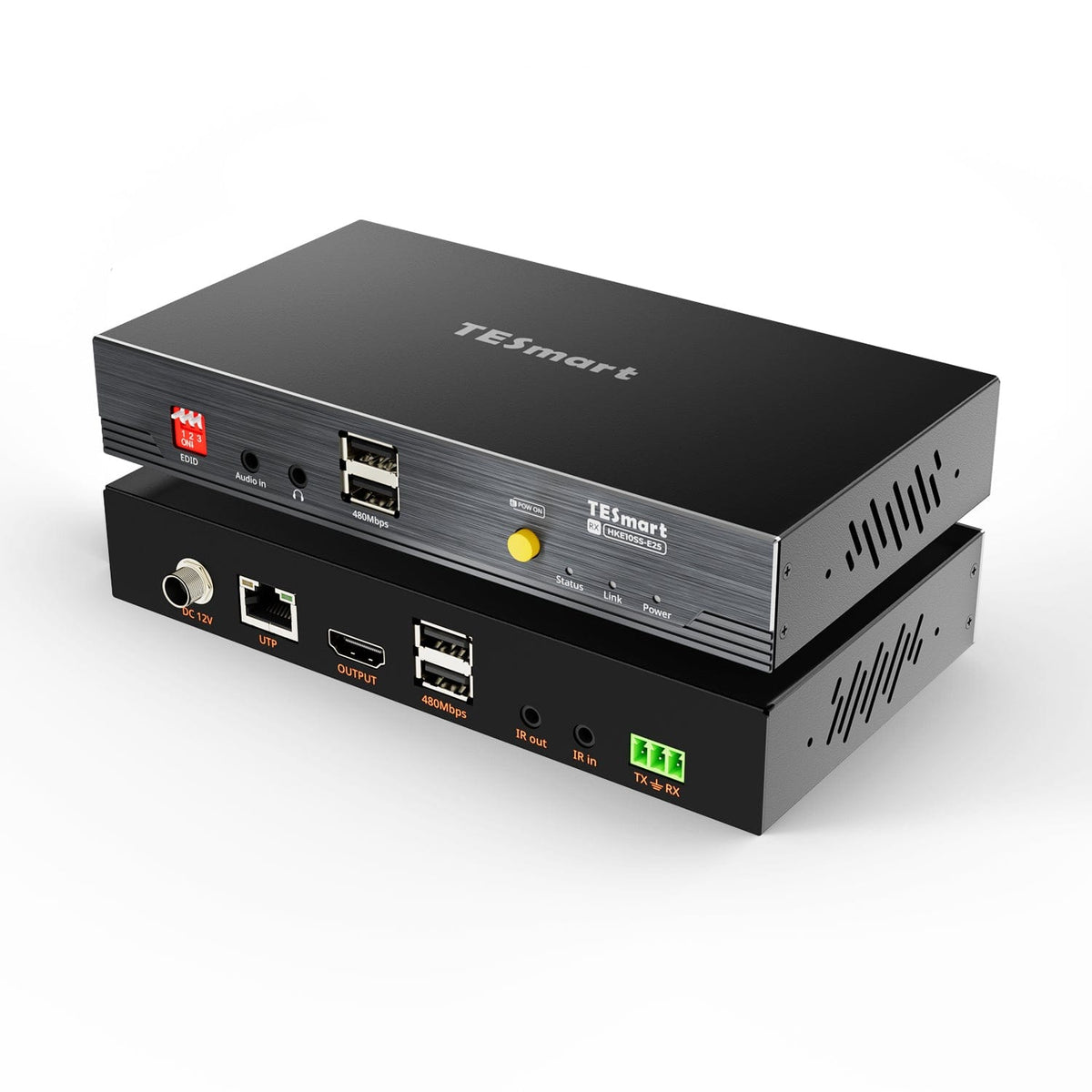

Model
HKE12MM-L25
Model
HKE10SS-E25
Model
HKE10SS-PD25
Computer connection
HDMI + USB per transmitter
Computer connection
HDMI + USB
Computer connection
USB-A computer port with USB 3.2 Gen 1 or higher
Monitor outputs
1 × HDMI per receiver
Monitor outputs
1 × HDMI
Monitor outputs
2 × HDMI
Image output
1080p60
Image output
4K30
Image output
Dual 4K60
Transmission medium
Cat5e or higher, UTP/FTP
Transmission medium
23AWG Cat6 or higher, S/FTP
Transmission medium
23AWG Cat6a or higher, S/FTP
Maximum distance
120 m/394 ft per supported copper connection
Maximum distance
100 m/328 ft
Maximum distance
100 m/328 ft
Connection establishment
Point-to-point or network-based; up to 32 transmitters + 32 receivers
Connection establishment
Direct point-to-point connection
Connection establishment
Direct point-to-point connection
USB at the remote workplace
Keyboard and mouse; cross-screen control in quad-screen mode
USB at the remote workplace
USB 2.0/up to 480 Mbit/s
USB at the remote workplace
USB 3.2 Gen 1/5 Gbit/s
Software requirements
Video connection via hardware
Software requirements
Video connection via hardware
Software requirements
DisplayLink driver required
Power supply
Compatible PoE switch or local power supplies
Power supply
12V DC power supply to transmitter or receiver
Power supply
2 × 12V DC power supplies
Installation requirements
Ethernet switch/router supported; single screen or quad screen
Installation requirements
A continuous shielded cable; without an Ethernet switch or router.
Installation requirements
Direct TX-RX connection; HDCP videos under macOS are subject to DisplayLink limitations.
Frequently asked questions
You can find further answers in our Help Center.
[Compatibility] Which sources, displays and systems does the HKE12MM-L25 support?
Connect one PC or HDMI source to each transmitter and one HDMI display to each receiver. Maximum resolution 1920×1080 at 60 Hz with HDCP 1.4. Cross-PC keyboard/mouse control supports Windows, macOS, and Ubuntu, each via USB to the transmitter.
[Compatibility] Which network cable and what distance are possible?
UTP/FTP from Cat5e upwards, maximum 120 m per supported copper connection. For long or interference-prone routes, use high-quality Cat6/Cat6a cables and appropriate connectors. Avoid damage, unnecessary couplings, and routing near high-voltage power lines.
[Compatibility] Which switch or router do I need?
Reliable Ethernet technology with sufficient ports and capacity is required. For larger installations, a managed Gigabit switch with IGMP snooping and a dedicated VLAN is recommended. Have your network administrator check port speed, VLAN, DHCP, multicast, and PoE power budget.
[Compatibility] Does the HKE12MM-L25 support 4K?
No. Maximum 1920×1080 at 60 Hz with HDCP 1.4. Source, display, HDMI cable, Ethernet connection and network devices affect performance.
[Functions] Which network topologies does the HKE12MM-L25 support?
Direct connection, one sender to multiple receivers, and multiple senders and receivers on the same local network are supported. Up to 32 senders and 32 receivers with unique sender IDs are supported.
[Functions] What is the difference between a single-screen and a quad-screen?
Single-screen displays one source in full screen. Quad-screen, referred to as PAP in the OSD, displays four sources simultaneously in four screen areas.
[Functions] How does cross-PC keyboard/mouse control work?
In Quad-Screen mode, a keyboard/mouse connected to the receiver controls the four visible computers. When a screen boundary is crossed, control switches to the next computer. No additional software is required; each PC needs a USB connection to its transmitter.
[Connections] Do I still need power supplies for PoE?
No, this is not necessary if a stable power supply is provided by a compatible PoE switch. If PoE is unavailable or its power budget is insufficient, use the device's included power adapter. Do not use incompatible passive PoE injectors.
[Connections] How does audio work in a quad-screen?
The 3.5 mm stereo output outputs one of the visible sources at a time. The OSD displays the active audio source. Select it via receiver control or hotkey and activate HDMI audio at the source.
[Functions] How do communication IDs and DHCP work?
Each transmitter receives a unique ID from 1 to 32. In single-screen mode, you select this ID on the receiver; in quad-screen mode, you select one ID per area. Each device also has an IP address that its DHCP client can obtain from an active DHCP server.
[Furnishings] How do I connect a basic transmitter and receiver pair?
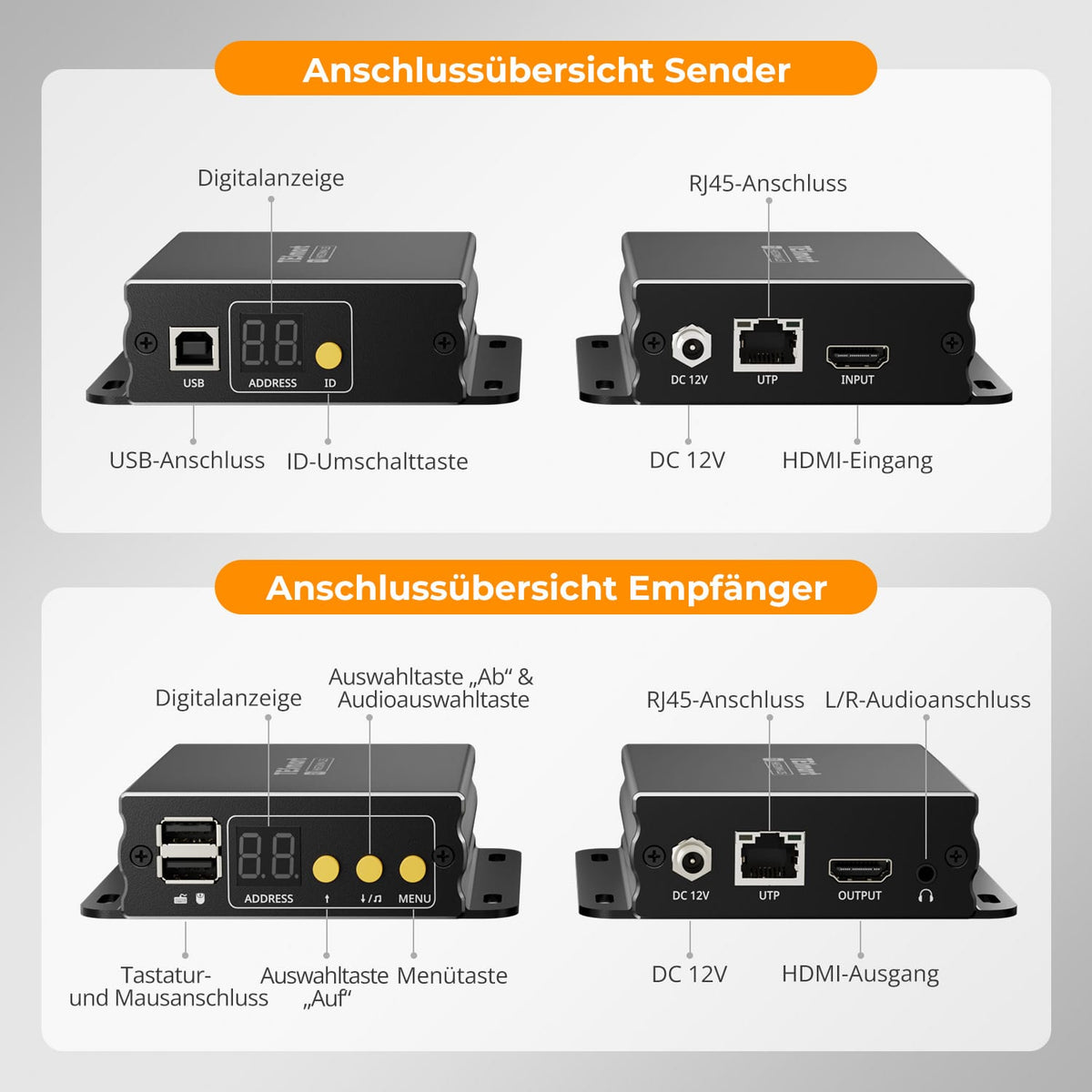
Connect the PC to the transmitter using HDMI and a USB-A to USB-B cable. Connect the transmitter and receiver directly using Cat5e or higher cable, or via the planned switch. Connect the display, keyboard/mouse, and optionally audio to the receiver. Use compatible PoE or power supplies and select the transmitter ID. HDMI, USB, and Ethernet cables are not listed.
[Furnishings] How do I assign IDs to multiple devices?
Each transmitter requires a different ID from 1 to 32. Multiple receivers can select the same source. Coordinate simultaneous keyboard/mouse inputs to avoid conflicting controls.
[Switch] How do I select the source and audio on the receiver?
In single-screen mode, use the Up/Down buttons to change the station ID. In quad-screen mode, first select the audio section and then use the Up button to select its station ID. MENU opens the OSD for navigation and confirmation.
[Switch] Which hotkeys are supported?
Press right Ctrl twice within 2 seconds, then enter the command within 3 seconds. M toggles single/quad screen mode. A one- or two-digit ID (1–32) selects the source. In quad screen mode, use the up/down arrow keys to select the next/previous area; then enter its sender ID.
Frequent question
Answer your customers' questions here.