
Ir a la información del producto
1 de 15
TESmart.DE HDK402-M24-EUBK HDMI 2.1 & DP 1.4 Dual 4K144Hz KVM-Switch Gaming-Dock für 4 PCs & 2 Monitore, mit ADI-Chip, EDID, VRR, FVA, ALLM und Dynamic HDR 10652805090815 HDMI 2.1 & DP 1.4 Dual 4K144Hz VRR KVM-Dock für 4 PCs & 2 Monitore, ADI-Chip, EDID, HDR
TESmart.DE HDK402-M24-EUBK Dual Monitor KVM Switch HDMI 2.1 & DP 1.4 Dual 4K144Hz KVM-Switch Gaming-Dock für 4 PCs & 2 Monitore, mit ADI-Chip, EDID, VRR, FVA, ALLM und Dynamic HDR 10652805090815 4-Port HDMI 2.1 & DP 1.4 4K144Hz VRR KVM-Switch mit ADI-Chip | TESmart
TESmart.DE HDK402-M24-EUBK HDMI 2.1 & DP 1.4 Dual 4K144Hz KVM-Switch Gaming-Dock für 4 PCs & 2 Monitore, mit ADI-Chip, EDID, VRR, FVA, ALLM und Dynamic HDR 10652805090815 HDMI 2.1 & DP 1.4 Dual 4K144Hz VRR KVM-Dock für 4 PCs & 2 Monitore, ADI-Chip, EDID, HDR

HDK402-M24-EUBK

Base para juegos con conmutador KVM HDMI 2.1 y DP 1.4 dual 4K 144 Hz para 4 PC y 2 monitores, con chip ADI, EDID, VRR, FVA, ALLM y HDR dinámico

Precio regular
€814,30
Precio regular
€814,30
Precio de venta
€814,30
Impuesto incluido. Los gastos de envío se calculan en la pantalla de pago.
✨ Free shipping · Germany: 3 business days · EU: 3–7 business days ✨ 30-day free return ✨ Up to 50% credit for recycling
  • Dese prisa, solo quedan 15 artículos en stock!
Overview & Highlights
Señal HDMI mejorada para una calidad impecable. Es por eso que TESmart es la opción número uno para KVM 8K60.
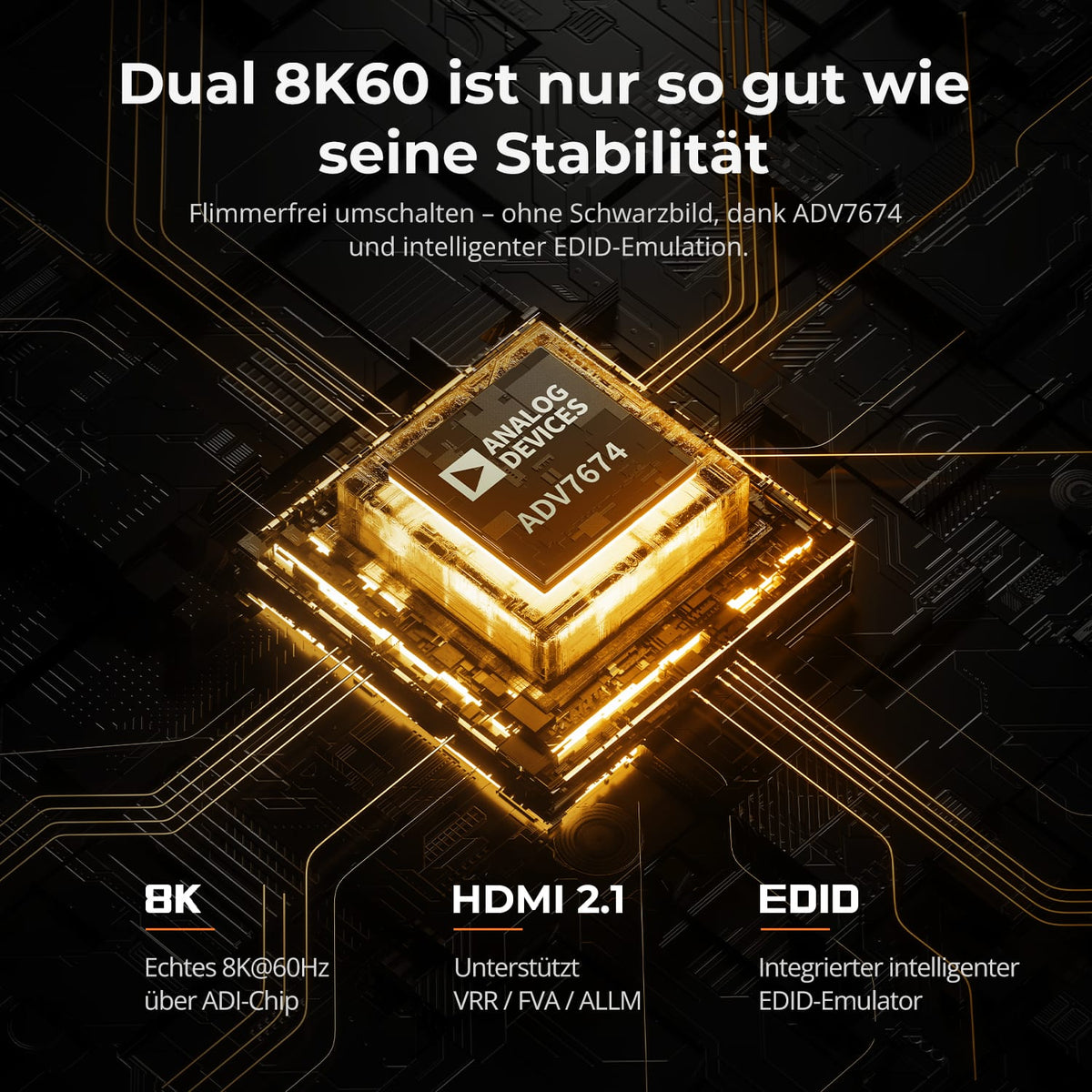
Verdadero dual 8K60Hz del chip ADI, emulador EDID incorporado estable, 99% de compatibilidad con monitores, sin parpadeos, pantallas parpadeantes o negras.
Productos relacionados:
HDK202-M24: El modelo hermano para Dual 8K60 para 2 PC (HDMI 2.1 y DP 1.4) y 2 monitores (HDMI 2.1).

Para edición dual 8K/4K:
Admite color de 12 bits para una edición precisa de 8K/4K, ideal para juegos avanzados y edición de imágenes profesional.
Para juegos duales 4K/144Hz:
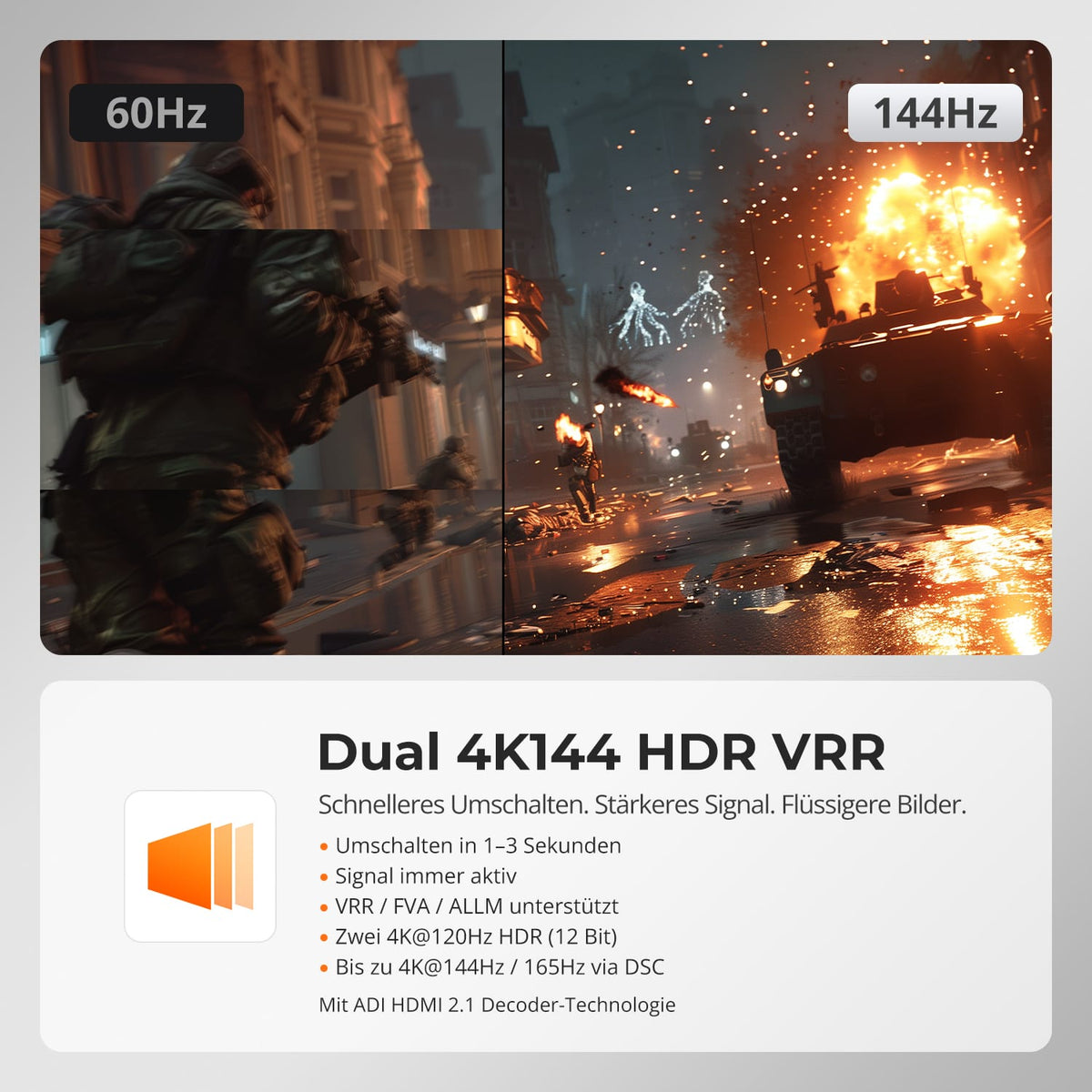
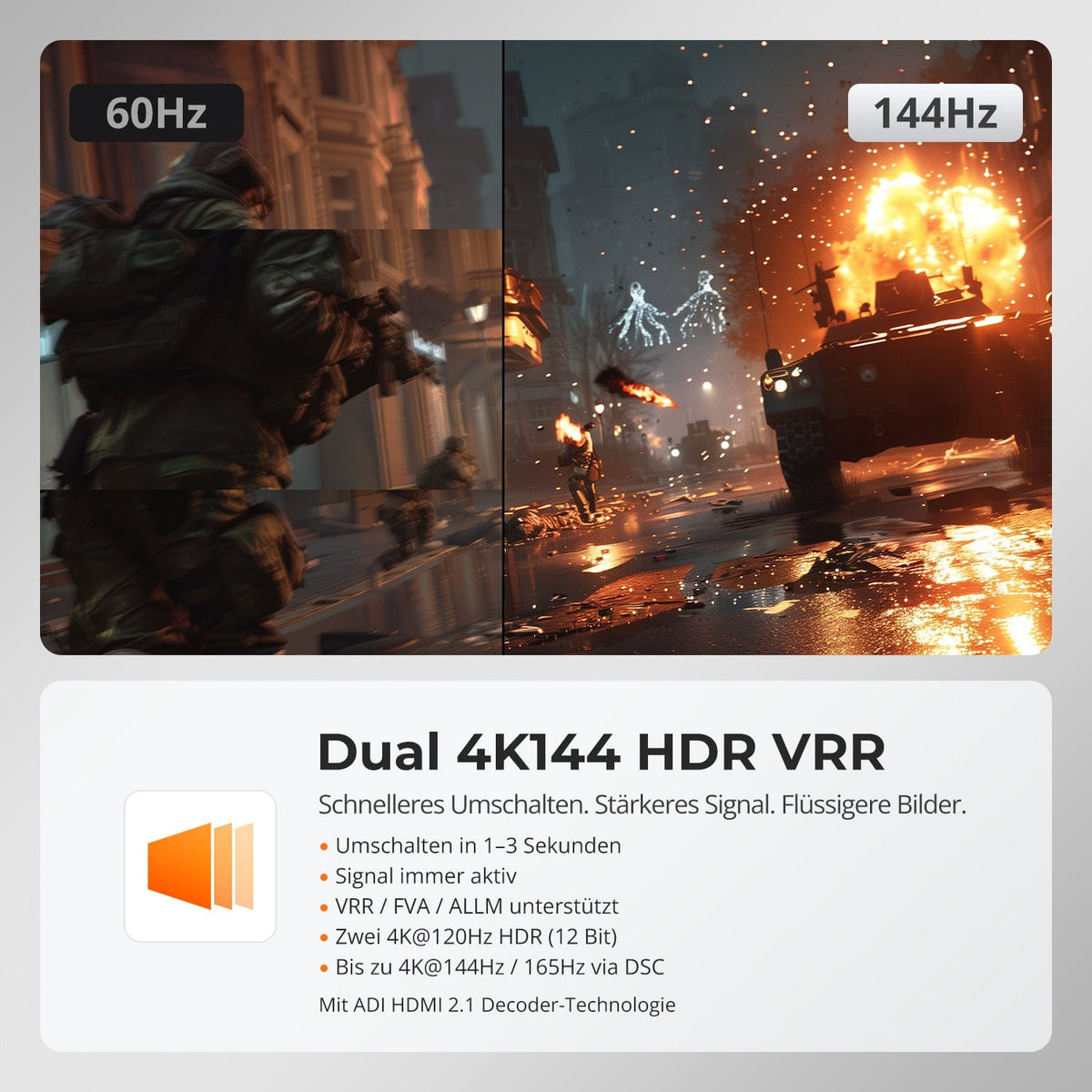
Mejorado con cuatro tecnologías: Dynamic HDR (HDR10+, Dolby Vision), VRR (G-Sync, FreeSync), FVA y ALLM.
Compatible con tarjetas gráficas Nvidia y AMD para garantizar imágenes de juego estables, fluidas y sin fantasmas.
Logra doble 4K@144Hz/160Hz mediante tecnología DSC 1.2a.

Acerca de este producto:
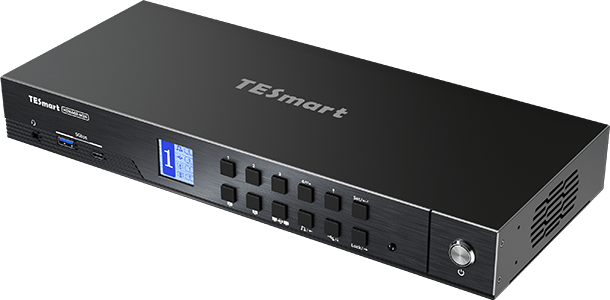
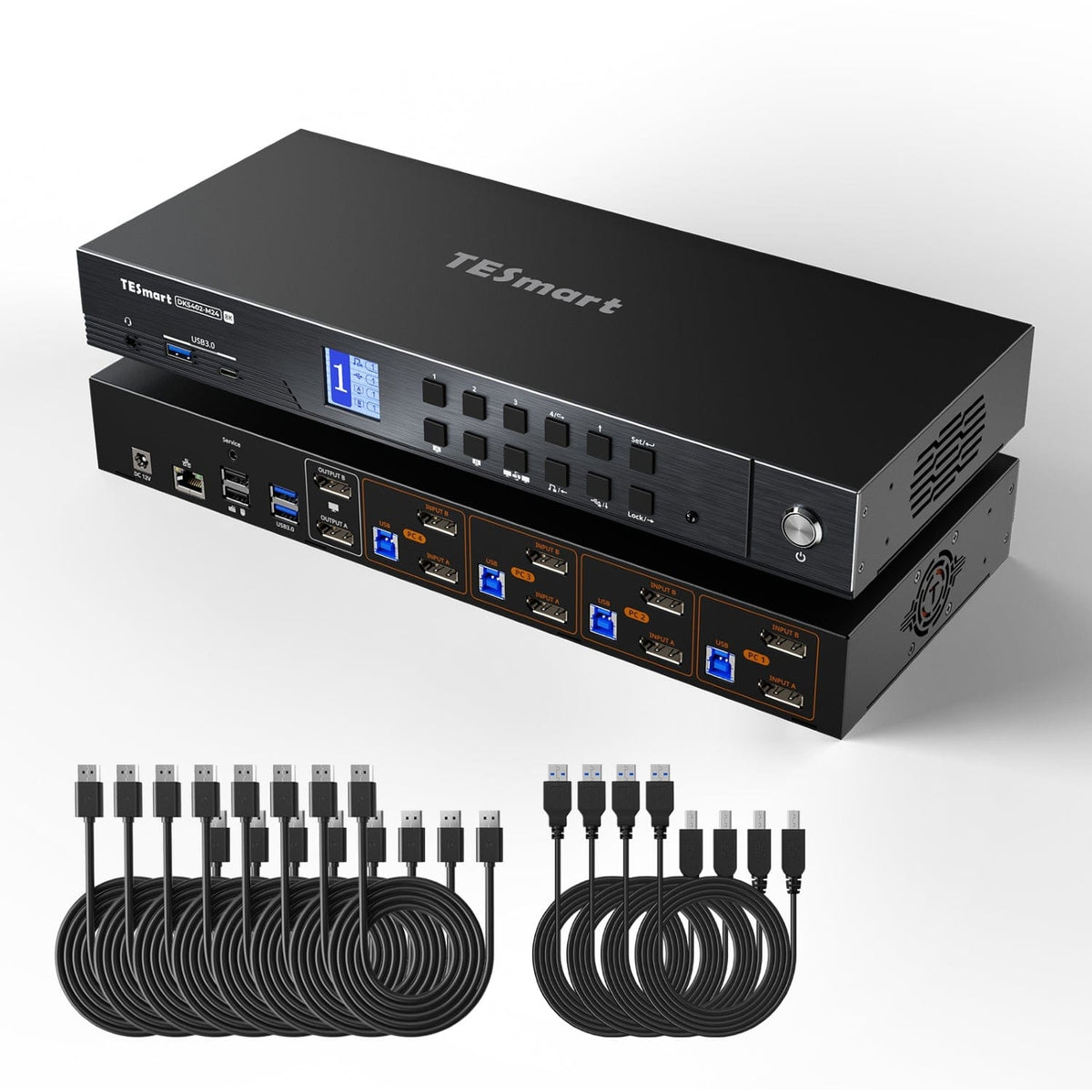
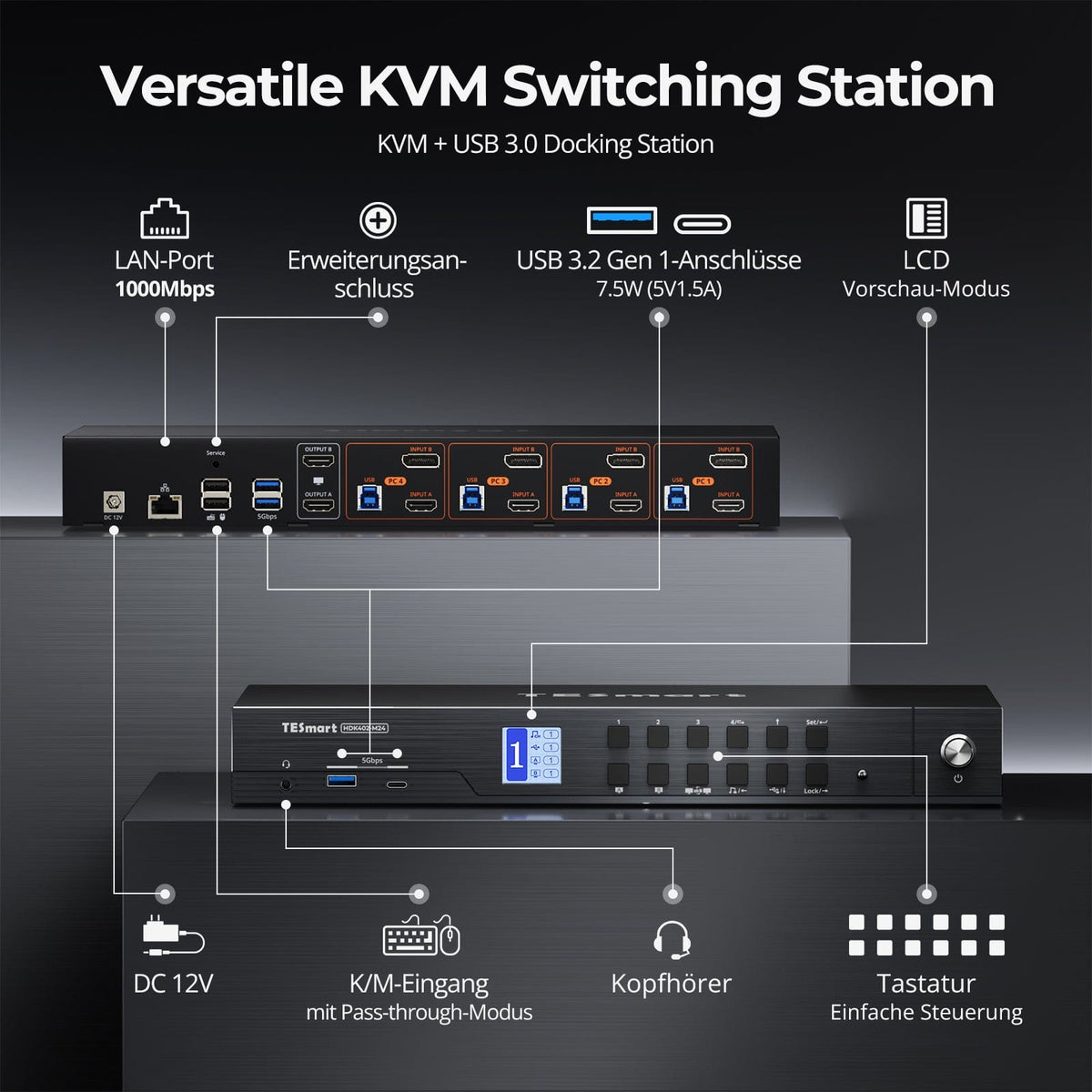
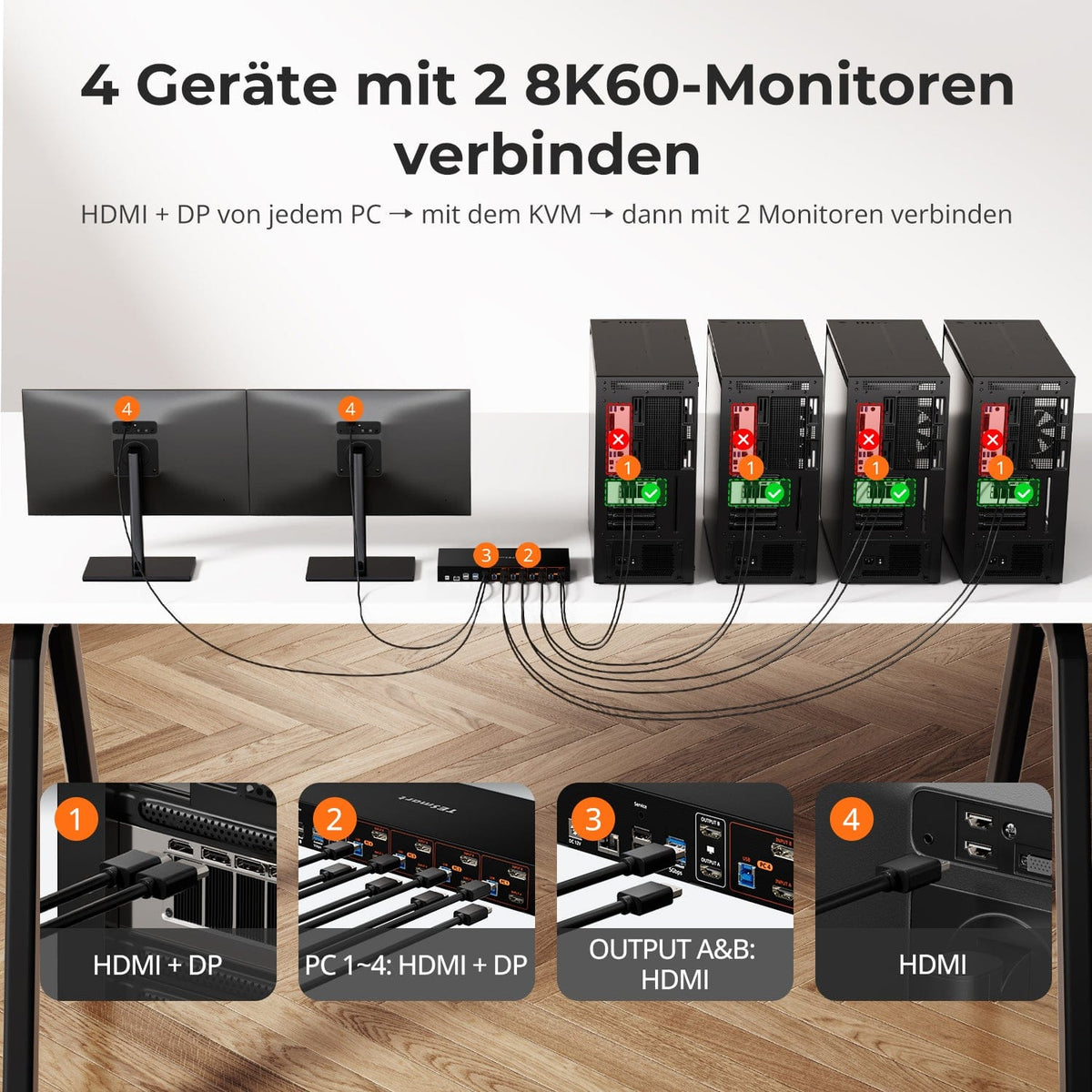
1 puerto HDMI 2.1 y 1 puerto DP 1.4 por PC: mejor compatibilidad con GPU, plug and play sin adaptadores.
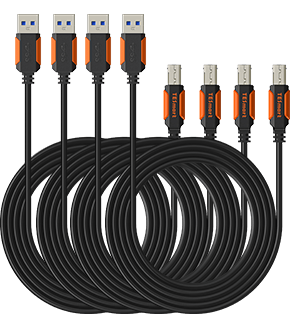
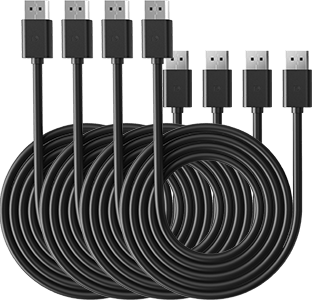
La base para juegos KVM HDMI 2.1 y DP 1.4 incluye todos los cables de PC necesarios, con 4 cables KVM y 4 cables DP para una conectividad completa.
Administre eficientemente cuatro PC con un solo teclado, mouse y dos pantallas 4K144Hz.
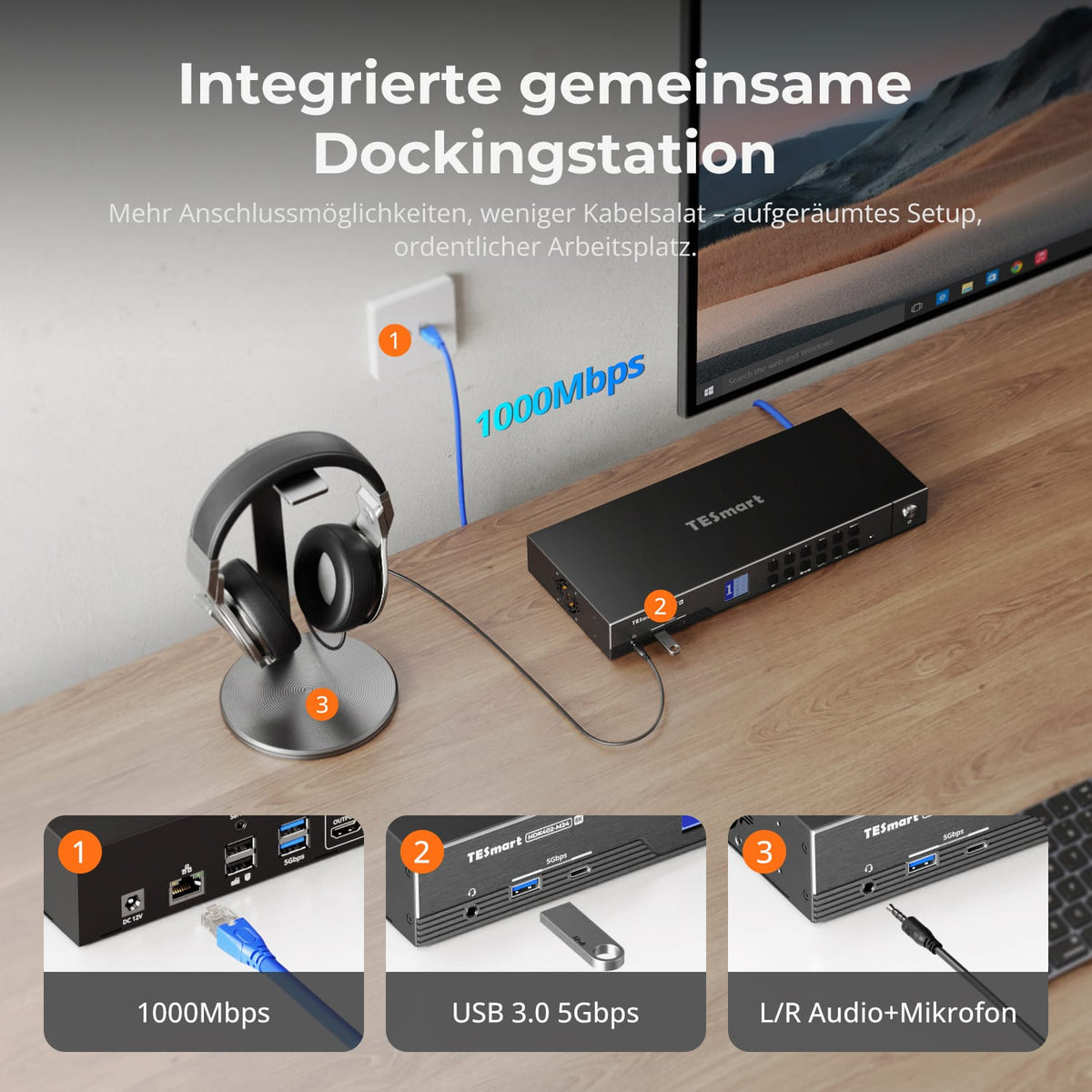
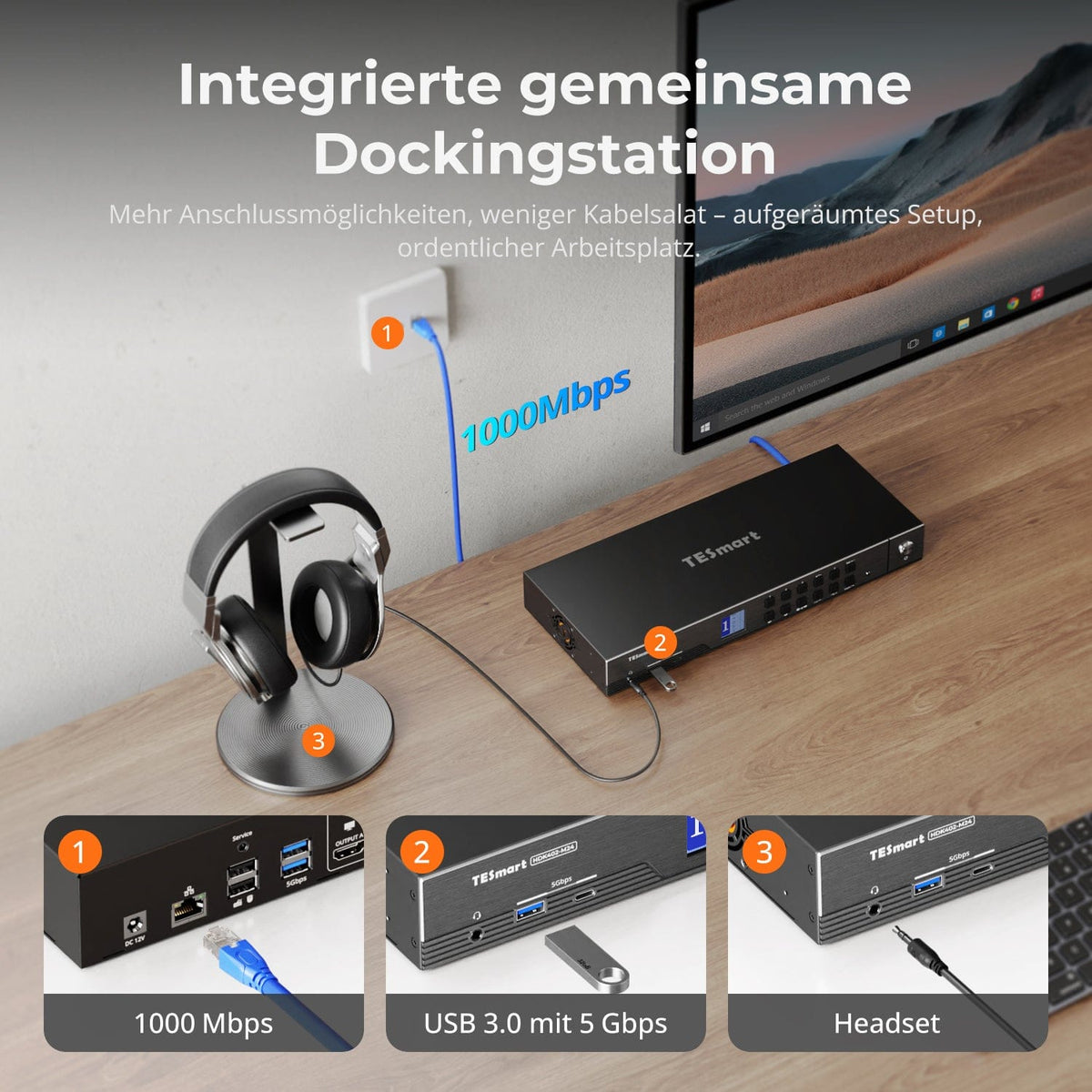
Admite conexión de red por cable Gigabit, lo que permite que las cuatro PC conectadas al KVM compartan la red con un solo cable.
Compatible con HDMI 2.1, ofrece un ancho de banda ultraalto de 48 Gbps y admite VRR, FVA y ALLM.
Compatible con HDR10 y Dolby Vision para efectos visuales impresionantes.
Resoluciones de hasta 8K (4320p) a 60 Hz 4:4:4, con compatibilidad con versiones anteriores de 4K (2160p) a 60 Hz/120 Hz/144 Hz.
Compatible con HDCP 2.3 y DSC 1.2a para estándares de vídeo avanzados.
Dos modos de visualización disponibles: extender o dividir el escritorio para configuraciones de pantalla flexibles en cualquier monitor.
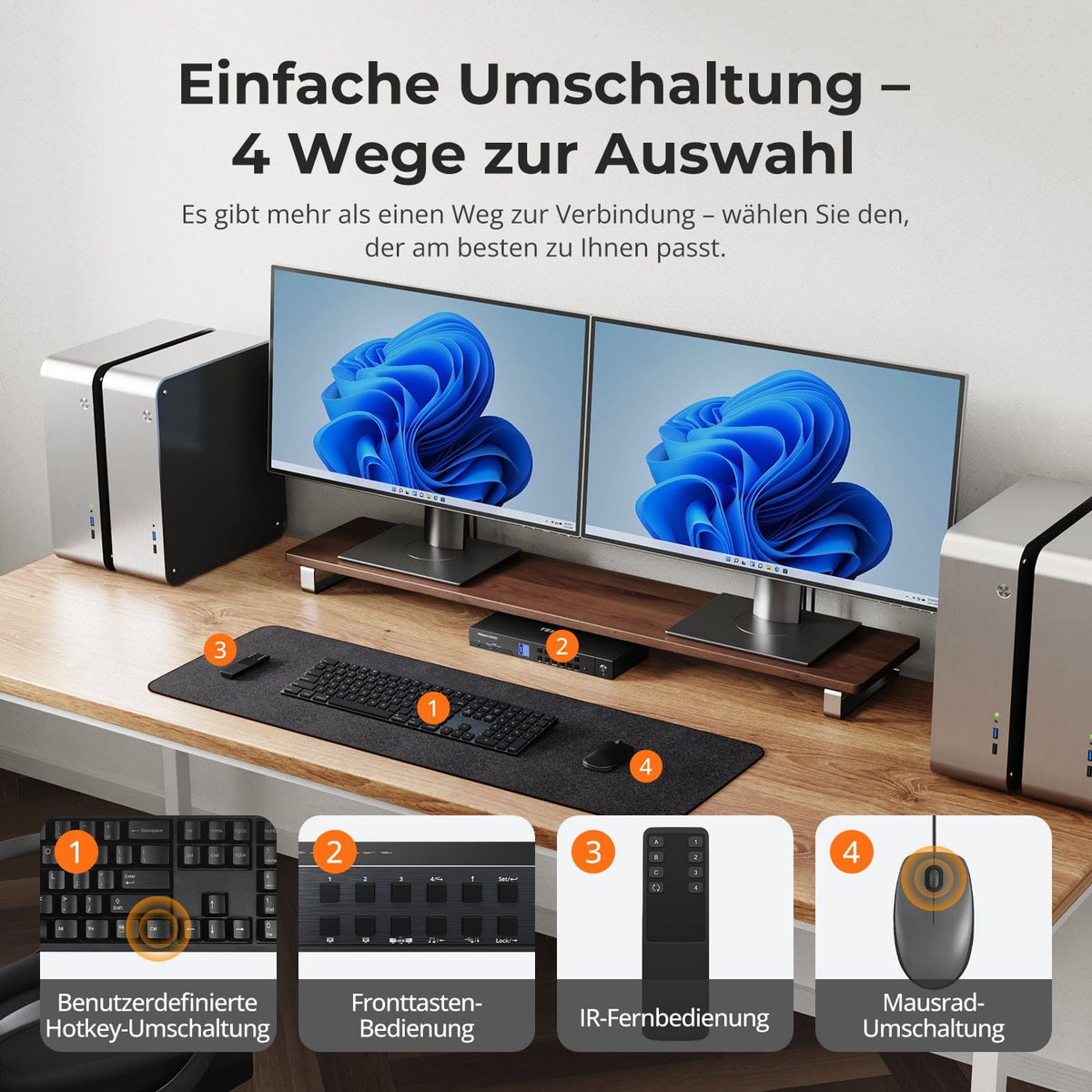
Cuatro métodos de conmutación de entrada: use teclas de acceso rápido del teclado, la rueda del mouse, el botón del panel frontal o señales de infrarrojos para cambiar las entradas, con una operación perfecta del teclado y el mouse después de cambiar.
La emulación EDID evita cambios de resolución y reordenación de símbolos.
La transferencia de teclado y mouse y el modo de emulación heredado garantizan una amplia compatibilidad: se admiten teclados con cable, inalámbricos, mecánicos y para juegos.
Admite USB 3.2 Gen 1 para una rápida transferencia de datos; Comparta USB 3.0 y periféricos de audio para mayor comodidad.
Cargue dispositivos móviles a través del puerto USB frontal.
Admite conexión en caliente: conecte o desconecte dispositivos al KVM en cualquier momento sin apagar las PC.
Efectos de iluminación RGB integrados: utilice teclas de acceso rápido para cambiar entre diferentes efectos de iluminación y disfrutar de una experiencia personalizada.
Compatible con Unix, Windows, Debian, Ubuntu, Fedora, macOS X, Raspbian y otros sistemas basados ​​en Linux, ideal para el hogar, la oficina o la educación.
Scope of delivery
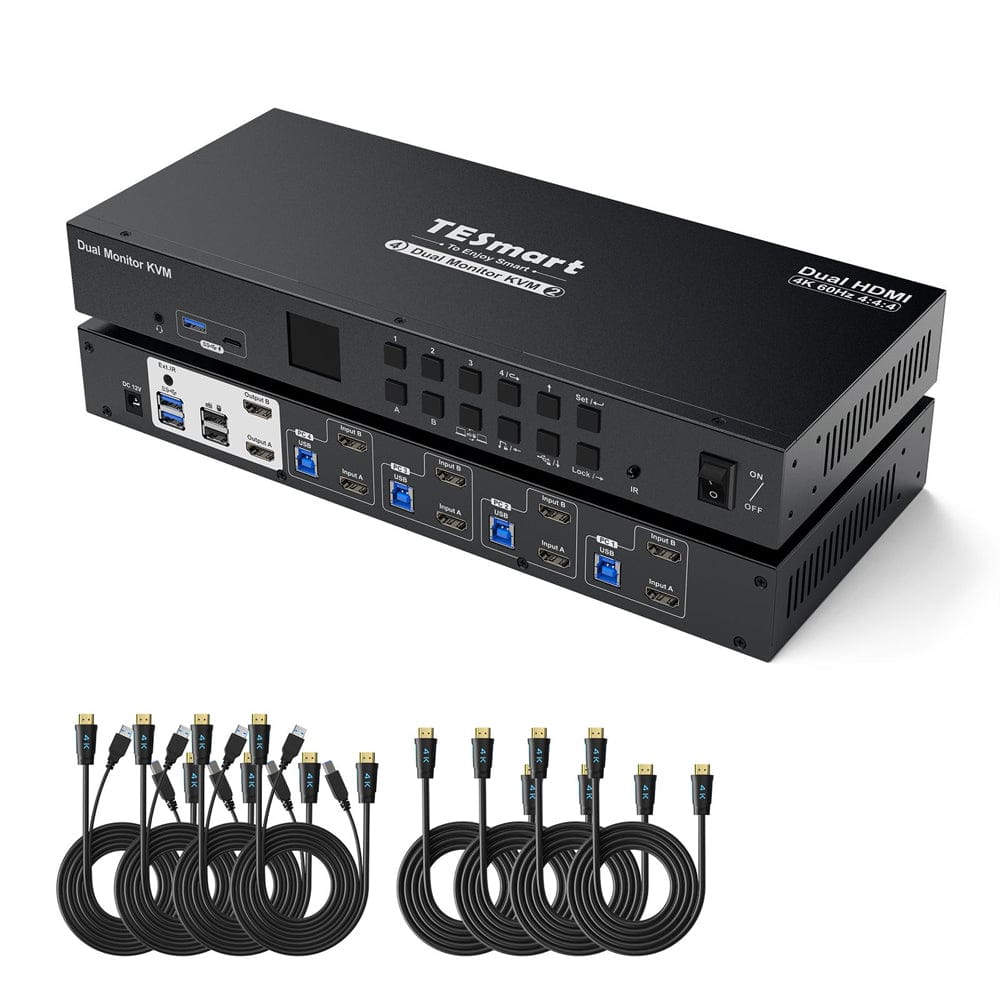
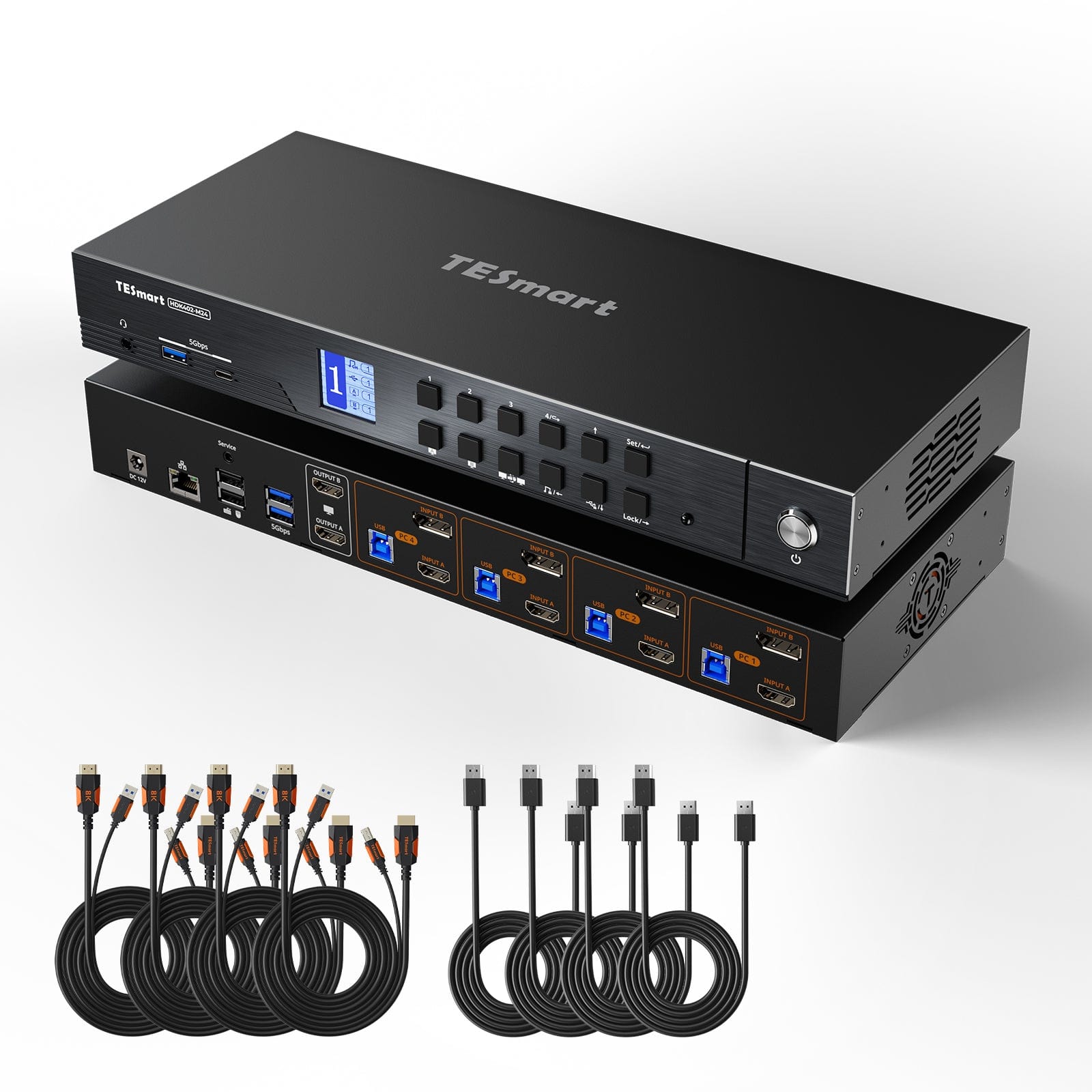
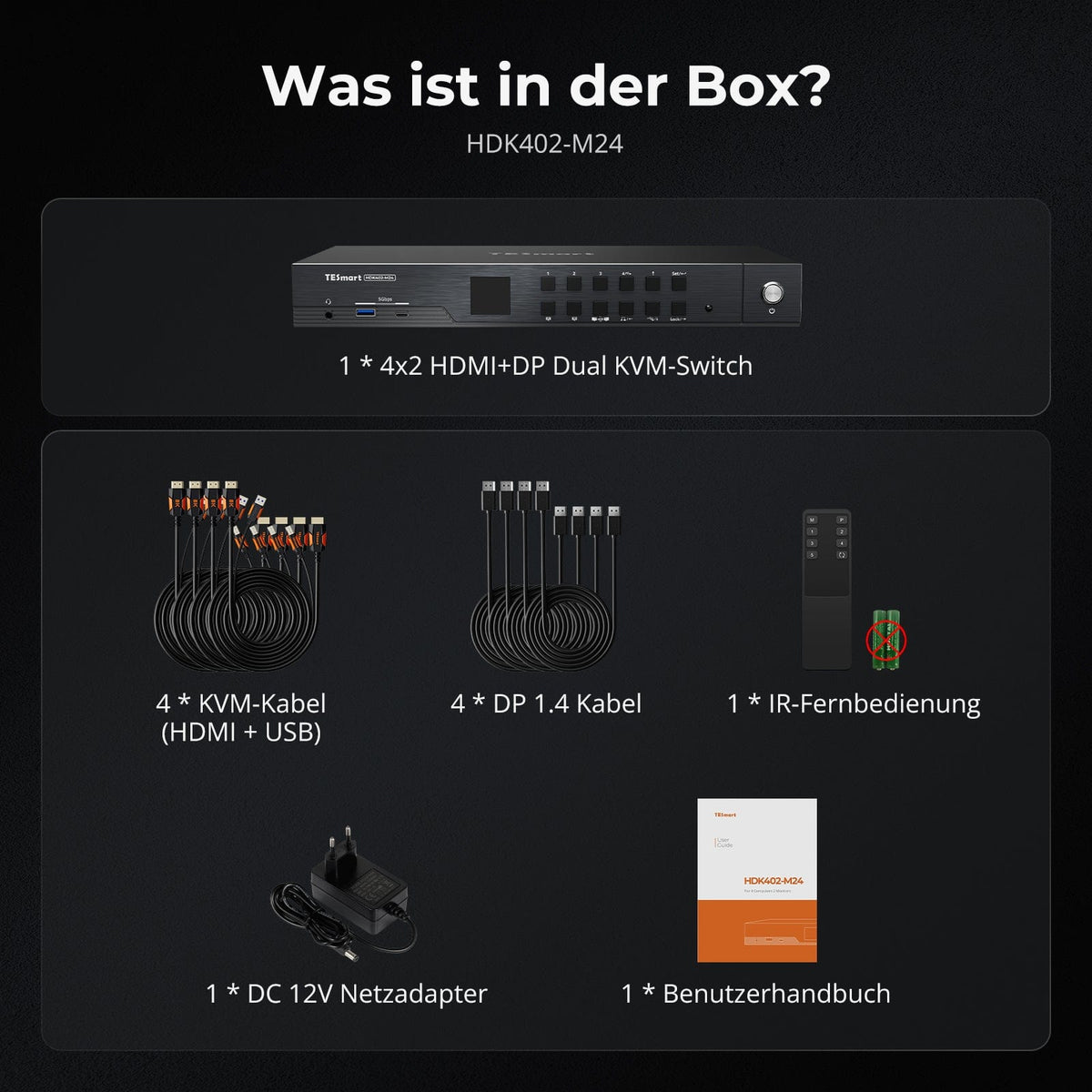
  • 1 * 4x2 HDMI+DP dual monitor KVM switch
  • 4 * KVM cables
  • 4 * DP cables
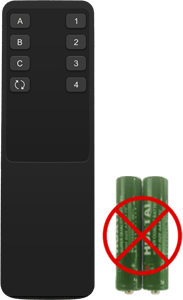
  • 1 * IR remote control
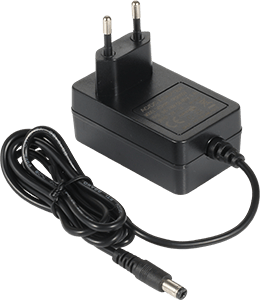
  • 1 * DC-12V power supply
  • 1 * User manual
Downloads & User Manual
TESmart.DE HDK402-M24-EUBK HDMI 2.1 & DP 1.4 Dual 4K144Hz KVM-Switch Gaming-Dock für 4 PCs & 2 Monitore, mit ADI-Chip, EDID, VRR, FVA, ALLM und Dynamic HDR 10652805090815 HDMI 2.1 & DP 1.4 Dual 4K144Hz VRR KVM-Dock für 4 PCs & 2 Monitore, ADI-Chip, EDID, HDR
TESmart.DE HDK402-M24-EUBK Dual Monitor KVM Switch HDMI 2.1 & DP 1.4 Dual 4K144Hz KVM-Switch Gaming-Dock für 4 PCs & 2 Monitore, mit ADI-Chip, EDID, VRR, FVA, ALLM und Dynamic HDR 10652805090815 4-Port HDMI 2.1 & DP 1.4 4K144Hz VRR KVM-Switch mit ADI-Chip | TESmart
TESmart.DE HDK402-M24-EUBK HDMI 2.1 & DP 1.4 Dual 4K144Hz KVM-Switch Gaming-Dock für 4 PCs & 2 Monitore, mit ADI-Chip, EDID, VRR, FVA, ALLM und Dynamic HDR 10652805090815 HDMI 2.1 & DP 1.4 Dual 4K144Hz VRR KVM-Dock für 4 PCs & 2 Monitore, ADI-Chip, EDID, HDR

Technical data

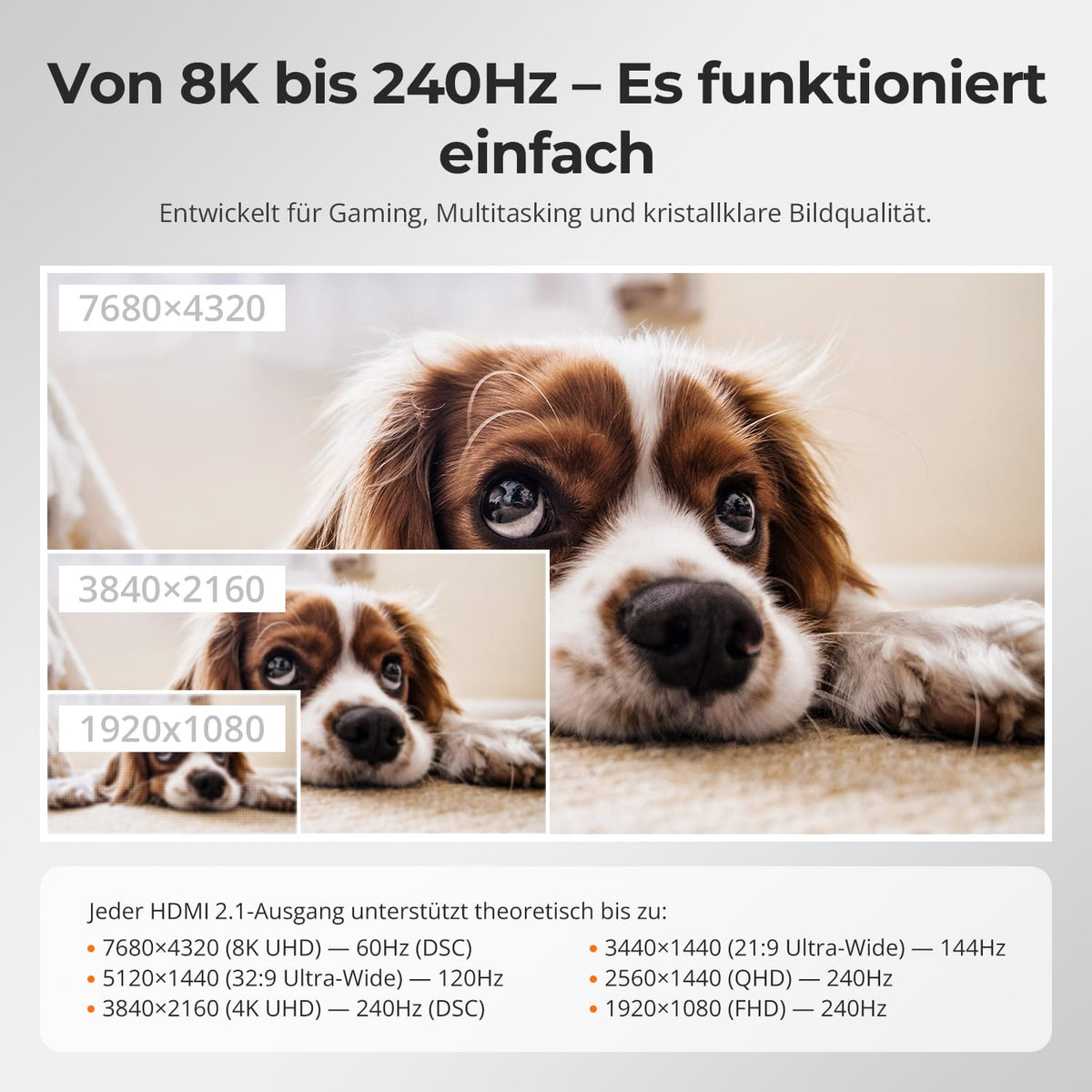
  • Dual 8K60 is only as good as its stability.

  • From 4K to 240 Hz – it simply works.

  • Three displays, more flexible modes

  • EDID emulation – Stable screens, no surprises

  • Easy switching – 4 ways to select

No flickering. No restarts. No black screen.
Thanks to ADI 7674 decoding and advanced EDID emulation, this KVM ensures stable multi-monitor output – even with high bandwidth.
Why this KVM is different:
• ADI 7674: Industrial-grade HDMI 2.1 decoding
• Intelligent EDID: Signal always remains active, no loss of display
• Supports VRR / FVA / ALLM for smooth, stutter-free gaming
• Ideal for high-FPS gaming and high-performance creative workflows

One switch, endless possibilities. Whether gaming, content creation, or multi-window workflows – our KVM handles a wide range of resolutions and refresh rates with ease.
Each KVM output supports up to:
• 3840×2160 (4K UHD) — 60Hz
• 3440×1440 (21:9 Ultra-Wide) — 100 Hz
• 3840×1080 (32:9 Ultra-Wide) — 120 Hz
• 2560×1440 (QHD) — 120Hz
• 2560×1080 (21:9 Ultra-Wide) — 165 Hz
• 1920×1080 (FHD) — 240Hz
⚠️ MST maximum: 2×4K60Hz + 1×4K30Hz

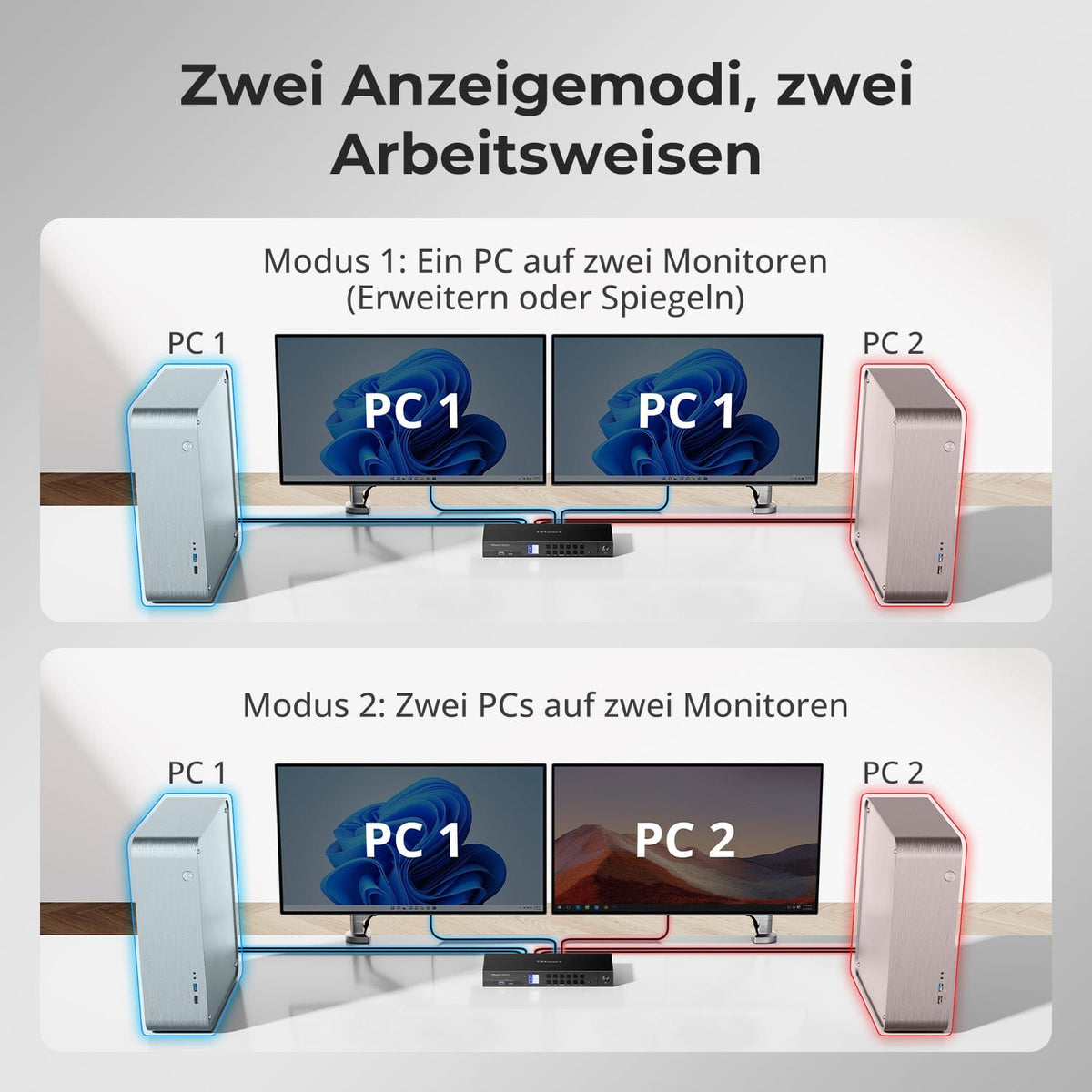
• Mode 1: One PC on all 3 monitors (Extend or Mirror)
Use a single PC to drive all three monitors. Ideal for multi-window workflows such as video editing, financial dashboards, or immersive simulations. Mirror or extend the display via your system settings.
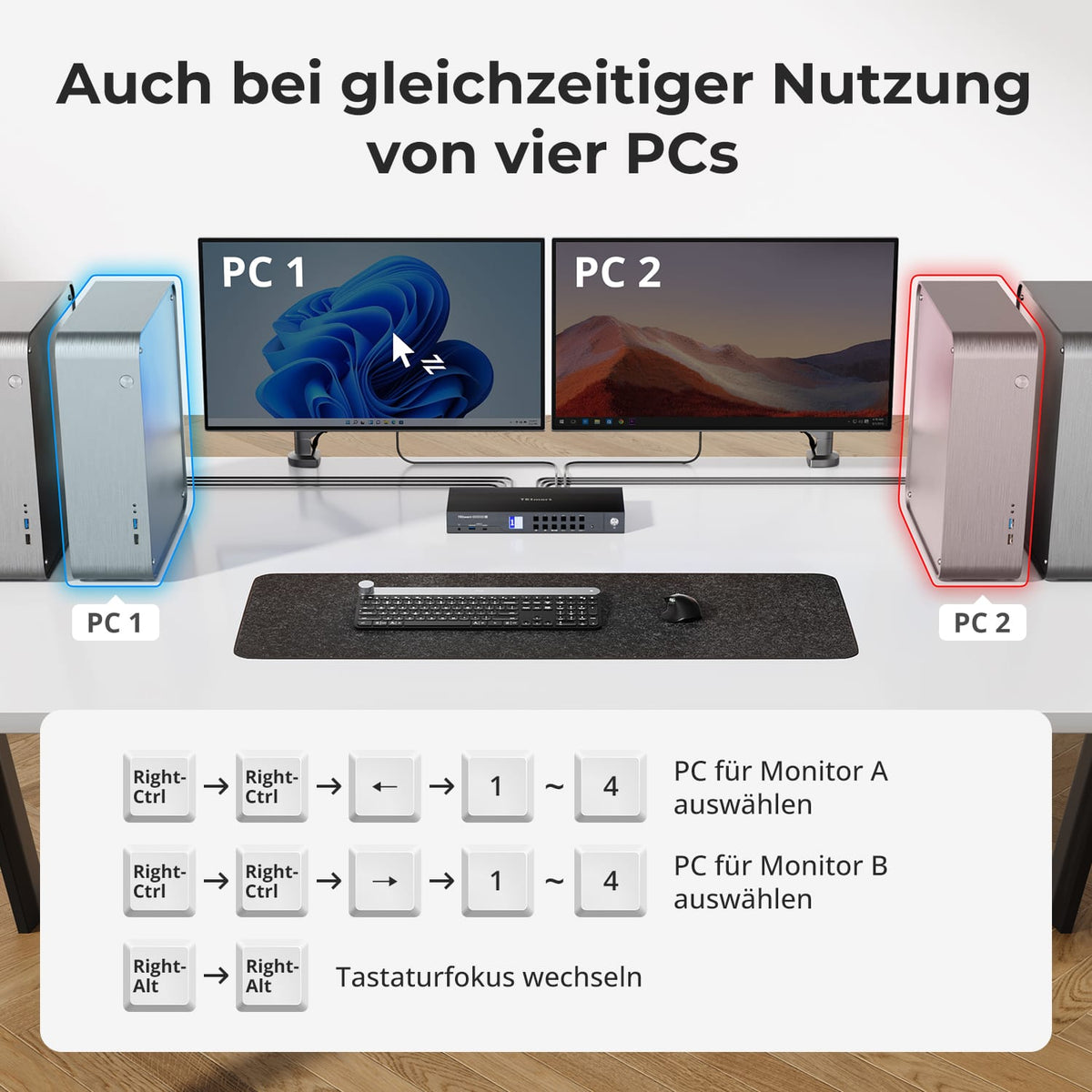
• Mode 2: Display any 3 out of 4 PCs simultaneously on 3 monitors
Assign a different PC to each monitor. For example, point PC1 to monitor A, PC2 to monitor B, and PC4 to monitor C – any combination is possible. Perfect for developers, cybersecurity labs, or monitoring multiple systems.

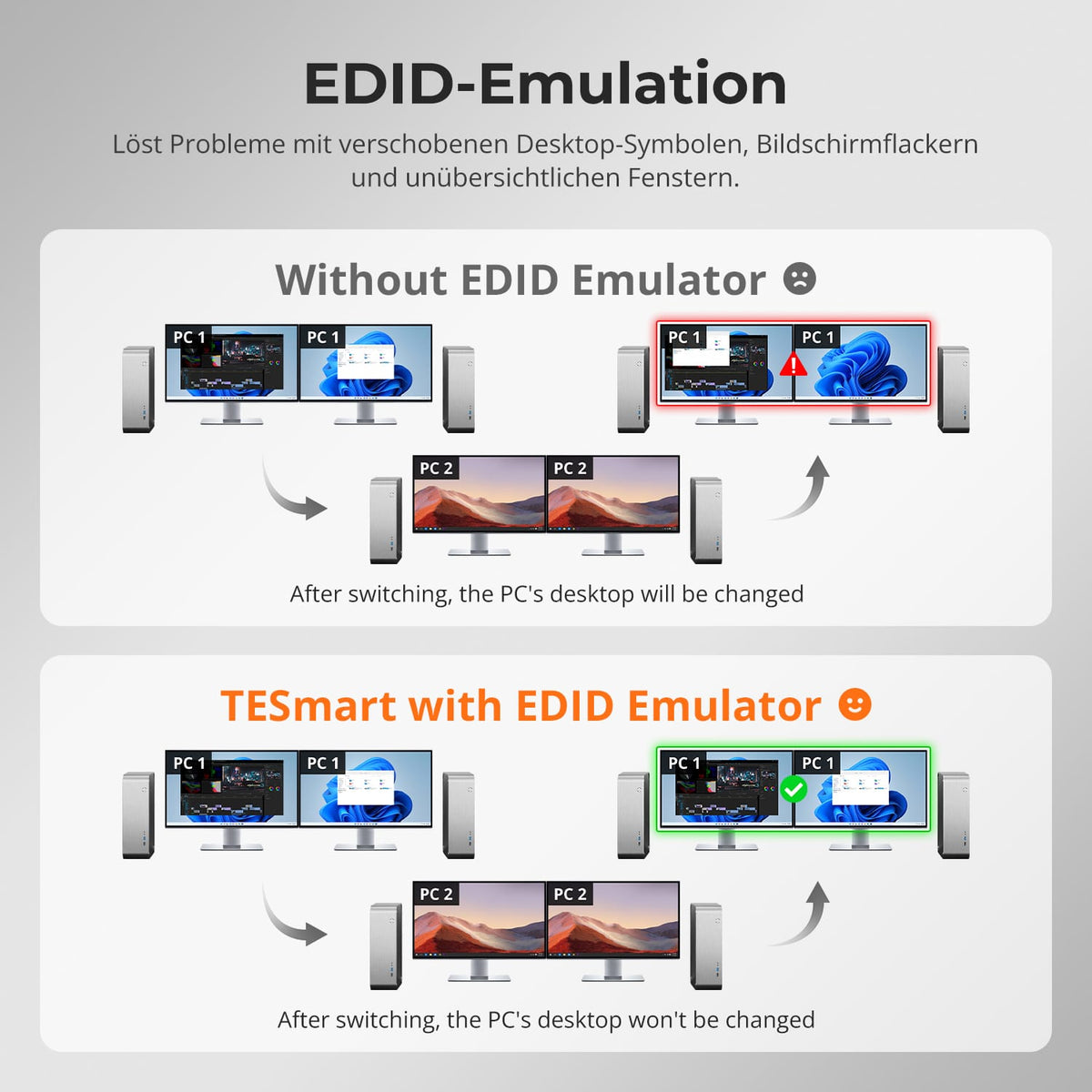
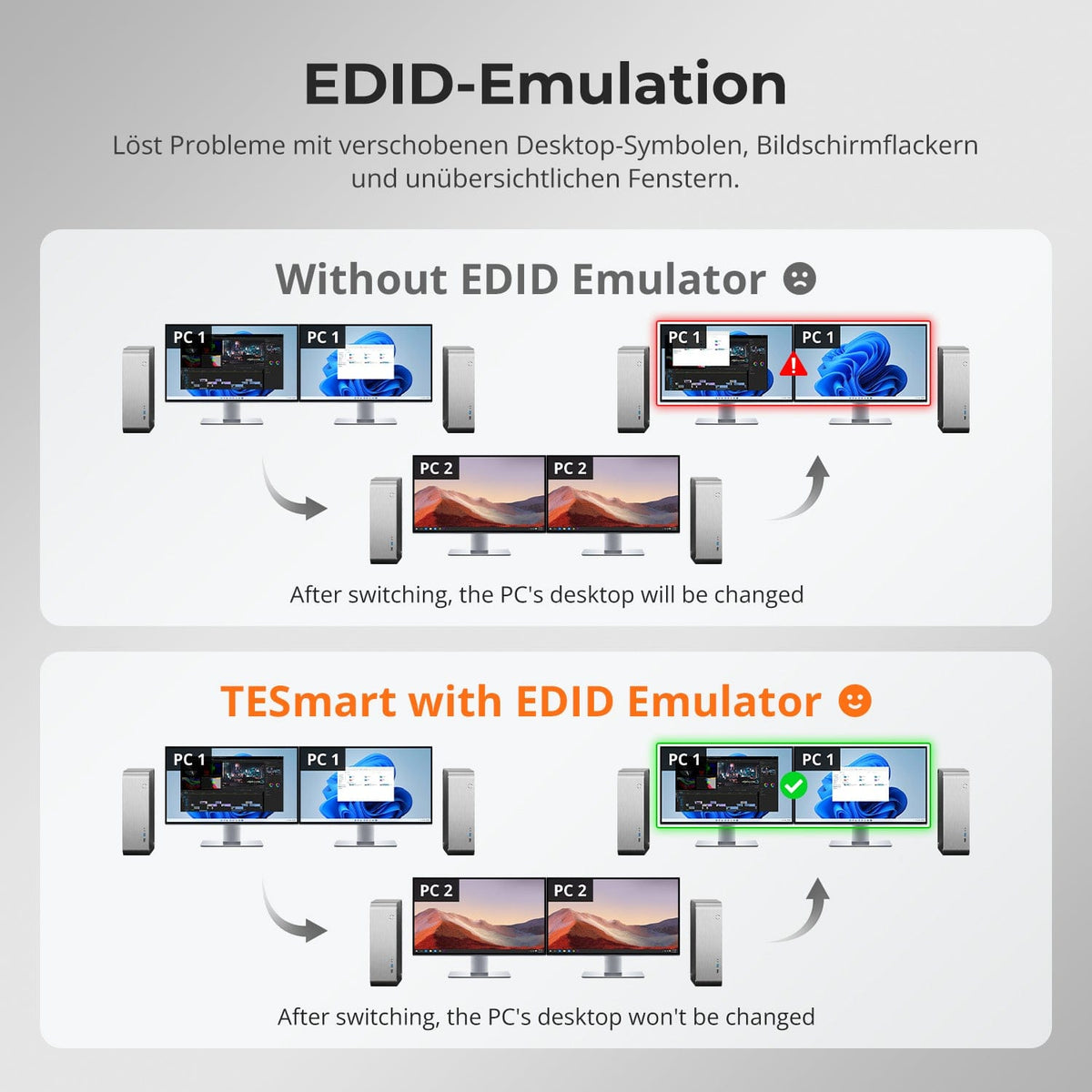
Switching between displays shouldn't mess up your desktop. Our integrated EDID emulator ensures your layout stays exactly as you left it.
• No more misplaced symbols
Retains the position of desktop icons and the size of open windows when switching inputs.
• Flicker-free switching
Prevents screen dropouts and flickering caused by re-initializing the display.
• Smoother multitasking
Maintains visual consistency between workstations and monitor setups.
✅ With TESmart EDID emulation: Your display remains stable and unchanged – even after switching.
⚠️ Without EDID emulation: Icons move, window sizes change, and the screen flickers after every switch.

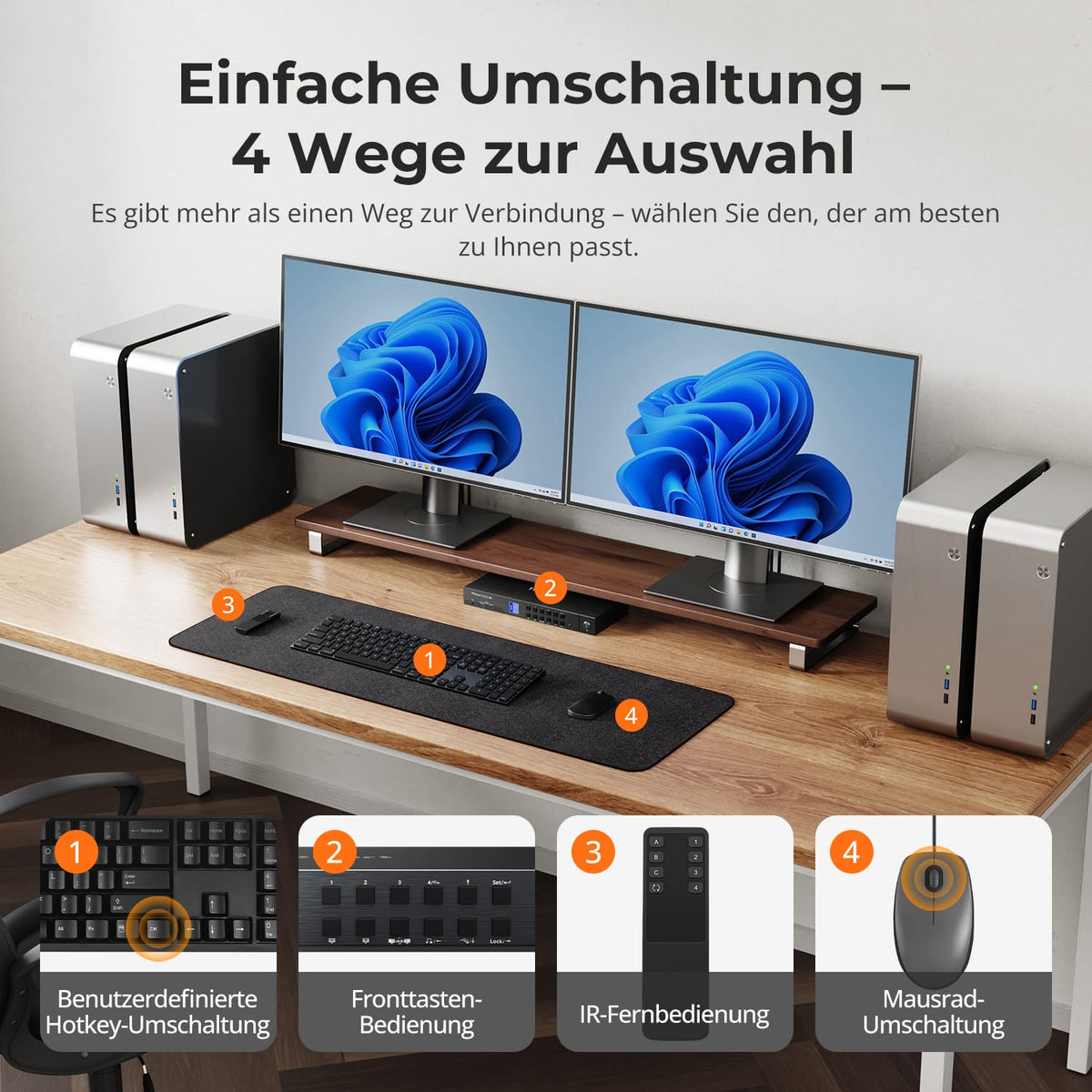
Switching shouldn't slow you down – we offer four seamless methods to suit every setup and habit:
• Hotkey switching – Fixed key combinations for quick source switching
• Front button operation – Direct access, anytime and easily
• IR remote control – Convenient control from your desk
• Mouse wheel toggle – Double tap, toggle instantly
Whether at work, gaming, or giving presentations – choose the method that suits your workflow.

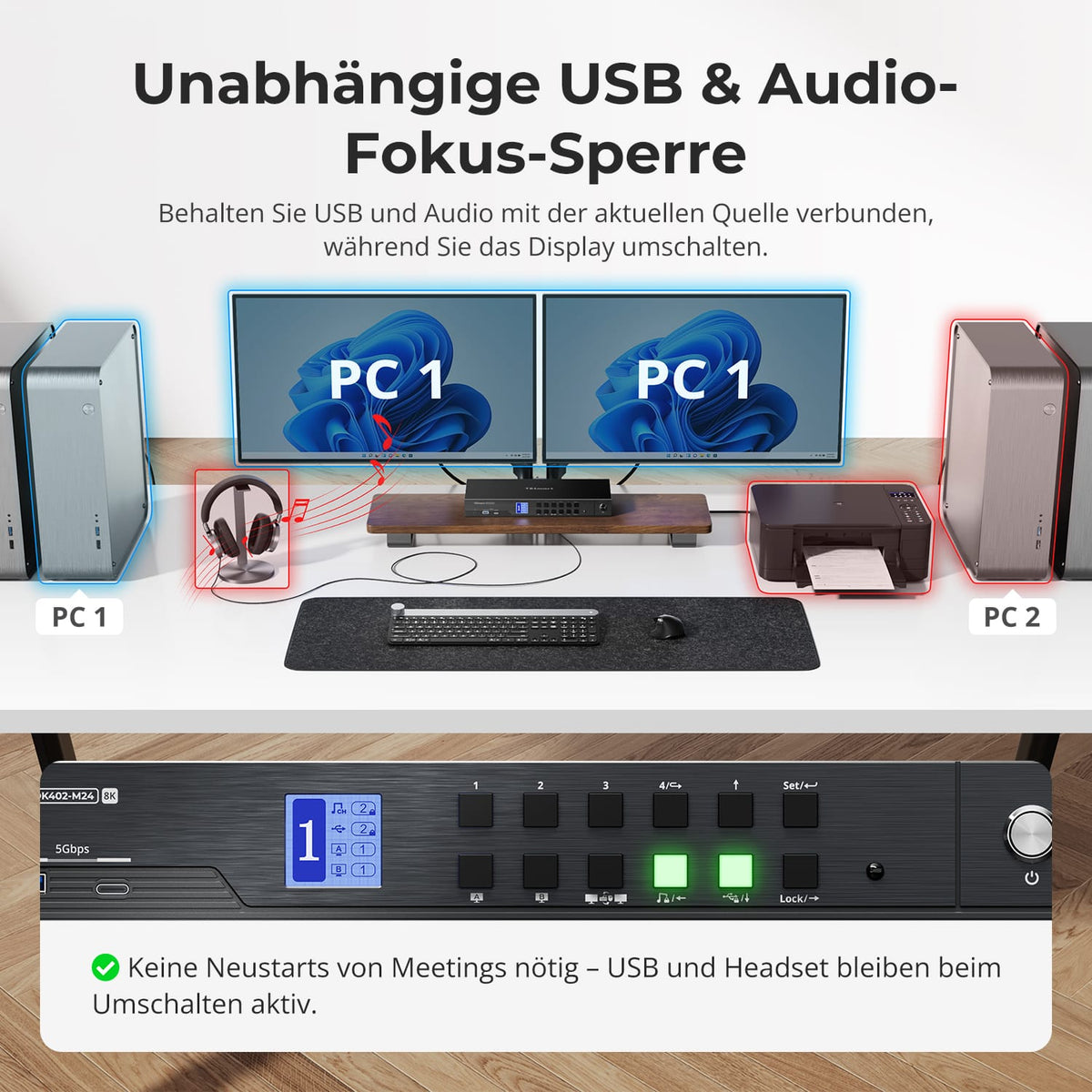
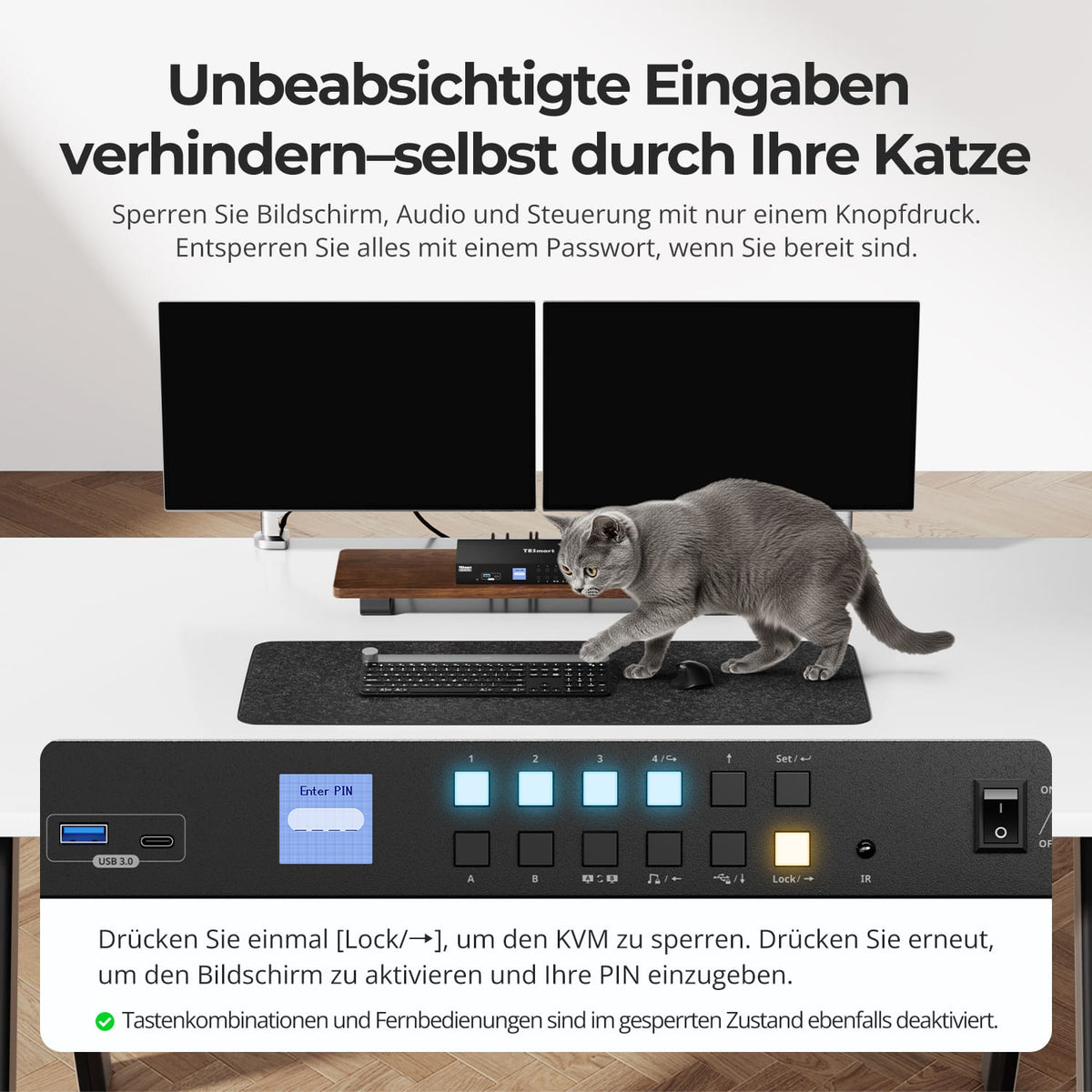
  • Independent USB & Audio Focus Lock

  • Prevent unintentional input – even from your cat

  • Dedicated K&M ports with dual-mode support

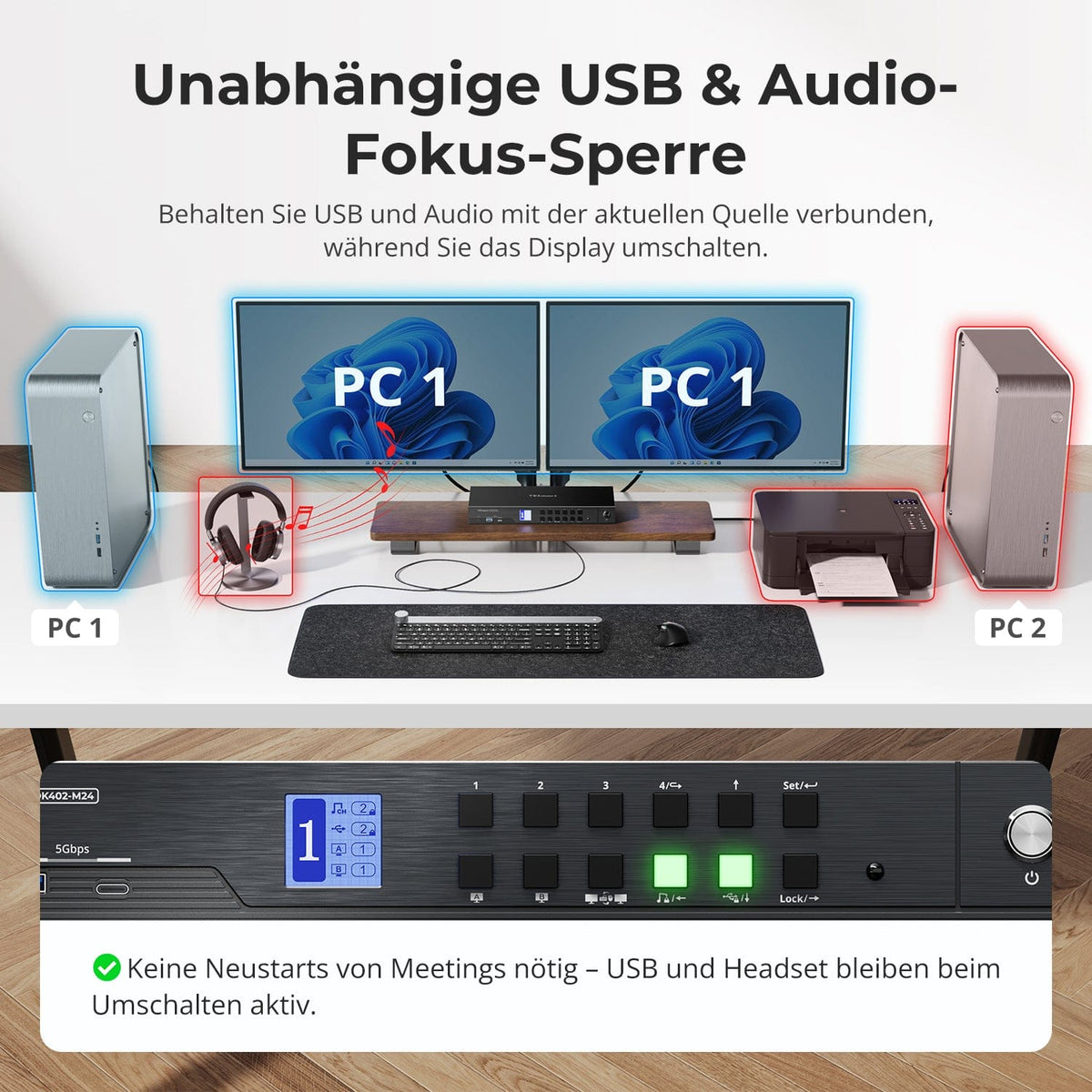
Switch displays without interrupting your USB devices or audio connection.
This KVM allows you to independently lock the focus of USB 3.0 and L/R audio – so that headsets, webcams or external drives remain connected to the current PC, even during screen switching.
Highlights:
• Lock USB and audio focus separately
• Avoid interruptions to calls or devices
• Lock status remains even after restarting
✅ Ideal for meetings, streaming and multitasking
⚠️ USB focus ≠ Keyboard & mouse focus – they are switched separately

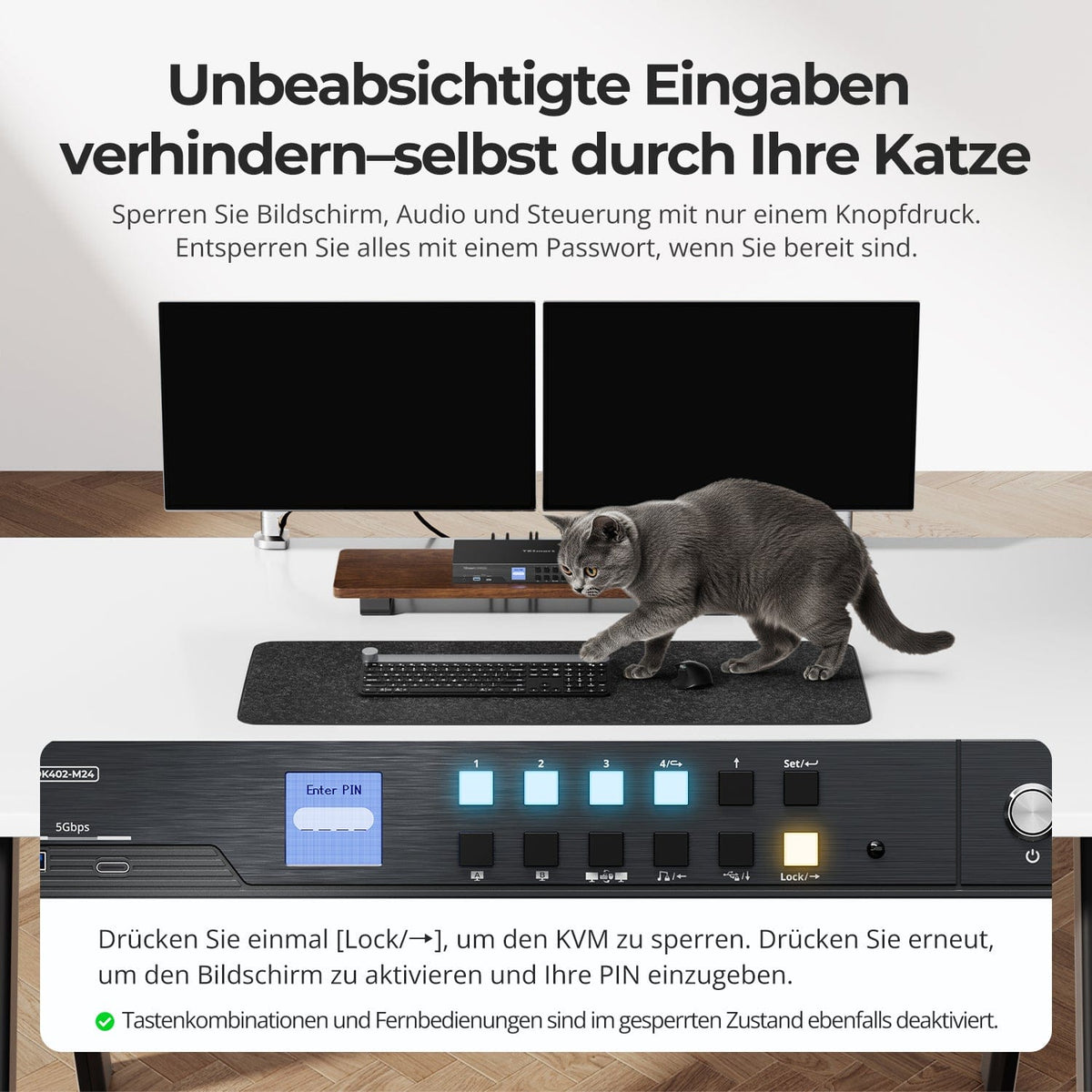
Prevent unwanted input during meetings, presentations, or breaks. With just one keystroke, you can lock the video output, audio, and all control interfaces.
• One-touch lock
If the display freezes, USB, audio, keyboard shortcuts and IR control are disabled.
• PIN unlocking
Continue your session exactly where you left off – with your individual password.
• Reassuring security
Prevents accidental switching – ideal for households with children or pets.
✅ Key combinations and remote controls are disabled when the device is locked.
⚠️ To unlock, press the lock button again and enter your PIN.

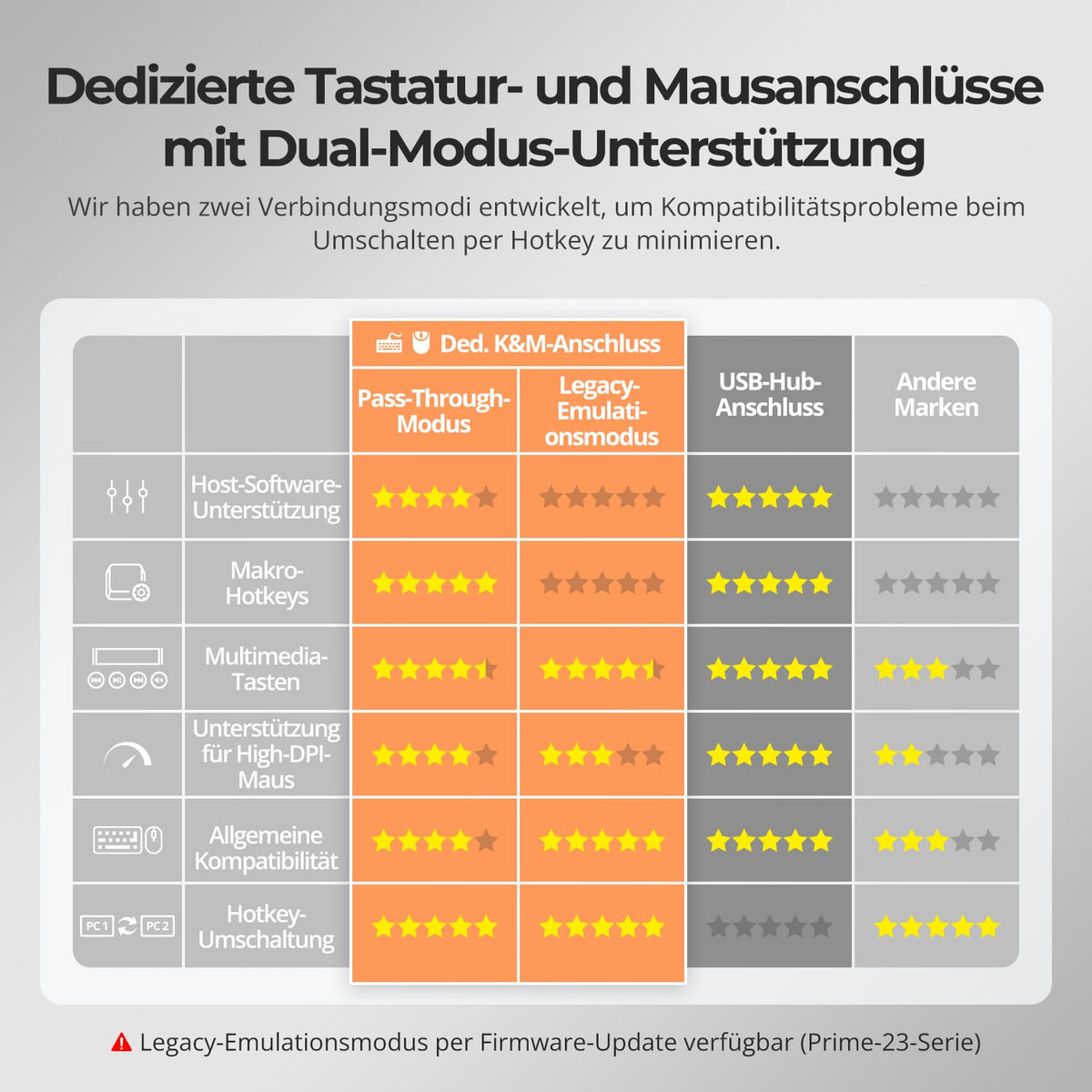
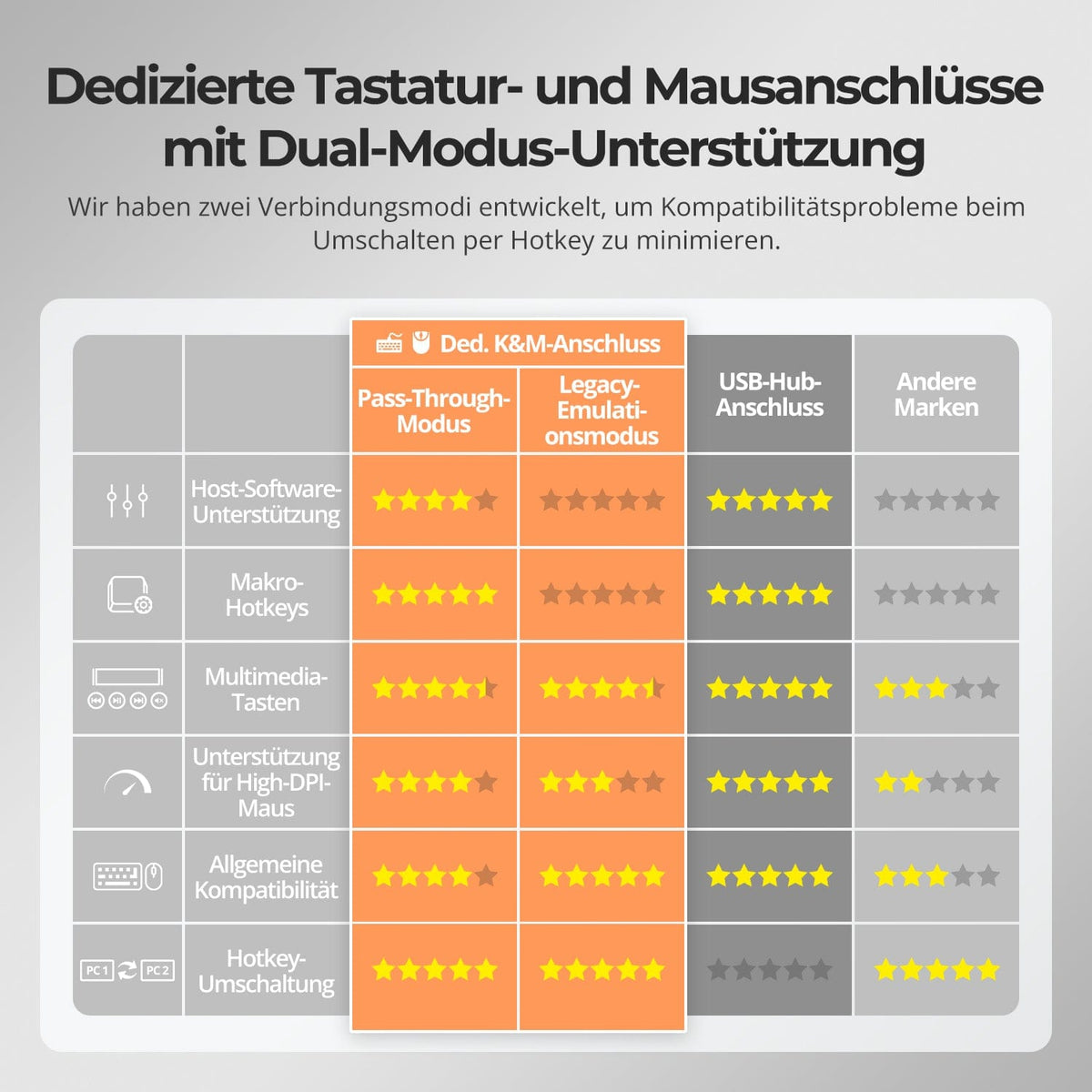
To improve keyboard and mouse compatibility – especially when switching hotkeys – we have developed two special connection modes:
• Pass-through mode (recommended)
Direct routing to the PC. Supports advanced drivers, macros, high-DPI mice, and multifunctional input devices. Ideal for gaming, design, and professional workflows.
• Legacy emulation mode
Ensures universal compatibility and stable hotkey functionality on most systems. Best suited for office use or when experiencing driver issues.
✅ Hotkey commands only work when your keyboard is connected to the dedicated K&M port.
⚠️ In emulation mode, driver-based software and advanced features are disabled.
⚠️ Bluetooth keyboards and mice are not supported.
⚠️ Legacy emulation mode is available via firmware update (Prime-23 series).

Others use it this way

FAQs

Does the KVM switch support firmware updates?

Yes, TESmart KVM switches support official firmware updates designed to fix common problems and improve compatibility.

Important NOTE:

Firmware updates carry inherent risks. Installing the wrong version or performing the process incorrectly can lead to device malfunctions. Therefore, it is strongly advised against performing a firmware update yourself if your device is functioning normally.

If an update is required, please contact our technical support team for:

  • The correct firmware version for your specific model.
  • Step-by-step update instructions.
  • Technical support throughout the entire process.

Why isn't my audio device working?

Connection requirements

The KVM switch's audio function requires proper USB connections. Please ensure your computer is securely connected to the KVM via the designated USB-A to USB-B ports to guarantee reliable audio data transmission.

Sound settings on the computer

  • For 3.5 mm jack connection: In your computer's sound settings, select "USB Audio" as the default output device.
  • For USB 3.0 connection: Select the appropriate USB audio output, e.g., "USB Audio Device" or "USB Headset", depending on your system's display.
  • If no sound is output via the 3.5 mm output even after correct adjustment, we recommend using a USB sound card (USB to 3.5 mm adapter) to improve compatibility and ensure proper audio output.

Why can't my computer use Wi-Fi anymore after connecting it to the KVM?

The KVM switch has an integrated network card that is enabled by default. Computers may prioritize the wired connection.

If you want to use Wi-Fi instead of the KVM's wired connection, you can:

Disable the KVM's integrated network card for the selected computer:
Press [Right Ctrl] → [Right Ctrl] → [F4] to turn off the integrated network card. Note: The buzzer will sound twice when turning it on and once when turning it off.

Disable the USB network adapter in the computer settings (example Windows 11):

Method 1: Advanced network settings
- Press [Win + I] to open Windows settings.
- Go to Network & Internet → Advanced network settings.
- Look for the adapter called Realtek USB GbE Family Controller in the list.
- Click on Deactivate.

Method 2: Device Manager
- Press [Win + X] and select Device Manager.
- Expand Network Adapters and search for Realtek USB GbE Family Controller.
- Right-click and select "Disable device".

Using one of the two methods, your computer prioritizes Wi-Fi while remaining connected to the KVM switch.

How can the fan speed be adjusted?

The KVM switch supports three fan modes. Each mode is indicated by the number of beeps from the buzzer. The default mode is mode 3.

To set the fan mode: Press [Right Ctrl] → [Right Ctrl] → [F3] to switch between modes:

Fan mode 1: The fan is deactivated. The buzzer sounds once.

Fan mode 2: The fan runs continuously at high speed. The buzzer sounds twice.

Fan mode 3: The fan operates automatically based on the current temperature. The buzzer sounds three times.

My monitor supports Adaptive-Sync. Is it compatible with this KVM switch?

Yes. The HDK402-M24 supports HDMI 2.1 and features VRR (Variable Refresh Rate) technology, making it compatible with G-Sync and FreeSync.

Does this KVM support Dolby Vision?

Yes. The HDK402-M24 supports HDMI 2.1 and Dolby Vision.

Can this KVM support my 4K@144Hz or 8K monitor?

Yes. The HDK402-M24 supports HDMI 2.1 and resolutions up to 8K (4320p) @60Hz. It is also backward compatible with 4K (2160p) @60/120/144Hz.

Does the KVM support both Mac and Windows environments?

Yes. The HDK402-M24 is compatible with a wide range of operating systems, including Windows, macOS, Unix, and Linux-based systems such as Debian, Ubuntu, Fedora, and Raspbian (including support for Raspberry Pi). It works in mixed operating system environments without additional configuration.

Why aren't my keyboard and mouse working properly?

Common symptoms:

  • Keyboard input is unresponsive or delayed
  • Keystrokes get stuck or are registered twice
  • Mouse movements lag or stutter.
  • Keyboard shortcuts (hotkeys) are not working.

Recommended solutions:

  • Try switching to Legacy Emulation mode to improve compatibility with a wider range of keyboards and mice: Press [Right Ctrl] + [Right Ctrl] + [F2].
  • If the problem persists, please contact our technical support team at support@tesmart.com for expert assistance and guidance on troubleshooting and resolving the issue.
  • Recycling & Trade-in

    Up to 50% credit for recycling

  • Free Shipping

    DE: 3 working days · EU: 3–7 working days

  • 30-day free return policy

    Hassle-free returns & purchase guarantee

  • Extended warranty: 2+1 years

    Register and receive an additional year of warranty