

![]() Why choose a DisplayPort KVM switch for desktop workstations?
Why choose a DisplayPort KVM switch for desktop workstations?
Modern desktop workstations often include multiple high-performance computers – such as a main work PC, a personal system, or additional devices for development, rendering, or testing. The challenge is no longer pure computing power, but rather... Efficiently sharing high-quality peripheral devices, in particular Multi-monitor displays between these systems.
High-performance monitors typically require DisplayPort connections, to achieve their maximum resolution and refresh rate. At the same time, most modern dedicated graphics cards follow a 3×DisplayPort + 1×HDMI-Output setup, which makes DisplayPort-based KVM switches a natural choice for performance-oriented desktop environments.

The DKS402-M24 DisplayPort KVM Switch
The DKS402-M24 DisplayPort KVM Switch was developed for users who Stable multi-monitor switching, uncompromising display performance and flexible system control required in desktop workstation setups.
For users who need to manage three displays, the DKS403-M24 as Triple monitor version available in the same product series, with identical performance characteristics and functionality.
Throughout this article, references to the DKS402-M24 refer to the common platform of the series, unless otherwise stated.
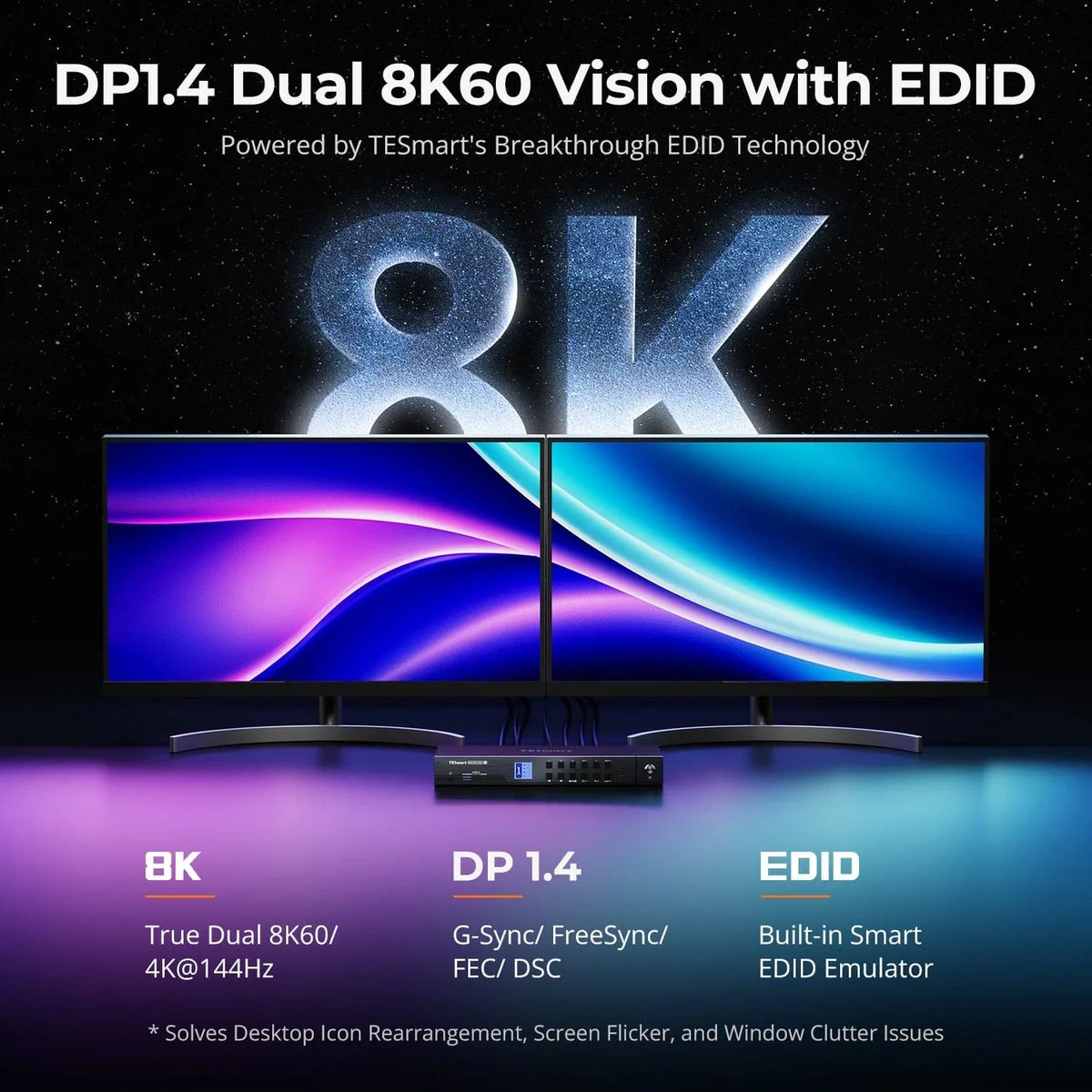
High resolution and high refresh rate
The DKS402-M24 is designed to support demanding display setups without signal loss. It supports:
- Up to 8K at 60Hz
- Up to 4K at 240Hz
This makes the DKS402-M24 suitable for professional workflows such as video editing, 3D modeling, financial trading, and high-frequency gaming and simulation environments.
Unlike simple KVM switches that limit resolution or refresh rate, the DKS402-M24 preserves the native output power of modern GPUs and monitors.
Stable multi-monitor experience with EDID emulation
Instability in multi-monitor setups is a common problem when switching between systems. Without proper EDID handling, the operating system may re-detect the monitors, rearrange layouts, or reset resolutions.
The DKS402-M24 integrates hardware-based EDID emulation, This ensures that every connected computer always recognizes the same monitor configuration – even when it is not actively using it. This enables seamless switching without flickering, resolution changes, or window repositioning.
Various switching methods for flexible control
To accommodate different workflows and desktop layouts, the DKS402-M24 offers several switching methods:
- Front panel buttons
- Customizable keyboard hotkeys
- Middle mouse button toggle
- Infrared remote control
These options allow users to switch systems quickly and intuitively – both directly at their desk and remotely.
Integrated Gigabit network sharing
The DKS402-M24 also simplifies network connectivity. By connecting a single Ethernet cable to the KVM up to four computers one USB-based Gigabit network connection sharing reduces cable clutter and ensures all systems have consistent network access.
What to do if your GPU doesn't have enough DisplayPort outputs?
Although the DKS402-M24 is optimized for GPUs with multiple native DisplayPort outputs, some desktop graphics cards may not offer enough DP ports for dual or triple monitor setups. In such cases, there are alternatives. three possible approaches, Each with its own advantages and disadvantages.
Option 1: Using HDMI-to-DP or USB-C-to-DP adapters
Users can compensate for missing DP outputs with HDMI to DisplayPort or USB-C to DisplayPort Add adapter cables.
Several restrictions must be taken into account:
- Most desktop PCs do not support video signal over USB-C unless the port is explicitly connected to the GPU via DisplayPort Alt Mode.
- HDMI-to-DP adapters require active signal conversion, which can be inherently less stable.
- Depending on the adapter and system combination, flickering, black screens, signal loss or limited refresh rate may occur – especially at high resolutions and frequencies.
This approach can work, but requires careful adapter selection and comprehensive testing.
Option 2: Using a DisplayPort MST hub
Another possibility is the use of a DisplayPort MST (Multi-Stream Transport) hubs, which splits a single DP output of the GPU into multiple DP outputs before they are connected to the DKS402-M24.
Important instructions:
- All displays share the bandwidth of a single DP output, which can limit the maximum resolution or refresh rate per display.
- MST hubs add another signal layer and can lead to compatibility or stability issues depending on the GPU, operating system, and monitor.
Although not ideal for performance-critical environments, this method can be used as practical alternative They are useful when native DP outputs are limited.
Option 3: Selecting an HDMI-based KVM
For users whose GPUs primarily offer HDMI outputs, choosing an HDMI-based KVM such as HDK402-M24 or HDK403-M24 often the simplest and most reliable solution.
By matching the KVM interface type to the native outputs of the GPU, users can avoid signal conversions and achieve a stable long-term solution.
Conclusion
The DKS402-M24 DisplayPort KVM Switch This is a professional solution for desktop users who require high resolution, high refresh rates, and stable multi-monitor switching. With integrated EDID emulation, flexible switching options, and network sharing, it supports complex workstation environments with minimal effort.
While native DisplayPort connections offer the best performance, the DKS402-M24 platform also allows for alternative approaches when DP outputs are limited – giving users multiple ways to adapt a solution to their hardware.
Frequently Asked Questions (FAQ)
Q1. What is the difference between DKS402-M24 and DKS403-M24?
The DKS403-M24 is the Triple monitor version same platform. Both models share the same performance characteristics, switching methods, and functionality; the only difference lies in the number of supported displays.
Q2. What should I do if my GPU doesn't have enough DisplayPort outputs?
There are three options:
- Use of HDMI-to-DP or USB-C-to-DP adapters, taking careful account of compatibility and stability.
- Using a DisplayPort MST hub, keeping in mind that bandwidth and refresh rate may be limited.
- Choosing an HDMI-based KVM such as HDK402-M24 or HDK403-M24 ensures a direct and stable connection.
Q3. Do adapters or MST hubs affect resolution or refresh rate?
In some cases, yes. Active adapters and MST hubs can limit the maximum resolution or refresh rate depending on bandwidth and compatibility. Native DisplayPort connections are recommended for best results.
Split:
TESmart HDC203-PM24 Common Usage Issues Explained: Complete Guide from Connection to Performance Optimization
How TESmart KVM Hotkeys Work: Complete Explanation for Efficient Multi-Computer Control