

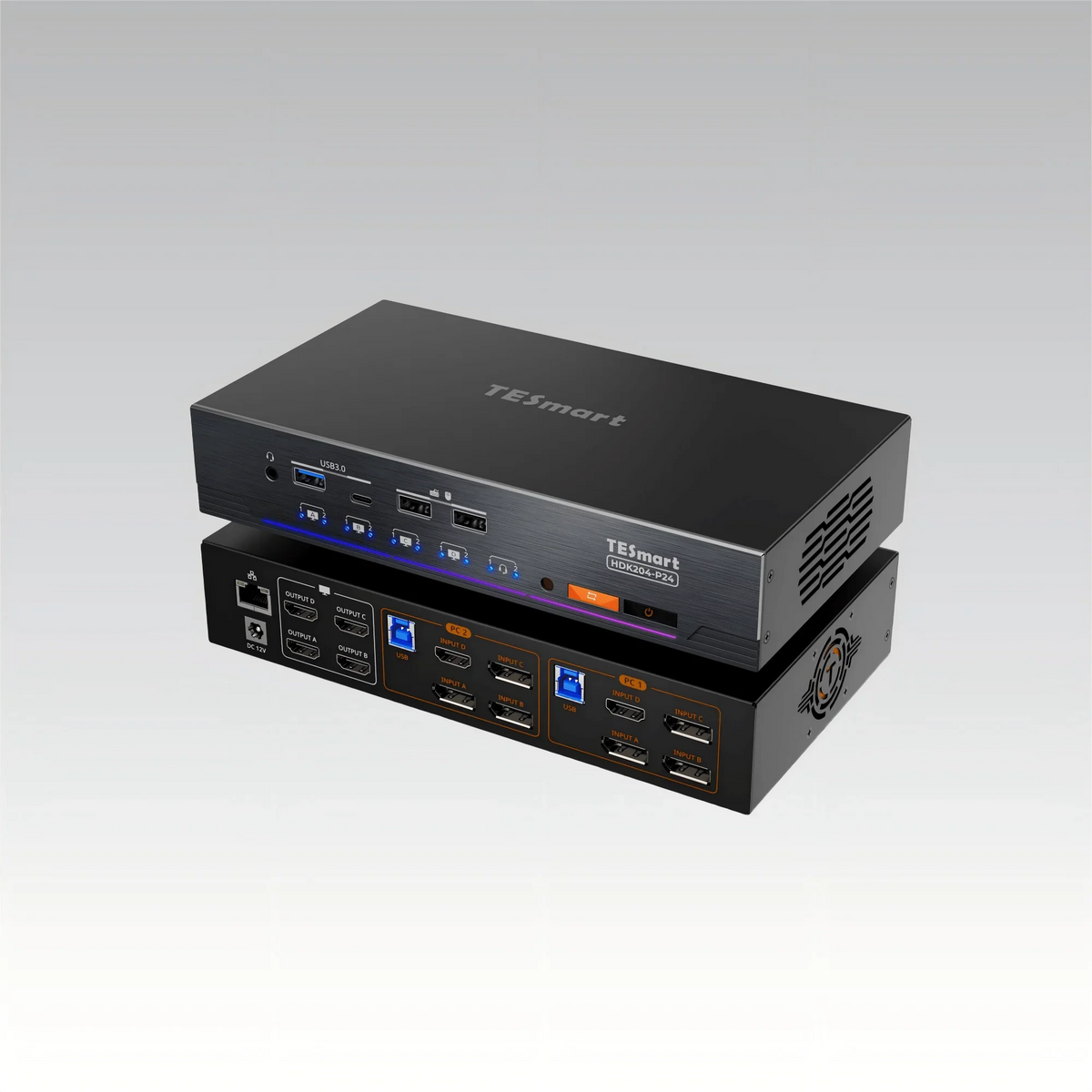
As multi-monitor setups and workflows with mixed devices become increasingly common, many professional users face the same challenge:
How can two computers reliably share four independent monitors and a full set of peripherals – without interrupting the workflow?
In quad-monitor setups, frequently swapping cables and manually switching inputs quickly becomes impractical. Besides being inefficient, these processes disrupt desktop continuity and reduce overall productivity.
The HDK204-P24 was specifically designed for these kinds of demanding multi-monitor application scenarios.

Real-world challenges in dual-computer and quad-monitor setups
In practice, users who work with two computers and four monitors often encounter the following problems:
-
Four monitors distributed across two computers result in complex cable management.
-
Manual switching of monitor inputs is required every time the computer is changed.
-
Resolutions and window layouts are often rearranged after switching.
-
Keyboards, mice, and storage devices need to be reconnected repeatedly.
-
macOS does not support MST, rendering many common extension solutions unusable.
These are not isolated cases. They are structural problems that arise as soon as the number of monitors exceeds standard dual-display configurations.
Why conventional solutions are insufficient
Most traditional switching solutions are not designed for true quad-monitor independence:
Manual input switching
-
Heavily dependent on manual intervention
-
Inefficient when switching frequently
-
No saving of desktop state
MST-based extension
-
Fundamentally incompatible with macOS
-
Stability depends on the operating system and driver behavior.
-
Not suitable for long-term multi-monitor workflows
Standard dual-monitor KVMs
-
Architecturally limited to two independent display channels
-
Cannot be scaled to four native displays per computer
-
Often forcing compromises instead of true quad-monitor support
As the number of monitors increases and switching frequencies rise, users need more than just a signal switcher – they need a complete and stable desktop switching architecture.
HDK204-P24 Design Philosophy: Stability-oriented architecture for professional users
Four independent display outputs for macOS and Windows
The HDK204-P24 allows two computers to be connected to four independent monitors simultaneously, with each display driven via a native video channel:
-
Supports a combination of HDMI and DisplayPort inputs
-
Each display supports up to 4K@60Hz
-
Does not use MST; macOS fully recognizes four independent displays.
This ensures consistent behavior across different operating systems without relying on software-based display extensions.
EDID emulation: Retain desktop layouts when switching
In multi-monitor environments, the greatest productivity losses arise not from the switching itself, but from what happens afterwards.
Without correct EDID handling, systems can:
-
Renegotiate settlements
-
Rearrange displays
-
Reorganize application windows
The HDK204-P24 integrates EDID emulation to maintain continuous display detection on both computers:
-
Resolutions remain consistent before and after switching.
-
Window positions are retained
-
Application layouts remain stable
For quad-monitor users, this directly translates to fewer interruptions and faster context switching.
USB 3.2 peripheral and network sharing: One-step desktop switching
In addition to video transmission, the HDK204-P24 offers USB 3.2 Gen 1 ports (5Gbps) for sharing:
-
Keyboard and mouse
-
USB storage devices
-
Cameras and input devices
With integrated network sharing, peripheral devices are switched together with the displays, minimizing repeated reconnections and device conflicts.
The result is a single action that switches the entire desktop environment – not just the screens.
Who was the HDK204-P24 designed for?
The HDK204-P24 is aimed at professional users who require stability and efficiency in complex multi-monitor setups, including:
-
Software developers, system administrators and test engineers
-
Financial trading, data analysis and monitoring environments
-
Content creation and workstations for multi-timeline editing
-
Mixed Windows and macOS workflows
If your workplace has evolved into a dual computer and quad monitor configuration, the HDK204-P24 helps reduce switching effort while maintaining desktop continuity.
KVM at an engineering level: Added value beyond the sheer number of interfaces
The value of the HDK204-P24 is not solely defined by the number of ports. In scenarios with frequent switching, it enables:
-
A persistent desktop state
-
Reduced manual intervention
-
Stable cooperation between multiple devices
This is the practical difference between an engineering-level KVM and a conventional switching device.
Conclusion
The HDK204-P24 was not designed simply to display more screens.
It was developed to to maintain a stable four-monitor desktop architecture across two computers.
For users seeking a mature and reliable solution for managing dual-computer and quad-monitor workflows, the HDK204-P24 represents a professional solution based on solid engineering principles.
Split:
Thunderbolt vs. USB-C (DP-ALT): The Ultimate Guide to Choosing the Right KVM Interface
Why 8-port and 16-port 8K KVM switches are so difficult to develop: The technical challenges behind scalable 8K KVM architectures