

Table of contents
Introduction
How DisplayLink technology works
Combination of DisplayLink with HDBaseT extension
Technical process – overview
Why it's important
Key features of the TESmart HKE10SS-PD25
Typical use cases
FAQ
Conclusion
DisplayLink meets extender: USB connection + Cat6A extension enables 100m dual-screen transmission with low latency
In today's professional work environment, high-resolution dual-screen setups are no longer limited by short cable lengths. With the rapid advancements in DisplayLink technology, dual-screen video, audio, USB, and Ethernet signals can now be transmitted over long distances while maintaining low latency and high fidelity. The TESmart HKE10SS-PD25 seamlessly combines DisplayLink technology with HDBaseT extension, enabling dual-screen transmission over distances of up to 100 meters using a single Cat6A cable. This design simplifies cabling while supporting high-performance multi-display workstations.


How DisplayLink technology works
The complete DisplayLink data process can be divided into three stages:
1. Coding
Once the DisplayLink driver is installed on the host, the GPU's video output is captured, compressed, and encoded into an efficient data stream. DisplayLink utilizes its proprietary DL compression algorithm, which significantly reduces bandwidth usage while maintaining lossless image quality.
2. Transfer
The encoded data stream is transmitted via the USB channel to the external device (such as the transmitter of the HKE10SS-PD25) transmitted. USB 3.2 Gen 1 or higher interfaces offer up to 5 Gbit/s bandwidth, which is sufficient to transport dual 4K video signals along with additional peripheral data.
3. Decoding & output
The receiver (containing the DisplayLink chip module) decodes the data stream in real time and converts it into standards-compliant video signals, which are output via HDMI or DisplayPort. Simultaneously, audio, network, and USB peripheral signals are distributed to their respective ports, ensuring seamless full-channel functionality. This architecture enables DisplayLink to achieve highly integrated transmission across interfaces, protocols, and platforms.
Combination of DisplayLink with HDBaseT extension
While DisplayLink enables flexible USB-based video output, USB cable lengths are limited – typically to less than 5 meters. By integrating HDBaseT technology into the HKE10SS-PD25 Signals can be transmitted without loss of quality over a single Cat6A cable up to 100 meters. This hybrid design combines the strengths of both technologies: DisplayLink offers multi-display capability and USB convergence, while HDBaseT ensures stable, low-latency long-distance transmission. The system also supports the simultaneous transmission of audio, USB peripherals, and network traffic, making it an all-in-one extension solution.
Technical process – overview
-
Host → Sender (TX): USB connection, DisplayLink driver installed
-
TX → Receiver (RX): Single Cat6A cable, up to 100 meters
-
Receiver (RX): Outputs dual HDMI displays, USB devices (3× USB-A + 1× USB-C, USB 3.2 Gen 1), audio and network.
 Why it's important
Traditional video extension solutions often require multiple cables for HDMI, USB, and Ethernet and rely on the computer's native GPU output. This limits flexibility and portability, especially for laptops or compact PCs. The HKE10SS-PD25 addresses these challenges:
-
A single USB cable from the host replaces several separate cables.
-
DisplayLink enables dual-screen support without multiple GPU outputs.
-
HDBaseT ensures stable transmission up to 100 meters without image loss or synchronization problems.
The result is a cleaner, simpler and more versatile workplace setup – ideal for offices, classrooms, control rooms or digital signage environments that require high-resolution video and low-latency KVM functionality.
Key features of the TESmart HKE10SS-PD25
USB video transmission based on DisplayLink
Delivers dual-screen video, USB, audio and Ethernet signals over a single USB connection to the transmitter.
100m Cat6A transmission via HDBaseT
Supports stable transmission up to 100 meters with minimal latency for smooth video playback and responsive USB peripherals.
Dual-screen output
Supports extended or mirrored dual-display configurations with resolutions up to 4K@60Hz, Suitable for professional office and creative environments.
Multi-platform compatibility
Compatible with Windows, macOS, ChromeOS, and Linux systems. Hosts must install the official DisplayLink driver (where applicable) to enable virtual graphics output.
Plug-and-play extension design
Once the DisplayLink driver is installed, all video, USB peripheral, audio and network signals are immediately available at the remote receiver without any additional configuration.
Integrated audio & Network support
Simultaneous transmission of audio and Ethernet signals simplifies remote workplace or presentation setups.
Support for remote power on/off
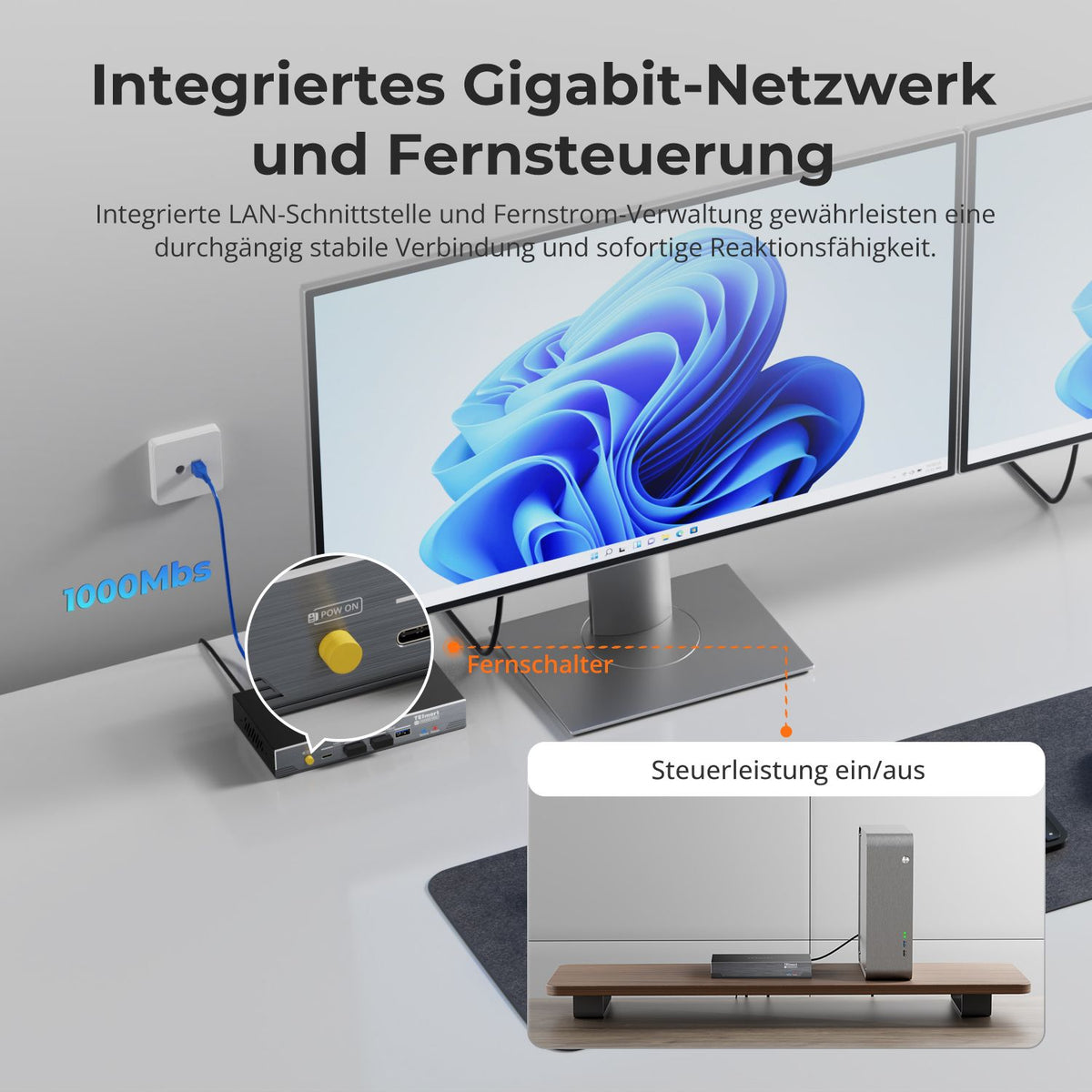
By connecting a F-PANEL-POWER-SW-Splitters When connected to the host motherboard, the RX unit can remotely control the host computer (turning it on/off), ideal for centralized management or remote booting (typically for desktop PCs).
Typical use cases
| Use case | Deployment scenario | Advantages |
|---|---|---|
| Corporate offices | Host PC placed in a cabinet, connected to remote dual displays via network cable. | Single USB connection, clean cabling, clear and stable image display |
| Creative- & Design workstations | Designer host PC positioned away from the desk, real-time display on dual screens | Low latency, high color accuracy, seamless creative experience |
| Education & training | Teacher host PC separate from podium terminals | Unified transmission of video, audio and network, more flexible operation |
| Surveillance & Control centers | Central host management, remote control of displays | Stable and efficient, supports multi-terminal collaboration |
FAQ
Q1: Does the HKE10SS-PD25 support multiple monitors?
Yes, it supports dual-screen setups via DisplayLink technology. Users can configure extended or mirrored displays over a single USB connection from the host, with resolutions up to... 4K@60Hz.
Q2: What type of cable is needed for 100m transmission?
To achieve the full 100-meter transmission with low latency, a Cat6A cable is required. Standard Cat6 cables or shorter cables may limit the distance or reduce performance.
F3: Does it support keyboard, mouse, and USB peripheral extension cables?
Yes. The HKE10SS-PD25 RX unit features three USB-A ports and one USB-C port, all supporting USB 3.2 Gen 1 (5 Gbps). Users can connect a keyboard, mouse, and other USB devices that can be controlled directly from the RX unit.
Q4: Is there any latency with audio, video, or USB signals?
The latency is minimal. Audio, video, and USB signals typically exhibit a delay of less than 1 ms, ensuring real-time operation for professional and creative workflows.
F5: Which computers can be remotely switched on/off?
The remote on/off function requires a connection an F-PANEL POWER SW splitter to the motherboard's power SW pins. This function is generally only suitable for desktop PCs. Laptops are not recommended due to complicated disassembly and non-standard pin assignments. The RX unit can use this function for centralized management or remote booting.
Conclusion
By combining DisplayLink and HDBaseT, TESmart delivers a powerful solution for long-distance, low-latency dual-screen transmission. HKE10SS-PD25 Enables 100-meter transmission over a single host USB connection and a Cat6A cable, simplifying cabling while maintaining performance and responsiveness.This innovative design supports multi-display environments in offices, education, industrial monitoring and digital signage – offering high performance, low latency and flexibility, setting a new standard for workplace extension technology.

Split:
Pushing boundaries: 8K DisplayPort extension over 300m with OM4 fiber
Detailed look: How DisplayLink converts "video" into USB data and restores it as display signals