

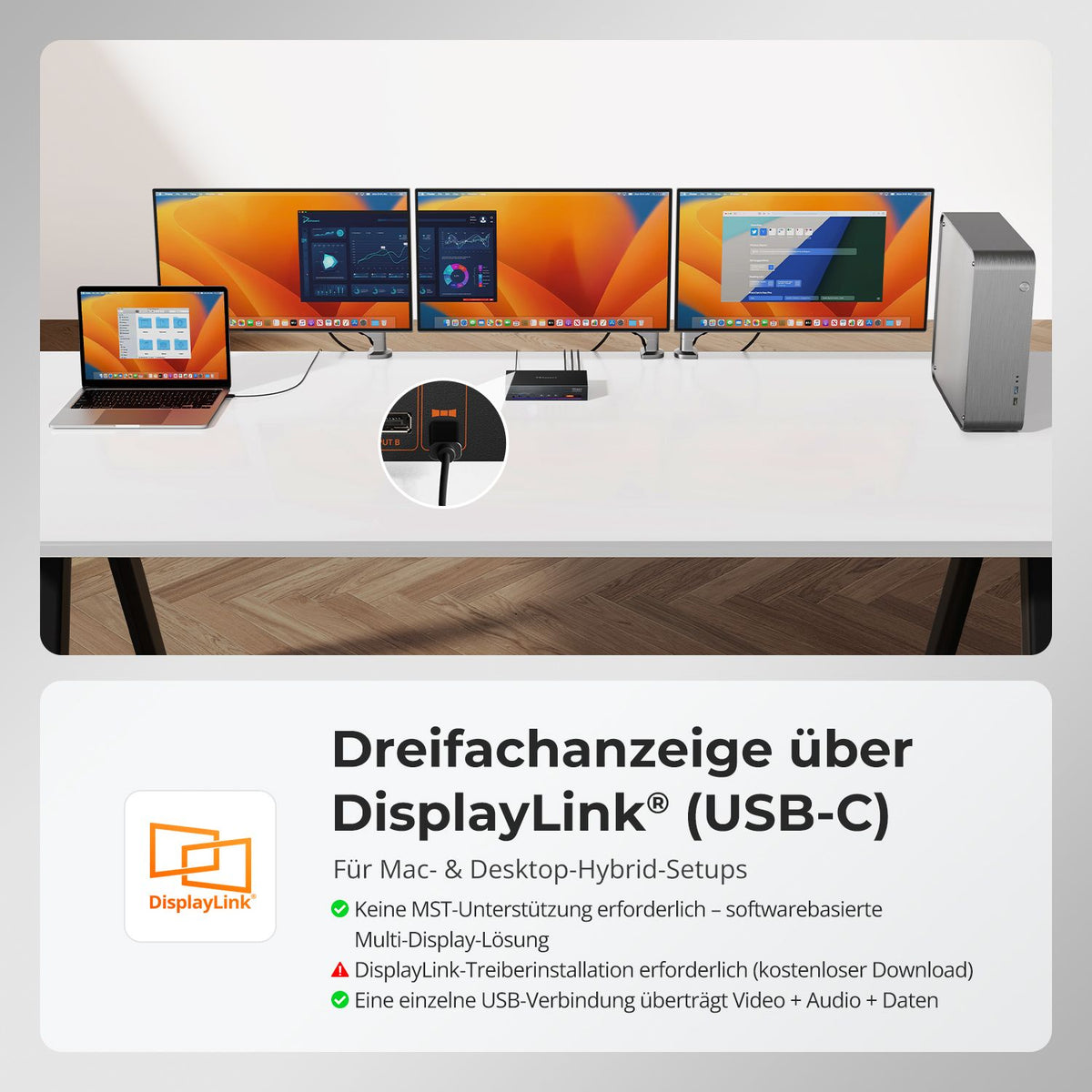
1. Mac user pain point: macOS does not offer native MST support
2. DisplayLink's solution: One USB-C cable, true triple 4K60Hz output
3. How DisplayLink technology works
4. DisplayLink-powered KVM: Overcoming macOS single-display limitations
5. Visible impact: KVM functionality for efficient hybrid workflows
6. Summary

Mac user pain point: macOS offers no native MST support.
For many macOS users, expanding to multiple monitors has always been a challenge. The reason is simple: macOS doesn't natively support MST (Multi-Stream Transport). Even with multiple USB-C/Thunderbolt ports, achieving independent triple-display output is difficult. For users seeking efficient multitasking, creative workflows, or professional productivity, this limitation can be a significant obstacle.
DisplayLink's solution: One USB-C cable, true triple 4K60Hz output
The TESmart HDC203-PM24 Triple 4K60Hz DisplayLink® Hybrid KVM Docking Station offers a perfect solution for macOS users. A single USB-C connection allows simultaneous transfer of:
- Video (three independent 4K@60Hz-Displays)
- Audio
- Data (keyboard, mouse, external hard drives and other peripherals)
- Network (1000 Mbit/s LAN)
- Power supply (100W PD to fully charge high-performance laptops)
Whether you're switching between a MacBook and a Windows desktop or running a single Mac setup, the DisplayLink KVM Dock enables seamless triple-display productivity with keyboard and mouse sharing – all over a single cable.
How DisplayLink technology works
DisplayLink technology creates a "virtual" display buffer in the computer's main memory (RAM) and transfers the data via a comparatively slower interface to the docking station, which is equipped with a special DisplayLink chip. This chip then converts the data back into a standards-compliant display output signal.
DisplayLink-powered KVM: Overcoming macOS single-display limitations
The HDC203-PM24 integrates DisplayLink technology, which converts USB data streams into video signals, allowing macOS users to bypass the MST limitation.
Triple display configuration
| Output type | port | Requirement |
|---|---|---|
| Native DP Video | OUTPUT C (Monitor 1) | USB-C supports DP Alt Mode |
| DisplayLink Video 1 | OUTPUT A (Monitor 2) | DisplayLink driver active |
| DisplayLink Video 2 | OUTPUT B (Monitor 3) | DisplayLink driver active |
Important instructions:
(1) DisplayLink driver required – on macOS the driver only starts after login.
(2) Laptops without DP Alt Mode: Only dual display output (OUTPUT A/B) is possible; OUTPUT C remains empty.
(3) Compressed video transmission: DisplayLink may cause slight latency or color variations under heavy load, but is well suited for general office tasks, web browsing and multitasking.
(4) HDCP restrictions: Protected content from Netflix, Amazon Prime, or Disney+ is displayed as a black screen on macOS via DisplayLink. This is due to the macOS + DisplayLink architecture and not to hardware problems.
Visible impact: KVM functionality for efficient hybrid workflows
The HDC203-PM24 is more than just a triple display docking station – it is a hybrid KVM docking station:

Split:
Detailed look: How DisplayLink converts "video" into USB data and restores it as display signals
The best gaming KVM switch 2025: Why the TESmart DKS202-M24 stands out