

Table of contents
- The real challenge is not just running OpenClaw.
- Why an 8x1 KVM makes sense for OpenClaw setups
- Why multi-PC control is becoming more important in OpenClaw workflows
- Why the HKS801-M24 is an excellent fit for this scenario
- From device replacement to more intelligent hardware control
- Why this is important for developers and advanced users
- Conclusion
- FAQ
As OpenClaw gains increasing attention from developers, automation enthusiasts, and advanced workstation users, more and more users are moving away from the classic single-PC workstation.
This shift is understandable. OpenClaw-oriented workflows rarely confine themselves to a single computer. Users often want one system for local AI deployment, another for development and testing, another for daily work, and sometimes additional devices for isolated environments, sandboxing, or content workflows.
What begins as a software trend quickly develops into a challenge in hardware management.
The real challenge is not just running OpenClaw.
For many users, the real problem isn't whether OpenClaw runs on a system. The real problem is how to manage a workplace that now comprises multiple computers with different roles.
A growing OpenClaw workspace often includes a dedicated AI host, a primary productivity PC, a development or test system, and one or more isolated or backup devices.
Without a central switching solution, the result is usually the same: too many cables, duplicate peripherals, inefficient switching of monitor inputs, and a workspace that becomes increasingly difficult to control as the system size increases.
For this type of setup, an 8x1 KVM switch is a natural solution.
Why an 8x1 KVM makes sense for OpenClaw setups
An 8x1 KVM allows users to control up to eight computers with just one monitor, one keyboard, and one mouse. This is particularly relevant for OpenClaw users because these environments often grow over time.
What starts with two or three systems can quickly evolve into a significantly larger workstation. One computer handles AI tasks, another is reserved for development, another for testing, while others are used for daily work, isolated experiments, or content workflows.
In such an environment, an 8x1 KVM is not just a convenience device. It becomes the foundation for keeping the workplace organized, efficient, and scalable.
Why multi-PC control is becoming more important in OpenClaw workflows
OpenClaw is part of a larger trend toward more active, local AI workflows. As users build more specialized setups, the workplace itself becomes more complex.
The challenge is no longer simply connecting multiple computers. The real challenge is efficiently switching between them while maintaining the same display, keyboard, mouse, and USB workflow.
A central KVM setup helps to solve several practical problems at once:
- Reducing cable clutter
- Avoiding duplicate peripheral devices
- Easier switching between dedicated systems
- Separation of AI experiments and daily work
- Creating a cleaner and more professional workstation structure
For power users, developers and AI enthusiasts, such a structure is important because the complexity of the workplace usually increases much earlier than users realize they need a better control solution.
Why HKS801-M24 This scenario fits perfectly
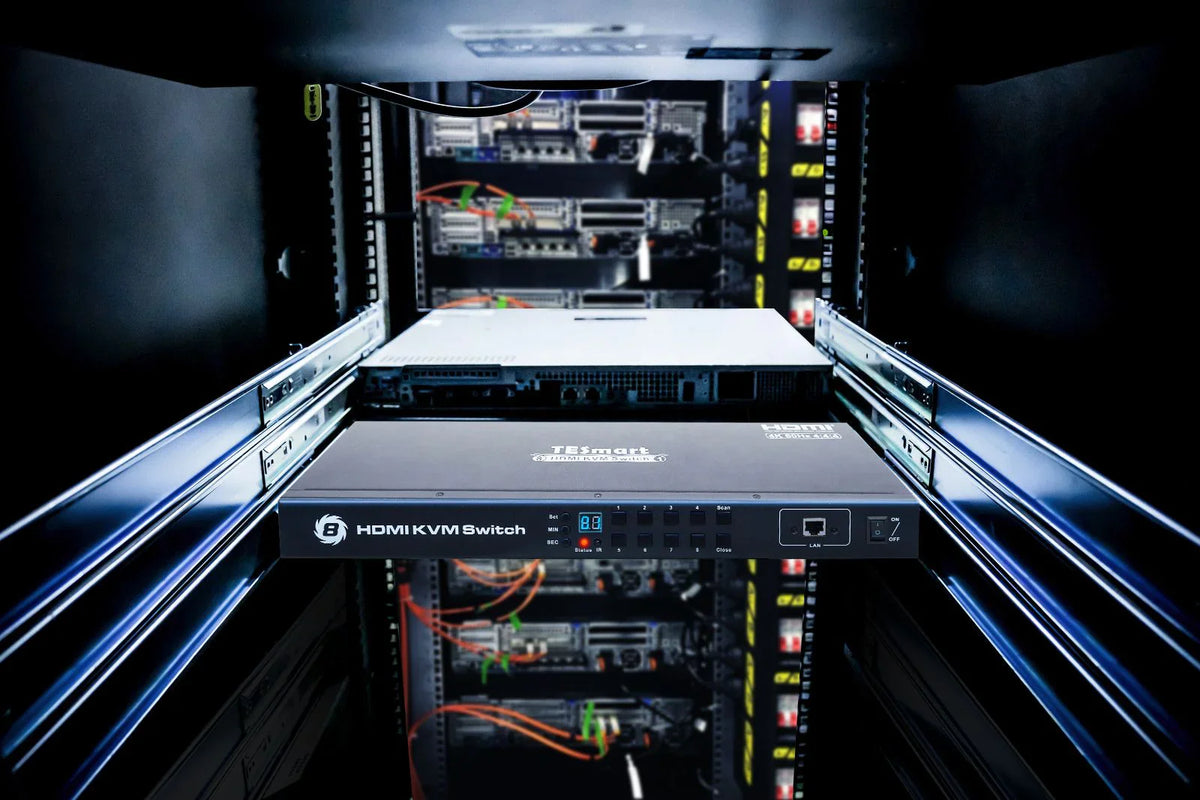
Within our 8x1 series, the HKS801-M24 Especially good for OpenClaw-oriented multi-PC environments.
It allows users to manage up to eight computers via one monitor, keyboard and mouse, making it a practical choice for larger workstation layouts that continue to grow over time.
The HKS801-M24 also supports high-quality single-monitor setups, making it ideal for users who want a central control solution without having to sacrifice strong display performance.
More importantly, the HKS801-M24 is not limited to simple manual switching. In addition to front panel control, IR remote control, and keyboard hotkeys, it also supports LAN command control and RS232 control.
This makes it suitable not only for everyday desktop use, but also for more advanced workstation control logic.
From device replacement to more intelligent hardware control
One of the most interesting aspects of the OpenClaw trend is that users are not just looking for more computing power. They also want smarter control over their entire hardware environment.
This is precisely where command-based KVM control becomes particularly valuable.
Thanks to support for LAN and RS232 control, the HKS801-M24 can be integrated into more advanced automation workflows. With the right setup, switching between computers no longer needs to be a purely physical action.
It can become part of a more comprehensive control system.
This creates practical multi-device scenarios such as:
- Transition from an AI execution engine to a validation system
- More efficient switching between sandbox and work systems
- Centralization of multiple dedicated computers at a single workstation
- Reduction of manual intervention in repetitive multi-system workflows
For OpenClaw-oriented users, this opens up an exciting direction for modern workstation design. OpenClaw brings intelligence and orchestration to the software side of the workplace. The HKS801-M24 extends this control to the hardware level.
Why this is important for developers and advanced users
Developers, AI enthusiasts, creators, and advanced workstation users are increasingly building their workplaces around specialization.
One computer handles experiments. Another handles development. Another remains clean for daily work. Other systems are used for testing, sandboxing, or isolated automation tasks.
As these setups grow in size, users need more than just additional ports. They need a better structure for how the entire workplace functions.
That's precisely why our 8x1 KVM series fits this trend so well.
It helps users scale their workstation while maintaining centralized control, better organization, and a more efficient switching experience.
For users building OpenClaw-oriented workflows, the HKS801-M24 is particularly impressive due to:
- Controlling 8 computers via a single monitor
- Flexible switching methods
- LAN command control
- RS232 control
- A workstation-friendly design for growing multi-PC environments
Conclusion
OpenClaw is driving a new category of workstation design: the multi-computer workstation for local AI, development, testing, and automation.
The more users adopt this model, the more important central control becomes. A conventional switching approach is no longer sufficient for workplaces whose complexity is constantly increasing.
That's why our 8x1 KVM series so naturally part of this trend.
And for users looking for a model that is particularly well suited to the OpenClaw scenario, the HKS801-M24 An excellent choice. It offers the scalability, flexibility, and command-based control needed to transform a growing multi-PC setup into a cleaner, more powerful, and smarter workstation.
FAQ
What type of workstation setup does OpenClaw typically promote?
OpenClaw-oriented workflows often lead users to build multi-PC environments instead of relying on a single general-purpose computer. One system might be reserved for local AI tasks, while others handle development, testing, daily work, or isolated experiments.
Why is a 8x1-KVM A good choice for OpenClaw users?
An 8x1 KVM is particularly useful because OpenClaw-oriented setups often grow over time. As users add more dedicated machines, a central switching solution helps keep the workspace organized and efficiently control multiple systems from a single monitor, keyboard, and mouse.
Why is it suitable HKS801-M24 especially good for this scenario?
The HKS801-M24 is particularly well-suited because it combines high-capacity multi-PC switching with flexible control options. In addition to classic switching methods, it also supports LAN command control and RS232 control, which makes it ideal for advanced workstation and automation setups.
Can HKS801-M24 Can they be used in automation workflows?
Yes. Because the HKS801-M24 supports command-based control, it integrates particularly well into structured automation workflows. This makes it suitable not only for manual desktop switching but also for users who want to build a more programmable multi-computer environment.
For whom is such a setup particularly suitable?
This type of setup is particularly suitable for developers, AI enthusiasts, creators, testers and other advanced users who regularly work with multiple dedicated computers and are looking for a more efficient way to manage them.
Split:
How the THK401-X4 fits perfectly into real MacBook and desktop workspaces
TESmart Trade-In Program: The smarter way to save on your next upgrade