


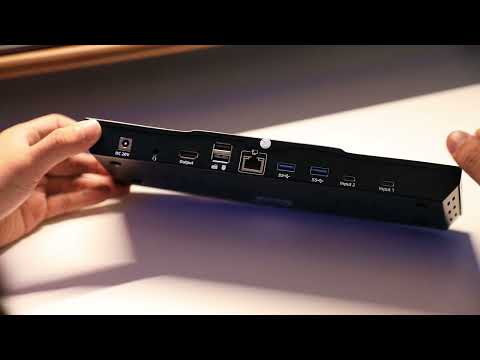
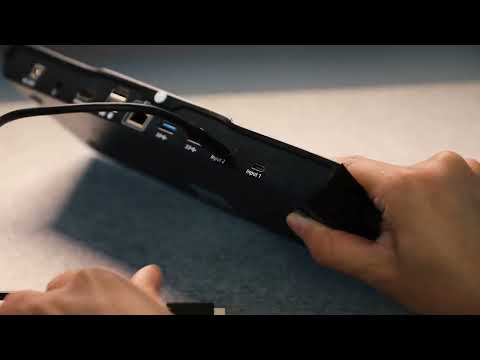


CKS201-M23-EUBK
Station d'accueil de jeu avec commutateur KVM USB-C 8K60 à 2 ports avec puce ADI, EDID, 4K144Hz pour les jeux, 2 ordinateurs portables et 1 moniteur
- Regulärer Preis
-
€523,40 - Regulärer Preis
-
€523,40 - Verkaufspreis
-
€523,40
Abholverfügbarkeit konnte nicht geladen werden
-
Dépêchez-vous, il n'en reste qu'un ! 5 Article en stock !
Overview & Highlights
Véritable affichage 8 K60 Hz avec USB-C, amélioré par la technologie pionnière d'émulation EDID de TESmart.
- TESmart, leader de longue date dans l'émulation EDID, présente désormais le CKS201-M23, un KVM USB-C et une station d'accueil entièrement alimentés par notre technologie EDID avancée en HDMI 2.1.
(CKS202-P23 : le produit sœur propose une double résolution 4K60 pour 2 ordinateurs portables (USB-C) et 2 moniteurs (HDMI 2.1))
Des écrans plus grands, des résolutions plus élevées, de meilleures performances.
Pour le montage 8K/4K :
- Prend en charge les couleurs 12 bits pour un montage 8K/4K précis, idéal pour les jeux avancés et le traitement d'images professionnel.
Pour les jeux 4K/144 Hz :
- Amélioré avec quatre technologies : Dynamic HDR (HDR10+, Dolby Vision), VRR (G-Sync, FreeSync), FVA et ALLM.
- Compatible avec les cartes graphiques Nvidia et AMD, garantissant des visuels de jeu stables, sans déchirures et sans images fantômes.
- Atteint 4K@120Hz le HDR 12 bits.
À propos de ce produit :
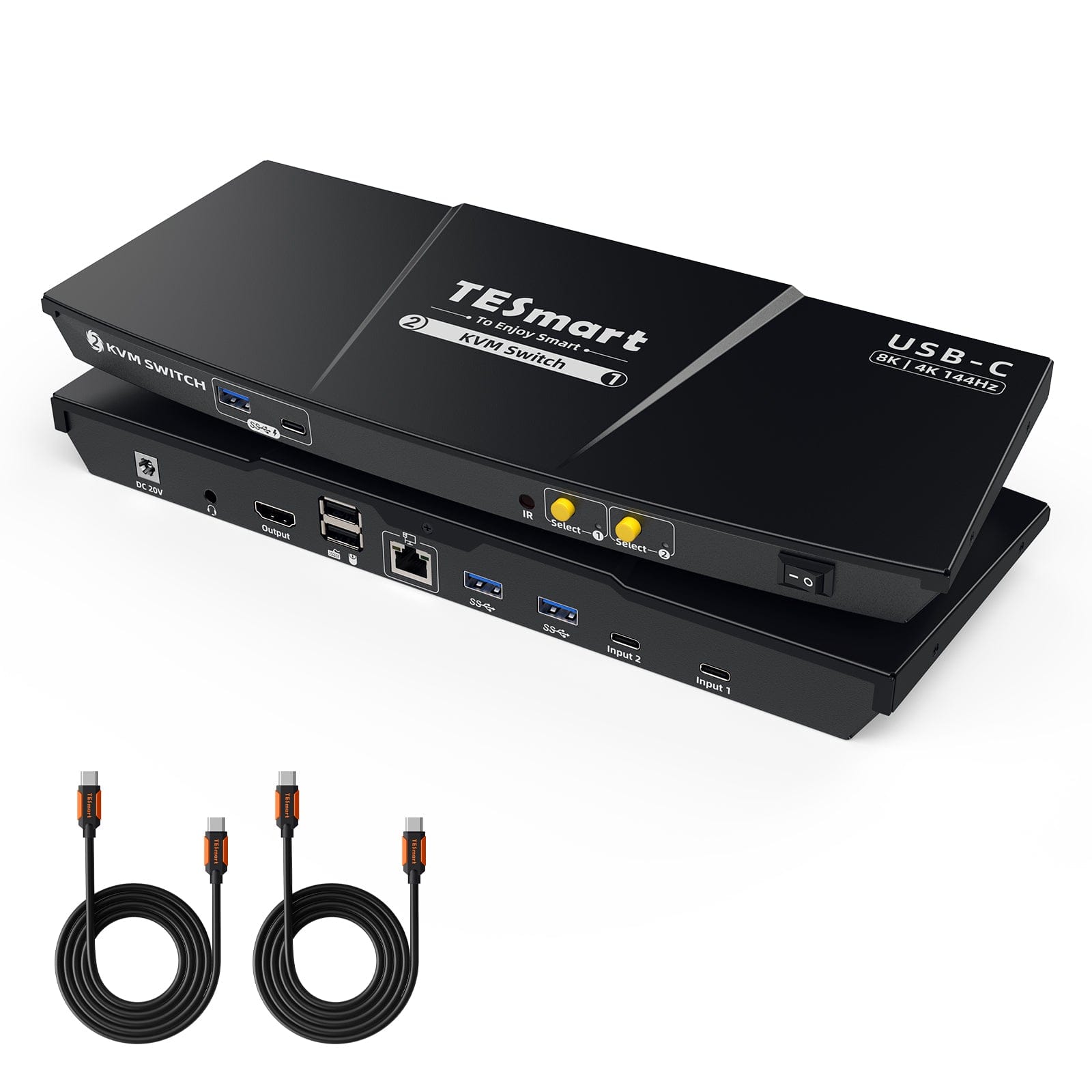
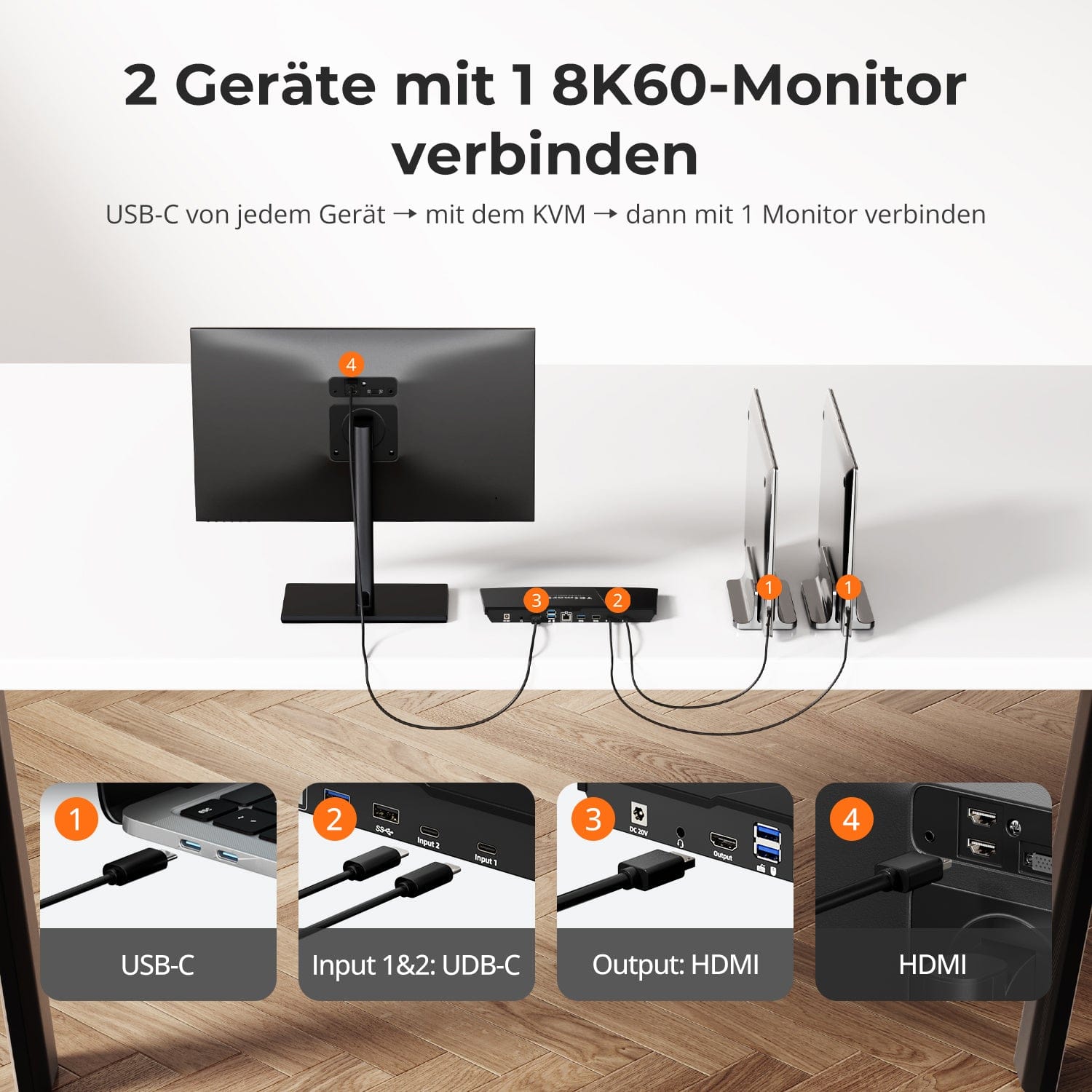
- La station d'accueil de jeu pour commutateur KVM USB-C est livrée avec des câbles PC complets, dont 2 câbles USB-C vers les ordinateurs.
- Gérez efficacement deux ordinateurs portables avec un seul clavier, une seule souris et un écran 8 K60 Hz.
- Chaque ordinateur portable est pris en charge par une alimentation intégrée de 60 W qui s'adresse directement à l'alimentation des ordinateurs portables.
- Prend en charge les résolutions jusqu'à 8K(4 320p) à 60 Hz et est rétrocompatible avec 4K(2 160p) à 60 Hz/120 Hz/144 Hz.
- DP 1.4 est conforme et prend en charge le mode alternatif DisplayPort (DP Alt Mode), qui permet à la connexion USB de transmettre des signaux DisplayPort.
- La sortie du moniteur connecté est HDMI 2.1.
- Prend en charge la connexion réseau filaire, 2 PC connectés au KVM peuvent accéder au réseau avec un seul câble.
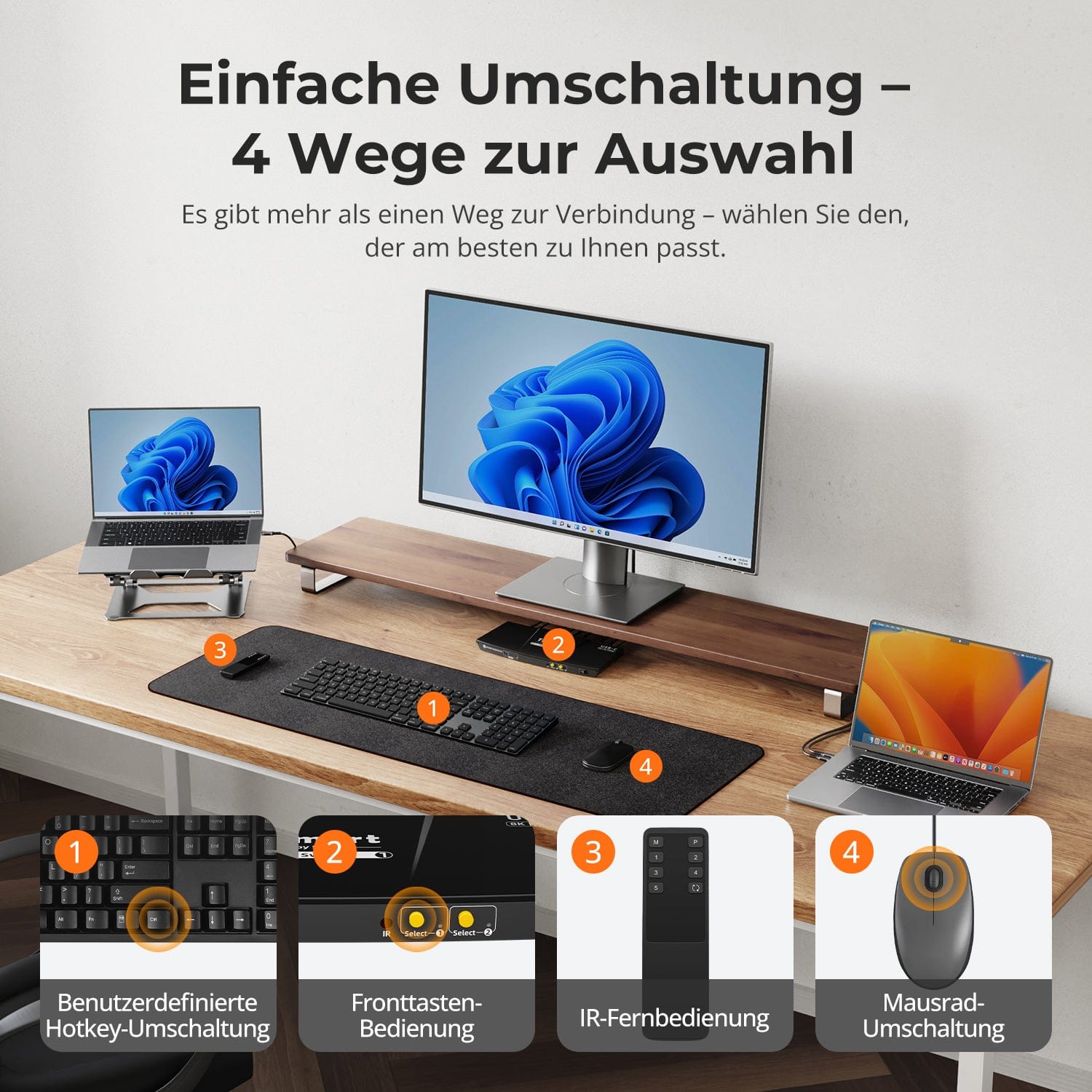
- 4 façons de changer d'entrée : touches de raccourci du clavier, molette de la souris, bouton du panneau avant ou signaux IR et fonctionnement fluide du clavier et de la souris après la commutation.
- L'émulation EDID empêche la résolution et la réorganisation des icônes.
- Mode d'émulation K&M pass-through et hérité pour une large compatibilité de clavier : claviers filaires, sans fil, mécaniques et de jeu.
- Prend en charge l'USB 3.2 Gen 1 avec un taux de transfert de données ultra rapide, partage l'USB 3.0 et les périphériques audio pour plus de commodité.
- Prend en charge la connexion d'appareils mobiles au port USB du panneau avant pour le chargement.
- Prend en charge le branchement à chaud, le branchement ou le débranchement d'appareils à tout moment sans éteindre le PC.
- Compatible avec Unix/ Windows/ Debian/ Ubuntu/ Fedora/ MacOS
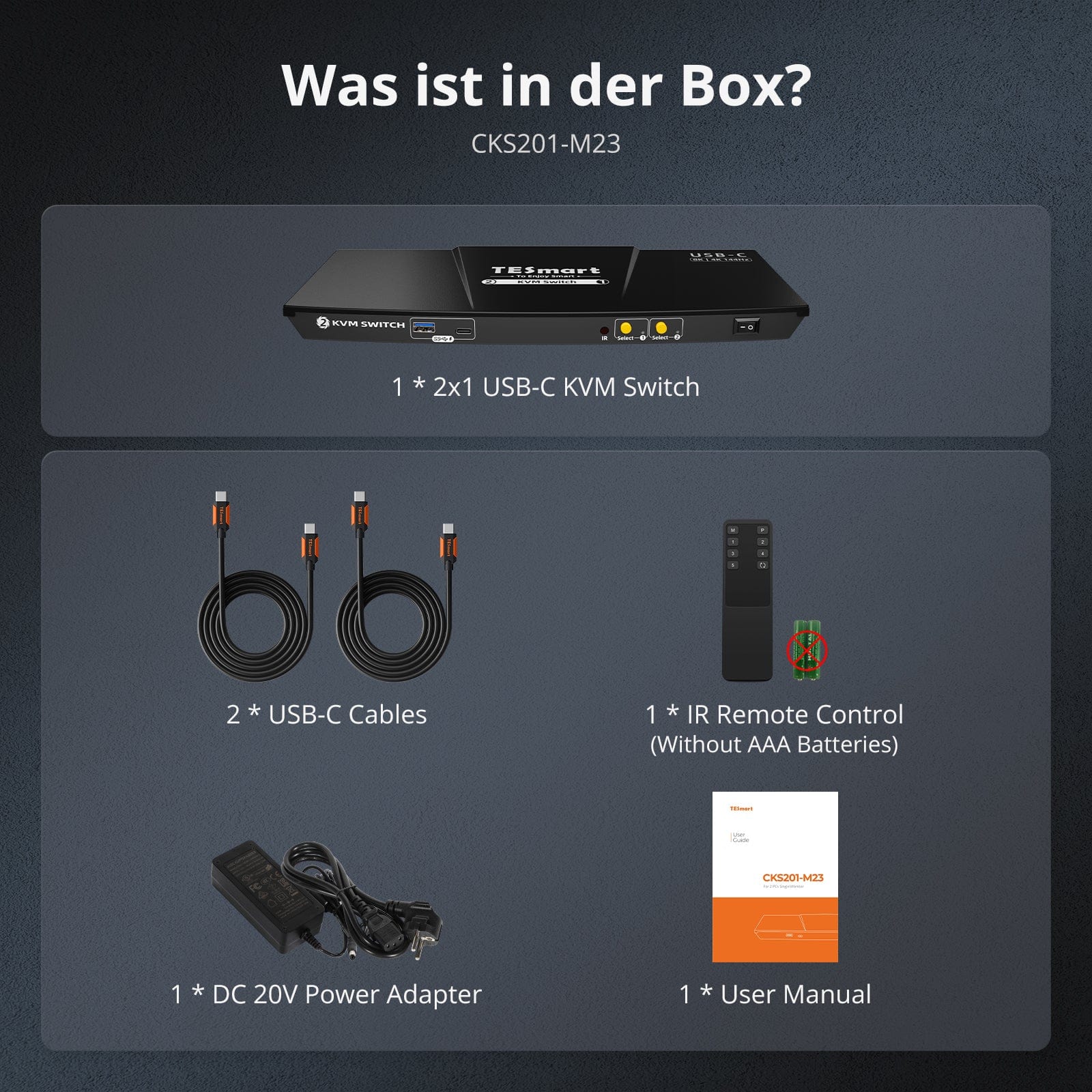
Scope of delivery
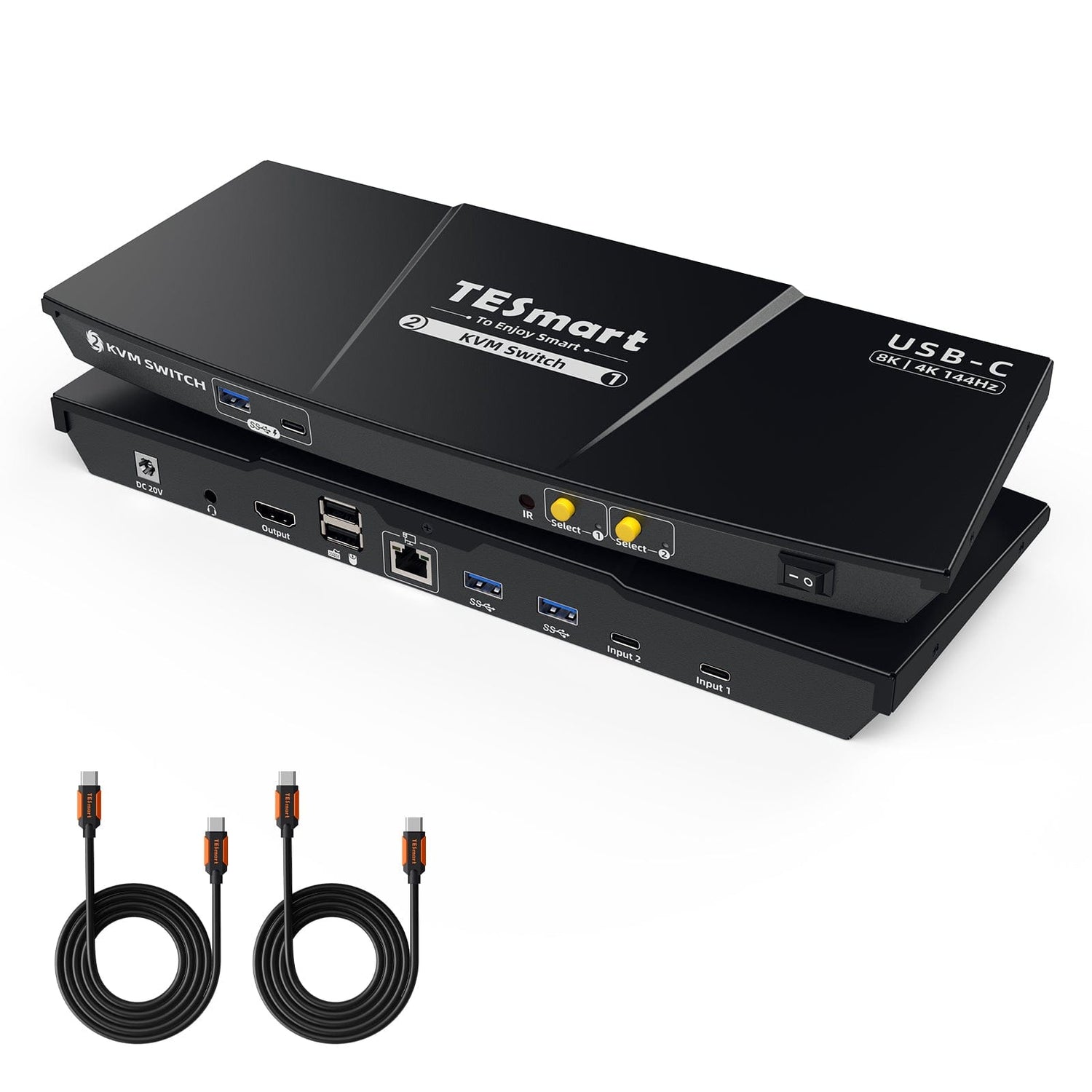
- 1 * 2x1 USB-C KVM switch
- 2 * USB-C cables
- 1 * IR remote control
- 1 * DC-20V power supply
- 1 * User manual
Downloads & User manual


Our shipping policy consists of the following 7 sections:
Order processing time (shipping lead time)
- Shipping costs & Delivery time
- Order tracking
- Delayed shipments
- Order cancellations
- Steer & Customs duties
- Contact us
1. Order processing time
The order processing time refers to the period from the time of the order until the order is handed over to the shipping service provider.
• Orders are usually shipped within 1-2 working days after confirmation/payment.
• Orders placed on weekends may be subject to delays.
• Our warehouse operates Monday to Friday during regular business hours (excluding public holidays). In such cases, we will make every effort to minimize shipping delays.
We have warehouses in Germany and other regions. Your order will be shipped directly from the nearest warehouse, depending on your delivery address. If the nearest warehouse does not have the product in stock, we will ship your order from another nearby warehouse to ensure you receive it as quickly as possible.
Shipping to the United Kingdom 🇬🇧
To ensure smooth delivery and correct customs clearance, orders from the United Kingdom are processed through our US shop.
Orders to UK addresses cannot be shipped via our EU shop.
2. Shipping costs & Delivery time
| Country or region | Estimated delivery time | Shipping costs | Logistics service provider |
| Germany | 3 working days | Free Shipping | DHL |
| Other EU countries | 3-7 working days | Free Shipping | DHL/DPD |
| Non-EU countries | 5-12 working days | From 60 euros | UPS |
3. Order tracking
4.Delayed shipments
5. Order Cancellation
6. Taxes & Customs duties
7. Contact us
- TESmart orders are processed automatically. Once shipped, they cannot be canceled or changed, including address changes.
- If you wish to return or request a refund, please contact us within 30 days of receiving the product at service@tesmart.de.
- Returns are only possible if the product is unused, complete and in its original packaging.
- For returns not due to quality issues, the customer bears the return shipping costs.
- TESmart will cover the return shipping costs for returns or refunds due to quality issues.
- Products that are searched for 30 days and within 2 years Items exhibiting problems cannot be returned, but depending on inspection, they can be repaired or replaced (same model only, replacements preferred for members).
- Between the 2nd and 3rd. No return or refund service is offered this year. Members can after 3 months A discount of [amount] will be granted from the date of purchase as part of the trade-in policy. up to 50% You will receive a refund of the original product price towards the purchase of a new product. For detailed terms and conditions, please visit: https://tesmart.de/pages/tesmart-id-trade-in
- Refunds will be processed within 5 working days of the goods being received at the warehouse.
For questions: service@tesmart.de
Full guidelines:

Technical data
| Produkattribute | |
|---|---|
Modell (SKU) |
CKS201-M23-EUBK
|
Kompatibles Setup |
|
Max Resolution |
|
Supported Resolutions |
|
VRR (Variable Bildwiederholfrequenz) |
|
MST (Multi-Stream Transport) |
|
Laptop-Aufladung |
|
Netzwerkanschluss |
|
Independent Audio Focus Switching |
|
Independent Audio Focus Locking |
|
Thunderbolt 4 Ports |
|
EDID Emulation |
|
Umschaltmethoden |
|
Belegbare Hotkeys |
|
Legacy-Emulationsmodus |
|
Input Ports |
|
Output Ports |
|
Docking Ports |
|
Anzeigemodi |
|
Handbuch (PDF) |
|
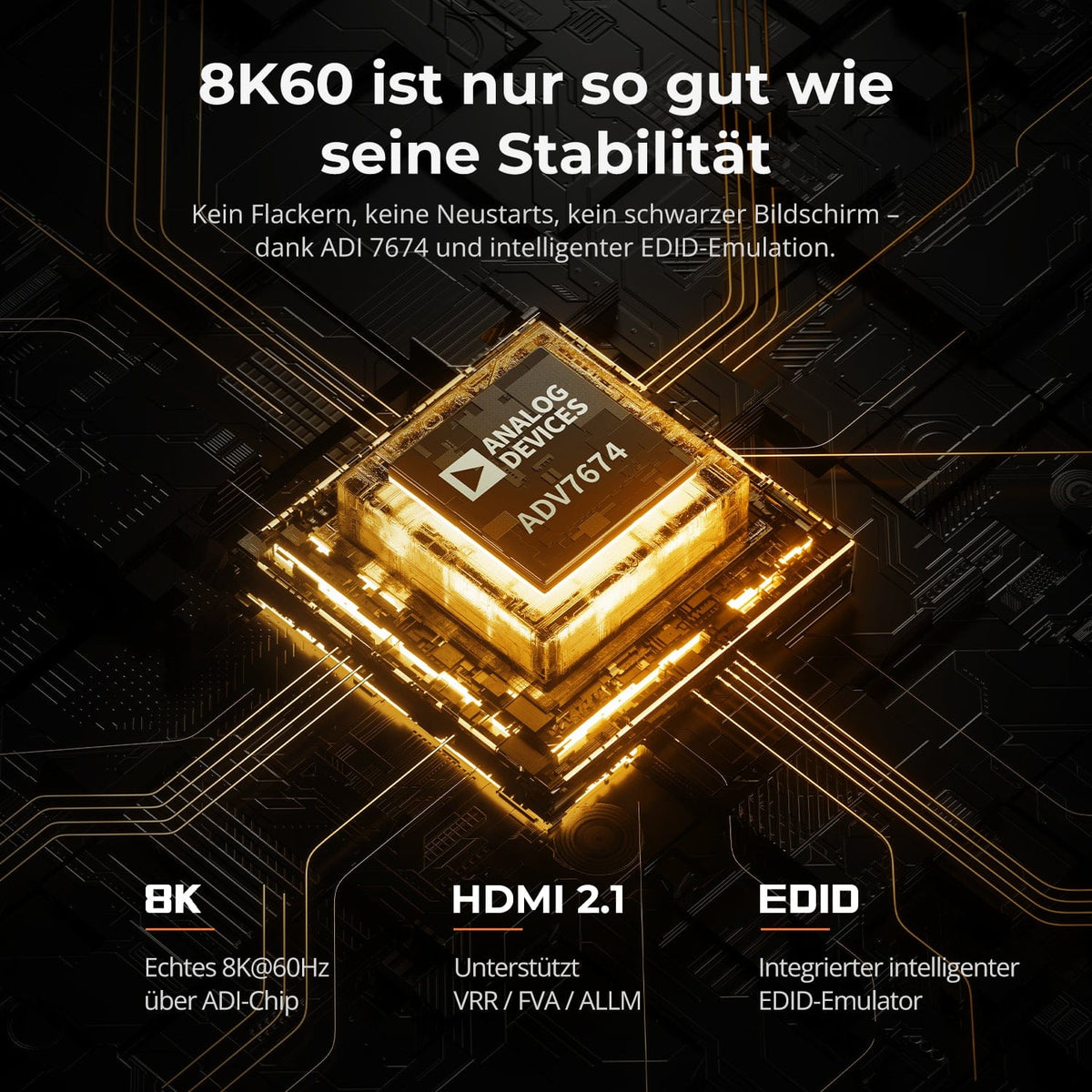
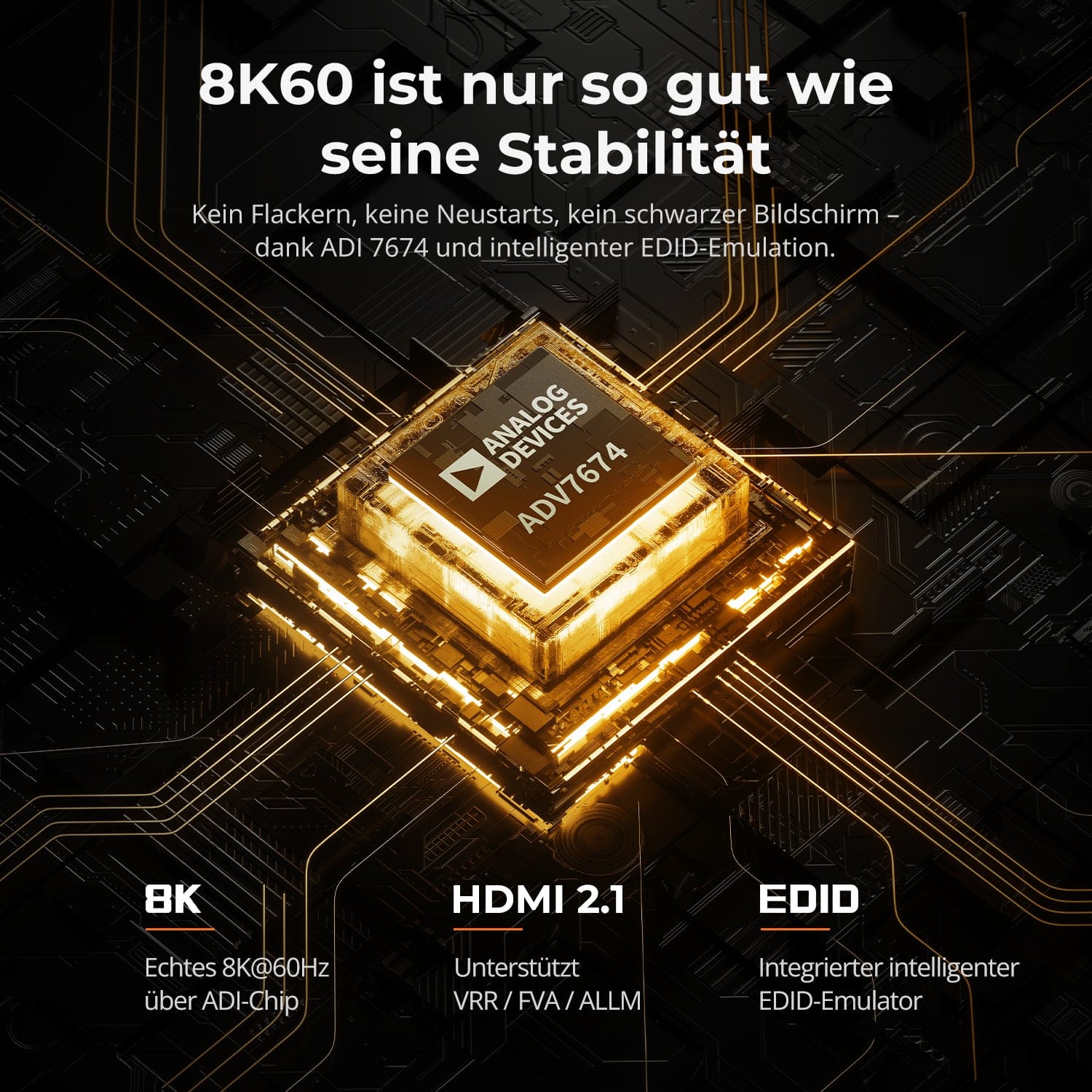
8K60 is only as good as its stability
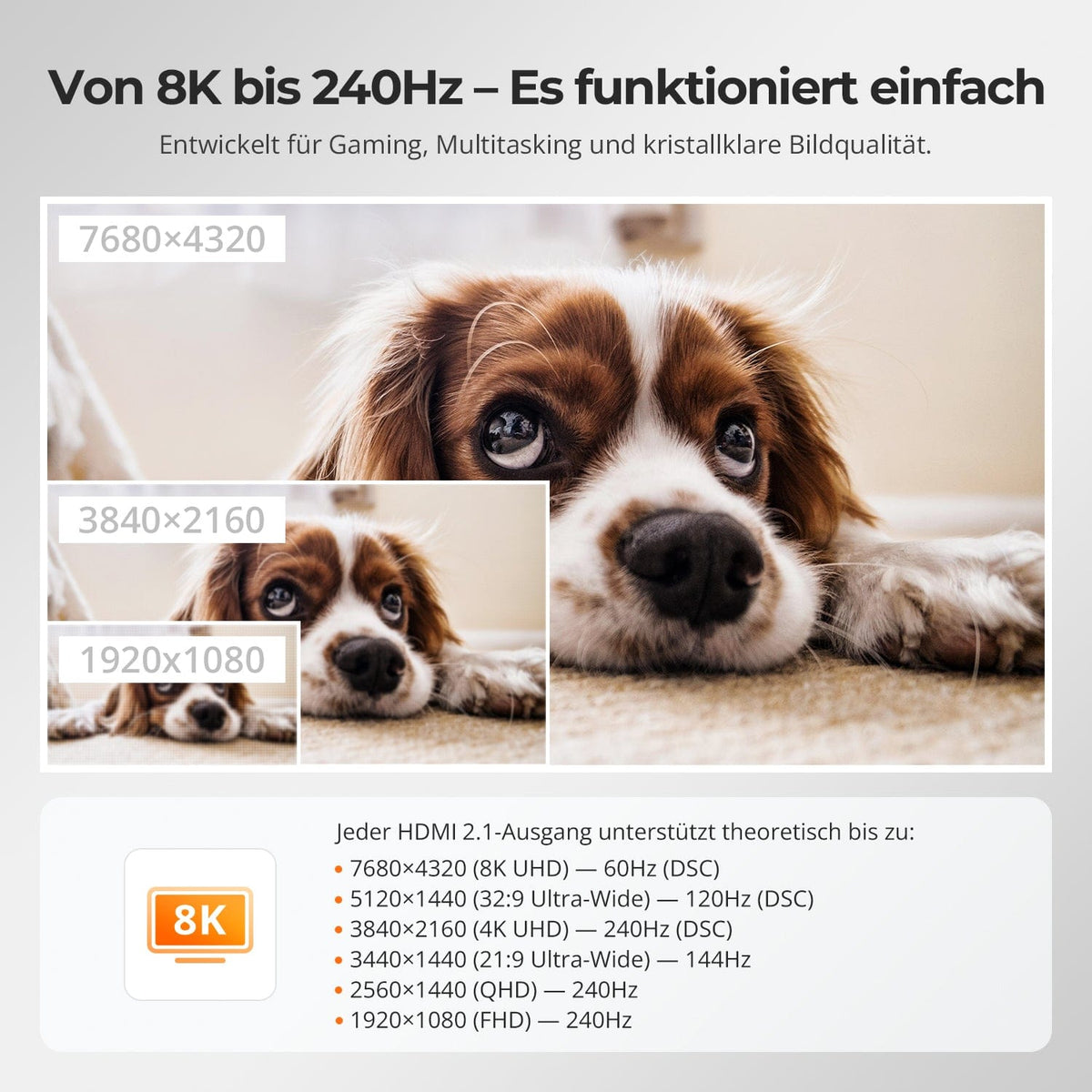
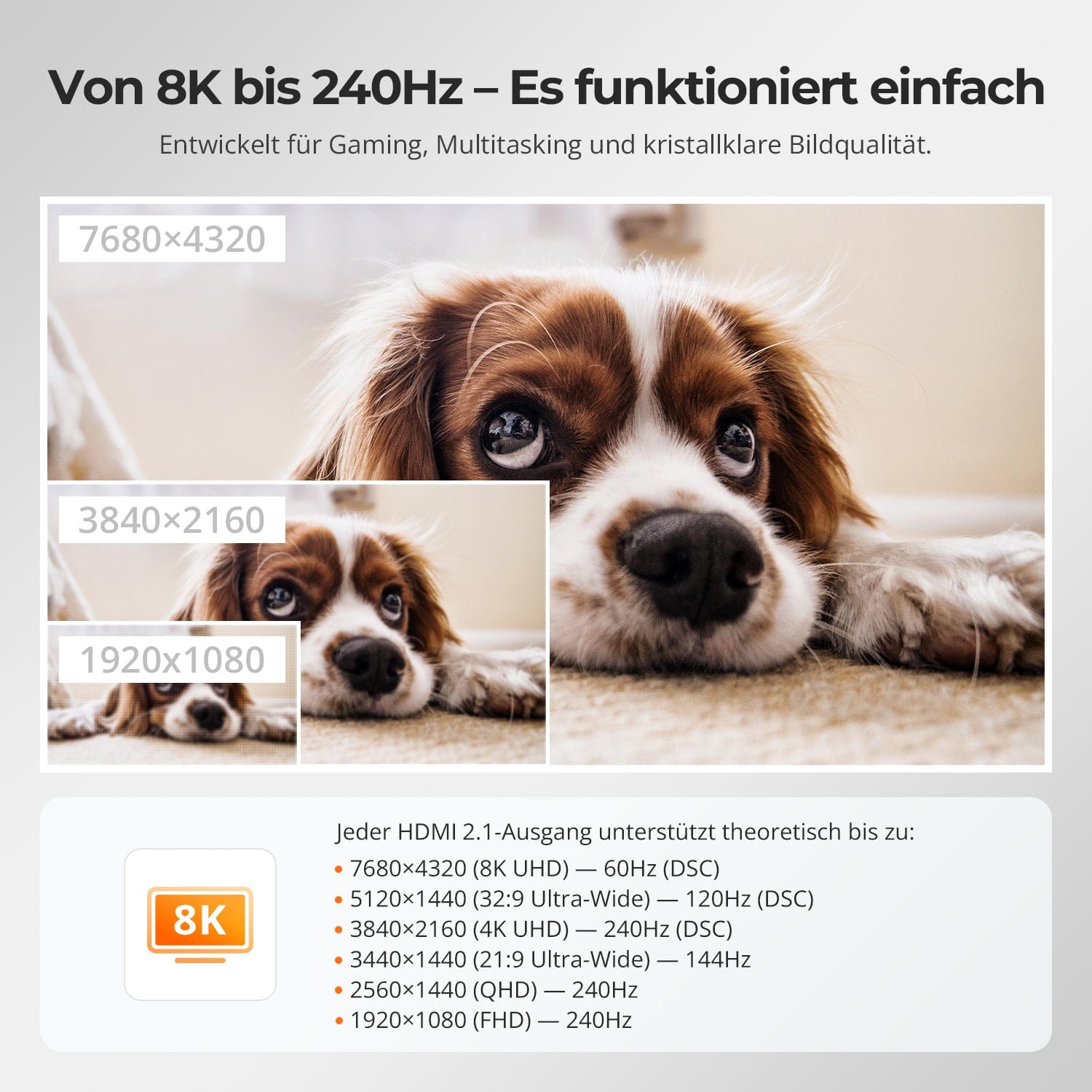
From 8K to 240Hz – It just works
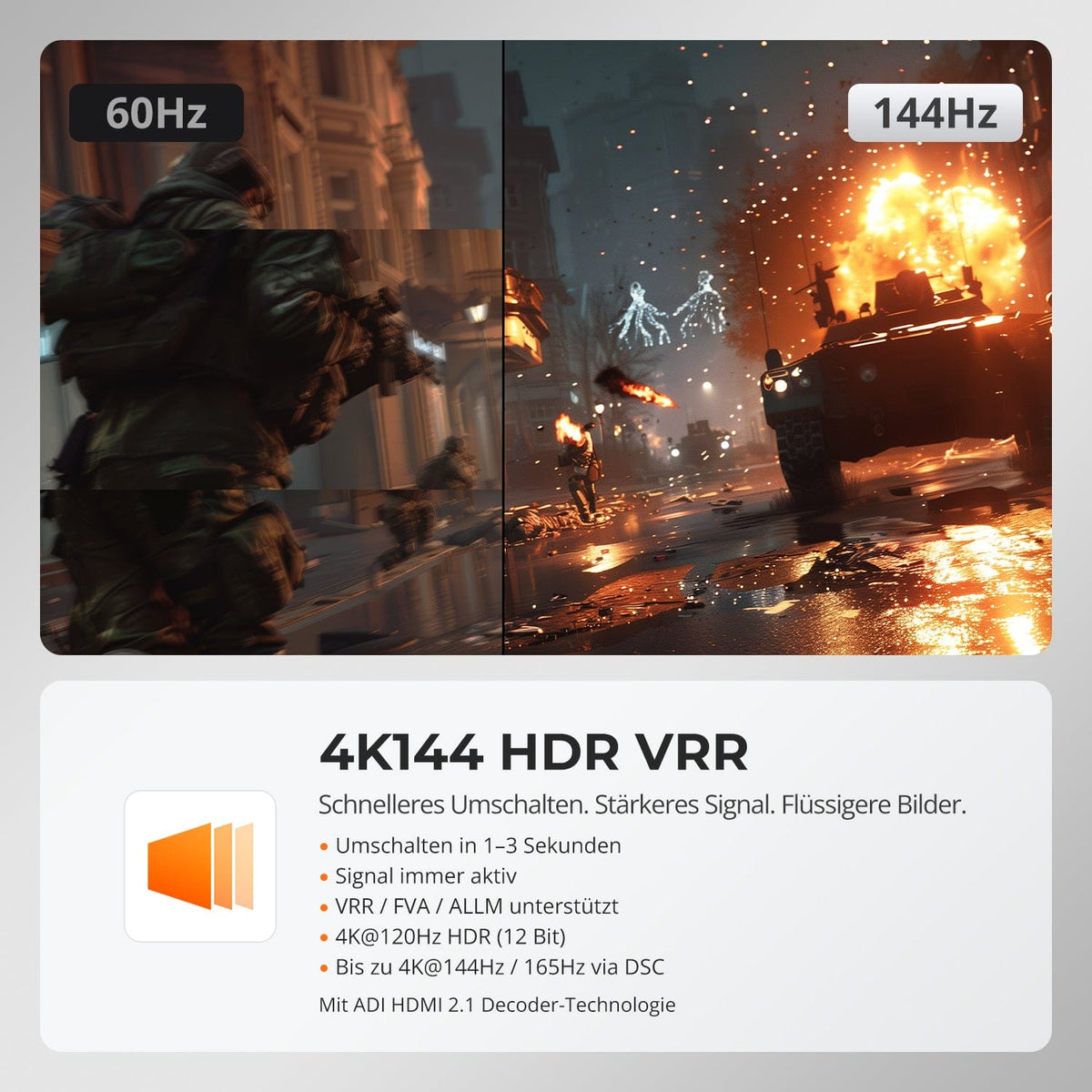
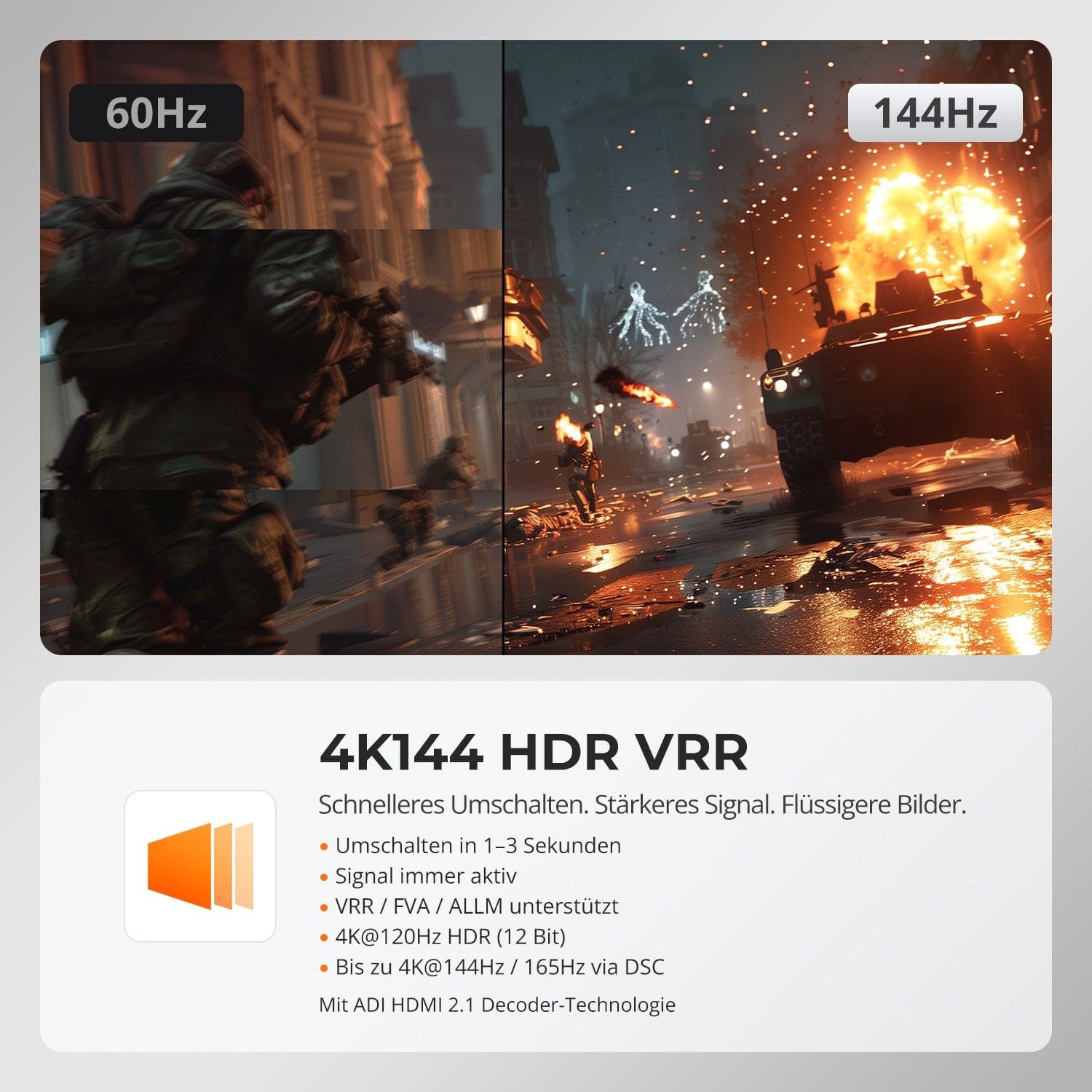
4K144 HDR VRR
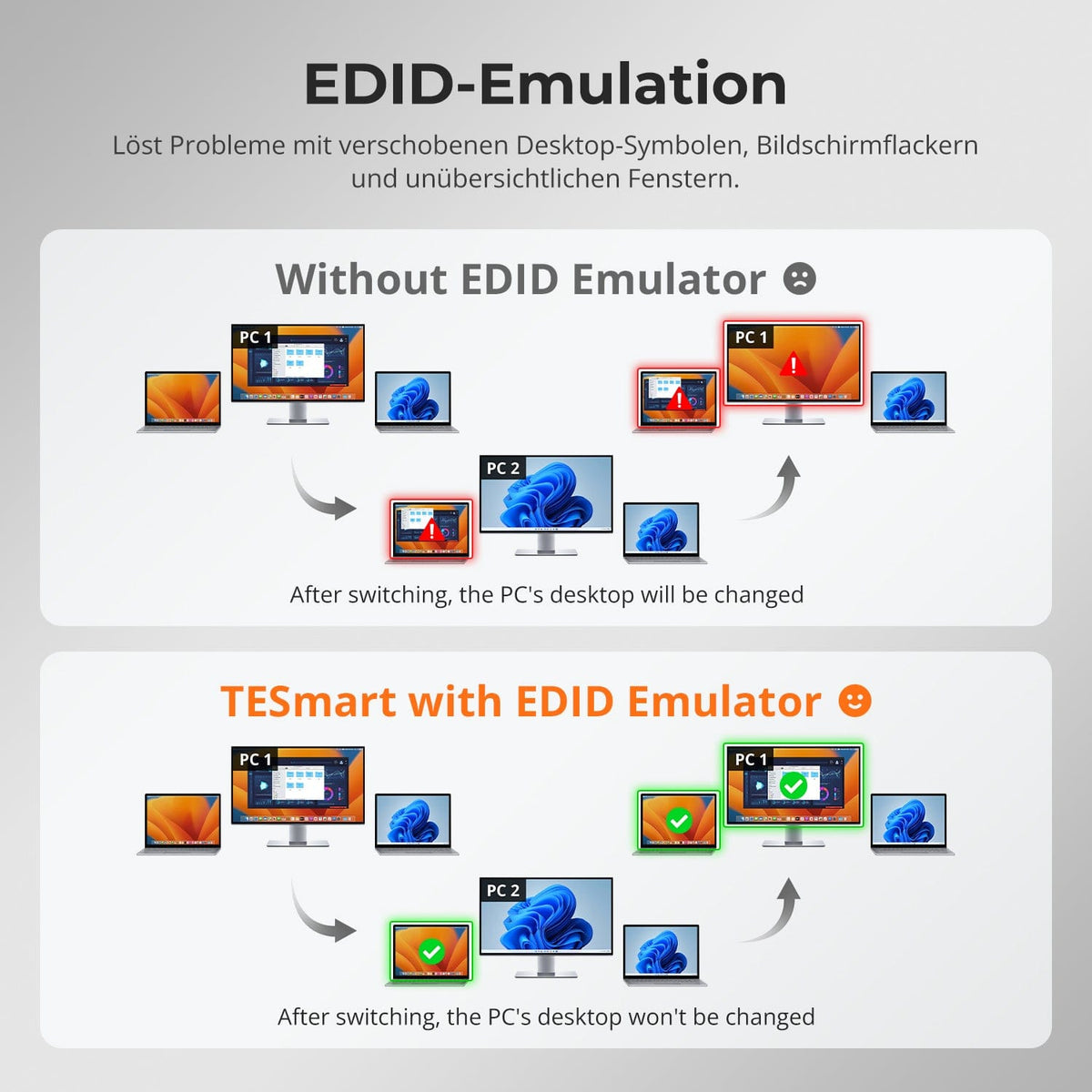
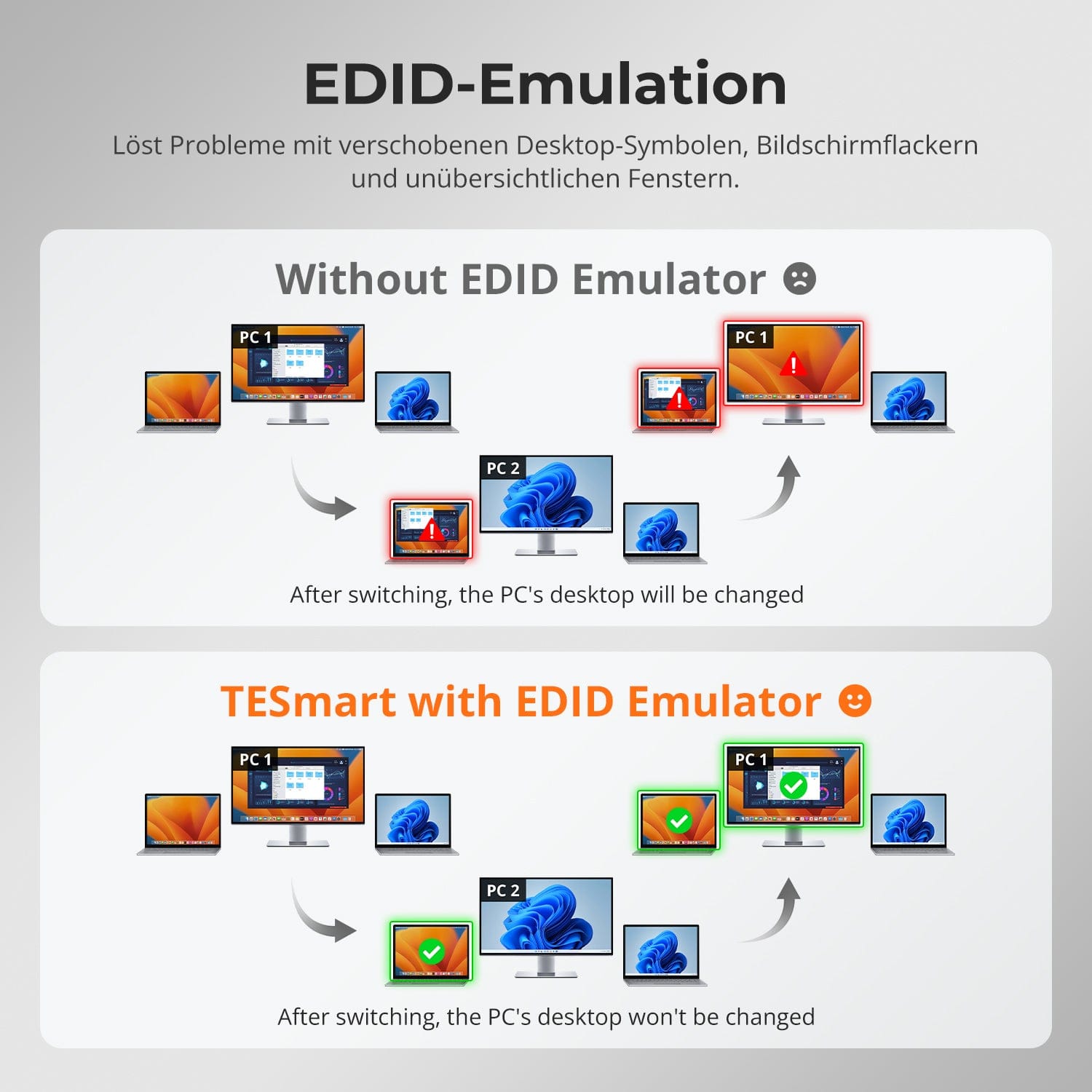
EDID Emulation – Stable screens, no surprises
No flickering. No restarts. No black screen.
Thanks to ADI 7674 decoding and advanced EDID emulation, this KVM ensures stable multi-monitor output – even with high bandwidth.
Why this KVM is different:
• ADI 7674: Industrial-grade HDMI 2.1 decoding
• Intelligent EDID: Signal always remains active, no loss of display
• Supports VRR/FVA/ALLM for smooth, stutter-free gaming
• Ideal for high-FPS gaming and high-performance creative workflows
Designed for smooth gameplay, creative workflows, and crystal-clear visuals. With HDMI 2.1 and DSC, our KVM supports extreme resolutions and high refresh rates on a wide variety of displays.
Each HDMI 2.1 output theoretically supports up to:
• 7680×4320 (8K UHD) — 60Hz (DSC)
• 5120×1440 (32:9 Ultra-Wide) — 120 Hz (DSC)
• 3840×2160 (4K UHD) — 240 Hz (DSC)
• 3440×1440 (21:9 Ultra-Wide) — 144 Hz
• 2560×1440 (QHD) — 240Hz
• 1920×1080 (FHD) — 240Hz
Faster switching. Stronger signal. Smoother images.
• Fast switching in 1–3 seconds: No blackout, no reset
• Signal remains active at all times: No interruption when switching
• VRR/FVA/ALLM supported: Smooth, low-latency gaming
• 4K@120Hz HDR (12-bit): Impressive clarity and colors
• Up to 4K@144Hz 165Hz via DSC: Optimized for fast-paced action games
Powered by ADI HDMI 2.1 decoding – amplifies weak signals and ensures stable multi-monitor performance.
Switching between displays shouldn't mess up your desktop. Our integrated EDID emulator ensures your layout stays exactly as you left it.
• No more misplaced symbols
Retains the position of desktop icons and the size of open windows when switching inputs.
• Flicker-free switching
Prevents screen dropouts and flickering caused by re-initializing the display.
• Smoother multitasking
Maintains visual consistency between workstations and monitor setups.
✅ With TESmart EDID emulation: Your display remains stable and unchanged – even after switching channels.
⚠️ Without EDID emulation: icons move, window sizes change, and the screen flickers after each change.


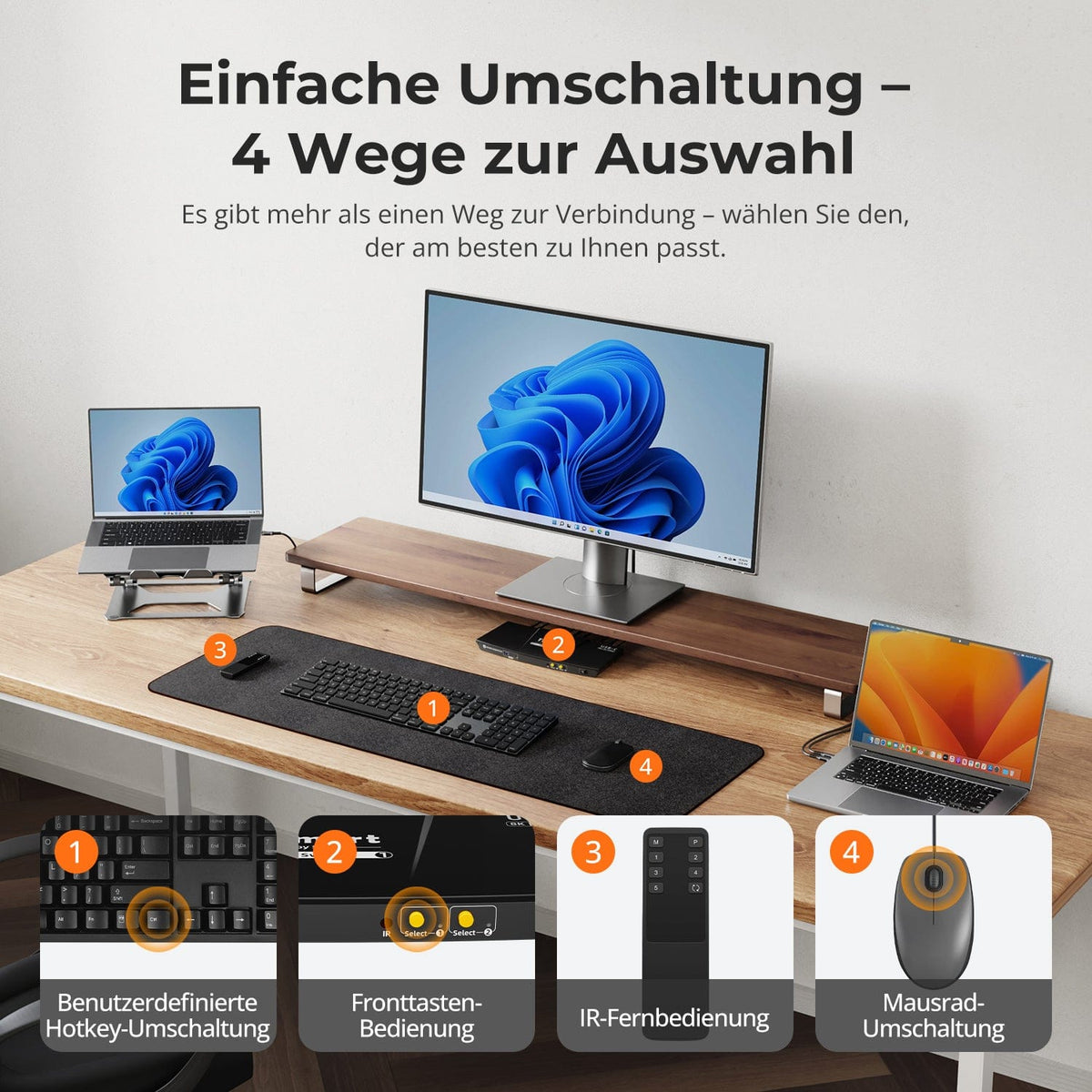
Easy switching – 4 ways to choose from
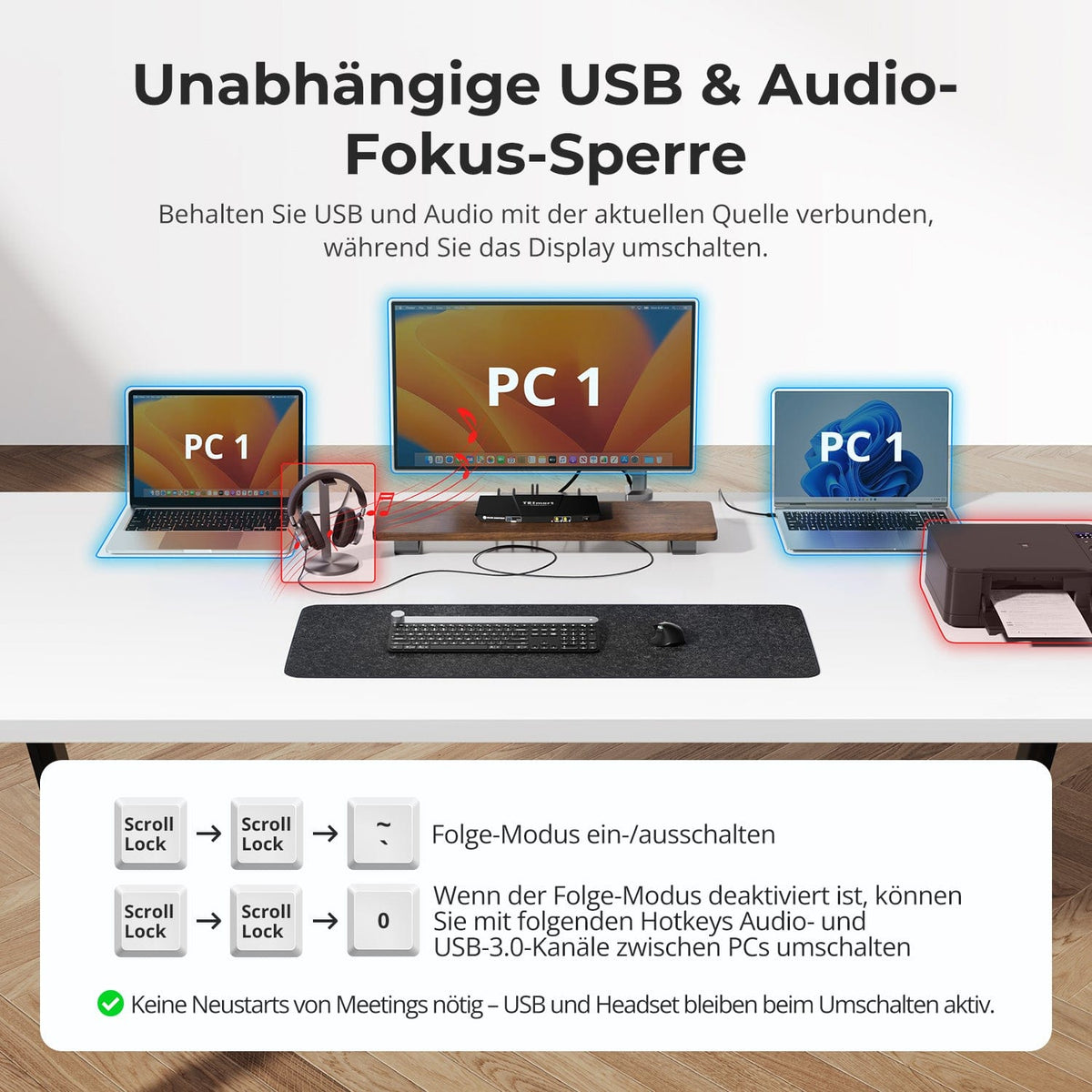
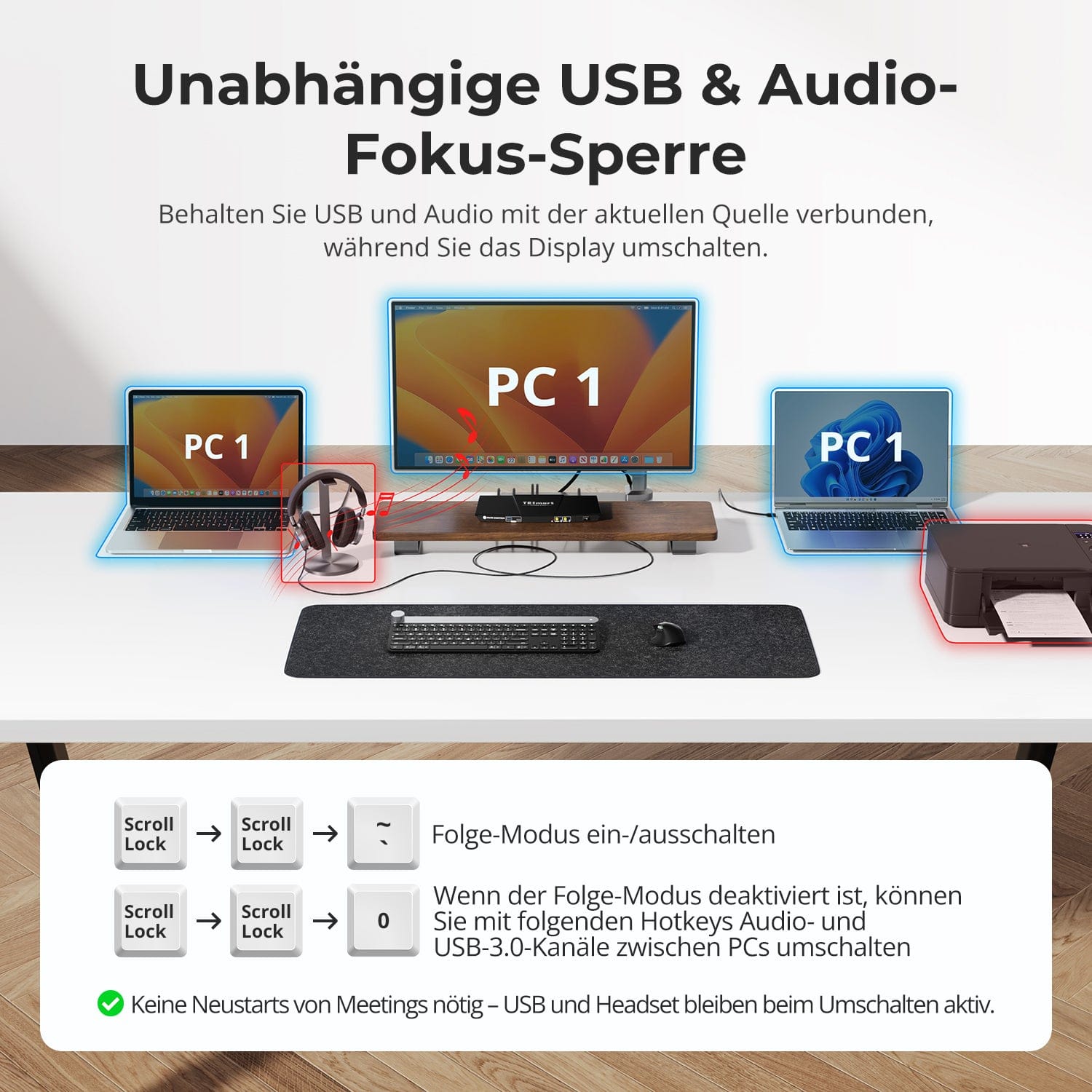
Independent USB & audio focus lock
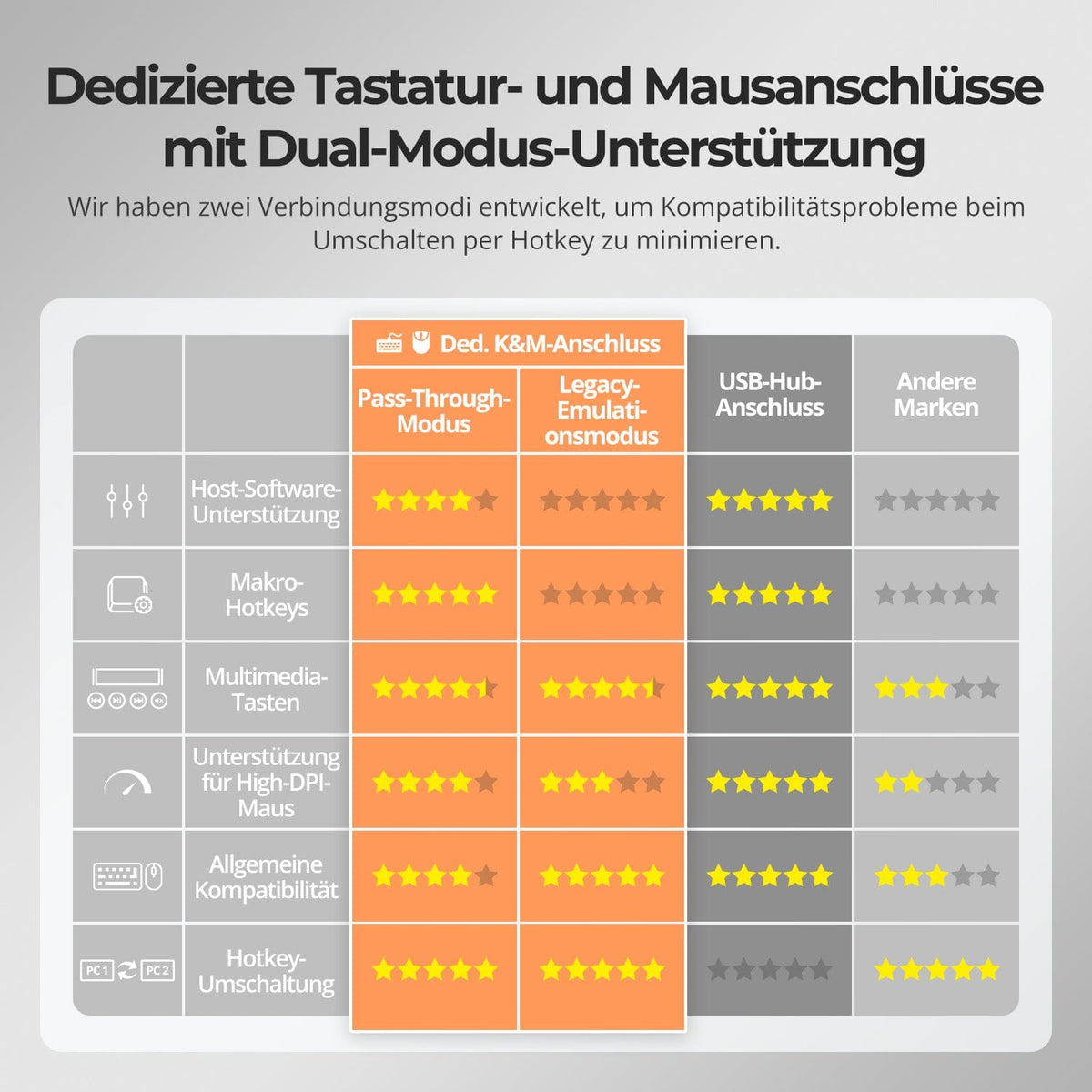
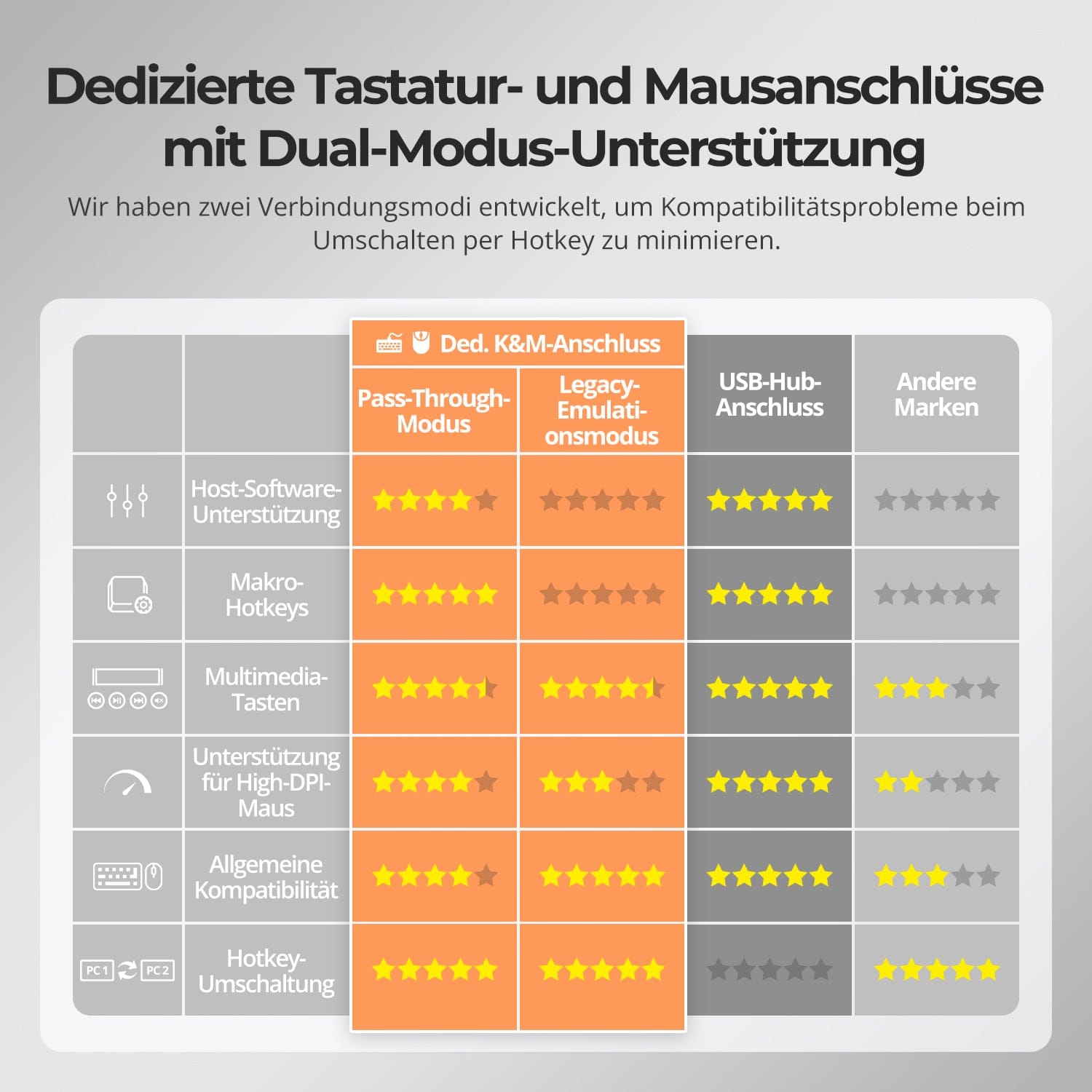
Dedicated K&M-Ports with dual-mode support
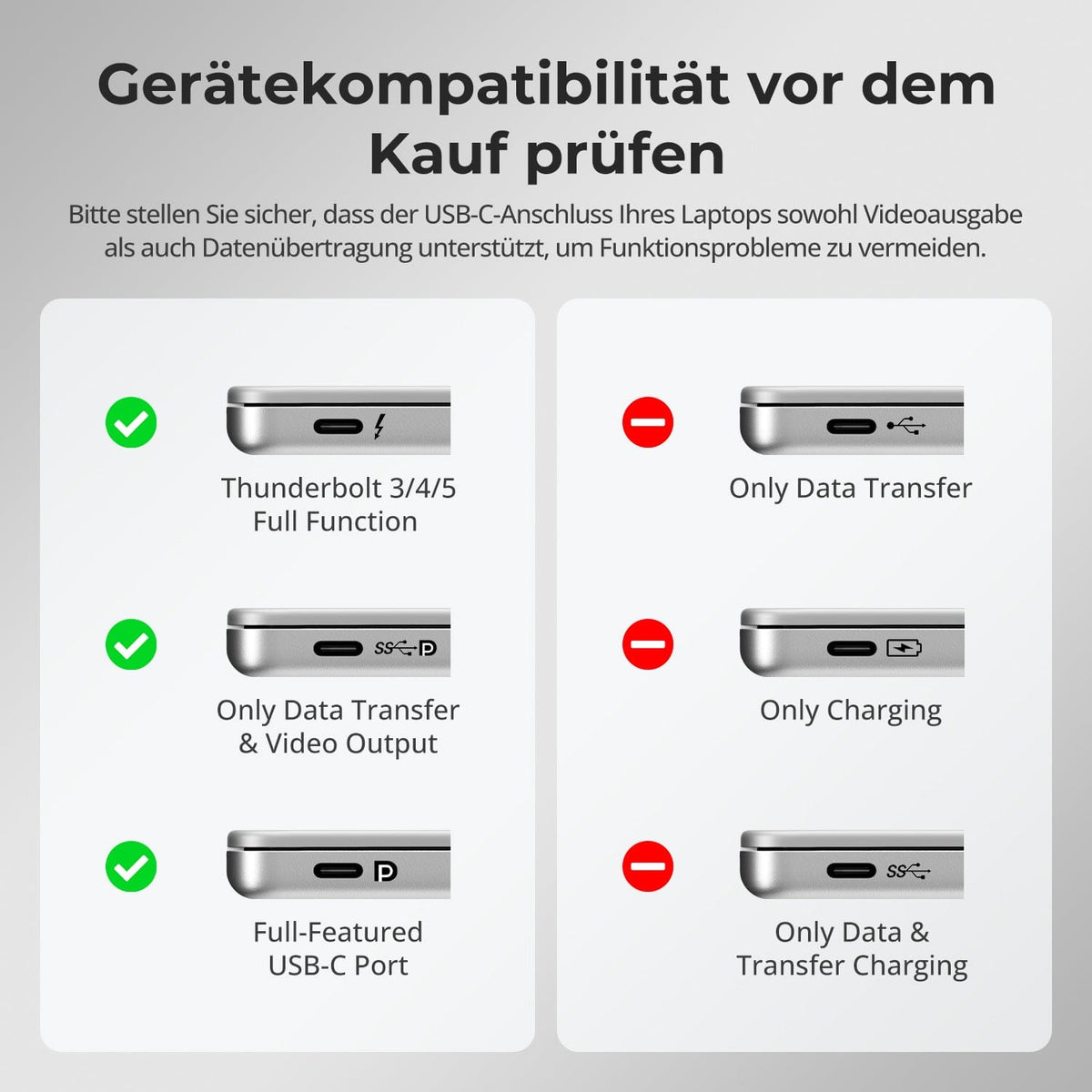
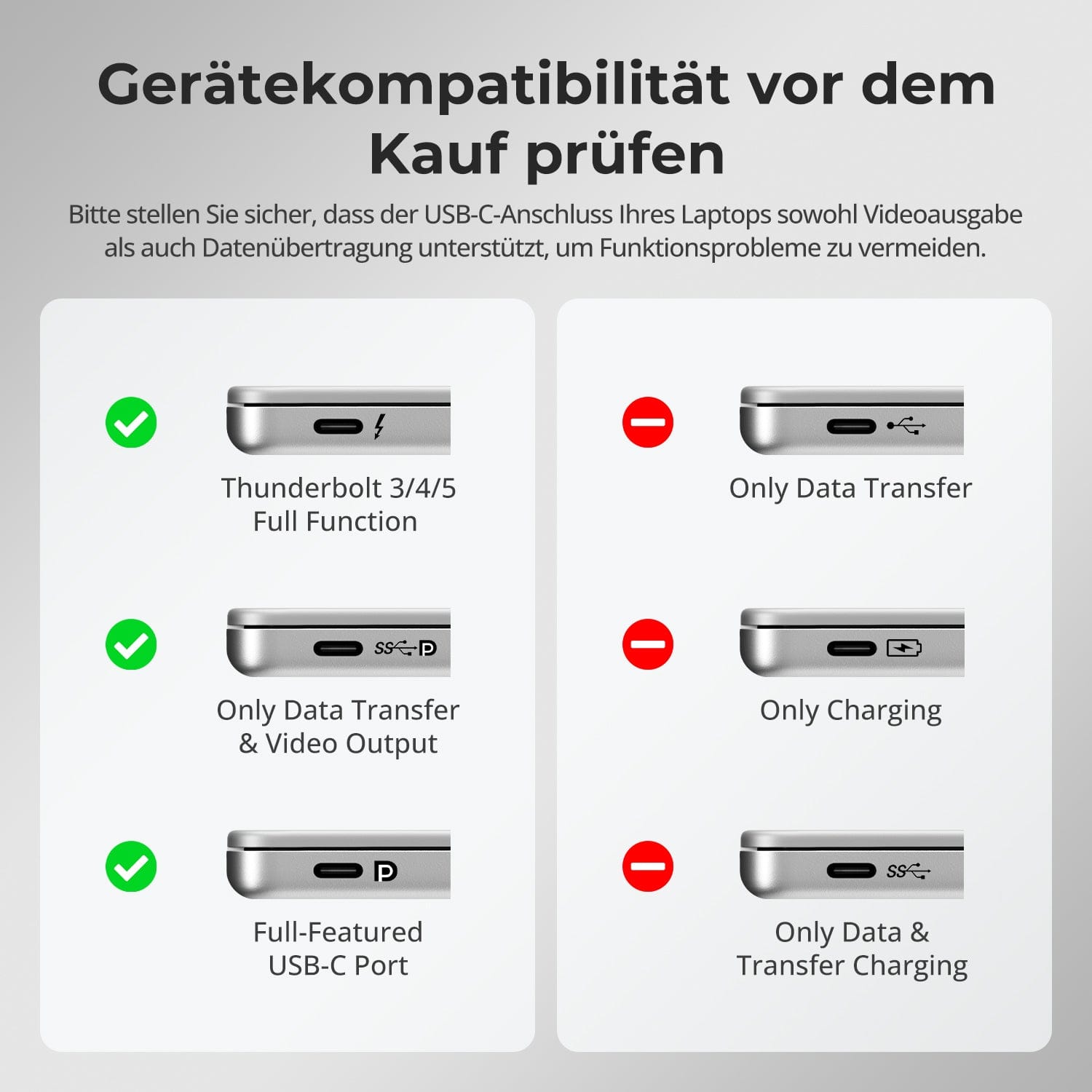
Check device compatibility before purchase
Switching shouldn't slow you down – we offer four seamless methods to suit any setup and workflow:
• Custom hotkey switching – Quick keyboard shortcuts for power users
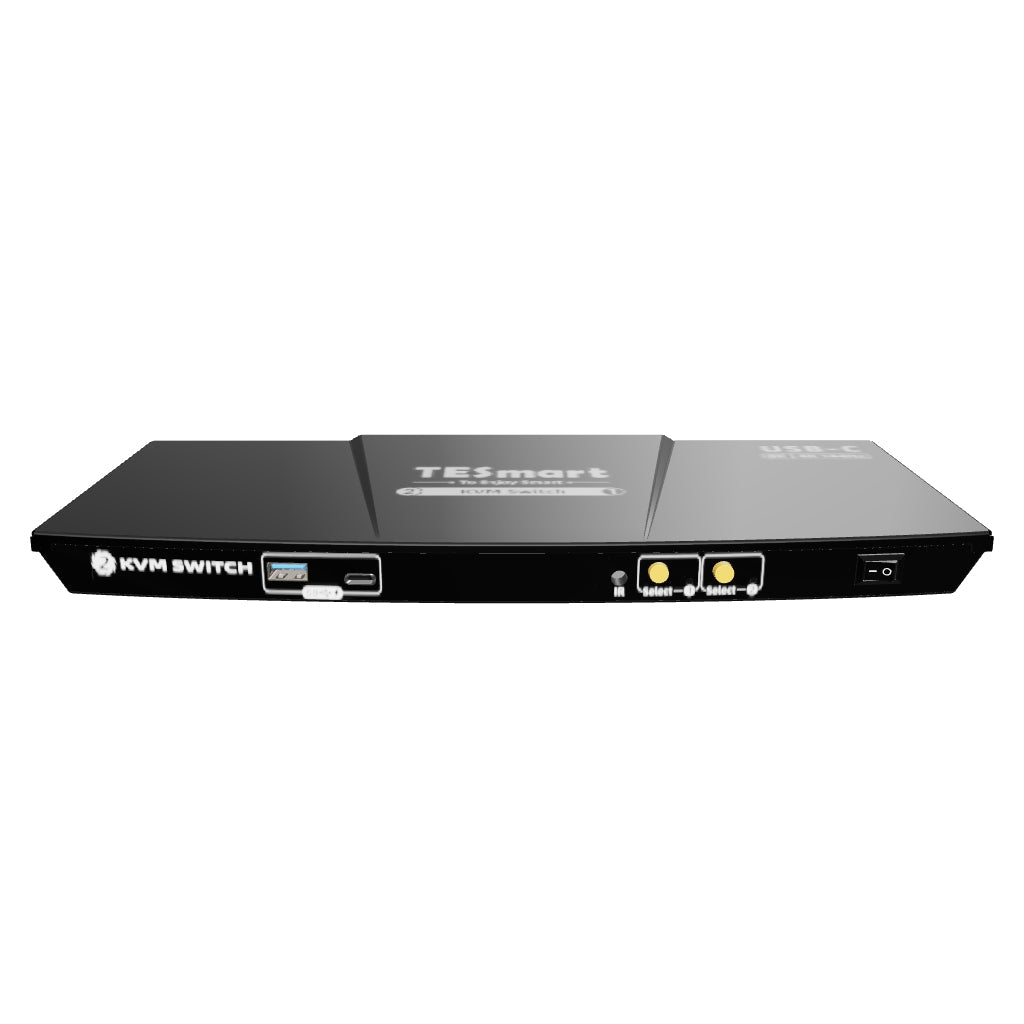
• Front button operation – Easy, direct access at any time
• IR remote control – Convenient control from the other end of the desk
• Mouse wheel toggle – Double tap for instant toggling
Whether at work, gaming, or giving presentations – choose the method that suits you best.
Switch displays without interrupting your USB devices or audio connection.
This KVM allows you to independently lock the focus of USB 3.0 and L/R audio – so that headsets, webcams or external drives remain connected to the current PC, even during screen switching.
Highlights:
• Lock USB and audio focus separately
• Avoid interruptions to calls or devices
• Lock status remains even after restarting
✅ Ideal for meetings, streaming and multitasking
⚠️ USB focus ≠ keyboard & Mouse focus – they are switched separately.
To improve keyboard and mouse compatibility – especially when switching hotkeys – we have developed two special connection modes:
• Pass-through mode (recommended)
Direct routing to the PC. Supports advanced drivers, macros, high-DPI mice, and multifunctional input devices. Ideal for gaming, design, and professional workflows.
• Legacy emulation mode
Ensures universal compatibility and stable hotkey functionality on most systems. Best suited for office applications or when experiencing driver issues.
✅ Hotkey commands only work if your keyboard is connected to the dedicated K&M-Port is connected.
⚠️ Emulation mode disables driver-based software and advanced features.
⚠️ Bluetooth keyboards and mice are not supported.
Please ensure that your laptop's USB-C port supports both video output and data transfer to avoid functional problems.


FAQs
What are the differences between pass-through mode and legacy emulation mode?
Legacy emulation mode provides the PC with predefined basic information for the keyboard and mouse, ensuring fundamental functions and theoretically improving compatibility. The default control mode for keyboard and mouse is pass-through mode.
You can switch between modes using the key combination [Hotkey + Hotkey + F2]. After pressing the hotkey, two beeps signal entry into legacy emulation mode, and one beep signals entry into pass-through mode.
What to do if hotkey switching doesn't work?
Please ensure that the keyboard is connected to the dedicated keyboard port on the back (with keyboard and mouse symbols). The default hotkey for the CKS201-M23 is [Right Ctrl].
The CKS201-M23 model supports both pass-through mode and legacy emulation mode for keyboard and mouse control. Pass-through mode offers good compatibility with common keyboards and mice on the market.
If you experience problems with the keyboard or mouse in pass-through mode, please connect a standard keyboard to the dedicated keyboard port on the back of the KVM and switch to legacy emulation mode using the key combination [Hotkey + Hotkey + F2].
How do I change the hotkey switching trigger button?
For simplified operation, the device features a user-defined hotkey function. You can assign any key on the keyboard connected to the KVM as the trigger key for the hotkey command. The default trigger key is [Right Ctrl].
Method 1: After switching on the KVM, press and hold the [Select 2] button on the front panel for 10 seconds until the buzzer emits a long beep. A beep will sound for 5 seconds at the start of the setup process. Within these 5 seconds, press the desired key on the keyboard to activate the hotkey. The beep will stop after the key is pressed, and the setup is complete.
Method 2: Press [Right Ctrl] → [Right Ctrl] → [F1], then a beep will sound for 5 seconds. Within 5 seconds, please press the desired key on the keyboard to activate the hotkey. The beep will then stop and the setting is complete.
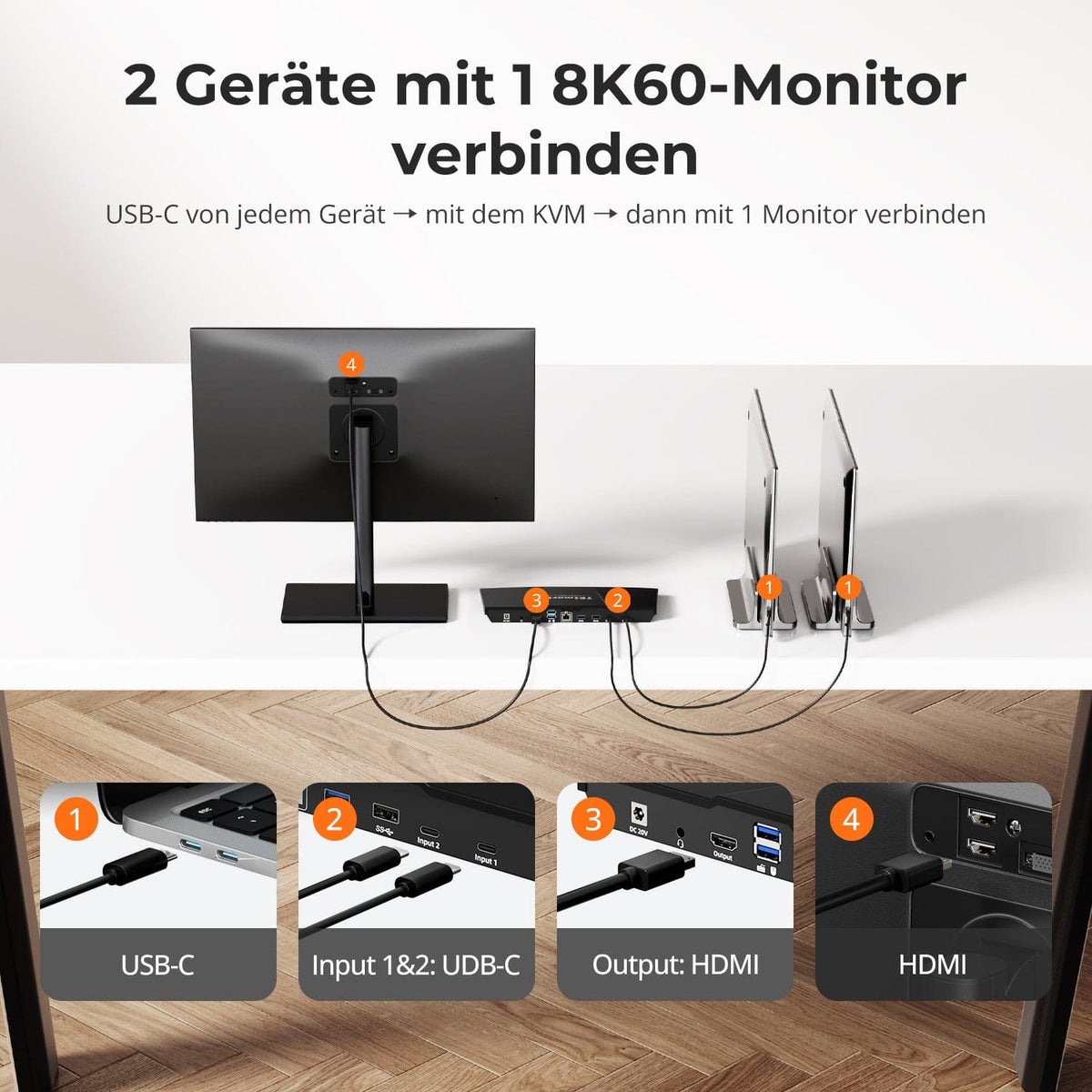
How do I connect all devices to the KVM switch?
One or two USB-C cables are required per computer, and one 8K HDMI cable per monitor. The package includes two USB-C cables for both PC-to-KVM connections. For the KVM-to-monitor connection, you will also need one 8K HDMI cable (8K is recommended).
What refresh rate does the KVM support at 8K and 4K resolution?
The CKS201-M23 supports DP-1.4 protocol and DisplayPort Alternate Mode (DP Alt Mode).
- 7680×4320@60 Hz – 8 bits
- 3840×2160@60 Hz – 8 bits
- 3840×2160@120 Hz – 8 bits
- 3840×2160@144 Hz – 8 bits
Black screen after connecting all devices - what can I do?
If you see a black screen after connecting all devices, please perform the following troubleshooting steps:
- Check the cable connections: Make sure that all HDMI and USB-C cables are firmly plugged into their respective ports.
- Turn the monitor off and then on again: This may help to reset the connection.
- Check the monitor's input source: Make sure the monitor is set to the correct HDMI input.
- Restart the KVM switch: Disconnect the power supply for 10 seconds and then reconnect it.
- Try a different HDMI cable: A faulty cable could be causing the problem.
- Check compatibility: Make sure your monitor and graphics card are compatible with the KVM switch.
Why don't I hear sound on the 3.5mm audio port?
If you do not hear any sound through the 3.5 mm audio jack, please check the following points:
- Make sure the audio cable is properly plugged into the 3.5 mm audio jack on the back of the KVM switch.
- Check the audio settings on your computer and make sure the audio output is set to the KVM switch.
- Check that the volume on your computer and connected speakers is not muted or set too low.
- Try using a different audio cable to rule out the possibility that the cable is faulty.
What charging capacity do the USB-C input ports on the back have?
The USB-C input ports on the back of the KVM switch offer a charging capacity of 60 W. This increased performance enables the fast charging of laptops, tablets and other devices with higher power consumption.
What charging capacity do the USB 3.2 Gen 1 ports on the front panel have?
The USB 3.2 Gen 1 ports on the front panel of the KVM switch offer a charging capacity of 7.5 W. These ports are ideal for charging smartphones, tablets and other portable devices with lower power consumption.
-
Free Shipping
DE: 3 working days · EU: 3–7 working days
-
30 days free returns
Hassle-free returns & Purchase guarantee
-
Extended warranty: 1+2 years
Register and receive 2 additional years of warranty
-
TESmart+ members
Trade-in with 30% discount + lifetime technical support
