CKS202-P23-EUBK
Refurbished: 2×2 USB-C KVM | 4K60, MST & EDID
- Regulärer Preis
-
€299,99 - Regulärer Preis
-
€462,80 - Verkaufspreis
-
€299,99
Abholverfügbarkeit konnte nicht geladen werden
Product overview
- Includes KVM to laptop cables (4 * USB-C cables) for complete setup.
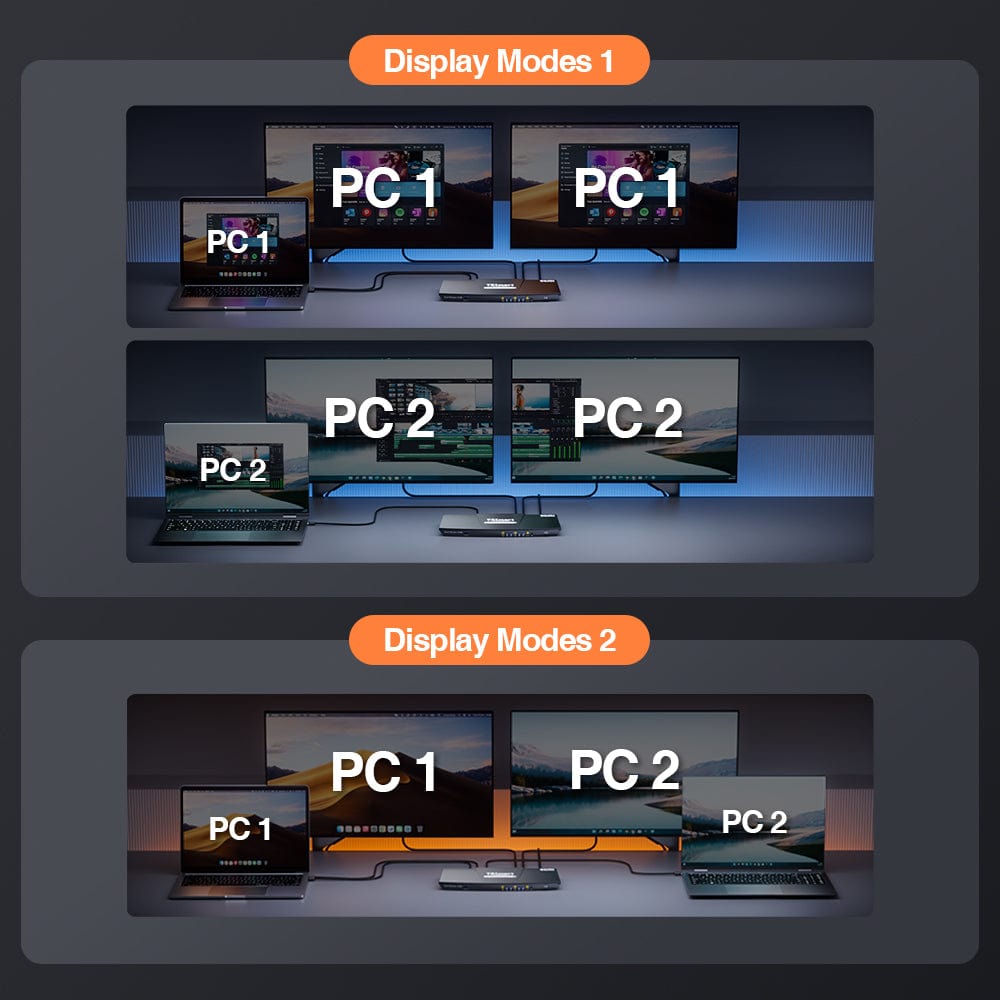
- Choose between shared or independent PC views with 2 modes.
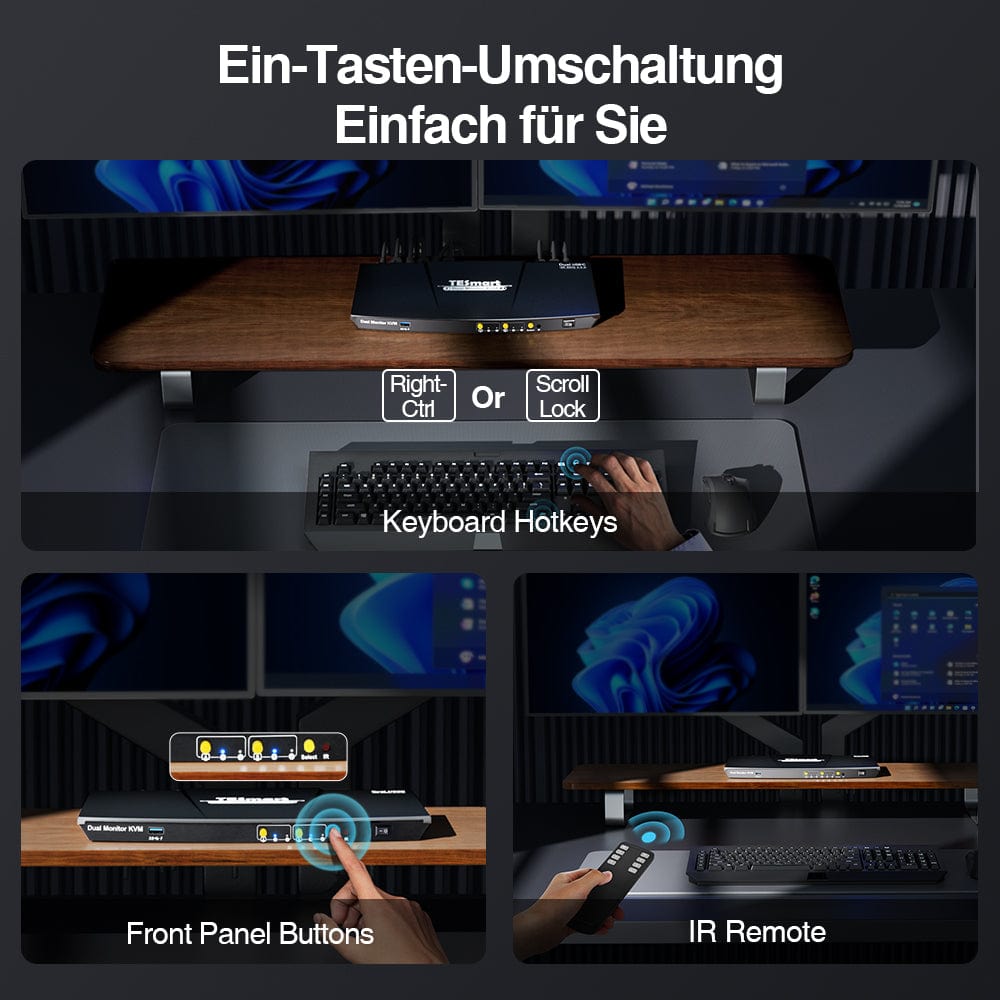
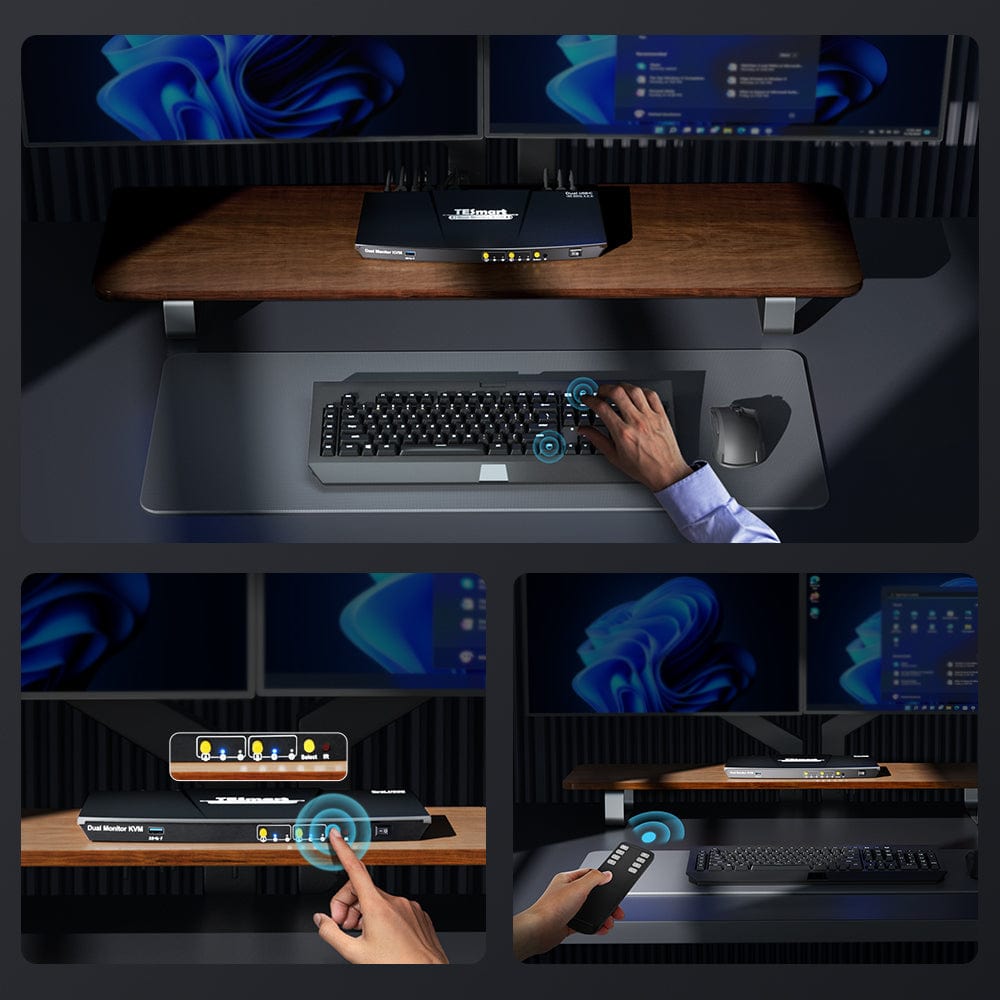
- Easily switch between inputs using hotkeys, the front panel keypad, or the remote control. Seamless K&M operation after switching.
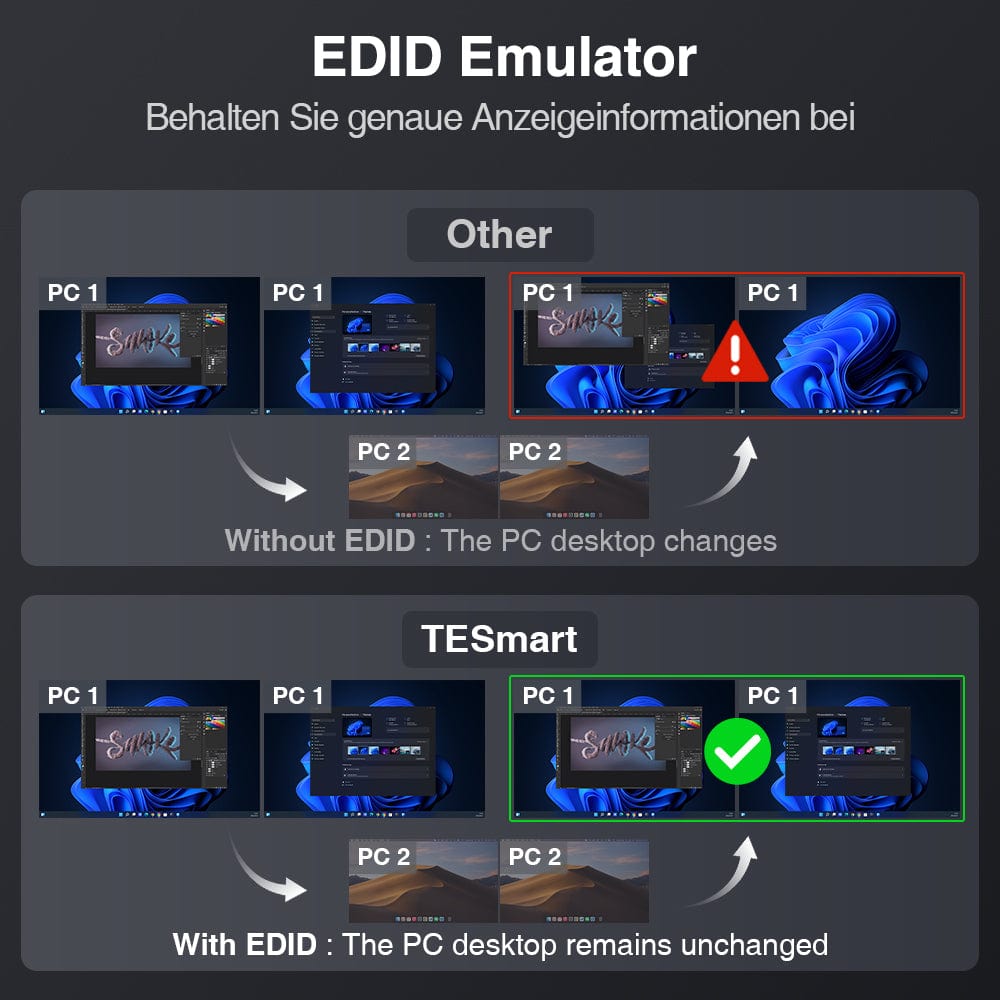
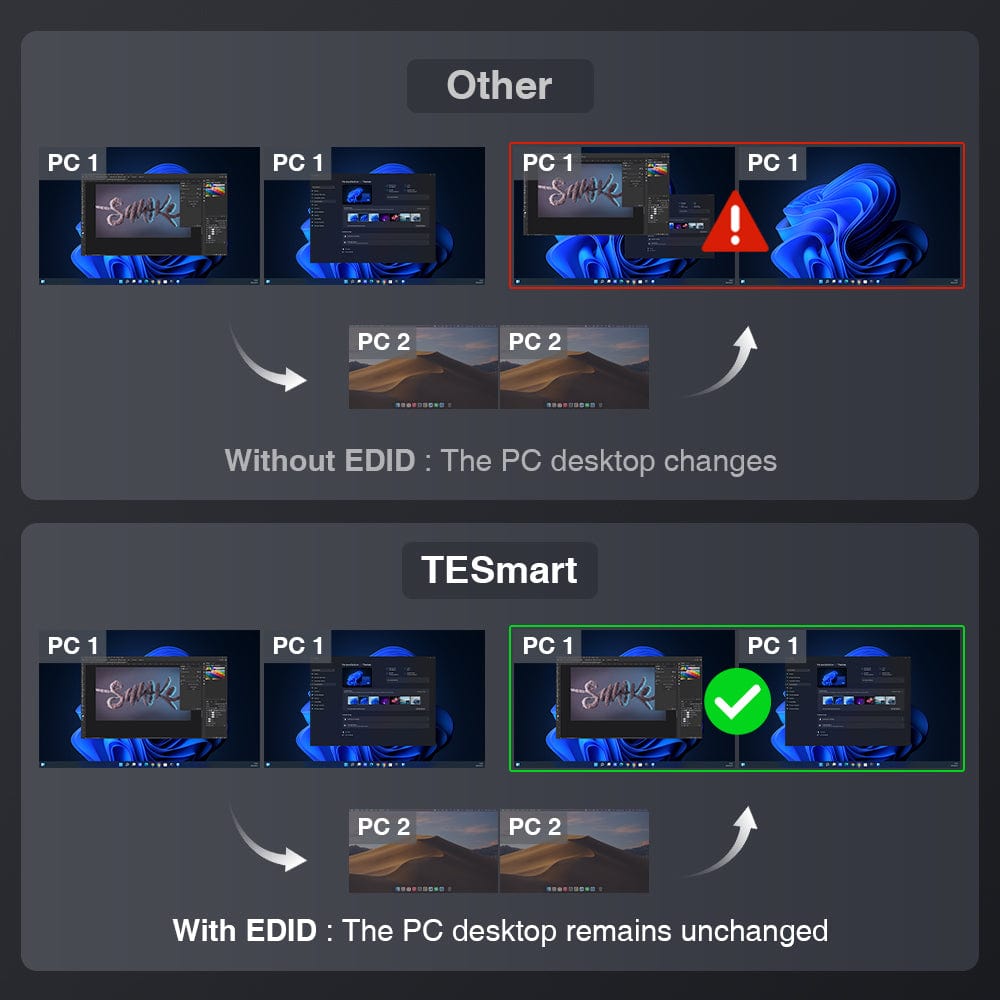
- EDID emulation prevents resolution and symbol reordering.
- K&M passthrough ensures adaptability to various keyboards including wired, wireless, mechanical and gaming keyboards.
What's in the box
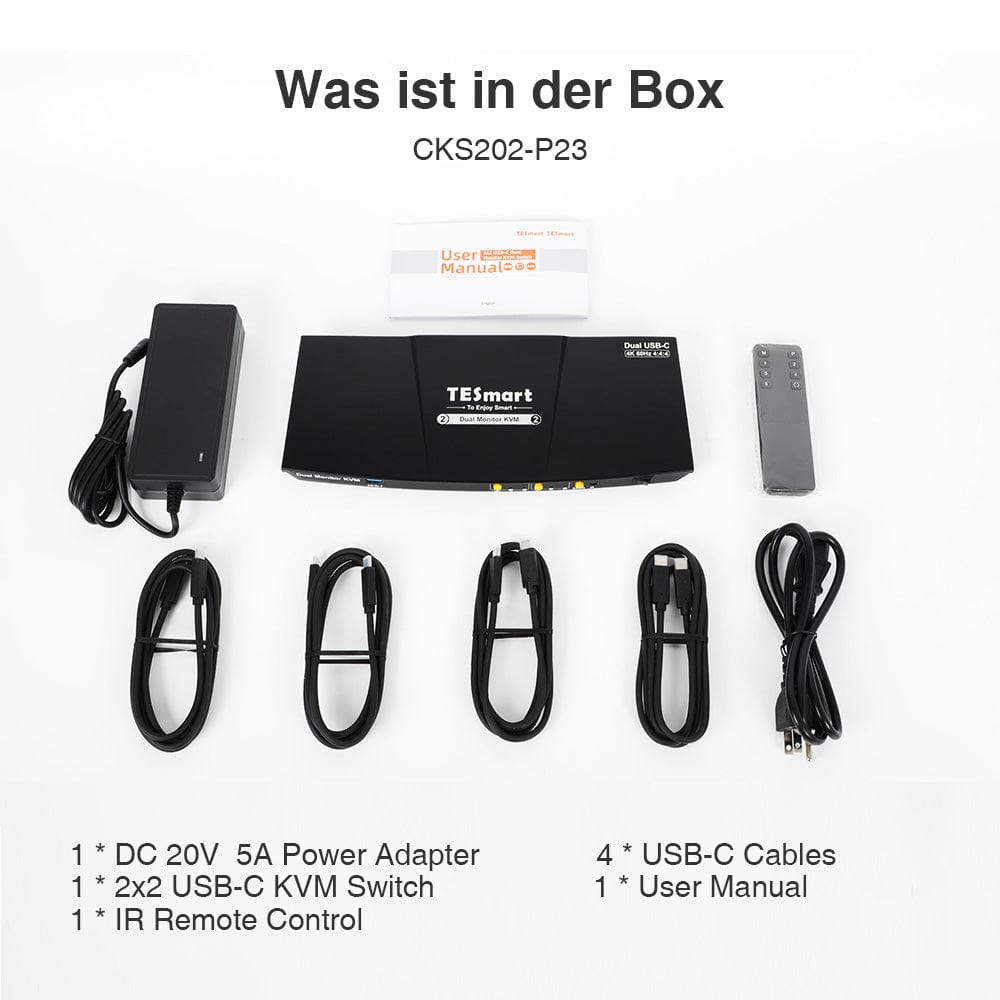
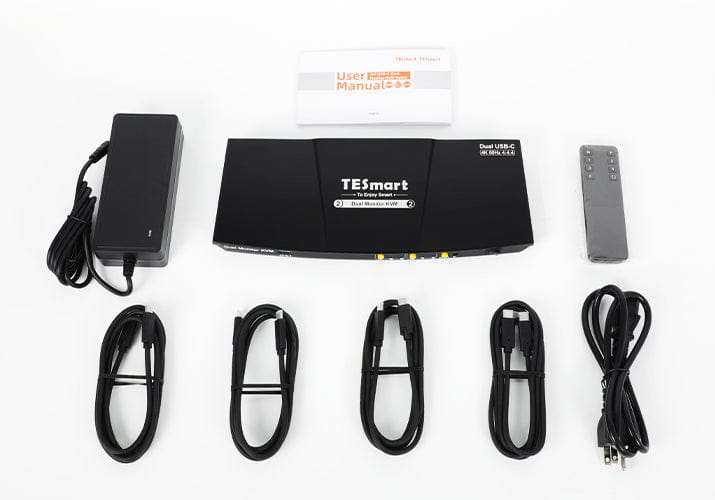
The KVM switch kit comes with all necessary KVM-to-PC cables for complete setup. We ensure that both of your laptops are connected to the KVM.
- 1 * 2x2 USB-C KVM switch
- 4 * USB-C cables
- 1 * IR remote control
- 1 * DC 20V power adapter
- 1 * User manual
| Produkattribute | |
|---|---|
Modell (SKU) |
CKS202-P23-EUBK
|
Kompatibles Setup |
|
Max Resolution |
|
Supported Resolutions |
|
VRR (Variable Bildwiederholfrequenz) |
|
MST (Multi-Stream Transport) |
|
Laptop-Aufladung |
|
Netzwerkanschluss |
|
Independent Audio Focus Switching |
|
Independent Audio Focus Locking |
|
Thunderbolt 4 Ports |
|
EDID Emulation |
|
Umschaltmethoden |
|
Belegbare Hotkeys |
|
Legacy-Emulationsmodus |
|
Input Ports |
|
Output Ports |
|
Docking Ports |
|
Anzeigemodi |
|
Handbuch (PDF) |
|
Share


Our shipping policy consists of the following 7 sections:
Order processing time (shipping lead time)
- Shipping costs & Delivery time
- Order tracking
- Delayed shipments
- Order cancellations
- Steer & Customs duties
- Contact us
1. Order processing time
The order processing time refers to the period from the time of the order until the order is handed over to the shipping service provider.
• Orders are usually shipped within 1-2 working days after confirmation/payment.
• Orders placed on weekends may be subject to delays.
• Our warehouse operates Monday to Friday during regular business hours (excluding public holidays). In such cases, we will make every effort to minimize shipping delays.
We have warehouses in Germany and other regions. Your order will be shipped directly from the nearest warehouse, depending on your delivery address. If the nearest warehouse does not have the product in stock, we will ship your order from another nearby warehouse to ensure you receive it as quickly as possible.
Shipping to the United Kingdom 🇬🇧
To ensure smooth delivery and correct customs clearance, orders from the United Kingdom are processed through our US shop.
Orders to UK addresses cannot be shipped via our EU shop.
2. Shipping costs & Delivery time
| Country or region | Estimated delivery time | Shipping costs | Logistics service provider |
| Germany | 3 working days | Free Shipping | DHL |
| Other EU countries | 3-7 working days | Free Shipping | DHL/DPD |
| Non-EU countries | 5-12 working days | From 60 euros | UPS |
3. Order tracking
4.Delayed shipments
5. Order Cancellation
6. Taxes & Customs duties
7. Contact us
Below you will find an overview of the return and refund process. The complete guidelines can be found on the "Full Guidelines" page below.

1. Order cancellation and modification
- To ensure that every order is delivered as quickly as possible, TESmart's ordering and shipping process is fully automated. Once shipped, the order cannot be canceled or changed, including address changes. For returns and refunds, please contact our customer service team within 30 days of receiving your order.
- If you still wish to return the product after receiving it, please contact us within 30 days after receipt under service@tesmart.de, and ensure that the product and packaging are undamaged and complete.
- ⚠️ For returns due to reasons unrelated to quality, the customer bears the shipping costs.
- Details can be found in the guidelines below.
2. Return process
2.1 Conditions for returns:
- The product must be returned in its original packaging and include all accessories, manuals and documents.
- Products purchased through third-party providers.
- Products that have been damaged by improper use or handling by the customer.
2.2 Return request:
Please koContact the Contact TESmart customer service to request a return.
E-mail: service@tesmart.de
2.3 When making your request via email, please provide the following information:
- Order number
- Proof of purchase
- Photos or videos of the defective product (for faster processing)
- Full delivery address
- Telephone number
2.4 Processing time:
Our support team will respond within 24 hours to respond to your return request and provide you with the return address of the warehouse in your country/region.
For certain countries/regions (e.g., USA, Germany and EU), we may provide you with a prepaid return label to expedite the return/refund process.
2.5 Return address:
Please send the product to the return warehouse specified by TESmart.
2.6 Goods inspection:
3. Refund process
3.1 Triggering the refund:
Once the returned product has been received and inspected by the warehouse, the refund will be initiated.
3.2. Refund period:
The refund will be processed within 5 working days after receiving the returned product in the warehouse.
3.3 Types of services after the sale:
3.3.1 Within 30 days of receipt:
- The original packaging is intact and all accessories are included.
- Return photos will be provided in advance.
3.3.2 From 30 days to 2 years after receipt (warranty period):
3.3.3 Between 2 and 3 years after purchase (for VIP members):
- No returns or refunds possible.
- You can contact our support team to request an exchange for the same model.
-
If you are looking for the product 3 months Members who wish to upgrade from the date of purchase can do so as part of the upgrade program.&The trade-in program offers a discount of up to 50% on Receive the originally paid order amount for the new purchase.
For detailed terms and conditions, please visit: https://tesmart.de/pages/tesmart-id-trade-in
3.4 If you have any questions about the above guidelines, please contact: service@tesmart.de.com
4. Customer Service & Problem solving
4.1 Contact:
For questions or support requests, please contact TESmart customer service.
📧 service@tesmart.de
4.2 Delayed refund (if no refund has been issued after 5 working days):
- Check your bank account (make sure it's the account used for the purchase).
- Contact your card issuer (credit/debit cards may experience delays).
- Contact your bank to check the transaction status.


Compare products
 Refurbished: 2×2 USB-C KVM | 4K60, MST & EDIDFrom €299,99 |  |  |  | 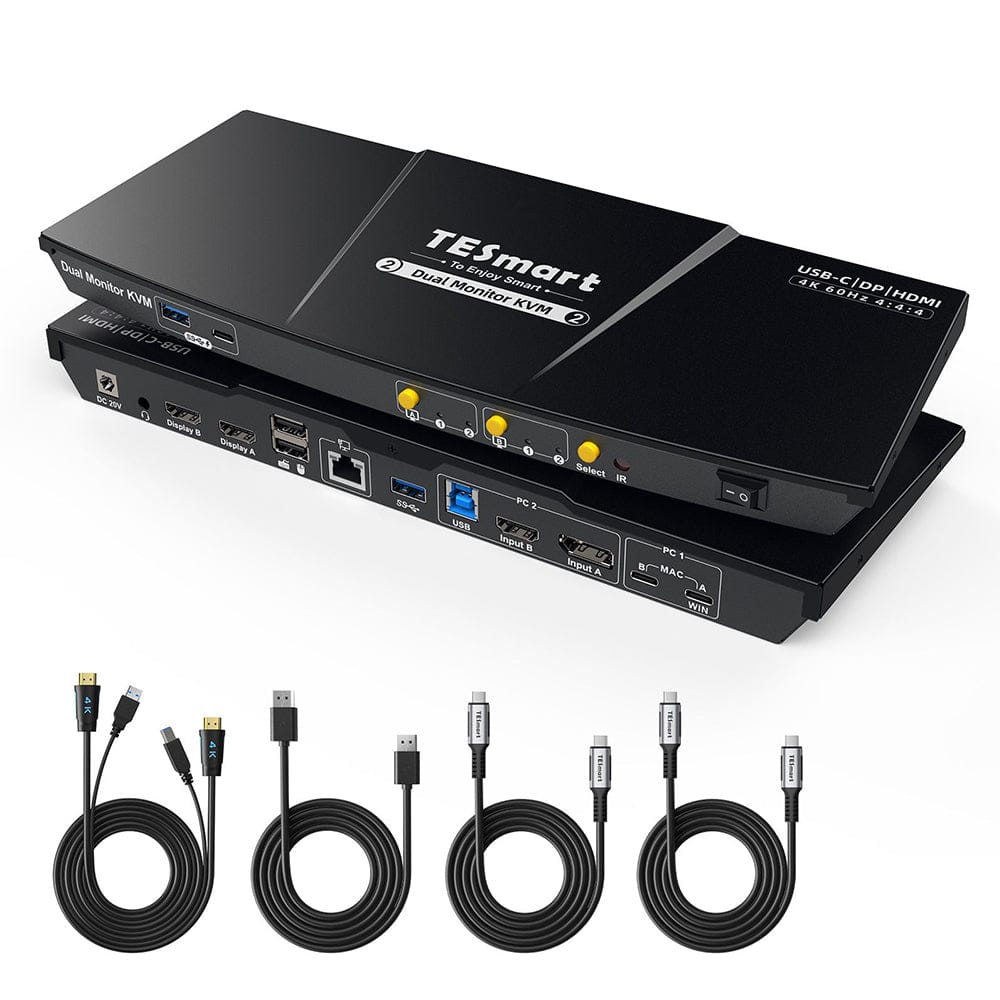 | |
|---|---|---|---|---|---|
| Produkattribute | |||||
Modell (SKU) |
CKS202-P23-EUBK
|
CKS201-M23-EUBK
|
DKS202-M24-EUBK
|
DKS202-MC24-EUBK
|
HDC202-P23-EUBK
|
Kompatibles Setup |
|
|
|
|
|
Max Resolution |
|
|
|
|
|
Supported Resolutions |
|
|
|
|
|
VRR (Variable Bildwiederholfrequenz) |
|
|
|
|
|
MST (Multi-Stream Transport) |
|
|
|
|
|
Laptop-Aufladung |
|
|
|
|
|
Netzwerkanschluss |
|
|
|
|
|
Independent Audio Focus Switching |
|
|
|
|
|
Independent Audio Focus Locking |
|
|
|
|
|
Thunderbolt 4 Ports |
|
|
|
|
|
EDID Emulation |
|
|
|
|
|
Umschaltmethoden |
|
|
|
|
|
Belegbare Hotkeys |
|
|
|
|
|
Legacy-Emulationsmodus |
|
|
|
|
|
Input Ports |
|
|
|
|
|
Output Ports |
|
|
|
|
|
Docking Ports |
|
|
|
|
|
Anzeigemodi |
|
|
|
|
|
Handbuch (PDF) | |||||
Key Features
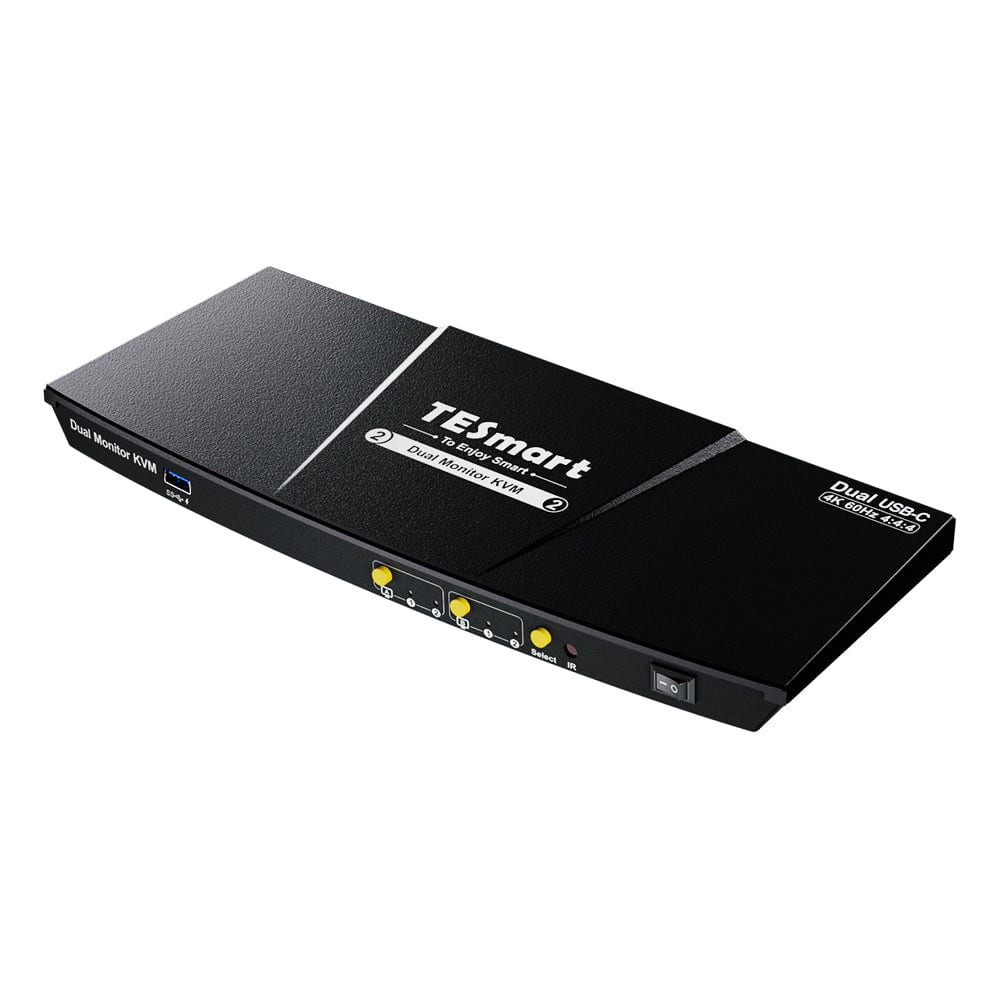
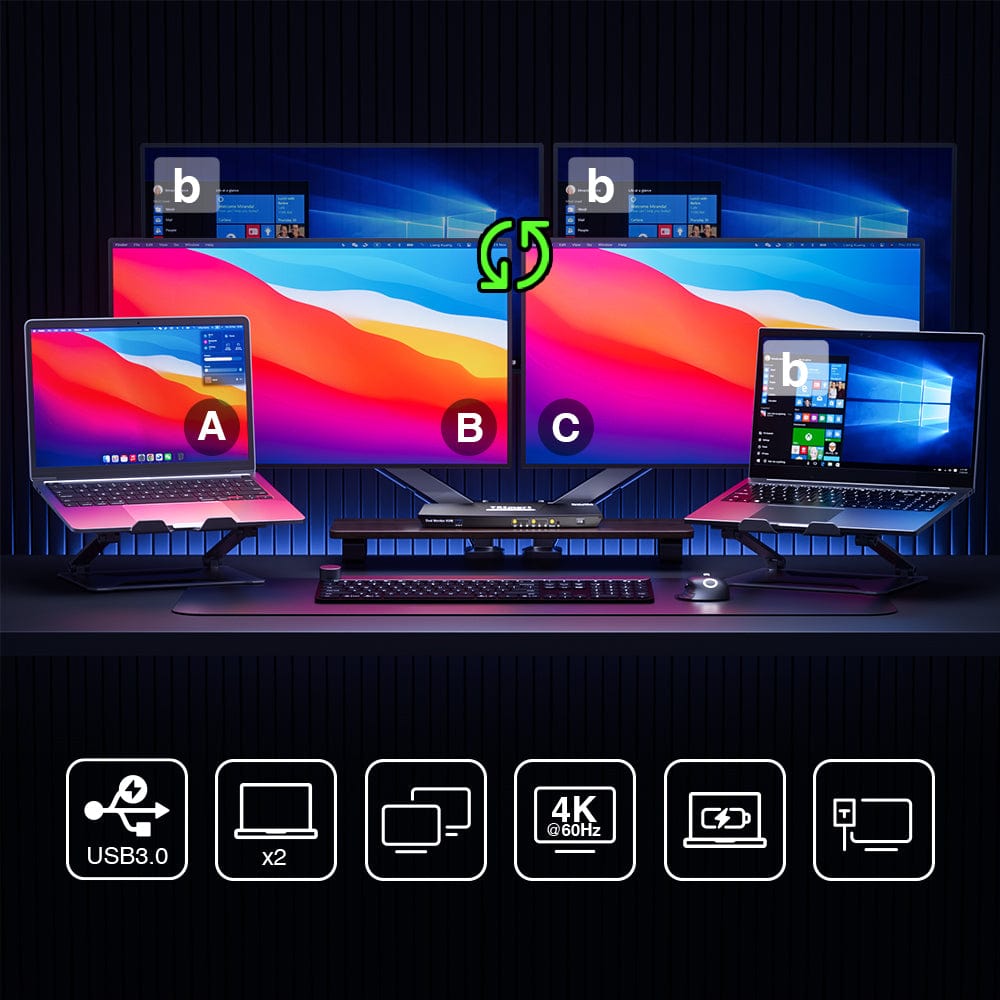
- Dual-display design: Compatible with up to 2 monitors and 2 laptops.
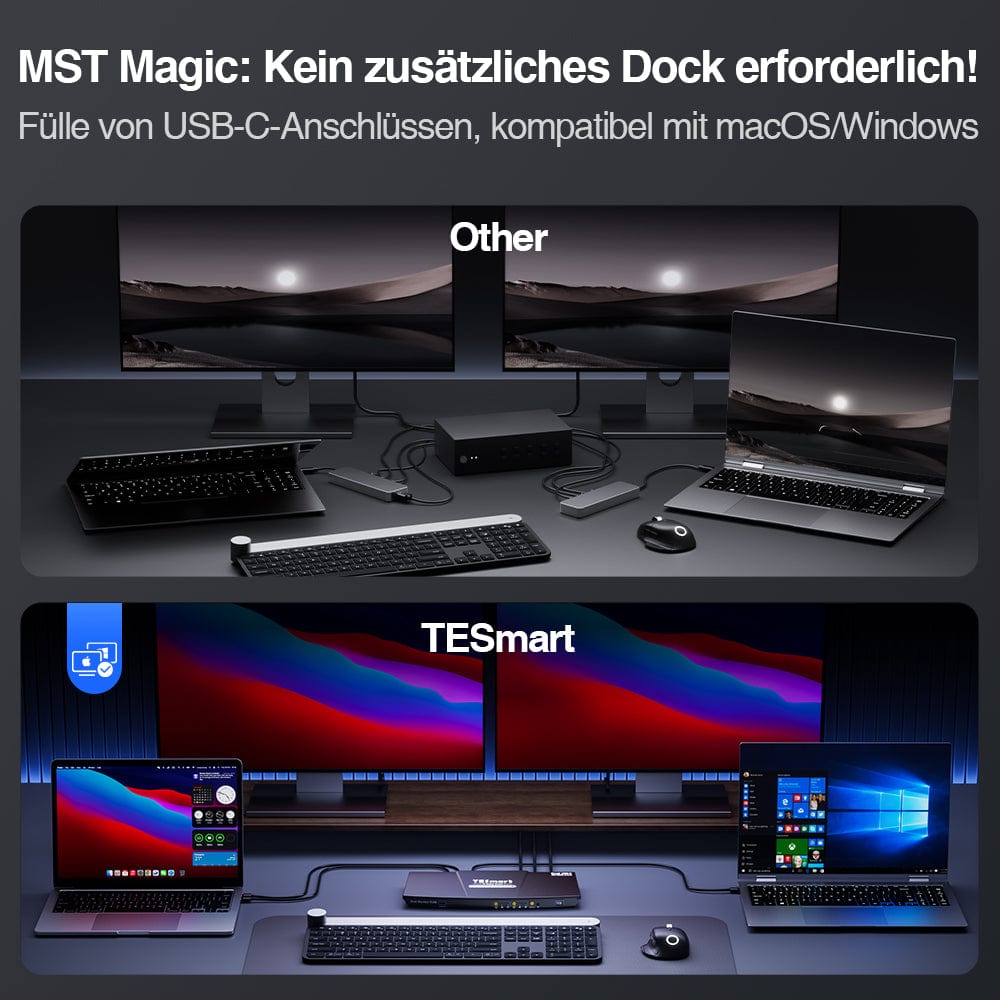
- Supports MST (Multi-Stream Transport) mode, which allows the display of two HDMI screens from a single USB-C source.
- Two USB-C input ports: Perfect compatibility with 2 laptops, supporting Windows laptops with MST and MacBooks without MST. Important NOTE: The dual USB-C input function does not currently support the "ABC" effect of two extended monitors for Mac Mini and Mac Studio models.
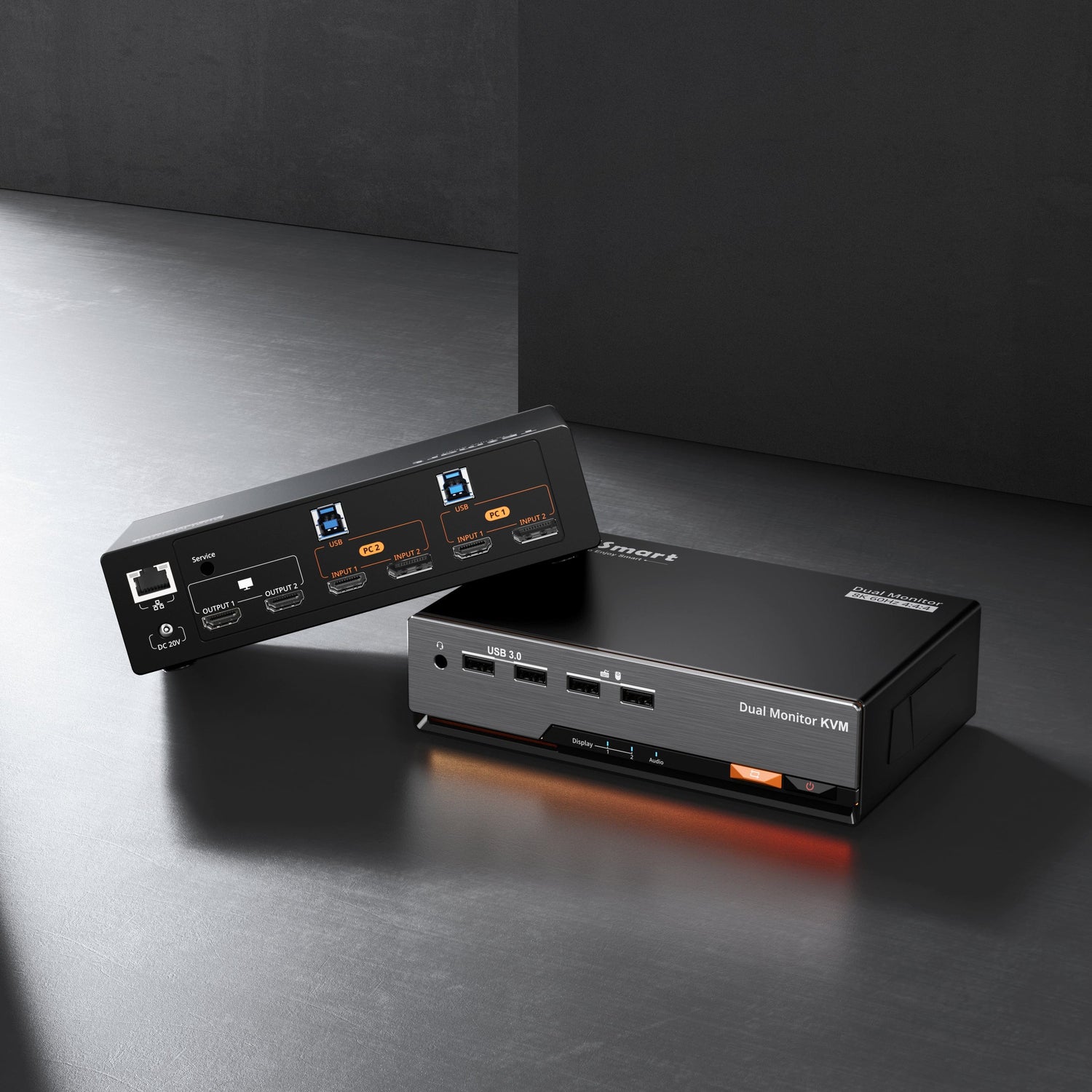
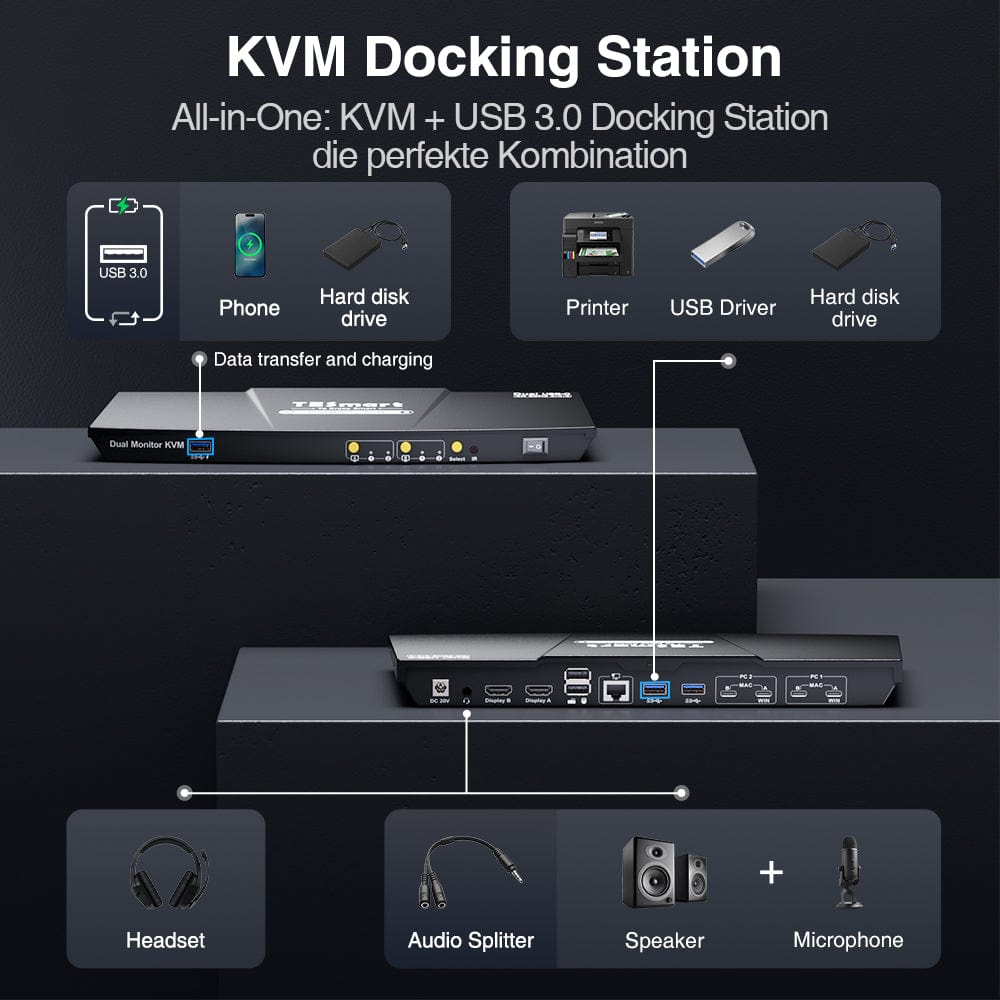
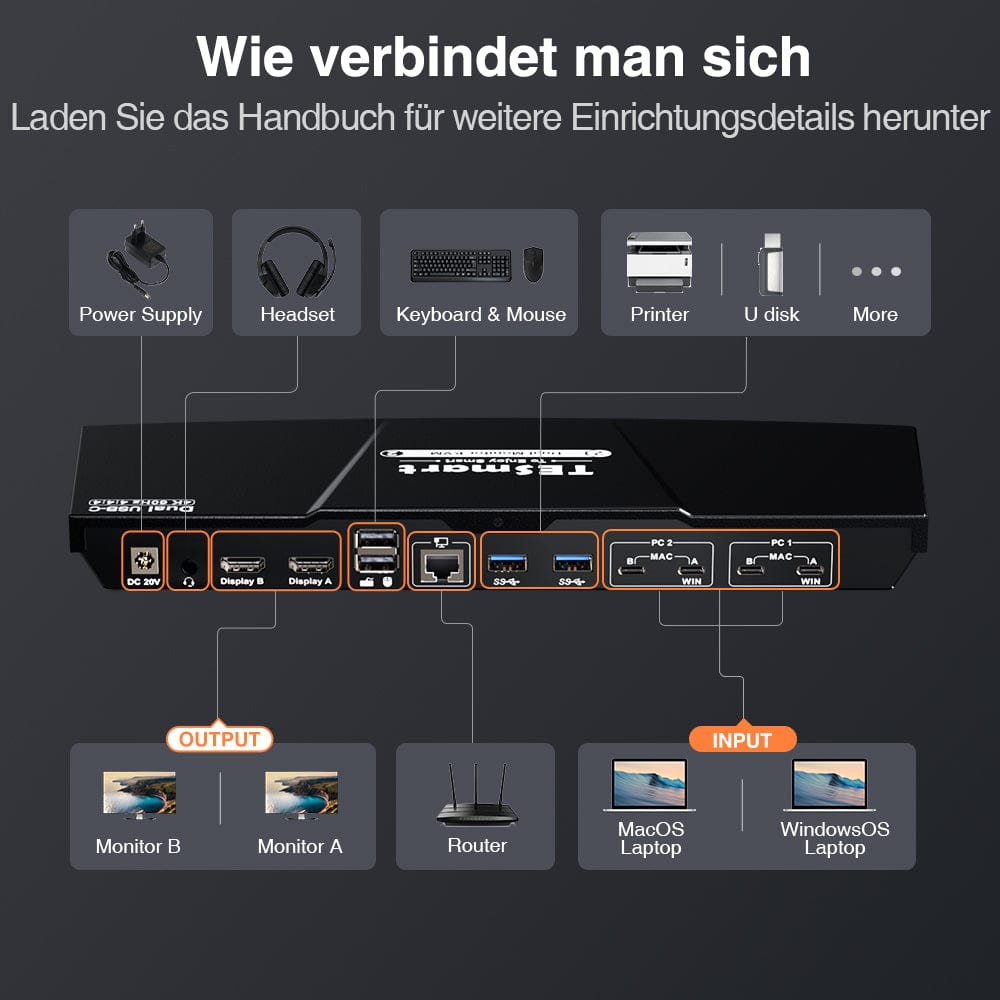
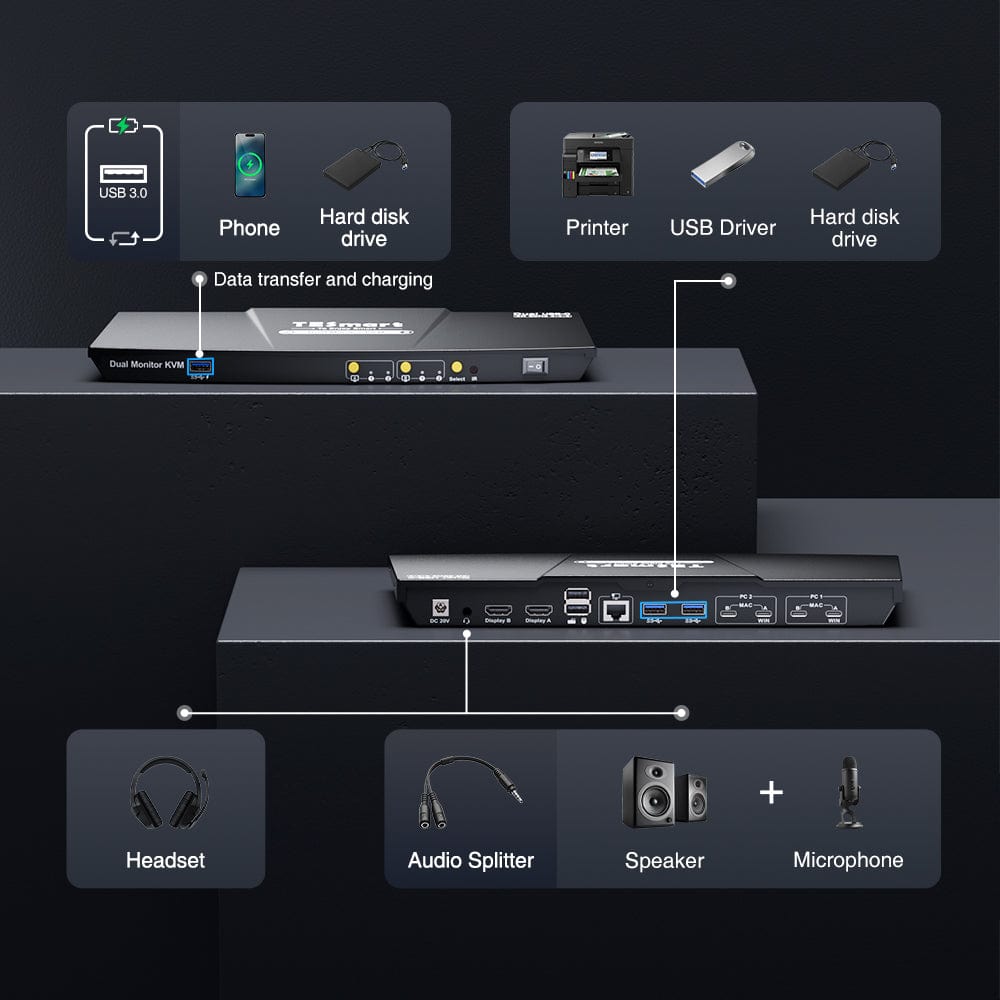
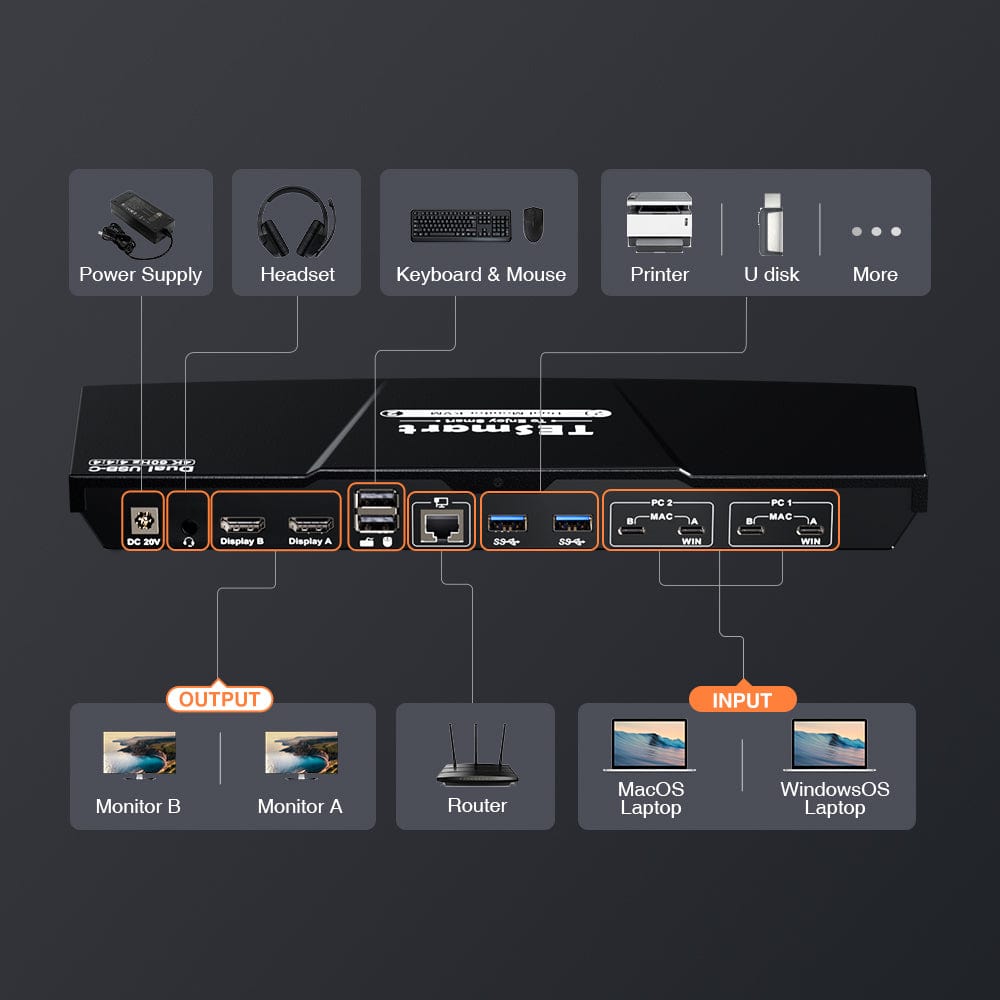
- Versatile all-in-one peripheral connections: Discover 3x USB 3.0, 2x USB for K&M, 1x LAN, 1x 3.5mm headphone/microphone jack and two HDMI outputs.
- High resolution + high refresh rate: HDMI 2.0 compatible, supports up to 4K@60Hz 4:4:4 and is aimed at enthusiasts of high refresh rates.
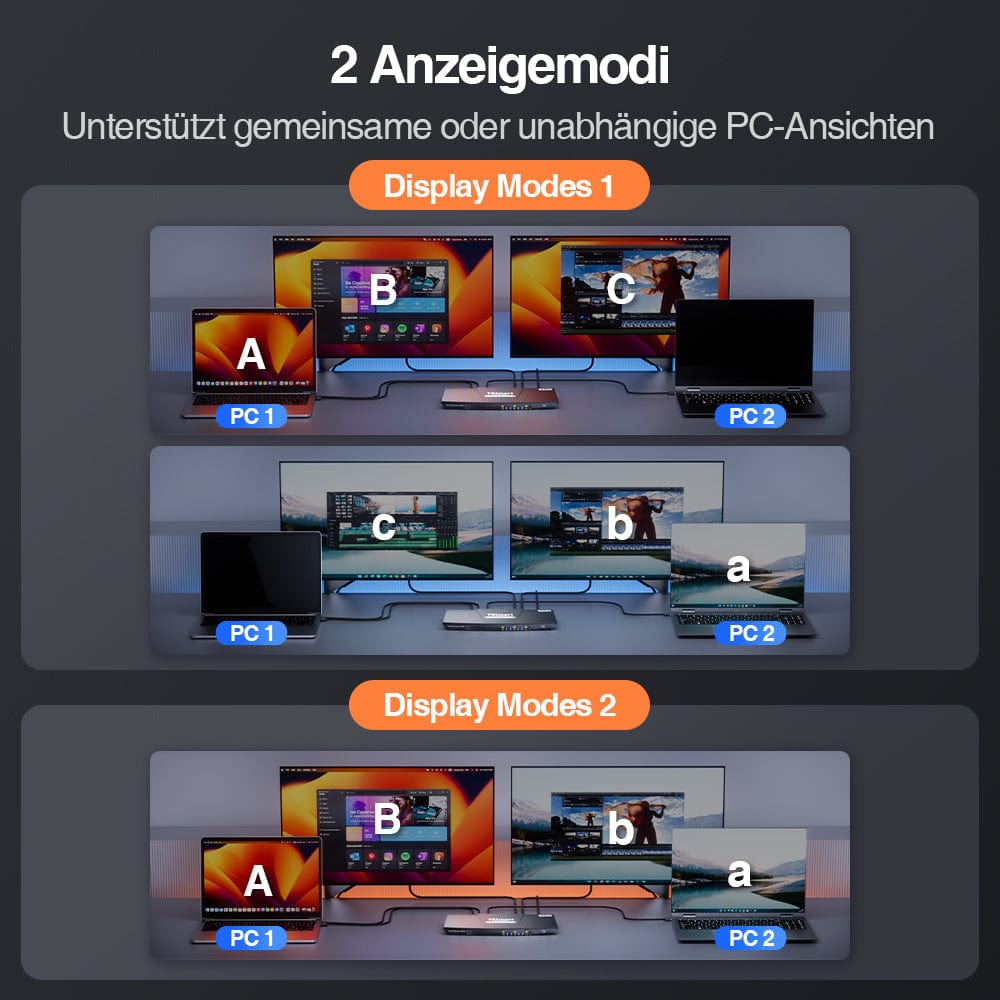
- Supports two display modes. Implement an extended display with two screens, mirror the display, or show different PCs across two monitors.
- EDID emulation: EDID emulators in each input port ensure that PCs always have correct display information to prevent resolution and symbol rearrangements.
- Effortless switching: Use hotkeys, the front panel button, or the remote control for seamless switching.&M-Operation.
- K&M-Pass-through: Ensures adaptability to various keyboards, including wired, wireless, mechanical and gaming keyboards.
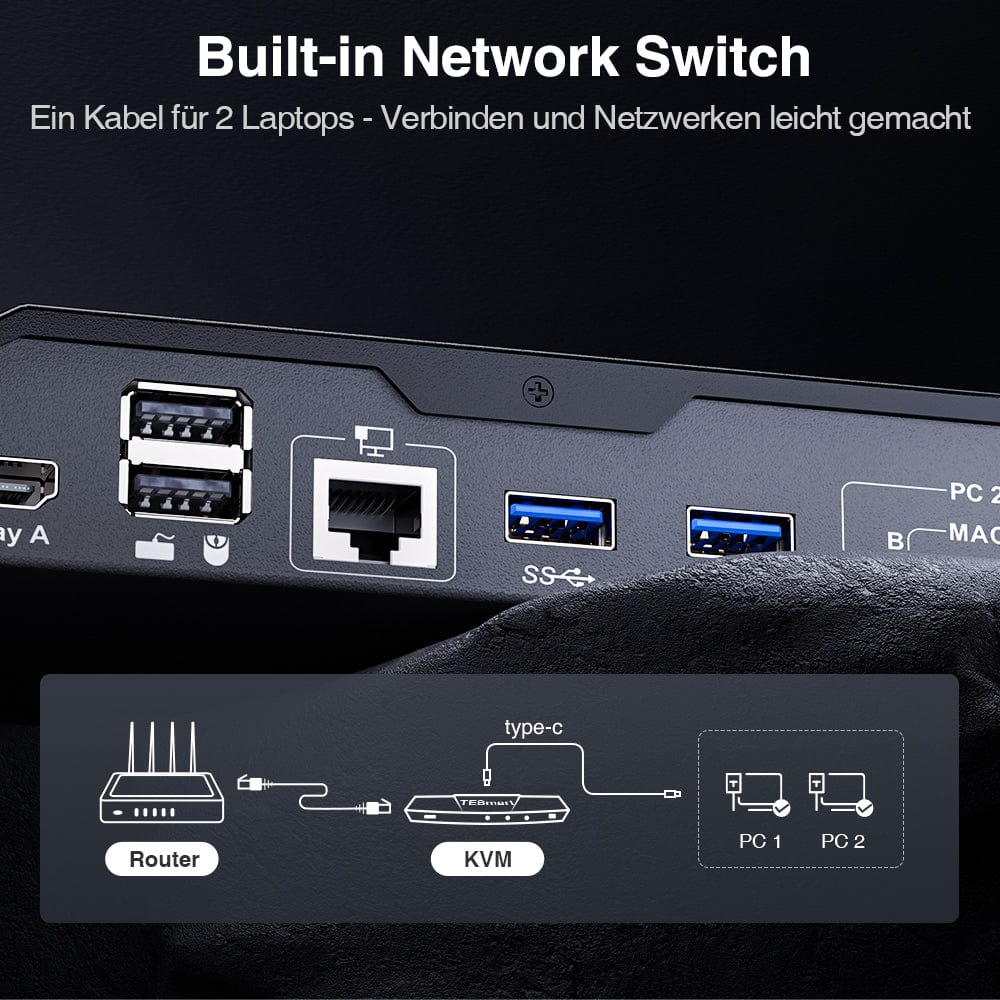
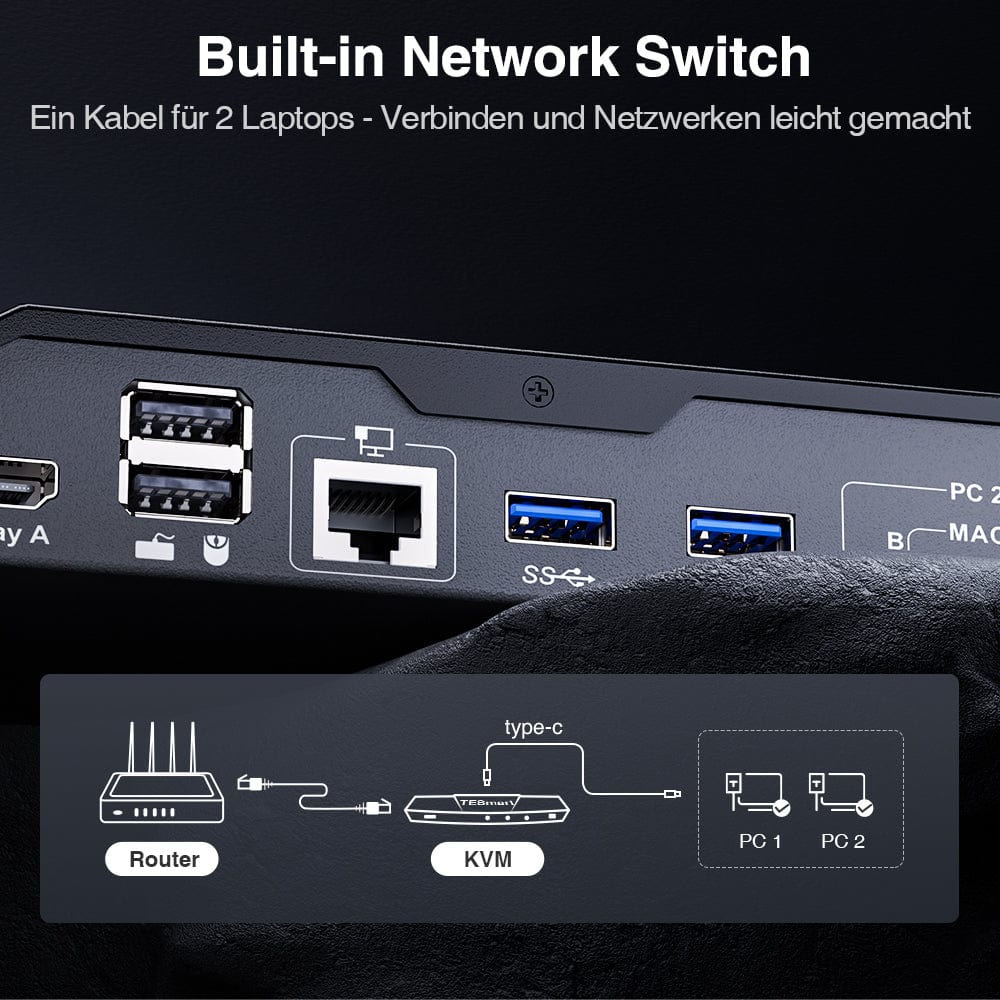
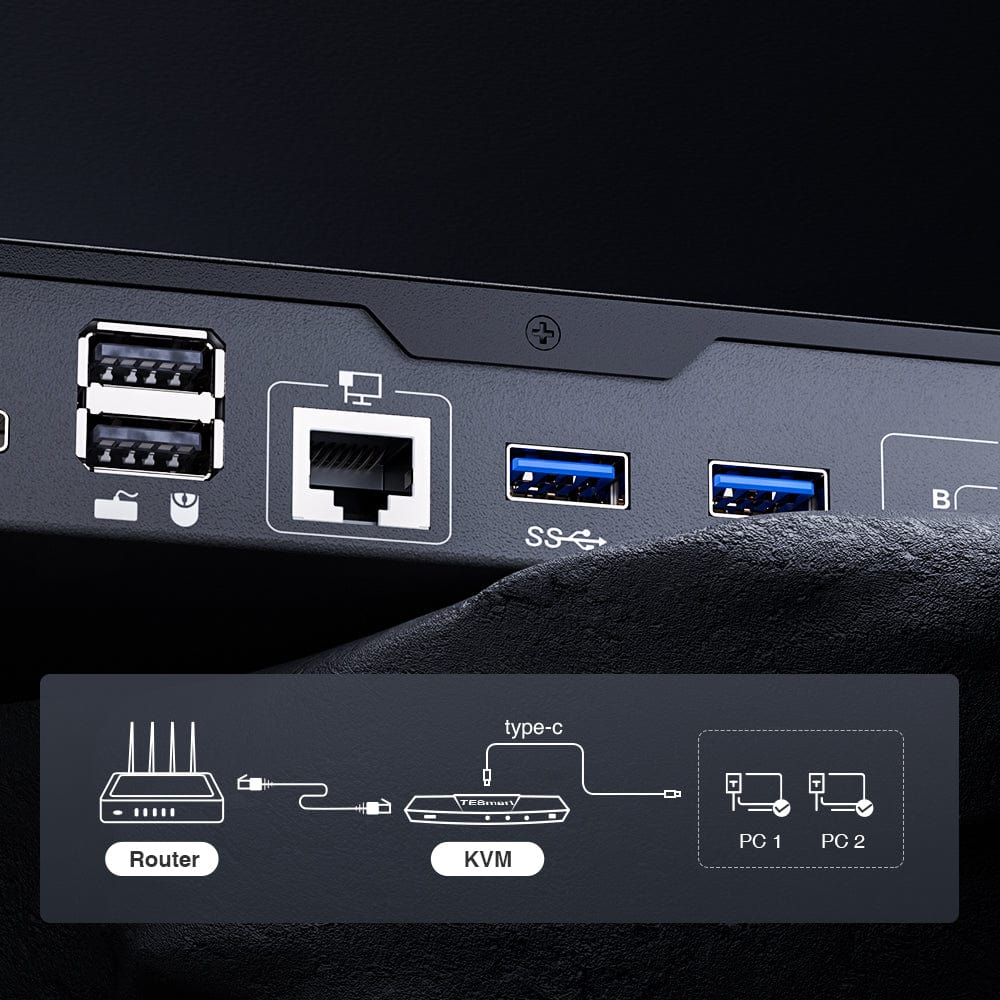
- Support for wired network connections; 2 laptops connected to the KVM can access the network using only one network cable.
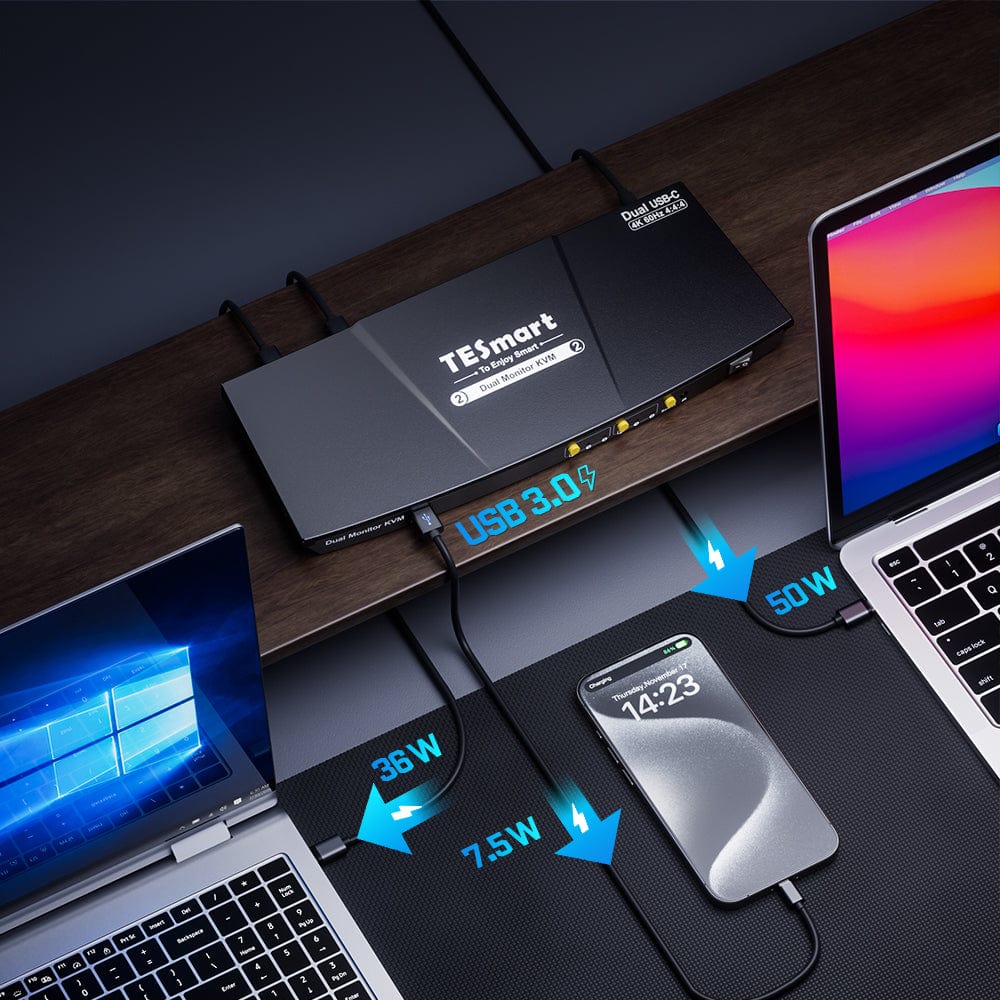
- Support for charging connected devices in the relevant group.
- Support for connecting mobile devices to the front USB port for charging.
- Simple plug-and-play setup, no drivers required.
- Support for Unix/Windows/Debian/Ubuntu/Fedora/MacOS X/Raspbian/Ubuntu for Raspberry Pi and other Linux-based systems, ideal for home, office or educational scenarios.
- Extended KVM Switch Kit: The KVM switch kit comes with complete KVM-to-laptop cables (4 x USB-C cables). We ensure that both laptops are connected to the KVM. Monitors typically have their own cables. If you need additional cables, we also offer a selection of high-quality options.
Before purchasing
Scope of delivery
The KVM switch kit comes with all the necessary KVM-to-PC cables for a complete setup. We ensure that both of your two laptops are connected to the KVM.
- 1 * 2x2 USB-C KVM switch
- 4 * USB-C cables
- 1 * IR remote control
- 1 * DC 20V power adapter
- 1 * User manual
SHIPMENT
- We offer free express shipping (DHL/FEDEX) for EU shipping orders.
2-YEAR WARRANTY, EXTENDED TO 3 YEARS
- The TESmart KVM switch comes with a 2-year warranty from the date of purchase. We offer a warranty extension program. Register to extend the warranty to 3 years.
- The warranty covers all defects in materials and workmanship under normal use. We reserve the right to replace any defective product under warranty (no repairs, only exchanges).
Support
FAQs
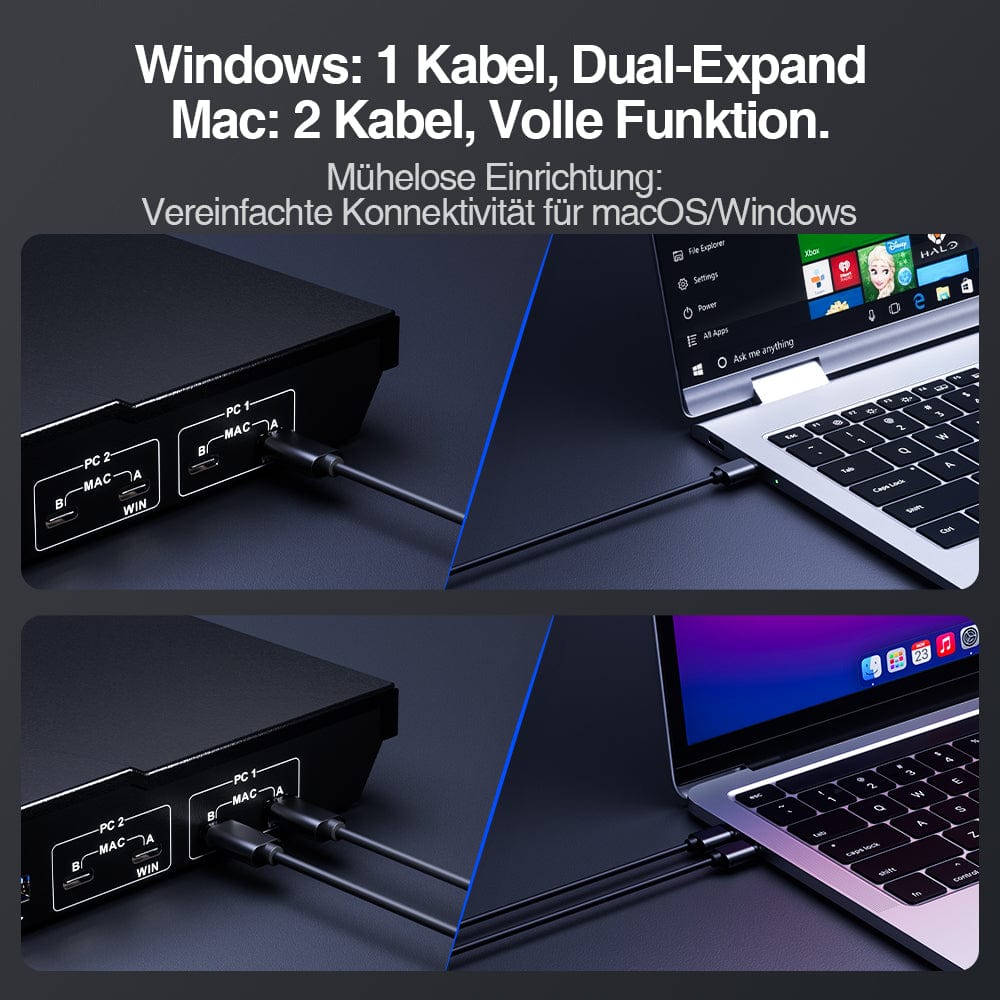
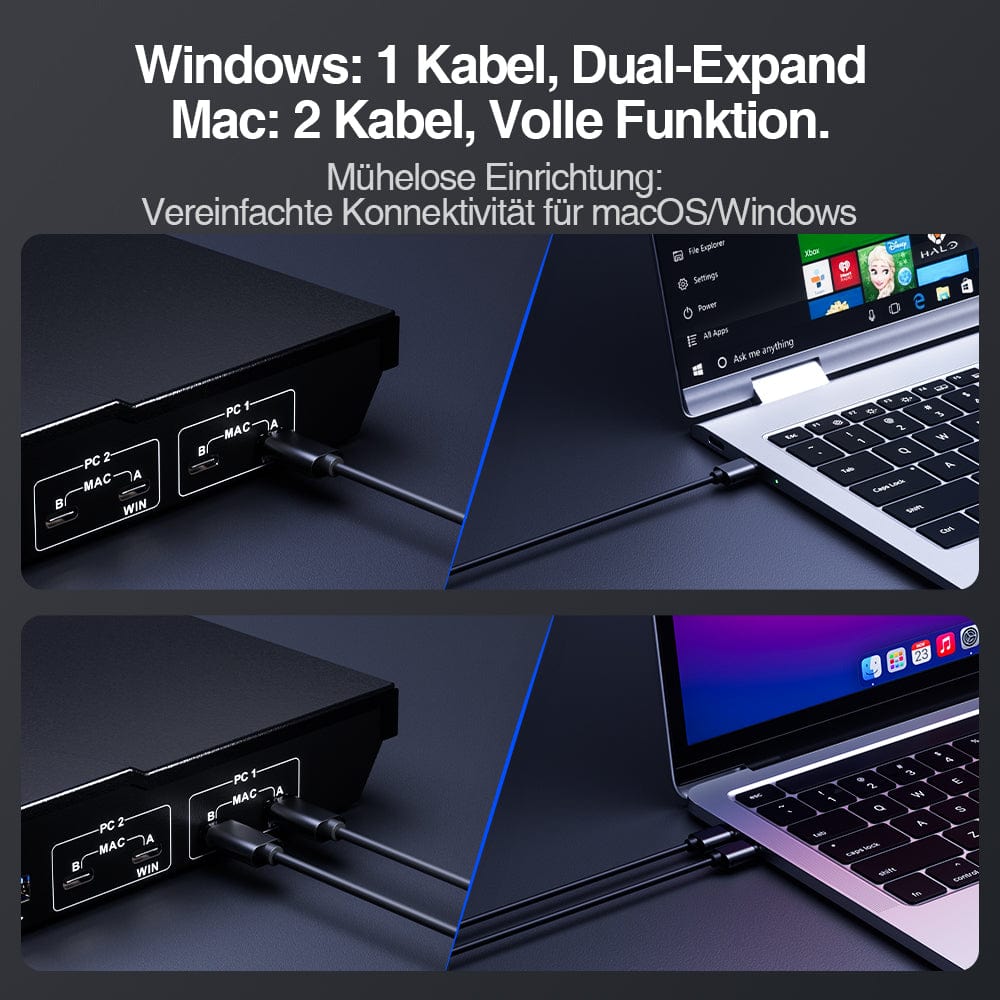
- If your PCs are running Windows OS: Connect two PCs to the input ports labeled 'A' of each input group on the KVM using two USB-C cables to enable MST mode. Connect two PCs to the input ports 'A' & 'B' or only the input terminals marked 'B' of each input group to disable MST mode.
- If your PCs use MacOS: Connect 2 PCs to the input ports 'A'. & 'B' of each input group of the KVM with 4 USB-C cables.
- Hotkeys are triggered via a keyboard plugged into the dedicated mouse or keyboard ports.
- Emulation programming is locked and cannot be removed from the mouse and keyboard ports.
- Dedicated mouse and keyboard ports should not be used for other types of USB devices.
- Use a powered USB hub to expand the number of USB 3.0 ports.
- If the wireless mouse/keyboard "jumps", use a USB extender to reduce the distance to the receiver.
- Please install 2 AAA batteries before using the remote control (batteries not included).
COMPATIBILITY INFORMATION
- Dedicated mouse and keyboard ports feature emulation programming. Second-generation chipsets have a "pass-through mode" to send special characters such as multimedia keys (play, pause, volume up/down, etc.), which significantly improves keyboard compatibility.
- Keyboard software such as Logitech Options, DAS Q, Corsair iCUE, etc., conflicts with emulation programming and limits the ability to use dedicated macro keys. We recommend using the KVM's USB 3.0 port as a workaround if this software is desired. The USB 3.0 port does not have emulation programming, and therefore the KVM will not recognize hotkey switching commands. If necessary, use a powered USB hub to extend USB connectivity.

Dual monitor KVM for 2 laptops
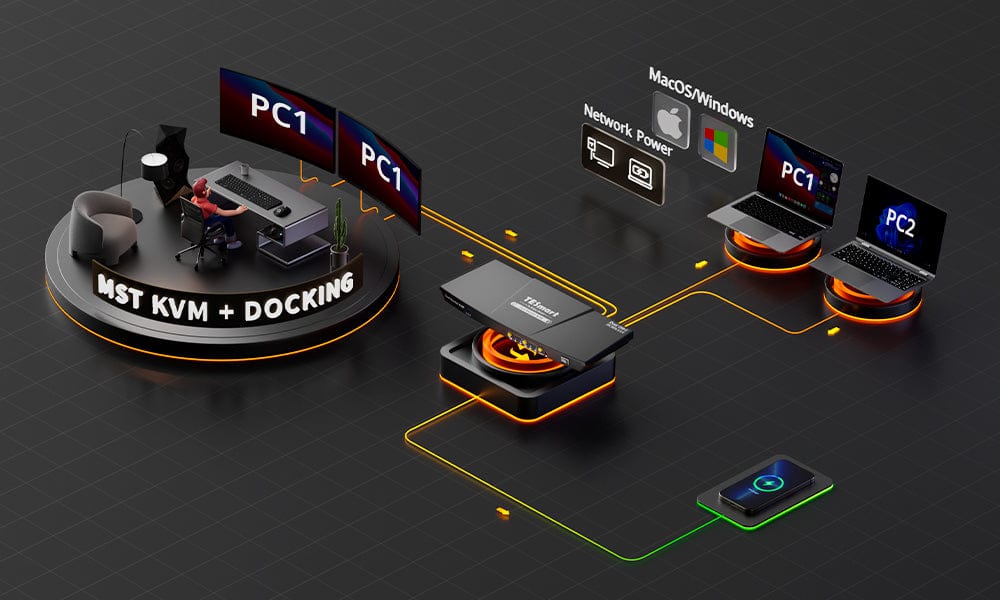
MST Magic: No additional dock required!
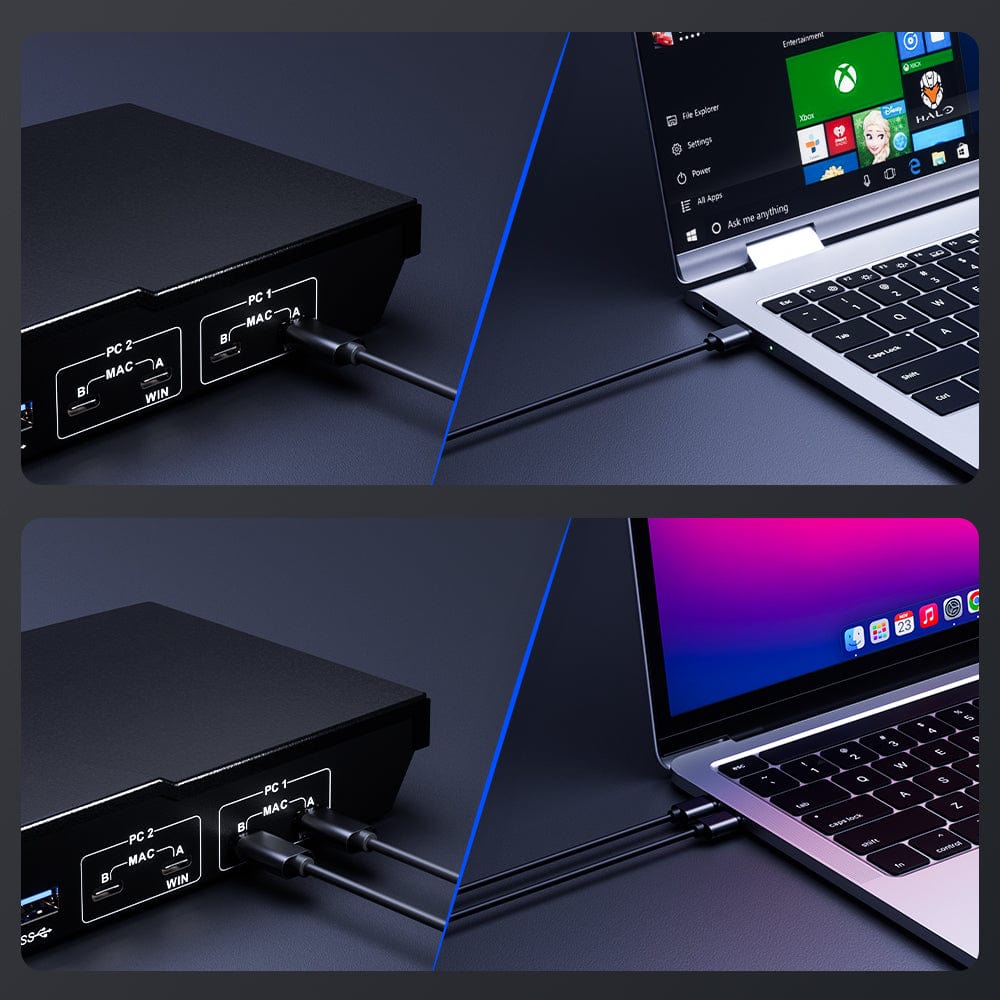
Windows: 1 cable, dual expand. Mac: 2 cables, full function.
KVM docking station
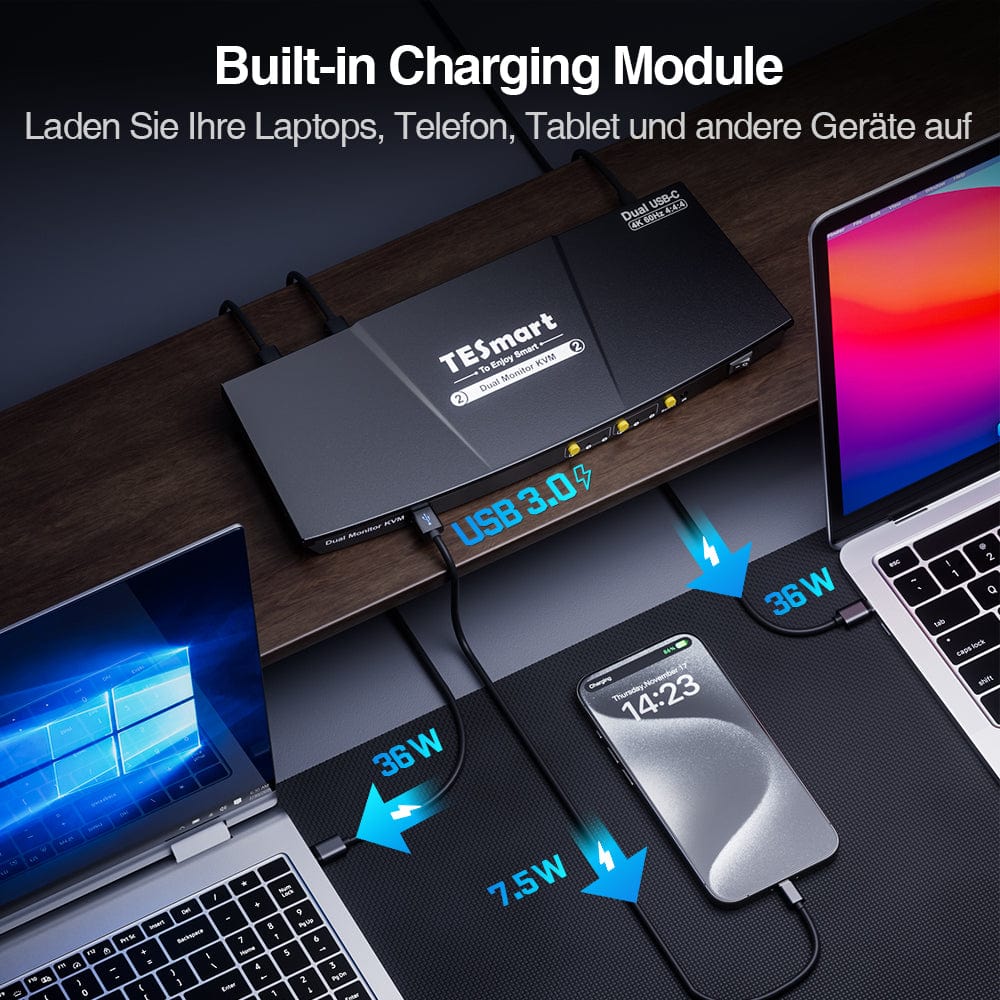
Integrated charging module
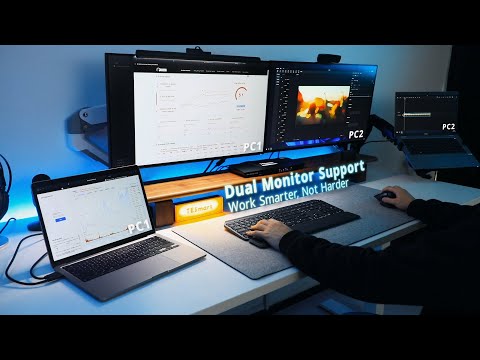
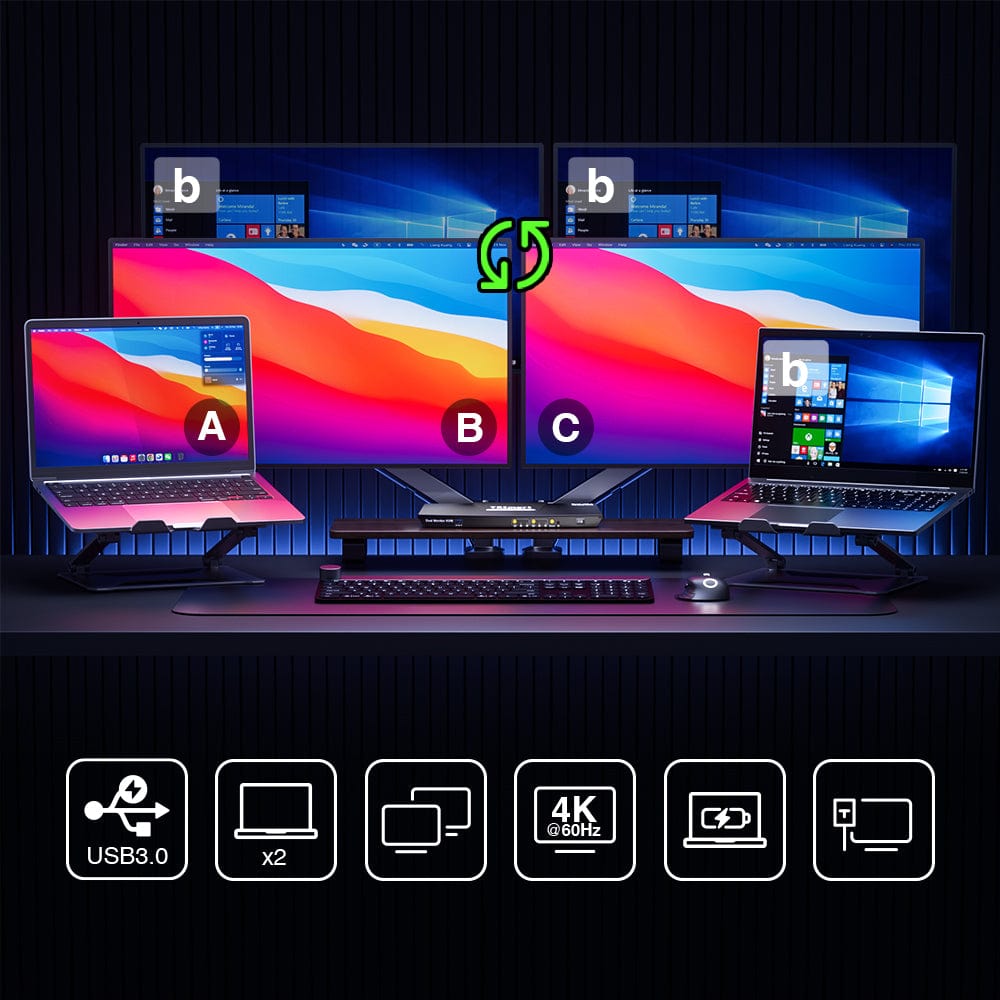
- Unleash the power of two monitors with our KVM switch, specifically designed for two laptops.
- Boost your productivity and multitasking skills with the flexibility to work on two screens simultaneously.
- Our KVM switch is universally compatible and supports a wide variety of devices and operating systems for both Mac and PC users.
- Experience the magic of MST (Multi-Stream Transport) with our KVM switch and eliminate the need for an additional dock.
- Easily connect multiple monitors to your laptop without the hassle of additional hardware.
- Optimize your setup process and enjoy a tidy workspace with our innovative MST Magic feature.
Windows or Mac, we simplify your setup. One cable for Windows, two for Mac. Ensure your USB-C ports are MST-enabled for a seamless, uncluttered workspace.
- Our KVM docking station is a comprehensive connectivity solution for all your devices.
- Connect multiple devices, including keyboards, mice and monitors, through a single efficient KVM switch.
- Simplify your workspace, reduce cable clutter and increase your productivity with our versatile KVM docking station.
- Power laptops, mobile phones, tablets and more with our integrated charging module.
- Say goodbye to multiple chargers and reduce cable clutter for a more organized workspace.
- Experience a practical and efficient charging solution for all your devices.
Integrated network switch
2 display modes
EDID emulator
Easy one-touch switching for you
How do you connect?
- Easily set up a network between two laptops to seamlessly share files and collaborate, thanks to our integrated network switch.
- Save time and reduce cable clutter with a single cable connection.
- Improve your networking experience with this simple yet effective solution.
- Choose between shared or independent PC view to meet your individual needs.
- Collaborate effectively in shared mode by displaying the same content on both screens.
- Increase productivity in independent mode, which allows each screen to display different content.
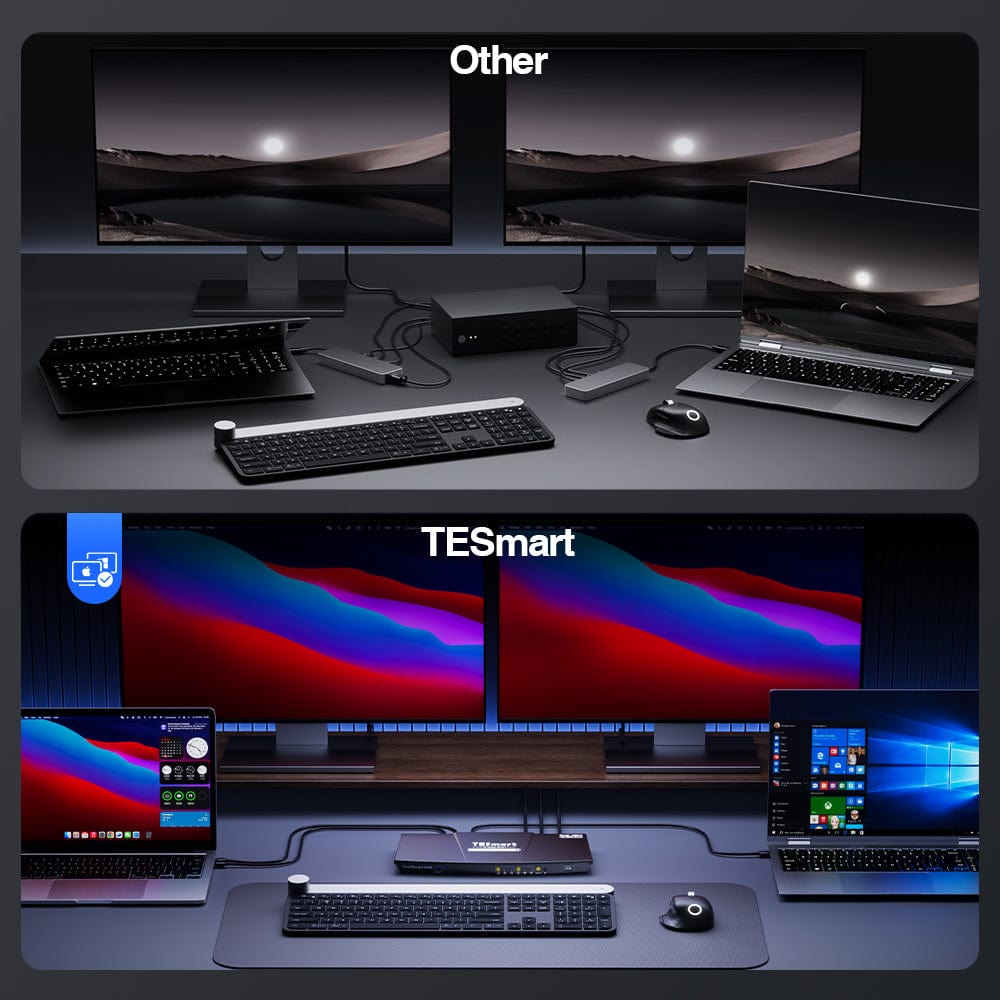
- With EDID emulators in every input port, your PCs always have the correct display information.
- Prevent resolution changes and symbol reordering to ensure a consistent and optimal viewing experience.
No matter how often you switch between input ports, your display settings will be retained. - Say goodbye to troubleshooting display problems - with our EDID emulation, your setup will work perfectly every time.
- Experience the convenience of easy switching with just one touch, allowing you to effortlessly change between different inputs.
- No more cumbersome handling of complex settings or many buttons – a single touch is all it takes.
- Ideal for multitasking and increasing productivity, for a smooth and efficient workflow.
- Enjoy a seamless and intuitive user experience, designed with your convenience in mind.
- Download the manual for further setup details.
CKS202-P
What is included?
- 1 * 2x2 USB-C KVM switch
- 4 * USB-C cables
- 1 * IR remote control
- 1 * DC 20V power supply
- 1 * User manual
The KVM switch kit comes with all necessary KVM-to-PC cables for a complete setup. We ensure that both of your two laptops are connected to the KVM.
-
Free EU shipping
Fast delivery from the local warehouse
-
Hassle-free returns
30-day money-back guarantee
-
Secure payment
No payment information is stored.
-
Lifetime tech support
Official professional customer service
-
Free EU shipping
Fast delivery from the local warehouse
-
Hassle-free returns
30-day money-back guarantee
-
Secure payment
No payment information is stored.
-
Lifetime tech support
Official professional customer service