







Monitorkonfiguration
Max. Auflösung
Gerätekonfiguration

Stabile Anzeige

USB-Geschwindigkeit

Gemeinsames Netzwerk

Gerätezuweisung
4×3 HDMI+DP KVM | 4K60, EDID & USB hub
Four PCs use three HDMI monitors via HDMI and DisplayPort inputs - with up to 4K60, EDID emulation and a shared USB hub.
Monitorkonfiguration
Max. Auflösung
Gerätekonfiguration
Stabile Anzeige
USB-Geschwindigkeit
Gemeinsames Netzwerk
Gerätezuweisung
4×3 HDMI+DP KVM | 4K60, EDID & USB hub
Why HDK403-P23?
Overview

01
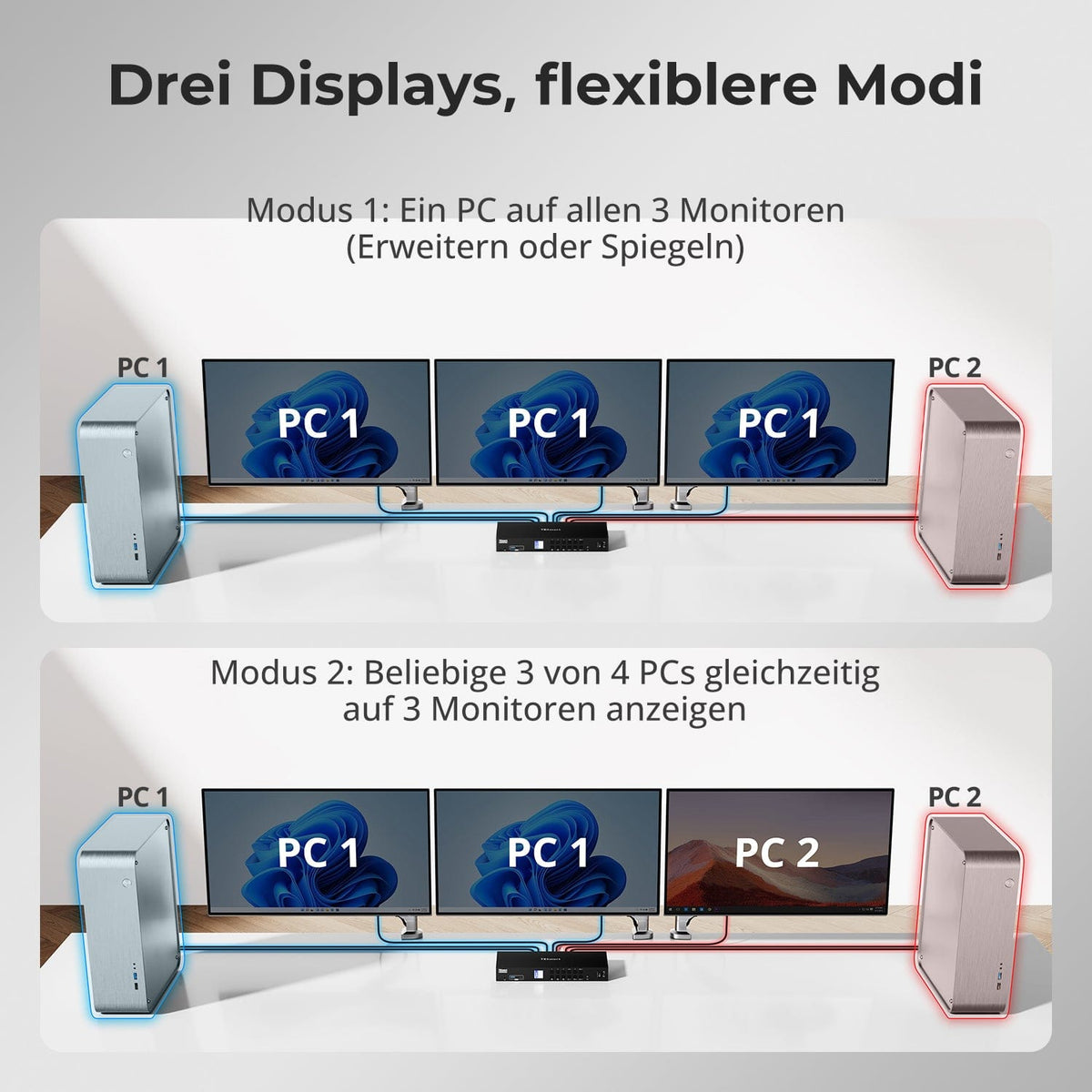
Three displays, flexible modes
Use all three monitors with one computer or assign different systems to the outputs – for monitoring, comparisons and parallel work.
02
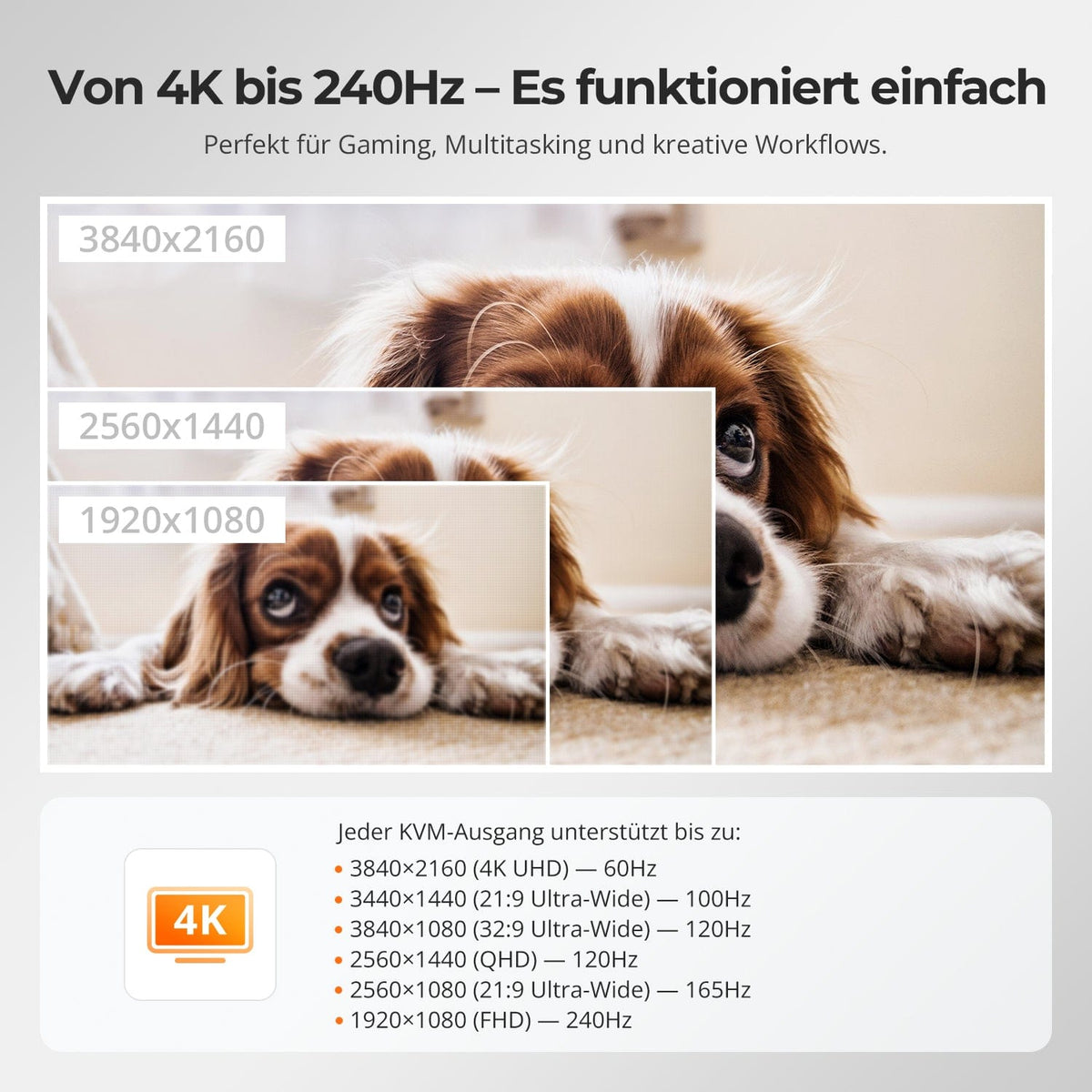
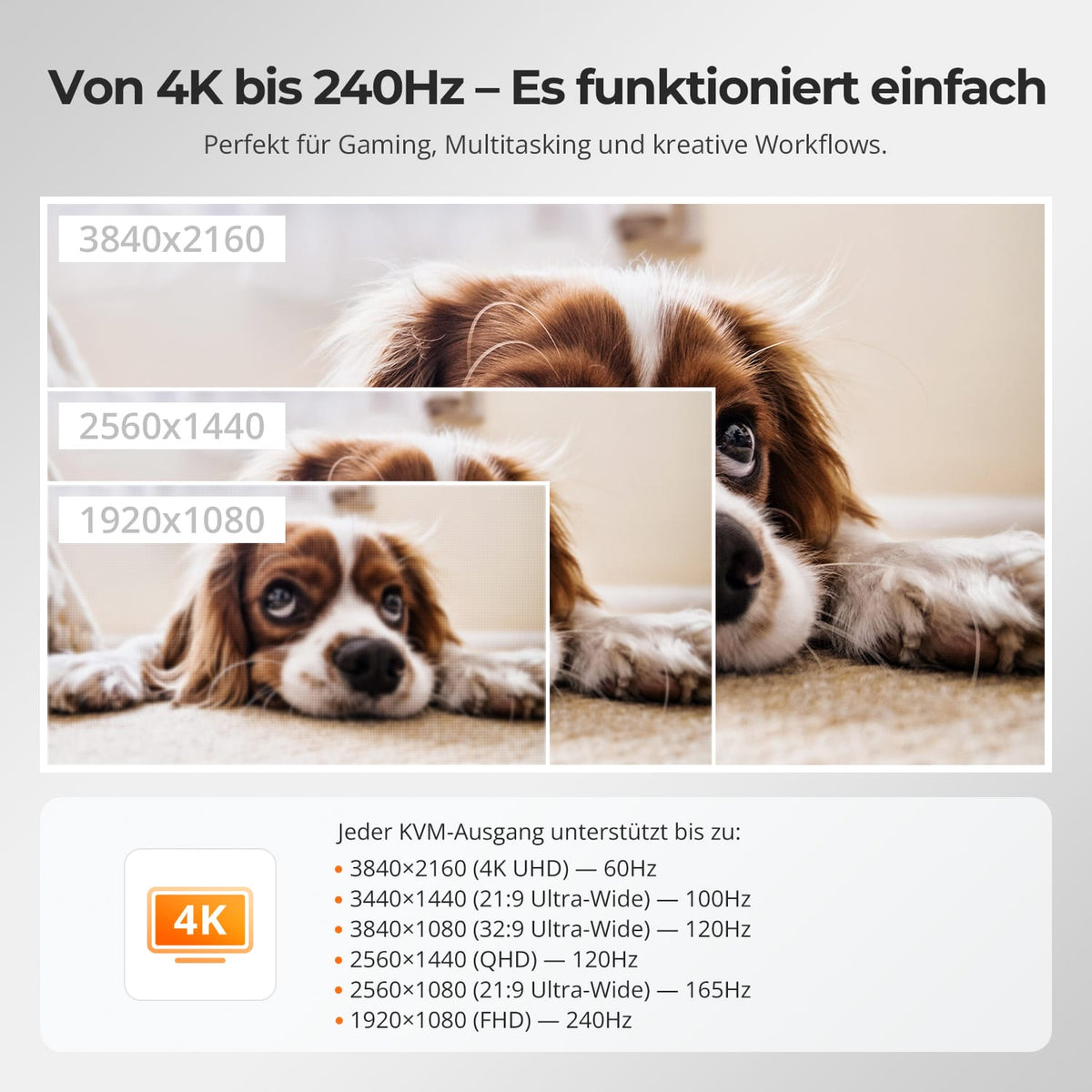
Three times 4K60 for detailed tasks
Up to 3840×2160@60Hz auf compatible connections – for a large workspace in development, trading, monitoring and production.

03
EDID keeps multi-monitor setups stable
EDID emulation keeps monitor information available to the computer and reduces re-detection and rearranged windows when switching.

04
Gigabit Ethernet and USB devices share
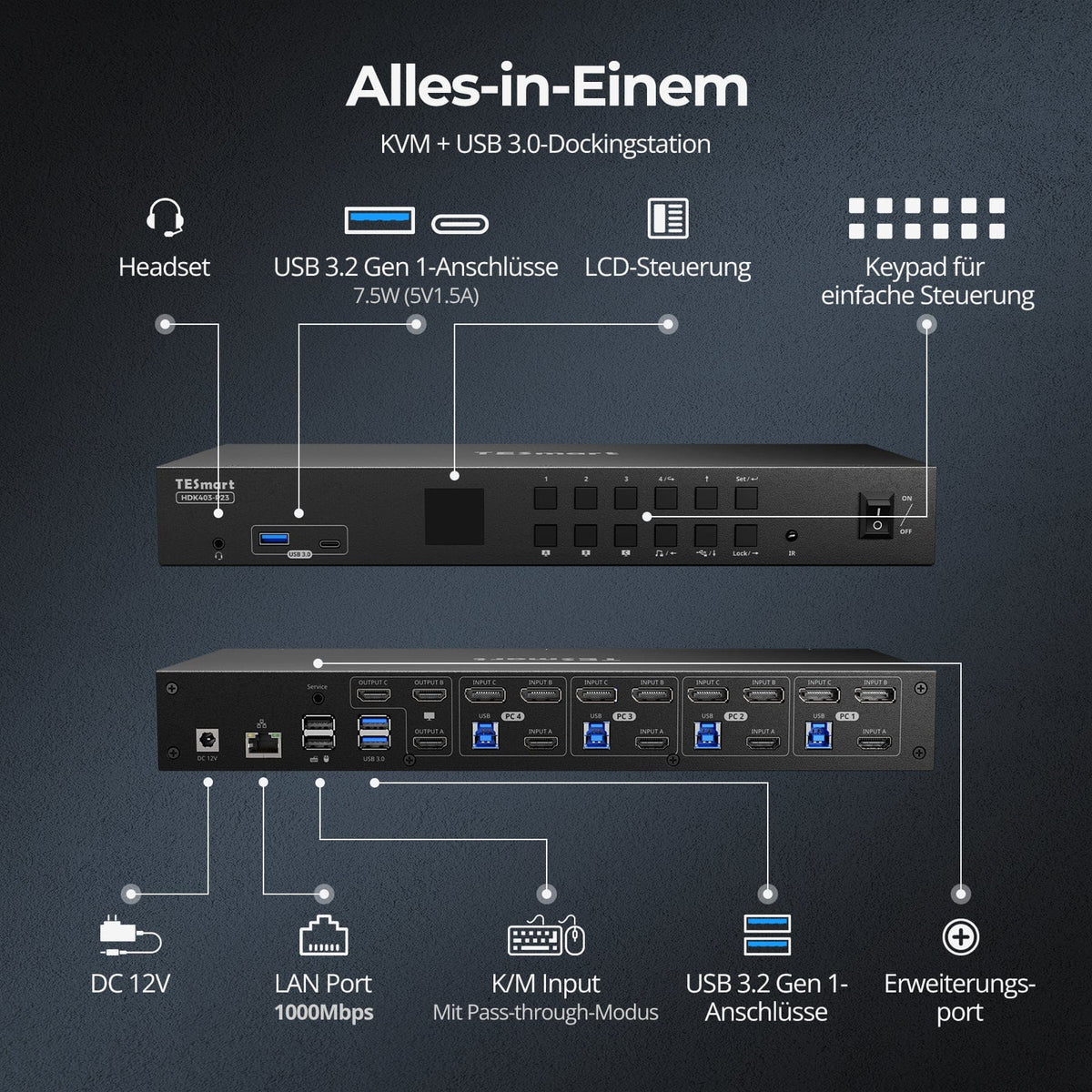
Integrated Gigabit Ethernet and USB 3.2 Gen 1 connect the selected computer to shared networks and USB devices.

05
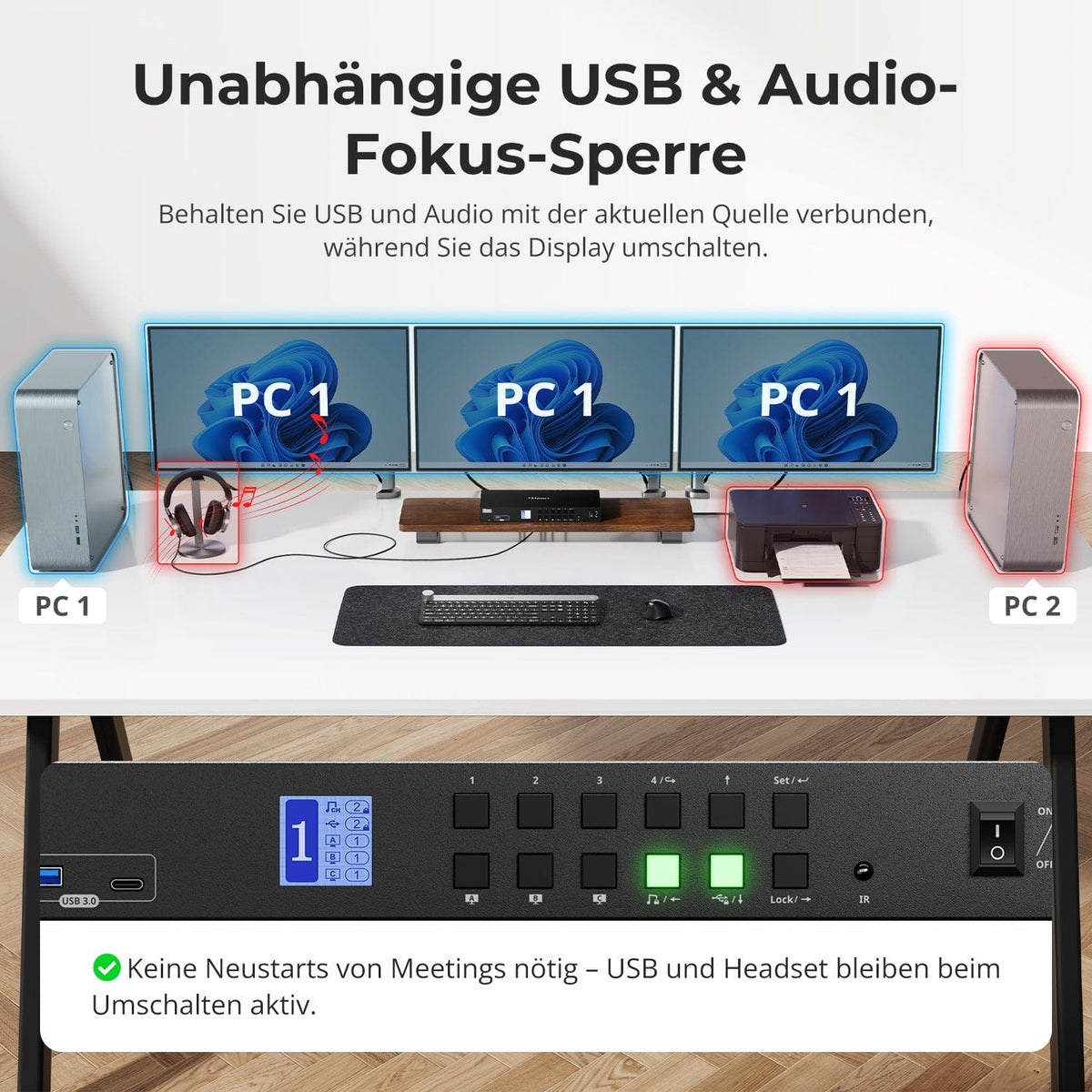
USB and audio on the desired computer
USB and audio remain assigned to a computer if needed while you switch displays – for ongoing calls, recordings, or storage access.
06
Switching without unplugging
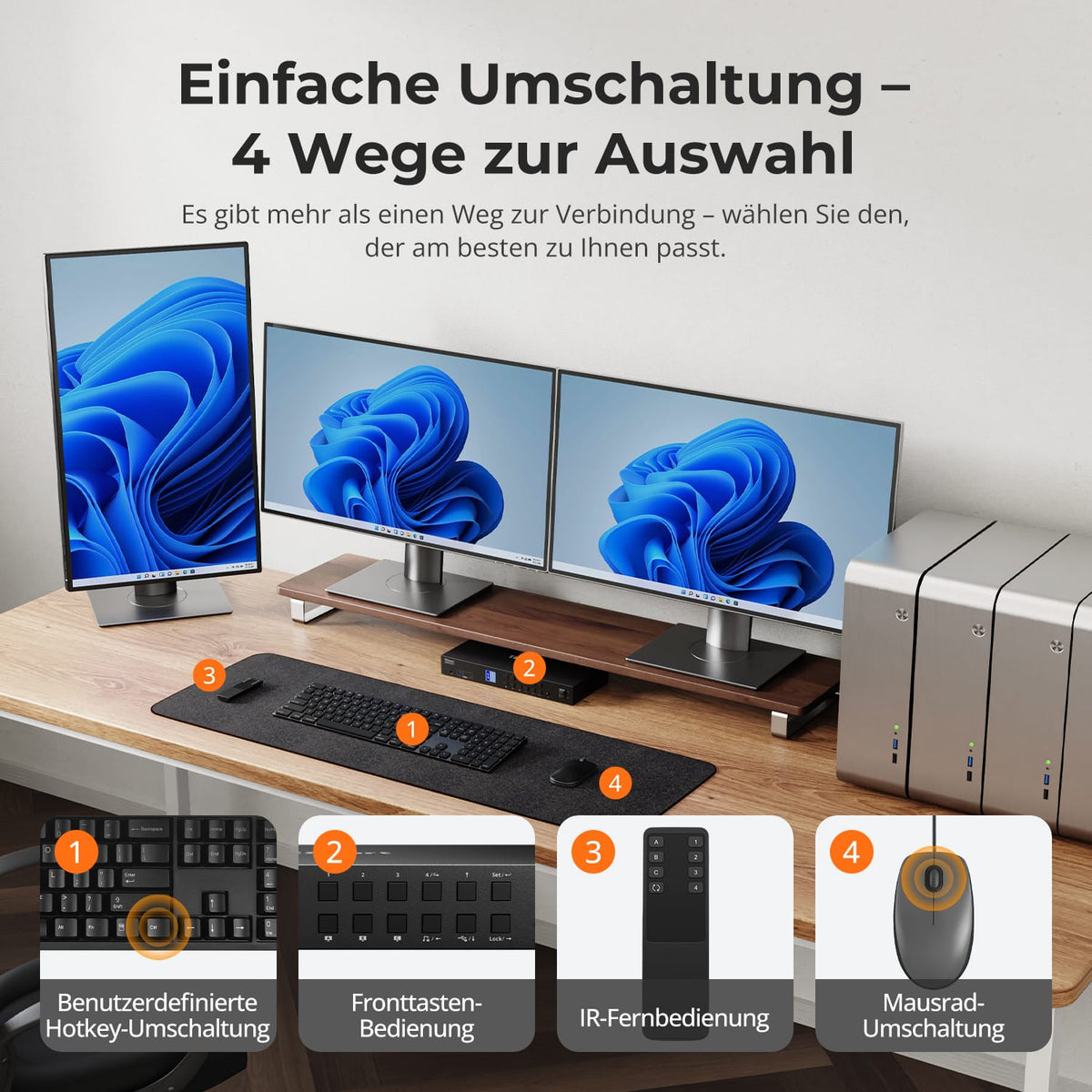
Switch between computers using the control panel, IR remote control, hotkeys, or mouse wheel. The three-display setup remains connected.

07
08

09
Data & Support
Compatibility & Connections
Technical data
Instructions & Downloads
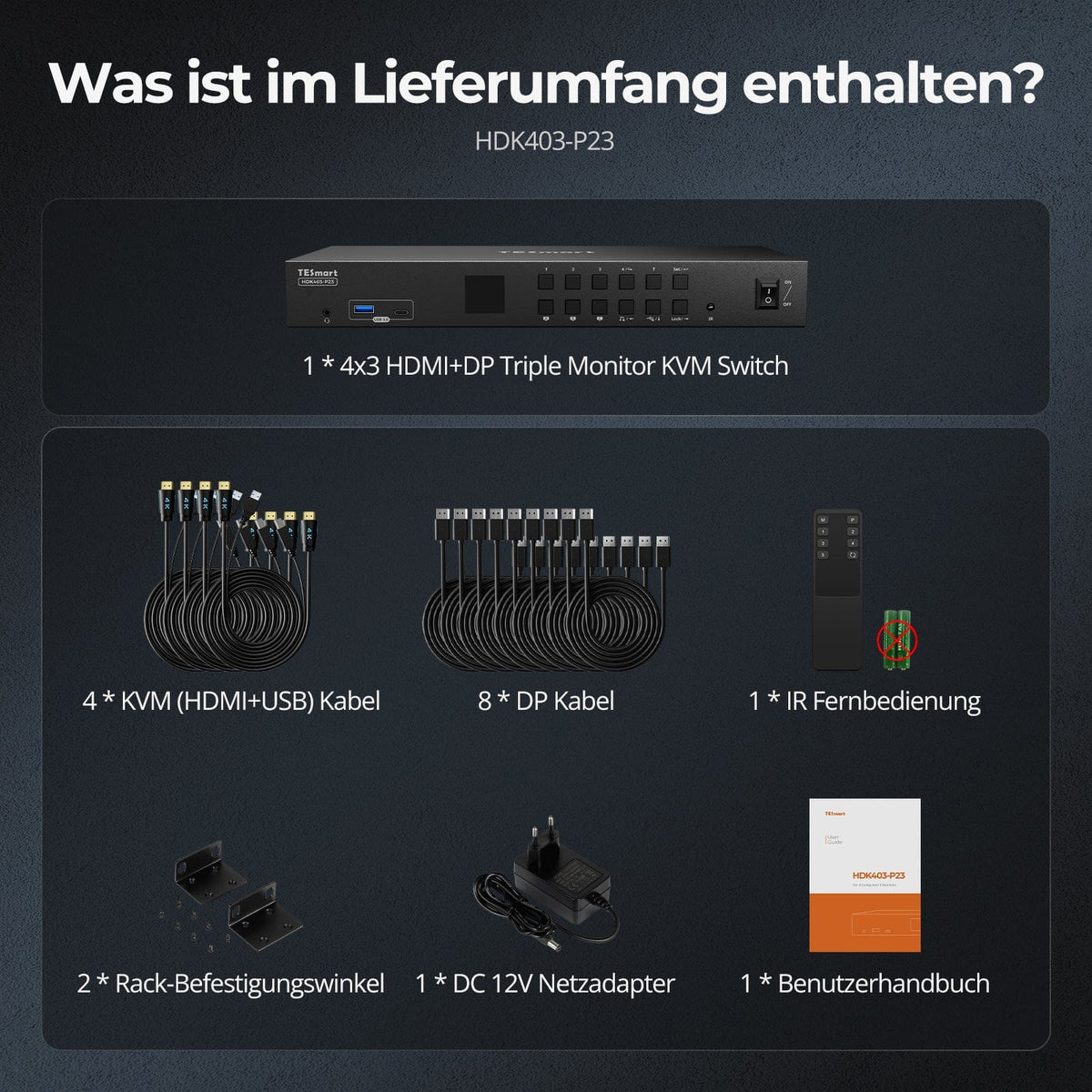
Scope of delivery

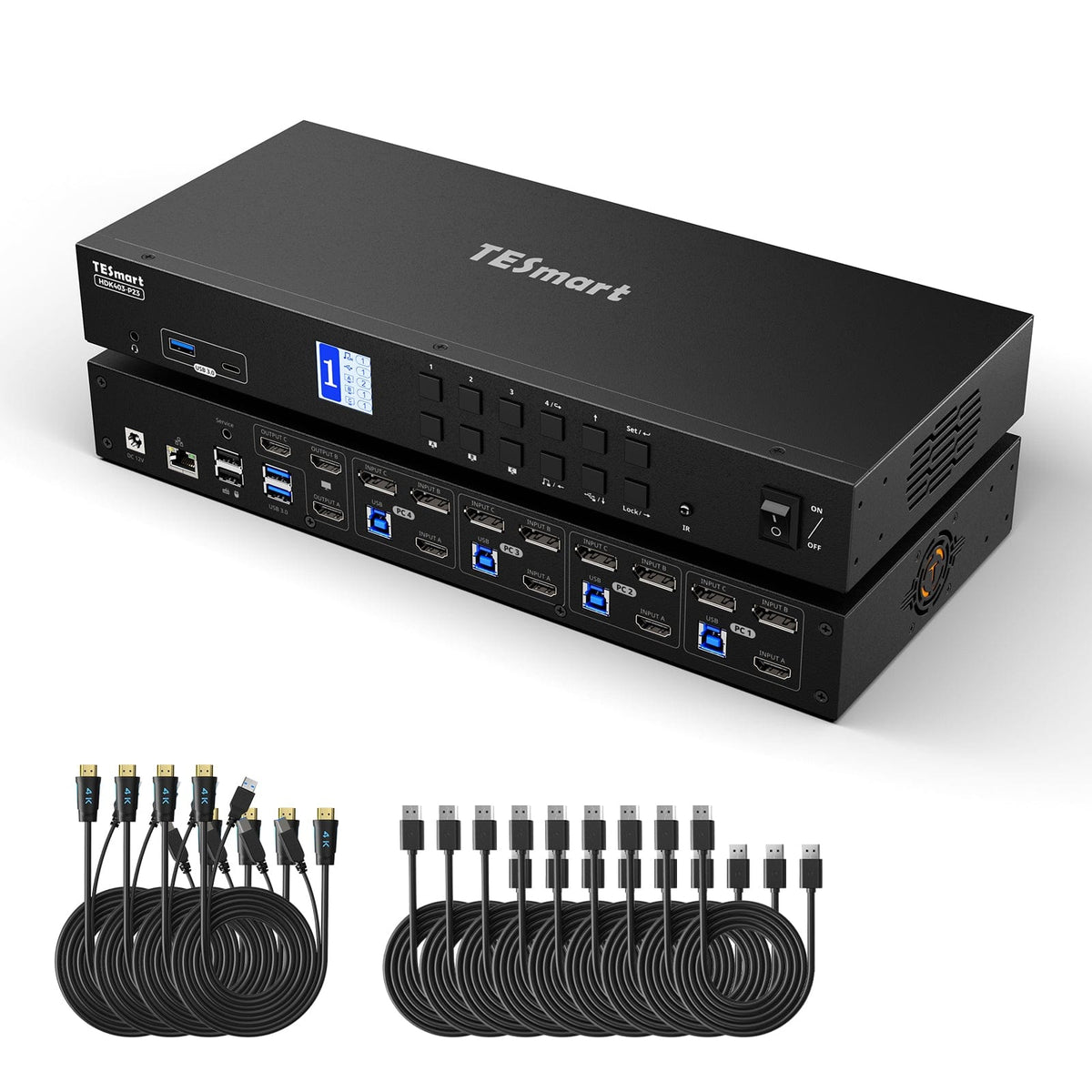
1×4×3 HDMI + DP KVM Switch
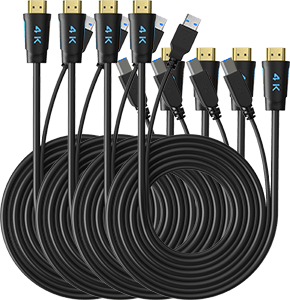
4 × HDMI + USB KVM cables

8 × DisplayPort cable

1 × IR Remote Control

1 × 12V DC power supply

1×User manual
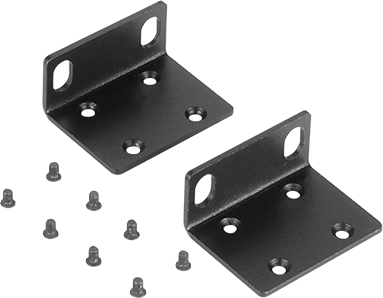
2 × Rack Angle


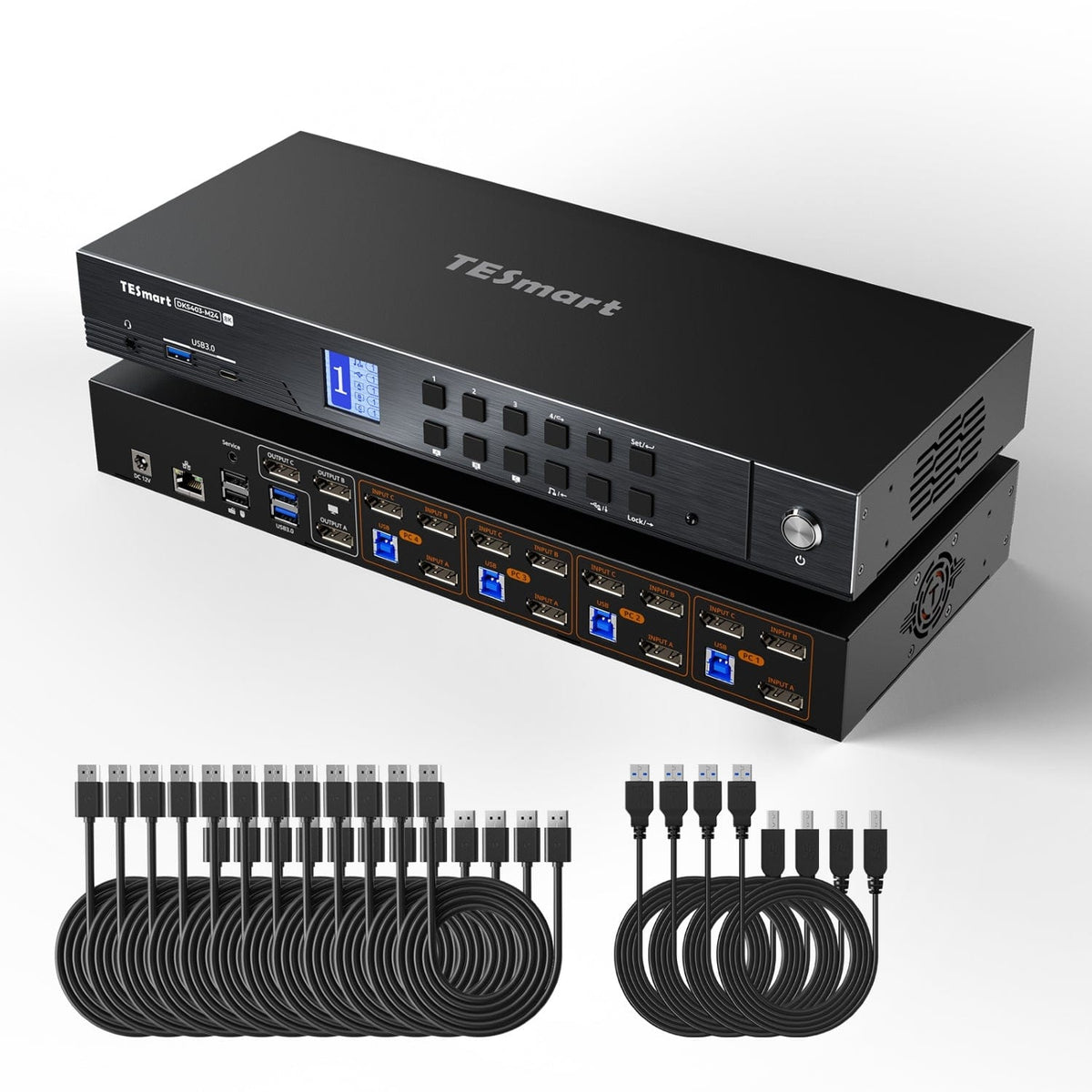
Compare suitable models
Compare connections, image output, and sharing features for your workplace.
Model
HDK403-P23
Model
DKS403-M24
Computer count
4 computers
Computer count
4 computers
Computer connections
Per PC: HDMI + 2 × DisplayPort + USB
Computer connections
Per PC: 3 × DisplayPort + USB
Monitor outputs
3 × HDMI
Monitor outputs
3 × DisplayPort
Image output
4K60
Image output
8K60/4K144
Shared USB devices
USB 3.0/5 Gbit/s
Shared USB devices
USB 3.0/5 Gbit/s
Charge laptop
Charge laptop
Shared network access
1000 Mbit/s
Shared network access
1000 Mbit/s
EDID emulation
EDID emulation
Multi-monitor operation
Separate video outputs on each computer
Multi-monitor operation
Separate video outputs on each computer
Monitor requirements
Each computer must be able to drive 3 monitors.
Monitor requirements
Each computer must be able to drive 3 monitors.
Frequently asked questions
You can find further answers in our Help Center.
[Compatibility] What connections does every PC need for the HDK403-P23?
Each computer needs one HDMI output, two DisplayPort outputs, and USB ports to connect all three monitors.
[Compatibility] How many computers and monitors can I connect?
Up to four computers and three HDMI monitors.
[Compatibility] What is the maximum supported resolution?
According to the instructions, up to 3840×2160@60Hz auf supported connections.
[Functions] Can a computer use all three monitors?
Yes. One computer can use all three displays. Alternatively, different computers can be assigned to different monitors.
[Functions] Does the HDK403-P23 support EDID emulation?
Yes. EDID emulation keeps monitor information available to the computers and reduces the need to rearrange desktops when switching.
[Connections] Can I share Gigabit Ethernet and USB devices?
Yes. The KVM offers shared Gigabit Ethernet and USB 3.2 Gen 1 for compatible systems and devices.
[Functions] Can USB or audio connections remain connected to a computer when changing displays?
Yes. USB and audio assignments keep supported devices connected to the desired computer.
[Switch] How do I switch between computers?
Via control panel, IR remote control, keyboard hotkeys or mouse wheel.
[Functions] Does the HDK403-P23 support auto-scan?
Yes. Auto-Scan switches between computers for monitoring at a set interval.
