

Table of contents
- Introduction
- Why USB-C and Thunderbolt 4 are so easily confused
- USB-C is a connector, Thunderbolt 4 is a protocol.
- USB-C vs. Thunderbolt 4: The most important differences
- Why the capabilities of a port are important for monitors, docks, and KVM switches
- When a USB-C KVM switch is sufficient
- When you need a Thunderbolt-compatible KVM
- How TESmart enables more efficient Mac and Windows workflows
- FAQ: USB-C vs. Thunderbolt 4
- Conclusion
Introduction
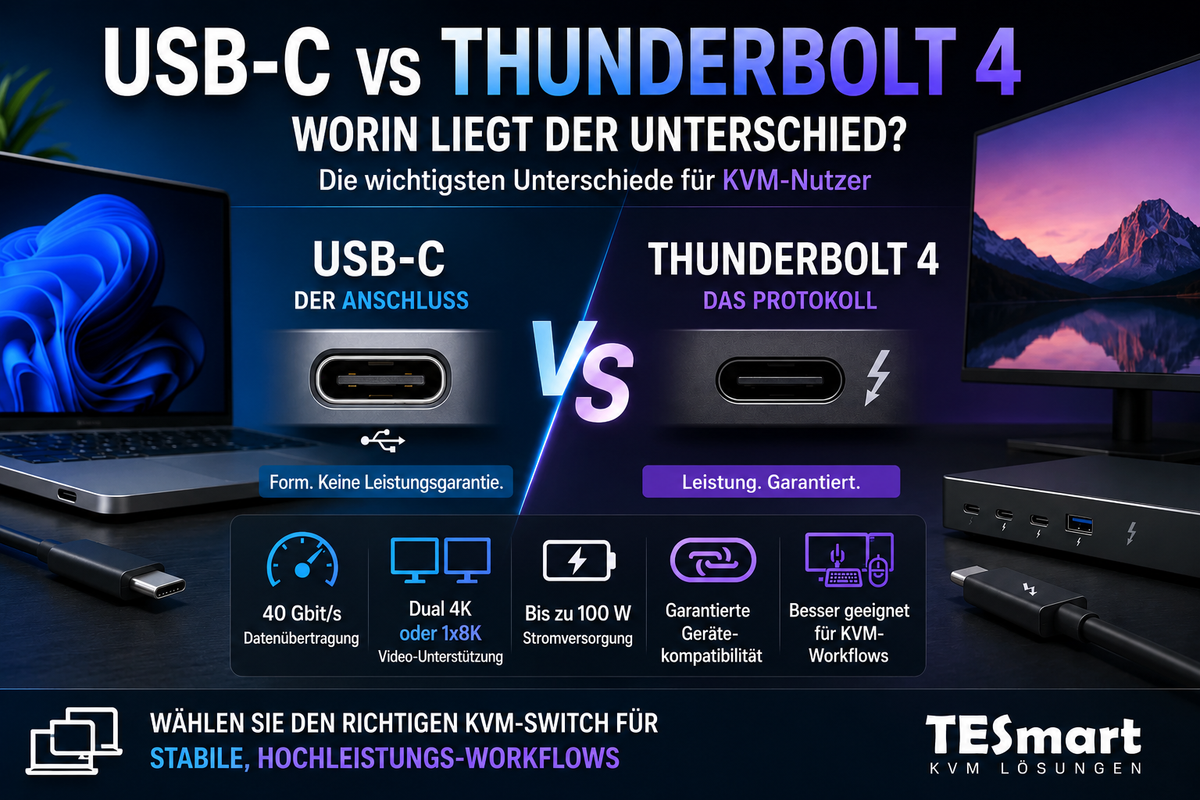
Many users see USB-C and Thunderbolt 4 ports and assume they are identical, since both use the same Type-C connector. In fact, USB-C simply refers to the physical connector, while Thunderbolt 4 is a performance standard and protocol based on USB-C, guaranteeing high data rates, video transmission, and device compatibility.
For professional users managing multiple computers, high-resolution monitors, and USB peripherals, understanding this difference is crucial when selecting a KVM switch or setting up a multi-device workflow.
Why USB-C and Thunderbolt 4 are so easily confused
Both USB-C and Thunderbolt 4 use the same reversible Type-C connector. Therefore, many users assume the two technologies are interchangeable. Further confusion arises from USB4, which inherits some protocol features from Thunderbolt 3 and 4, including high-speed data transfer and video output. However, the crucial differences only become apparent in real-world use cases.
Not every USB-C port supports:
- Video output via DisplayPort Alt Mode
- Data transfer rates exceeding 10 Gbit/s
- Sufficient power supply to charge a laptop
Thunderbolt 4 ports guarantee these functions. This makes a significant difference, especially in professional multi-device KVM setups with MacBooks and Thunderbolt displays.

USB-C is a connector, Thunderbolt 4 is a protocol.
USB-C is a physical interface. It does not define speed, video, or power delivery capabilities. USB 2.0, USB 3.2, USB 4, or Thunderbolt 4 can all be transmitted over the same Type-C connector.
Thunderbolt 4, on the other hand, is a protocol with clearly defined minimum requirements:
- 40 Gbit/s bandwidth for data and video
- Support for two 4K displays or one 8K display
- PCIe with 32 Gbit/s for external storage solutions or GPU expansions
- Guaranteed power supply up to 100 W
In contrast, a standard USB-C port cannot support video output, may be limited to USB 3.x speeds, or may not provide enough power to supply a laptop.

USB-C vs. Thunderbolt 4: The most important differences
| feature | USB-C | Thunderbolt 4 |
|---|---|---|
| Connection type | USB-C (reversible) | USB-C (reversible) with Thunderbolt logo |
| Maximum bandwidth | Up to 20 Gbit/s (USB 3.2nd Gen 2x2) or 40 Gbit/s (USB4) | Guaranteed 40 Gbit/s |
| Video support | Optional, depending on DisplayPort Alt Mode | Mandatory support for 2×4K@60Hz oder 1×8K@60Hz |
| Power Delivery | Optional, depending on the device | Up to 100 W |
| Device compatibility | Depending on host and hub | Guaranteed support for Thunderbolt devices, docks, and displays |
| KVM features | Works with USB-C KVMs if the monitor and PC support DisplayPort Alt Mode. | For full functionality with Thunderbolt displays and Apple Studio Display, a Thunderbolt-compatible KVM switch is required. |
Why the capabilities of a port are important for monitors, docks, and KVM switches
Selecting a KVM switch or dock solely based on the connector type can lead to black screens, flickering, or reduced refresh rates.
- MacBooks often have USB-C/Thunderbolt ports, but not native DisplayPort outputs. Therefore, USB-C to DP adapters or docks are required for a pure DP KVM setup.
- Apple Studio Display and other Thunderbolt monitors transmit video, USB, audio, and power simultaneously. A standard USB-C KVM switch may not fully support these devices.
- USB devices and keyboard/mouse emulation may malfunction if the connection does not provide sufficient bandwidth or the required protocol.
When a USB-C KVM switch is sufficient
If your setup consists of a standard USB-C laptop and USB-C, HDMI, or DisplayPort monitors that do not require Thunderbolt functionality, a USB-C KVM switch is usually sufficient.
With these devices you can:
- Sharing a monitor, keyboard, and mouse between two or more computers
- Sharing standard USB peripherals
- Switch between systems using a hotkey or buttons on the device.
For most Windows environments or mixed USB-C monitor setups, TESmart's USB-C KVM switches offer a cost-effective and stable solution without unnecessary complexity.
When you need a Thunderbolt-compatible KVM
A Thunderbolt-compatible KVM switch is required if:
- An Apple Studio Display or other Thunderbolt monitors can be used.
- Dual 4K, 8K or high-refresh-rate video is required.
- USB, audio and power supply should be retained via a single cable.
The THK401-X4 TESmart was specifically designed for mixed workflows where at least one system requires a Thunderbolt-compatible connection. This allows MacBooks, Windows laptops, and Thunderbolt displays to be used seamlessly together.
How TESmart enables more efficient Mac and Windows workflows
TESmart solutions enable switching between multiple computers without compromising the integrity of video, USB, audio, and power signals.
Key advantages include:
- Seamless integration of Mac and Windows systems
- Sharing monitors between Mac and PC
- Support for Apple Studio Display KVM scenarios
- Less cable clutter and a tidier workplace
Choosing the right KVM switch to meet your connection and monitor requirements ensures stable, efficient, and reliable workflows.
FAQ: USB-C vs. Thunderbolt 4
- Q1: Can I use a regular USB-C KVM with an Apple Studio Display?
- A: Generally not. The Apple Studio Display requires a full Thunderbolt connection, which is usually not supported by standard USB-C KVM switches.
- Q2: How do I know if my USB-C port supports video output?
- A: Check if the port supports DisplayPort Alt Mode or USB4. Not every USB-C port offers video output.
- Q3: Is Thunderbolt 4 backward compatible with USB-C devices?
- A: Yes. Thunderbolt 4 ports support standard USB-C devices. Conversely, USB-C ports do not necessarily meet all Thunderbolt 4 requirements.
- Q4: Which TESmart product is suitable for mixed Mac and Windows workflows?
- A: For USB-C monitors, a TESmart USB-C KVM is sufficient. For Thunderbolt displays or Apple Studio Display workflows, a Thunderbolt-compatible KVM such as the [missing information] is recommended. THK401-X4.
Conclusion: Choose your KVM switch based on the signal – not just the connection type.
USB-C and Thunderbolt 4 are not just about the connector. Crucial factors include the protocol, bandwidth, video support, and peripheral management. These factors determine whether a KVM switch functions reliably.
TESmart supports users in this selection process with USB-C KVM switches for general applications and Thunderbolt-compatible KVMs for demanding professional workflows. Those who carefully evaluate devices, monitors, and requirements will find the right solution for a stable and efficient multi-computer workstation.
Learn more about our USB-C KVM and Thunderbolt compatible KVM solutions, to optimally set up your Mac and Windows desktop environment.

Share:
Live Broadcast Workstation for Sports Commentary: Multi-PC Setup with TESmart Multi-Monitor KVM
DisplayPort or HDMI: Which interface is better for gaming and work?