






Monitorkonfiguration
Max. Auflösung
Monitorkonfiguration

Laptop laden

Gemeinsames Netzwerk

Stabile Anzeige

USB-Geschwindigkeit
2×2 USB-C KVM dock for 2 laptops | Dual 4K60, MST & EDID
Two USB-C laptops share two HDMI monitors, USB devices, audio and Gigabit Ethernet - with up to 60W charging power for compatible laptops.
Monitorkonfiguration
Max. Auflösung
Monitorkonfiguration
Laptop laden
Gemeinsames Netzwerk
Stabile Anzeige
USB-Geschwindigkeit
2×2 USB-C KVM dock for 2 laptops | Dual 4K60, MST & EDID
Why CKS202-P23-N?
Overview
01
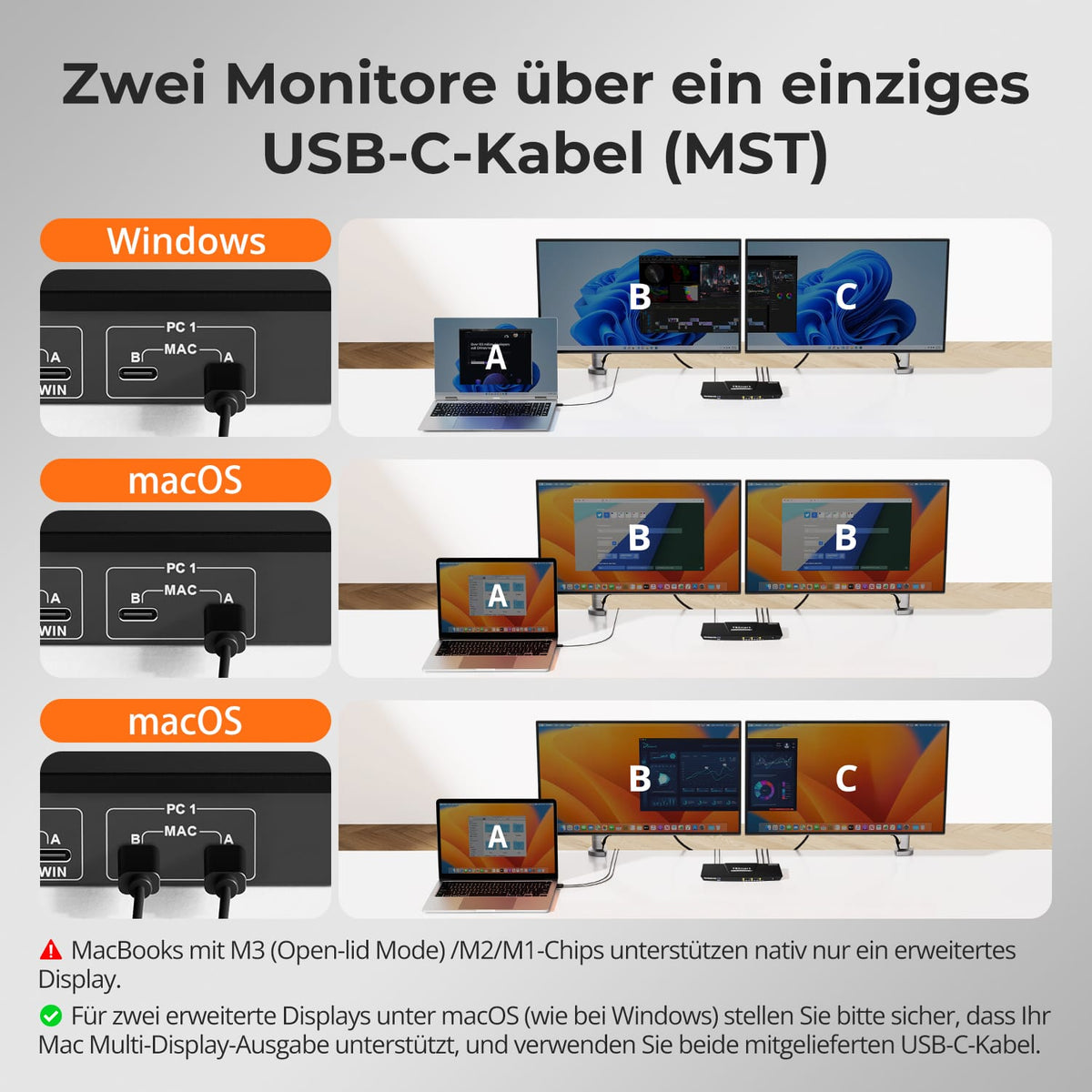
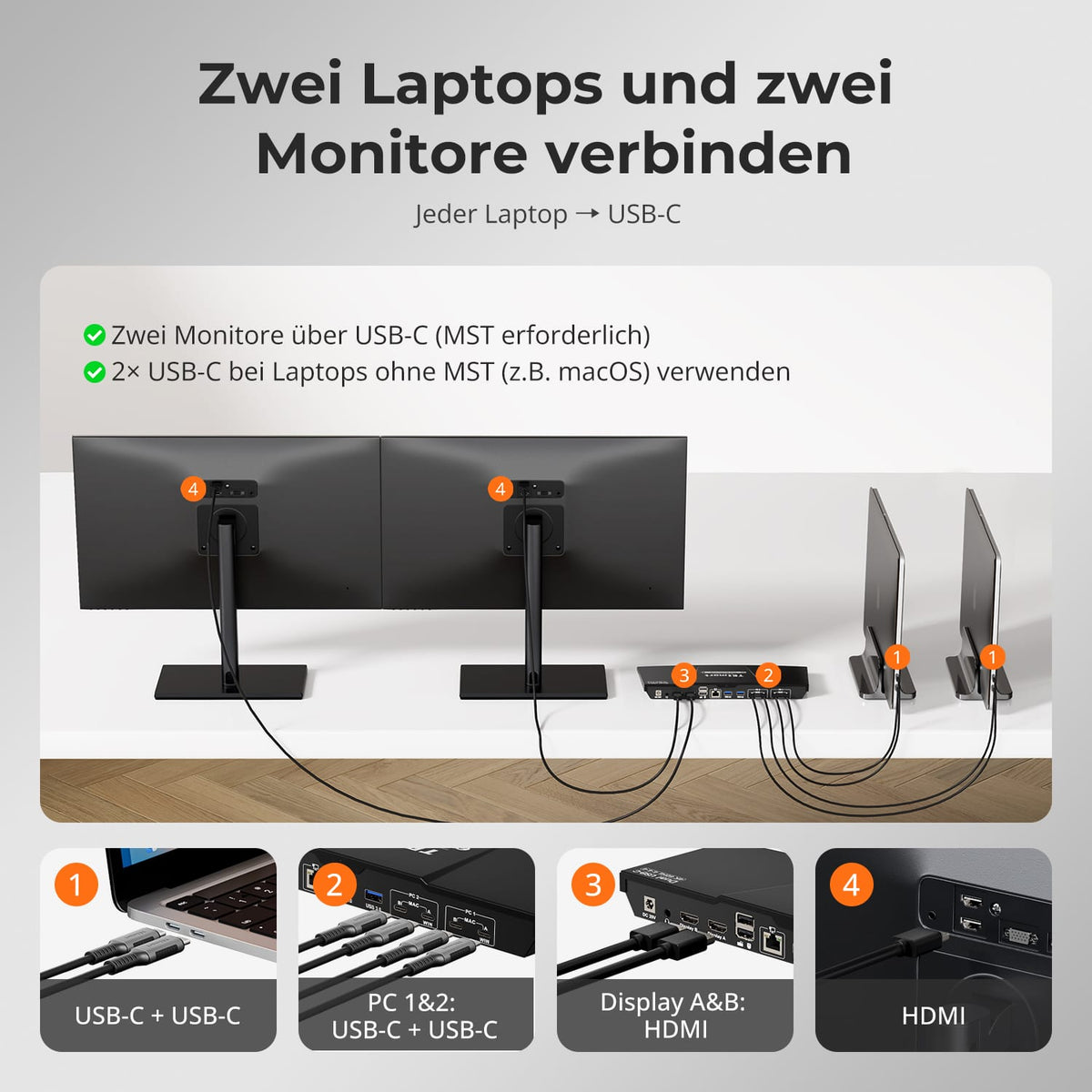
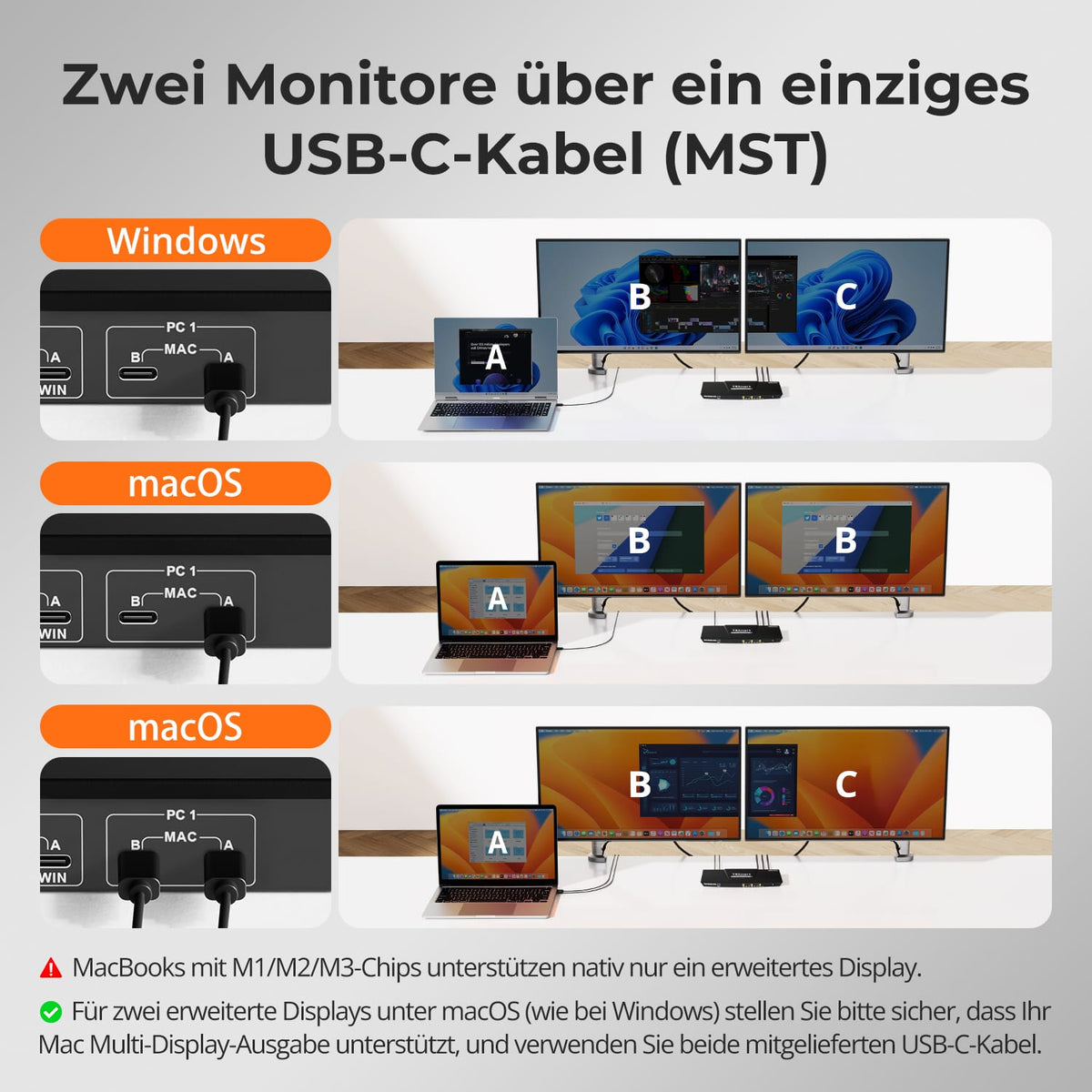
Two displays via one USB-C port
A compatible Windows laptop transmits video, USB data and charging power for the dual-monitor setup via a full USB-C connection with MST.
02
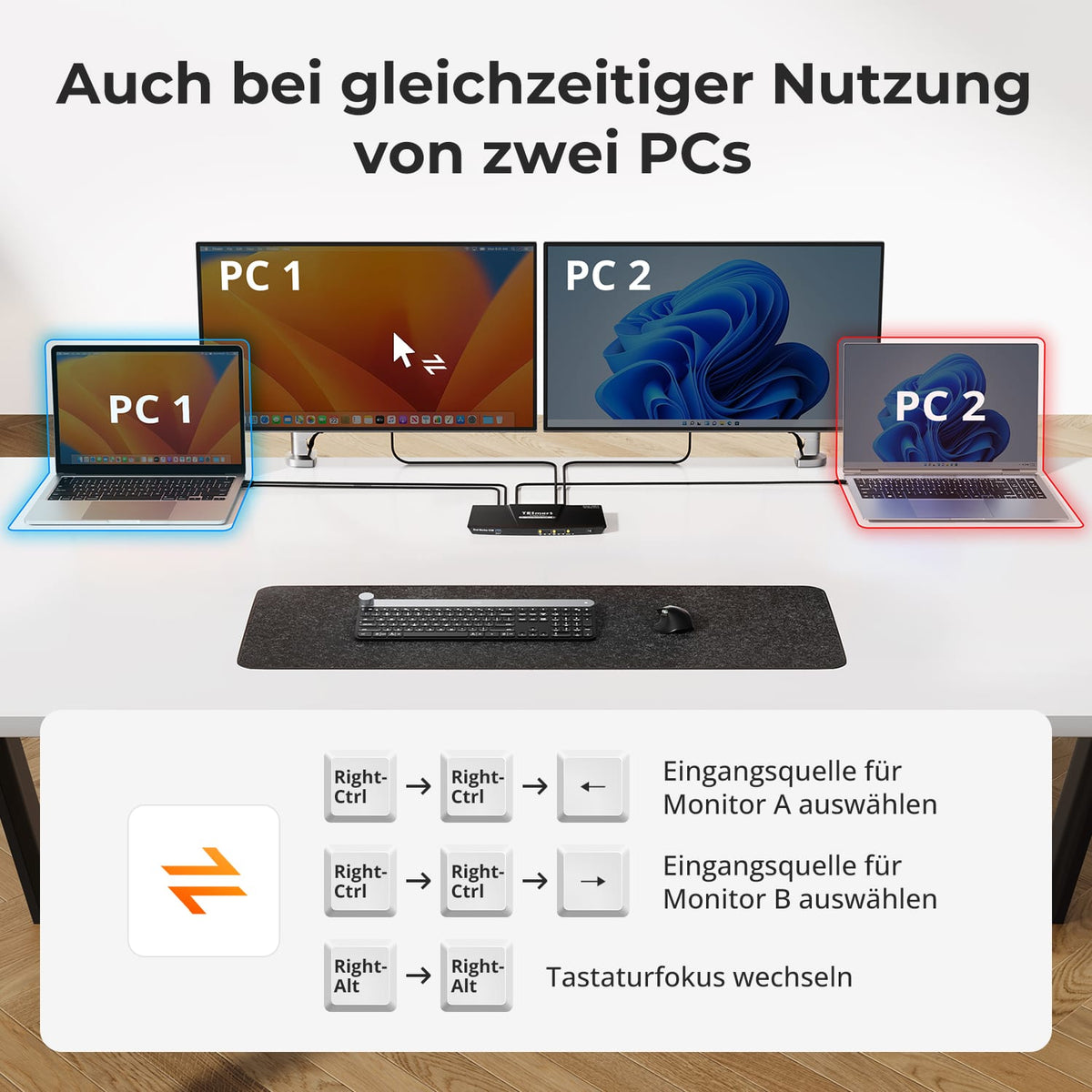
Two display modes for two laptops
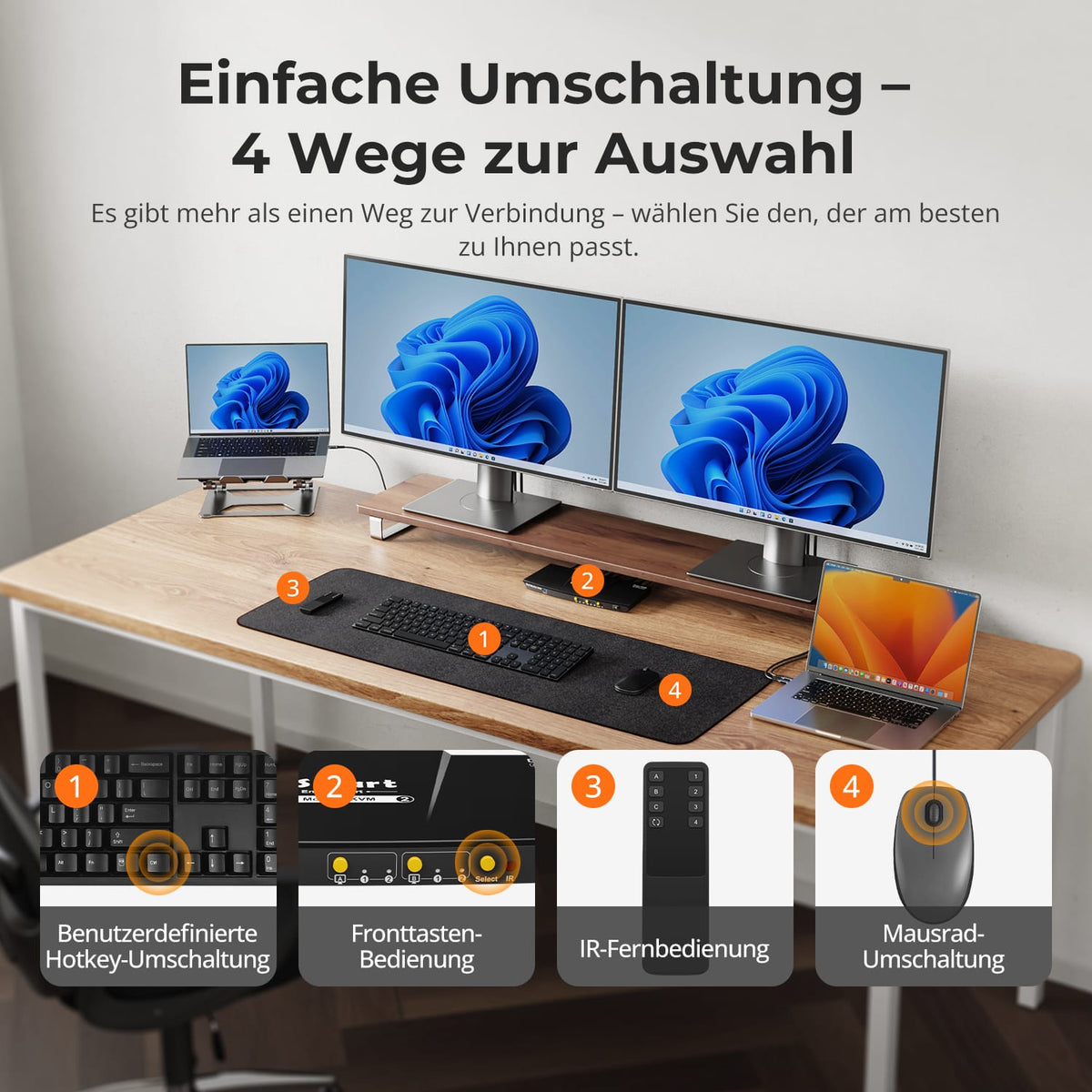
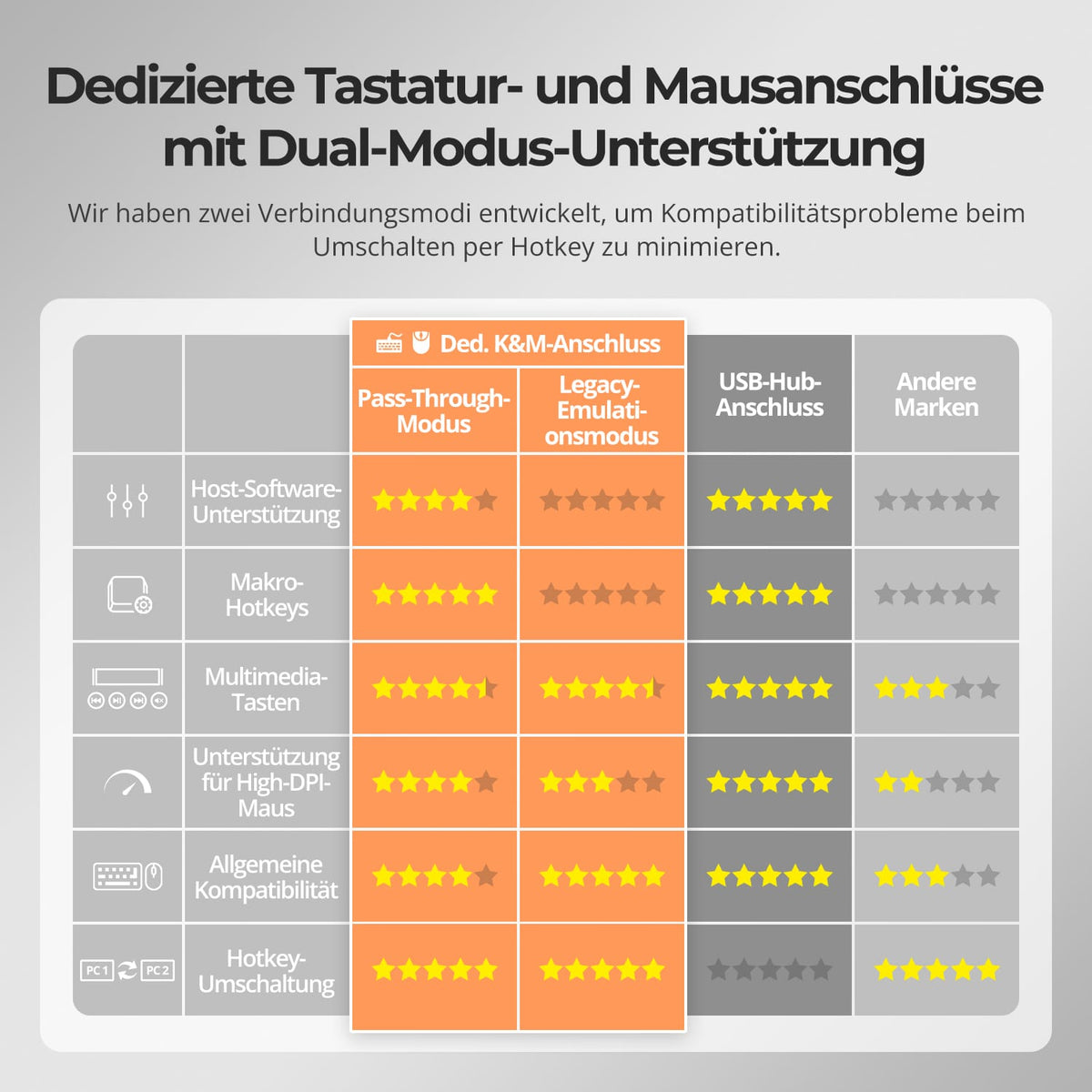
Use both monitors with one laptop, or display a computer on each screen. The keyboard and mouse control the desired system.
03
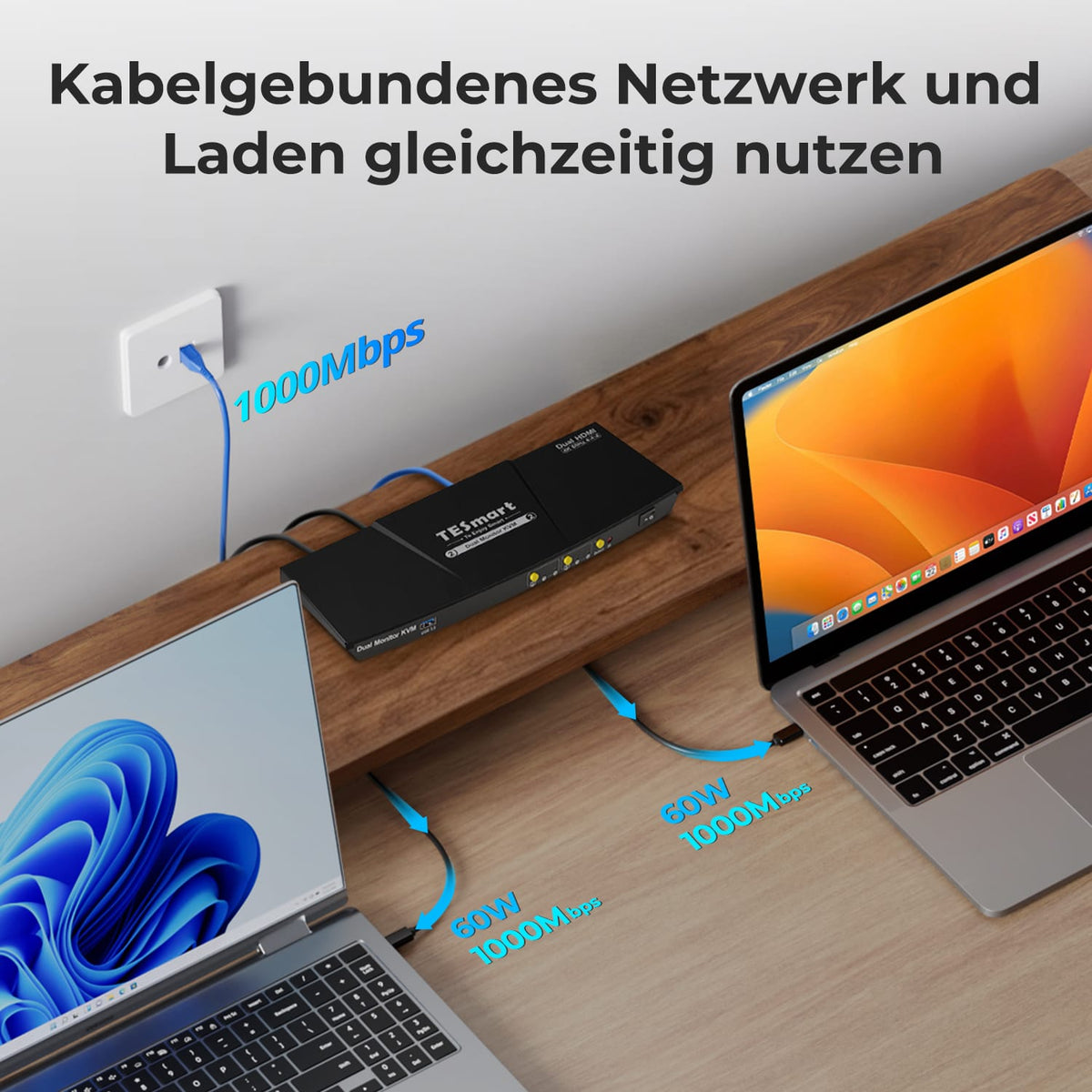
Charge both laptops. Share Gigabit Ethernet.
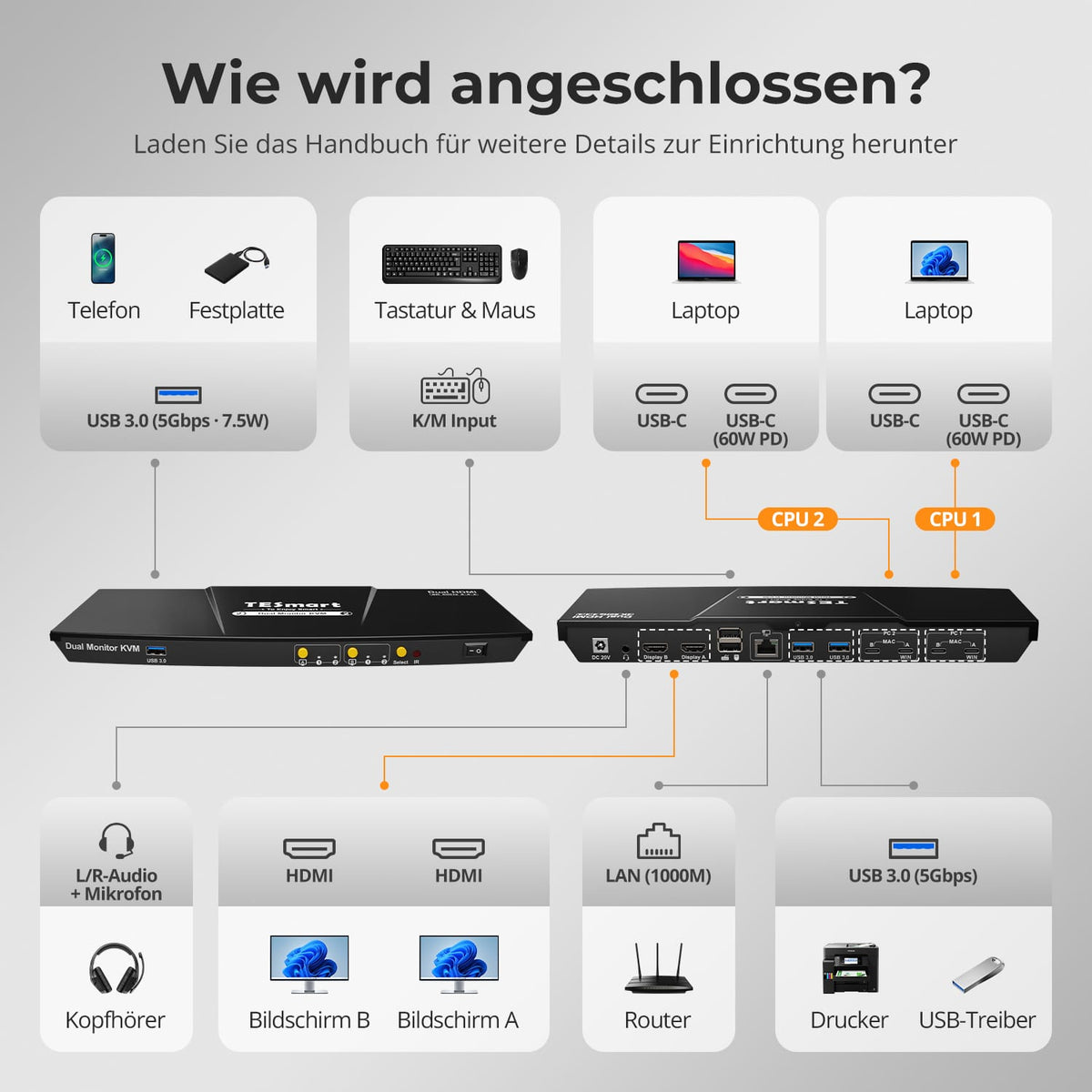
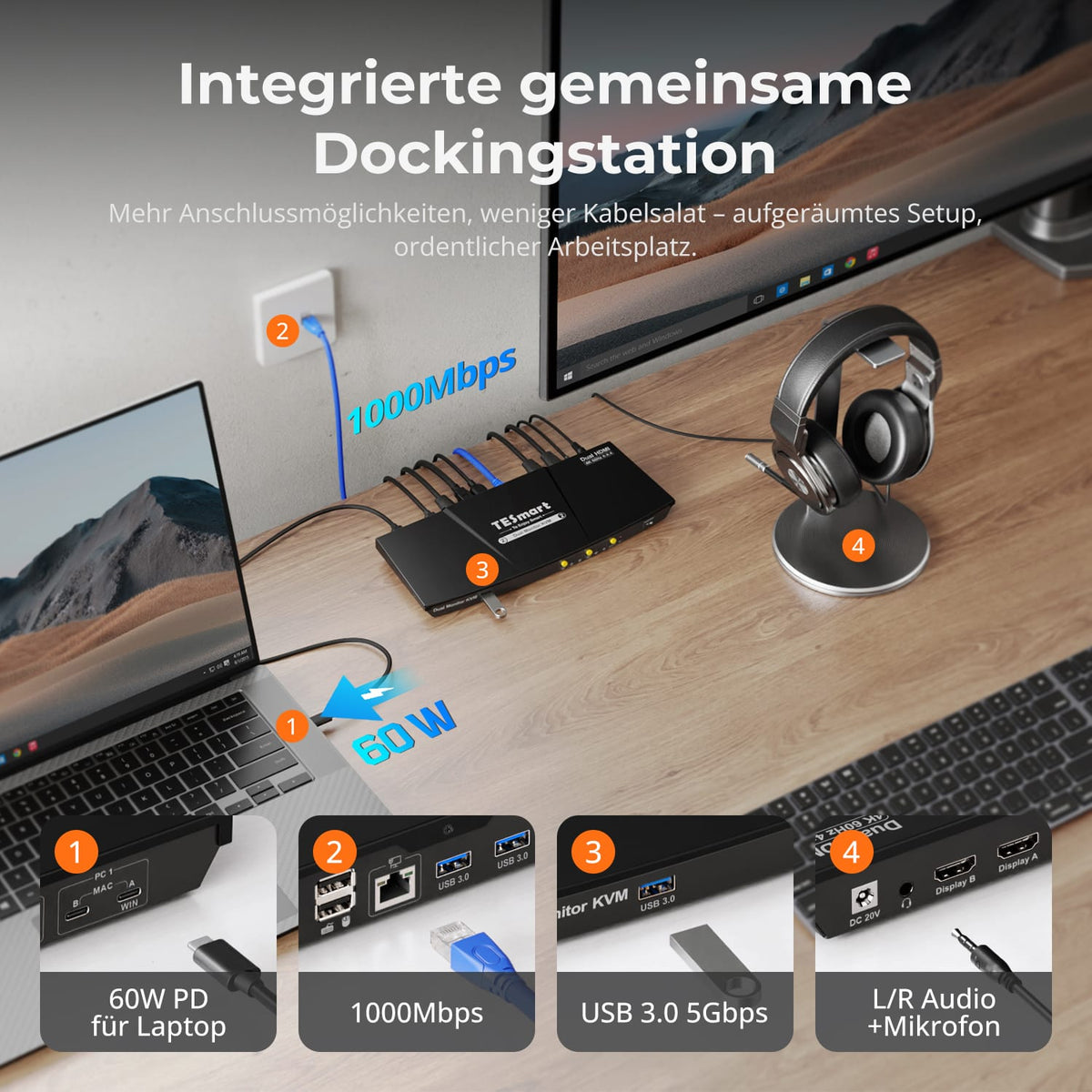
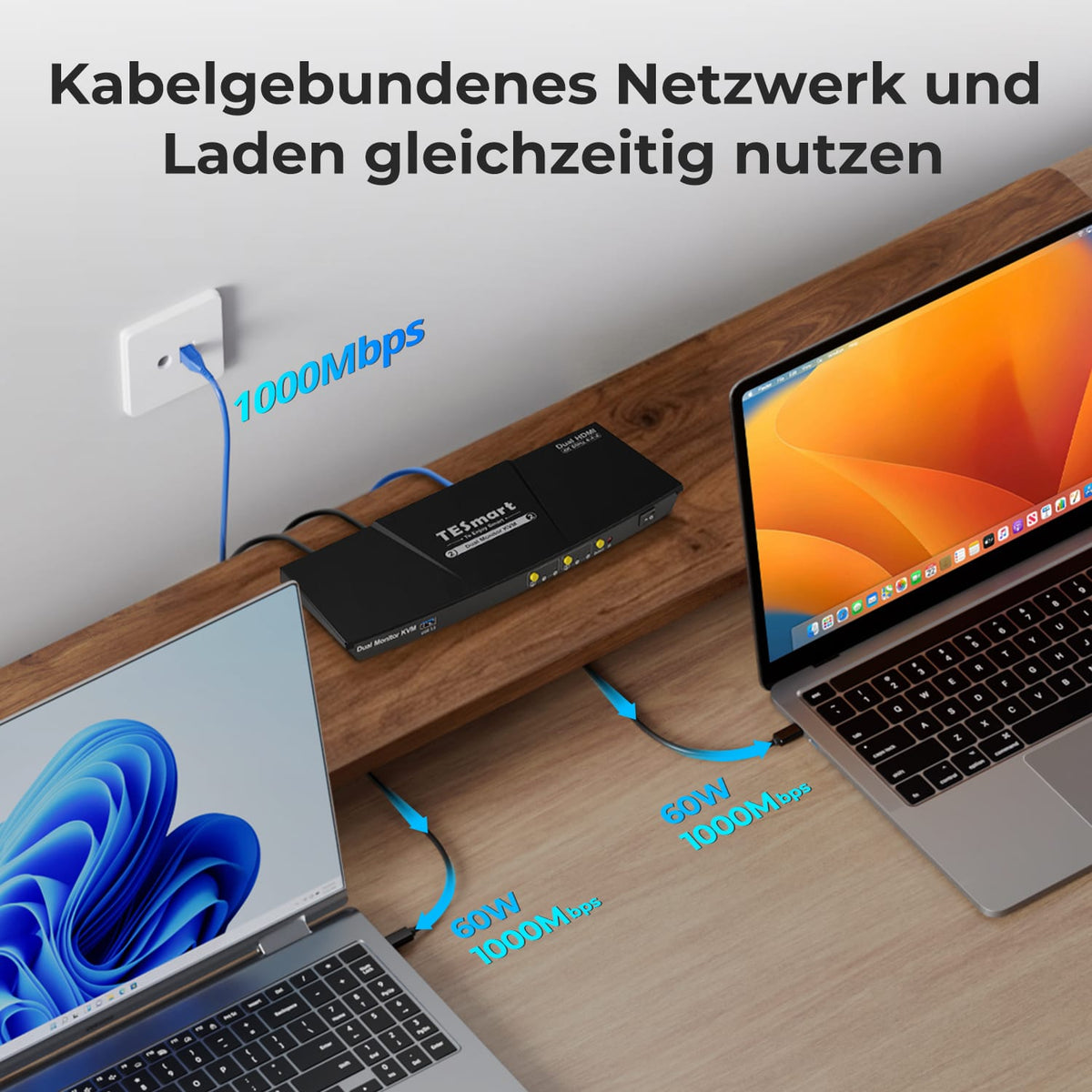
Each compatible USB-C computer receives up to 60W of charging power. Both systems share the KVM's Gigabit Ethernet port – for fewer separate chargers and network adapters.
04
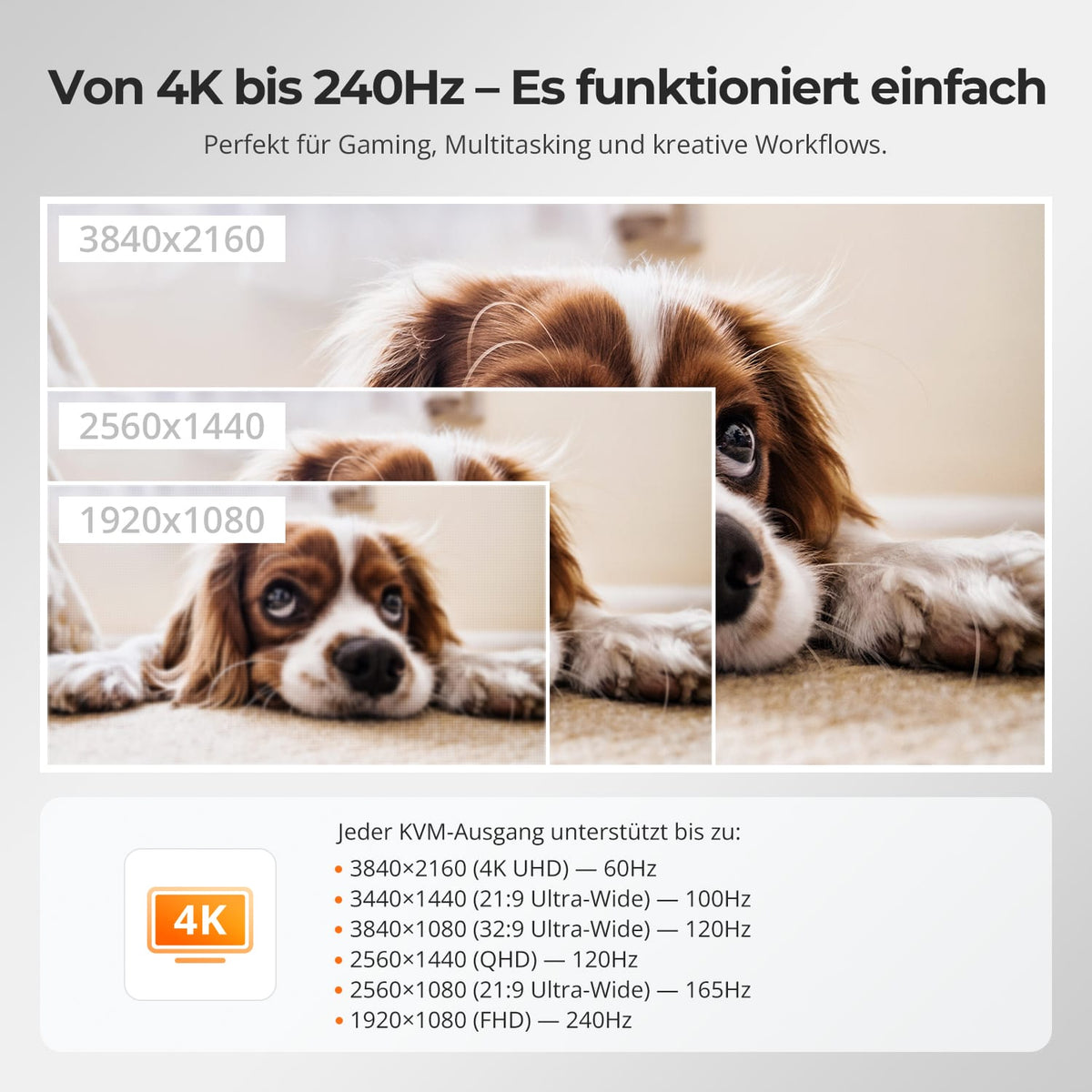
Two 4K60s for everyday work
Up to 3840×2160@60Hz in 4:4:4 on compatible computers and displays – for office work, development and creative tasks.
05
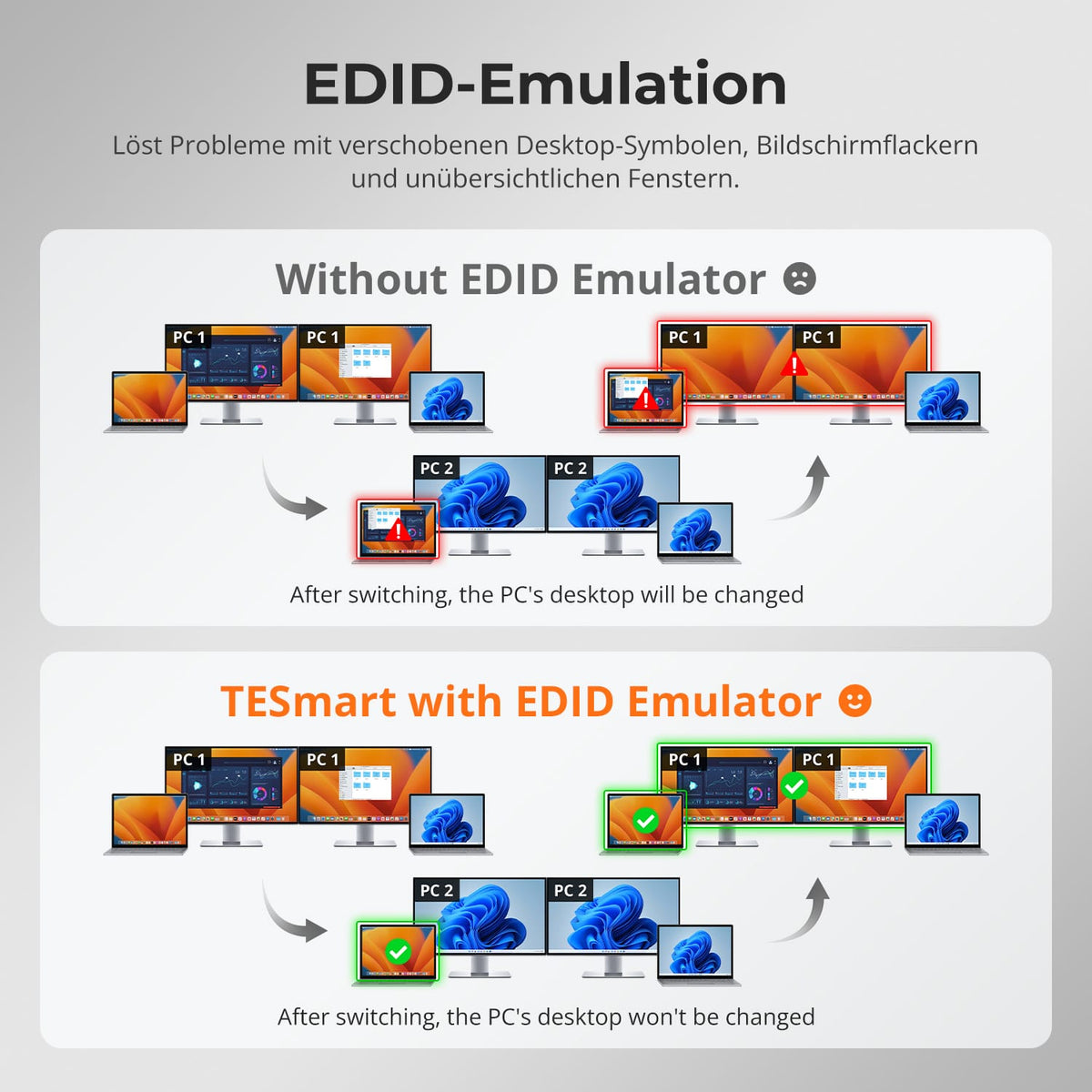
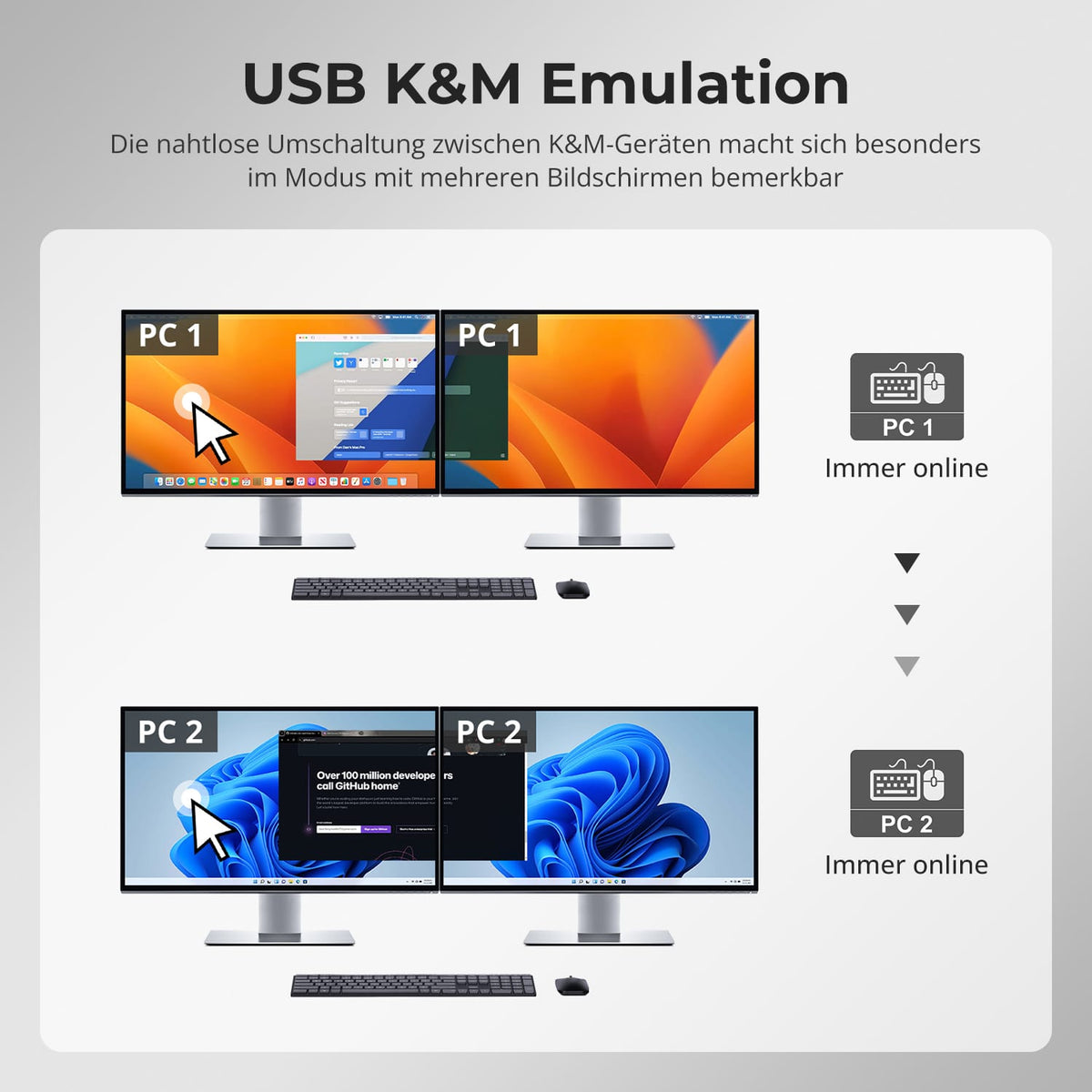
EDID keeps both desktops stable
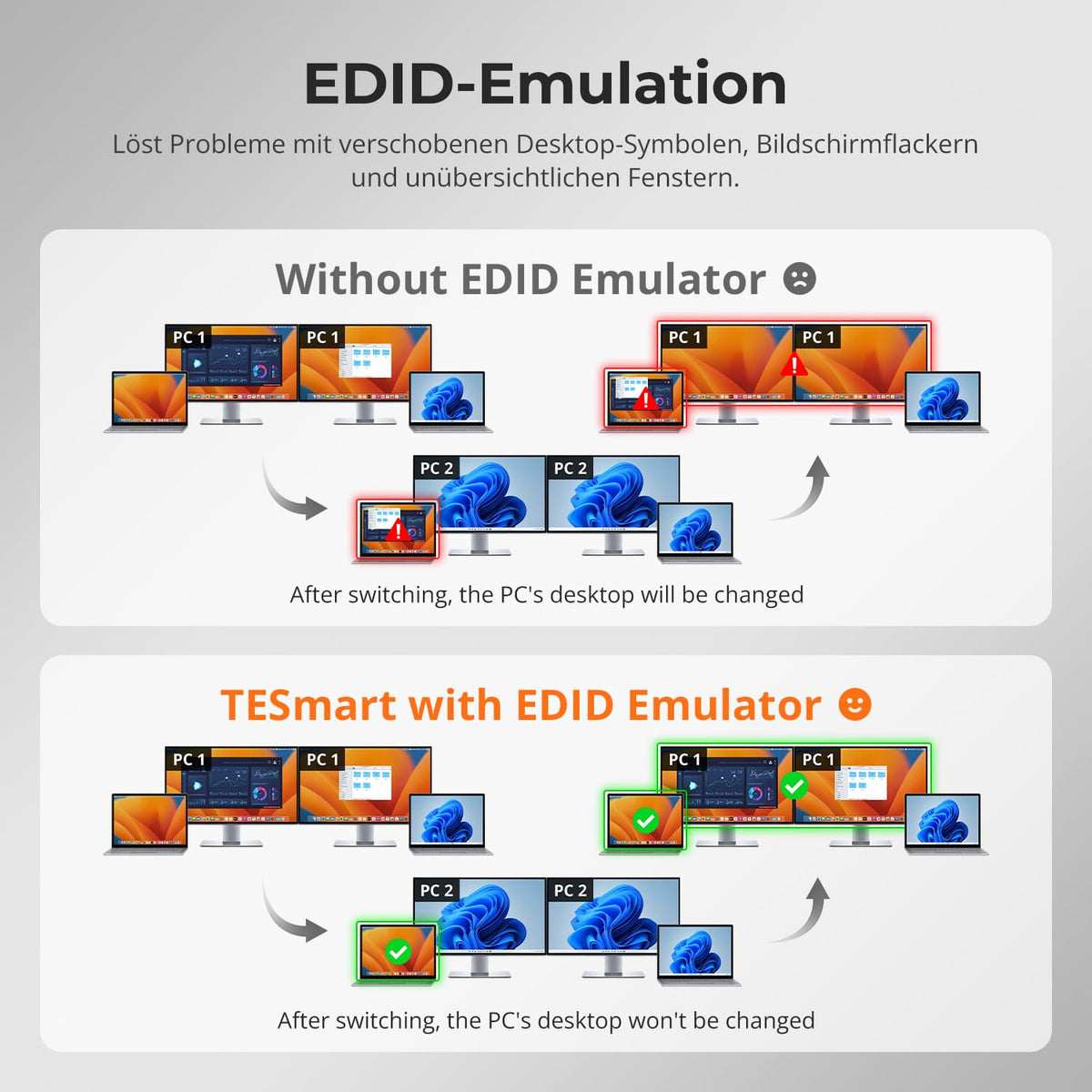
EDID emulation keeps the monitor information available for both computers and reduces the need to re-detect displays and move windows when switching.
06
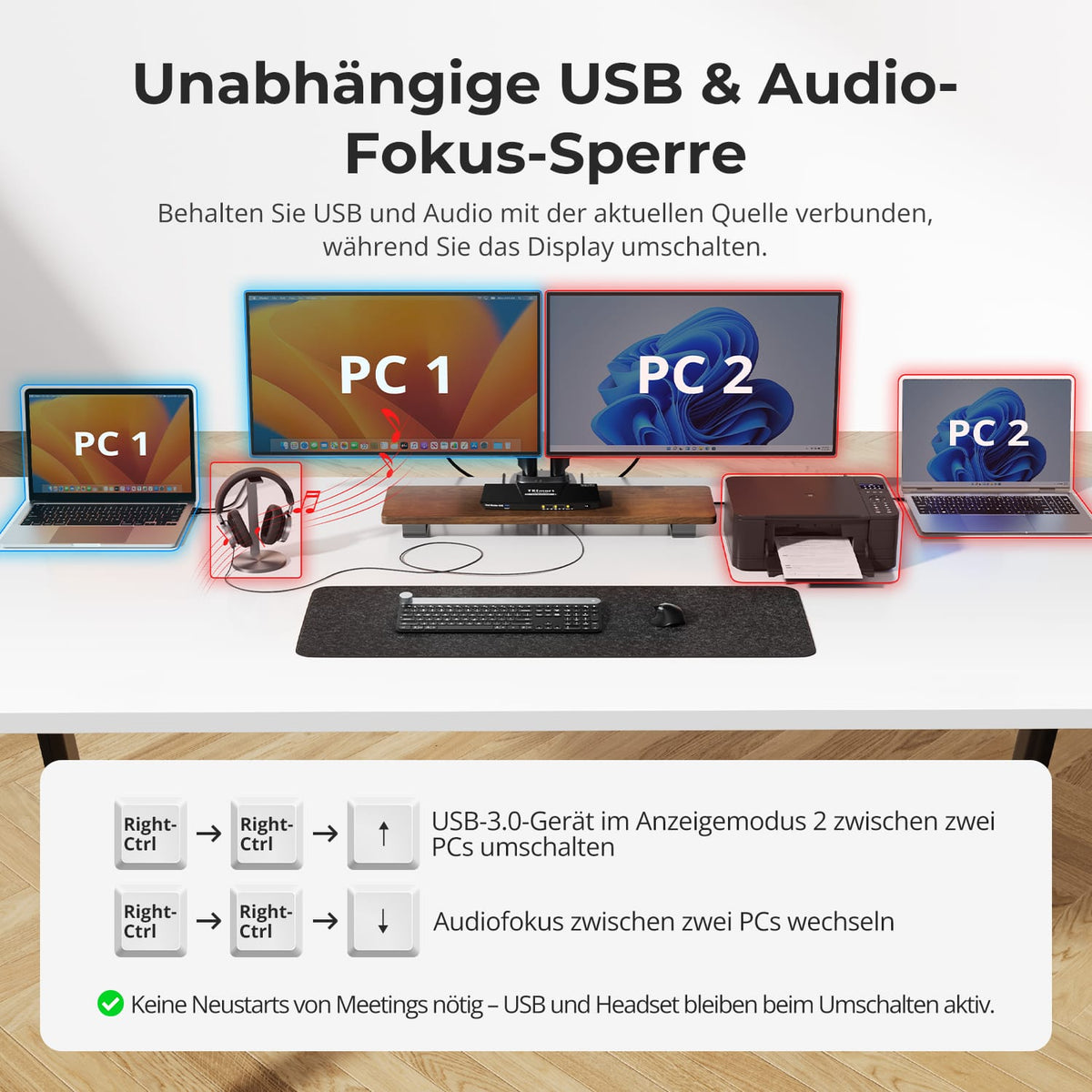
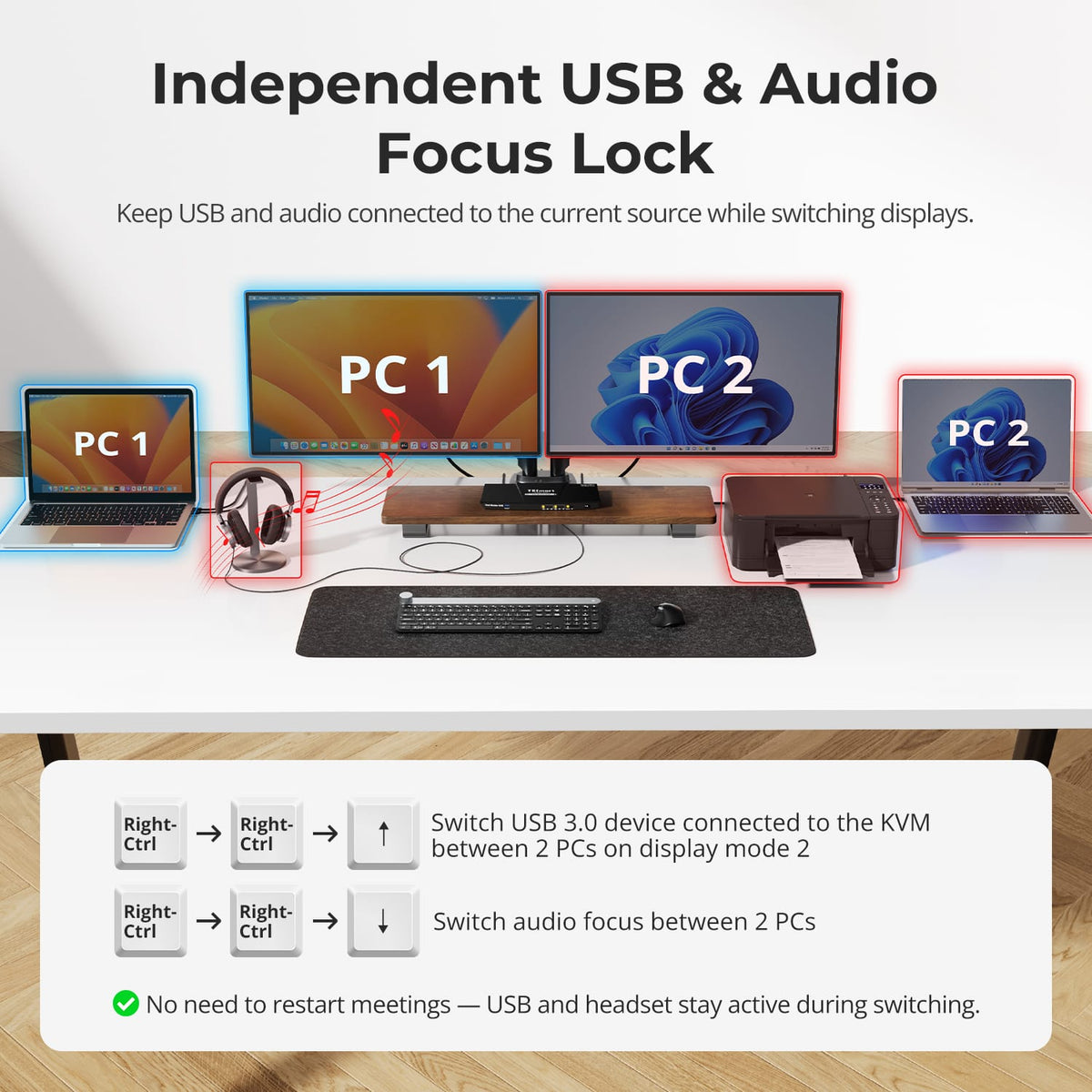
USB and audio on the desired computer
USB and audio can remain connected to the system while you switch the display output. This is useful for calls, storage, and other devices that need to stay connected.

07
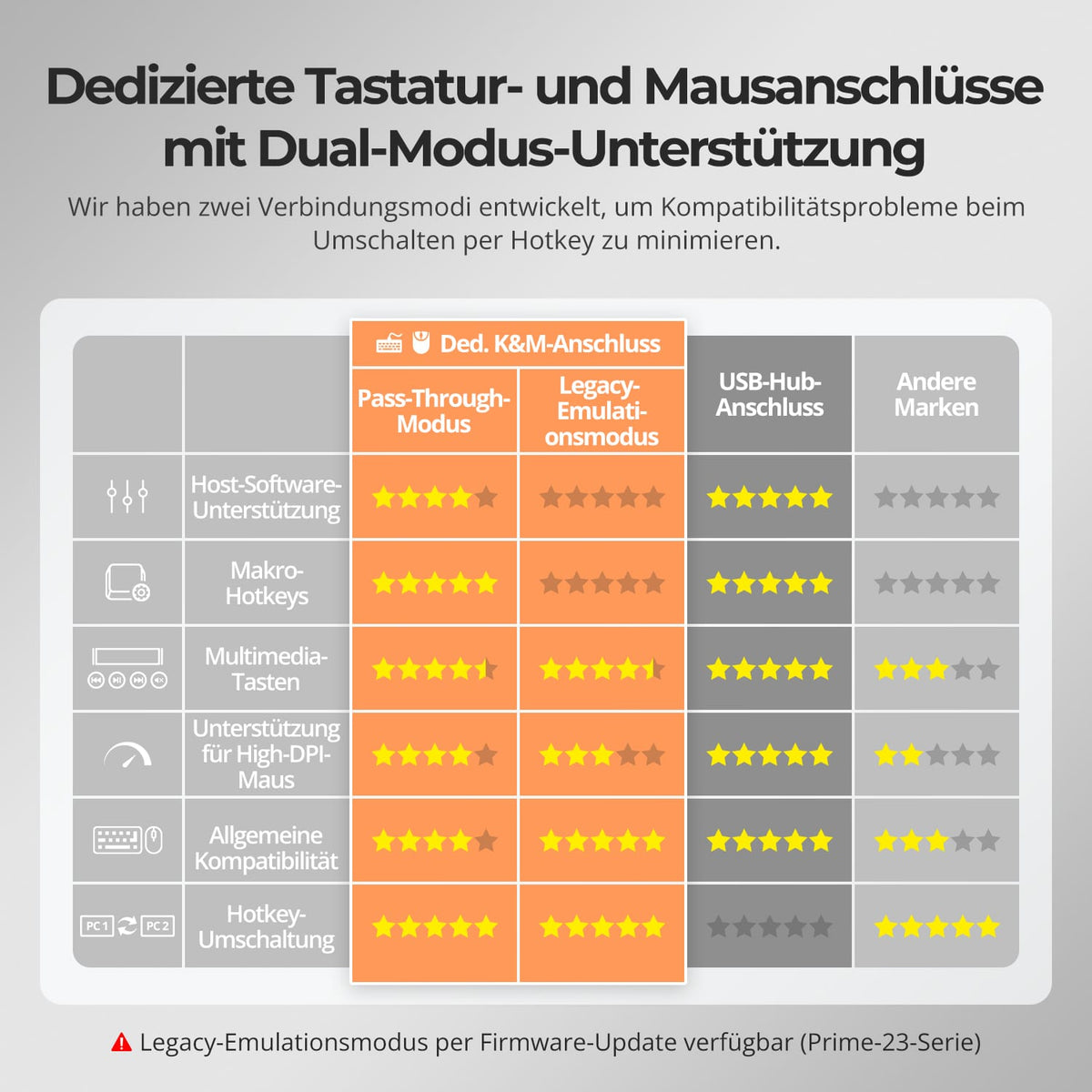
Share USB devices
Shared USB ports connect compatible storage devices and accessories to the selected computer – at speeds up to USB 3.0.
08
09
10
Data & Support
Compatibility & Connections
Technical data
Instructions & Downloads
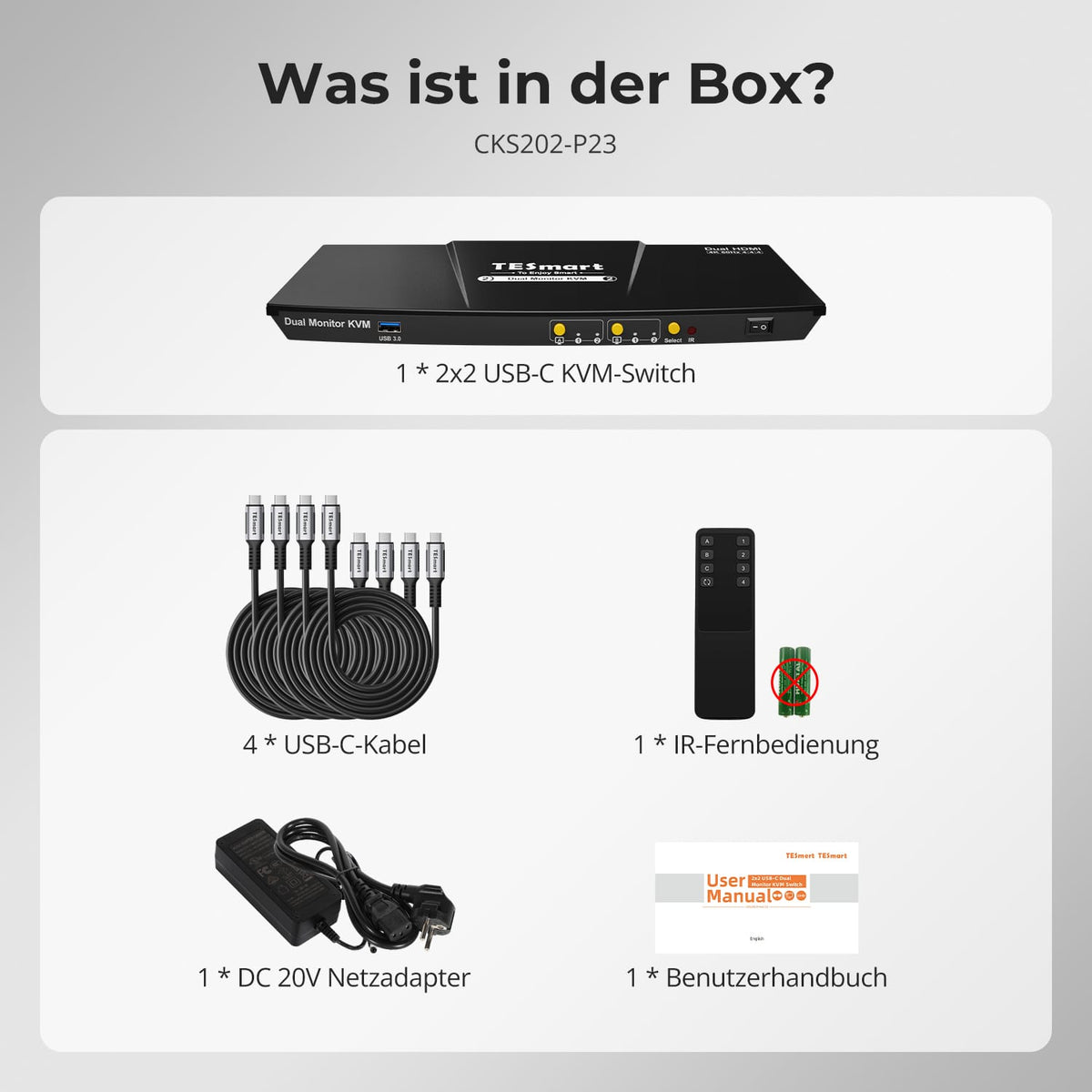
Scope of delivery
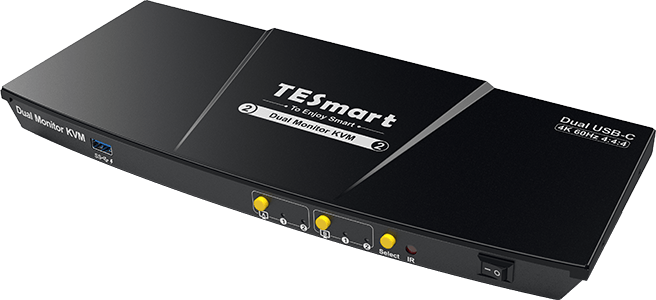
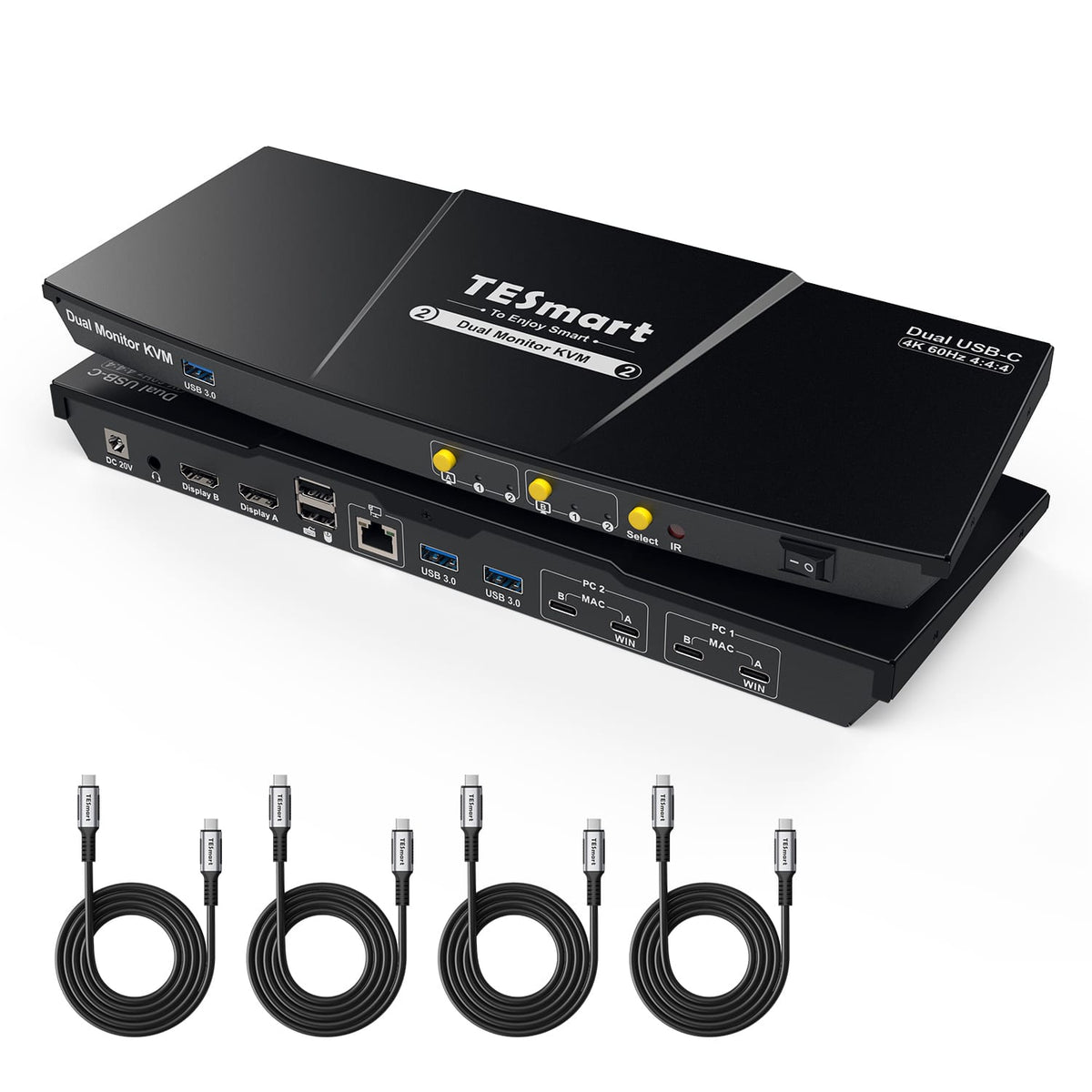
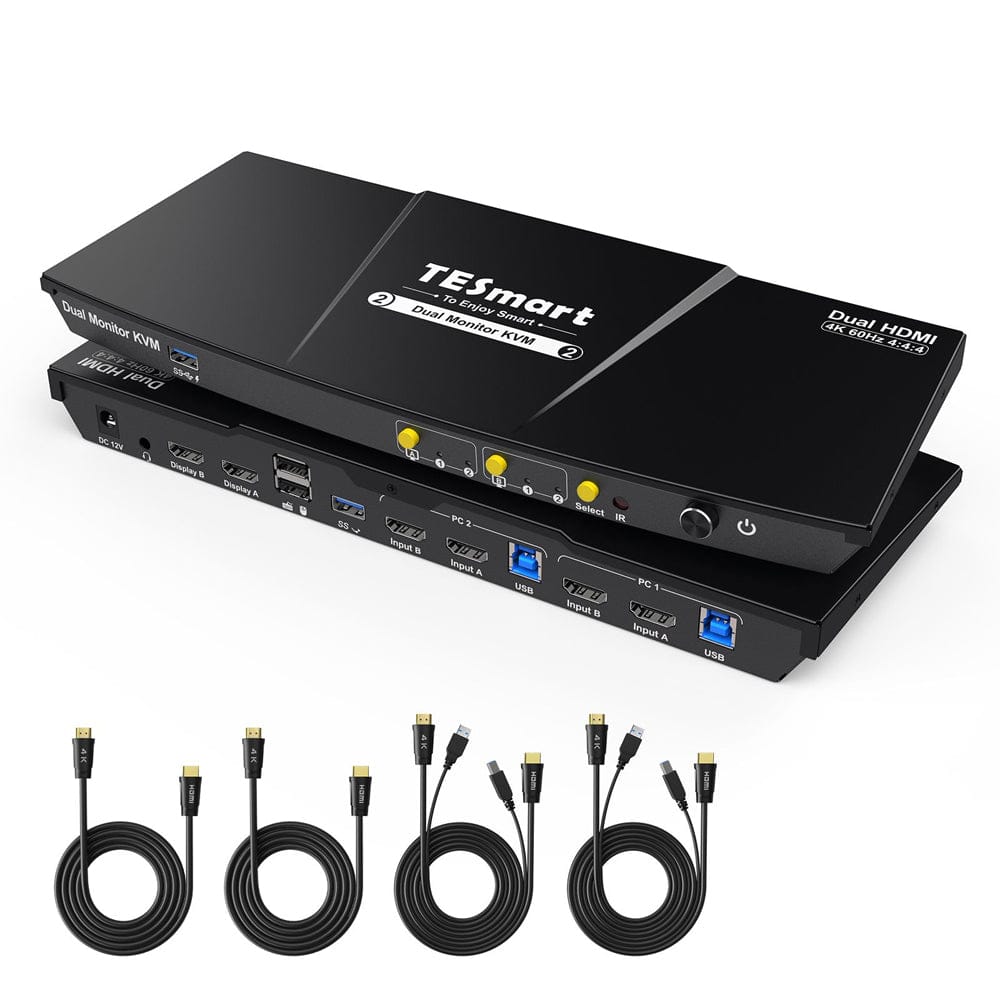
1 × USB-C KVM switch for 2 computers and 2 monitors
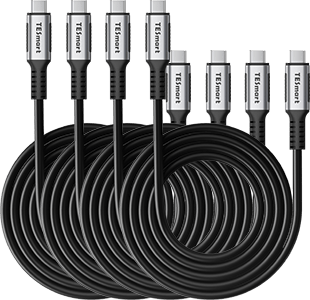
4 × USB-C cables
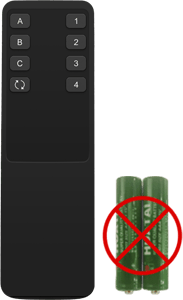
1 × IR Remote Control
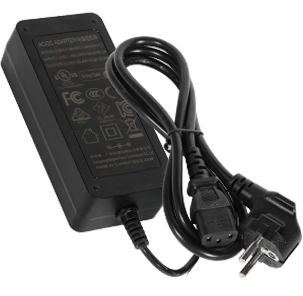
1 × 20V DC power supply
1×User manual
Compare suitable models
Select the models in the menus to compare connections, image output, and shareable features.

Model
CKS202-P23-N
Model
HDC202-X24
Model
HKS202-P23-V2
Computer count
2 USB-C laptops
Computer count
1 desktop PC + 1 laptop
Computer count
2 computers
Computer connections
Per laptop: Port group with USB-C + USB-C
Computer connections
Laptop: Thunderbolt input; Desktop PC: HDMI/DP + USB
Computer connections
Per PC: 2 × HDMI + USB
Monitor outputs
2 × HDMI
Monitor outputs
2 × HDMI
Monitor outputs
2 × HDMI
Image output
4K60
Image output
4K60
Image output
4K60
Shared USB devices
USB 3.0/5 Gbit/s
Shared USB devices
USB 3.2 Gen 2/10 Gbit/s + Gen 1/5 Gbit/s
Shared USB devices
USB 3.0/5 Gbit/s
Charge laptop
Up to 60W per laptop
Charge laptop
Up to 60 W at the laptop input
Charge laptop
Shared network access
1000 Mbit/s
Shared network access
1000 Mbit/s
Shared network access
EDID emulation
EDID emulation
EDID emulation
Only in display mode 1
Multi-monitor operation
Windows with MST or supported ports via two USB-C cables
Multi-monitor operation
Laptop connection via Thunderbolt
Multi-monitor operation
Separate video outputs on each computer
Monitor requirements
Using two extended monitors over one cable requires MST; check the number of monitors and ports on your Mac.
Monitor requirements
A compatible Thunderbolt computer is required; check native support for external monitors.
Monitor requirements
Every computer must be able to drive 2 monitors.
Frequently asked questions
You can find further answers in our Help Center.
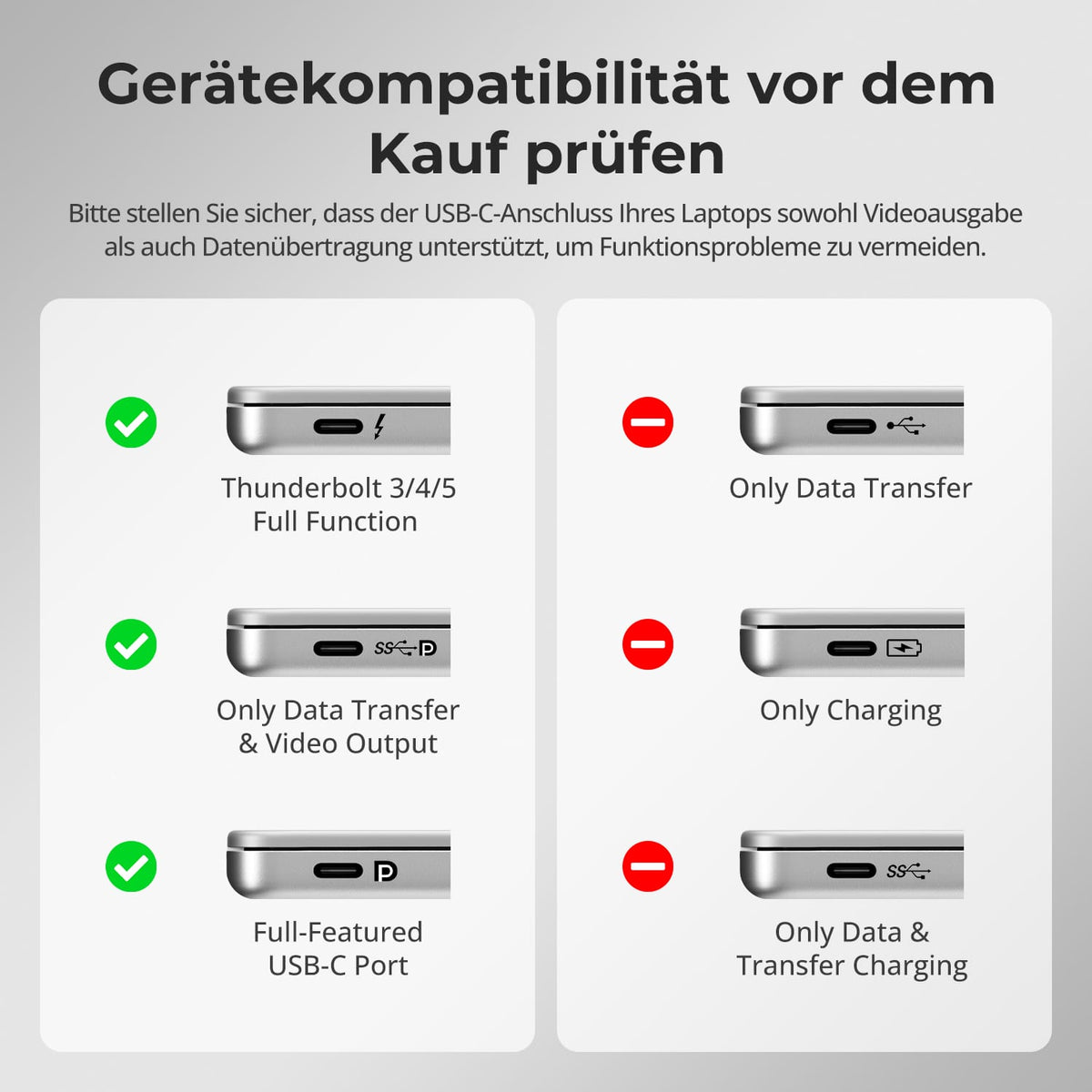
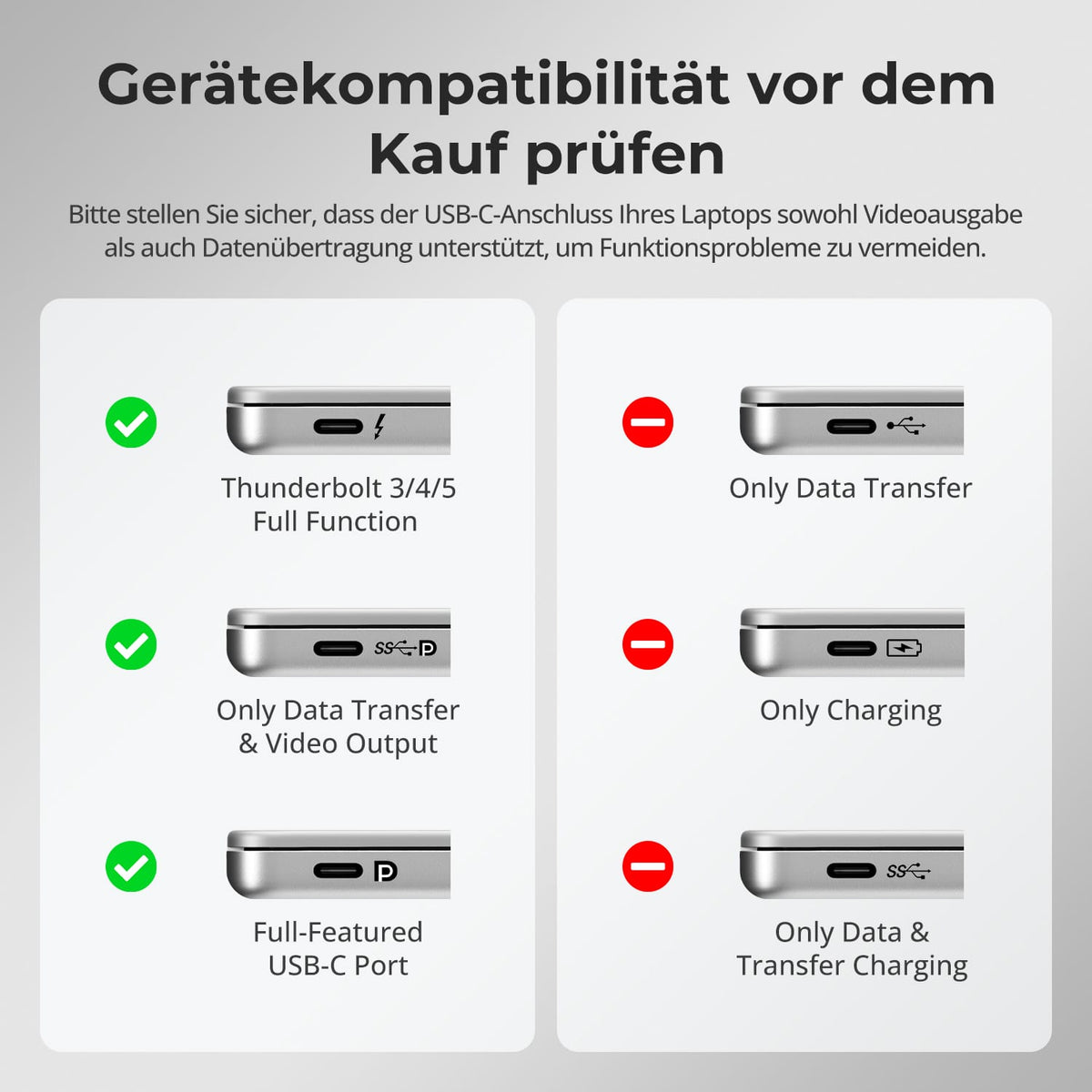
[Compatibility] Which USB-C computers are compatible with CKS202-P23-N?
For video, the USB-C port must support DisplayPort Alt Mode or a compatible Thunderbolt connection. Charging-only or data-only ports do not offer full KVM display functionality.
[Compatibility] Can a Windows laptop use two independent displays via a single USB-C cable?
Yes, if the laptop supports DisplayPort MST over a full-fledged USB-C port.
[Compatibility] Does a Mac support two independently extended displays via MST?
Unlike Windows, macOS does not support DisplayPort MST for two independently extended displays. The available display output depends on the Mac model and its native support for external displays.
[Compatibility] What is the maximum supported resolution?
According to the instructions, up to 3840×2160@60Hz in 4:4:4 with compatible computers, monitors and cables.
[Connections] Can both laptops share Gigabit Ethernet?
Yes. The KVM offers a shared Gigabit Ethernet connection with speeds up to 1000 Mbps.
[Functions] Can the CKS202-P23-N charge both laptops?
Yes. Any compatible USB-C computer will receive up to 60W, provided it supports the required 20V power delivery negotiation.
[Functions] Does the KVM switch support EDID emulation?
Yes. EDID emulation keeps monitor information available for both computers. This reduces the need for re-detection of displays and the re-moving of windows when switching.
[Furnishings] How do I connect a Windows laptop to two displays using a USB-C cable?
Connect the laptop to the KVM's MST-enabled input using a full-size USB-C cable. Connect both HDMI monitors to the outputs.
