Table of contents
- Introduction
- Apple's new display family raises a more practical question.
- For an Apple display shared with mixed devices, the THK401-X4 is a natural fit.
- For a true dual-Thunderbolt studio, the TKS202-X4 was designed for a different purpose.
- The actual KVM decision depends on the structure of the workplace.
- This is even more important in Mac workflows.
- Frequently Asked Questions (FAQ)
- Conclusion
Introduction
Apple's latest display launch puts Thunderbolt monitors back at the center of workplace planning.
Once a premium Thunderbolt display becomes the centerpiece of your desk, it's no longer just about image quality. It becomes a question of workflow: How can you share this display with a MacBook, a desktop PC, a second Thunderbolt computer, or a full dual-display studio setup without turning your workspace into a chain of docks, adapters, and manually switching inputs?
This is precisely where KVMs with Thunderbolt output become significantly more relevant.
For users planning around Apple's new display family, the more relevant question isn't simply which display to buy. Rather, it's about which type of KVM architecture will ensure that this display performs best in a real-world work environment.
Apple's new display family raises a more practical question.
A display like the new Studio Display or Studio Display XDR is not just another monitor. It is often the most important screen on the desk.
This immediately changes the KVM discussion. A premium Thunderbolt display is rarely purchased simply to sit on a desk as a standalone screen. More often, it becomes the centerpiece of a larger setup that might include a MacBook, a desktop PC, other HDMI devices, or even a second Thunderbolt system.
This results in two very different workplace structures.
One is the more common mixed workstation: a MacBook, an Apple Thunderbolt Display, and a desktop PC or other HDMI-based devices. The other is a more specialized studio environment: two Thunderbolt hosts, two Thunderbolt Displays, and a fully Thunderbolt-native dual-display workflow.
These are not the same desks, and they should not be treated as the same KVM decision.
This is exactly where things begin THK401-X4 and TKS202-X4 to be clearly distinguishable from one another.
For an Apple display shared with mixed devices, the THK401-X4 is a natural fit.
The most common workspace with an Apple display is not a dedicated Thunderbolt studio. It's a mixed workspace.
A MacBook needs a direct Thunderbolt connection. A desktop PC should still be part of the same setup. A console or other HDMI device might also need access to the same screen. Once a premium Apple display becomes the primary display, users want it to be able to do more than just support a single system at a time.
This is exactly where THK401-X4 Sense.
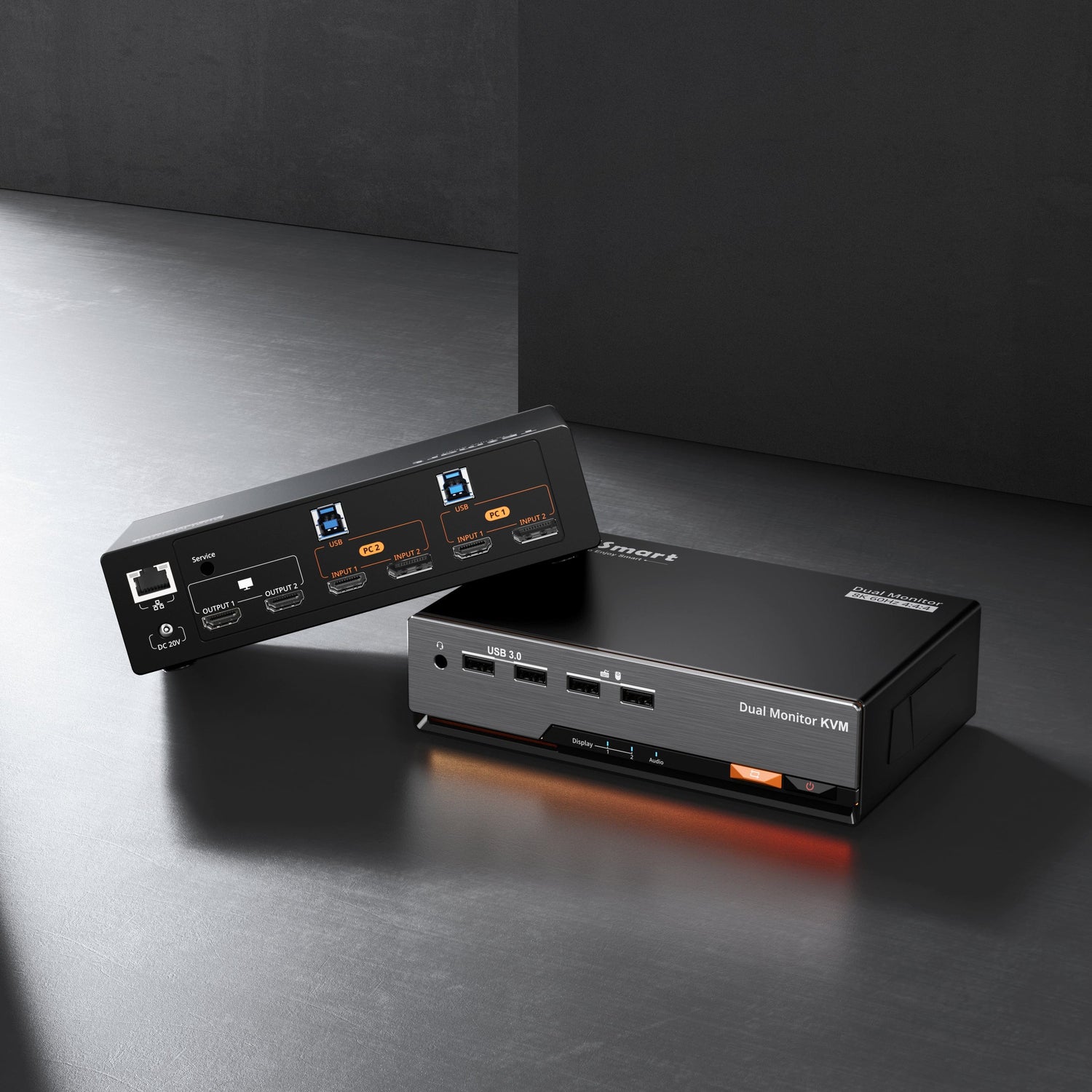
THK401-X4 is as 4x1 TB4 Monitor KVM It features one Thunderbolt input, three HDMI inputs, and one Type-C output. Its Thunderbolt output supports Apple Display connectivity with up to... 5K@60Hz, and the device supports up to 40Gbps Video transmission.
What's crucial is not just the specification list. What's crucial is the workplace structure that supports it.
The THK401-X4 allows a MacBook to use the Thunderbolt path it actually needs, while still leaving room for HDMI-based systems on the same desk. In practical terms, this means an Apple display can remain the focal point of the workspace, while a MacBook, a desktop PC, and even additional HDMI devices can share it more neatly.
This is exactly the kind of setup many users will create after Apple's latest display launch – especially in home offices, at creator desks, and in mixed work-and-play environments.
For a true dual-Thunderbolt studio, the TKS202-X4 was designed for a different purpose.
Not every workplace with an Apple display is a mixed device environment.
Some users build a more specialized studio setup: two Thunderbolt hosts, two Thunderbolt displays, dual-screen switching, and a workflow that remains Thunderbolt-native from start to finish.
This is exactly where TKS202-X4 for a more natural choice.
TKS202-X4 is a 2x2 TB4 Monitor KVM with 2 TB4 inputs and 2 TB4 outputs. It was designed for dual-screen Thunderbolt display workflows and offers exactly the structure that makes sense in a real creative dual-Thunderbolt workspace.
This isn't simply a more advanced version of the THK401-X4. It's a different kind of KVM for a different kind of desktop.
If the goal is a fully Thunderbolt-based studio with two hosts and two Thunderbolt displays, then the TKS202-X4 is the right direction to go.
The actual KVM decision depends on the structure of the workplace.
After a display launch like Apple's, it's easy to focus only on the headlines about the monitor: 5K, XDR, HDR brightness, 120Hz, Adaptive Sync, Thunderbolt 5.
These are important facts regarding the display. However, the choice of KVM is not solely determined by the display. It is determined by the entire workplace setup.
If the desk includes an Apple Thunderbolt Display, a MacBook, a desktop PC, and possibly additional HDMI devices, then... THK401-X4 the more practical direction, because it preserves the value of the Apple display while also fitting into a mixed-device workspace.
If the desktop setup includes two Thunderbolt hosts and two Thunderbolt displays, and the goal is a fully Thunderbolt-native dual-display workflow, then... TKS202-X4 the model that was developed for this environment.
That's the more useful question after Apple's new display launch. Not "Which KVM is more advanced?", but "What kind of desk setup am I actually creating?"
This is even more important in Mac workflows.
This distinction becomes even more important in Mac environments because most Macs primarily rely on... USB-C/Thunderbolt and not rely on native DisplayPort output.
This means that Mac users often encounter unnecessary complexity when the signal chain depends on too many conversion layers, docks, or hub stages. A more direct path is usually the better path for Mac setups, especially if users want stability and cleaner daily switching.
This is another reason why Apple's new display launch is sparking such a relevant discussion about KVMs with Thunderbolt output.
The more users opt for premium Thunderbolt displays, the more important it becomes to build the rest of the workspace around a KVM structure that truly fits the desk, rather than patching the setup together later with additional conversion layers.
Frequently Asked Questions (FAQ)
1. Why do Apple's new displays make Thunderbolt KVMs more relevant?
Because once a premium Thunderbolt display becomes the centerpiece of their desk, users need a cleaner way to share it with different systems. A KVM with a Thunderbolt output helps transform the display into a more practical shared workspace, rather than tying it to a single device.
2. When is THK401-X4 the better choice?
THK401-X4 is the better choice if the desk an Apple Thunderbolt Display, a MacBook, a Desktop PC and possibly additional HDMI devices It includes. It was designed for mixed-device workstations, not for a completely Thunderbolt-only studio.
3. When is the TKS202-X4 the better choice?
The TKS202-X4 is the better choice if the desk two Thunderbolt hosts and two Thunderbolt displays encompasses and aims to build a fully Thunderbolt-native dual-display workflow.
4. Is the THK401-X4 intended only for Mac users?
No. The THK401-X4 is particularly useful in MacBook-centric setups, but it was also designed for desks that include HDMI-based systems such as desktop PCs and other HDMI devices.
5. Is the TKS202-X4 simply a premium version of the THK401-X4?
No. The two products were designed for different workplace setups. The THK401-X4 is suitable for mixed single-display environments, while the TKS202-X4 is designed for dual-Thunderbolt, dual-display studio workflows.
6. What is the most important question before choosing between these two models?
The most important question is not which model sounds more advanced. The crucial question is whether the desk is a mixed equipment workstation or a true dual-Thunderbolt studio is.
Conclusion
Apple's new Studio Display and Studio Display XDR make one thing clear: premium Thunderbolt displays are becoming even more central in modern professional work environments.
This makes KVM selection more important, not less important.
If the goal is to an Apple Thunderbolt Display with a MacBook, a Desktop PC and to use other mixed devices together, then it is THK401-X4 the natural choice, because it was designed precisely for this type of real-world workplace.
If the goal is to create a true dual-Thunderbolt dual-display studio to build up, then it is TKS202-X4 the model that was developed for this task.
The display may be new, but the buying logic remains simple:
Choose the KVM that fits the structure of the desk, not just the headline specifications of the monitor.