
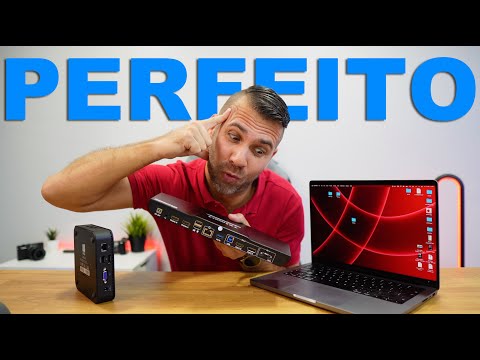


HDC202-P23-EUBK
Kit de station d'accueil KVM hybride double 4K60 Hz - USB-C avec MST et EDID pour 1 ordinateur portable et 1 ordinateur de bureau
- Regulärer Preis
-
€462,80 - Regulärer Preis
-
€439,60 - Verkaufspreis
-
€462,80
Abholverfügbarkeit konnte nicht geladen werden
-
Dépêchez-vous, il n'en reste qu'un ! 4 Article en stock !
Overview & Highlights
TESmart with you. Designed for you!
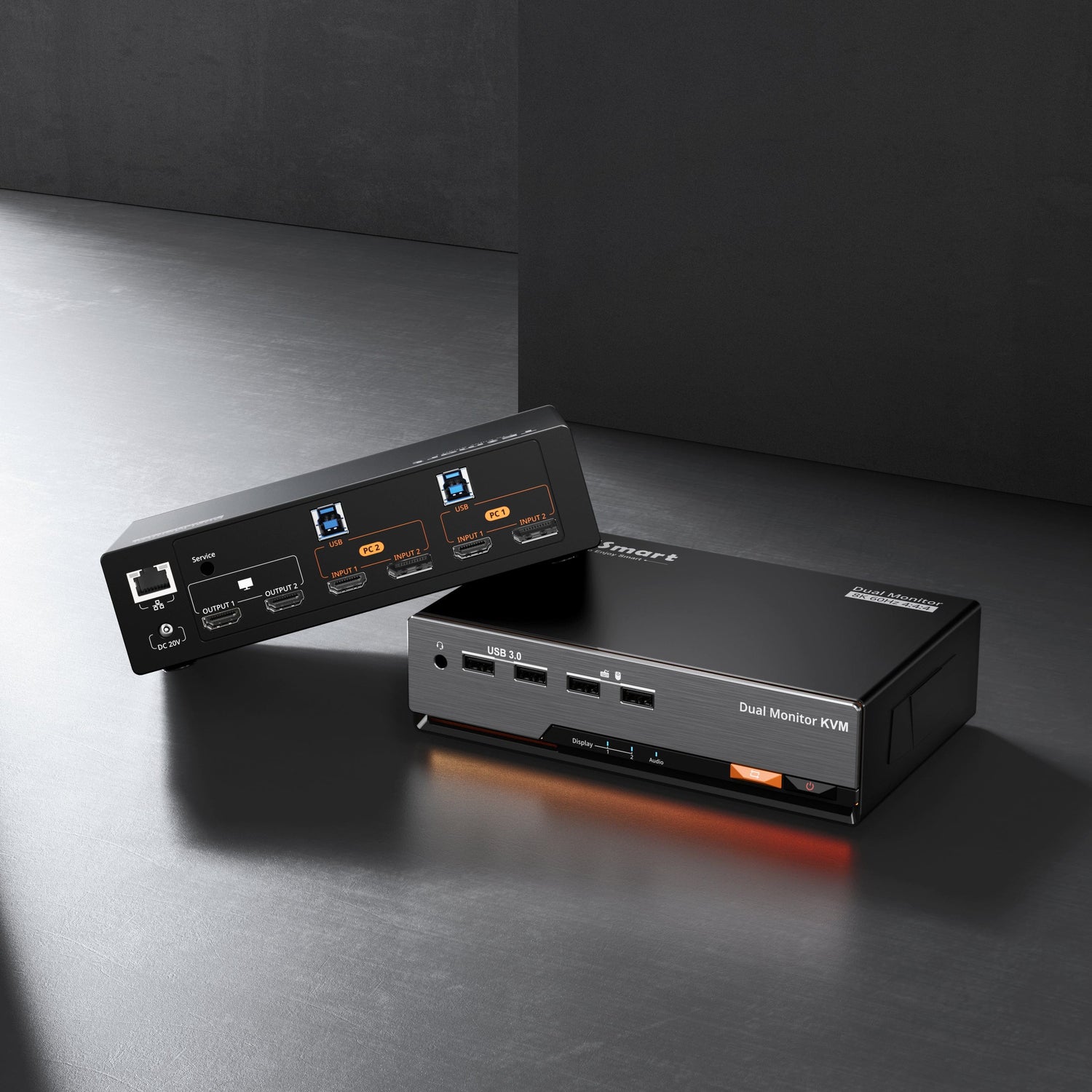
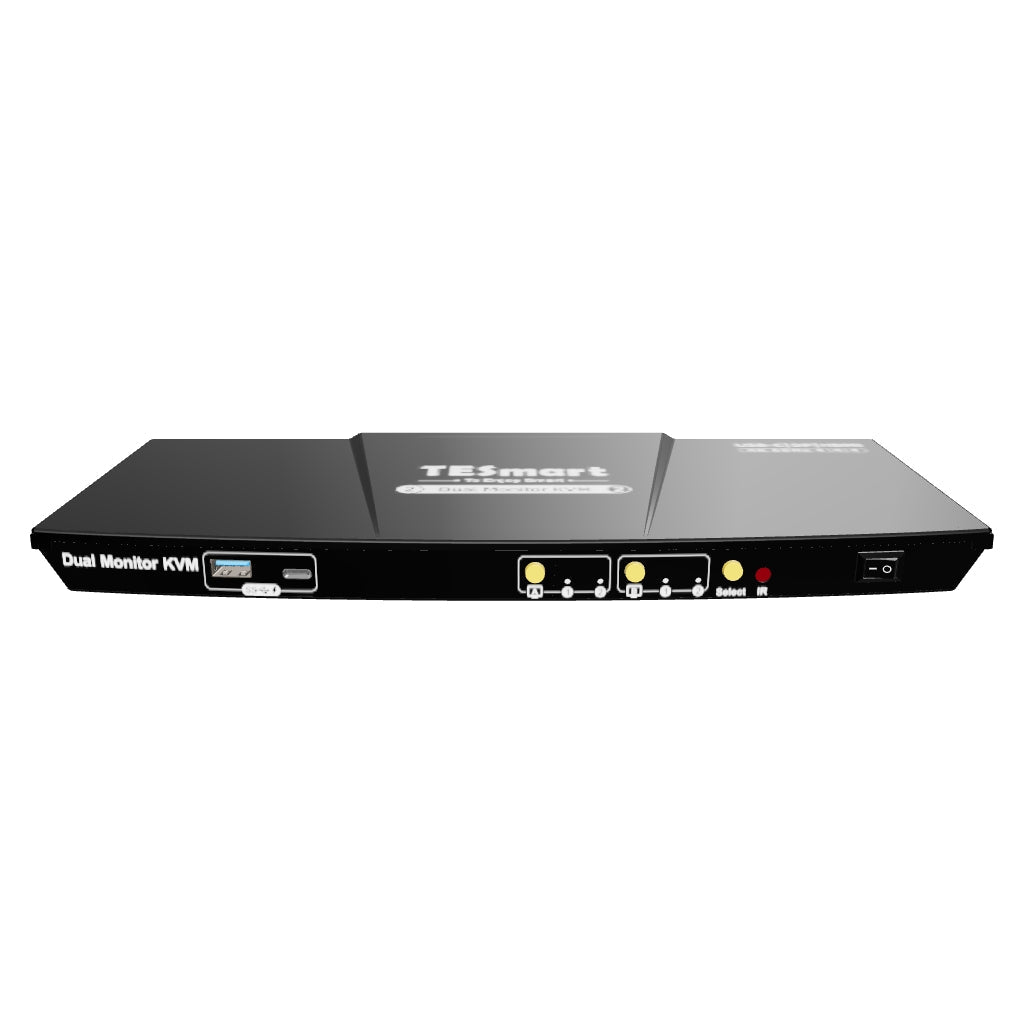
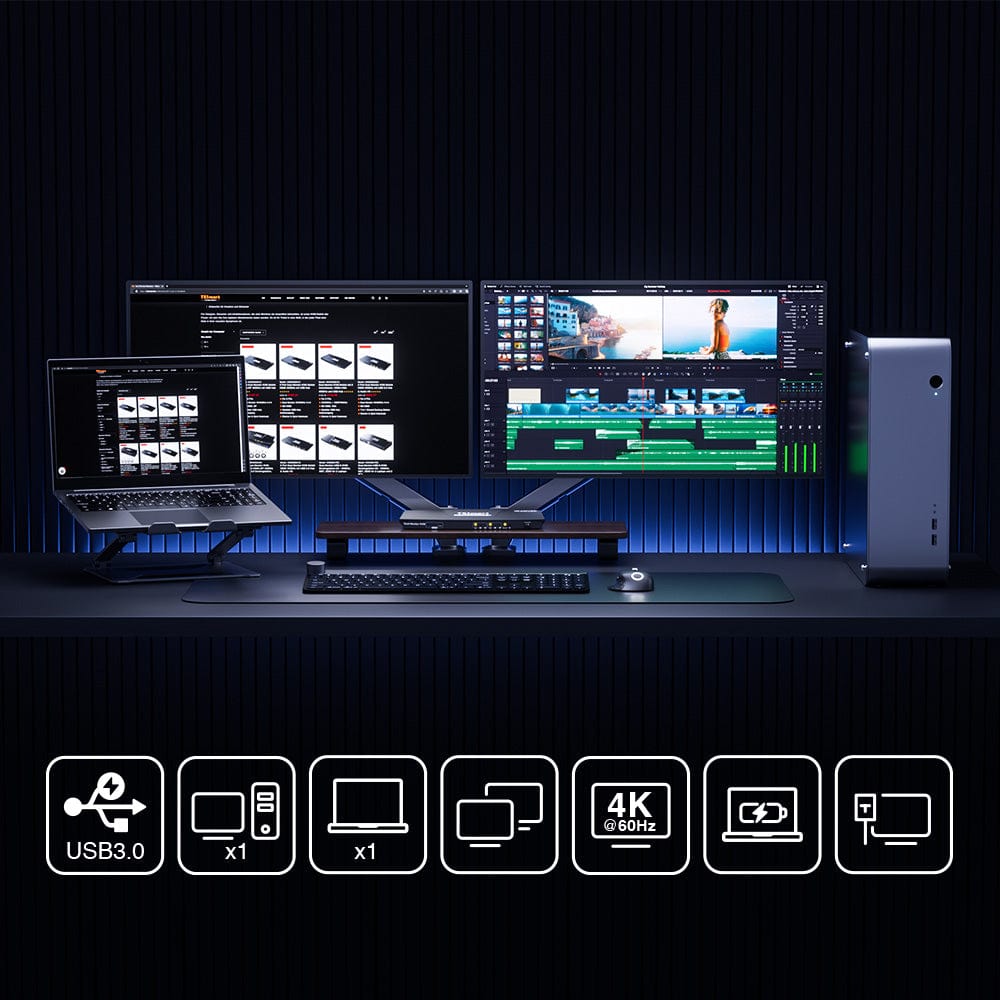
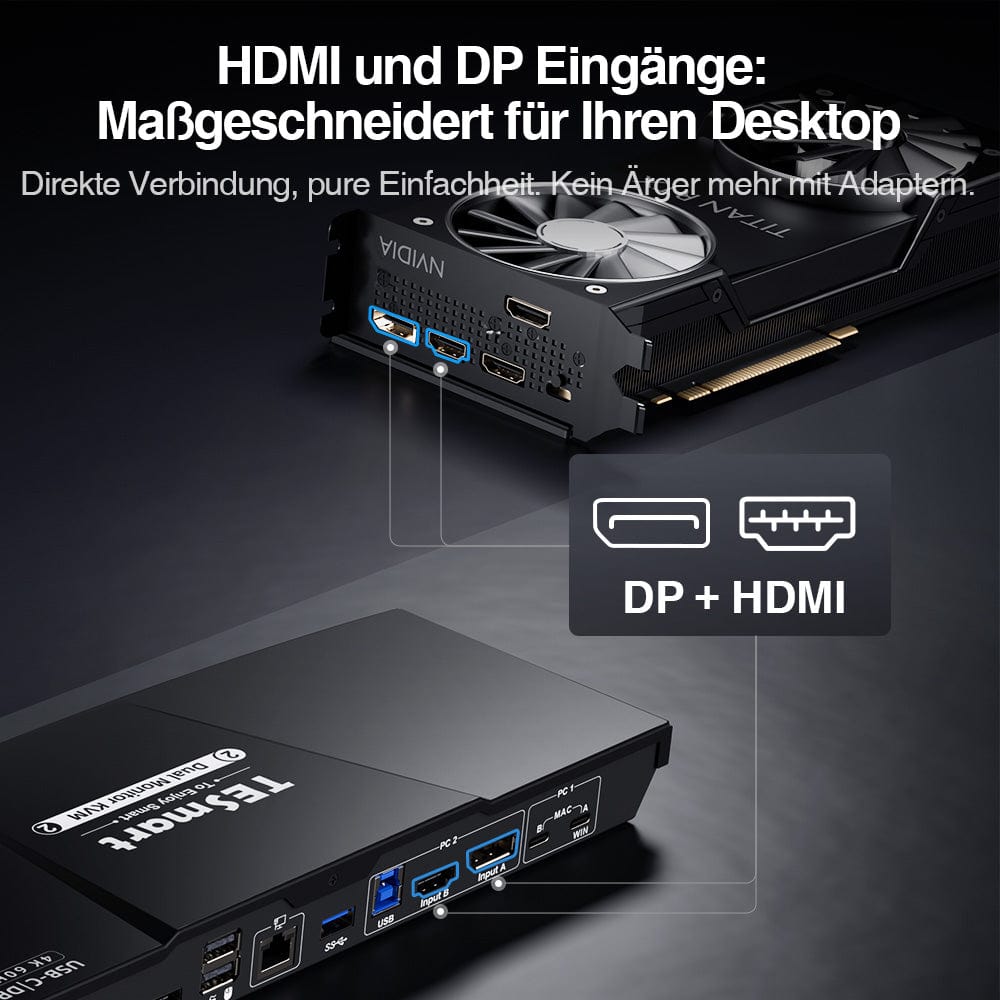
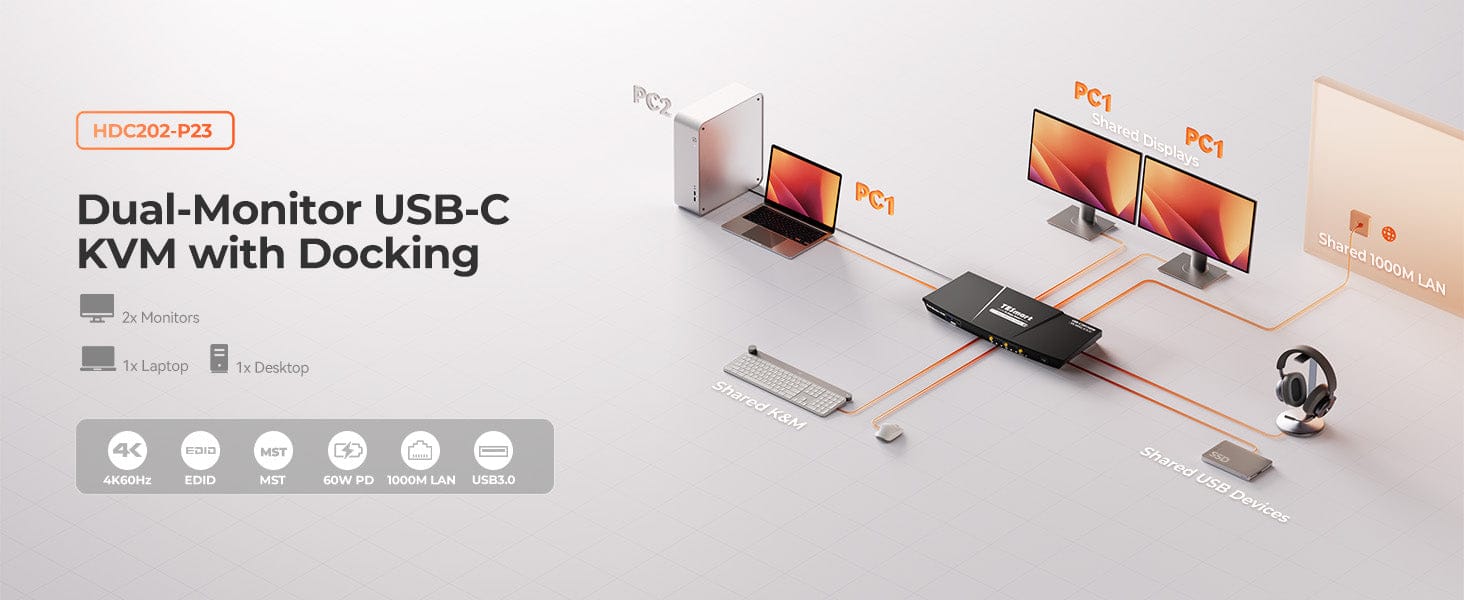
The HDC202-P23 is an all-in-one KVM solution for 2 PCs and 2 monitors with 4K@60Hz-UnterstützunFeatures include HDMI + DP connectivity and two USB-C ports with MST for Windows/MacBook. Integrated 1000Mbps Ethernet ensures smooth internet access. Professional 4K@60Hz 4:4:4 resolution and support for 2K@120Hz / 1080P@240Hz bietOptimal performance – ideal for gamers and professionals. EDID technology prevents window resets and increases productivity.
Important instructions:
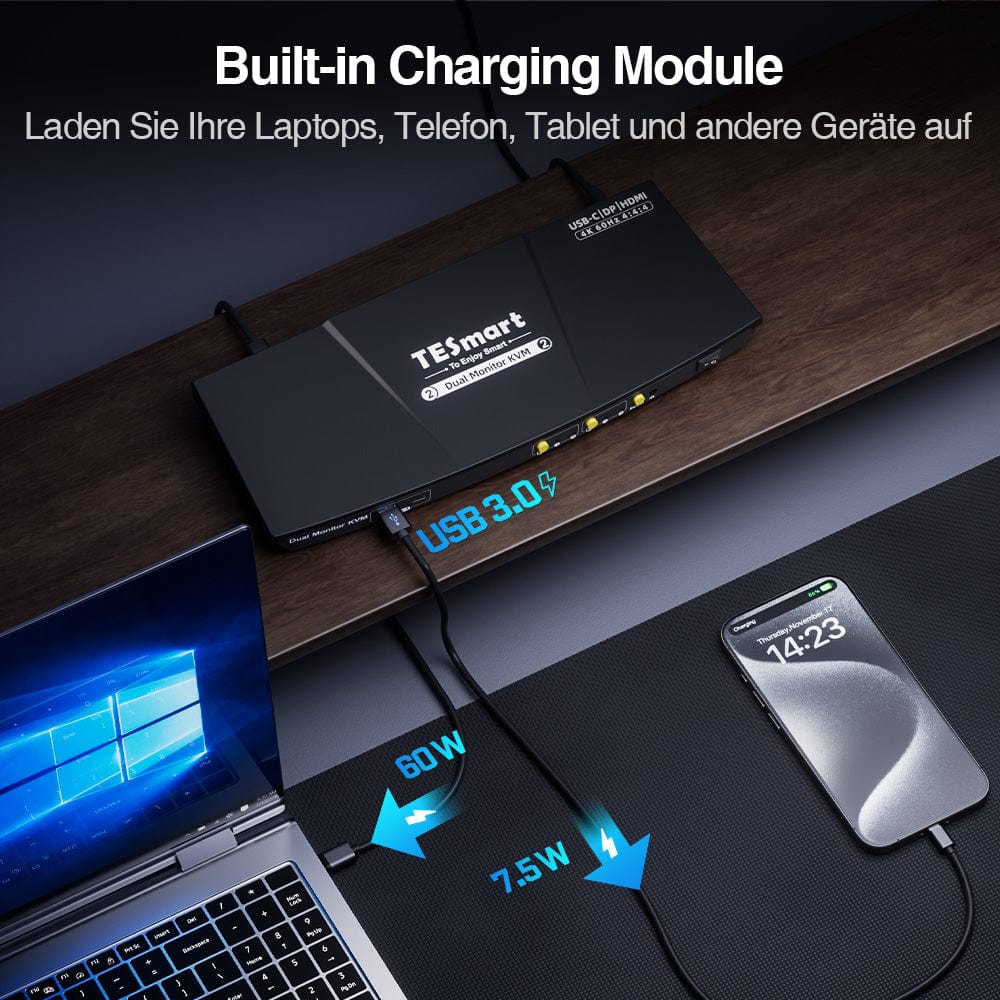
Devices without a 20V DC charging protocol may only receive 7.5W. Some ThinkPad models (Yoga/T series) do not support 36W. Please keep this in mind when ordering.
• MacBooks with M1/M2/M3 chips natively only support one extended display.
Why you'll love it:
• MST mode: Multiple displays via a single DP port.
• High resolution & Frame rate: 4K@60Hz, 1080P@240Hz/120Hz, 2560x1440@120Hz.
Scope of delivery
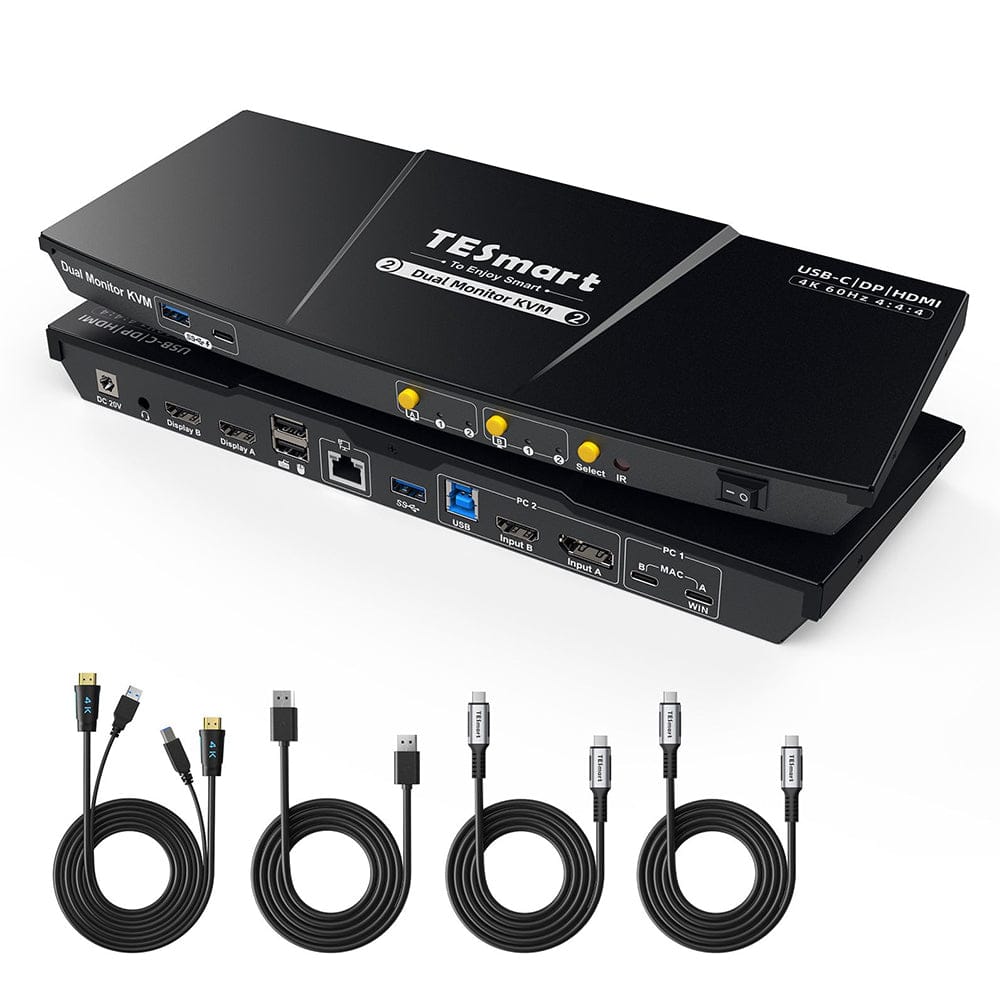
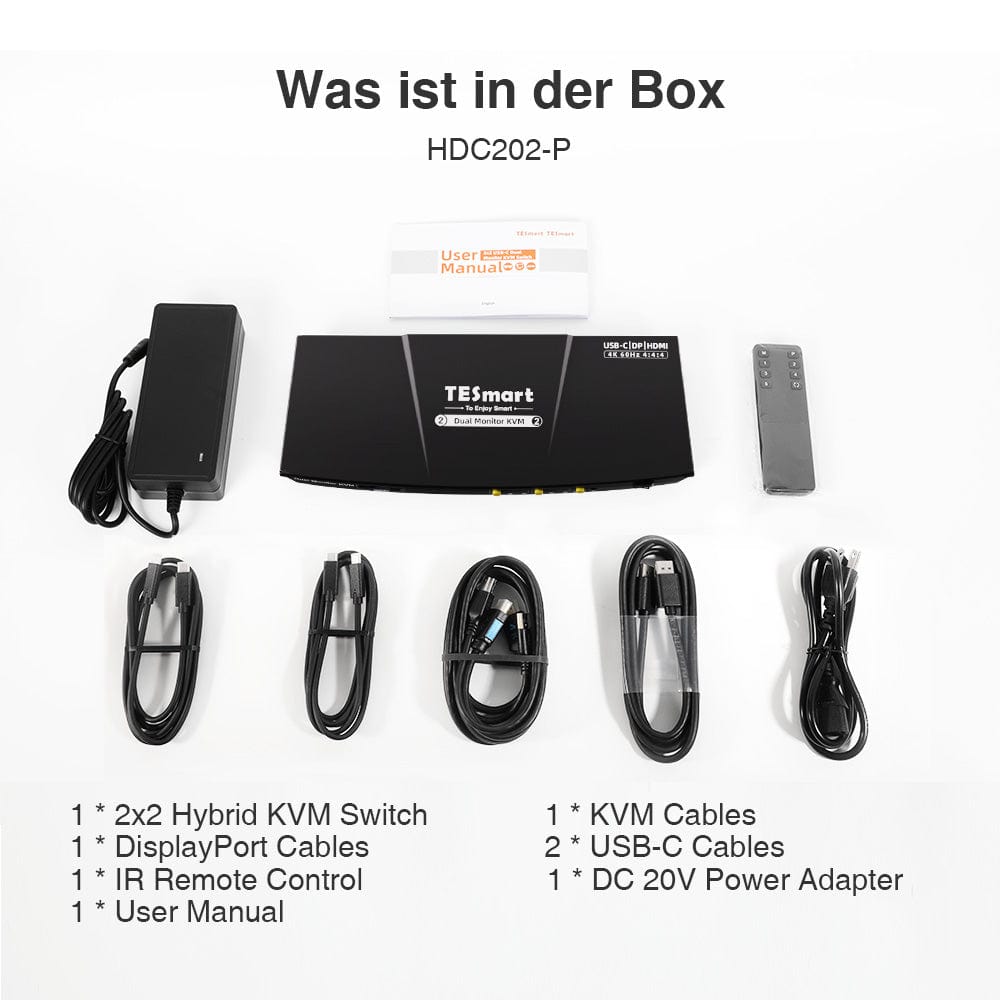
- 1 * 2x2 Hybrid KVM Switch
- 1 * KVM cable
- 1 * DisplayPort cable
- 2 * USB-C cables
- 1 * IR remote control
- 1 * DC-20V power supply
- 1 * User manual
Downloads & User manual



Our shipping policy consists of the following 7 sections:
Order processing time (shipping lead time)
- Shipping costs & Delivery time
- Order tracking
- Delayed shipments
- Order cancellations
- Steer & Customs duties
- Contact us
1. Order processing time
The order processing time refers to the period from the time of the order until the order is handed over to the shipping service provider.
• Orders are usually shipped within 1-2 working days after confirmation/payment.
• Orders placed on weekends may be subject to delays.
• Our warehouse operates Monday to Friday during regular business hours (excluding public holidays). In such cases, we will make every effort to minimize shipping delays.
We have warehouses in Germany and other regions. Your order will be shipped directly from the nearest warehouse, depending on your delivery address. If the nearest warehouse does not have the product in stock, we will ship your order from another nearby warehouse to ensure you receive it as quickly as possible.
Shipping to the United Kingdom 🇬🇧
To ensure smooth delivery and correct customs clearance, orders from the United Kingdom are processed through our US shop.
Orders to UK addresses cannot be shipped via our EU shop.
2. Shipping costs & Delivery time
| Country or region | Estimated delivery time | Shipping costs | Logistics service provider |
| Germany | 3 working days | Free Shipping | DHL |
| Other EU countries | 3-7 working days | Free Shipping | DHL/DPD |
| Non-EU countries | 5-12 working days | From 60 euros | UPS |
3. Order tracking
4.Delayed shipments
5. Order Cancellation
6. Taxes & Customs duties
7. Contact us
- TESmart orders are processed automatically. Once shipped, they cannot be canceled or changed, including address changes.
- If you wish to return or request a refund, please contact us within 30 days of receiving the product at service@tesmart.de.
- Returns are only possible if the product is unused, complete and in its original packaging.
- For returns not due to quality issues, the customer bears the return shipping costs.
- TESmart will cover the return shipping costs for returns or refunds due to quality issues.
- Products that are searched for 30 days and within 2 years Items exhibiting problems cannot be returned, but depending on inspection, they can be repaired or replaced (same model only, replacements preferred for members).
- Between the 2nd and 3rd. No return or refund service is offered this year. Members can after 3 months A discount of [amount] will be granted from the date of purchase as part of the trade-in policy. up to 50% You will receive a refund of the original product price towards the purchase of a new product. For detailed terms and conditions, please visit: https://tesmart.de/pages/tesmart-id-trade-in
- Refunds will be processed within 5 working days of the goods being received at the warehouse.
For questions: service@tesmart.de
Full guidelines:

Technical data
| Produkattribute | |
|---|---|
Modell (SKU) |
HDC202-P23-EUBK
|
Kompatibles Setup |
|
Max Resolution |
|
Supported Resolutions |
|
VRR (Variable Bildwiederholfrequenz) |
|
MST (Multi-Stream Transport) |
|
Laptop-Aufladung |
|
Netzwerkanschluss |
|
Independent Audio Focus Switching |
|
Independent Audio Focus Locking |
|
Thunderbolt 4 Ports |
|
EDID Emulation |
|
Umschaltmethoden |
|
Belegbare Hotkeys |
|
Legacy-Emulationsmodus |
|
Input Ports |
|
Output Ports |
|
Docking Ports |
|
Anzeigemodi |
|
Handbuch (PDF) |
|
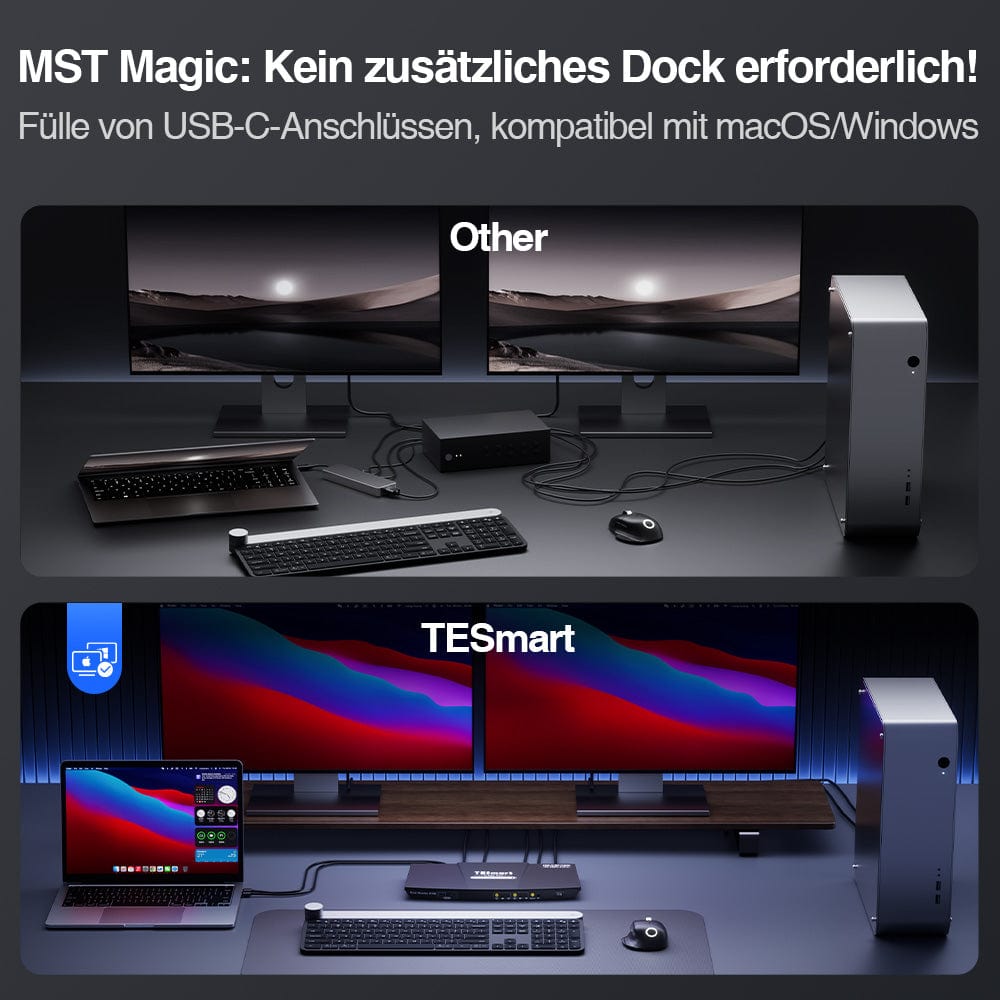
Two monitors via a single USB-C cable (MST)
From 4K to 240Hz – It just works
Two display modes, two ways of working
EDID Emulation – Stable screens, no surprises
Integrated shared docking station
Enjoy two extended displays with just one USB-C connection – no additional video cables required.
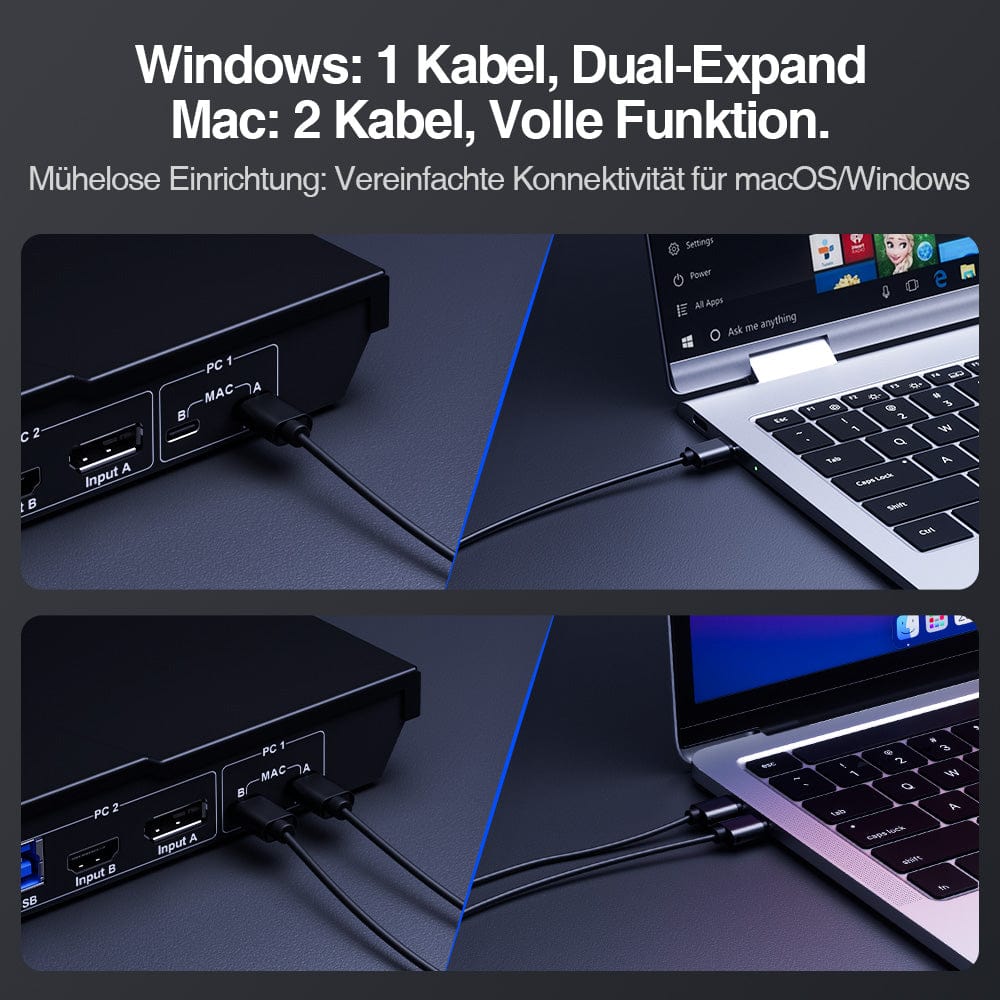
⚠️ MacBooks with M1/M2/M3 chips natively only support one extended display.
✅ To use two extended displays under macOS (as under Windows), make sure your Mac supports output to multiple monitors and use both included USB-C cables.
One switch, endless possibilities. Whether for gaming, content creation, or multi-window workflows – our KVM effortlessly handles a wide range of resolutions and refresh rates.
Each KVM output supports up to:
• 3840×2160 (4K UHD) — 60Hz
• 3440×1440 (21:9 Ultra-Wide) — 100 Hz
• 3840×1080 (32:9 Ultra Wide) — 120 Hz
• 2560×1440 (QHD) — 120Hz
• 2560×1080 (21:9 Ultra-Wide) — 165 Hz
• 1920×1080 (FHD) — 240Hz
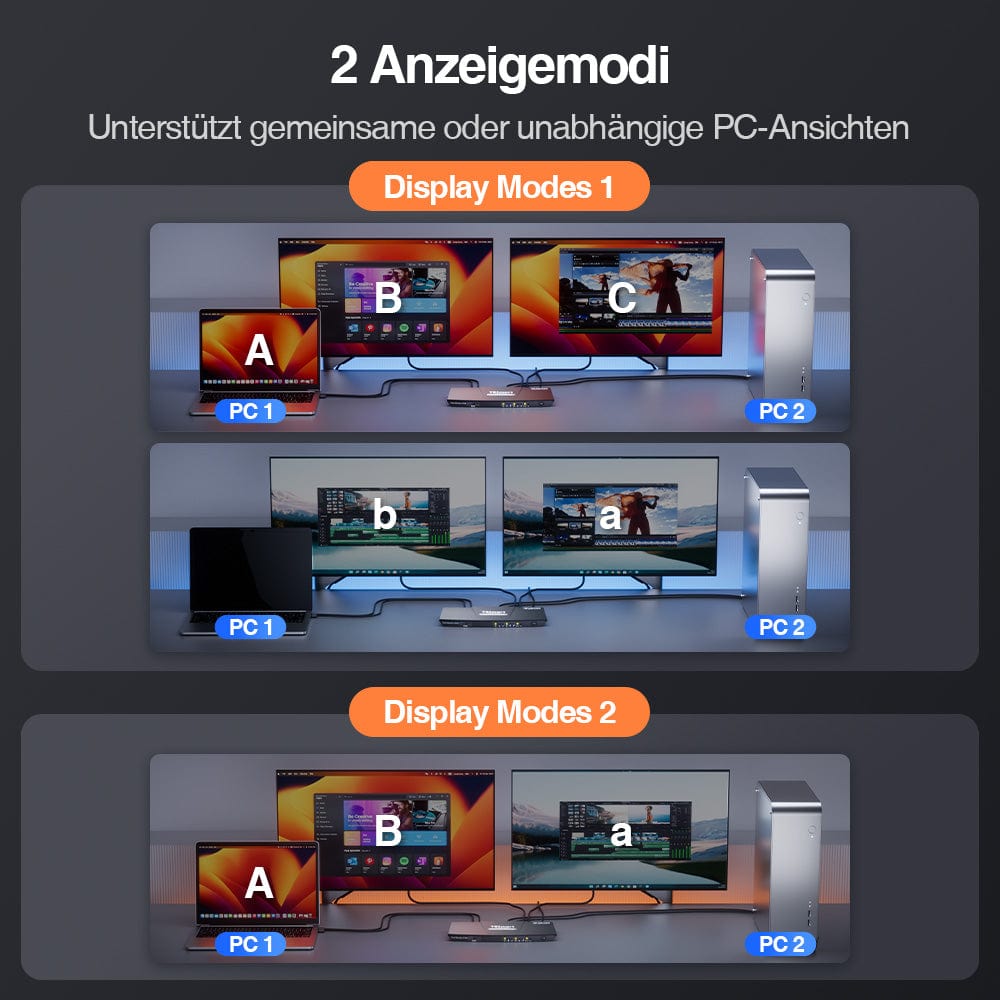
• Mode 1: One PC on two monitors (Extend or Mirror)
Extend your desktop across both monitors or mirror the display for presentations. Easily configurable via your PC's display settings – ideal for multitasking or dual-screen workflows.
• Mode 2: Two PCs on two monitors
Display two computers side-by-side – one monitor per PC. Easily switch the KM focus using a hotkey. Perfect for hybrid setups (e.g., Mac + Windows), development work, or live monitoring.
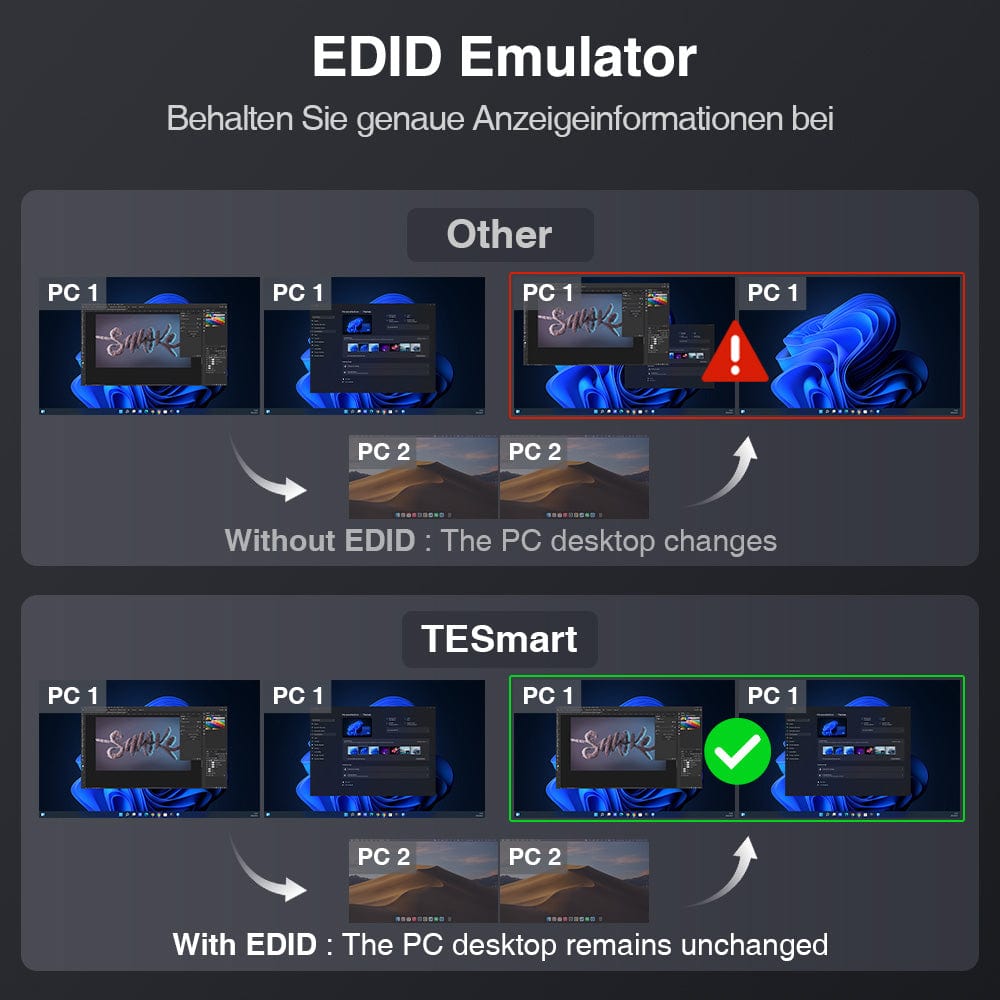
Switching between displays shouldn't mess up your desktop. Our integrated EDID emulator ensures your layout stays exactly as you left it.
• No more misplaced symbols
Retains the position of desktop icons and the size of open windows when switching inputs.
• Flicker-free switching
Prevents screen dropouts and flickering caused by re-initializing the display.
• Smoother multitasking
Maintains visual consistency between workstations and monitor setups.
✅ With TESmart EDID emulation: Your display remains stable and unchanged – even after switching channels.
⚠️ Without EDID emulation: icons move, window sizes change, and the screen flickers after each change.
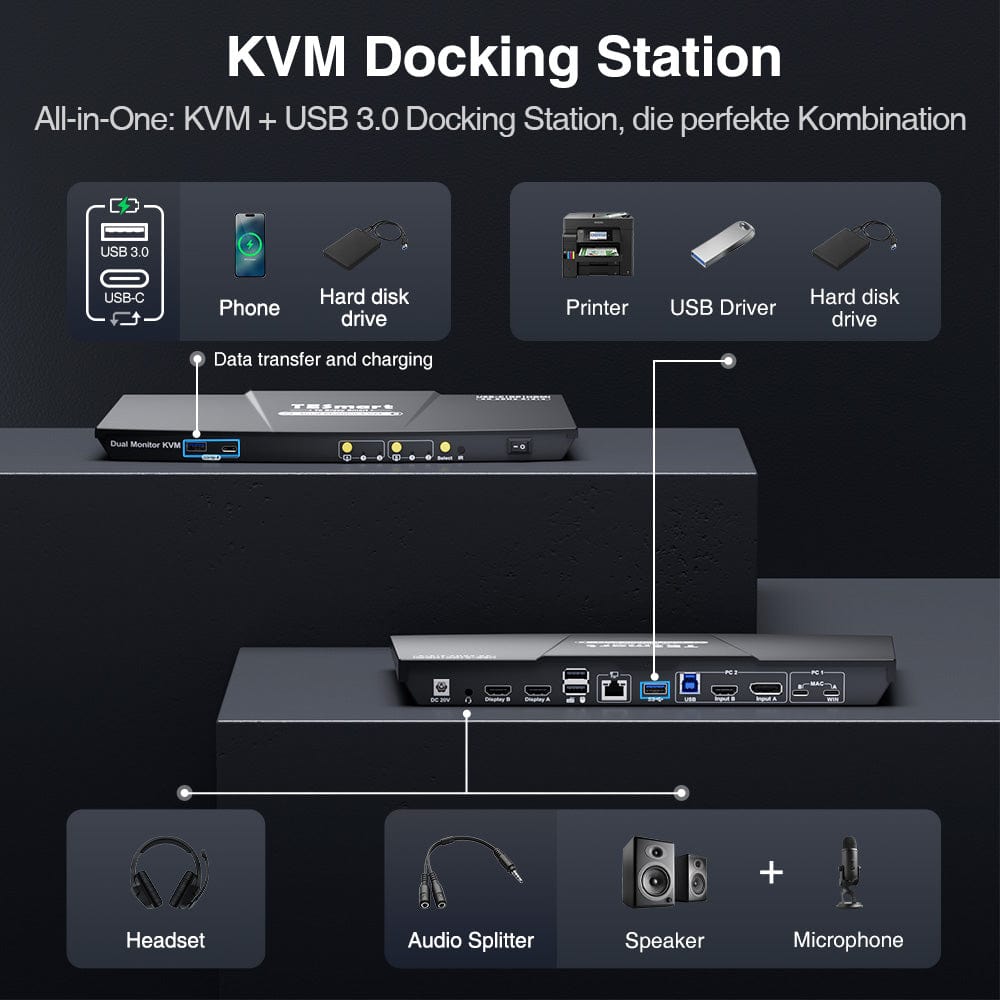
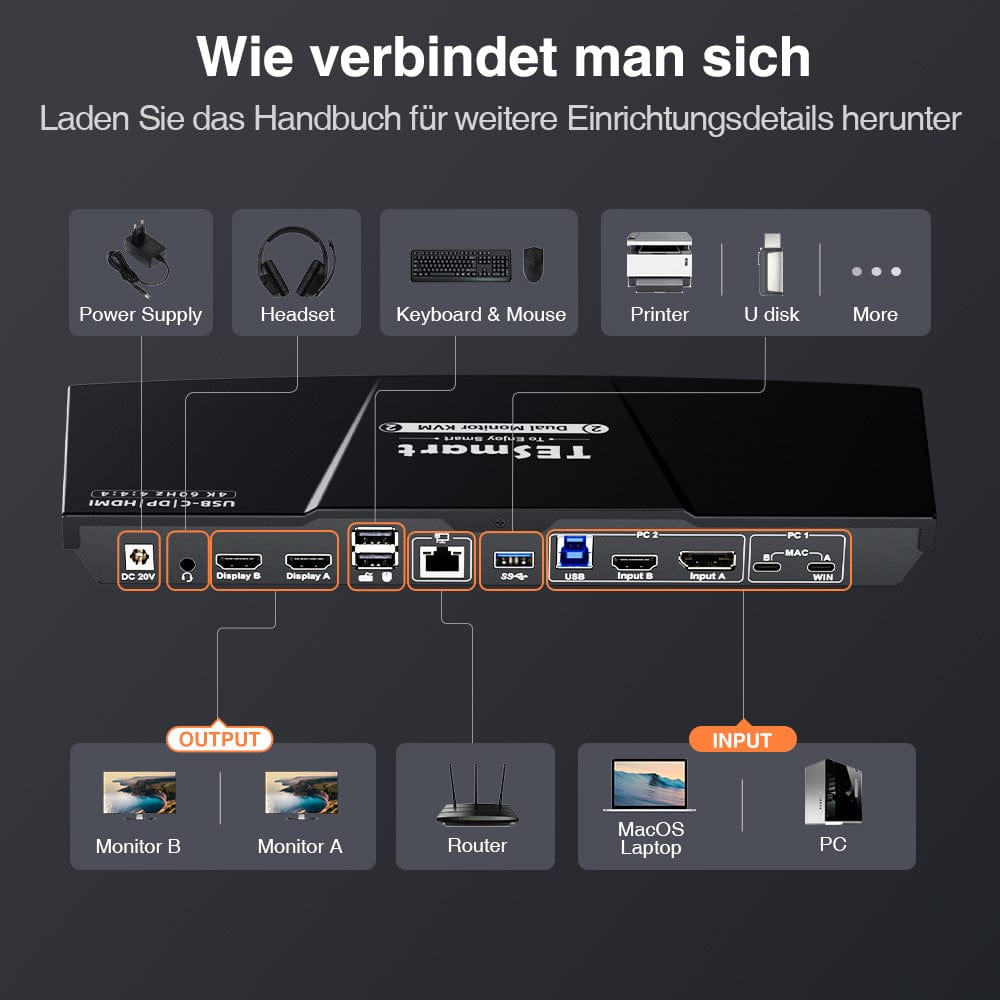
Declutter your desk – thanks to the integrated docking station, no additional hubs are needed. Share central connections across all connected devices:
• 60W USB-C PD – Powers your laptop while you work
• USB 3.0 (5 Gbps) – Fast data transfer for hard drives, webcams, and much more.
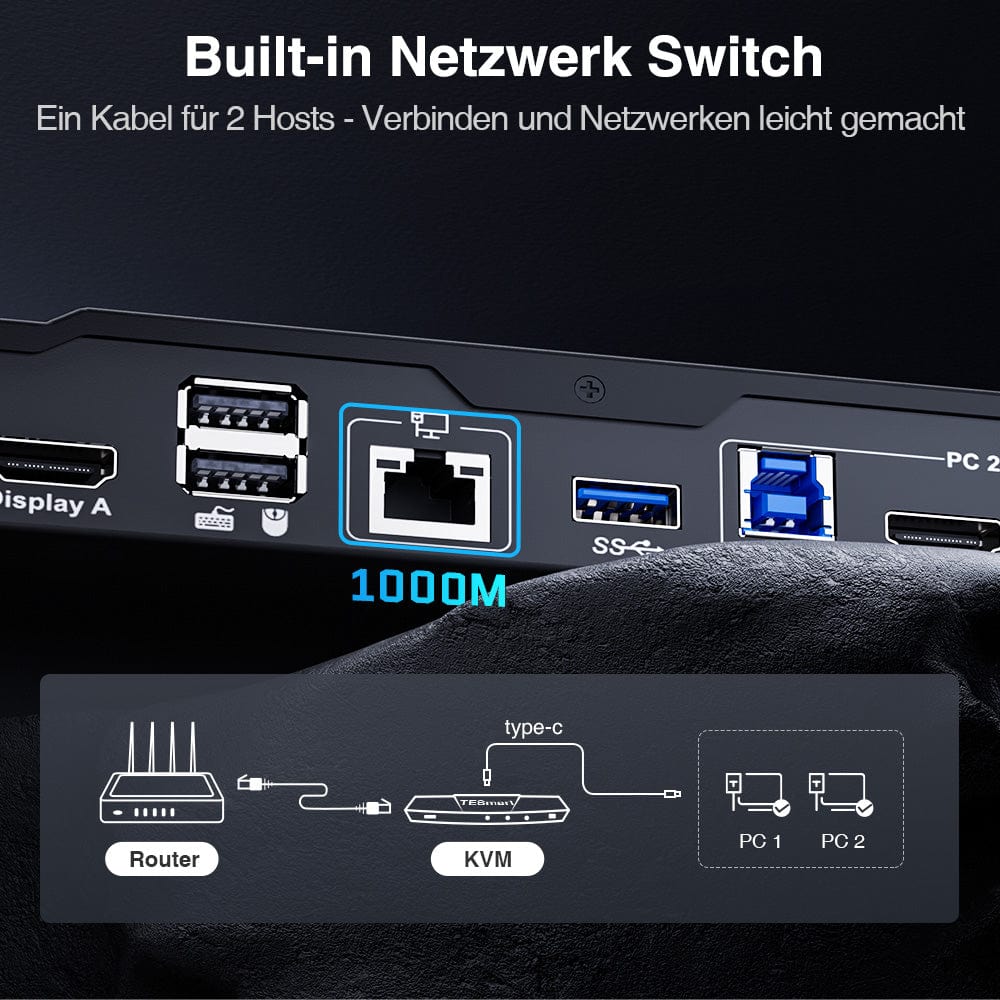
• 1000 Mbps Ethernet – Stable, wired network connection
• Headset connection – Clear audio input and output for meetings
Perfect for hybrid workplaces, home offices and tidy cable management.


Easy switching – 4 ways to choose from
Independent USB & audio focus lock
Dedicated K&M-Ports with dual-mode support
Check device compatibility before purchasing
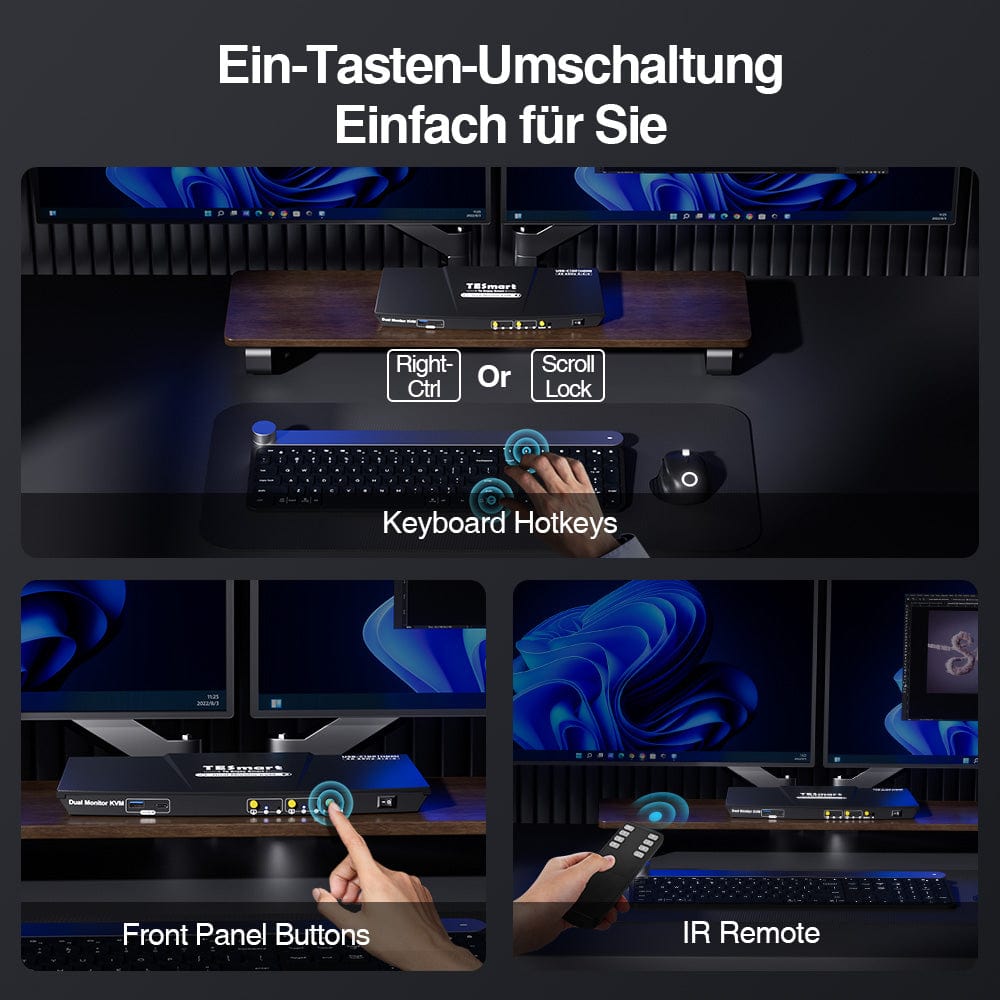
Switching shouldn't slow you down – we offer four seamless methods to suit any setup and workflow:
• Custom hotkey switching – Quick keyboard shortcuts for power users
• Front button operation – Easy, direct access at any time
• IR remote control – Convenient control from the other end of the desk
• Mouse wheel toggle – Double tap for instant toggling
Whether at work, gaming, or giving presentations – choose the method that suits you best.
Switch displays without interrupting your USB devices or audio connection.
This KVM allows you to independently lock the focus of USB 3.0 and L/R audio – so that headsets, webcams or external drives remain connected to the current PC, even during screen switching.
Highlights:
• Lock USB and audio focus separately
• Avoid interruptions to calls or devices
• Lock status remains even after restarting
✅ Ideal for meetings, streaming and multitasking
⚠️ USB focus ≠ keyboard & Mouse focus – they are switched separately.
To improve keyboard and mouse compatibility – especially when switching hotkeys – we have developed two special connection modes:
• Pass-through mode (recommended)
Direct routing to the PC. Supports advanced drivers, macros, high-DPI mice, and multifunctional input devices. Ideal for gaming, design, and professional workflows.
• Legacy emulation mode
Ensures universal compatibility and stable hotkey functionality on most systems. Best suited for office use or when experiencing driver issues.
✅ Hotkey commands only work if your keyboard is connected to the dedicated K&M-Port is connected.
⚠️ In emulation mode, driver-based software and advanced features are disabled.
⚠️ Bluetooth keyboards and mice are not supported.
⚠️ Legacy emulation mode is available via firmware update (Prime-23 series).
Please ensure that your laptop's USB-C port supports both video output and data transfer to avoid functional problems.


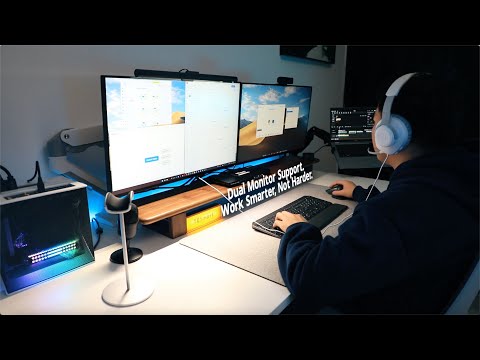
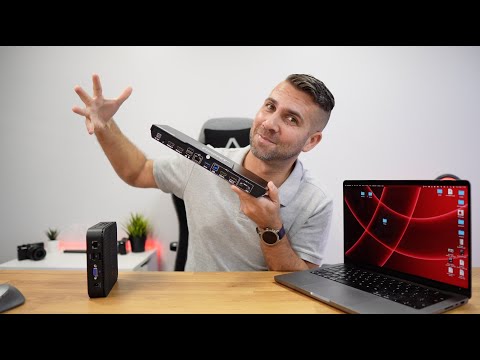
This is how others use it


FAQs
Does the KVM switch support firmware updates?
Yes, TESmart KVM switches support official firmware updates designed to fix common problems and improve compatibility.
Important NOTE:
Firmware updates carry inherent risks. Installing the wrong version or performing the process incorrectly can lead to device malfunctions. Therefore, it is strongly advised against performing a firmware update yourself if your device is functioning normally.
If an update is required, please contact our technical support team for:
- The correct firmware version for your specific model.
- Step-by-step update instructions.
- Technical support throughout the entire process.
Why are my keyboard and mouse not working properly?
Common symptoms:
Keyboard shortcuts (hotkeys) do not work;
Keyboard input is unresponsive or delayed;
Keystrokes get stuck or are registered twice;
Mouse movements are jerky or laggy.
Recommended solutions:
Try switching to Legacy Emulation mode to improve compatibility with a wider range of keyboards and mice: Press [Right Ctrl] + [Right Ctrl] + [F2].
If the problem persists, please contact our technical support team at support@tesmart.com, to receive expert support and guidance on troubleshooting and resolving the problem.
Why is my MacBook Pro showing mirrored screens or just an active screen?
Hardware limitations:
MacBook Pro models with M1/M2/M3 chips natively support only one external display. The M3 MacBook Pro can support two external monitors, but only in clamshell mode (with the lid closed).
System limitation (macOS does not support MST):
Even if your Mac supports two external displays, MST is not available on macOS. You need to connect two Thunderbolt cables to the PC1 input ports A and B on the KVM switch to enable two external displays.
Why is my audio device not working?
Connection requirements:
The KVM switch's audio function requires proper USB connections. Please ensure your computer is securely connected to the KVM via the designated USB-A to USB-B ports to guarantee reliable audio data transmission.
Sound settings on your computer:
- For 3.5 mm jack connection: In your computer's sound settings, select "USB Audio" as the default output device.
- For USB 3.0 connection: Select the appropriate USB audio output, e.g., "USB Audio Device" or "USB Headset", depending on your system's display.
If no sound is output via the 3.5 mm output even after correct adjustment, we recommend using a USB sound card (USB to 3.5 mm adapter) to improve compatibility and ensure proper audio output.
Why does my laptop show “Slow loading”?
- Charging power limitation
To ensure stability and reduce heat generation, the PC1 input port A offers up to 60W (20V, 3A) of charging power. This is generally sufficient for business laptops. However, if your laptop does not support a 20V input or is a high-performance device, the charging speed may be limited.
- For high-performance devices
(Gaming/Workstation Laptops)
Devices requiring 90–120 W or more may charge slowly. We recommend using the original laptop power adapter in parallel with the KVM connection.
- Additional information
- Ensure good ventilation around the KVM switch to avoid overheating.
- If the KVM switch is not going to be used for an extended period of time, it is best to switch it off.
-
recycling & trade-in
Up to 50% credit for recycling
-
DE: 3 working days · EU: 3–7 working days
-
Hassle-free returns & Purchase guarantee
-
Register and receive an additional year of warranty