

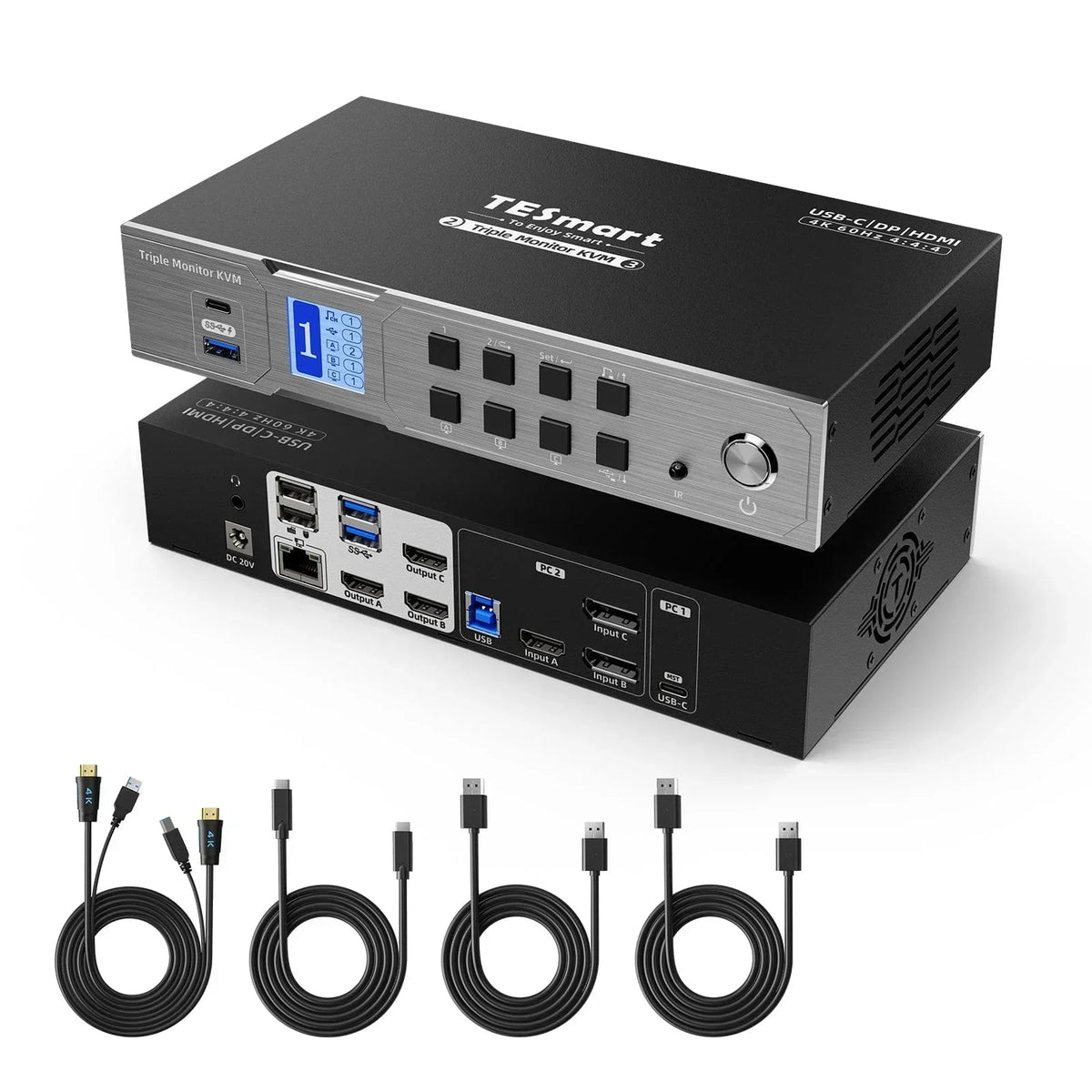
Modern digital offices and fast-paced work environments rely on multi-screen setups to handle complex tasks simultaneously and increase work efficiency. As a result, the multi-screen setup has become standard practice in many industries. Because laptops are designed for extreme thinness and lightness, there is often no room for various ports such as HDMI or DisplayPort, so many laptops have only one HDMI port and one or two USB-C ports, or even just two or three USB-C ports. However, the lack of laptop ports contradicts the need for multiple displays. For example, when using a laptop for office work, one needs a screen for video transmission during a meeting, one screen for presentations, and one screen for taking notes or viewing meeting materials. TESmart HDC203-P24 It uses MST technology to enable users to efficiently and flexibly manage multiple displays.
MST, or Multi-Stream Transport Technology, was first introduced in the DP 1.2 standard and allows multiple displays to be connected to a single DP or USB-C port on a desktop or laptop computer. Unlike SST, which only supports the transmission of a single video signal to one monitor, MST allows a single video signal to be split into multiple streams that can be displayed independently on multiple monitors, so each monitor can display a portion of the content independently. This enables the use of multiple screens for extended display.
MST can be implemented via daisy-chaining or using an MST hub (KVM switch). Daisy-chaining requires a monitor with a DisplayPort 1.2 (or higher) connection and an MST-compatible DisplayPort output to connect the monitors in a cascaded configuration—computer to monitor A, monitor A to monitor B, and so on. Implementation via an MST hub only requires connecting the computer to the input port of the MST hub and the monitor to the output port. Note that while Windows supports MST, macOS does not, only SST. Therefore, when connected to an MST hub, extended display of the monitor is not possible; only mirroring (clone display) is supported.


The TESmart HDC203-P24 supports two computers and three monitors, featuring two input port sets: HDMI+DP+DP and USB-C (MST), facilitating connectivity for both desktop and laptop computers. A key feature is the HDC203-P24's USB-C port's MST functionality, allowing Windows laptops to achieve a three-screen display using a single USB-C cable. This setup enables extended or mirrored displays on demand, streamlining cabling and facilitating the simultaneous use of three screens for multitasking, such as viewing emails while creating documents or using multiple screens for data analysis and visualization. Furthermore, the USB-C port can provide 60W of charging power to charge the connected laptop. The HDC203-P24 also features four USB 3.2 Gen1 ports (3 USB-A, 1 USB-C), allowing access to USB peripherals such as flash drives and cameras. With two dedicated ports for keyboard and mouse access, it supports pass-through mode and legacy emulation mode to enhance keyboard and mouse compatibility.It also supports user-defined hotkeys, allowing any key on the keyboard connected to the KVM to be used as a trigger for hotkey commands. Furthermore, the HDC203-P24 supports Gigabit networking, simplifying network cabling by allowing two computers to be connected to the network with a single cable.

Split:
DisplayPort 1.2 vs. 1.4 vs. 2.1: Performance differences, comparison and future outlook
How to use a single Thunderbolt cable for multiple monitors on Mac computers