






Monitorkonfiguration

Max. Auflösung

Gerätekonfiguration

Stabile Anzeige

Farbdarstellung

Gaming

Gemeinsames Netzwerk
2×3 HDMI+DP KVM | 8K60/4K144 & EDID
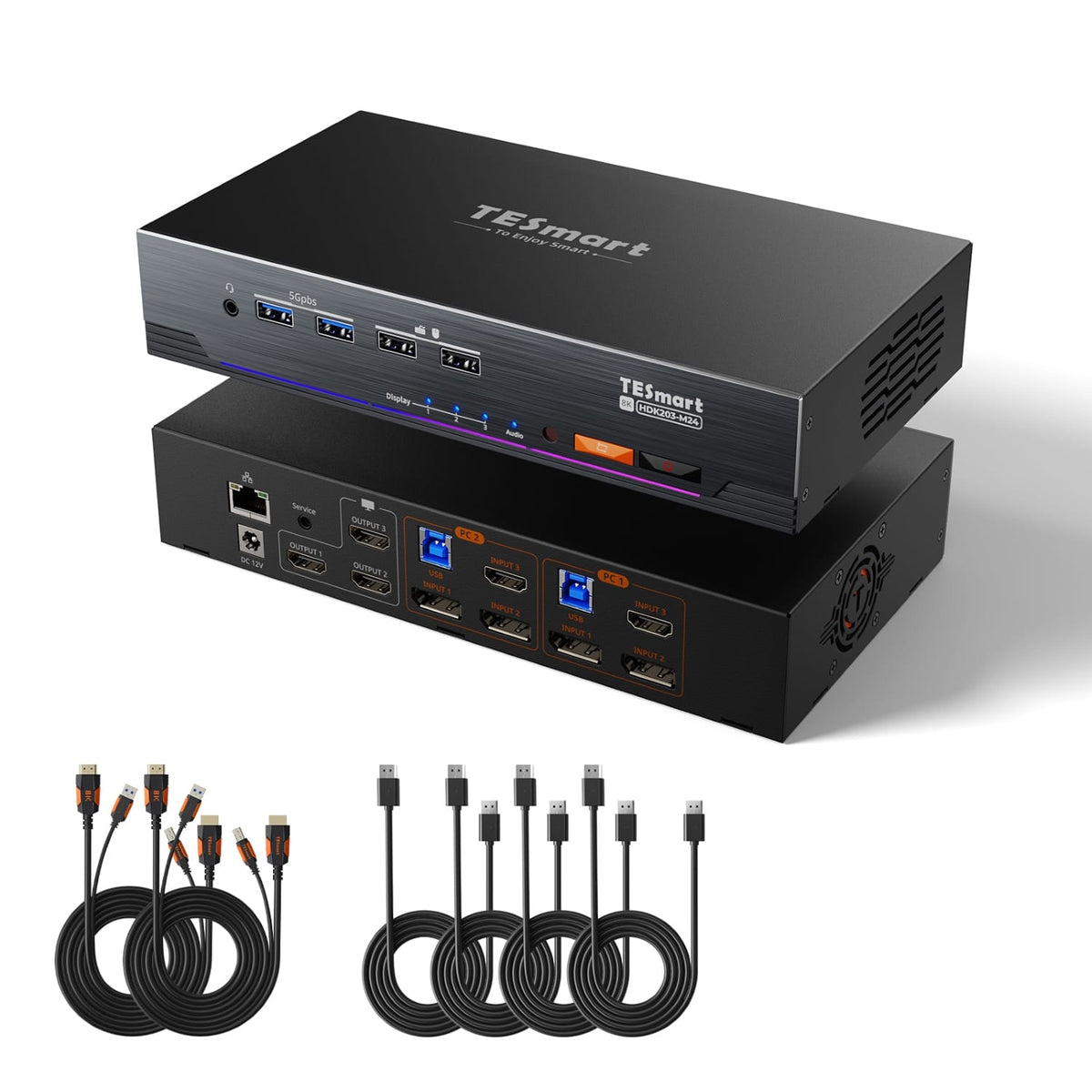
HDK203-M24: 2 PCs with HDMI and DisplayPort outputs share 3 HDMI monitors, keyboard and mouse - with up to 8K60/4K144 and EDID.
Monitorkonfiguration
Max. Auflösung
Gerätekonfiguration
Stabile Anzeige
Farbdarstellung
Gaming
Gemeinsames Netzwerk
2×3 HDMI+DP KVM | 8K60/4K144 & EDID
Why HDK203-M24?
Overview

01
Stable output on three displays at high bandwidth
ADV-7674 decoding and EDID emulation support three stable HDMI 2.1 connections at high bandwidth – for high-resolution creative work and high refresh rate gaming.

02
Three times 4K with high refresh rate
Three 4K120 HDR resolutions with 12-bit color depth, and up to 4K144/165 via DSC. VRR, FVA, and ALLM support smooth images and low latency. All components must support the selected format.

03
3 monitors. Flexible assignment.
Display one computer across all three monitors, or assign different computers to individual monitors, if supported. A single keyboard and mouse control the selected computer.

04
The right resolution for details and speed
Each output supports HDMI 2.1 formats up to 8K60, 5120×1440 at 120 Hz, 4K240 via DSC, 3440×1440 at 144 Hz, and 1440p or 1080p at 240 Hz – depending on hardware and cables.

05
One dock for both computers
Both computers share Gigabit Ethernet with 1000 Mbps, USB 3.0 devices, and integrated audio/microphone jacks. More ports, fewer cables and adapters on your desk.
06
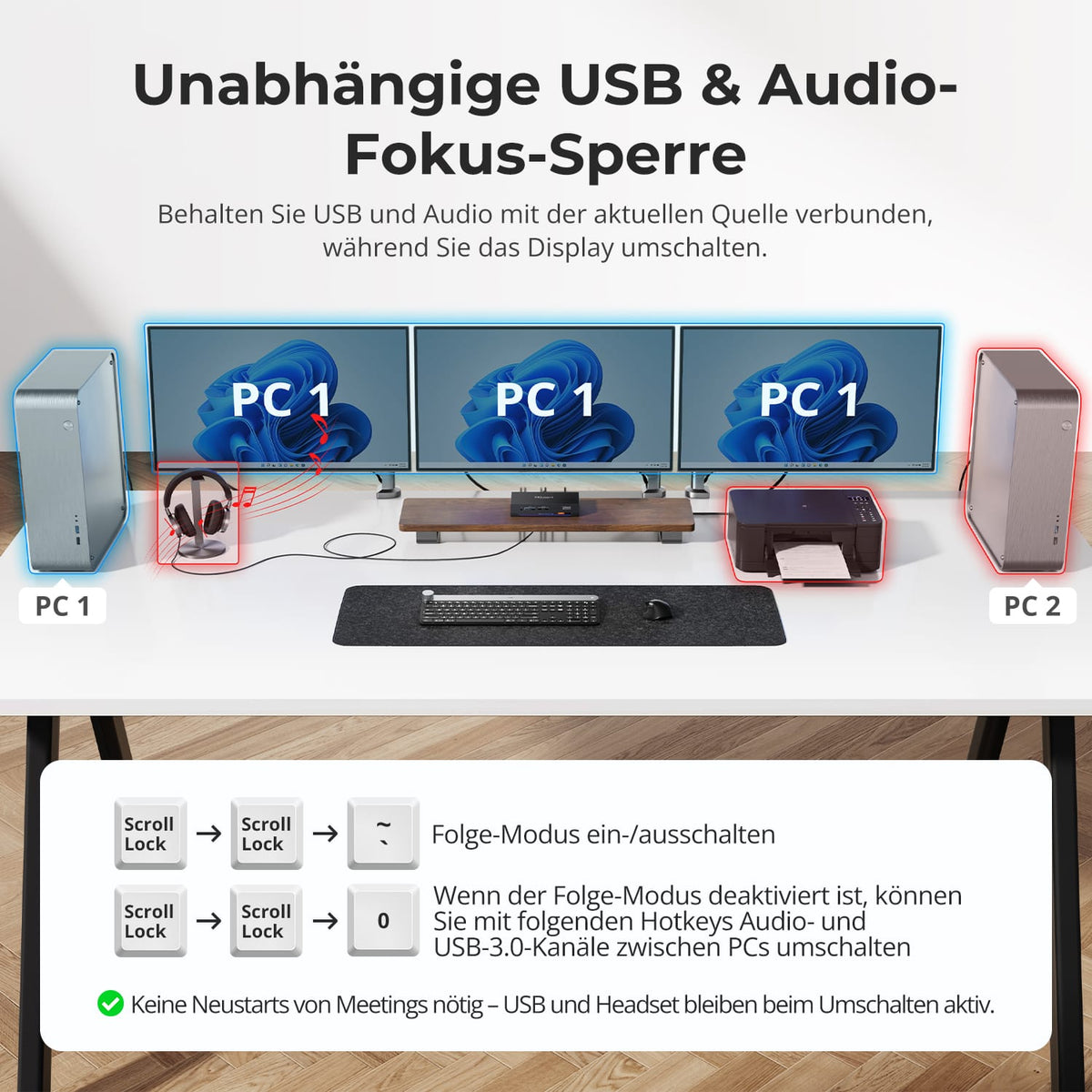
Leave USB and audio on the desired computer
In Follow Mode, shared USB devices and audio follow keyboard/mouse controls. Disable it if you want the drive, headset, or other devices to remain connected to the same computer when switching between them.

07

08

09
Data & Support
Compatibility & Connections
Technical data
Instructions & Downloads
Scope of delivery

1 × HDK203-M24 KVM Switch

2 × KVM cable (HDMI + USB)

4 × DisplayPort cables

1 × 12V DC power supply

1 × IR Remote Control
1×User manual


Compare suitable models
Select the models in the menus to compare connections, image output, and shareable features.
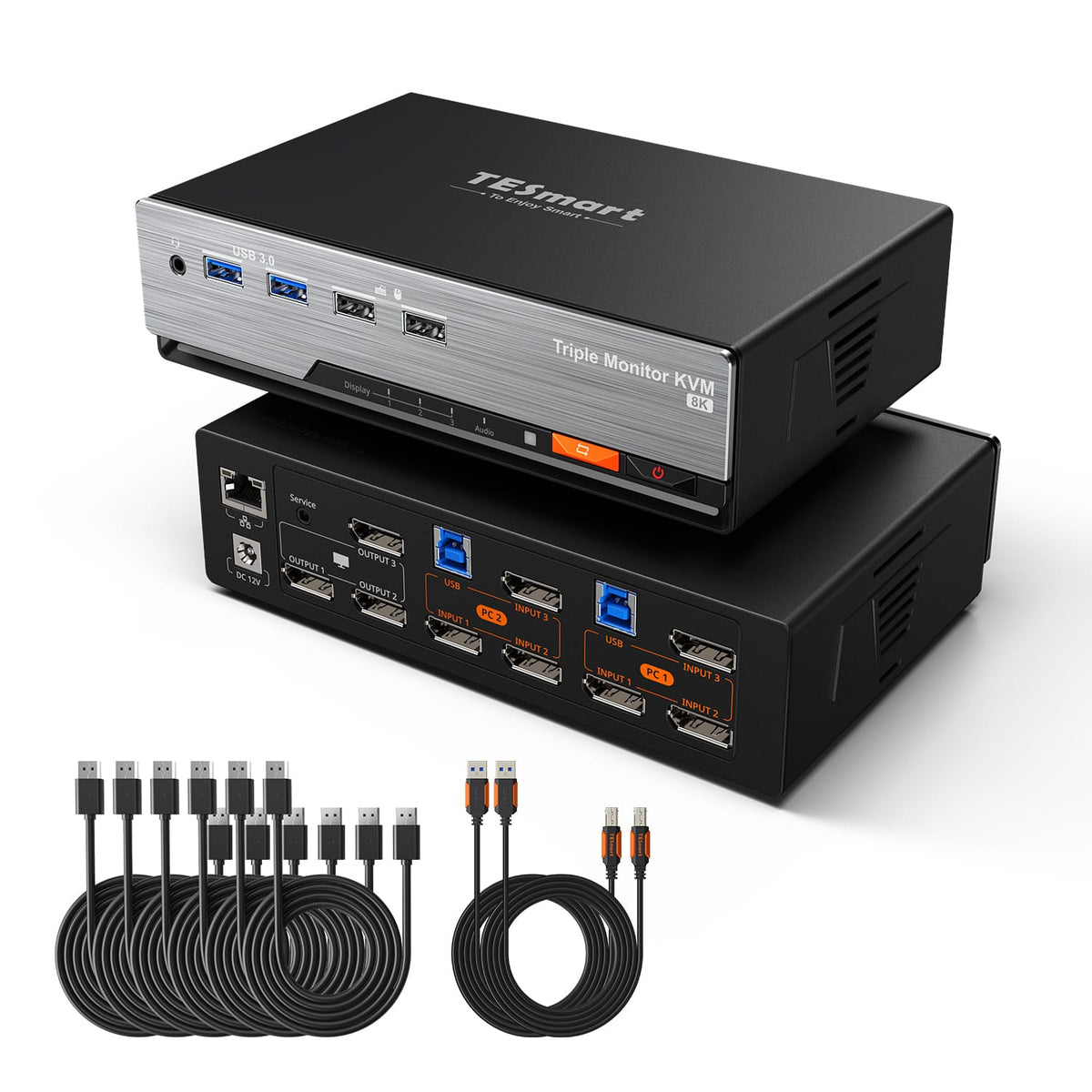
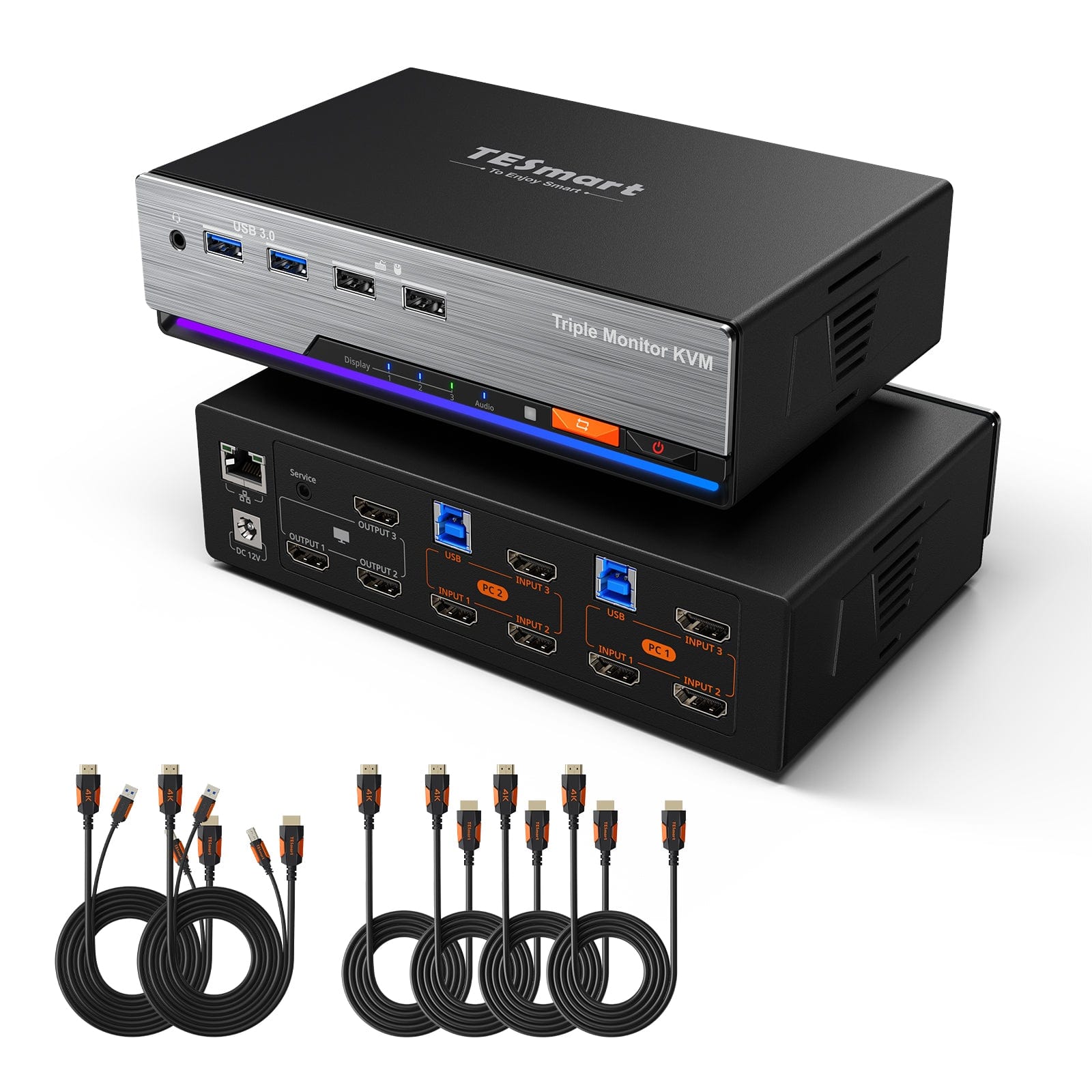
Model
HDK203-M24
Model
DKS203-M24
Model
HKS203-P24
Computer count
2 computers
Computer count
2 computers
Computer count
2 computers
Computer connections
Per PC: HDMI + 2 × DisplayPort + USB
Computer connections
Per PC: 3 × DisplayPort + USB
Computer connections
Per PC: 3 × HDMI + USB
Monitor outputs
3 × HDMI
Monitor outputs
3 × DisplayPort
Monitor outputs
3 × HDMI
Image output
8K60/4K144
Image output
8K60/4K144
Image output
4K60
Shared USB devices
USB 3.0/5 Gbit/s
Shared USB devices
USB 3.0/5 Gbit/s
Shared USB devices
USB 3.0/5 Gbit/s
Charge laptop
Charge laptop
Charge laptop
Shared network access
1000 Mbit/s
Shared network access
1000 Mbit/s
Shared network access
1000 Mbit/s
EDID emulation
EDID emulation
EDID emulation
Multi-monitor operation
Separate video outputs on each computer
Multi-monitor operation
Separate video outputs on each computer
Multi-monitor operation
Separate video outputs on each computer
Monitor requirements
Each computer must be able to drive 3 monitors.
Monitor requirements
Each computer must be able to drive 3 monitors.
Monitor requirements
Each computer must be able to drive 3 monitors.
Frequently asked questions
You can find further answers in our Help Center.
[Compatibility] Which computers and monitors does the HDK203-M24 support?
Connect two computers and three HDMI monitors. Each computer needs one HDMI output, two DisplayPort outputs, and a USB port for connection to the appropriate KVM input group.
[Compatibility] Which operating systems are supported?
Windows, macOS, and Linux, including Raspberry Pi, are supported. Basic KVM functions work via plug-and-play. For a fully extended desktop, each computer must natively support three external displays.
[Compatibility] What is required for 8K or high 4K refresh rates?
Graphics hardware, operating system, monitors, and cables must support the selected HDMI 2.1 or DisplayPort 1.4 format. The current documentation contains conflicting information regarding DSC, the number of simultaneously usable 8K outputs, and the maximum refresh rate with three 4K monitors. This information must be confirmed in the final product documentation before publication.
[Compatibility] Do the Bluetooth keyboard and mouse work?
No. According to the product information, Bluetooth keyboards and mice are not supported. Use wired USB devices in the designated keyboard/mouse ports.
[Functions] What display modes are available for three monitors?
Display one computer across all three monitors, either extended or mirrored. Alternatively, assign each output to one of the two computers. Sources and keyboard/mouse control can be selected via hotkeys or the control panel.
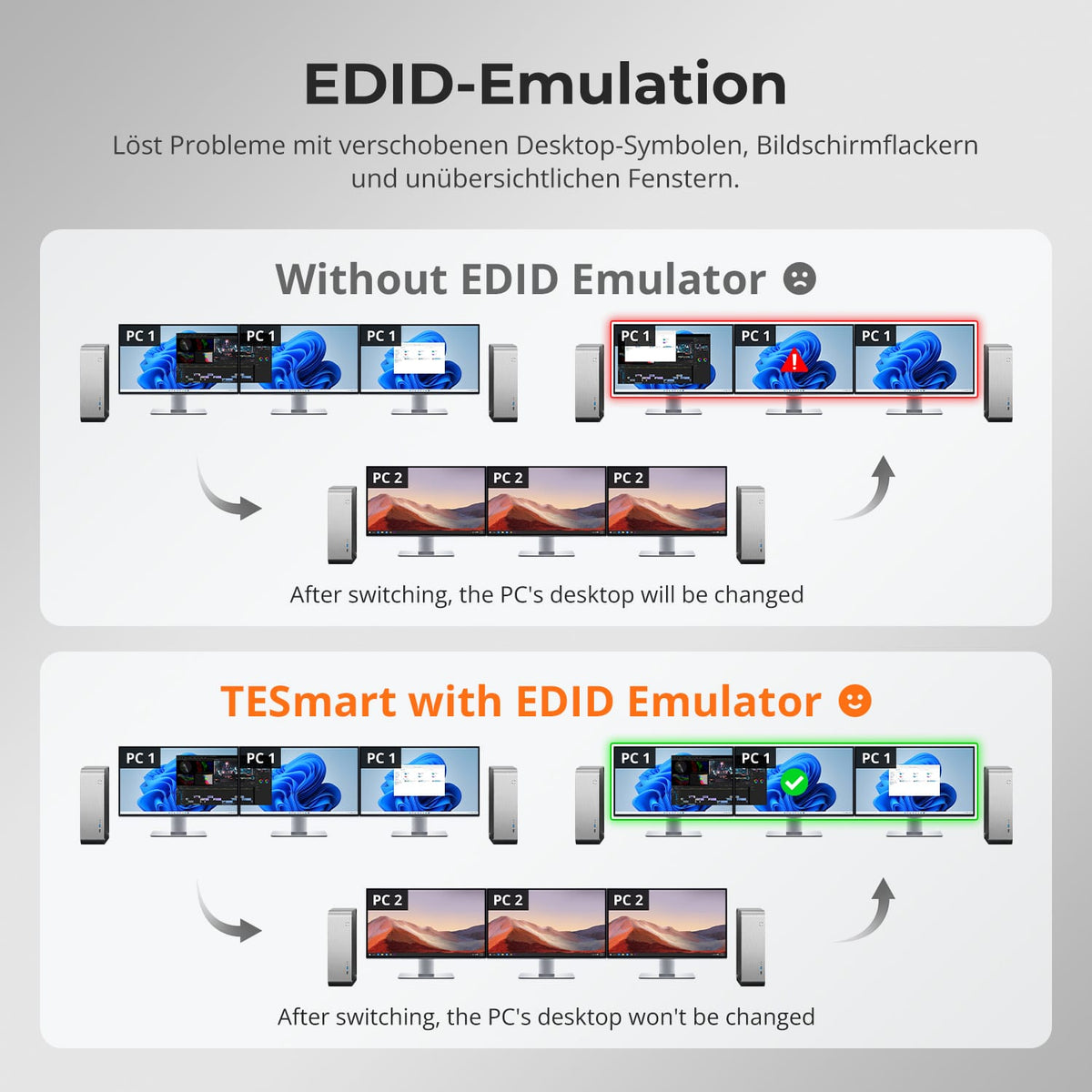
[Functions] What does EDID emulation do?
EDID emulation keeps the display information available for both computers. It helps to preserve window positions and reduce flickering, black screens, and desktop reorganization when switching between computers.
[Functions] Which video and gaming features are supported?
According to the manual, HDMI 2.1, HDCP 2.3, DSC 1.2a, HDR10, Dolby Vision, VRR, FVA and ALLM are supported. The source, display and cable must support the desired function.
[Connections] Which devices can both computers share?
USB 3.2 Gen 1 connects compatible drives, webcams, and other devices at speeds up to 5 Gbps. Both computers also share 3.5 mm audio/microphone jacks and Gigabit Ethernet.
[Connections] Can both computers share a network connection?
Yes. Connect your LAN to your router or network switch. Both computers use Gigabit Ethernet over USB. For Gigabit performance, USB 3.0 ports or faster are required.
[Functions] What is Follow Mode?
In Follow Mode, shared USB devices and audio follow keyboard/mouse control. Disable it if you want these devices to remain connected to one computer while you switch display output or controls.
[Functions] What fan modes are available?
Four modes: Off, temperature-controlled, Automatic, Permanently Low, and Permanently High. Mode 2, Automatic, is the default setting.
[Furnishings] How do I connect HDK203-M24?
Connect each computer to the appropriate input group using one HDMI cable, two DisplayPort cables, and one USB cable. Connect three HDMI monitors, a keyboard, a mouse, shared devices, audio, LAN, and a 12V DC power supply.
[Switch] How do I switch between computers?
Input via button, IR remote control, hotkeys, or mouse wheel. In mixed mode, you select each monitor source separately. The mouse wheel function is disabled by default.
[Switch] Which key triggers hotkeys by default?
By default, press the right Ctrl key twice and then the command. The keyboard must be connected to the designated keyboard/mouse port.
[Furnishings] What to do if hotkeys or mouse are not working properly?
Check the designated console ports. If you experience problems in pass-through mode, switch to legacy emulation mode. Driver-dependent additional features are not available there.
