



Monitorkonfiguration
Max. Auflösung

Gerätekonfiguration
Farbdarstellung
Gaming
Stabile Anzeige
Netzwerksteuerung
4×2 HDMI+DP KVM | 8K60/4K144 & EDID
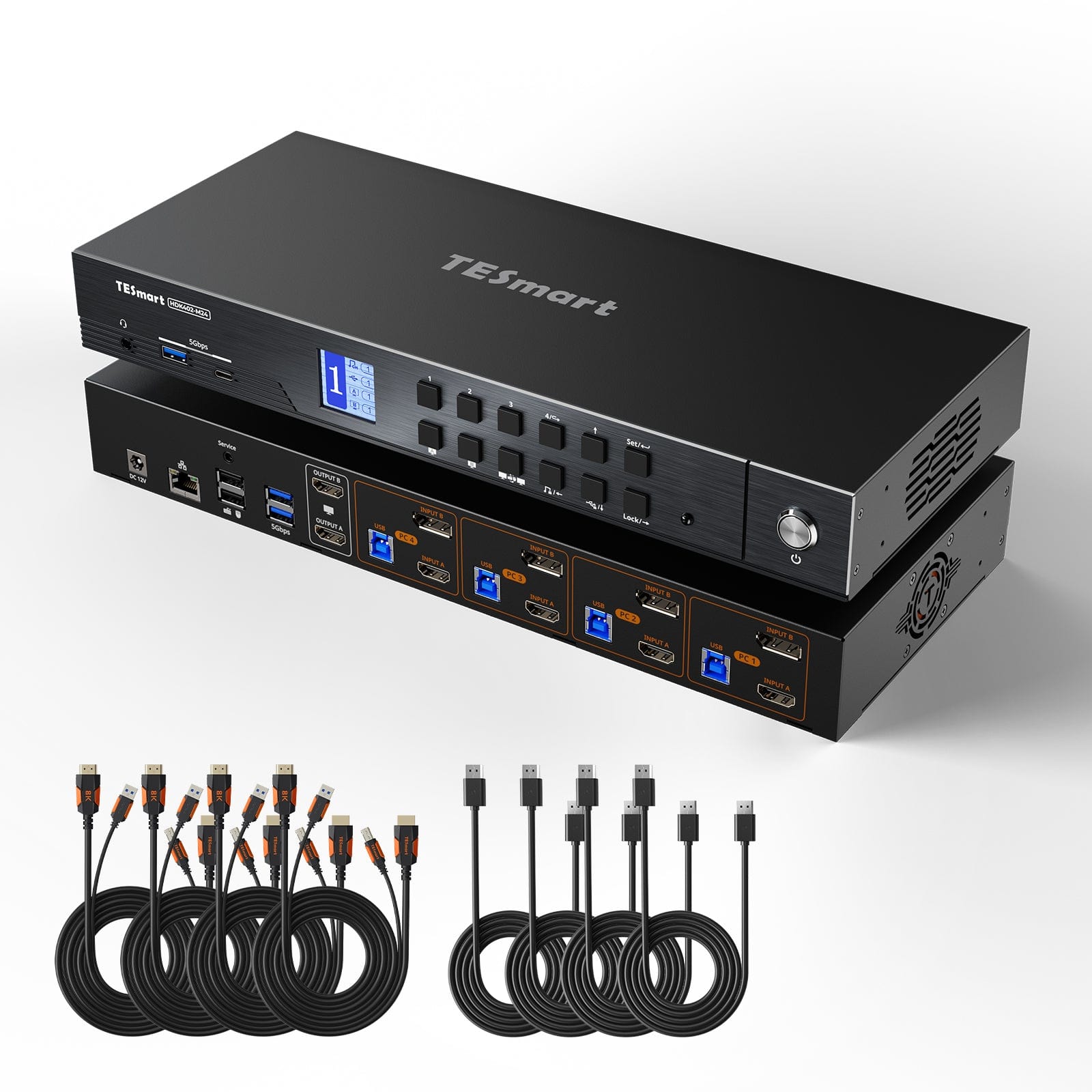
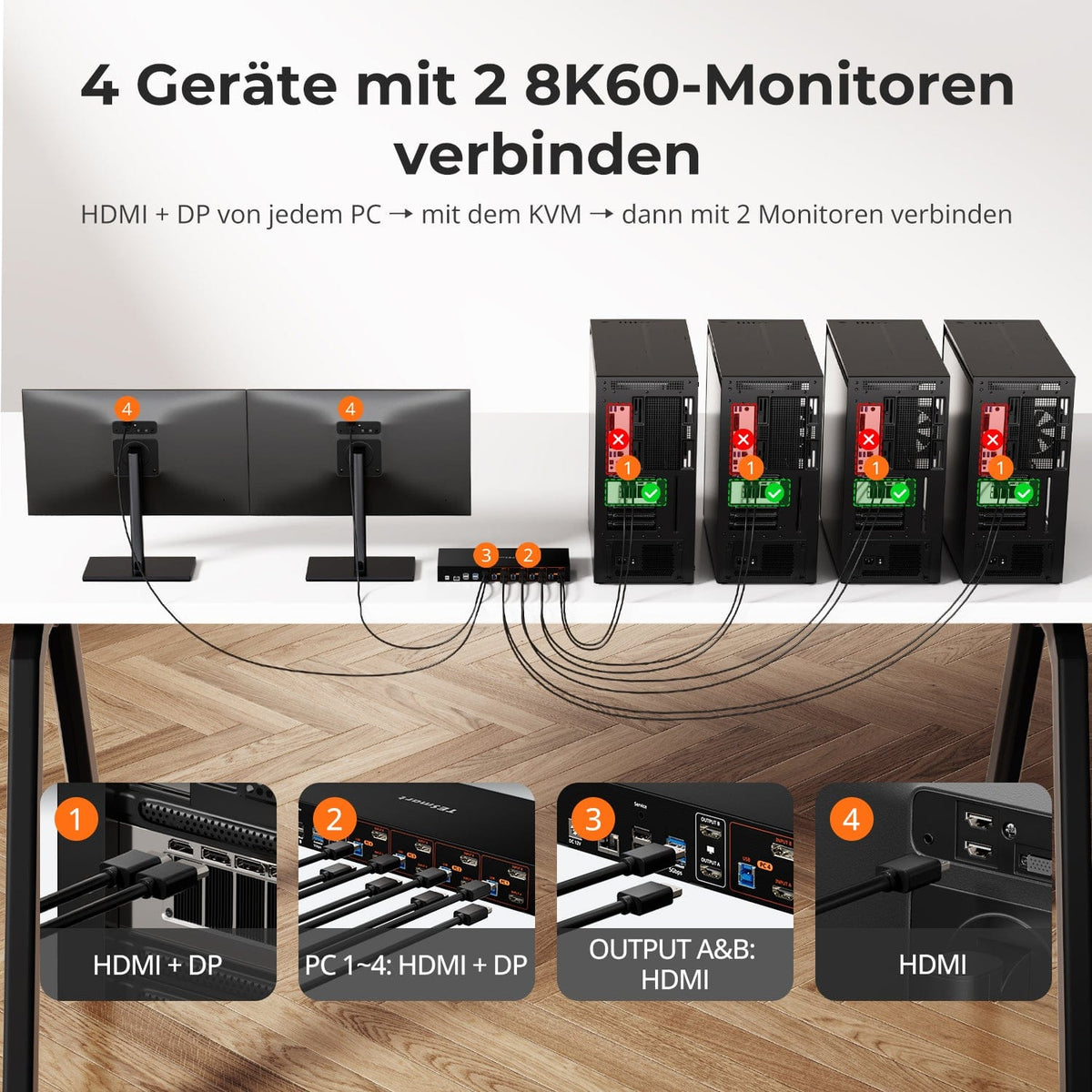
HDK402-M24: 4 pc's met HDMI- en DisplayPort-uitgangen delen 2 HDMI-monitoren, toetsenbord en muis - met maximaal 8K60/4K144 en EDID.
Monitorkonfiguration
Max. Auflösung
Gerätekonfiguration
Farbdarstellung
Gaming
Stabile Anzeige
Netzwerksteuerung
4×2 HDMI+DP KVM | 8K60/4K144 & EDID
Waarom HDK402-M24?
Overzicht
01
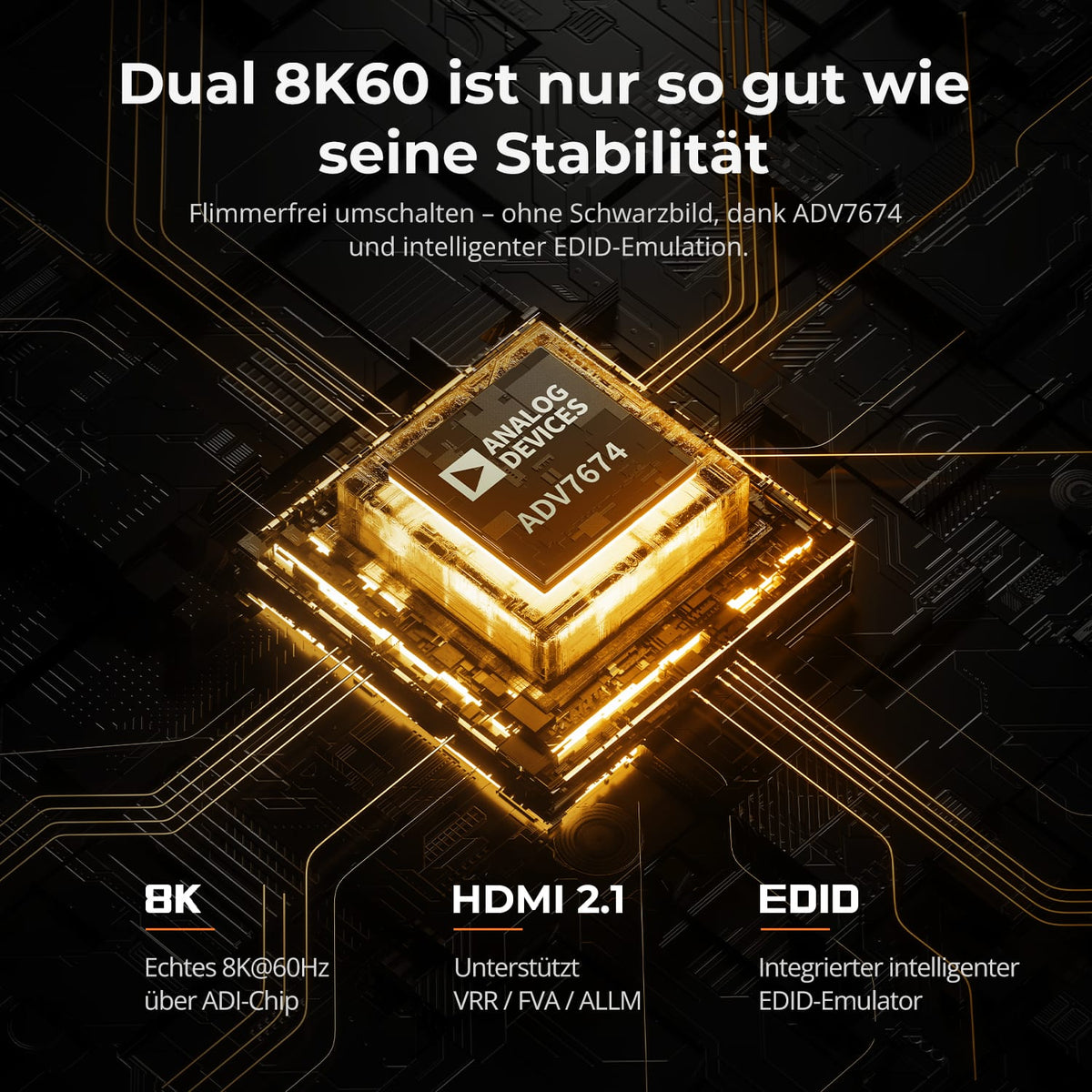
Stabiele signalen met tweemaal 8K60
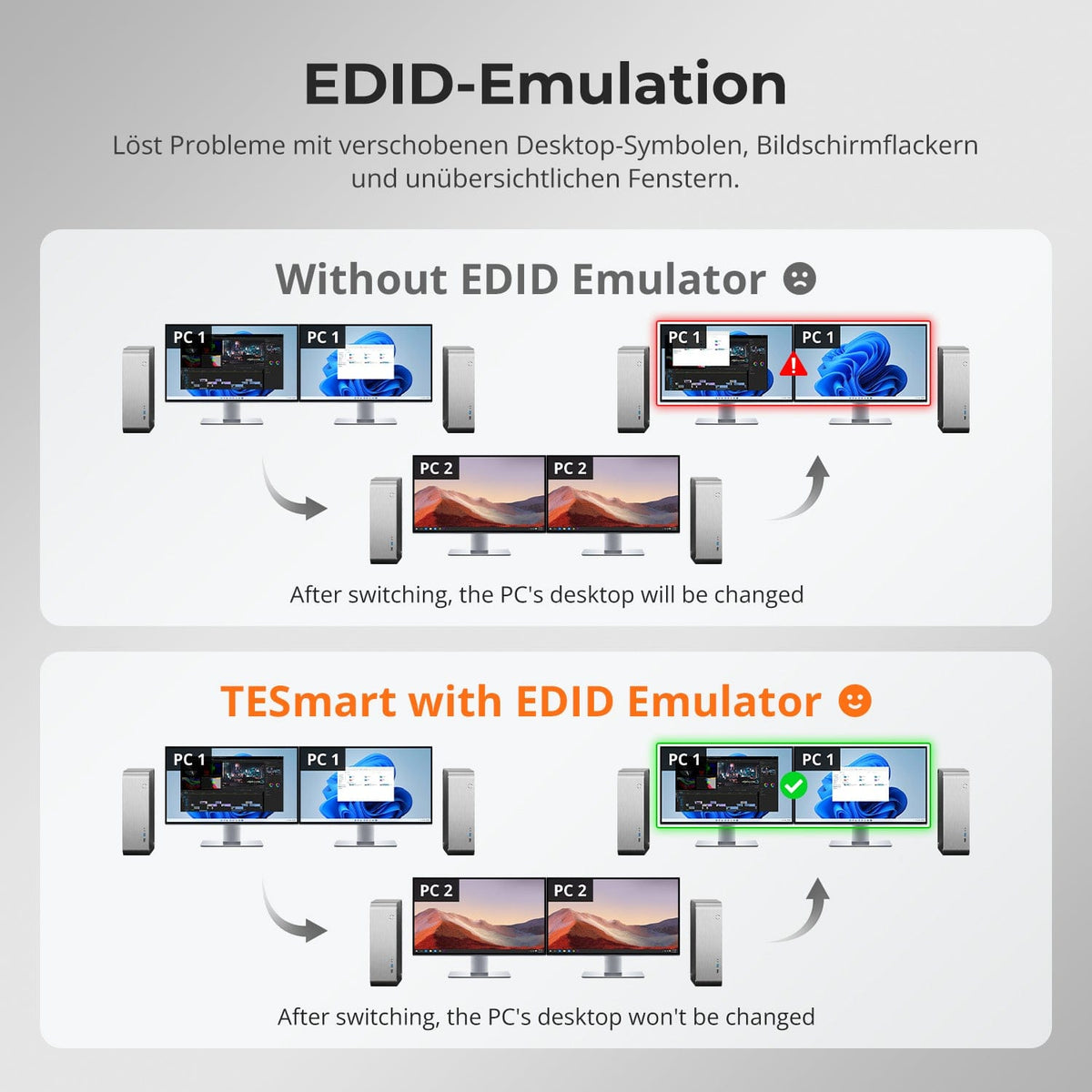
De ADV7674 HDMI 2.1-decodering en EDID-emulatie ondersteunen stabiele verbindingen in veeleisende dual-monitoropstellingen. Deze technologie vermindert onderbrekingen door zwarte schermen, resets en weergavefouten.
02
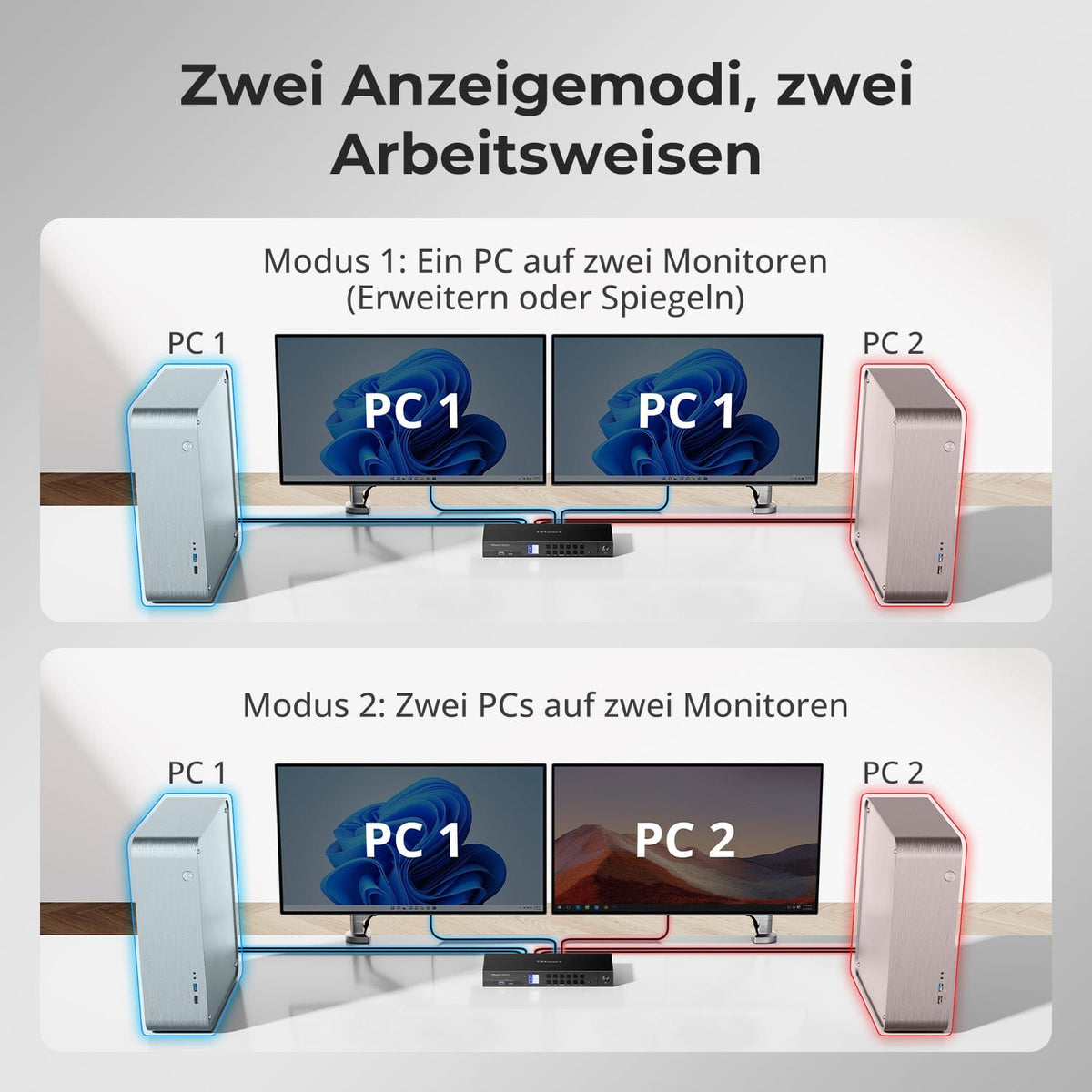
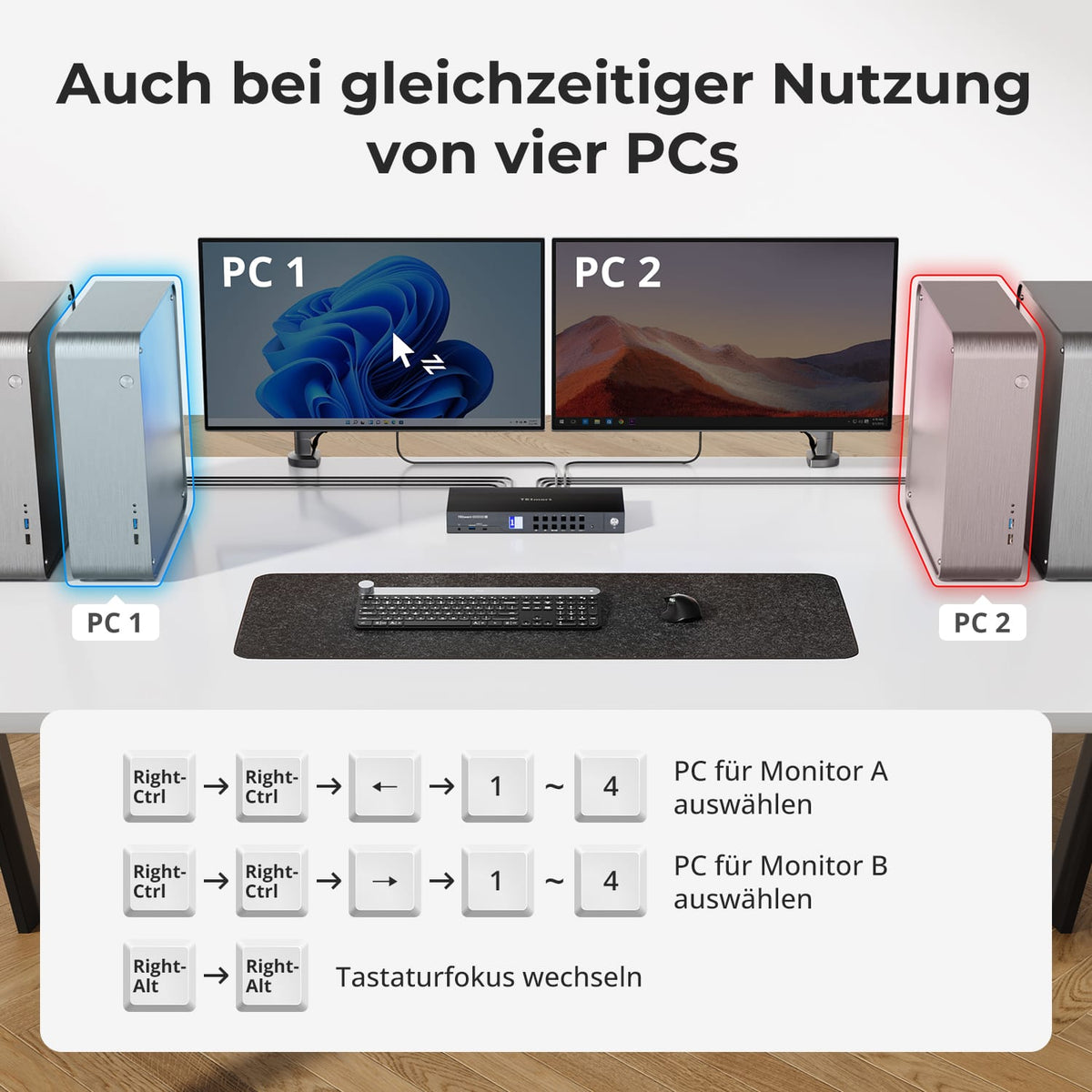
Twee weergavemodi voor geconcentreerd of parallel werk
Gebruik beide monitoren met één computer, in een uitgebreide of gespiegelde modus. Als alternatief kunt u twee systemen naast elkaar weergeven en de toetsenbord-/muisbediening wisselen terwijl beide schermen zichtbaar blijven.
03
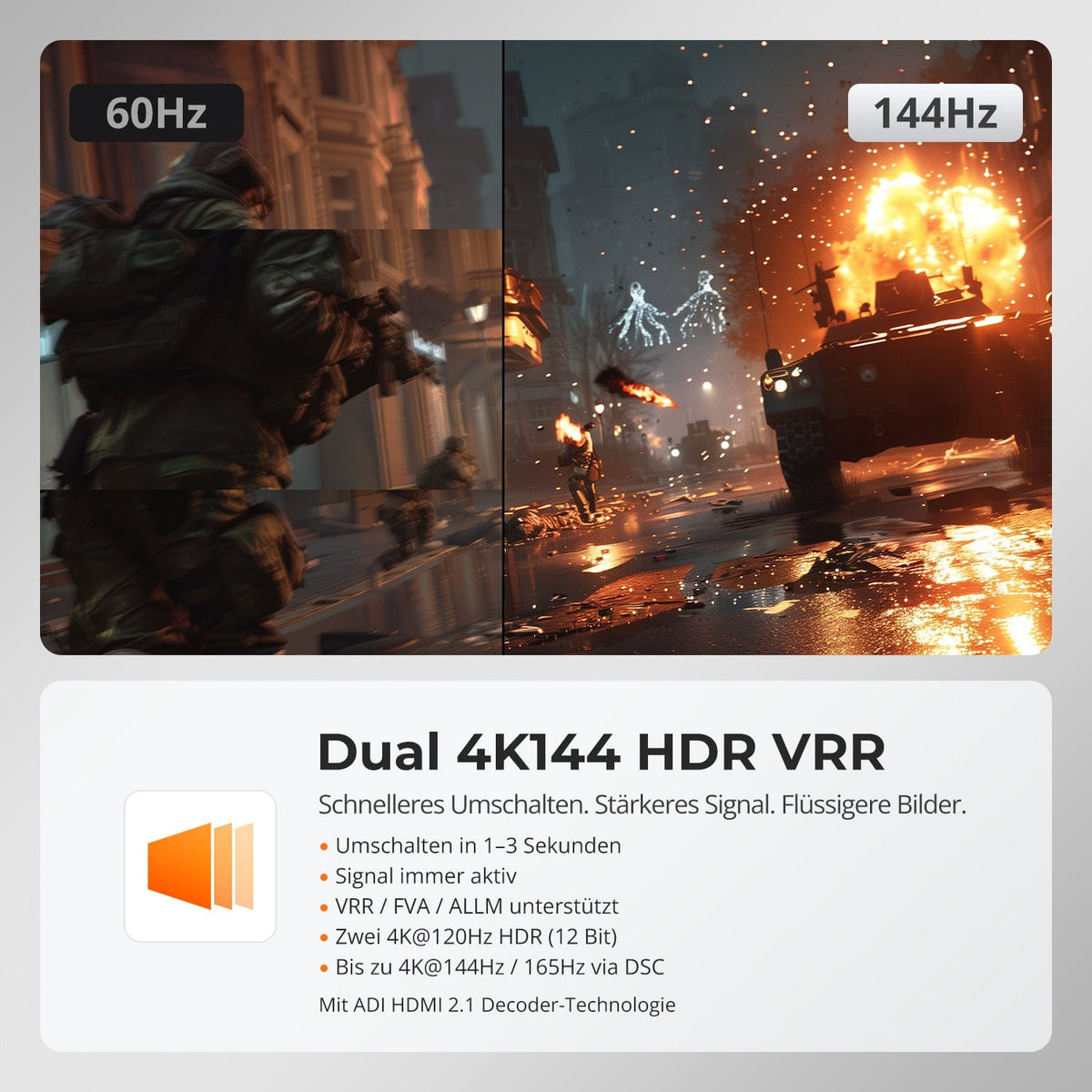
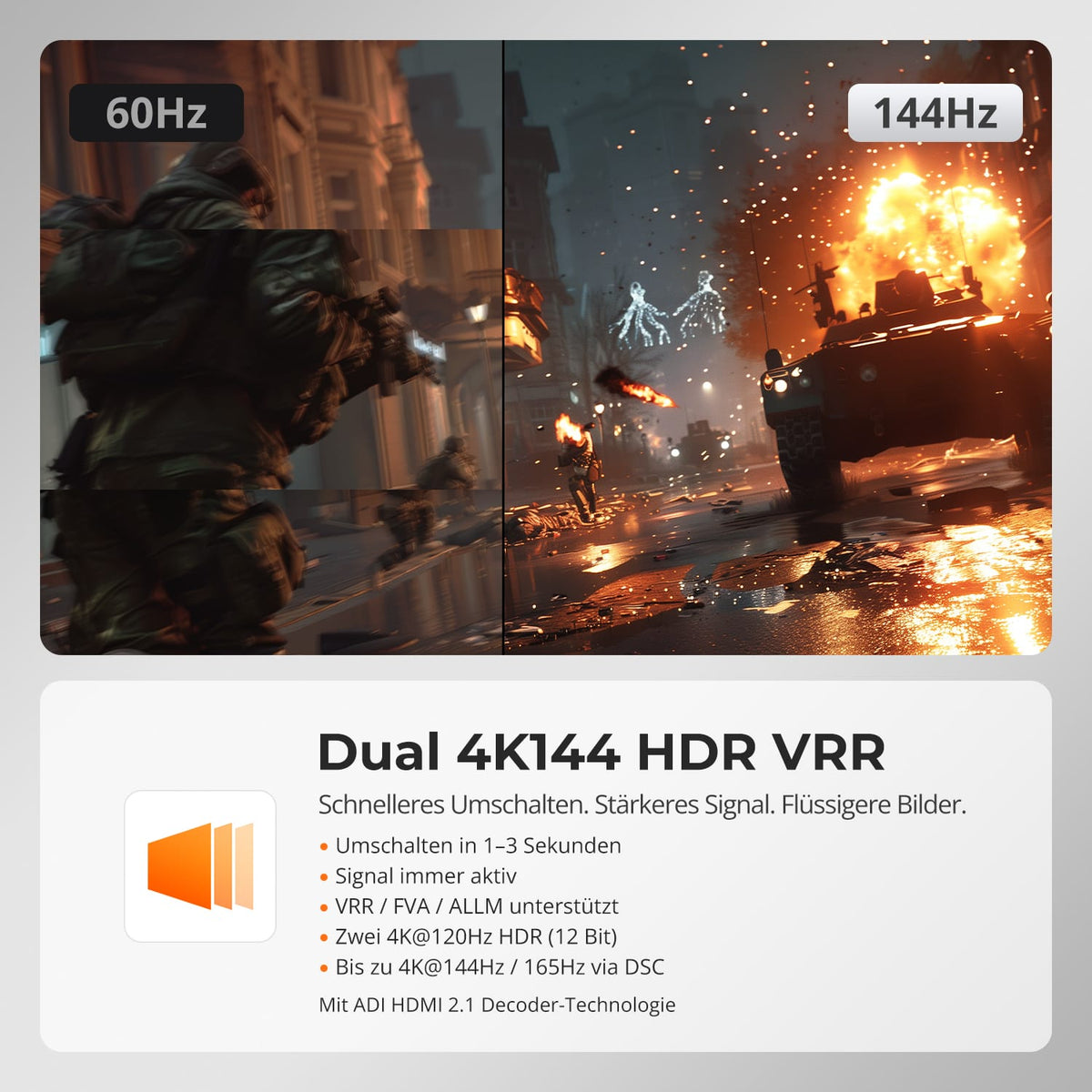
Twee keer 4K144 HDR met variabele verversingssnelheid
Compatibele gamingmonitoren kunnen twee keer gebruikt worden. 4K@120Hz mit 12-bits HDR of tot 4K@144Hz/165Hz via DSC. VRR, FVA en ALLM verminderen tearing en latency, mits de grafische kaart, het beeldscherm en de kabel deze functies ondersteunen.
04
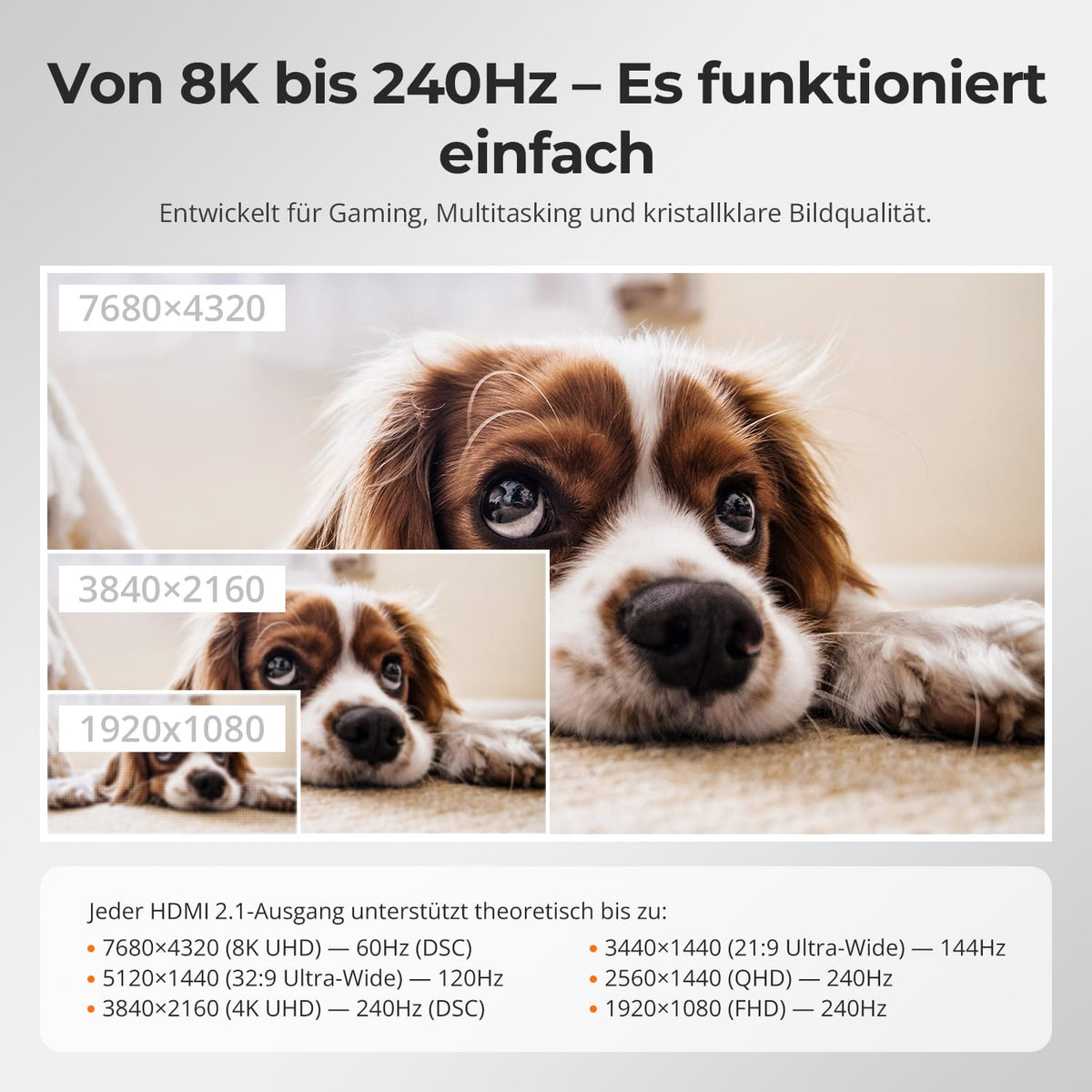
Van 8K60 tot 240 Hz
Elke HDMI 2.1-uitgang ondersteunt tot 8K@60Hz mit DSC en 5120×1440@120Hz, 4K@240Hz, 3440×1440@144Hz, 1440p@240Hz und 1080p@240Hz. Die De gehele verbinding moet het gekozen formaat ondersteunen.
05
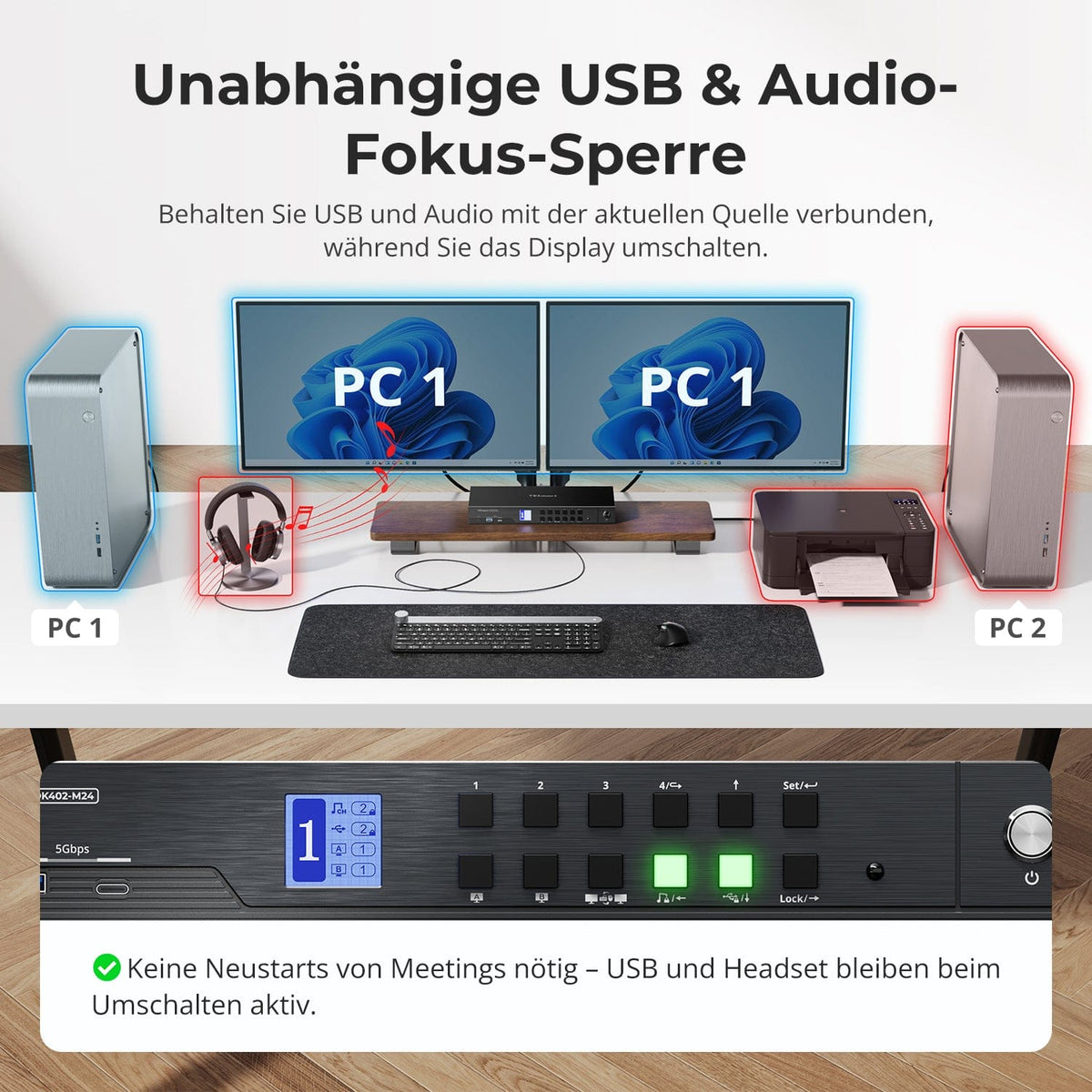
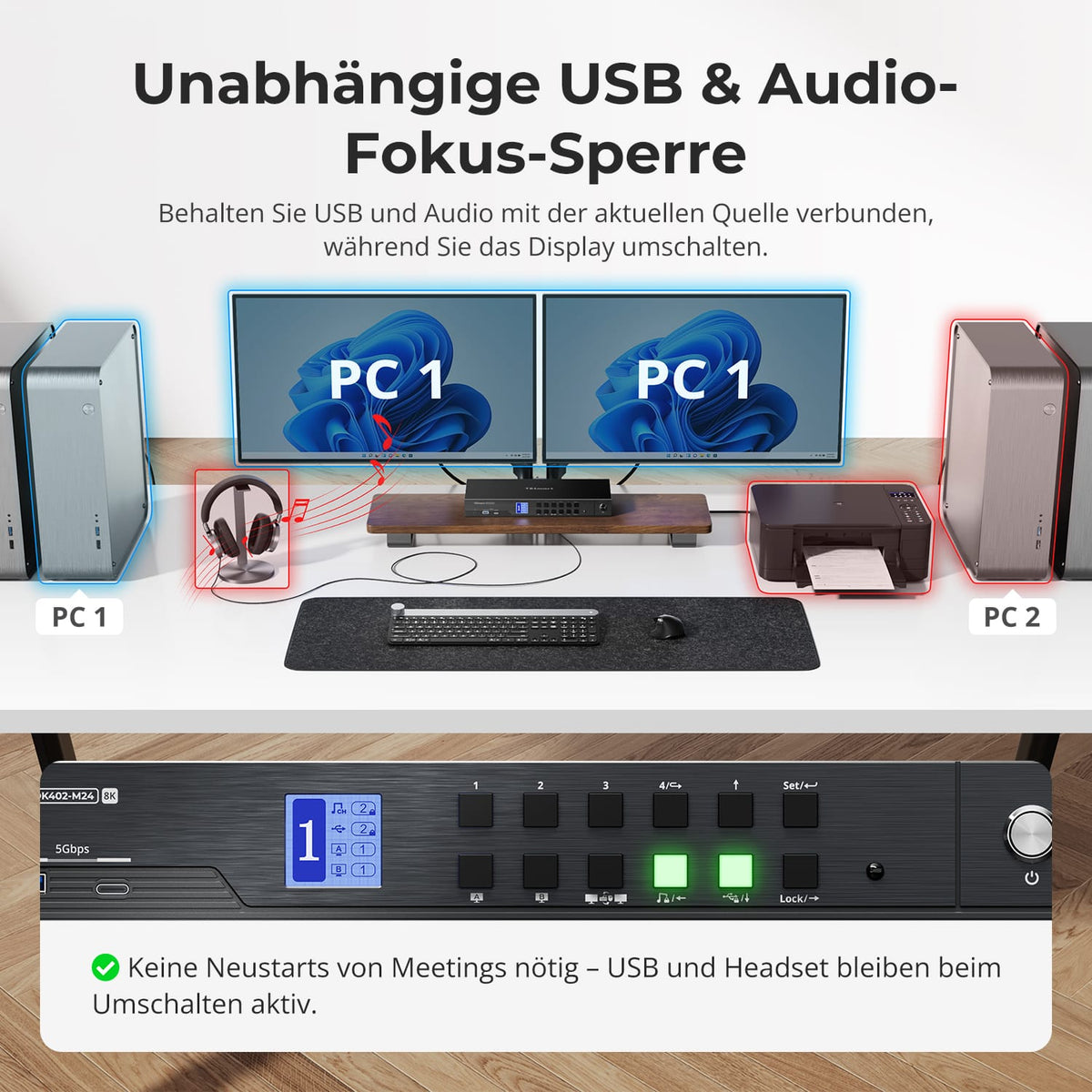
USB en audio op de gewenste computer
Laat de USB- of audiokabel aangesloten op de huidige computer terwijl u wisselt tussen beeldschermen, toetsenbord en muis. Beide toewijzingen zijn onafhankelijk van elkaar en blijven behouden na een herstart – voor lopende gesprekken, opnames en overdrachten.
06
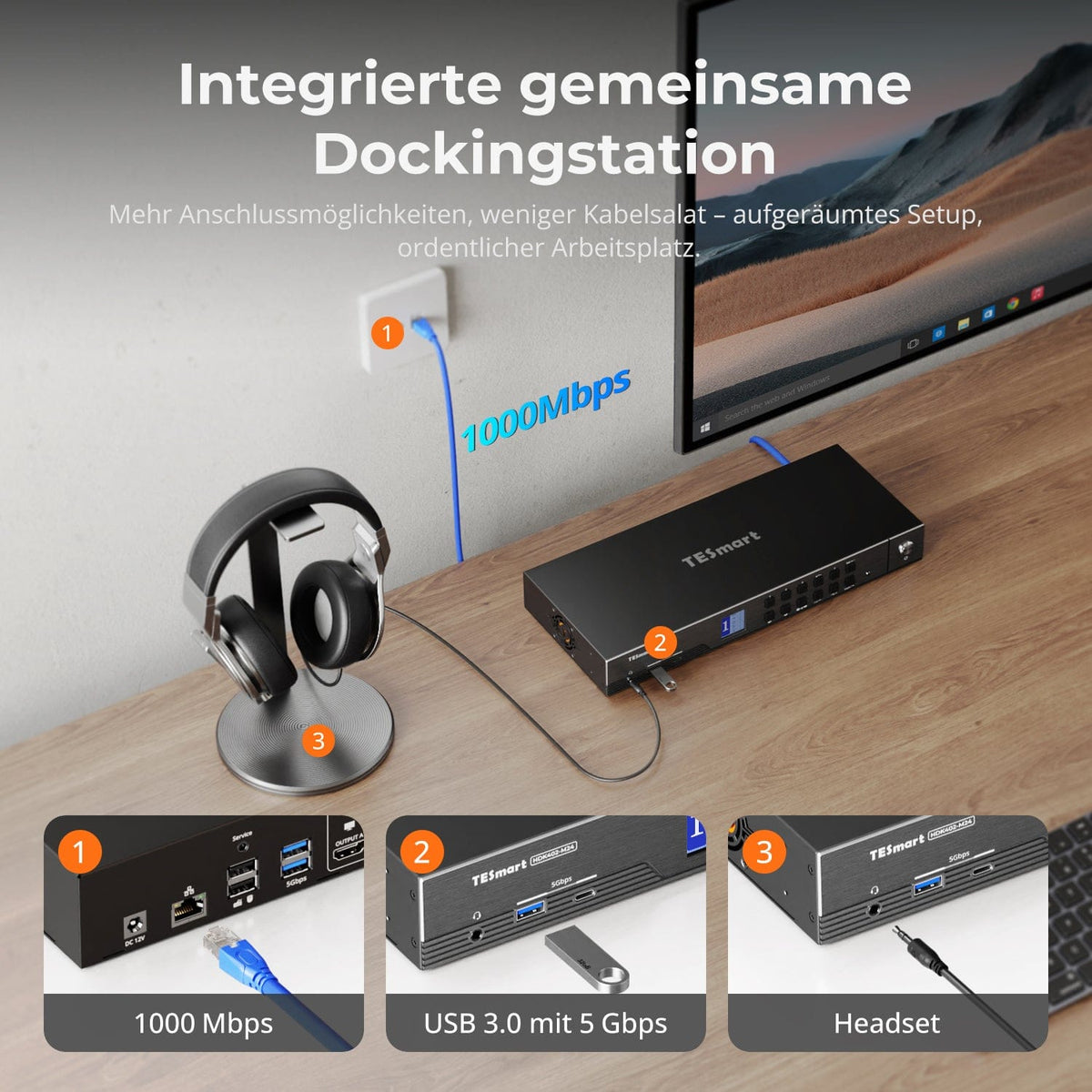
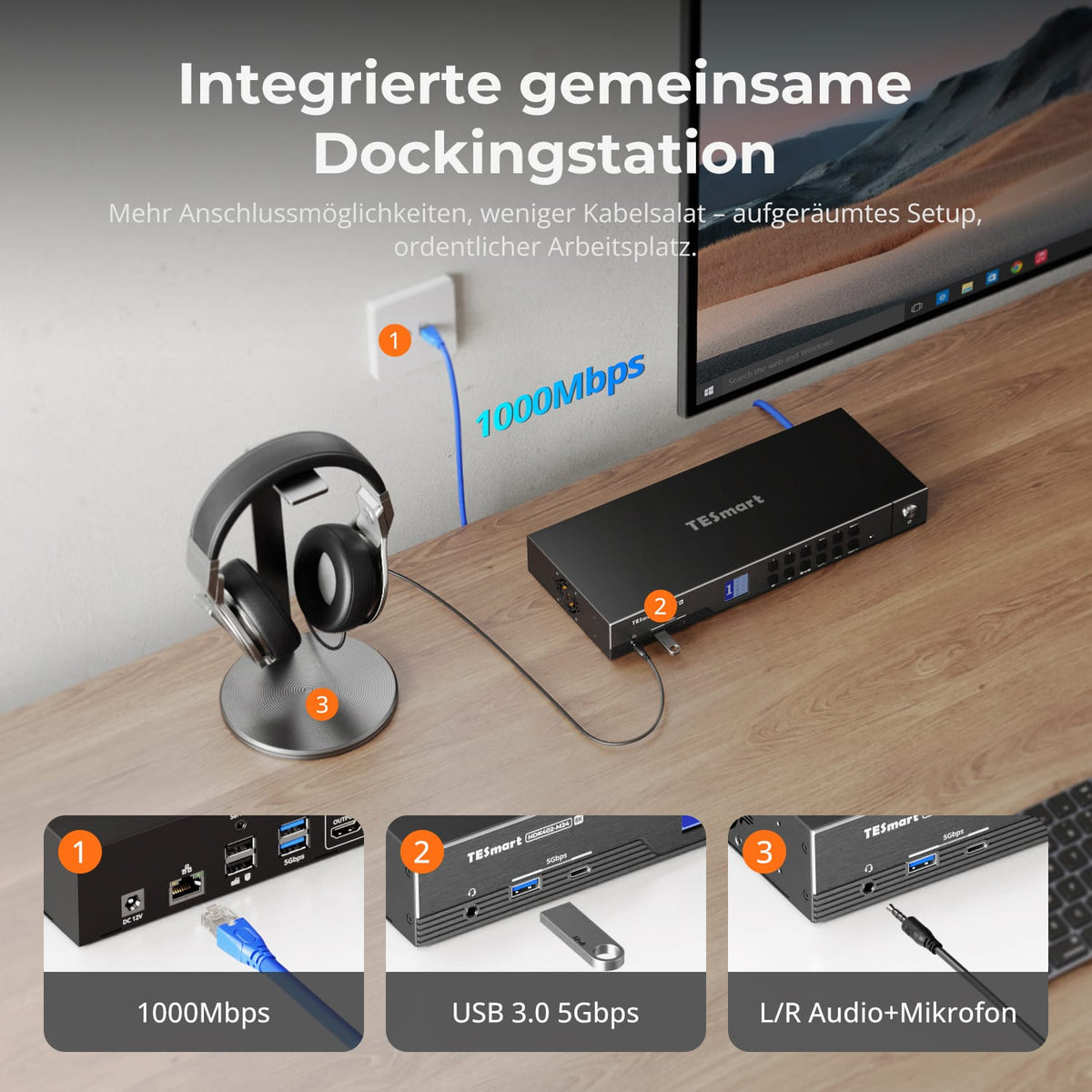
Een gedeeld dock voor vier computers
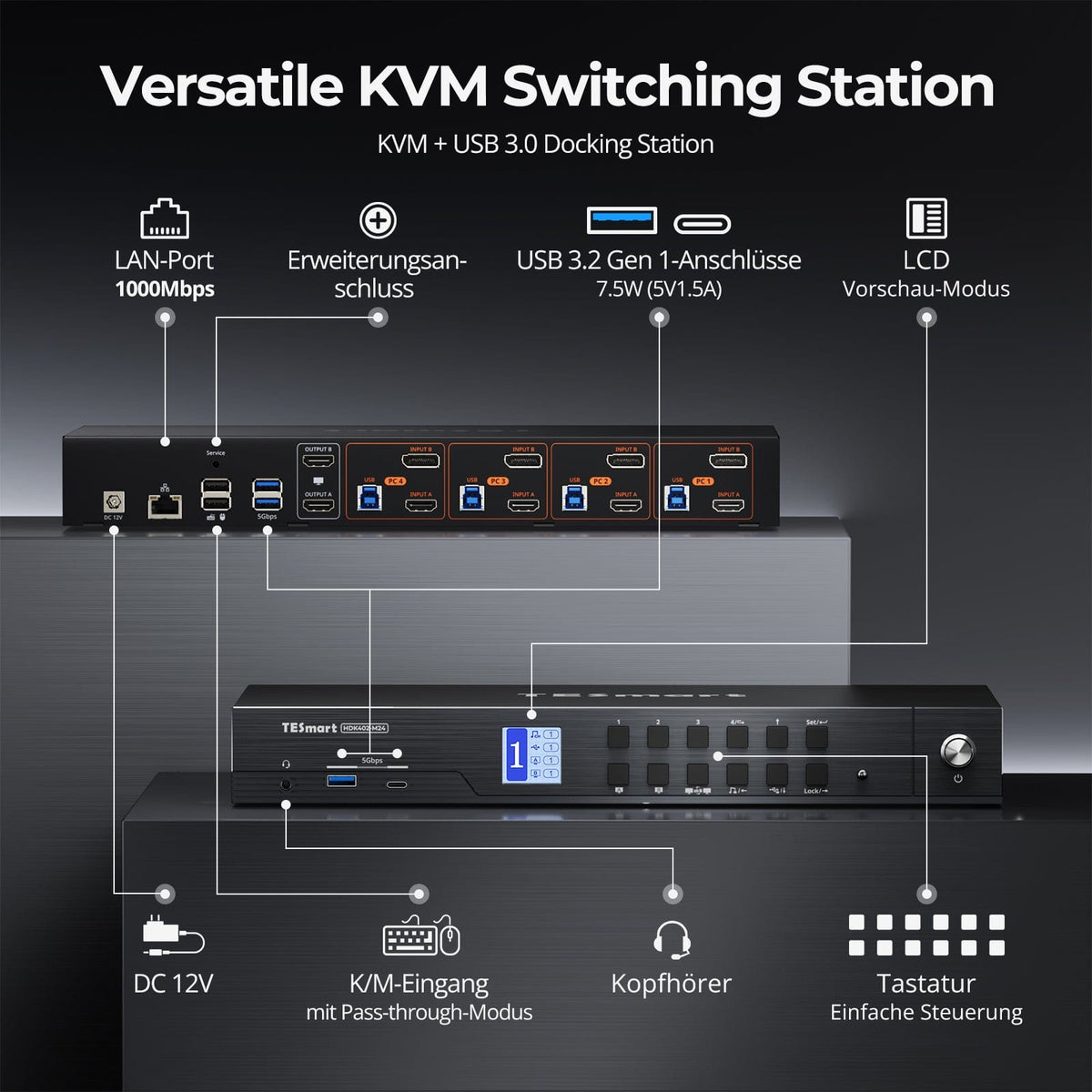
Deel USB 3.2 Gen 1-apparaten, Gigabit Ethernet en een 3,5 mm-hoofdtelefoonaansluiting. Dit maakt aparte USB-, netwerk- en audioswitches overbodig.
07
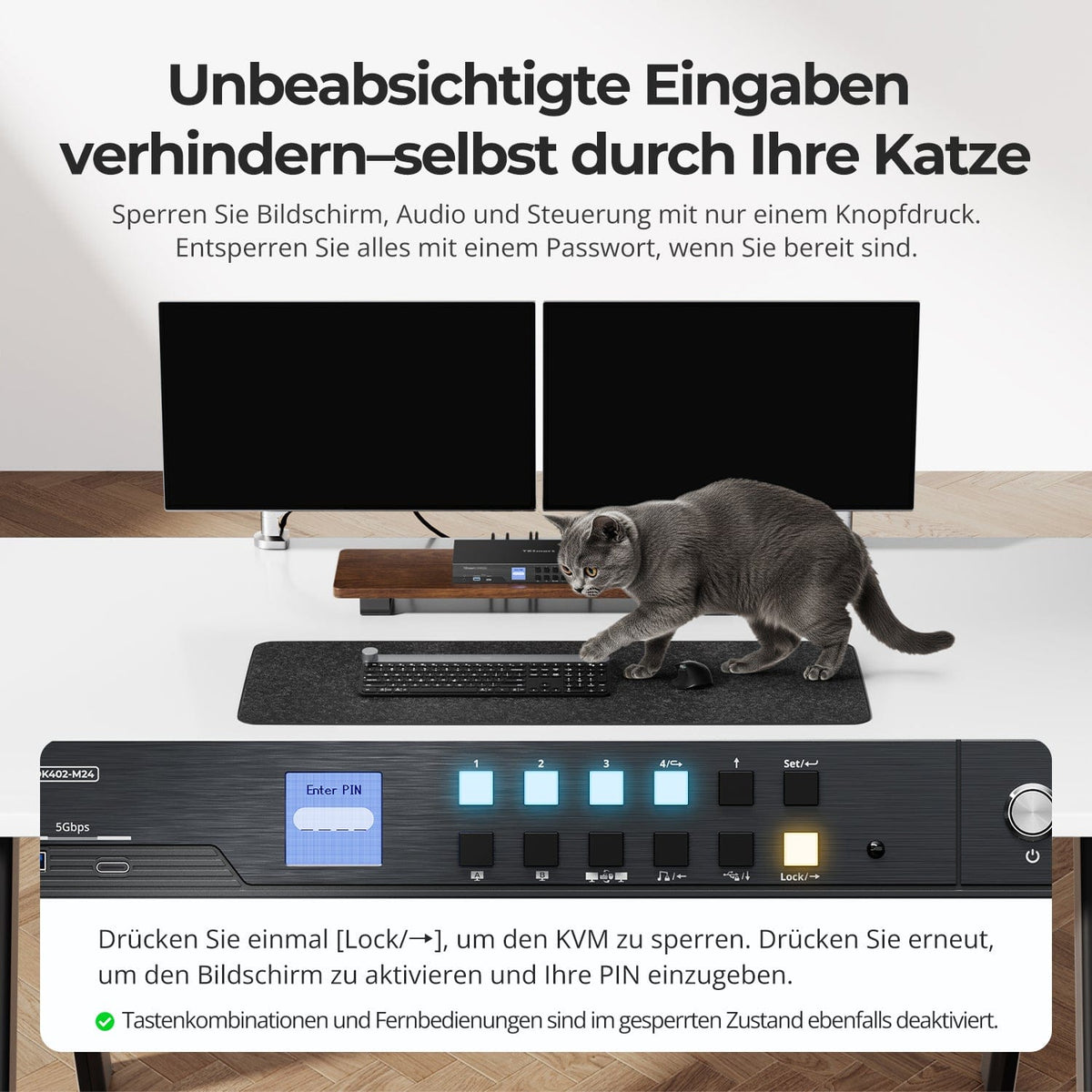
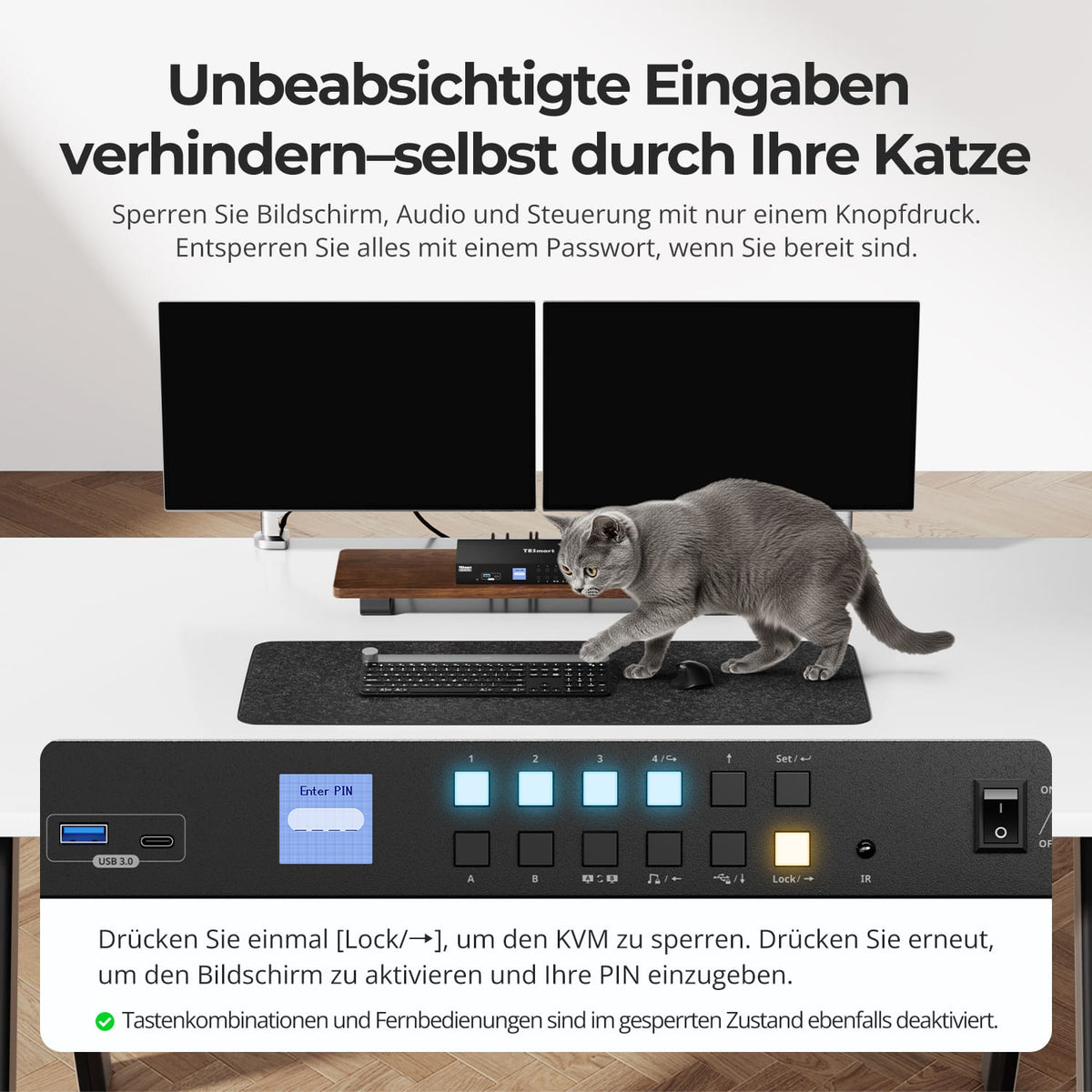
Vergrendel je werkplek met één knop
De vergrendelingsknop schakelt beide schermen uit en deactiveert USB, audio, sneltoetsen en IR-bediening. Druk er nogmaals op en voer de ingestelde pincode in om weer toegang te krijgen.
08
09
10
Gegevens en ondersteuning
Compatibiliteit en verbindingen
Technische gegevens
Instructies en downloads
Leveringsomvang
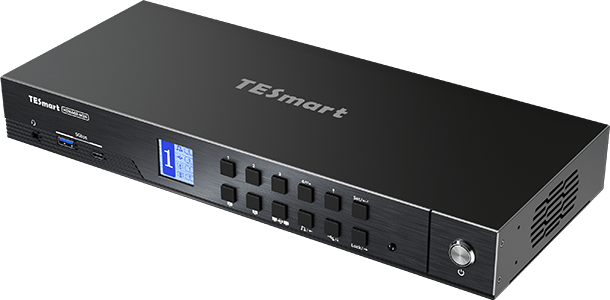
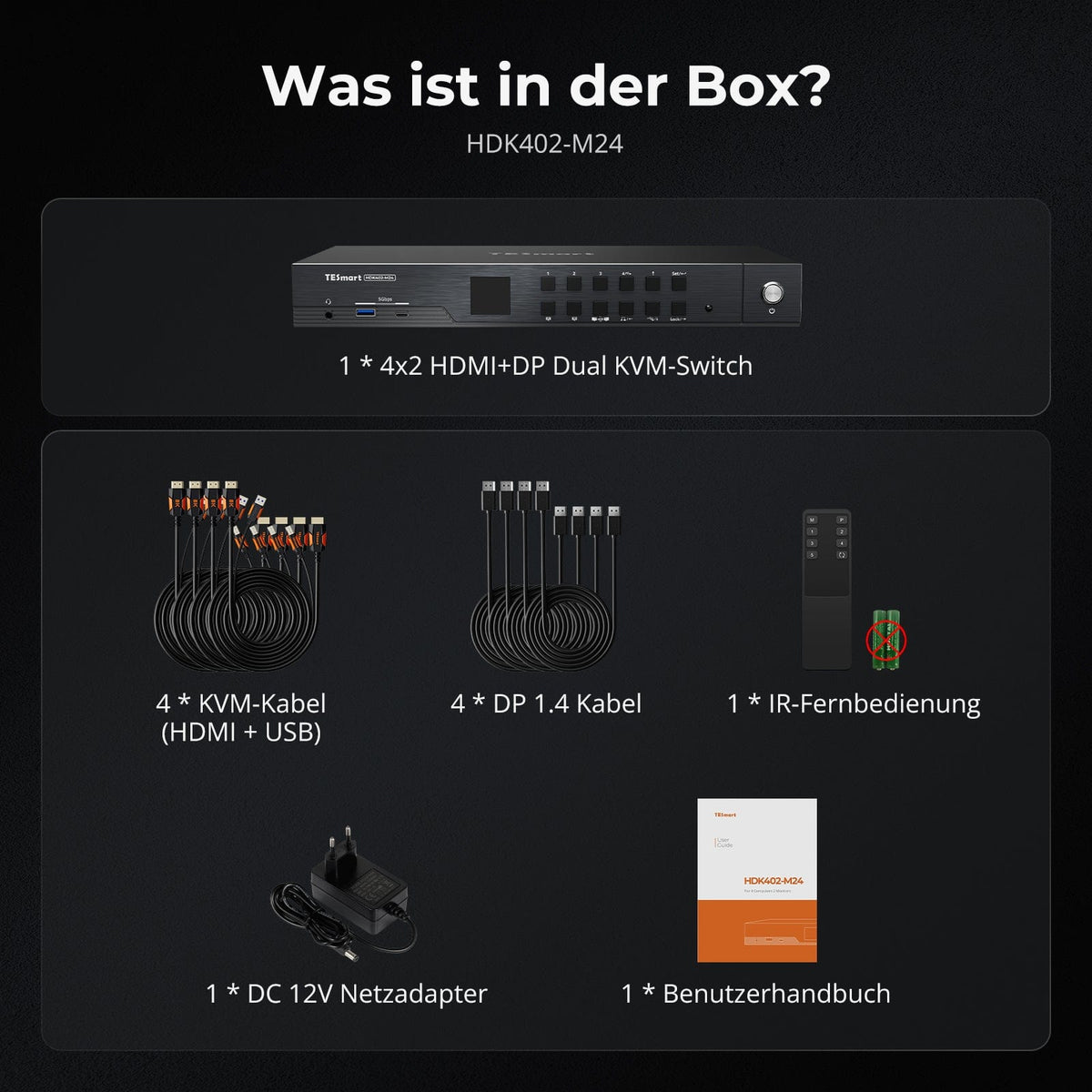
1 × HDK402-M24 KVM-schakelaar
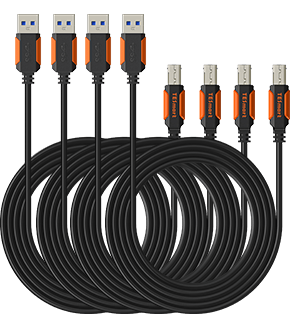
4 × KVM-kabels (HDMI + USB)
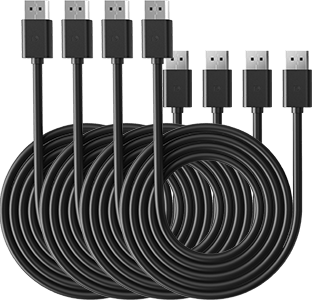
4 × DisplayPort 1.4-kabels
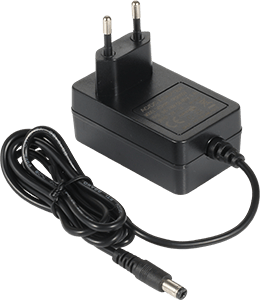
1 × 12V DC-voeding
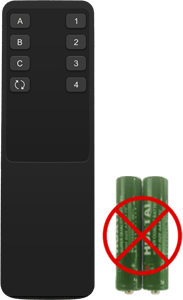
1 × IR-afstandsbediening
1×Gebruikershandleiding
Vergelijk geschikte modellen
Selecteer de modellen in de menu's om de verbindingen, beeldweergave en deelbare functies te vergelijken.
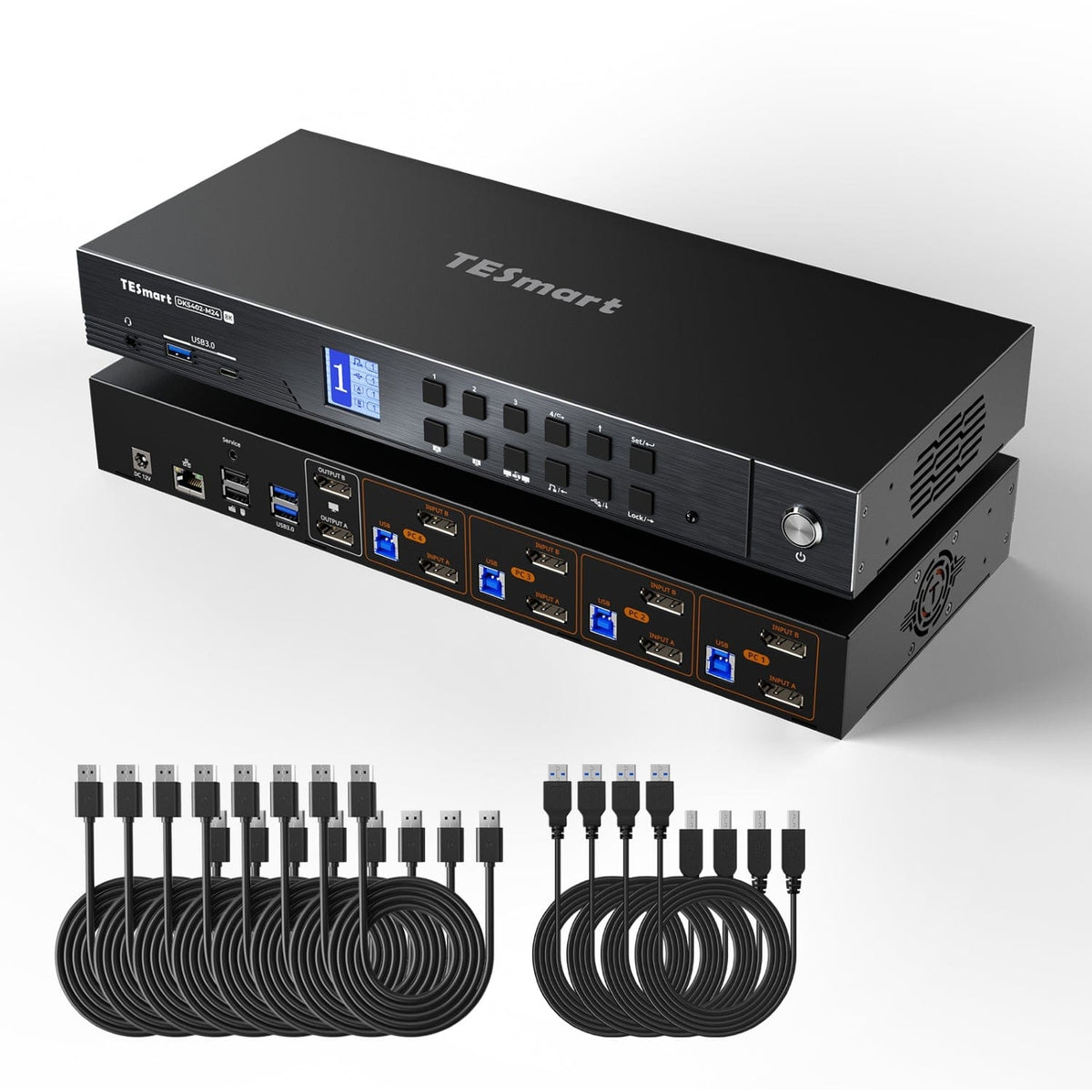
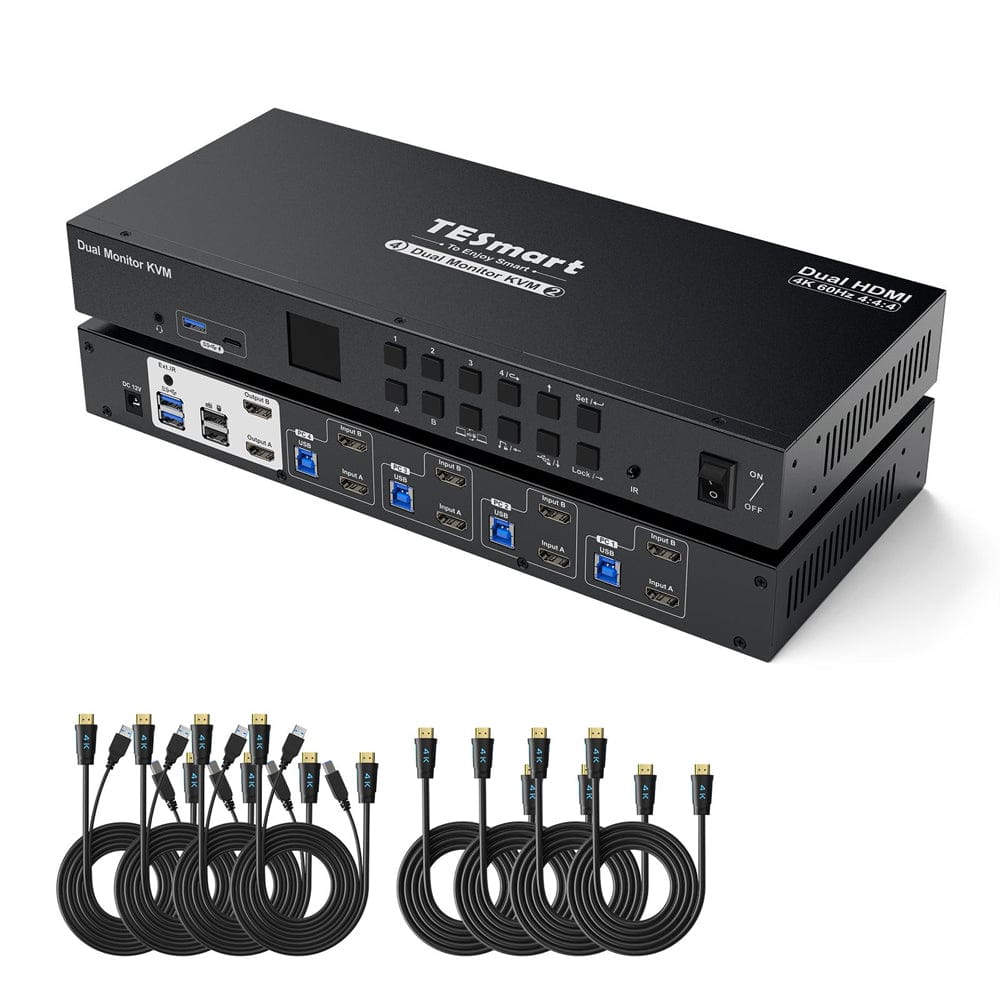
Model
HDK402-M24
Model
DKS402-M24
Model
HKS402-P24
Computertelling
4 computers
Computertelling
4 computers
Computertelling
4 computers
Computerverbindingen
Per pc: HDMI + DisplayPort + USB
Computerverbindingen
Per pc: 2 × DisplayPort + USB
Computerverbindingen
Per pc: 2 × HDMI + USB
Bewaak uitgangen
2 × HDMI
Bewaak uitgangen
2 × DisplayPort
Bewaak uitgangen
2 × HDMI
Beelduitvoer
8K60/4K144
Beelduitvoer
8K60/4K144
Beelduitvoer
4K60
Gedeelde USB-apparaten
USB 3.0/5 Gbit/s
Gedeelde USB-apparaten
USB 3.0/5 Gbit/s
Gedeelde USB-apparaten
USB 3.0/5 Gbit/s
Laad laptop op
onjuist
Laad laptop op
onjuist
Laad laptop op
onjuist
Gedeelde netwerktoegang
1000 Mbit/s
Gedeelde netwerktoegang
1000 Mbit/s
Gedeelde netwerktoegang
1000 Mbit/s
EDID-emulatie
WAAR
EDID-emulatie
WAAR
EDID-emulatie
WAAR
Bediening met meerdere monitoren
Aparte video-uitgangen op elke computer
Bediening met meerdere monitoren
Aparte video-uitgangen op elke computer
Bediening met meerdere monitoren
Aparte video-uitgangen op elke computer
Bewaak de vereisten
Elke computer moet twee beeldschermen kunnen aansturen.
Bewaak de vereisten
Elke computer moet twee beeldschermen kunnen aansturen.
Bewaak de vereisten
Elke computer moet twee beeldschermen kunnen aansturen.
Veelgestelde vragen
U kunt verdere antwoorden vinden in onze Helpcentrum.
[Verenigbaarheid] Ondersteunt de KVM-switch Mac en Windows?
Ja. De HDK402-M24 ondersteunt Windows, macOS, Unix, Raspberry Pi OS en Linux, waaronder Debian, Ubuntu, Fedora en Raspbian. Video en USB maken gebruik van standaard HDMI-, DisplayPort- en USB-aansluitingen.
[Verenigbaarheid] Welke resoluties en verversingsfrequenties zijn mogelijk?
Maximum 7680×4320@60Hz mit DSC. Andere formaten: 5120×1440@120Hz mit DSC, 3840×2160@240Hz mit DSC, 3440×1440@144Hz, 2560×1440@240Hz und 1920×1080@240Hz.
[Verenigbaarheid] Ondersteunt de KVM-switch Dolby Vision?
Ja. De HDK402-M24 ondersteunt Dolby Vision. De bron, de content, de beeldschermen en de kabels moeten Dolby Vision ook ondersteunen en ingeschakeld hebben.
[Verenigbaarheid] Is mijn Adaptive-Sync-monitor compatibel?
Ja. De HDK402-M24 ondersteunt HDMI 2.1 VRR en is compatibel met G-Sync en FreeSync. De bron, beeldschermen en kabels moeten de geselecteerde functie ondersteunen.
[Functies] Hoe kan ik de twee monitoren gebruiken?
Geef één computer weer op beide monitoren, in een uitgebreide of gespiegelde weergave. Als alternatief kan elke monitor één computer weergeven. De instellingen voor uitbreiding en spiegeling worden geconfigureerd op de broncomputer.
[Functies] Wat doet EDID-emulatie?
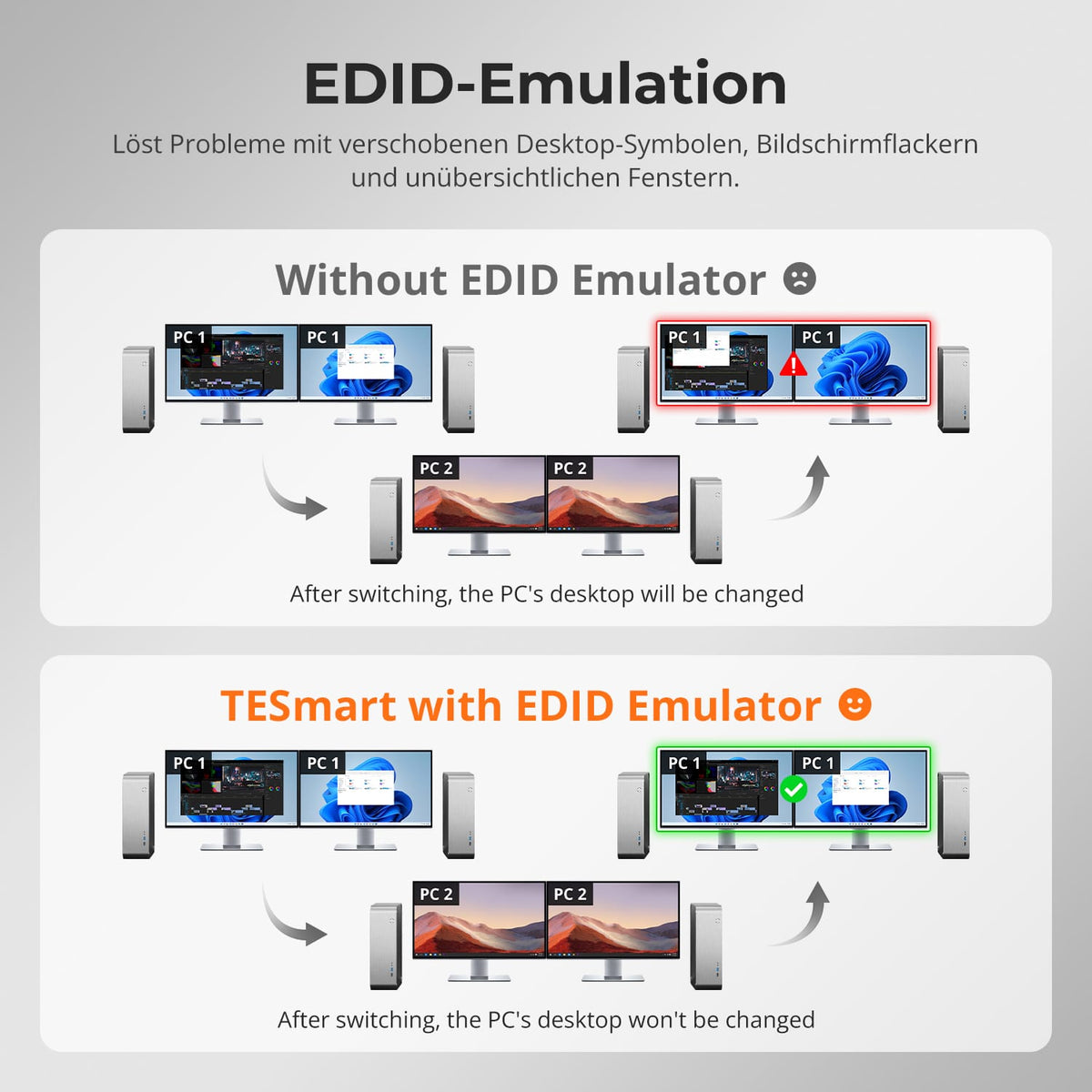
Tijdens het schakelen blijft de scherminformatie beschikbaar. Dit vermindert flikkering, het resetten van de resolutie en het verschuiven van vensters en bureaubladpictogrammen.
[Functies] Hoe schakel ik USB-apparaten of audio onafhankelijk van elkaar in en uit?
Schakel over naar de gewenste computer en druk op de USB- of audiovergrendelingsknop. Door er nogmaals op te drukken wordt de verbinding ontgrendeld. De poorten voor toetsenbord/muis kunnen niet worden vergrendeld; de video-aansluiting blijft schakelbaar.
[Verbindingen] Waarom werkt de wifi niet meer nadat ik de KVM heb aangesloten?
De computer geeft mogelijk de voorkeur aan de geïntegreerde netwerkadapter. Door tweemaal op Ctrl rechts en vervolgens op F4 te drukken, wordt deze voor de geselecteerde computer uitgeschakeld. Als alternatief kunt u "Realtek USB GbE Family Controller" in het besturingssysteem uitschakelen.
[Functies] Wat te doen als de ventilator lawaai maakt?
Oudere firmware kan hoge ventilatorsnelheden handhaven bij hoge belasting of temperatuur. TESmart-ondersteuning biedt geschikte, geoptimaliseerde firmware met aangepaste temperatuurdrempels en extra ventilatorstanden.
[Verbindingen] Waarom werkt mijn audioapparaat niet?
Controleer de USB-A naar USB-B-verbinding van de computer. Selecteer "USB Audio" voor 3,5 mm audio of het juiste USB-audioapparaat. Als er nog steeds geen analoge uitvoer is, test dan een USB-geluidskaart.
[Functies] Zijn firmware-updates mogelijk?
Ja. Updates kunnen problemen oplossen of de compatibiliteit verbeteren. Installeer alleen de firmware voor de HDK402-M24. De TESmart-ondersteuning levert het juiste bestand en de bijbehorende instructies.
[Meubels] Waarom werken het toetsenbord en de muis niet naar behoren?
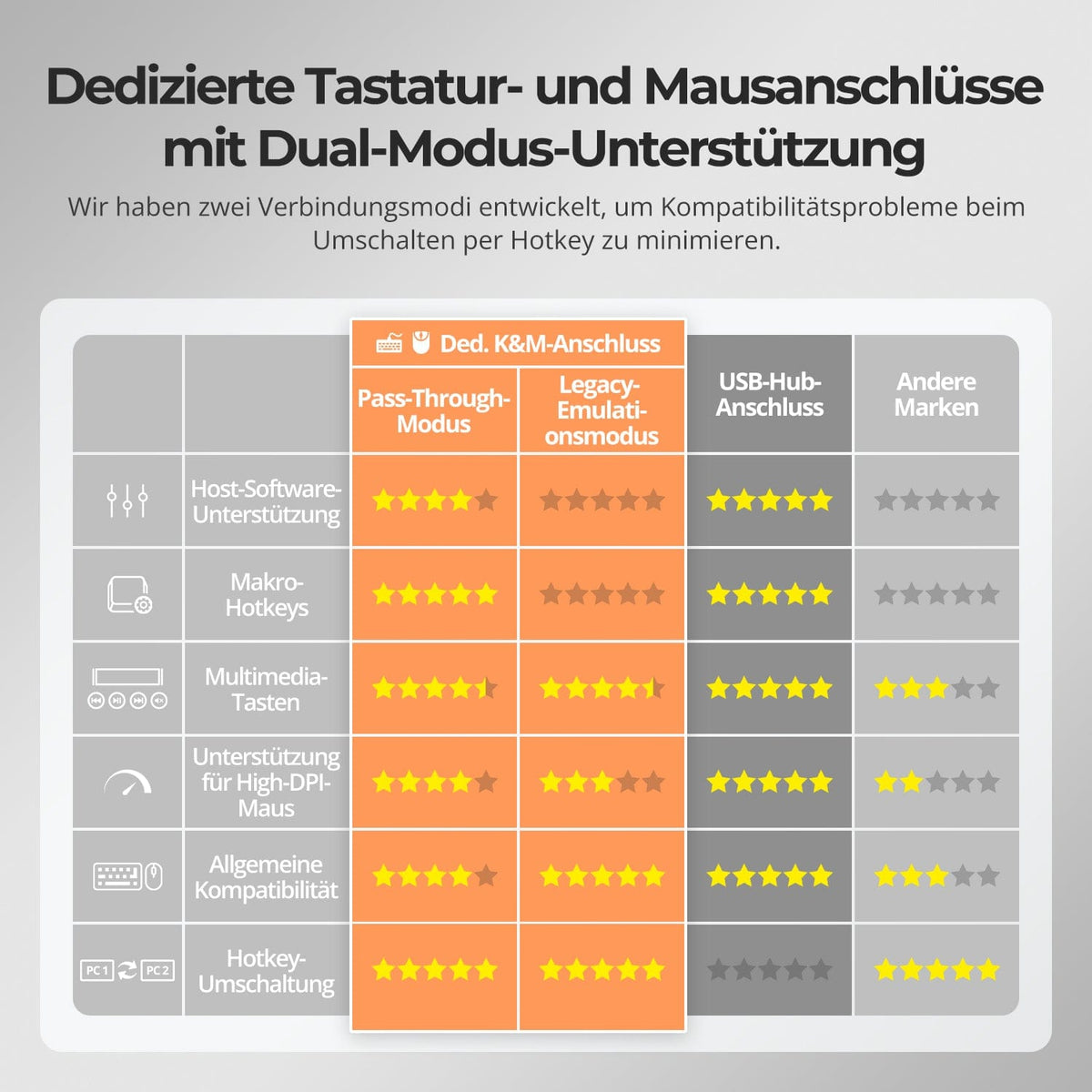
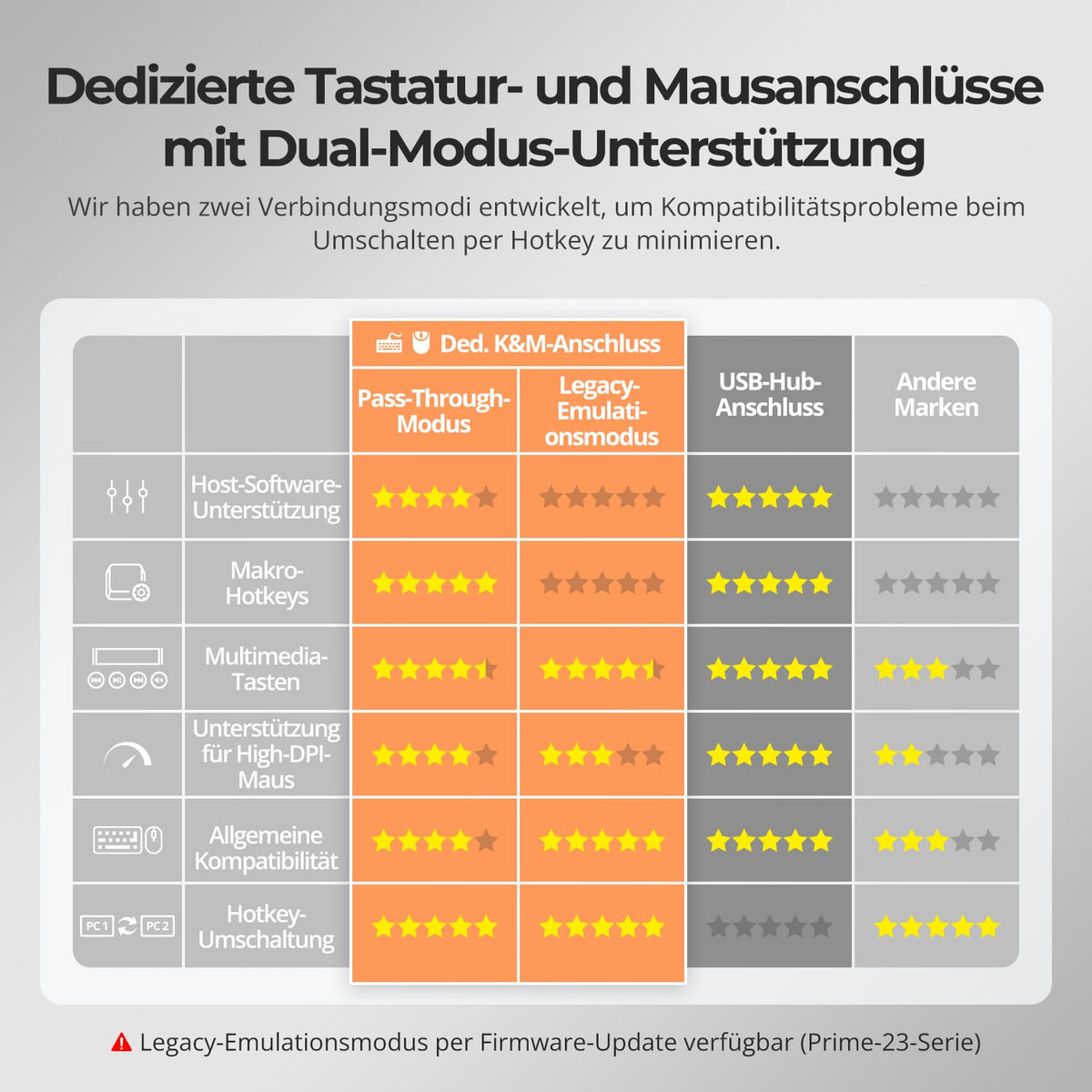
Als de sneltoetsen werken, druk dan twee keer op de rechter Ctrl-toets en vervolgens op F2 voor de Legacy Emulation Mode. Als er geen reactie is of de problemen aanhouden, neem dan contact op met de TESmart-ondersteuning.
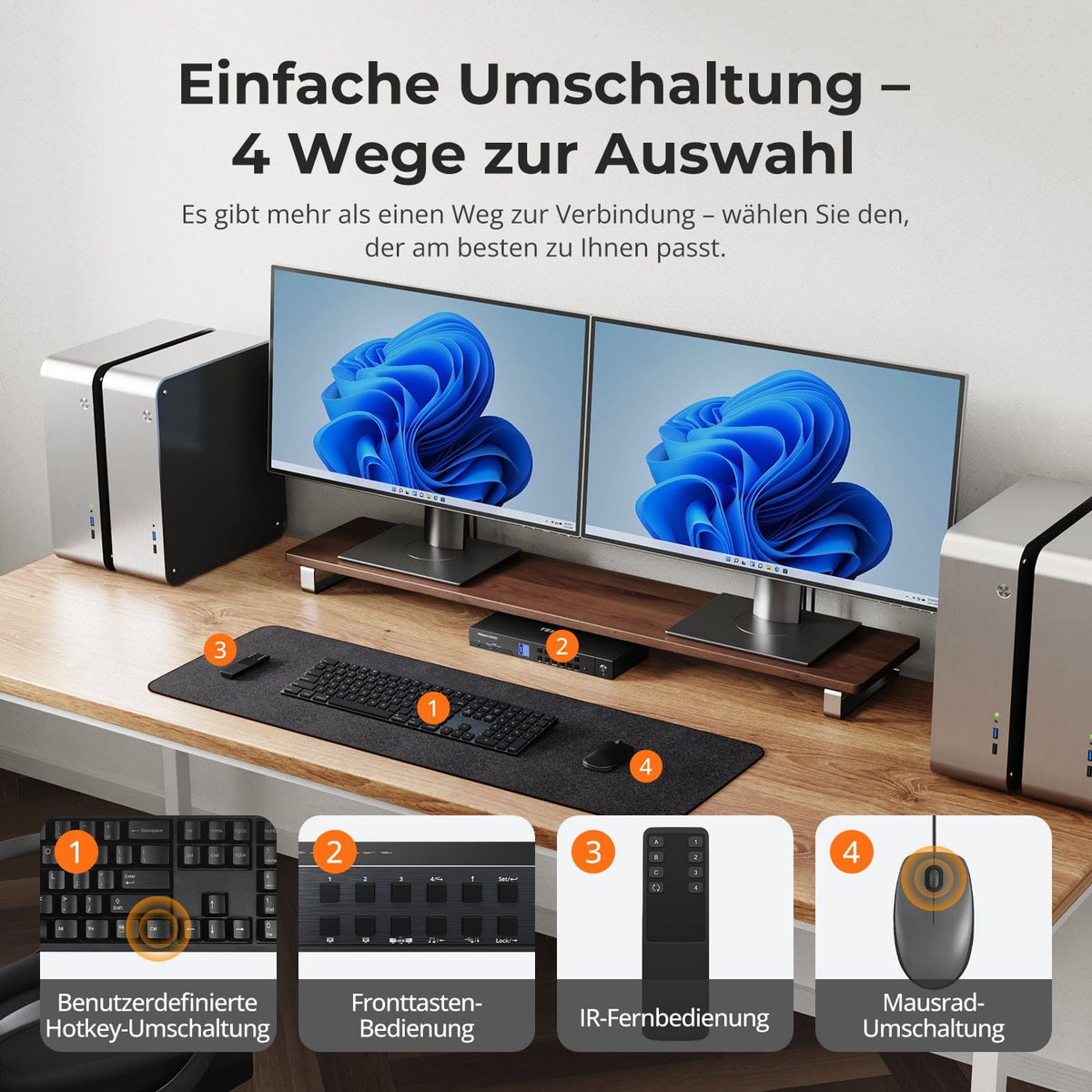
[Schakelaar] Hoe schakel ik tussen computers?
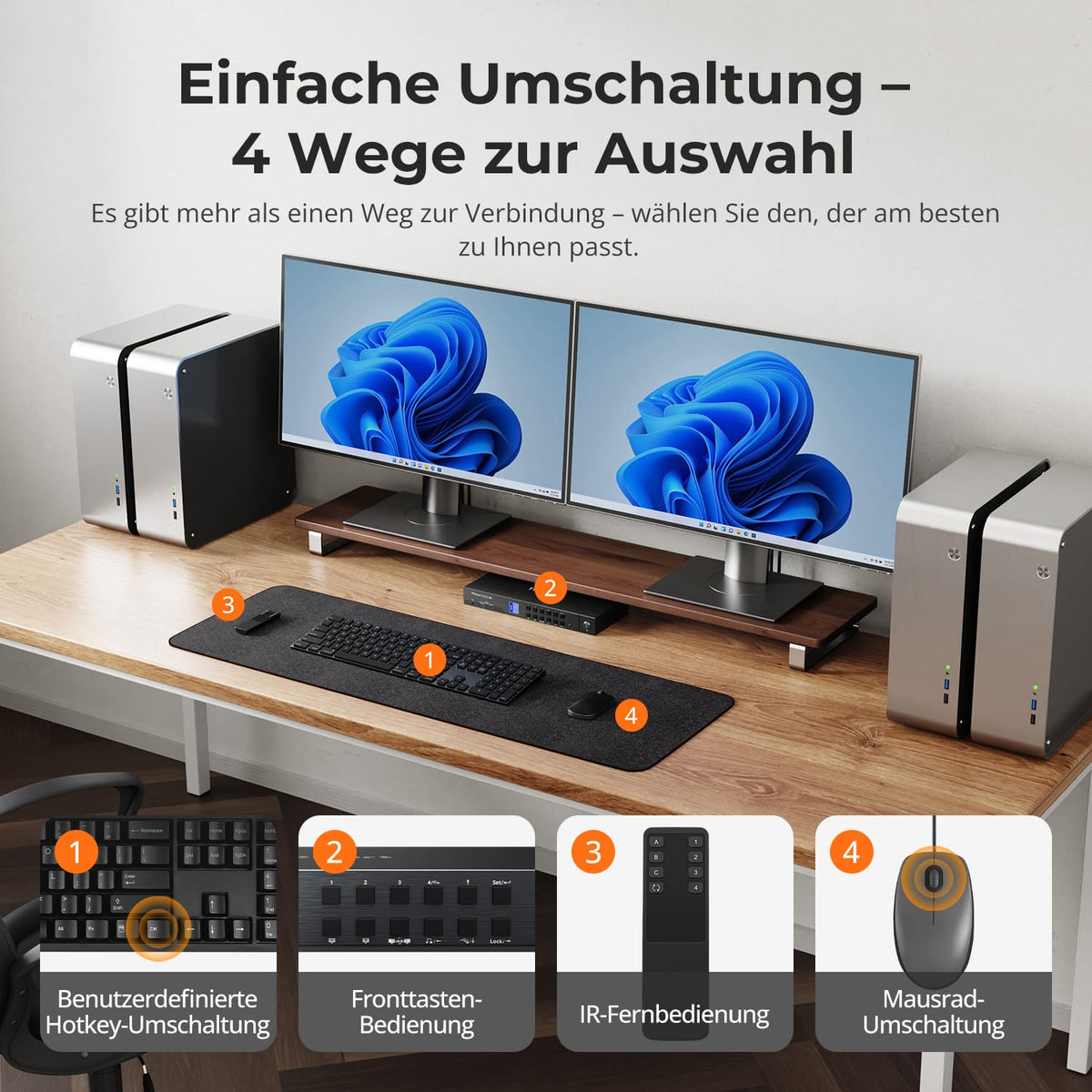
Via het bedieningspaneel, de infraroodafstandsbediening, sneltoetsen of het muiswiel. De muiswielfunctie is standaard uitgeschakeld en moet eerst worden geactiveerd.
[Functies] Hoe stel ik de ventilator af?
Druk twee keer op de rechter Ctrl-toets en vervolgens op F3. De standaardfirmware biedt de standen Uit, Hoog en Automatisch; Automatisch is de standaardstand. De geoptimaliseerde firmware voegt een vierde ventilatorstand toe.
[Meubels] Waarom werken het toetsenbord en de muis niet naar behoren?
Als de sneltoetsen werken, druk dan twee keer op de rechter Ctrl-toets en vervolgens op F2 voor de Legacy Emulation Mode. Als er geen reactie is of de problemen aanhouden, neem dan contact op met de TESmart-ondersteuning.
