







THK401-X4-EUBK
4-Port KVM for Apple Studio Display – Up to 6K@60Hz / 5K@120Hz, Compatible with Thunderbolt™ 4 and HDMI devices
- Regulärer Preis
-
€770,19 - Regulärer Preis
-
€770,19 - Verkaufspreis
-
€770,19
Abholverfügbarkeit konnte nicht geladen werden
Überblick & Highlights
Why you'll love it:
- Designed for Apple Studio Display – Seamless sharing of 5K@60Hz across multiple devices
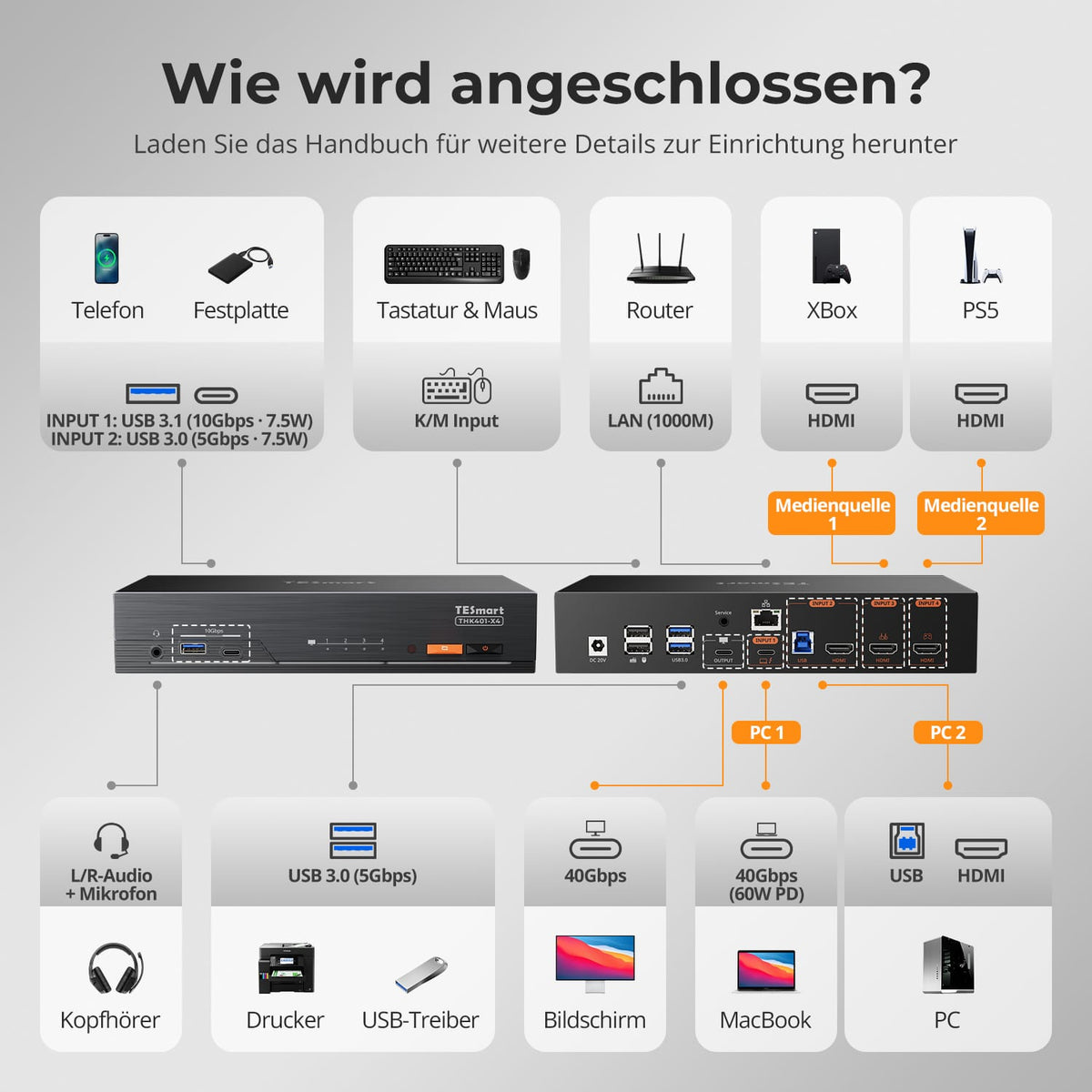
- Compatible with Thunderbolt 4 & HDMI – Works with Mac (Thunderbolt 4), PC (HDMI+DP), consoles (HDMI) and media players
- Crystal-clear output - Up to 6K@60Hz oder 5K@120Hz
- Single-cable solution – Data, display and 60W charging for supported laptops
- Intelligent switching – Hotkey control, including studio display volume. Also possible via button, IR remote control and mouse wheel.&
- Joint high-speed-USB & Expansion - 10Gbit/s/5Gbit/s, Gigabit Ethernet (1000Mbit/s), L/R audio + microphone.
- Perfect for professionals – Creatives, developers, multi-device workflows
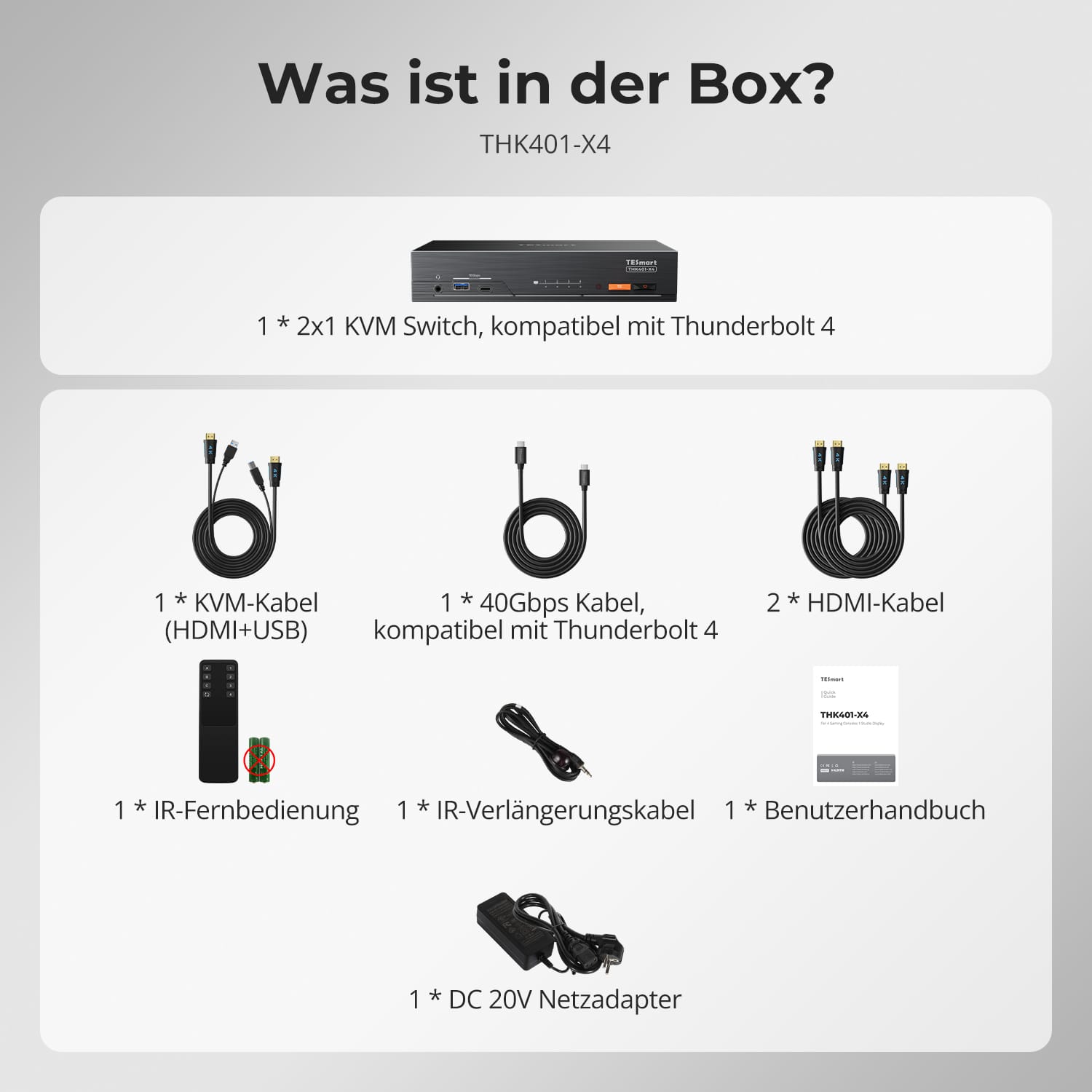
Lieferumfang
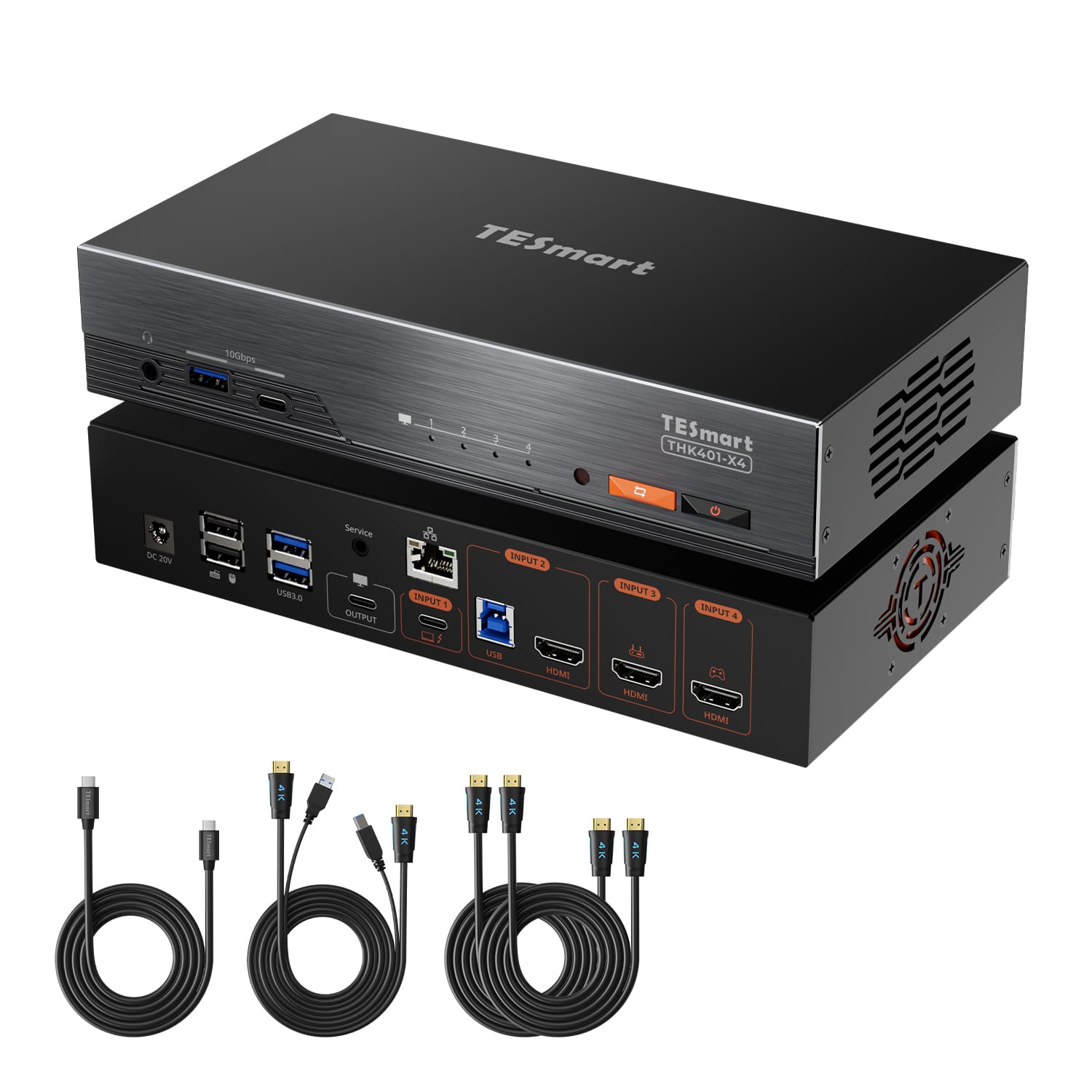
- 1 * 4X1 Thunderbolt KVM-Switch
- 1 * KVM-Kabel (HDMI + USB)
- 1 * Thunderbolt 4 Kabel
- 2 * HDMI-Kabel
- 1 * IR-Fernbedienung
- 1 * IR-Verlängerungskabel
- 1 * DC 20V Netzteil
- 1 * Benutzerhandbuch
Downloads & Bedienungsanleitung


Our shipping policy consists of the following 7 sections:
Order processing time (shipping lead time)
- Shipping costs & Delivery time
- Order tracking
- Delayed shipments
- Order cancellations
- Steer & Customs duties
- Contact us
1. Order processing time
The order processing time refers to the period from the time of the order until the order is handed over to the shipping service provider.
• Orders are usually shipped within 1-2 working days after confirmation/payment.
• Orders placed on weekends may be subject to delays.
• Our warehouse operates Monday to Friday during regular business hours (excluding public holidays). In such cases, we will make every effort to minimize shipping delays.
We have warehouses in Germany and other regions. Your order will be shipped directly from the nearest warehouse, depending on your delivery address. If the nearest warehouse does not have the product in stock, we will ship your order from another nearby warehouse to ensure you receive it as quickly as possible.
Shipping to the United Kingdom 🇬🇧
To ensure smooth delivery and correct customs clearance, orders from the United Kingdom are processed through our US shop.
Orders to UK addresses cannot be shipped via our EU shop.
2. Shipping costs & Delivery time
| Country or region | Estimated delivery time | Shipping costs | Logistics service provider |
| Germany | 3 working days | Free Shipping | DHL |
| Other EU countries | 3-7 working days | Free Shipping | DHL/DPD |
| Non-EU countries | 5-12 working days | From 60 euros | UPS |
3. Order tracking
4.Delayed shipments
5. Order Cancellation
6. Taxes & Customs duties
7. Contact us
- TESmart orders are processed automatically. Once shipped, they cannot be canceled or changed, including address changes.
- If you wish to return or request a refund, please contact us within 30 days of receiving the product at service@tesmart.de.
- Returns are only possible if the product is unused, complete and in its original packaging.
- For returns not due to quality issues, the customer bears the return shipping costs.
- TESmart will cover the return shipping costs for returns or refunds due to quality issues.
- Products that are searched for 30 days and within 2 years Items exhibiting problems cannot be returned, but depending on inspection, they can be repaired or replaced (same model only, replacements preferred for members).
- Between the 2nd and 3rd. No return or refund service is offered this year. Members can after 3 months A discount of [amount] will be granted from the date of purchase as part of the trade-in policy. up to 50% You will receive a refund of the original product price towards the purchase of a new product. For detailed terms and conditions, please visit: https://tesmart.de/pages/tesmart-id-trade-in
- Refunds will be processed within 5 working days of the goods being received at the warehouse.
For questions: service@tesmart.de
Full guidelines:

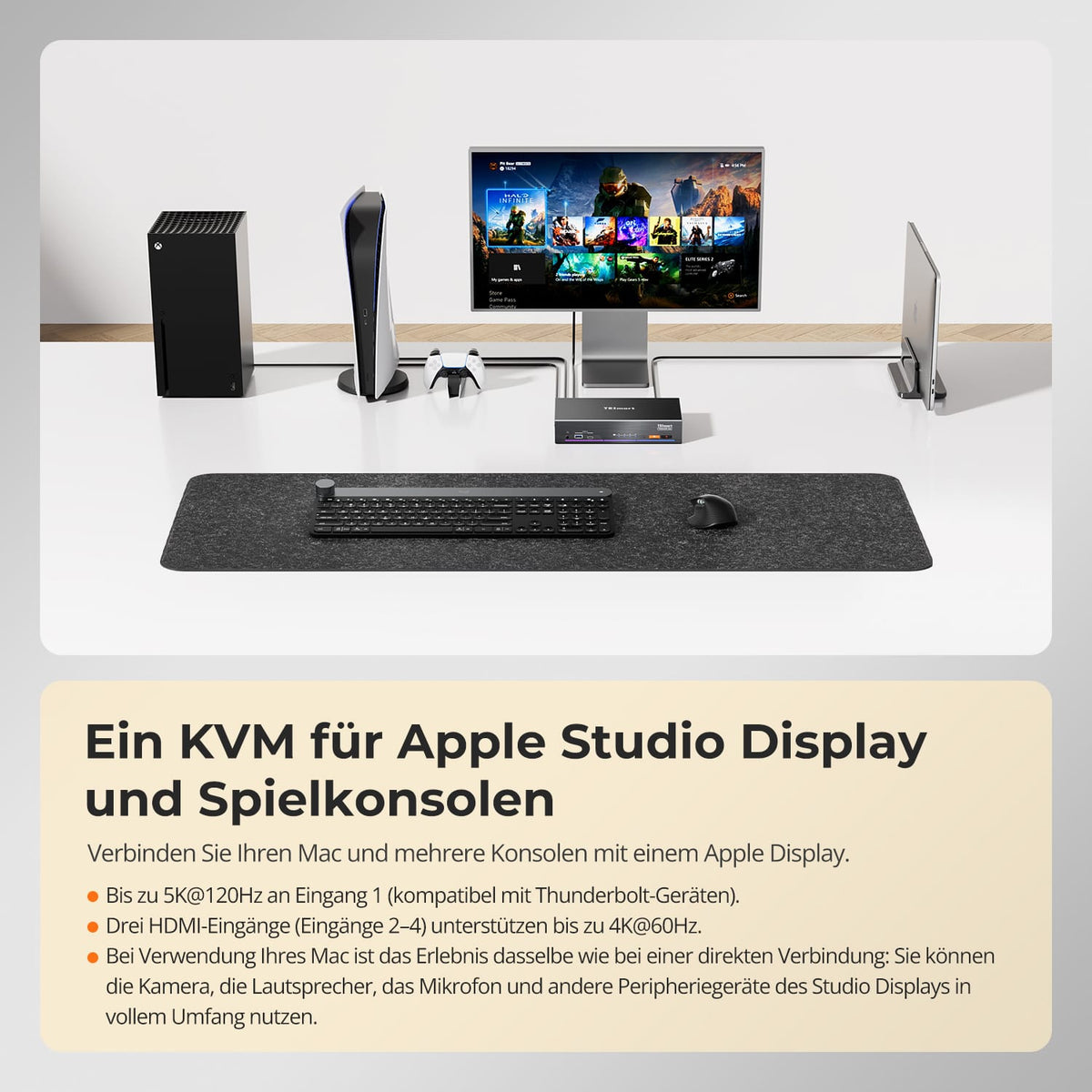
Ein KVM, entwickelt für Apple Studio Display und Spielkonsolen
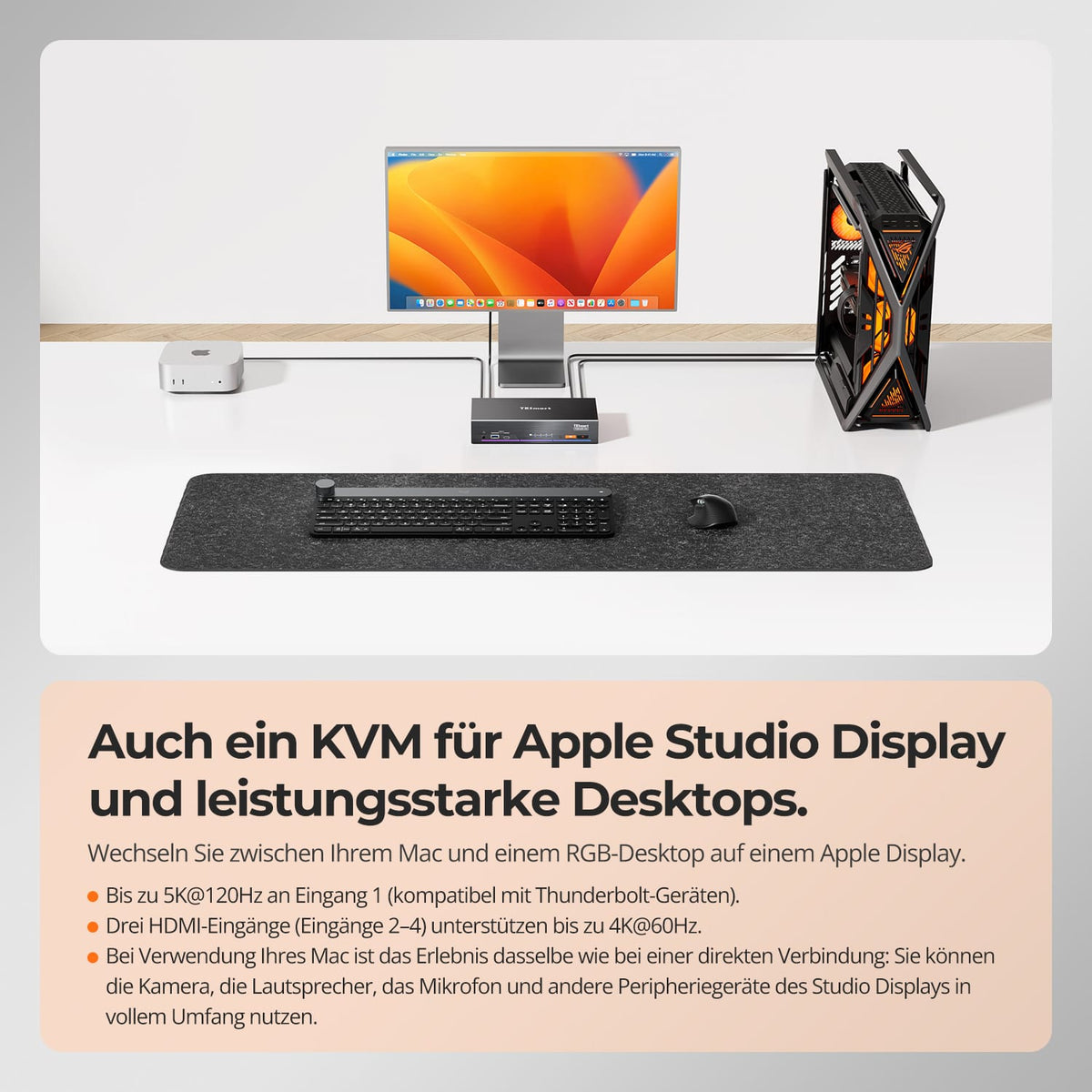
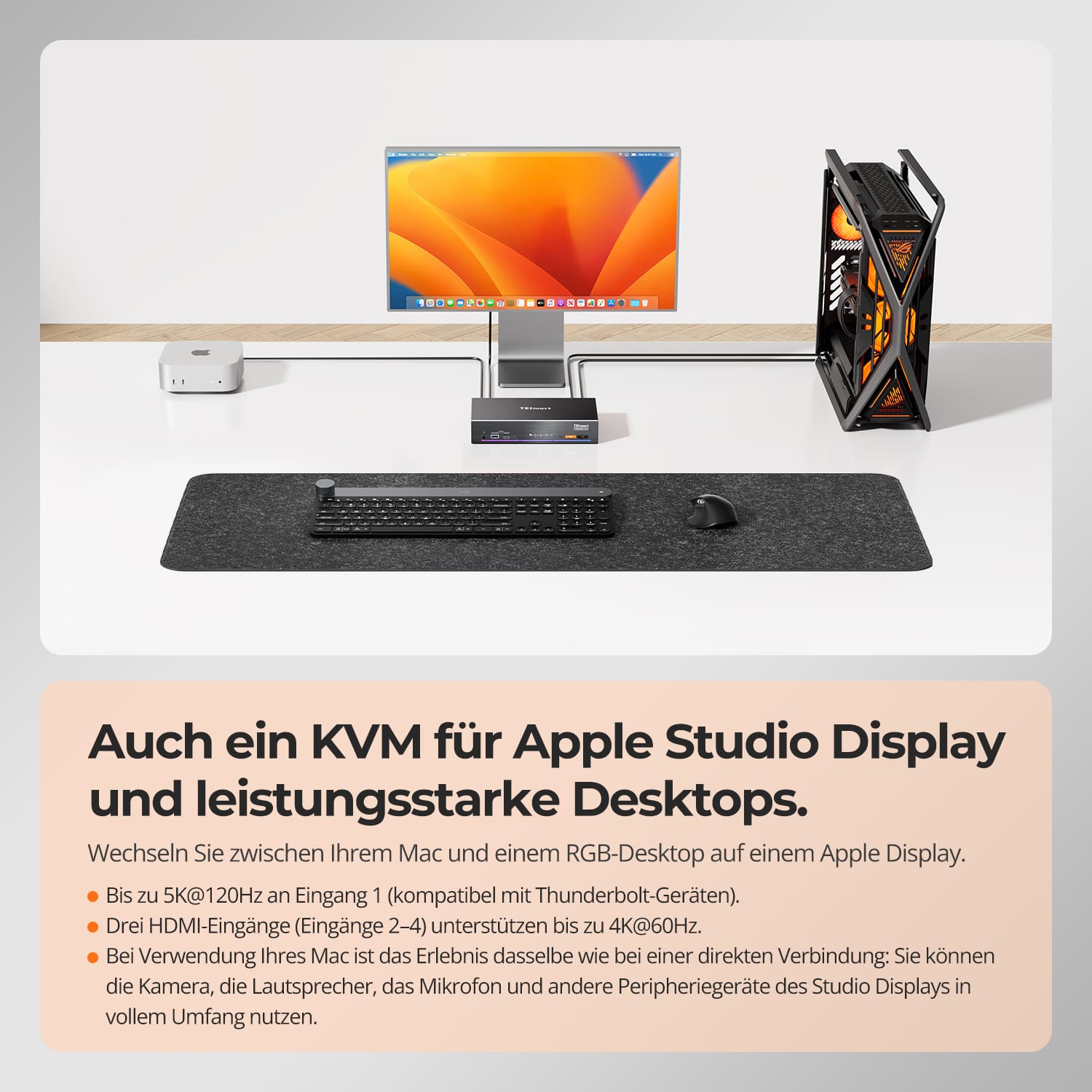
Auch ein KVM für Apple Studio Display und leistungsstarke Desktops
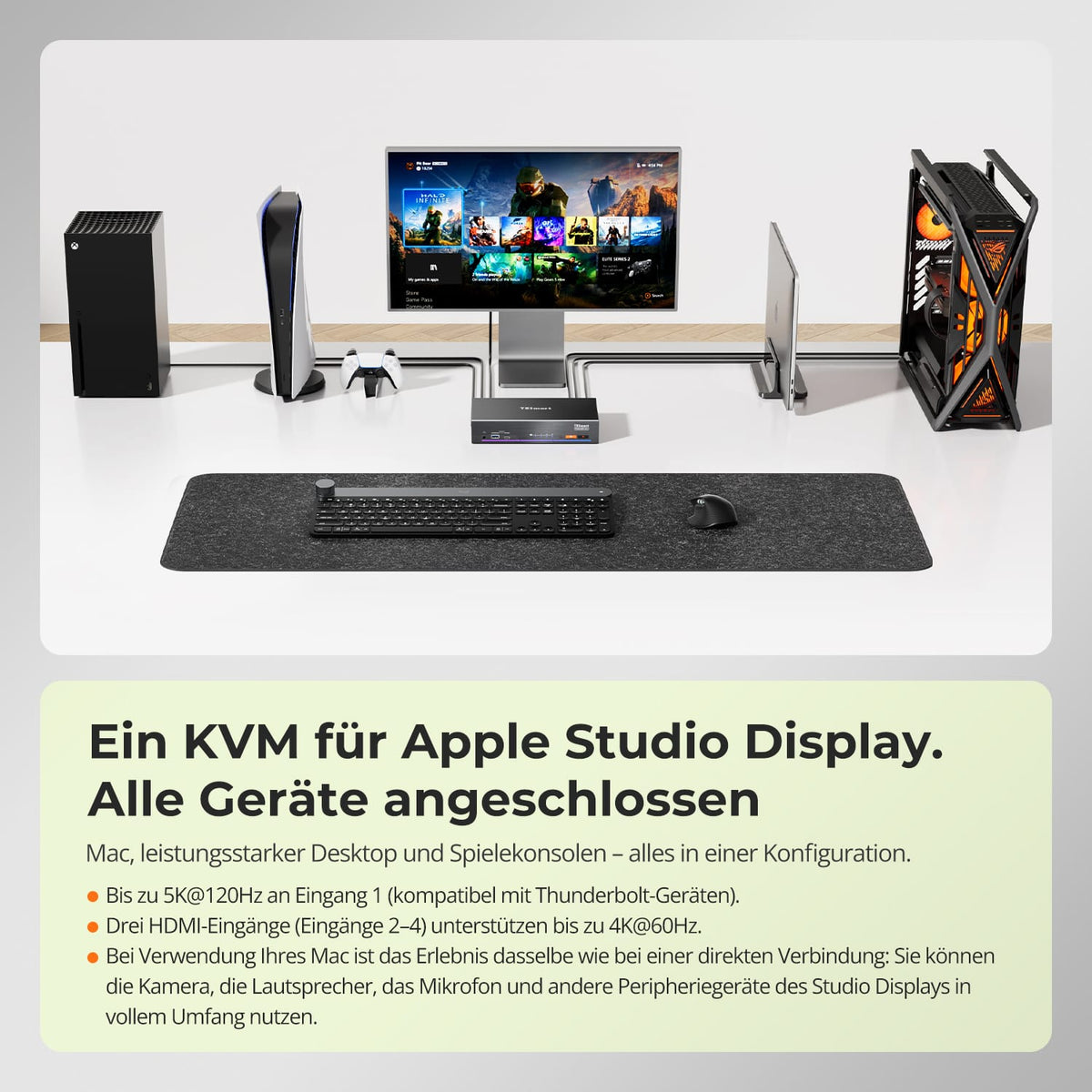
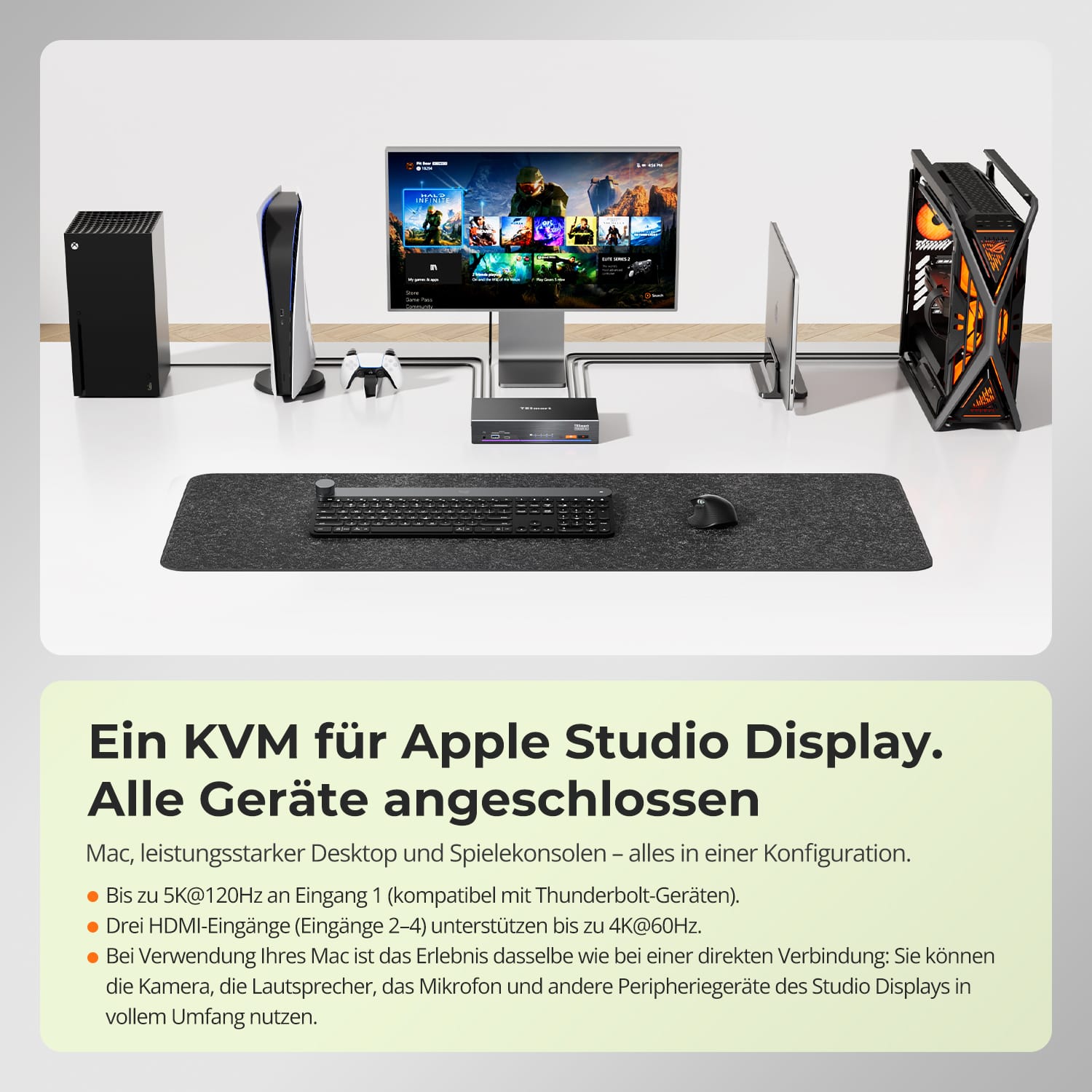
Ein KVM für Apple Studio Display. Jedes Gerät angeschlossen.
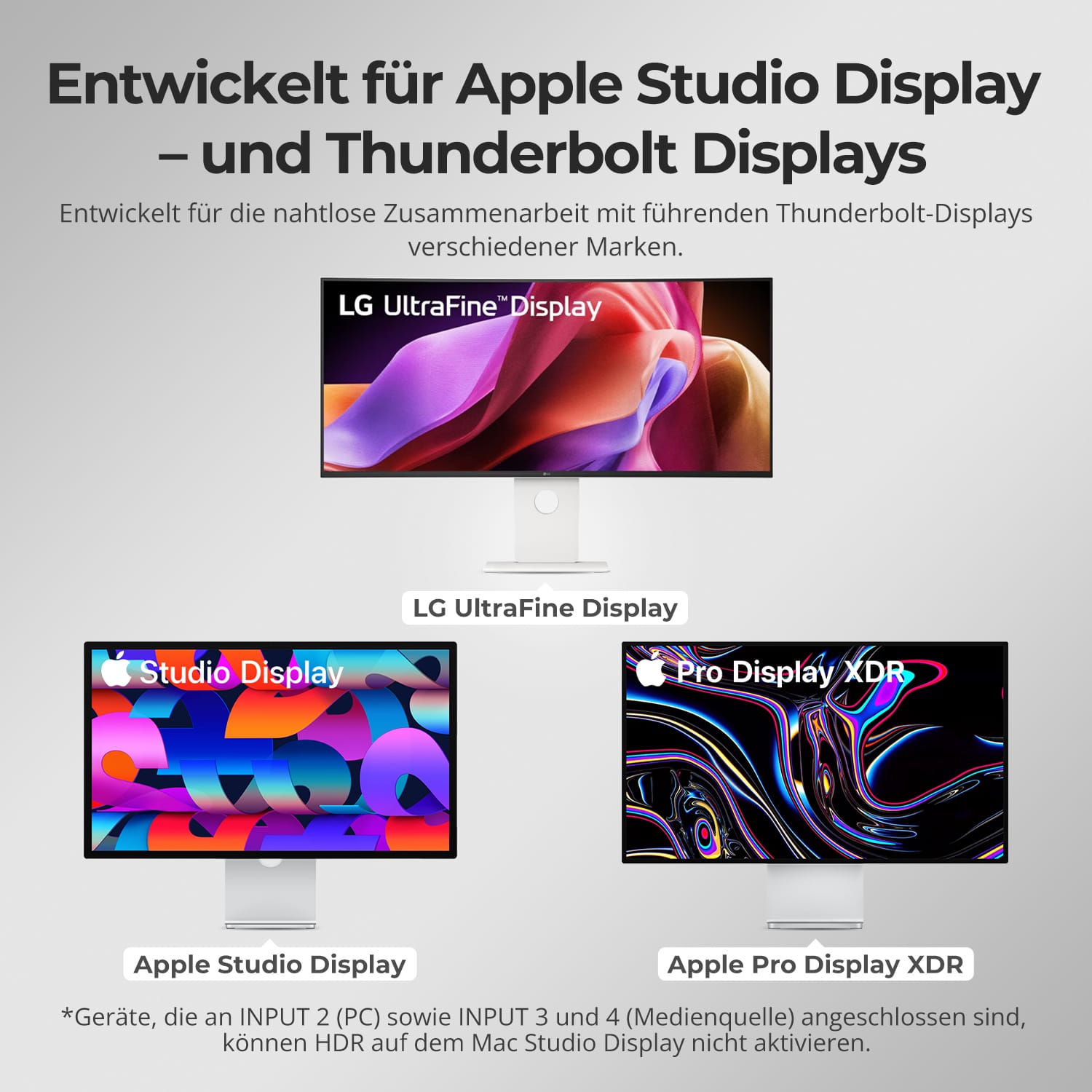
Entwickelt für Apple Studio Display — und Thunderbolt Displays
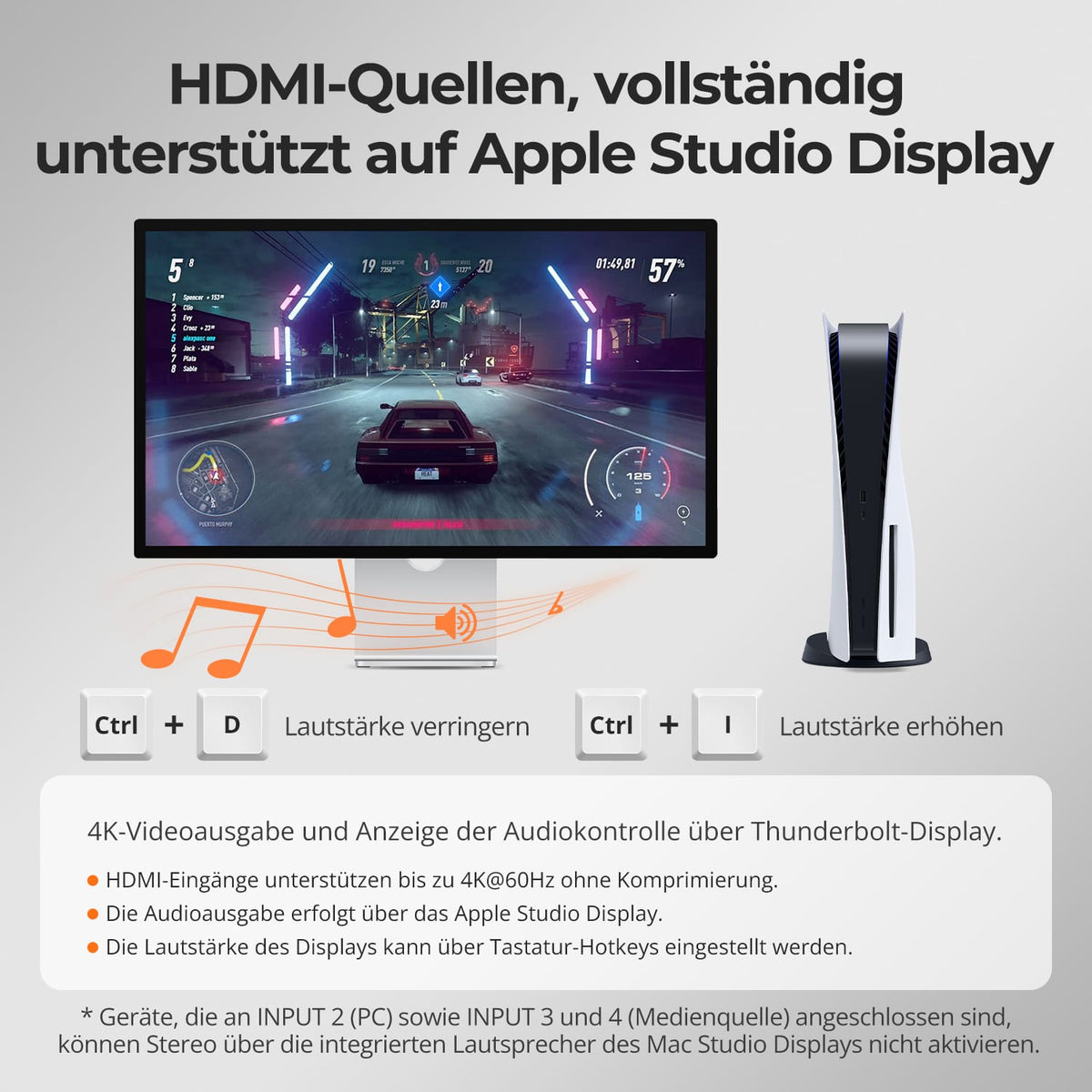
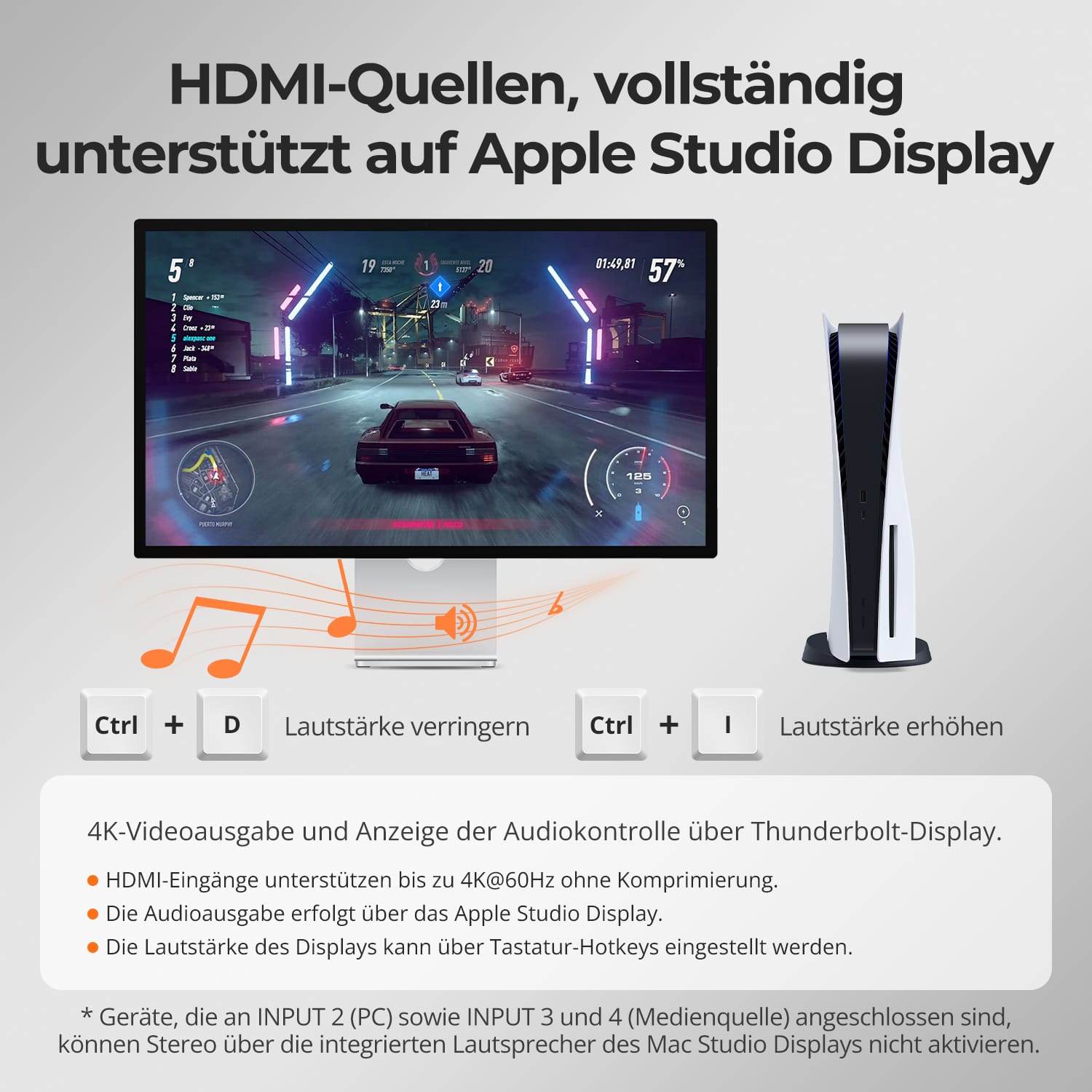
HDMI-Quellen, vollständig unterstützt auf dem Apple Studio Display
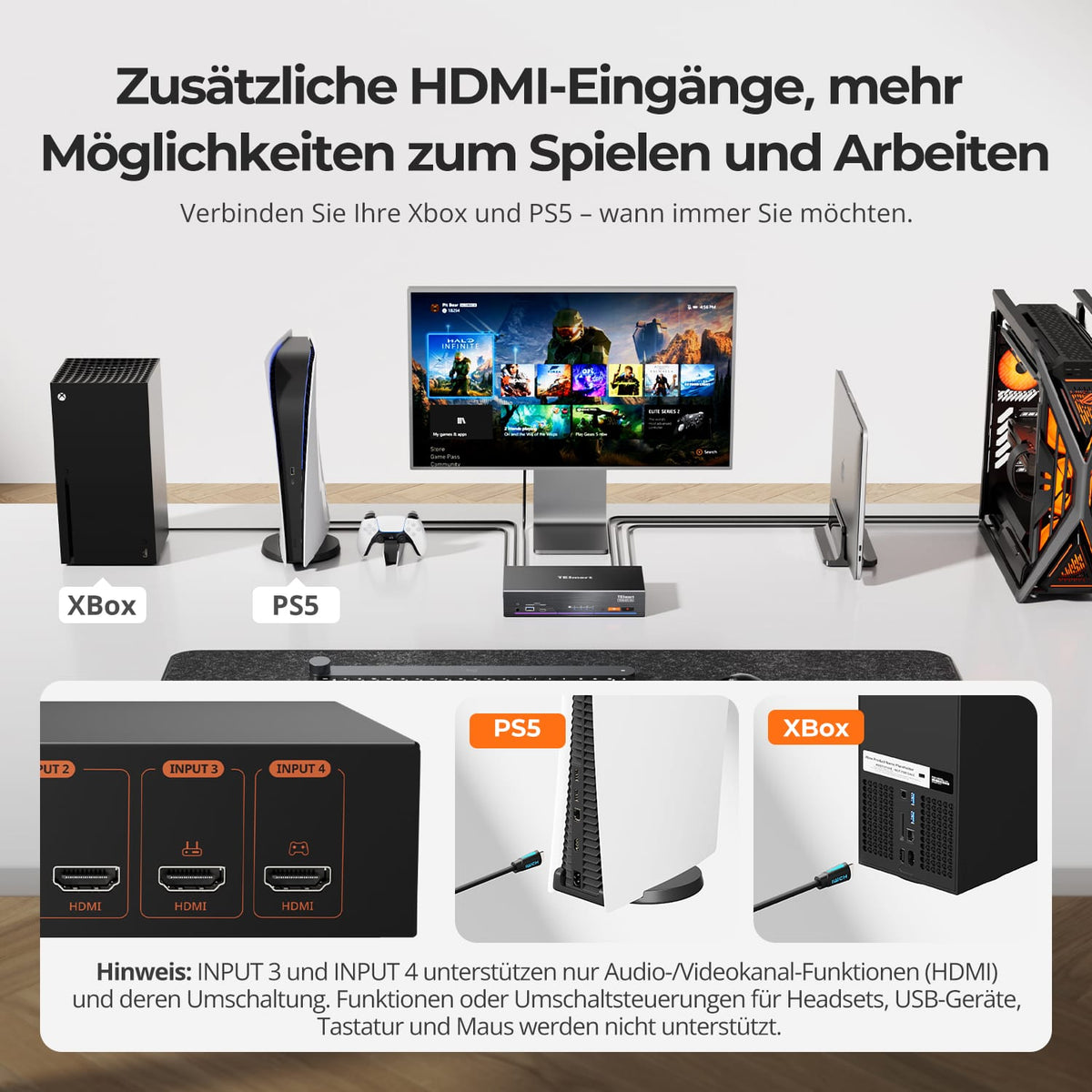
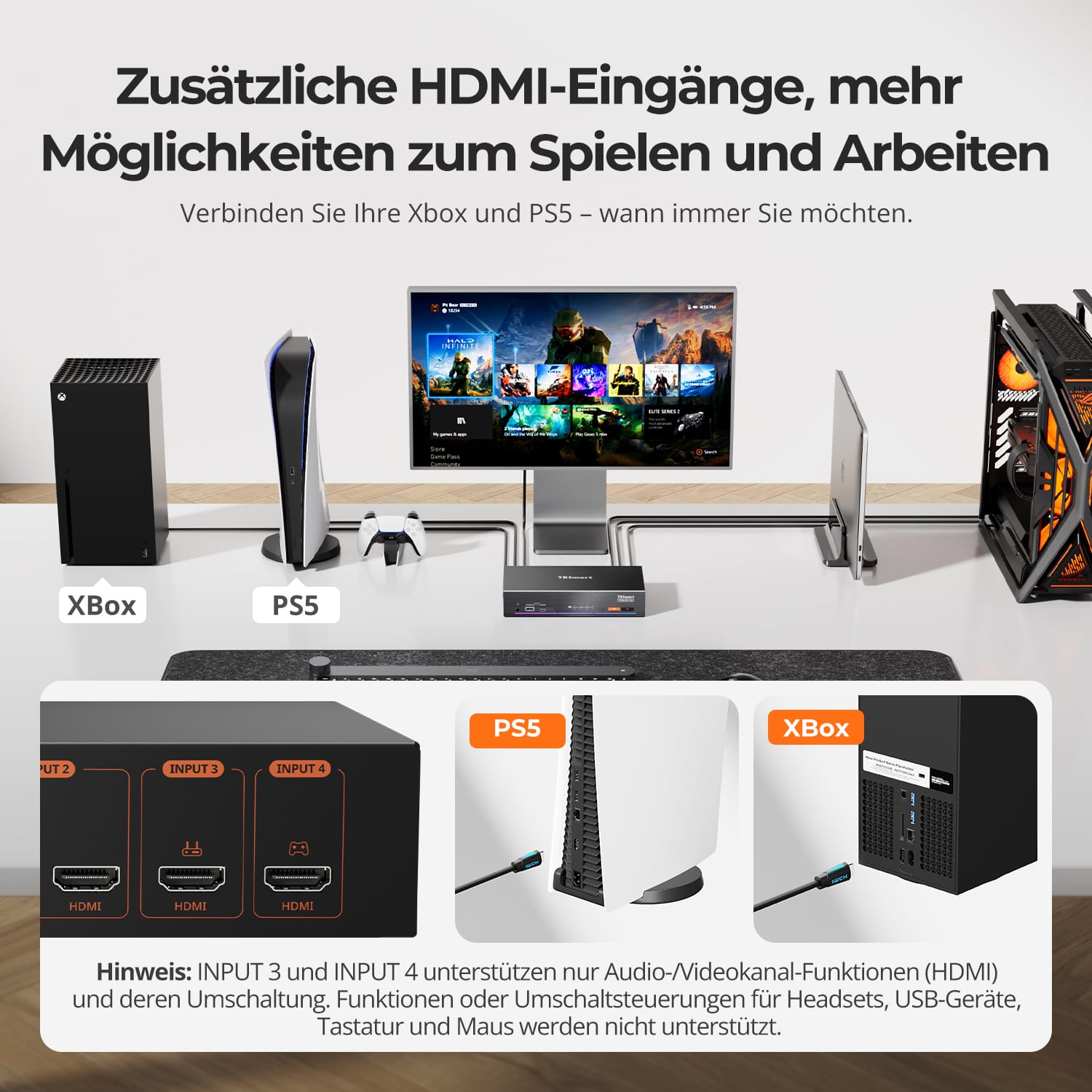
Zusätzliche HDMI-Eingänge, mehr Möglichkeiten zum Spielen und Arbeiten
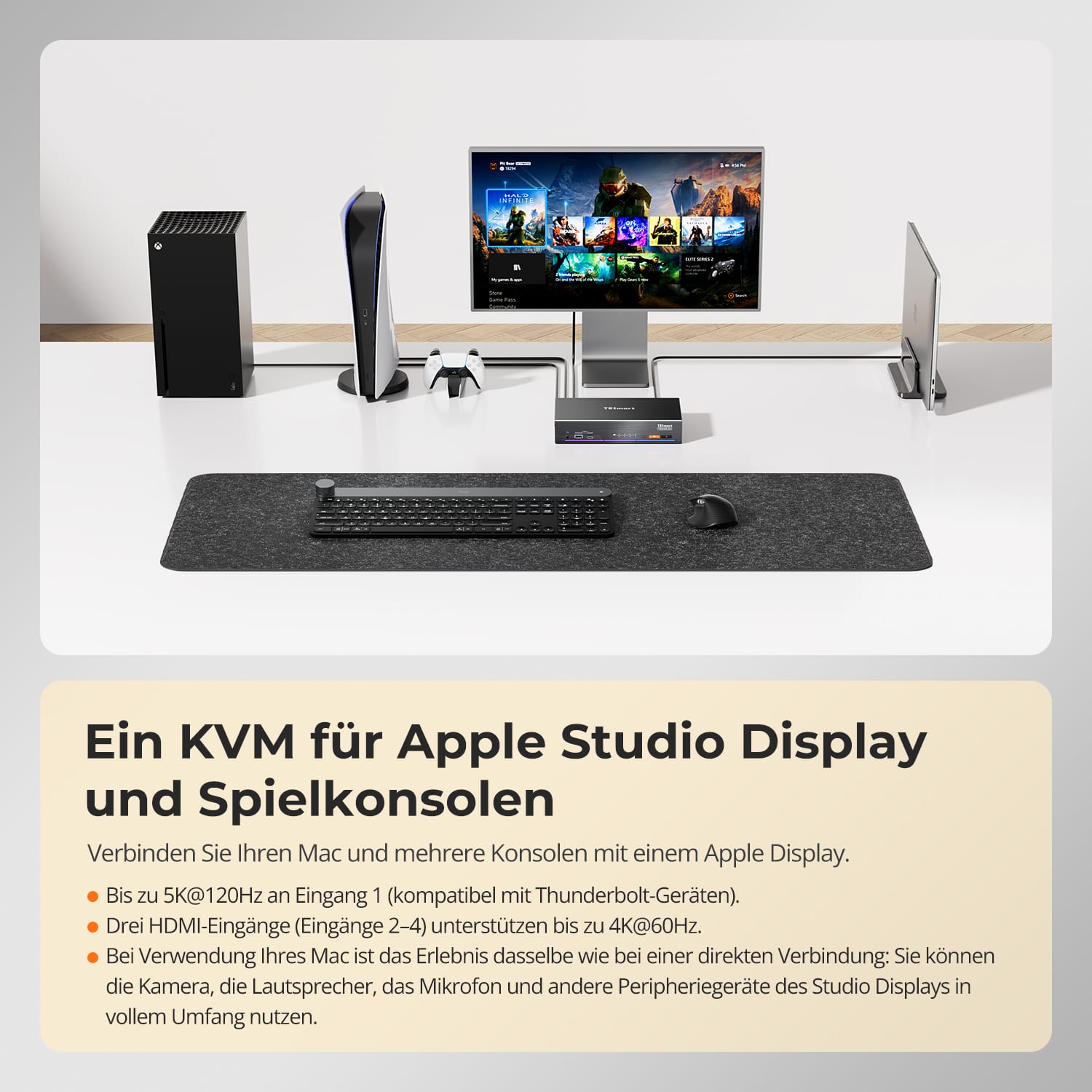
Verbinden Sie Ihr MacBook, PS5, Xbox und mehr mit einem einzigen Apple Studio Display – ohne ständiges Umstecken von Kabeln.
• Eingang 1 unterstützt bis zu 5K@120Hz (kompatibel mit Thunderbolt-Geräten)
• HDMI-Eingänge 2–4 unterstützen bis zu 4K@60Hz
• Funktioniert mit Kamera, Lautsprechern und Mikrofon des Apple Studio Displays
• Wechseln Sie zwischen Arbeit und Spielen an einem hochwertigen Display
• Entwickelt für gemischte Mac- und Konsolen-Setups
Entwickelt für Benutzer, die unter macOS arbeiten und auf leistungsstarken Desktops spielen – alles an einem einzigen Apple Display.
• Unterstützt Mac- und HDMI-Desktop-Umschaltung
• Eingang 1 unterstützt bis zu 5K@120Hz
• HDMI-Eingänge 2–4 unterstützen bis zu 4K@60Hz
• Behält die Peripheriegeräte des Apple Studio Displays auf dem Mac bei
• Ideal für hybride Arbeits- und Gaming-Setups
Verbinden Sie Ihr MacBook, Ihren Gaming-Desktop und Ihre Konsolen mit einem einzigen Apple Studio Display – mit nahtlosem Umschalten.
• Ein Display für Arbeit, Gaming und Unterhaltung
• Bis zu 5K@120Hz an Eingang 1
• Drei HDMI-Eingänge unterstützen bis zu 4K@60Hz
• Reduziert Kabelchaos über alle Geräte hinweg
• Entwickelt für moderne Arbeitsabläufe mit mehreren Geräten
Konzipiert für hochwertige Thunderbolt-Display-Setups bei Apple und anderen führenden Display-Marken.
• Kompatibel mit Apple Studio Display
• Unterstützt Pro Display XDR und LG UltraFine Displays
• Entwickelt für moderne Thunderbolt-Display-Workflows
• Sauberes Umschalten zwischen mehreren Systemen
• Professionelles, desktop-orientiertes Design
*Geräte, die an die EINGÄNGE 2–4 angeschlossen sind, können HDR auf dem Apple Studio Display nicht aktivieren.
Schließen Sie HDMI-Geräte an das Apple Studio Display an – mit Audioausgabe und Unterstützung der Lautstärkeregelung über die Tastatur.
• HDMI-Eingänge unterstützen bis zu 4K@60Hz
• Audioausgabe über die Lautsprecher des Apple Studio Displays
• Unterstützt Tastatur-Hotkeys zur Lautstärkeregelung
• Ideal für Konsolen und Windows-Desktops
• Vereinfacht gemischte HDMI- + macOS-Setups
*Geräte, die an die EINGÄNGE 2–4 angeschlossen sind, können kein Stereo über die Display-Lautsprecher aktivieren.
Schließen Sie weitere Geräte wie Xbox, PS5, Desktops und Streaming-Boxen an Ihr Apple Studio Display an.
• Zwei zusätzliche HDMI-Eingänge für mehr Flexibilität
• Schnelles Umschalten zwischen Geräten
• Perfekt für Gaming und Unterhaltung
• Reduziertes Kabelumstecken an Ihrem Schreibtisch
• Erweitert die Nutzungsmöglichkeiten Ihres Apple Displays


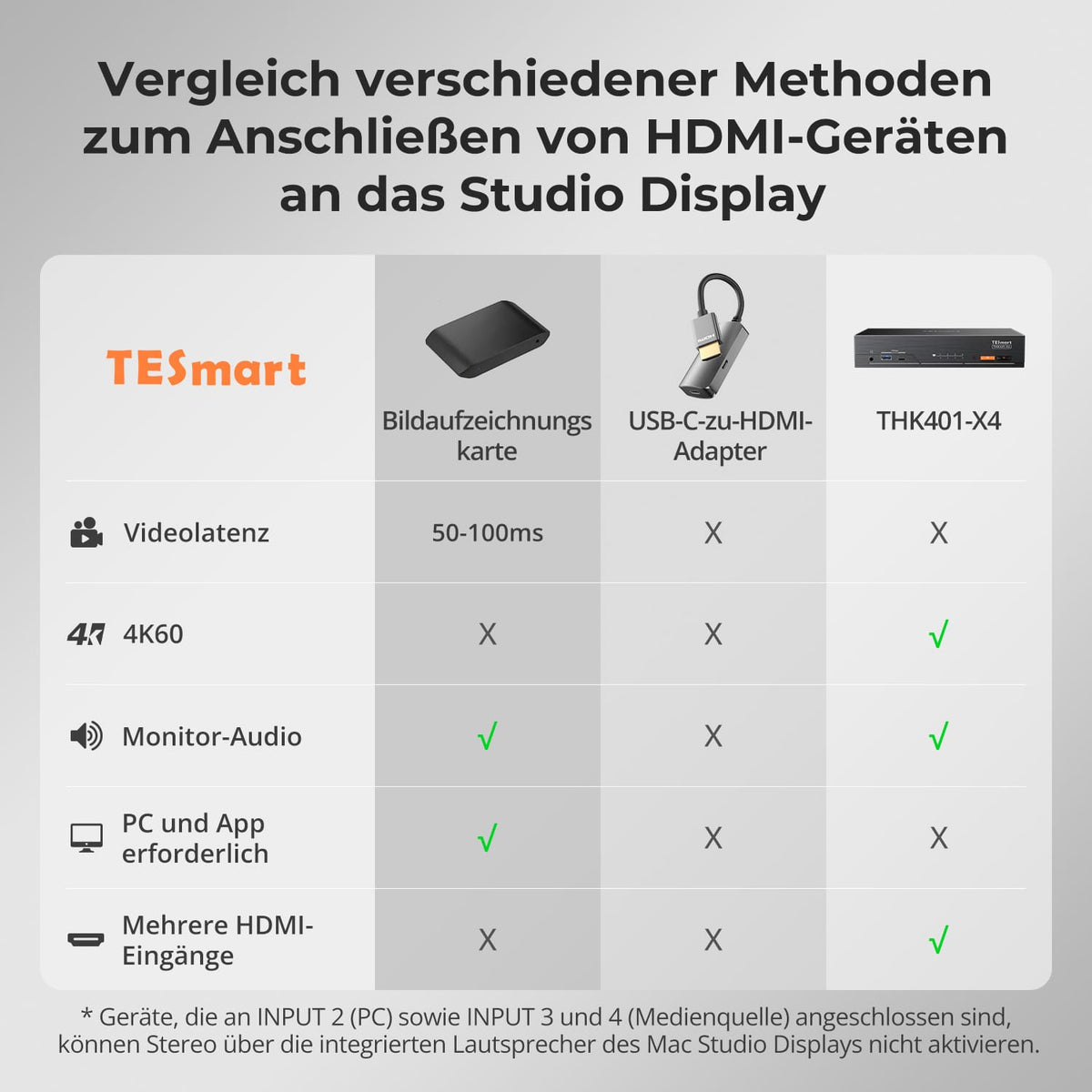
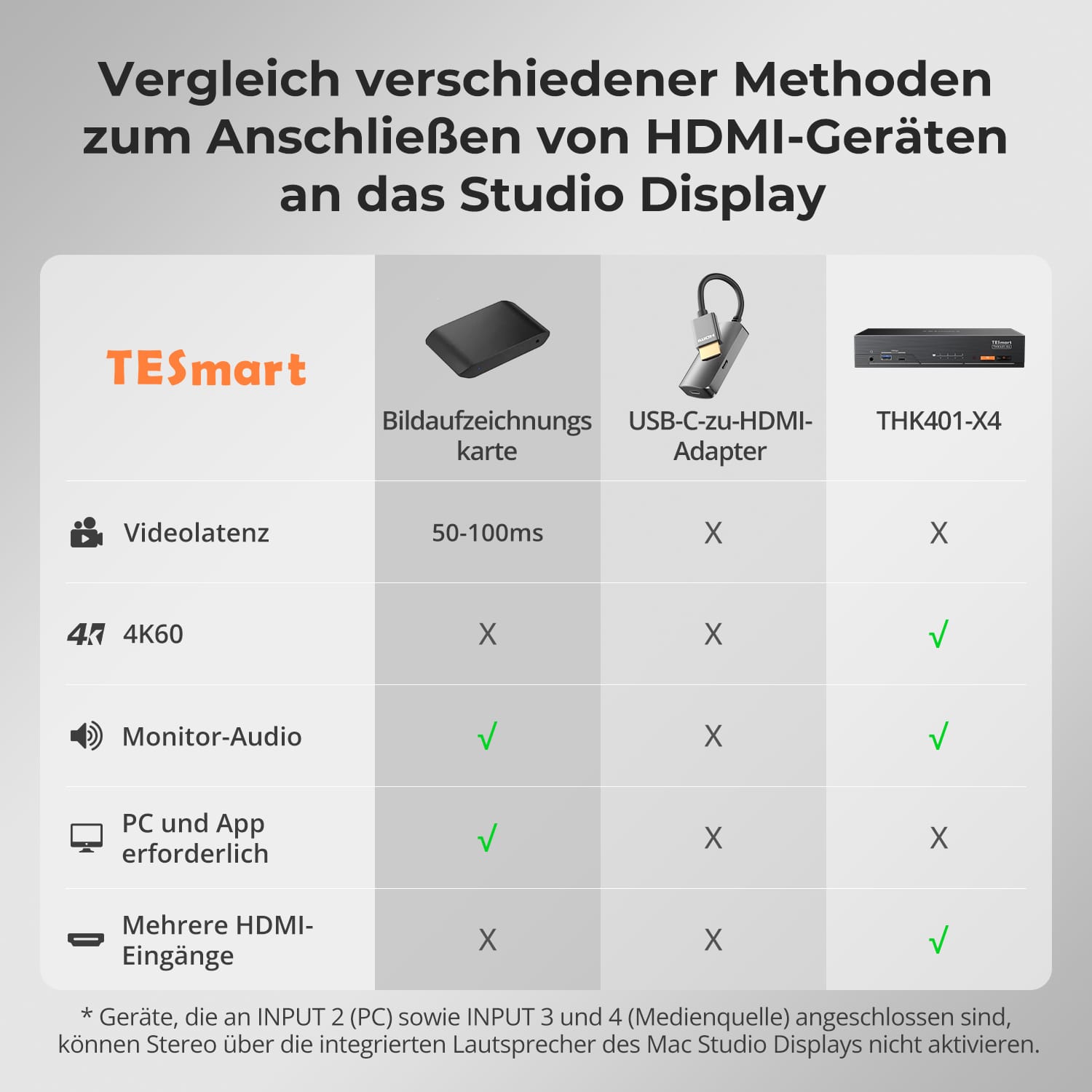
Vergleich verschiedener Methoden zum Anschluss von HDMI-Geräten an das Studio Display
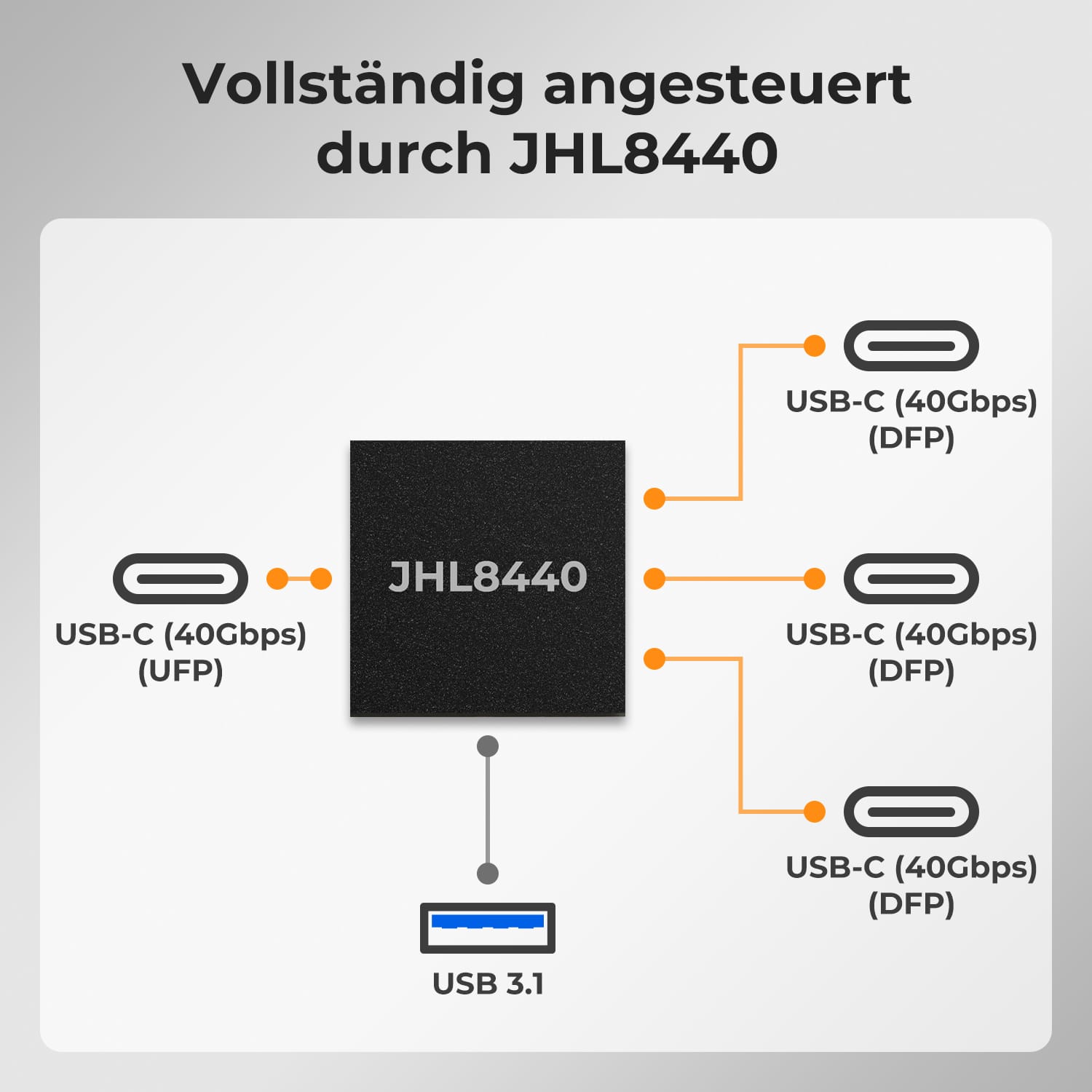
Vollständig angetrieben von JHL8440
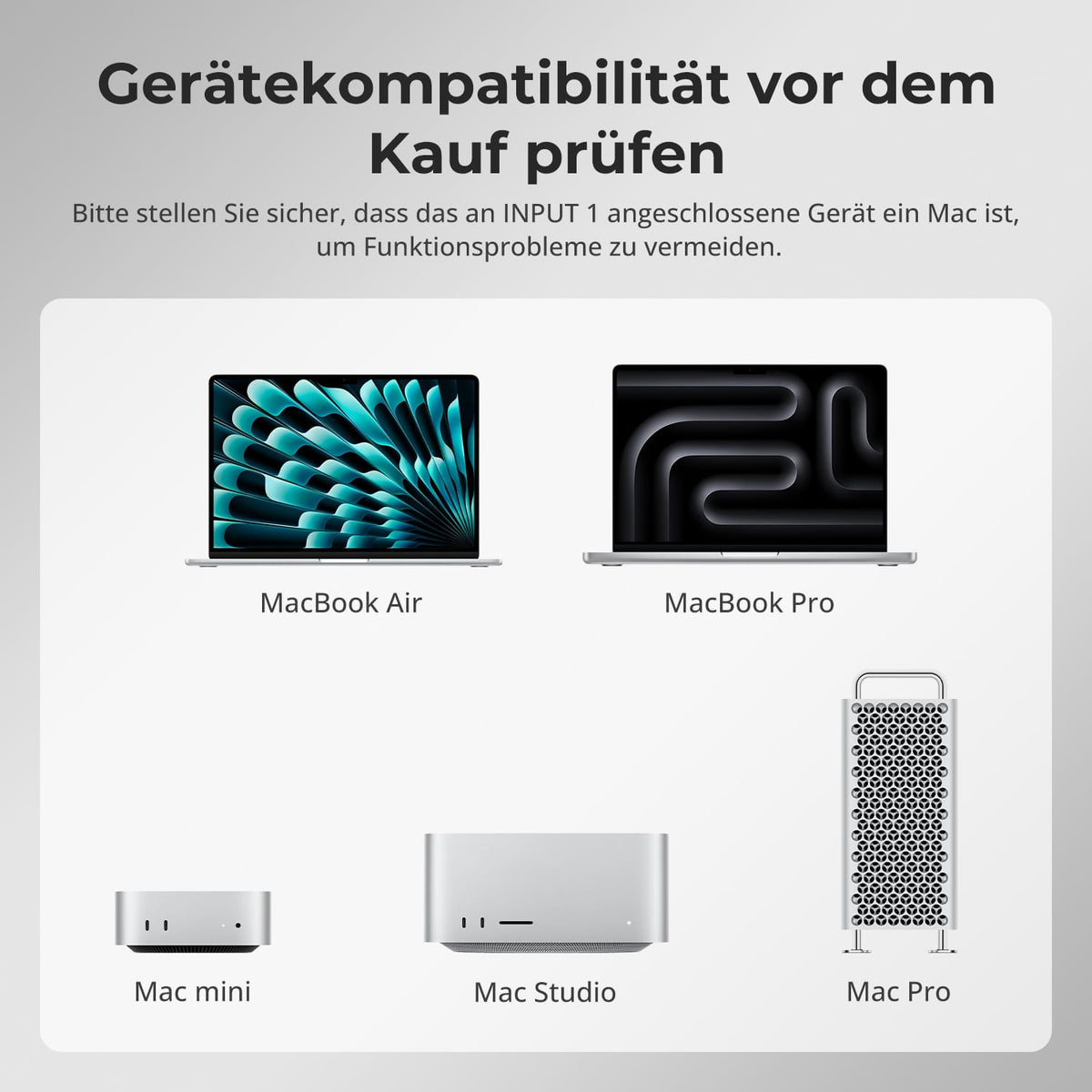
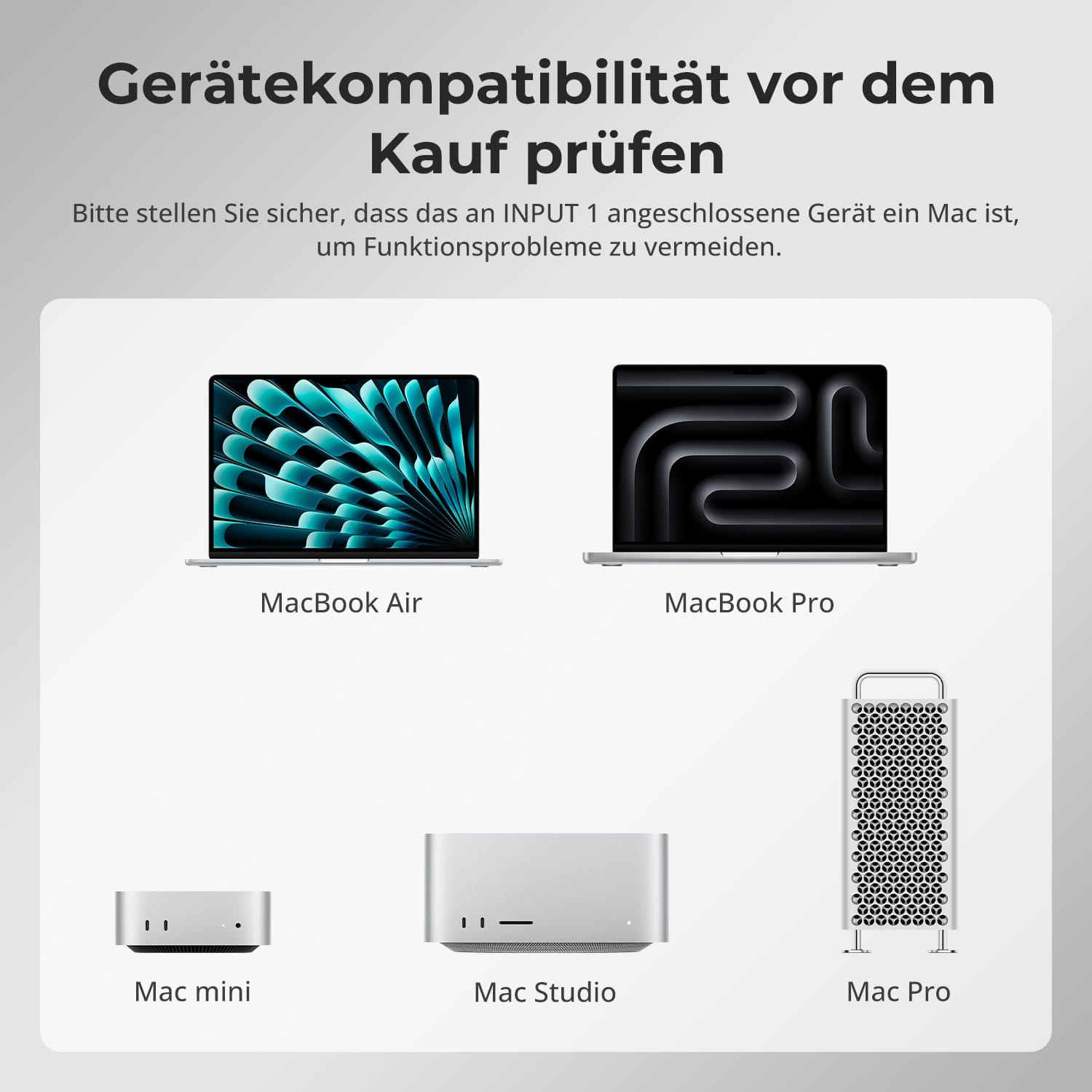
Überprüfen Sie die Gerätekompatibilität vor dem Kauf
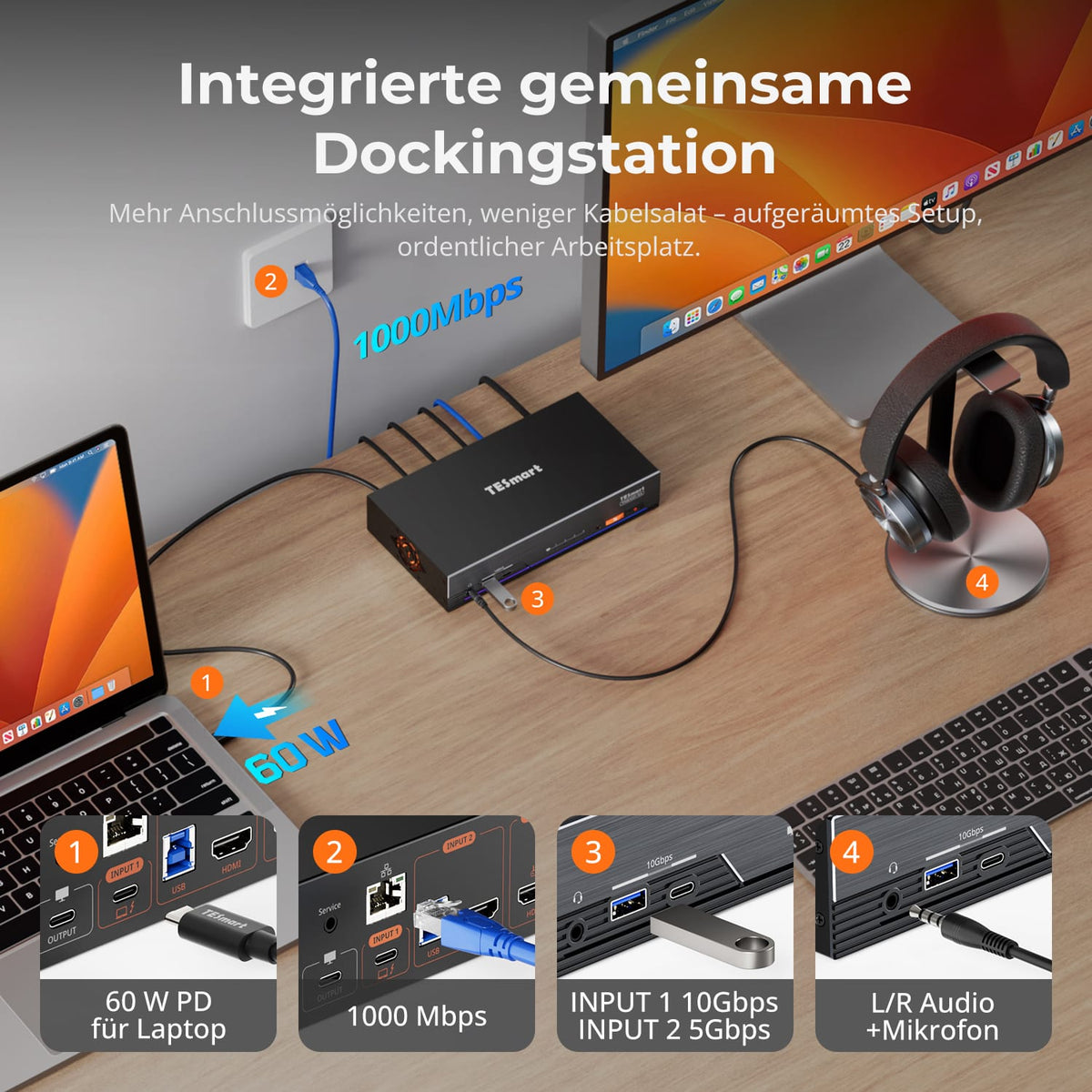
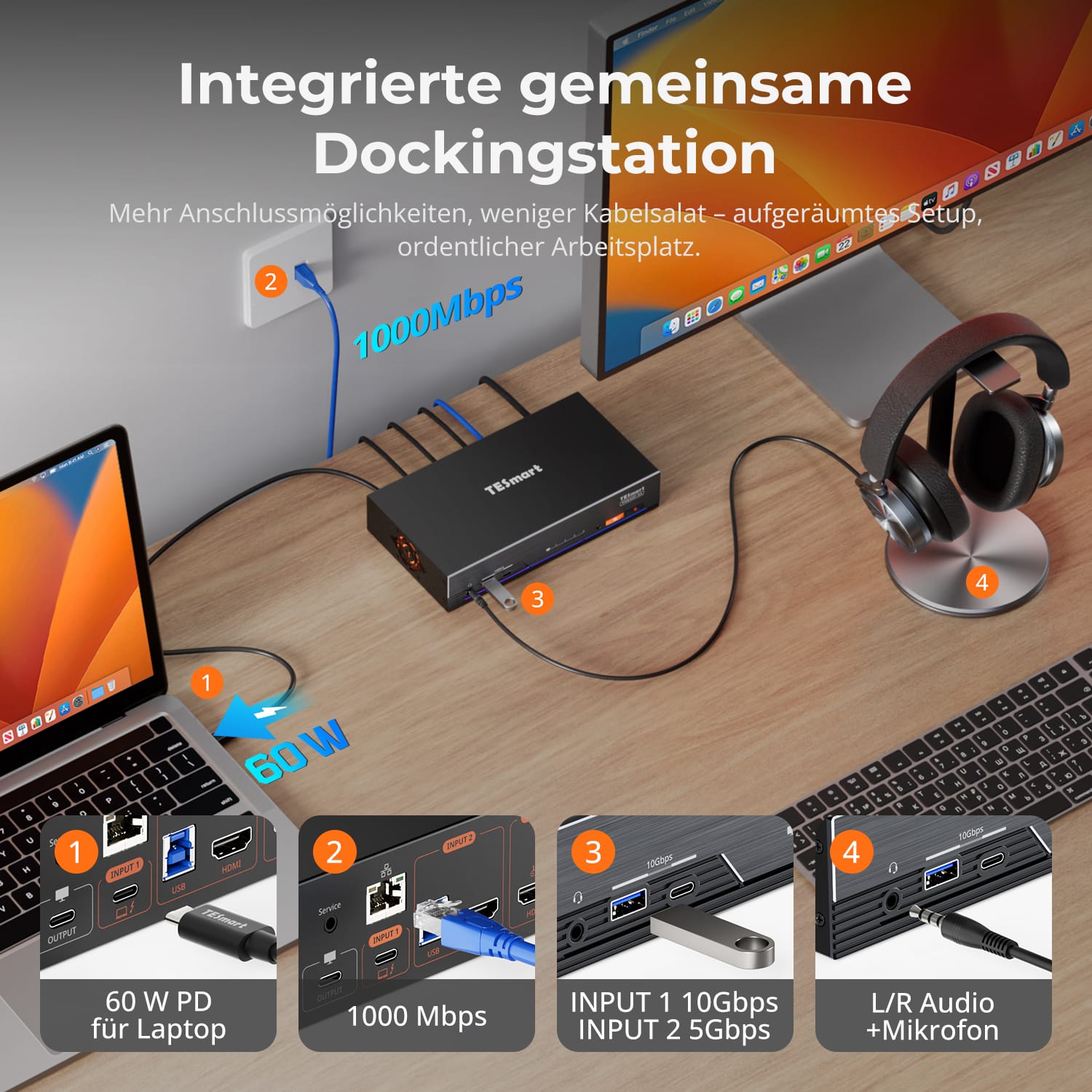
Integrierte gemeinsam genutzte Dockingstation
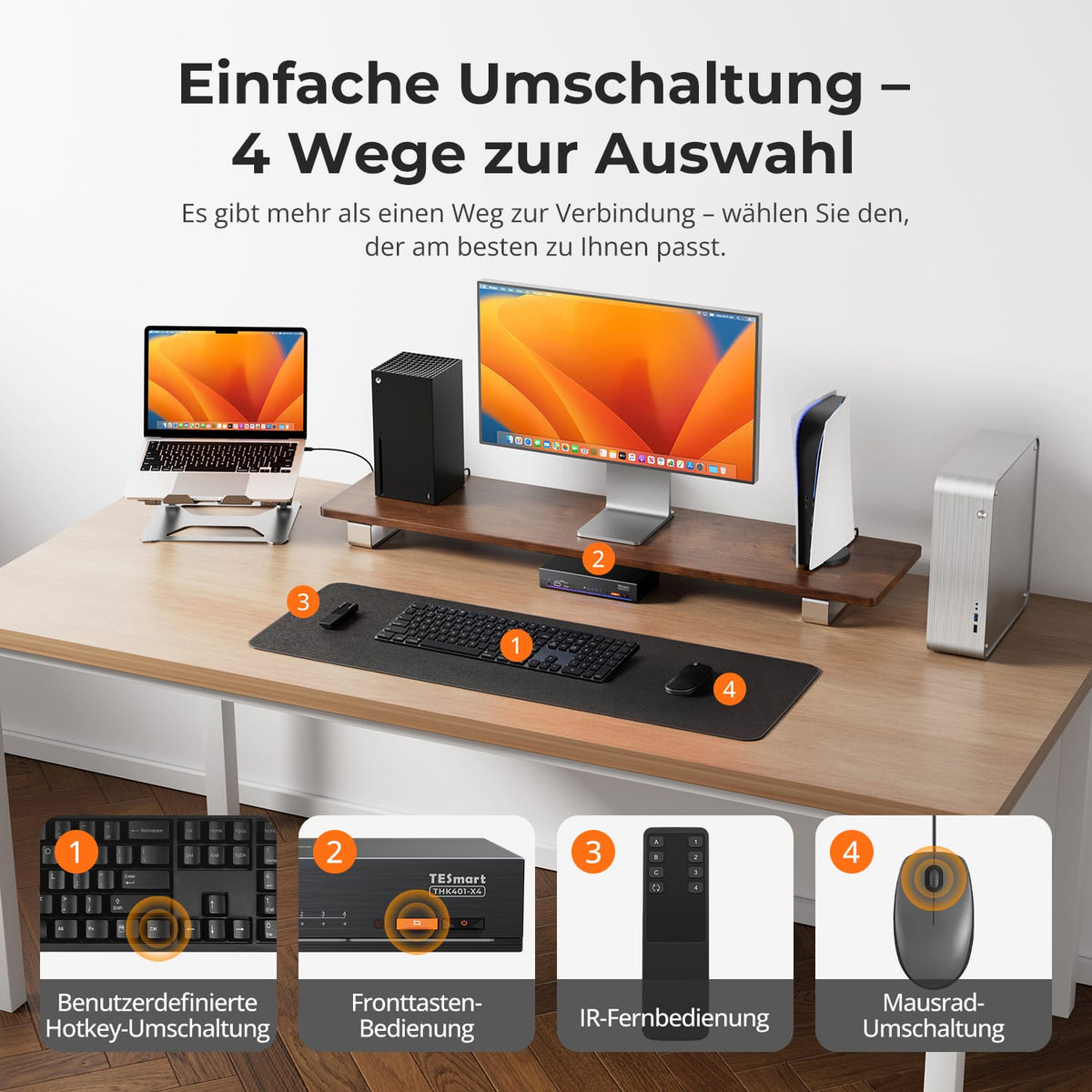
Einfaches Umschalten, 4 Wege
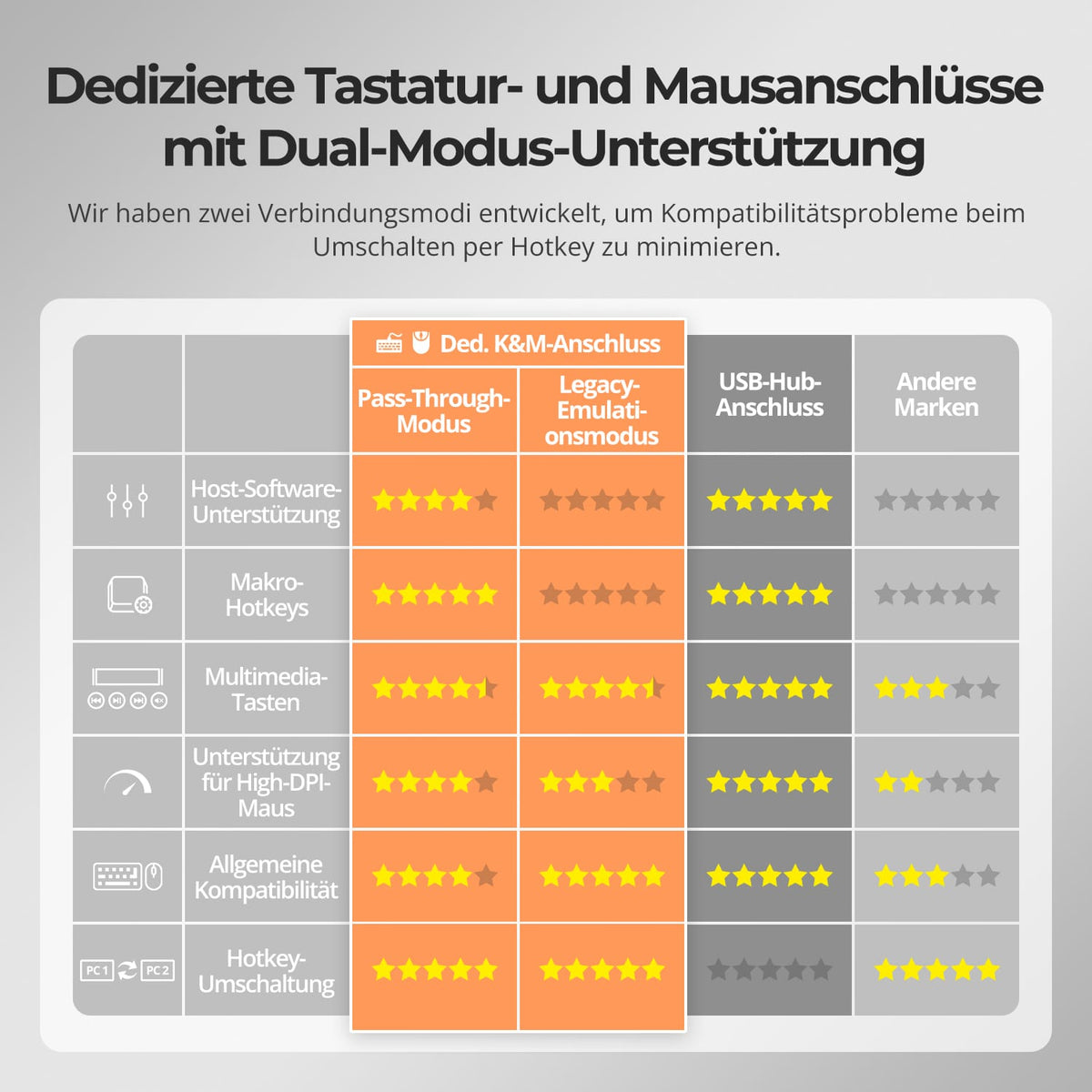
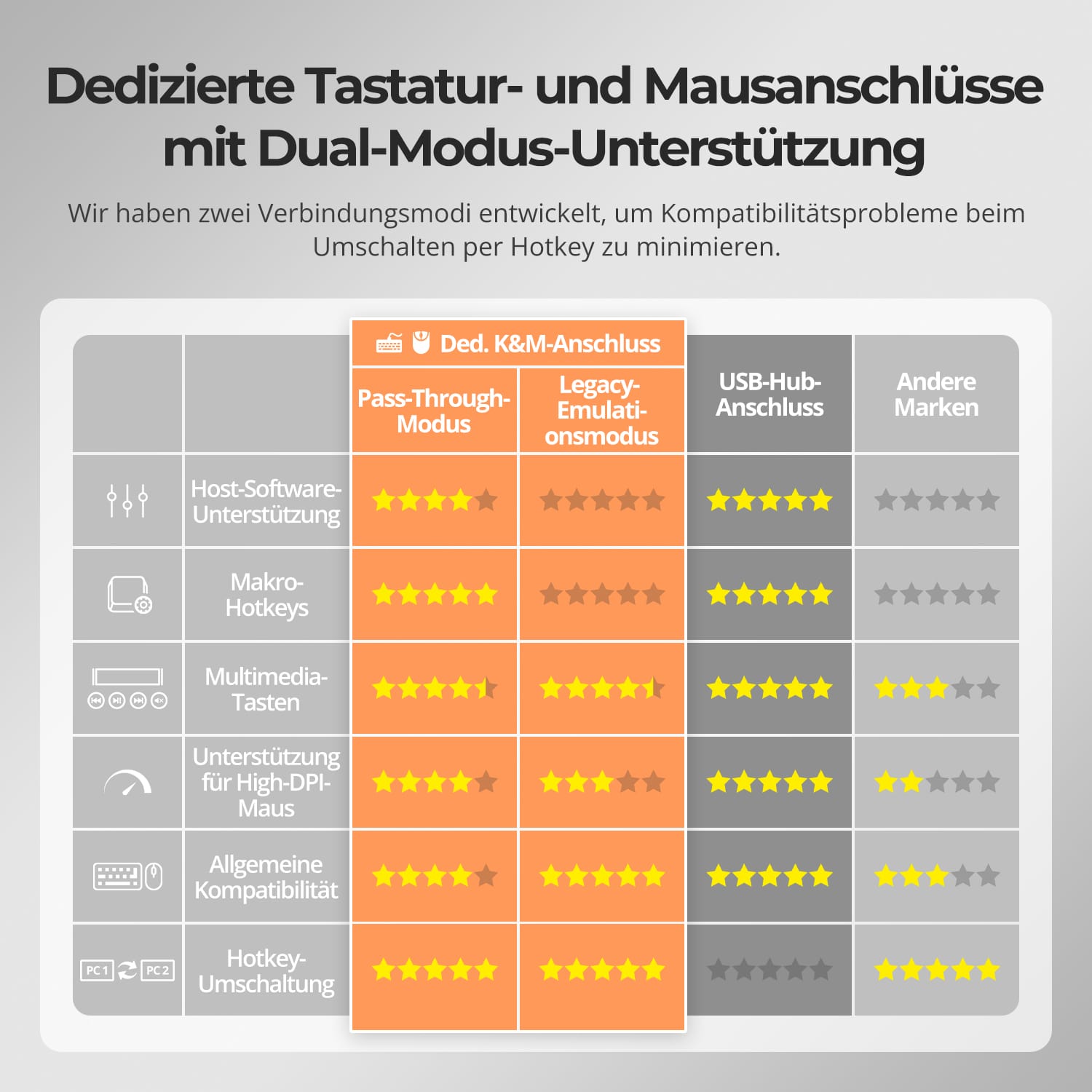
Dedizierte K&M-Anschlüsse mit Dual-Mode-Unterstützung
Nicht alle Verbindungsmethoden bieten die gleiche Erfahrung für Benutzer des Apple Studio Displays.
• Zentrale Umschaltung für mehrere Geräte
• Unterstützt Audioausgabe über das Display
• Unterstützt Lautstärkeregelung über die Tastatur
• Weniger benötigte Adapter
• Aufgeräumteres und stabileres Desktop-Setup
*Geräte, die an die EINGÄNGE 2–4 angeschlossen sind, können kein Stereo über die Display-Lautsprecher aktivieren.
Basierend auf der Intel JHL8440-Architektur für stabile hochbandbreitige Display- und Gerätekonnektivität.
• Entwickelt für Thunderbolt-Display-Workflows
• Stabile Signalverarbeitung für Premium-Setups
• Optimiert für die Umschaltung mehrerer Geräte
• Ausgelegt für Hochgeschwindigkeitskonnektivität
• Plattform mit professionellem Controller
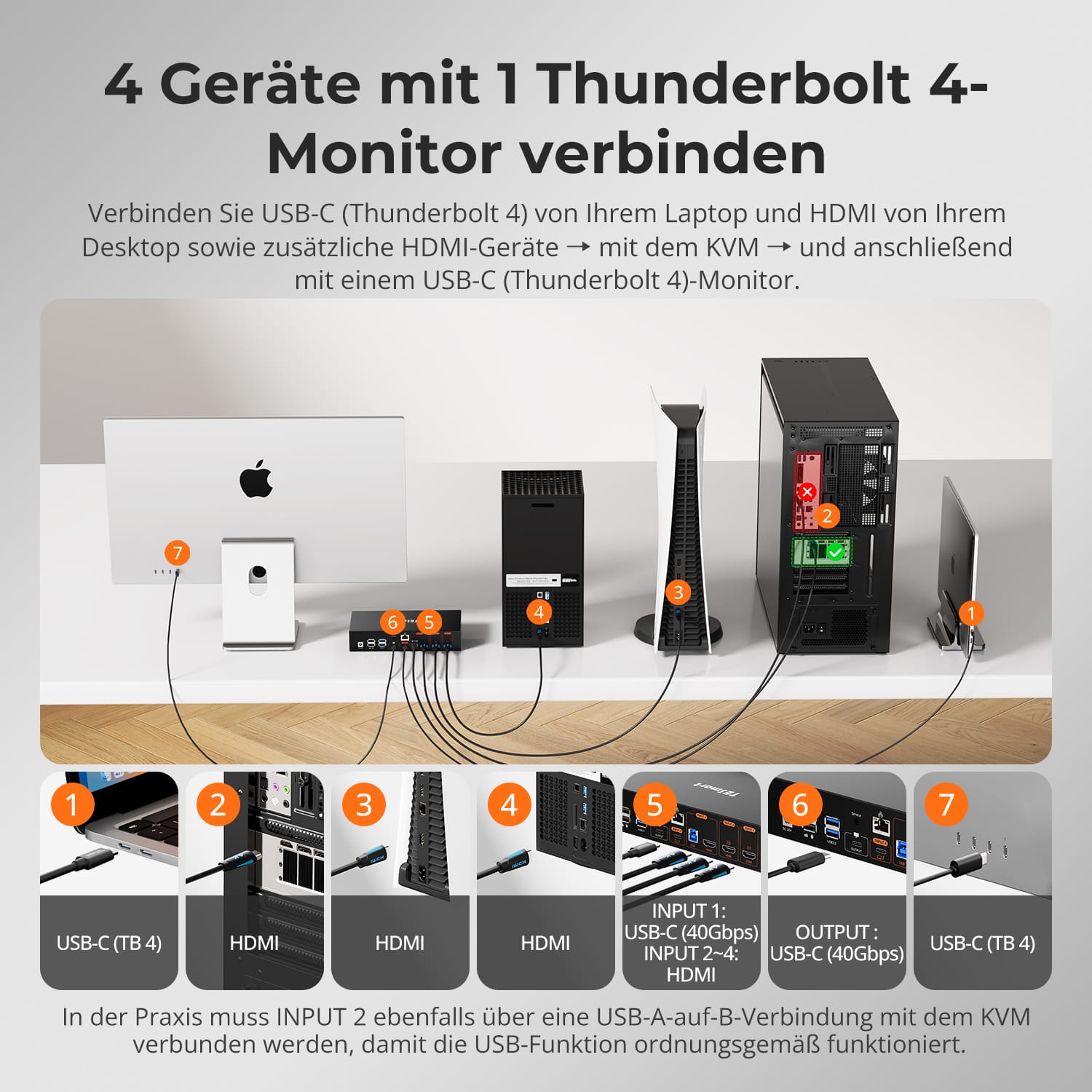
Für die volle Funktionalität stellen Sie bitte sicher, dass EINGANG 1 mit einem kompatiblen Mac-Gerät verbunden ist.
• Kompatibel mit MacBook Air, MacBook Pro, Mac mini, Mac Studio und Mac Pro
• Entwickelt für Apple Studio Display Workflows
• Gewährleistet die ordnungsgemäße Funktion von Kamera, Lautsprechern und Mikrofon
• Bietet ein nahezu direktes Anschlusserlebnis unter macOS
• Überprüfen Sie Ihr Setup vor dem Kauf, um die Kompatibilität sicherzustellen
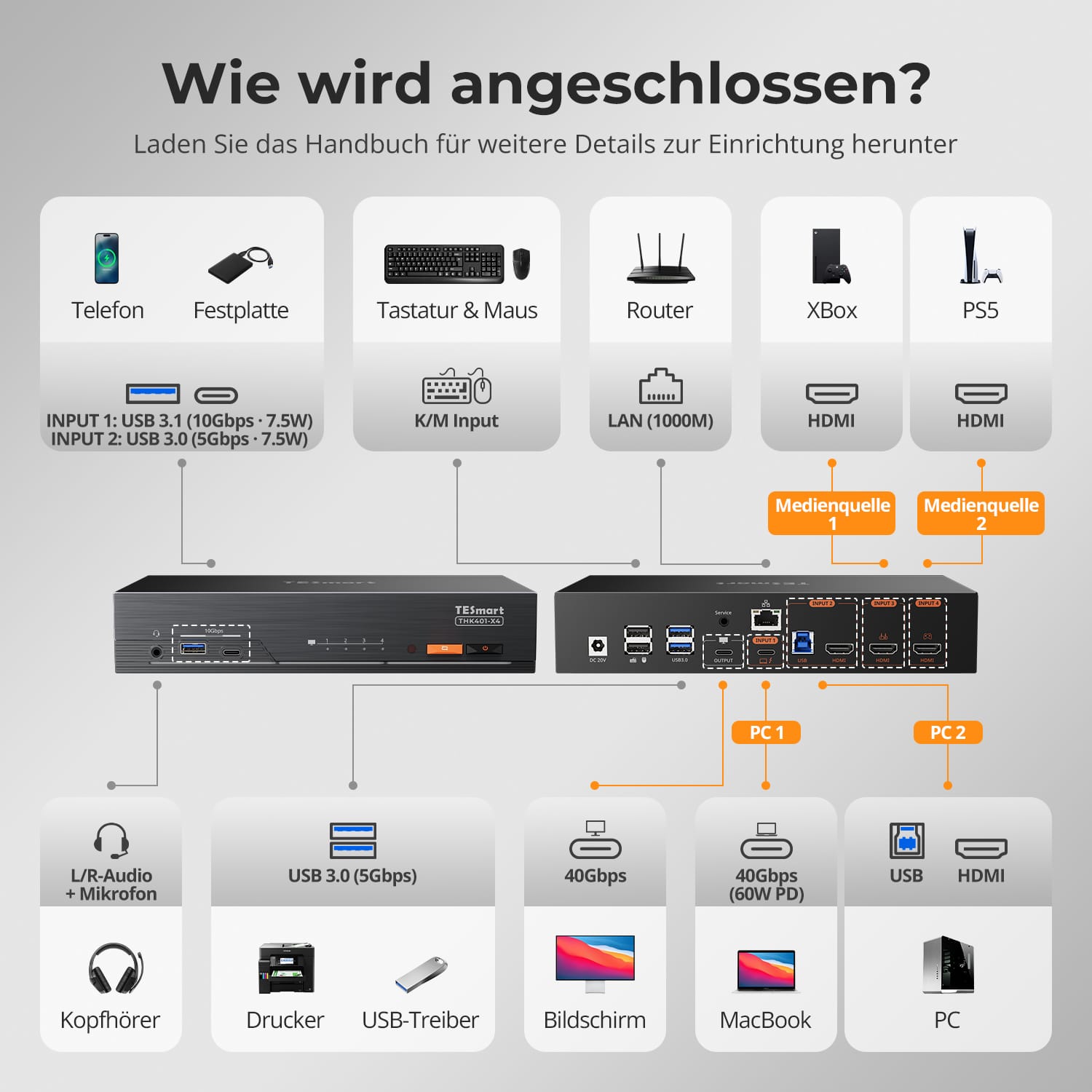
Entrümpeln Sie Ihren Schreibtisch mit einer integrierten Dockingstation – keine zusätzlichen Hubs nötig. Teilen Sie wichtige Anschlüsse über alle verbundenen Geräte:
• 60W USB-C PD – Laden Sie Ihren Laptop während der Arbeit
• USB 3.0 (10Gbit/s) – Schnelle Daten für Laufwerke, Webcams und mehr
• 1000Mbit/s Ethernet – Zuverlässige, kabelgebundene Netzwerkverbindung
• L/R Audio+Mic – Klare Audioeingabe und -ausgabe für Meetings
Perfekt für hybride Setups, Home-Offices und sauberes Kabelmanagement.
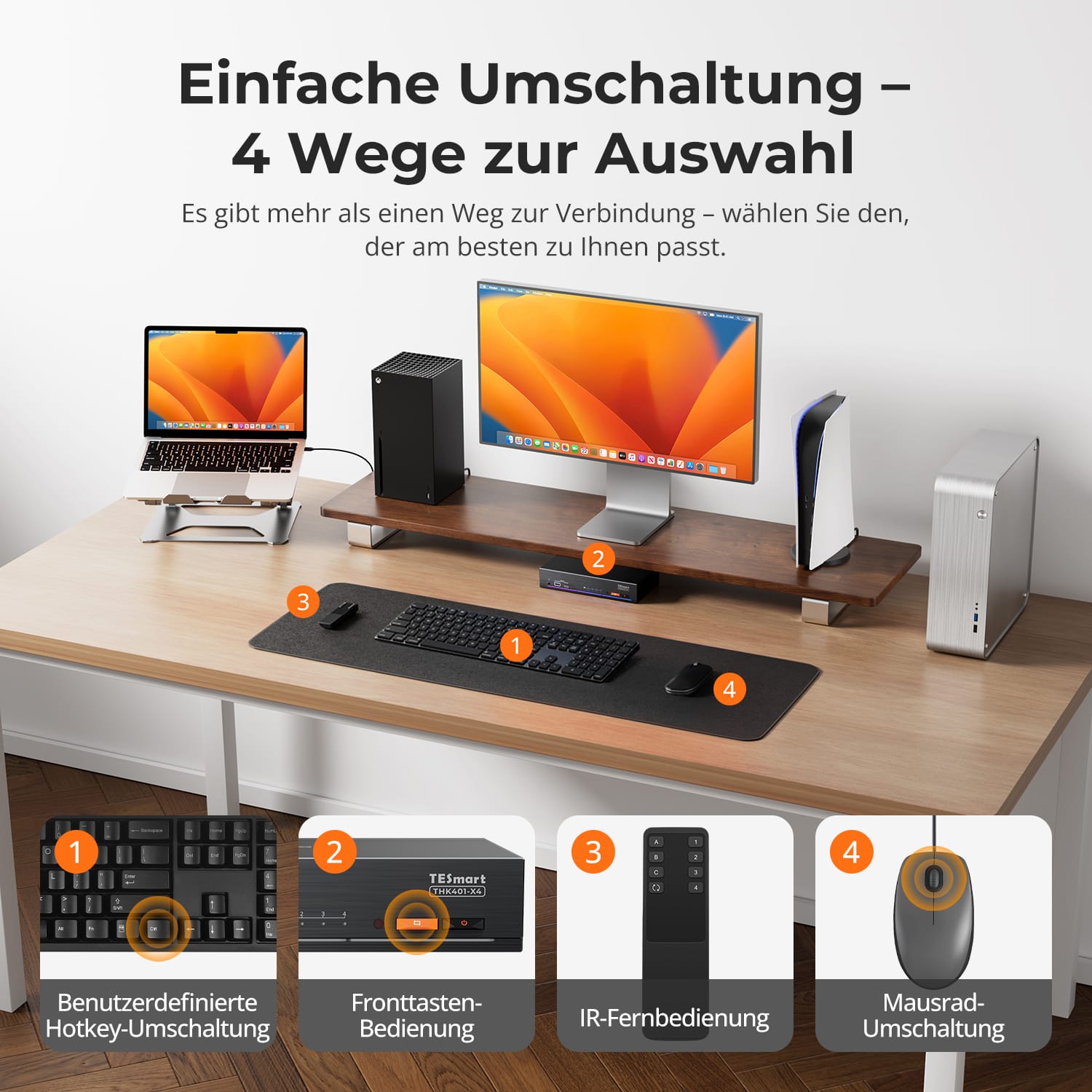
Das Umschalten sollte Sie nicht ausbremsen – wir bieten vier nahtlose Methoden, die zu jedem Setup oder jeder Gewohnheit passen:
• Benutzerdefinierte Hotkey-Umschaltung – Schnelle Tastaturkürzel für Power-User
• Fronttaste – Einfacher, direkter Zugriff jederzeit
• IR-Fernbedienung – Behalten Sie die Kontrolle von der anderen Seite des Schreibtisches
• Mausrad – Doppeltippen für sofortiges Umschalten
Ob Sie arbeiten, spielen oder präsentieren – wählen Sie die Art, die am besten zu Ihnen passt.
Um die Tastatur- und Mauskompatibilität zu verbessern – insbesondere beim Umschalten per Hotkey – haben wir zwei spezielle Verbindungsmodi entwickelt:
• Pass-Through-Modus (empfohlen)
Direkte Weiterleitung zum PC. Unterstützt erweiterte Treiber, Makros, High-DPI-Mäuse und multifunktionale Eingabegeräte. Ideal für Gaming, Design und professionelle Arbeitsabläufe.
• Legacy-Emulationsmodus
Gewährleistet universelle Kompatibilität und stabile Hotkey-Funktionalität auf den meisten Systemen. Am besten für Büro oder wenn Treiberprobleme auftreten.
✅ Hotkey-Befehle funktionieren nur, wenn Ihre Tastatur mit dem dedizierten K&M-Anschluss verbunden ist.
⚠️ Der Emulationsmodus deaktiviert treiberbasierte Software und erweiterte Funktionen.
⚠️ Bluetooth-Tastaturen/-Mäuse werden nicht unterstützt.


-
Recycling & Inzahlungnahme
Bis zu 50 % Gutschrift beim Recycling
-
Kostenloser Versand
DE: 3 Werktage · EU: 3–7 Werktage
-
30 Tage Gratis-Retoure
Sorgenfreie Rückgabe & Kaufgarantie
-
VVerlängerte Garantie: 2+3 Jahre.
Registrieren und 3 zusätzliche Jahre Garantie erhalten
