In 2025, a truly high-quality gaming experience will no longer simply mean owning a powerful GPU or a monitor with a high refresh rate. The real bottleneck often lies within the signaling chain itself. – from the graphics card to the display, and especially in the intermediate devices that connect everything.
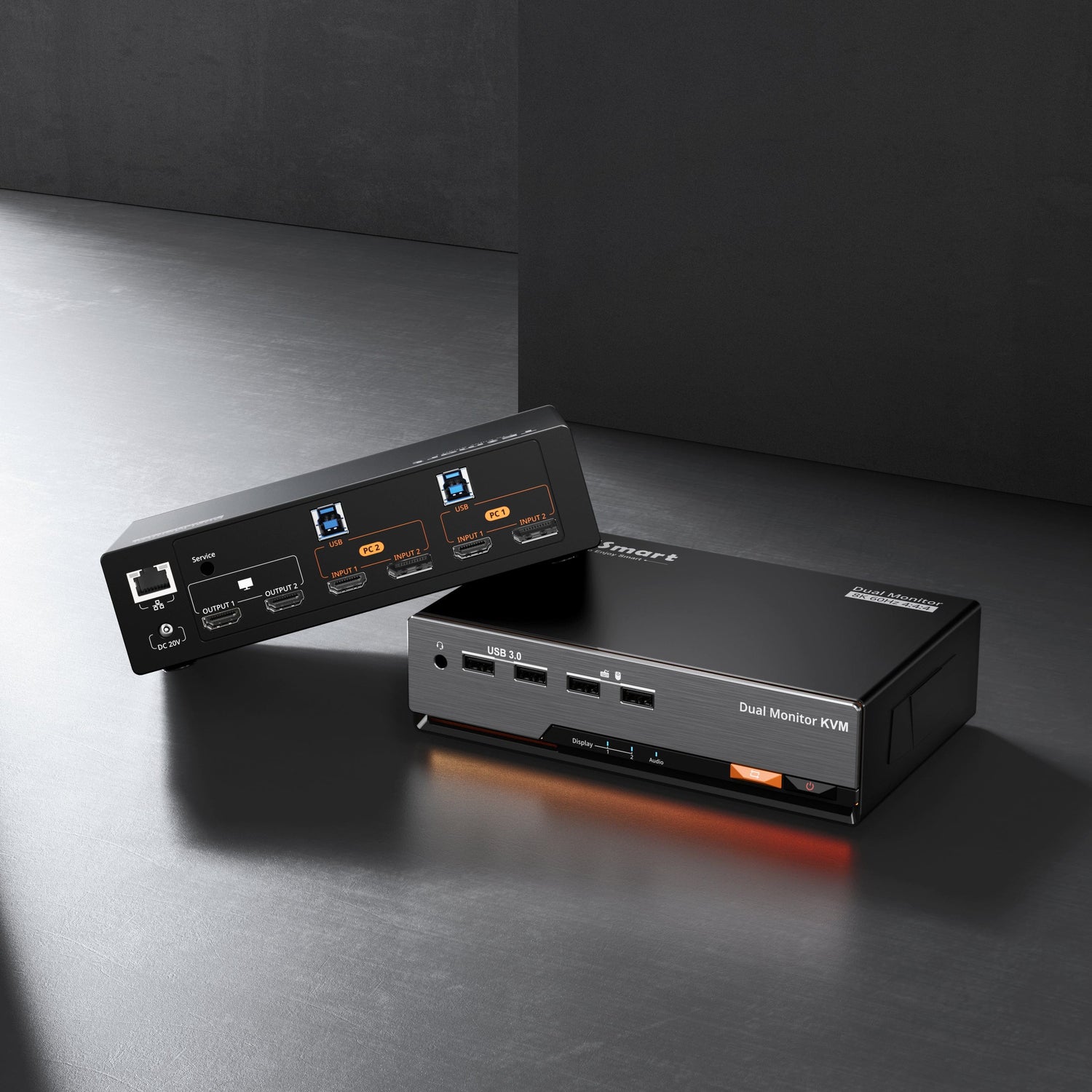
For gamers and creative professionals running multi-PC setups, the KVM switch has become a critical component. A poorly designed KVM can imperceptibly affect the frame rate, disable Adaptive Sync, or cause constant resolution resetting. This is precisely where the TESmart DKS202-M24 as one of the most powerful gaming KVM switches available in 2025.


1. What defines the ultimate gaming experience?
High-frequency displays are indispensable today.
Modern gaming monitors focus on much more than just resolution. Key features include:
-
High refresh rates (144 Hz, 240 Hz and more)
-
Variable Refresh Rate (VRR)-technologies such as G-SYNC and FreeSync
-
HDR-Support for higher contrast and realism
-
Low response times to minimize ghosting and motion blur.
Of these, the high refresh rate is the most immediately noticeable improvement – especially in FPS, racing and competitive e-sports titles, where motion blur and reaction speed directly affect performance.
GPUs need to deliver more than just raw power.
Even the most powerful graphics card cannot reach its full potential if the output chain is unstable. High-end GPUs depend on the following:
-
Support for DisplayPort 1.4/2.1 or HDMI 2.1
-
Stable bandwidth for high resolutions and high refresh rates
-
Precise negotiation of display capabilities
The responsiveness of the keyboard and mouse is crucial.
At 240 Hz and above, input latency becomes more noticeable. Competitive gamers demand:
• High sampling rates (1000 Hz or higher)
• Reliable detection of USB devices
• No delays or reconnections when switching between systems
The overlooked factor: The KVM switch
In multi-PC gaming and workstation setups, the KVM switch needs to do more than simply "pass through" signals. A high-performance KVM switch must:
• Receive the full video bandwidth
• Preserve VRR, HDR and frame rate integrity
• Prevent black screens and resolution resets
• Ensure seamless switching between keyboard and mouse
Many common problems in multi-monitor gaming setups do not originate in GPUs or displays – but in inadequate EDID processing within the KVM.
2.What is EDID and why is it important?
EDID: The digital identity of the display
EDID (Extended Display Identification Data) is a standard defined by VESA that allows a display to communicate its capabilities to a source device. EDID contains information such as:- Supported resolutions and refresh rates
- HDR and color depth capabilities
- Timing and synchronization parameters
What goes wrong without EDID emulation?
- The active video connection is physically disconnected during the switching process.
- The source device recognizes the display as "remote".
- The operating system rereads the EDID upon reconnection.
- The display settings are reset (often to 60 Hz).
For gaming with a high refresh rate, this can mean the loss of VRR, disabled HDR, rearranged windows, or even black screens.
3. What EDID emulation can really do (and what it can't)
EDID emulation is not just caching.
A true EDID emulator continuously maintains a stable display identity for the source device – even if the physical display is temporarily disconnected.
In practice, EDID emulation means:
-
Storage and reproduction of the display's EDID data
-
Continuous provision of this EDID to the connected system
-
Preventing the system from detecting a screen separation
-
Elimination of renegotiation delays and display resets
The result:
-
Frame rates remain unchanged
-
HDR and VRR remain enabled
-
No black screens when switching.
-
Display arrangements remain intact
For gaming and professional graphics workloads, EDID emulation is a core stability feature, not an optional convenience addition.
4. Gaming with high refresh rates: DisplayPort vs. HDMI
Why DisplayPort remains the preferred choiceWhile HDMI 2.1 offers impressive bandwidth, DisplayPort remains the leading interface for high refresh rate PC gaming:DisplayPort advantages:
-
Mature ecosystem for high refresh rates
-
Strong VRR and Adaptive-Sync compatibility
-
Widely supported by 240Hz and e-sports monitors
-
Better suited for PC-centric gaming setups
HDMI 2.1:
-
Excellent for TVs and consoles
-
Increasingly powerful, but less common in high-end PC e-sports displays
For competitive PC gaming, DisplayPort remains the most reliable option.
5. TESmart DKS202-M24: Designed for high refresh rate gaming
The TESmart DKS202-M24 was specifically designed to eliminate bottlenecks in the signal chain in demanding gaming environments.
Key specifications:
-
DisplayPort 1.4 video switching
-
Supports:
-
8K @ 60 Hz
-
4K @ 240 Hz
-
-
Full support for:
-
Variable Refresh Rate (VRR)
-
Adaptive Sync
-
HDR
-
-
-
Integrated EDID emulation
-
High-performance USB switching for keyboard and mouse
Why EDID emulation is important in the DKS202-M24
In the DKS202-M24, EDID emulation is a fundamental design element:
• The display capabilities remain visible to the GPU at all times.
• No resetting of the refresh rate after switching
• No reconfiguration required in games or operating system settings
• Seamless switching without black screens or flickering
For users who run dual-PC gaming or gaming plus workstation setups, this means consistent, uninterrupted performance.
Who is the DKS202-M24 suitable for?
-
Competitive gamers who use 240Hz or high-frequency monitors
-
Users who operate two PCs (gaming + work)
-
Streamers and creators who switch between systems
-
Professional users who require stable, high-bandwidth display output
FAQ: TESmart DKS202-M24
Q1: Does switching between PCs reduce my frame rate?
No. Thanks to integrated EDID emulation, the system retains the original display configuration without reverting to 60 Hz.
Q2: Is it suitable for 240Hz gaming monitors?
Yes. The DKS202-M24 supports 4K@240Hz und retains VRR and Adaptive-Sync functionality.
Q3: Does using a KVM add noticeable input latency?
No. The DKS202-M24 uses direct video paths and high-performance USB switching and causes no perceptible latency.
Conclusion: Stability is the true performance upgrade.
In modern gaming setups, performance losses often don't occur in the GPU or the display – but in the invisible connections between them.A KVM switch without proper bandwidth management or EDID management can unknowingly negate the benefits of high-quality hardware.
By combining DisplayPort 1.4 bandwidth, full support for high refresh rates and true EDID emulation ensures TESmart DKS202-M24, that your gaming setup works exactly as intended – every time you switch systems.
For gamers and professionals who are setting up a high-end multi-PC workstation in 2025, the DKS202-M24 is not just a practical tool – it is a crucial performance guarantee.