

HKS401-M24-EUBK
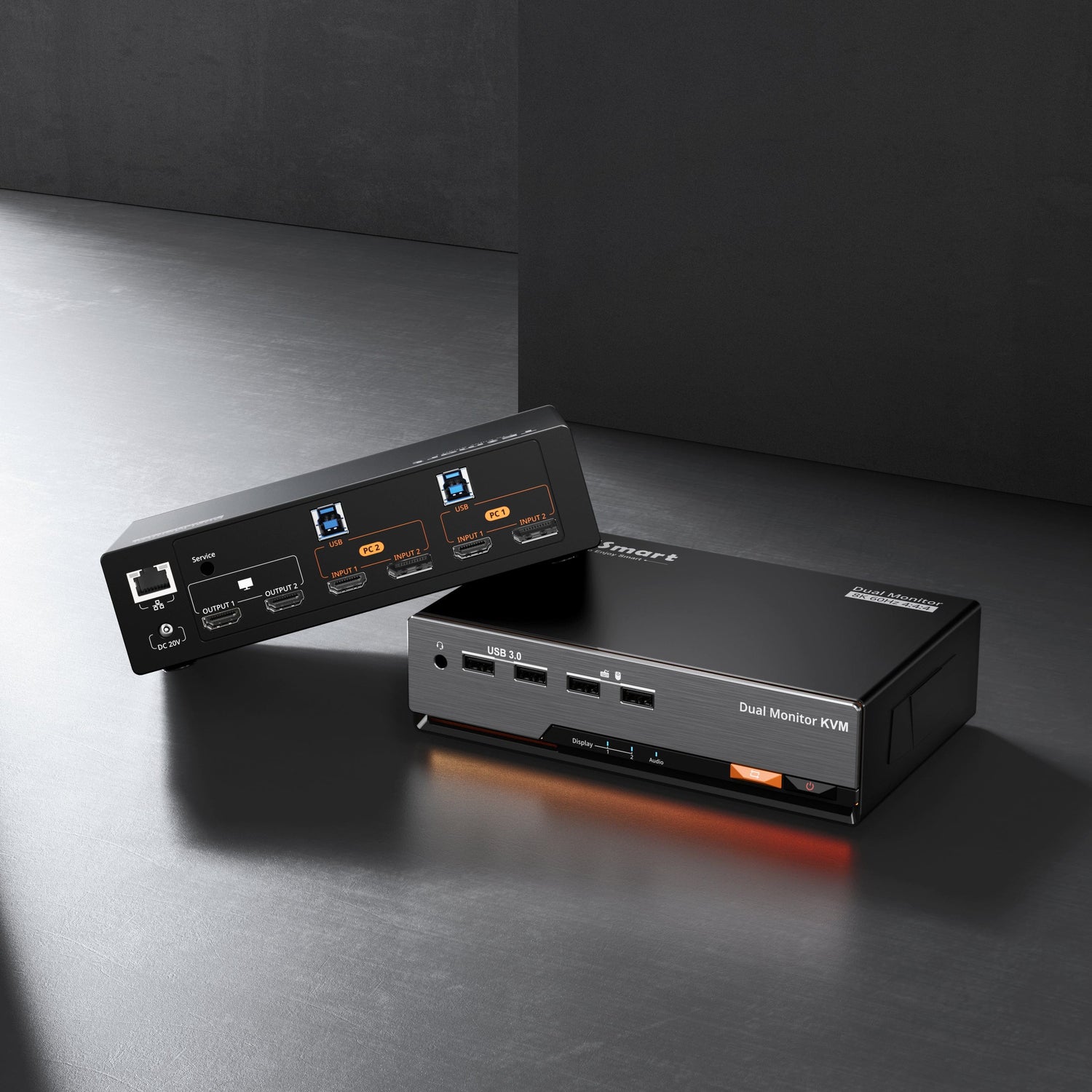
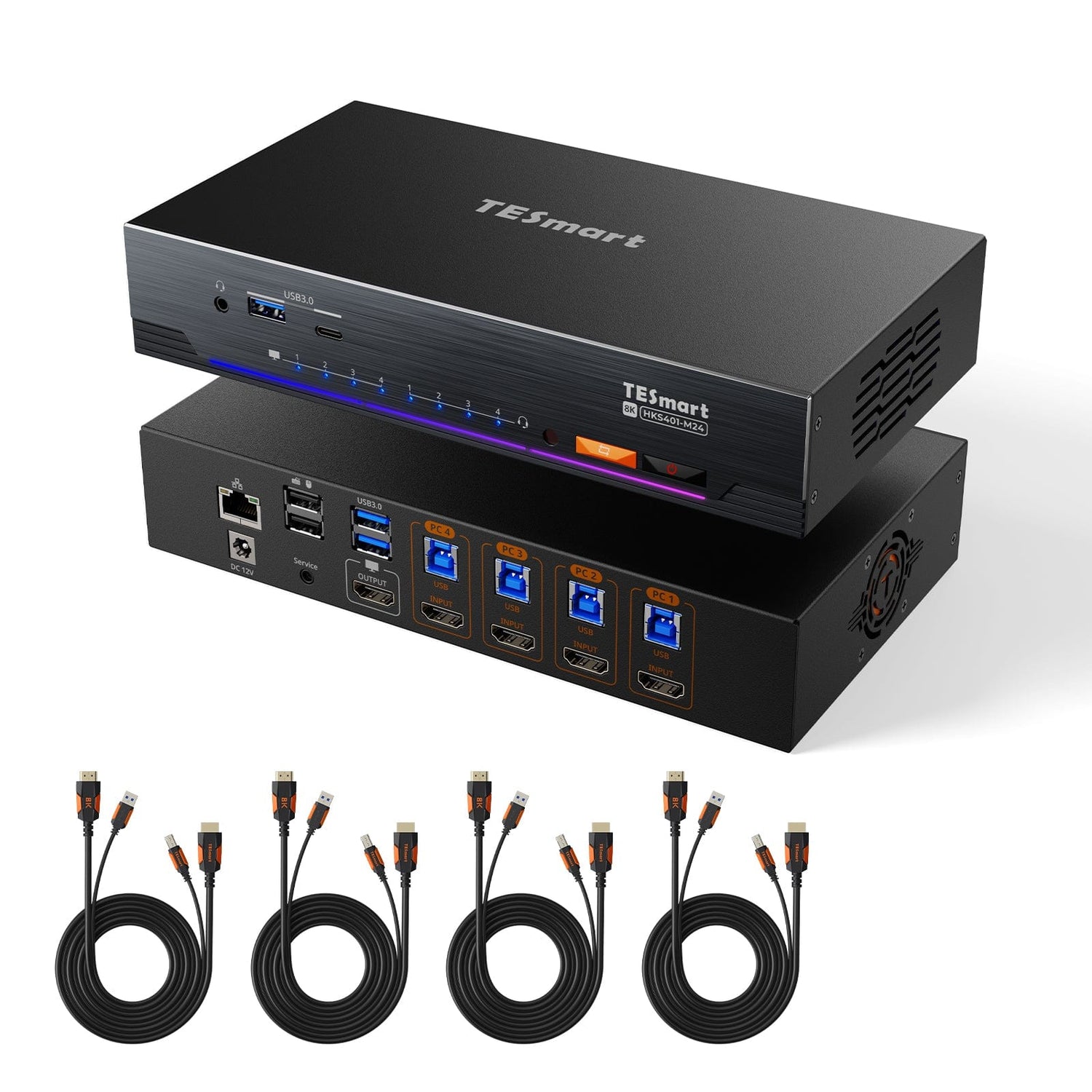
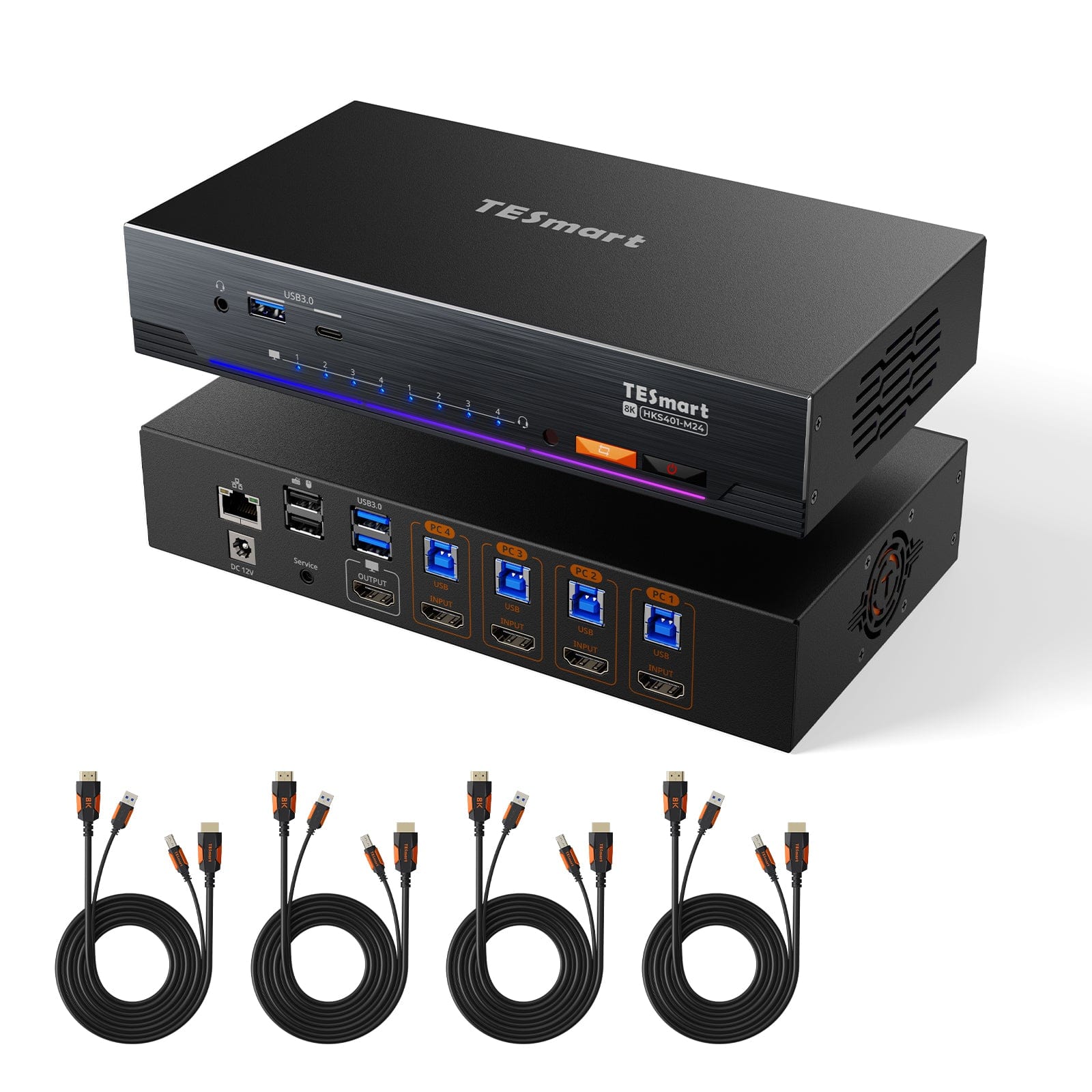
4-Port 8K60 HDMI 2.1 KVM-Switch mit integriertem Netzwerk-Switch, USB-3.2-Hub, Gigabit-LAN, RGB-Lichtleiste & Fernbedienung – 4 PCs, 1 Monitor
- Regulärer Preis
-
€428,62 - Regulärer Preis
-
€428,62 - Verkaufspreis
-
€428,62
Abholverfügbarkeit konnte nicht geladen werden
Overview & Highlights
TESmart Mit Ihnen. Immer weiter für Sie entwickelt!
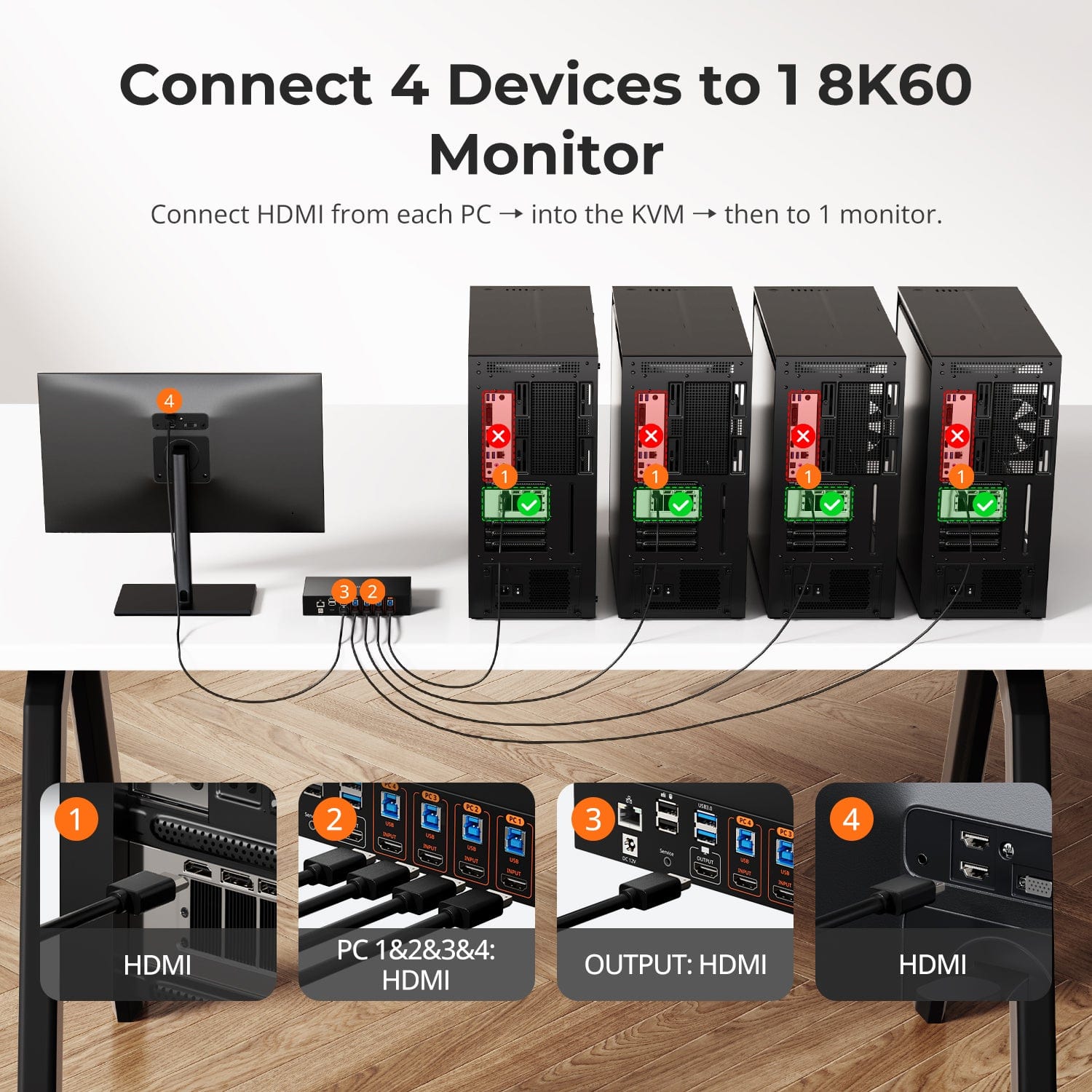
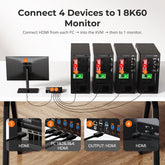
Das HKS401-M24 ist für Benutzer konzipiert, die mehrere Computer von einem einzigen Arbeitsplatz aus effizient verwalten müssen. Es unterstützt 4 Eingänge/1 Ausgang HDMI 2.1 mit einer beeindruckenden Auflösung von 8K@60Hz, was ultraklare Visuals und lebendige Farben liefert – perfekt für Videoprofis, Gamer und Vielanwender, die höchste Leistung und Klarheit fordern.
Warum Sie es lieben werden:
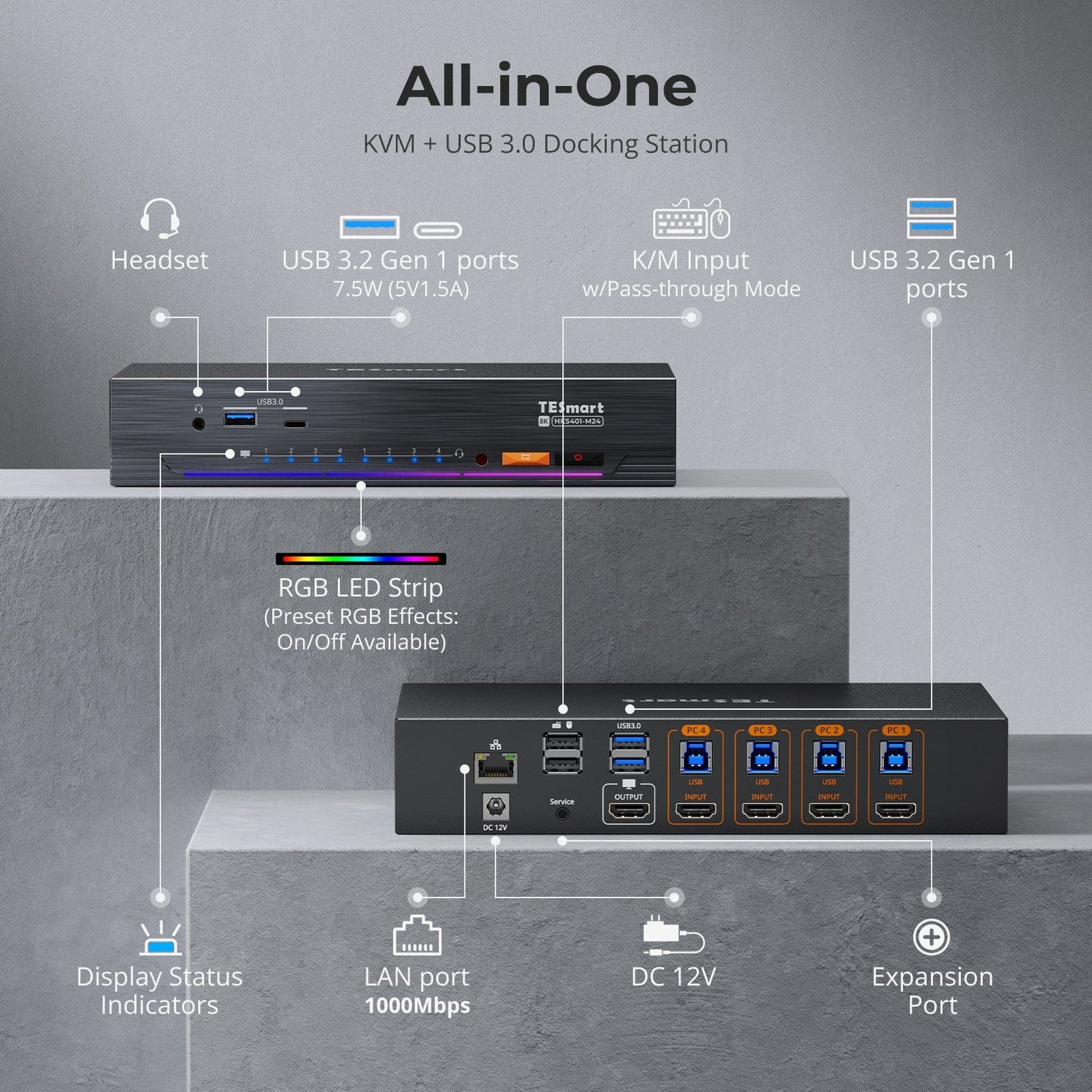
Völlig neues, modernes Design: Ein elegantes, aktualisiertes Erscheinungsbild mit integrierter RGB-Lichtleiste und vier Beleuchtungsmodi, die sich der Atmosphäre Ihres Arbeitsbereichs anpassen.
Ultra-HD-Auflösung: Unterstützt bis zu 8K@60Hz 4:4:4, 4K@120Hz/144Hz und ist kompatibel mit VRR, FVA und ALLM für ein flüssiges und immersives Seherlebnis.
Integrierter Gigabit-Netzwerkanschluss: Teilen Sie eine kabelgebundene High-Speed-Internetverbindung mit allen vier angeschlossenen Computern – keine zusätzlichen Netzwerkadapter erforderlich.
Integrierter USB-3.2-Hub: Zwei USB-Anschlüsse an der Frontseite (USB-A und USB-C) für superschnelle Datenübertragung zwischen Ihren Geräten und Hosts.
Integrierter Netzwerk-Switch: Verbinden Sie alle vier PCs über nur ein Ethernet-Kabel mit dem kabelgebundenen Netzwerk – genießen Sie stabile Gigabit-Geschwindigkeiten ohne extra Adapter.
Mehrere Umschaltmethoden: Wechseln Sie nahtlos zwischen Computern mit den Tasten an der Front, der IR-Fernbedienung, Tastenkombinationen oder sogar dem Mausrad.
Tastatur- & Maus-Emulation: Wählen Sie zwischen dem Passthrough-Modus für fortschrittliche Peripheriegeräte oder dem Legacy-Emulationsmodus für breite Kompatibilität.
Auto-Scan & Follow-Modus: Überwachen Sie alle angeschlossenen PCs automatisch mit anpassbaren Scan-Intervallen und unabhängiger Audio-/USB-Fokussteuerung.
Ideal für kreative Professionals, IT-Administratoren und anspruchsvolle Benutzer, die Effizienz, Kompatibilität und hochwertige visuelle Leistung zu schätzen wissen.
Scope of delivery
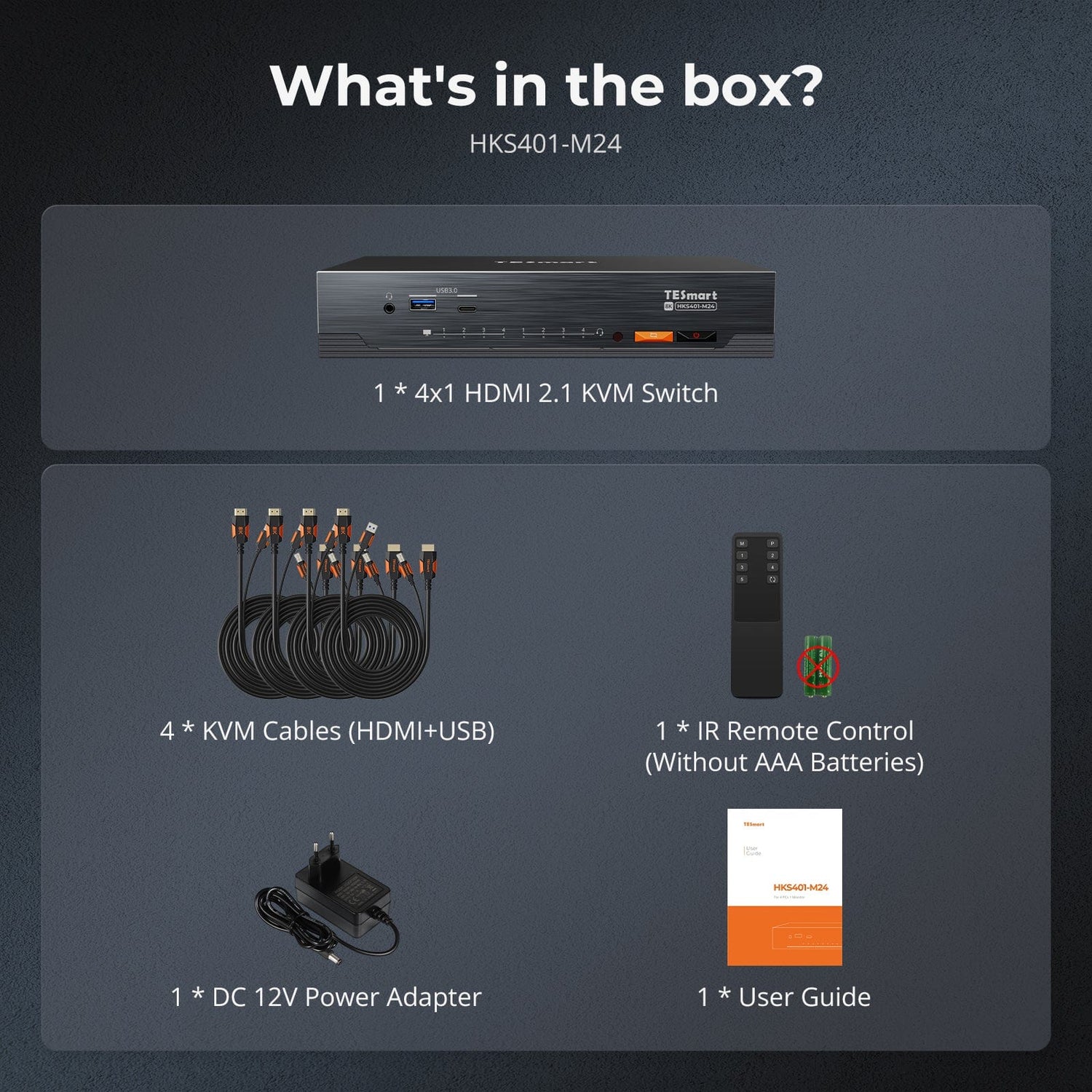
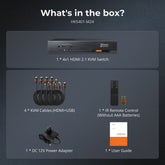
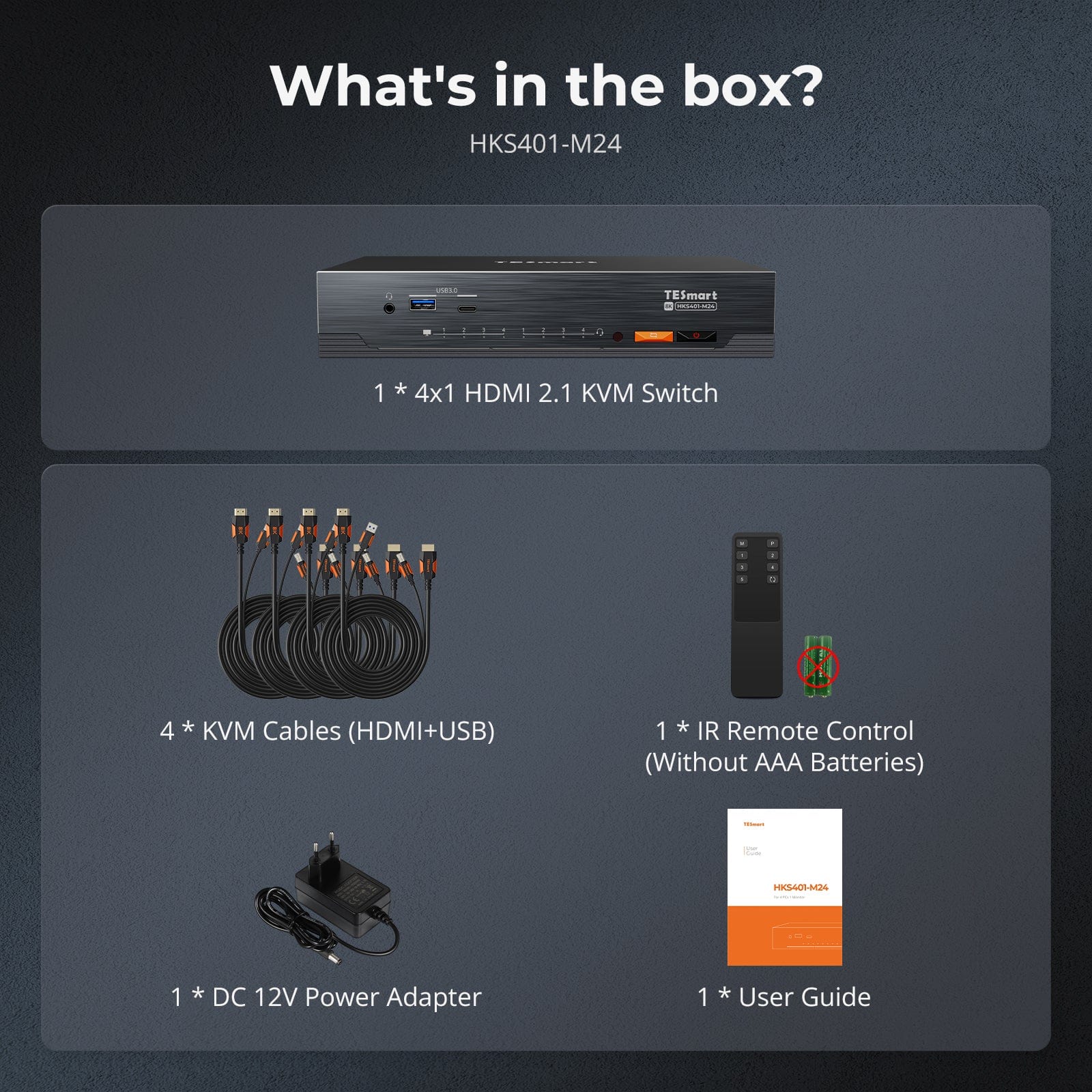
- 1 * 4x1 HDMI KVM Switch
- 4 * KVM cables (HDMI+USB)
- 1 * IR remote control
- 1 * 12V power supply
- 1 * User manual
Downloads & User manual

Our shipping policy consists of the following 7 sections:
Order processing time (shipping lead time)
- Shipping costs & Delivery time
- Order tracking
- Delayed shipments
- Order cancellations
- Steer & Customs duties
- Contact us
1. Order processing time
The order processing time refers to the period from the time of the order until the order is handed over to the shipping service provider.
• Orders are usually shipped within 1-2 working days after confirmation/payment.
• Orders placed on weekends may be subject to delays.
• Our warehouse operates Monday to Friday during regular business hours (excluding public holidays). In such cases, we will make every effort to minimize shipping delays.
We have warehouses in Germany and other regions. Your order will be shipped directly from the nearest warehouse, depending on your delivery address. If the nearest warehouse does not have the product in stock, we will ship your order from another nearby warehouse to ensure you receive it as quickly as possible.
Shipping to the United Kingdom 🇬🇧
To ensure smooth delivery and correct customs clearance, orders from the United Kingdom are processed through our US shop.
Orders to UK addresses cannot be shipped via our EU shop.
2. Shipping costs & Delivery time
| Country or region | Estimated delivery time | Shipping costs | Logistics service provider |
| Germany | 3 working days | Free Shipping | DHL |
| Other EU countries | 3-7 working days | Free Shipping | DHL/DPD |
| Non-EU countries | 5-12 working days | From 60 euros | UPS |
3. Order tracking
4.Delayed shipments
5. Order Cancellation
6. Taxes & Customs duties
7. Contact us
- TESmart orders are processed automatically. Once shipped, they cannot be canceled or changed, including address changes.
- If you wish to return or request a refund, please contact us within 30 days of receiving the product at service@tesmart.de.
- Returns are only possible if the product is unused, complete and in its original packaging.
- For returns not due to quality issues, the customer bears the return shipping costs.
- TESmart will cover the return shipping costs for returns or refunds due to quality issues.
- Products that are searched for 30 days and within 2 years Items exhibiting problems cannot be returned, but depending on inspection, they can be repaired or replaced (same model only, replacements preferred for members).
- Between the 2nd and 3rd. No return or refund service is offered this year. Members can after 3 months A discount of [amount] will be granted from the date of purchase as part of the trade-in policy. up to 50% You will receive a refund of the original product price towards the purchase of a new product. For detailed terms and conditions, please visit: https://tesmart.de/pages/tesmart-id-trade-in
- Refunds will be processed within 5 working days of the goods being received at the warehouse.
For questions: service@tesmart.de
Full guidelines:

Technical data
| Produkattribute | |
|---|---|
Modell (SKU) |
HKS401-M24-EUBK
|
Kompatibles Setup |
|
Max Resolution |
|
Supported Resolutions |
|
VRR (Variable Bildwiederholfrequenz) |
|
MST (Multi-Stream Transport) |
|
Laptop-Aufladung |
|
Netzwerkanschluss |
|
Independent Audio Focus Switching |
|
Independent Audio Focus Locking |
|
Thunderbolt 4 Ports |
|
EDID Emulation |
|
Umschaltmethoden |
|
Belegbare Hotkeys |
|
Legacy-Emulationsmodus |
|
Input Ports |
|
Output Ports |
|
Docking Ports |
|
Anzeigemodi |
|
Handbuch (PDF) |
|
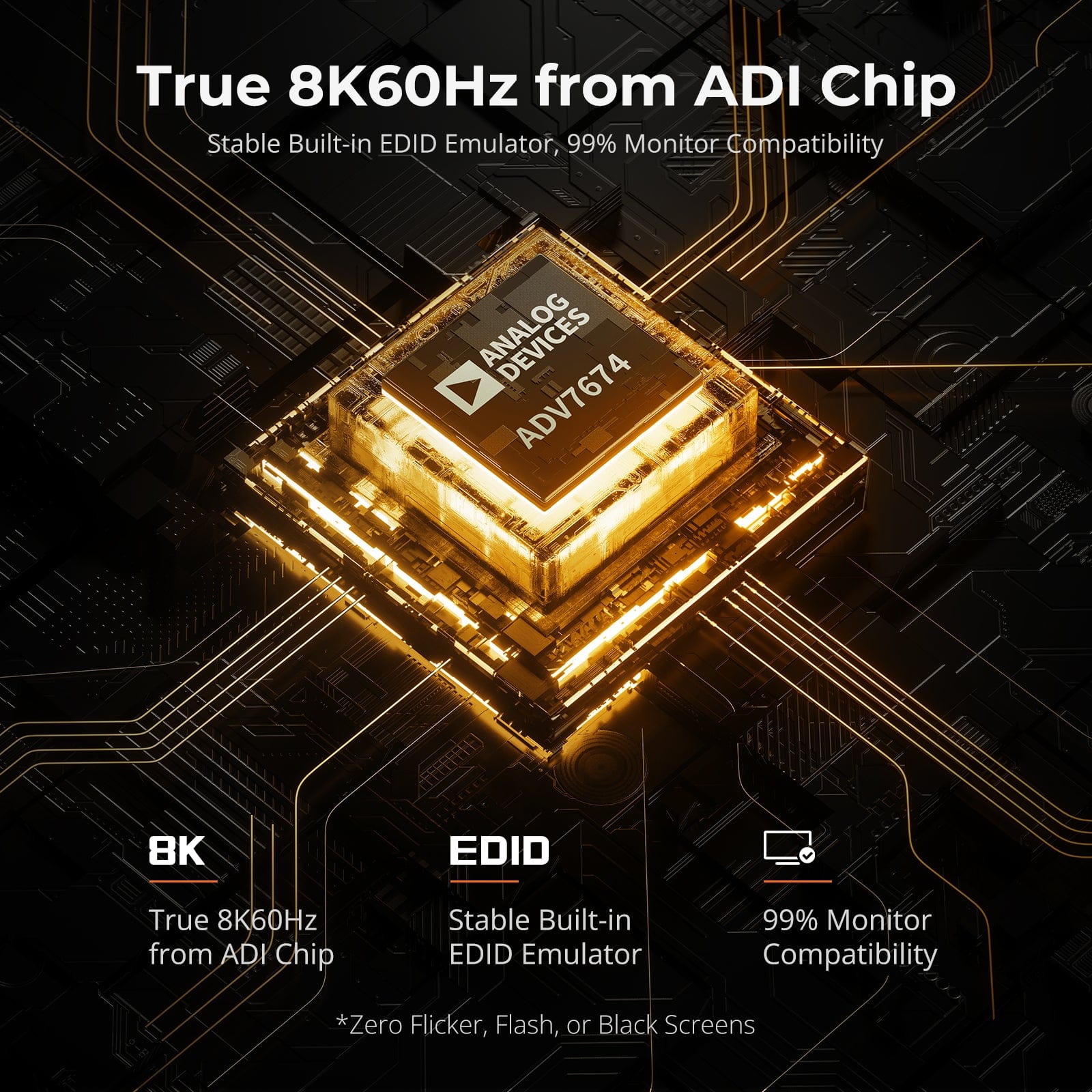
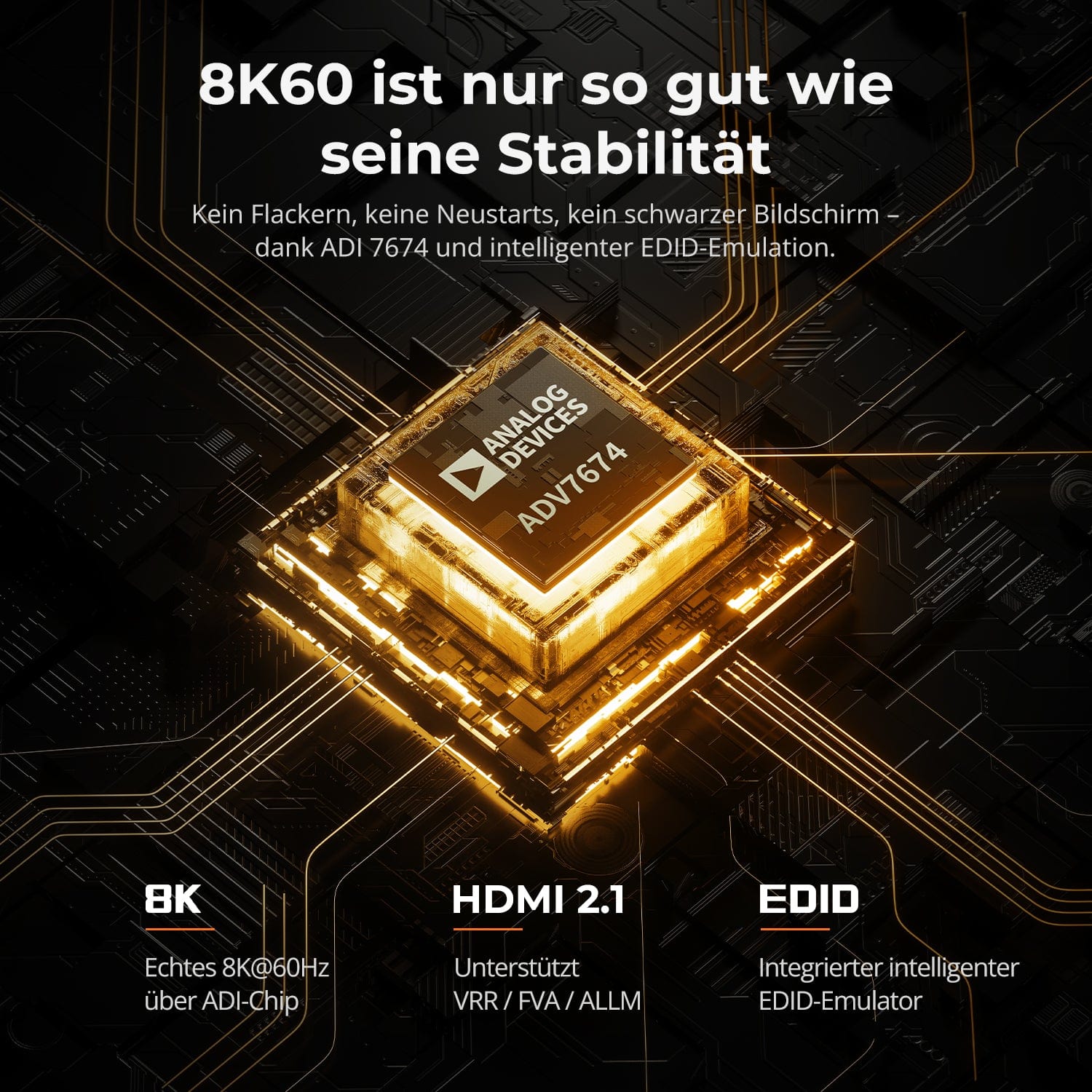
8K60 is only as good as its stability
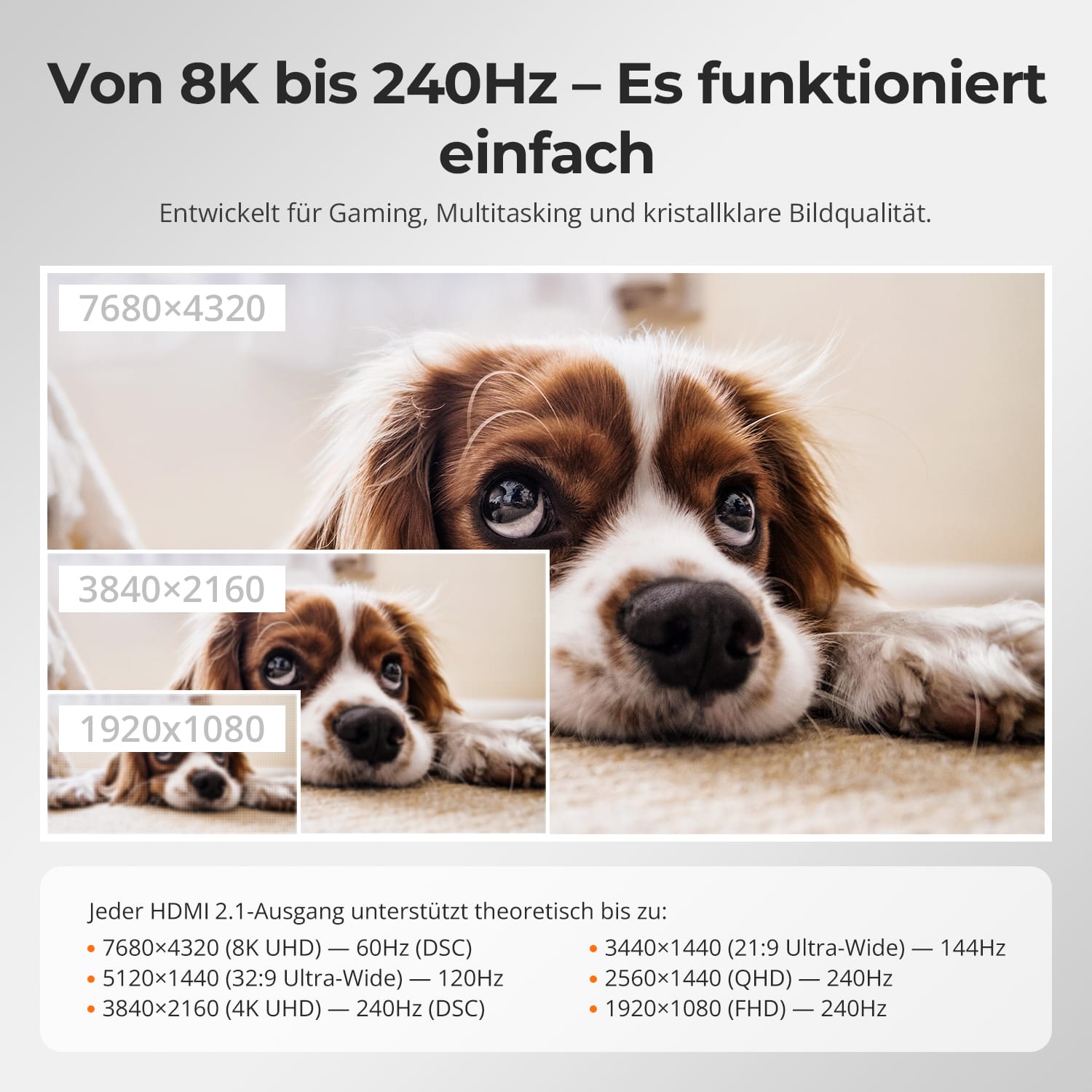
From 8K to 240Hz — Easy. Reliable.
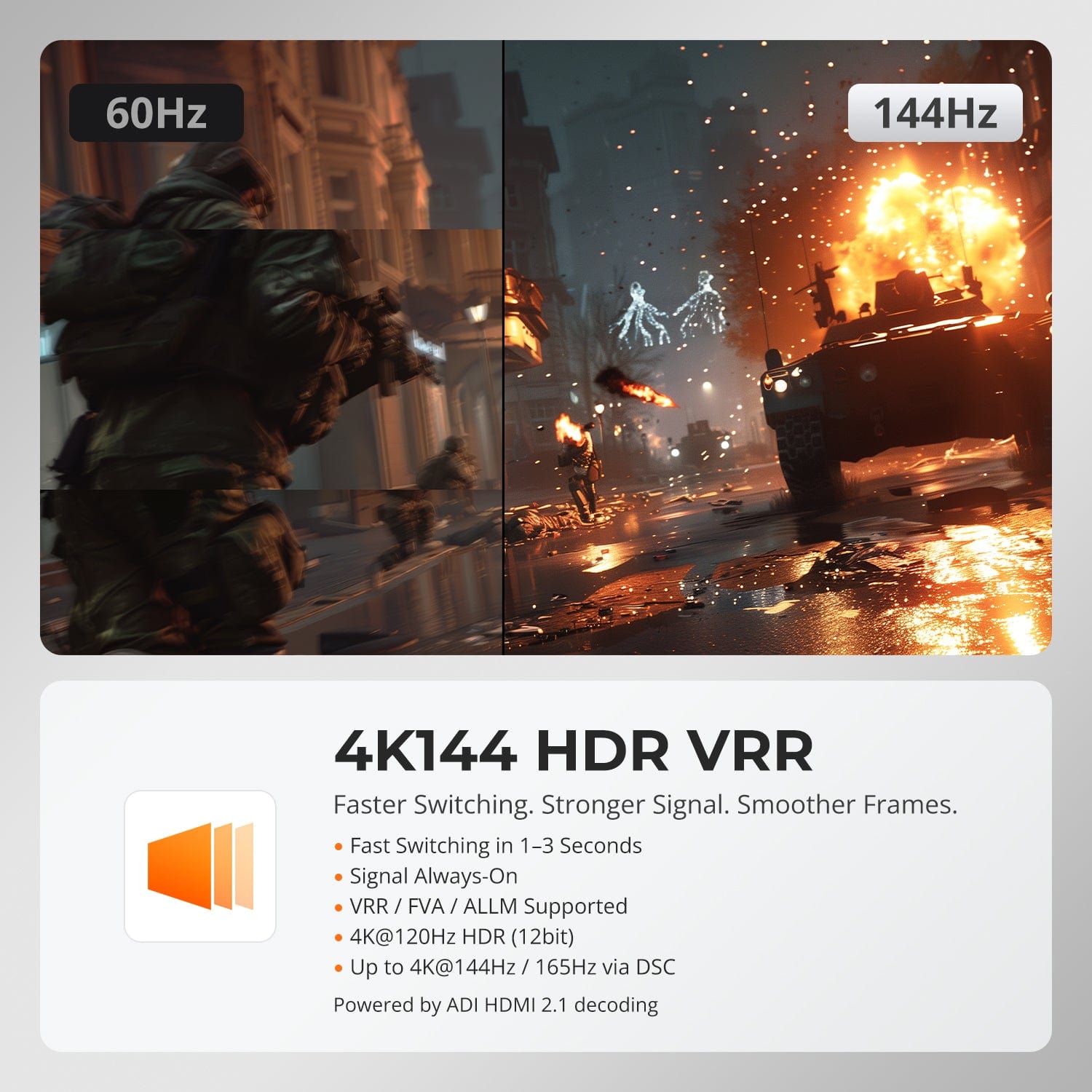
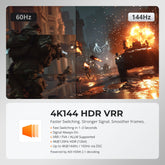
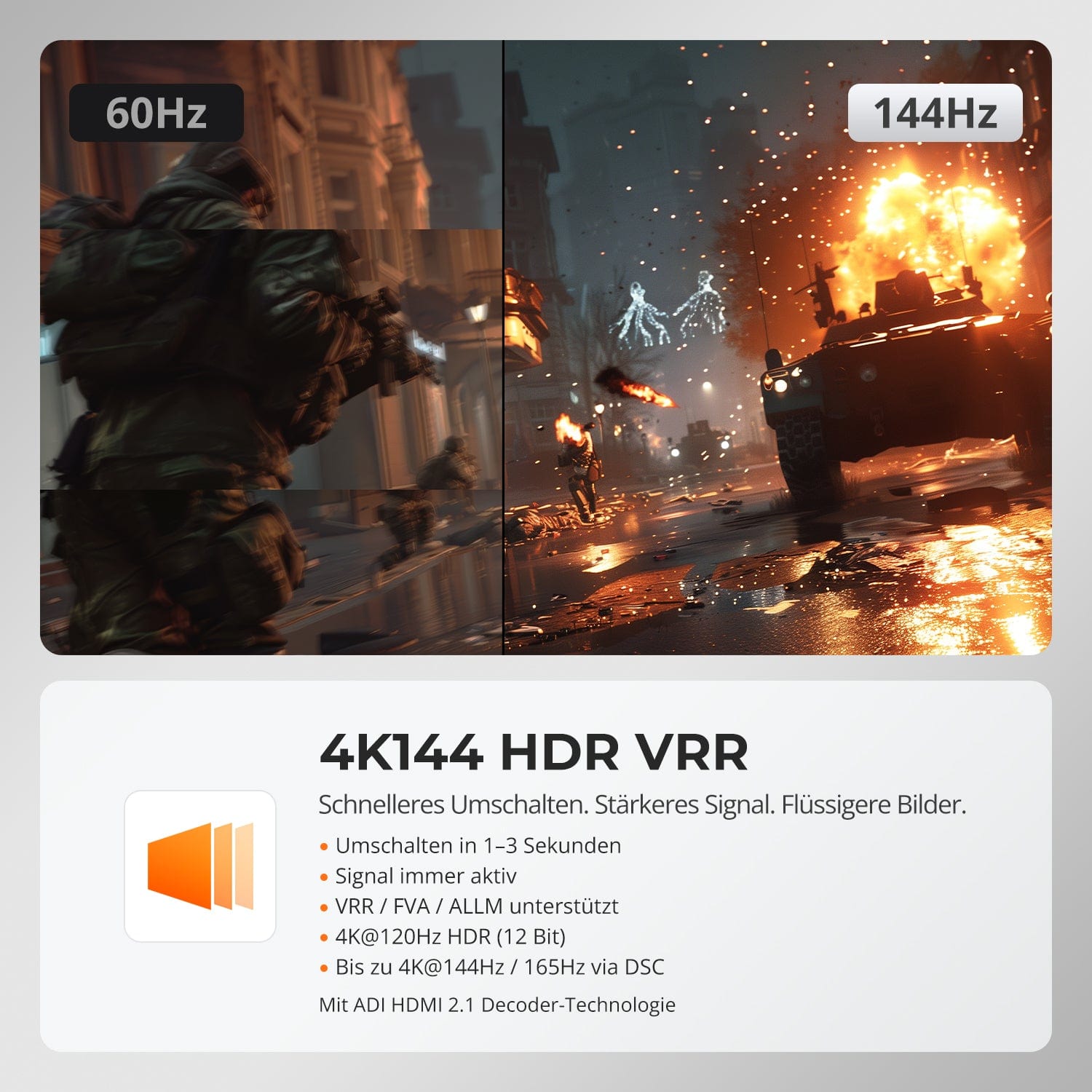
4K144 HDR VRR
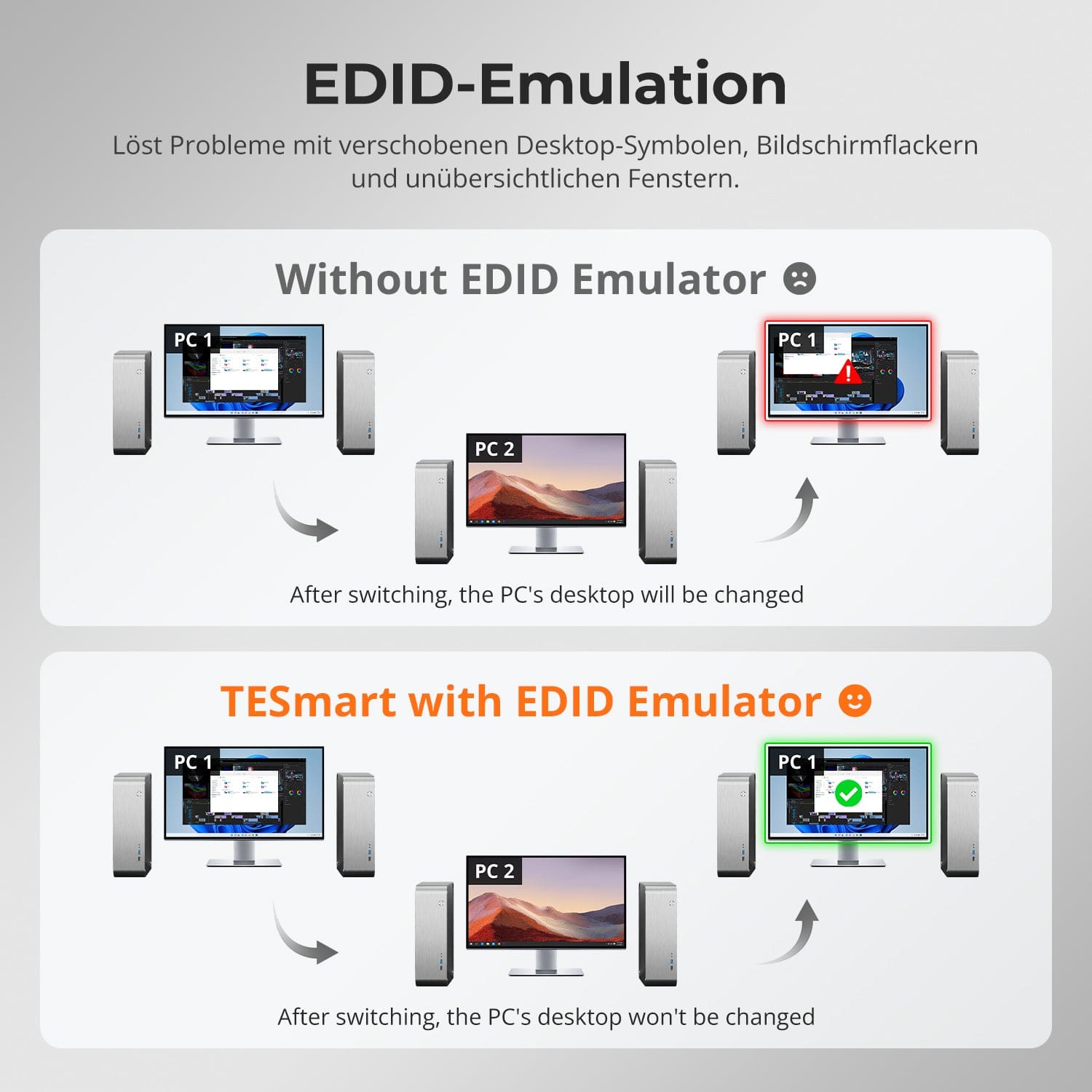
EDID Emulation — Stable screens, no surprises
No flickering. No restarts. No black screens.
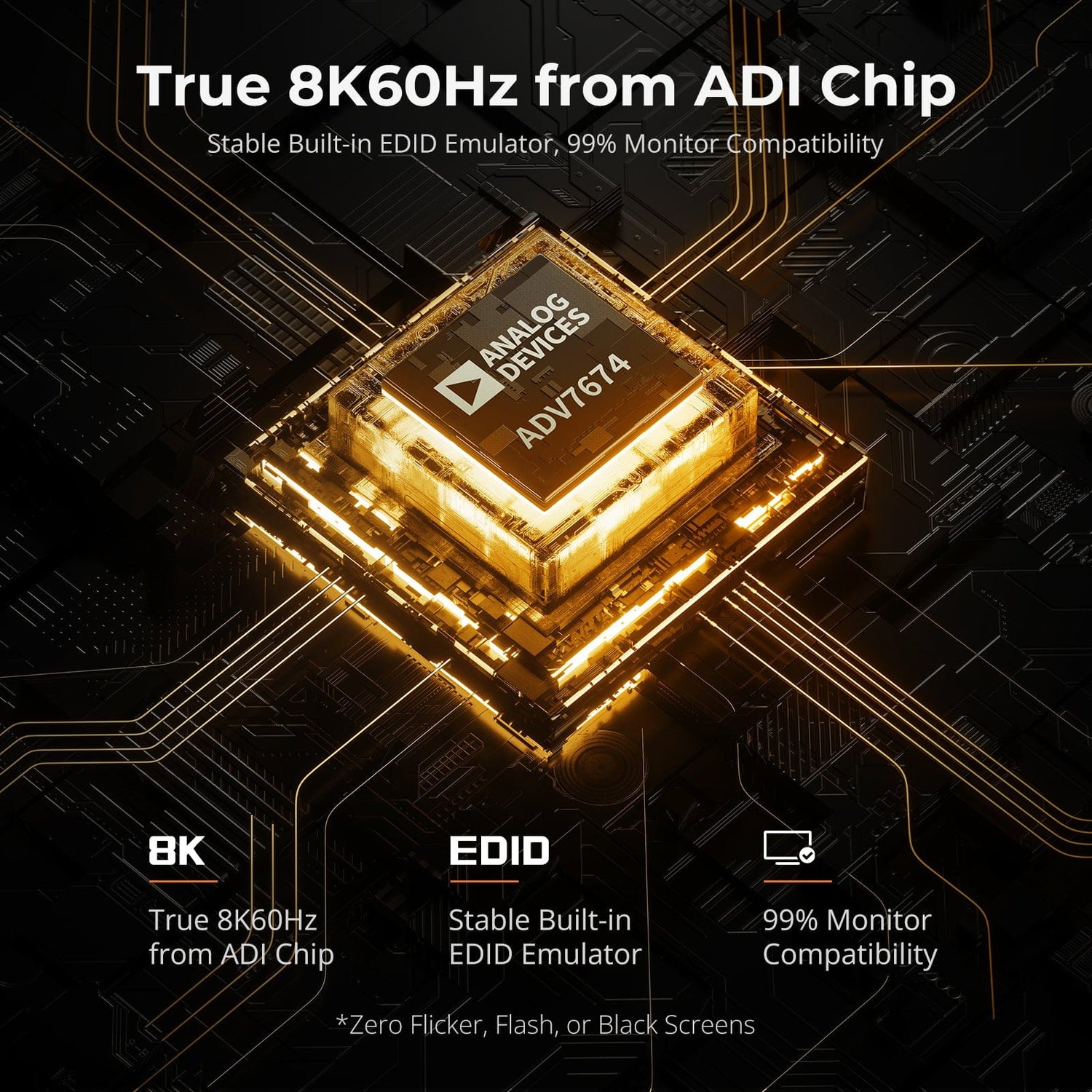
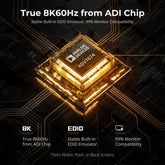
Thanks to ADI 7674 decoding and advanced EDID emulation, this KVM ensures stable multi-monitor output even at high bandwidths.
What makes him unique:
- ADI 7674: Industrial-grade HDMI 2.1 decoding
- Smart EDID: Always a stable signal, no picture dropouts
- VRR/FVA/ALLM for smooth, crack-free gaming
- Ideal for high-FPS gaming and demanding creative workflows
Designed for smooth gaming, creative workflows, and ultra-clear image reproduction. With HDMI 2.1 and DSC, our KVM supports extreme resolutions and high refresh rates on a wide variety of displays.
Each HDMI 2.1 output theoretically supports up to:
- 7680×4320 (8K UHD) — 60Hz (DSC)
- 5120×1440 (32:9 Ultra Wide) — 120Hz (DSC)
- 3840×2160 (4K UHD) — 240Hz (DSC)
- 3440×1440 (21:9 Ultra Wide) — 144Hz
- 2560×1440 (QHD) — 240Hz
- 1920×1080 (FHD) — 240Hz
Faster switching. Stronger signal. Smoother images.
- Fast switching in 1–3 seconds: No blackouts, no restarts
- Always active signal: No interruption during switching
- VRR/FVA/ALLM support: Crack-free, low-latency gaming
- 4K@120Hz HDR (12-bit): Breathtaking clarity and colors
- Up to 4K@144Hz 165Hz with DSC: Designed for action games
Supported by ADI HDMI 2.1 decoding – amplifies weak signals and ensures seamless multi-monitor stability.
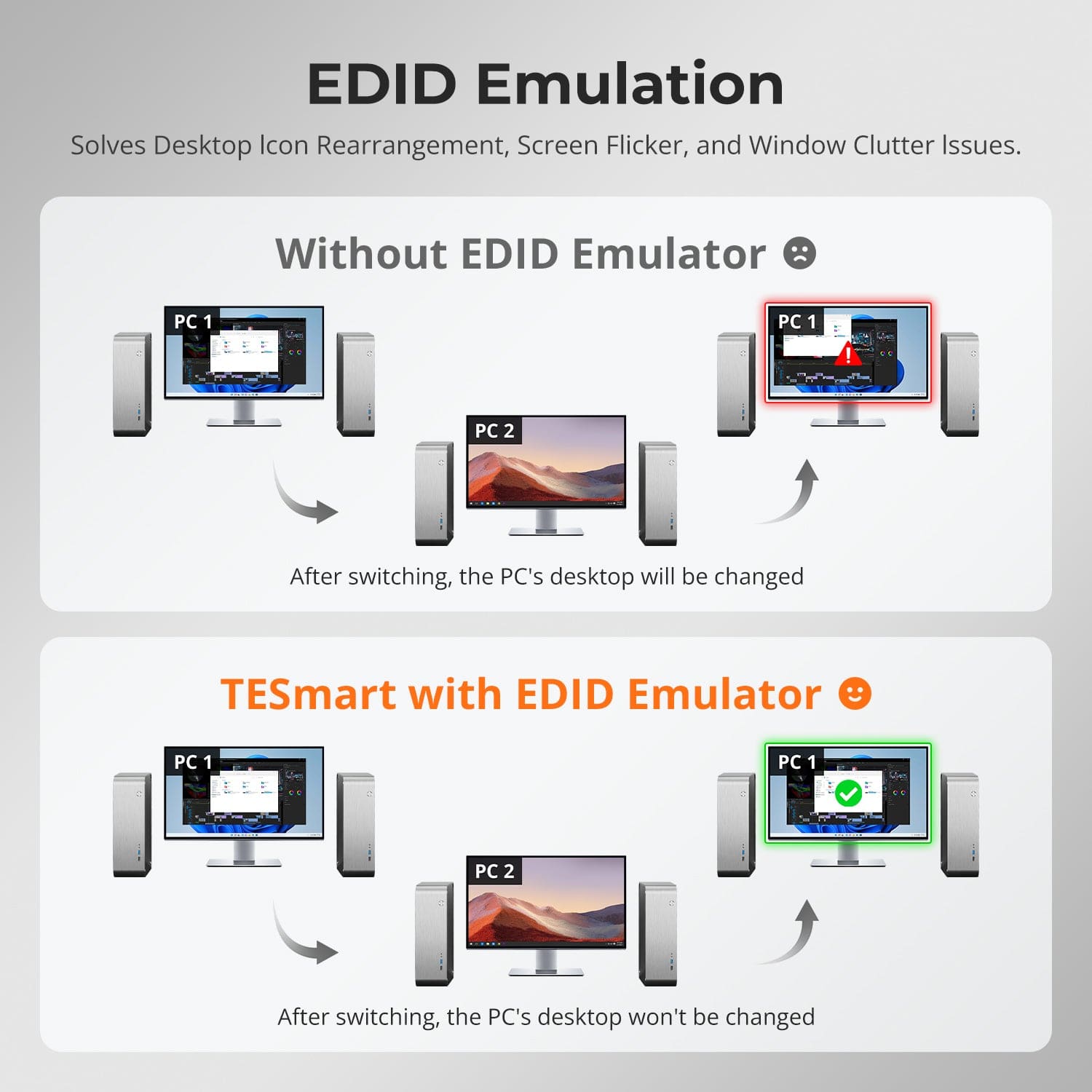
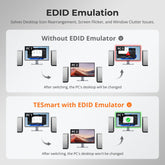
Display switching shouldn't confuse your desktop. Our integrated EDID emulator preserves your layout exactly as you left it.
- No more icon confusion
Retains icon positions and window sizes during input switching.
- Flicker-free switching
Eliminates screen dropouts and flickering through display initialization.
- Smoother multitasking
Ensures visual consistency across workstations and monitor setups.
✅ With TESmart EDID emulation: Your display remains stable and unchanged — even after switching.
⚠️ Without EDID emulation: Icons move, windows change size, and screen flickering occurs after every switch.
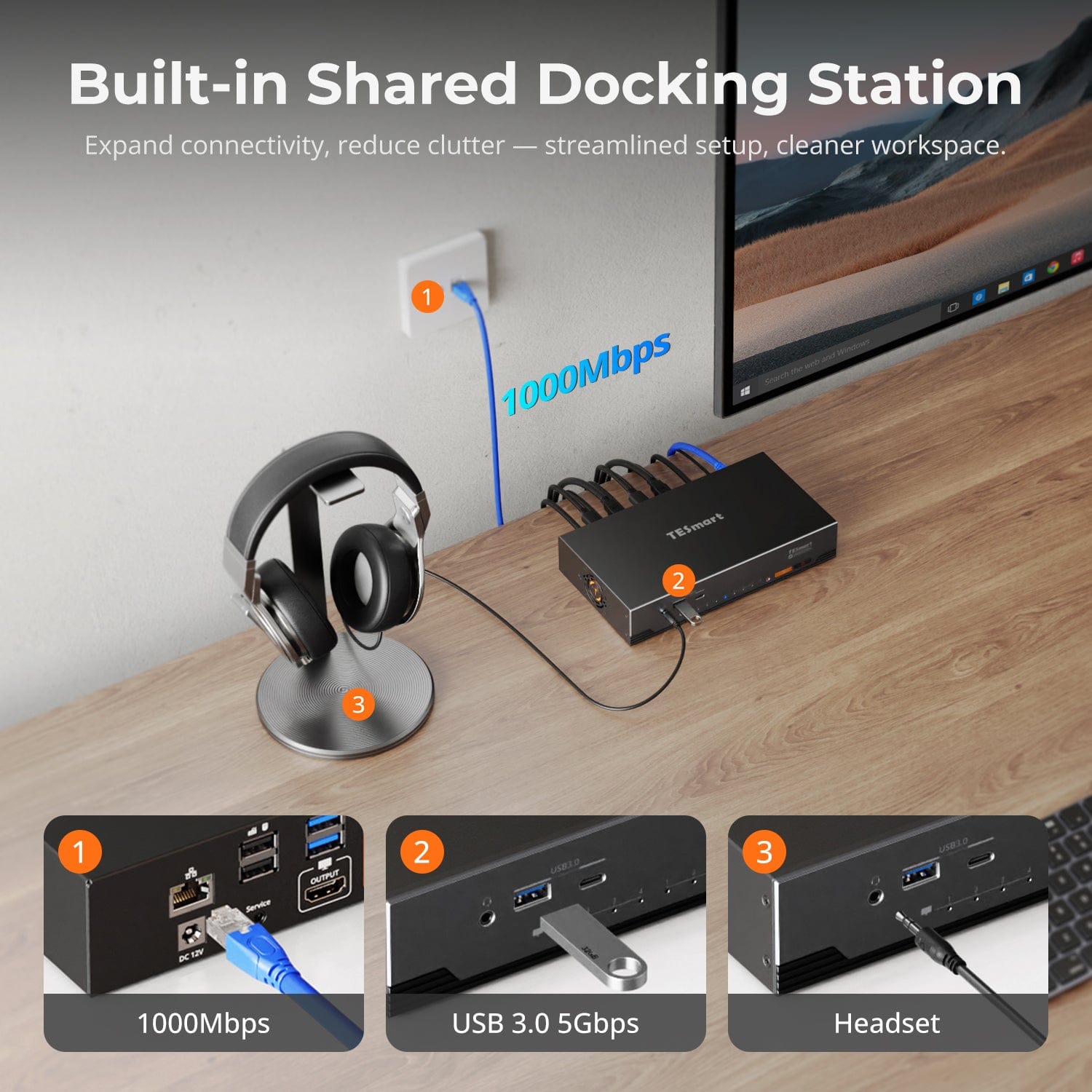
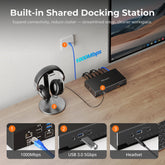
Integrated shared docking station
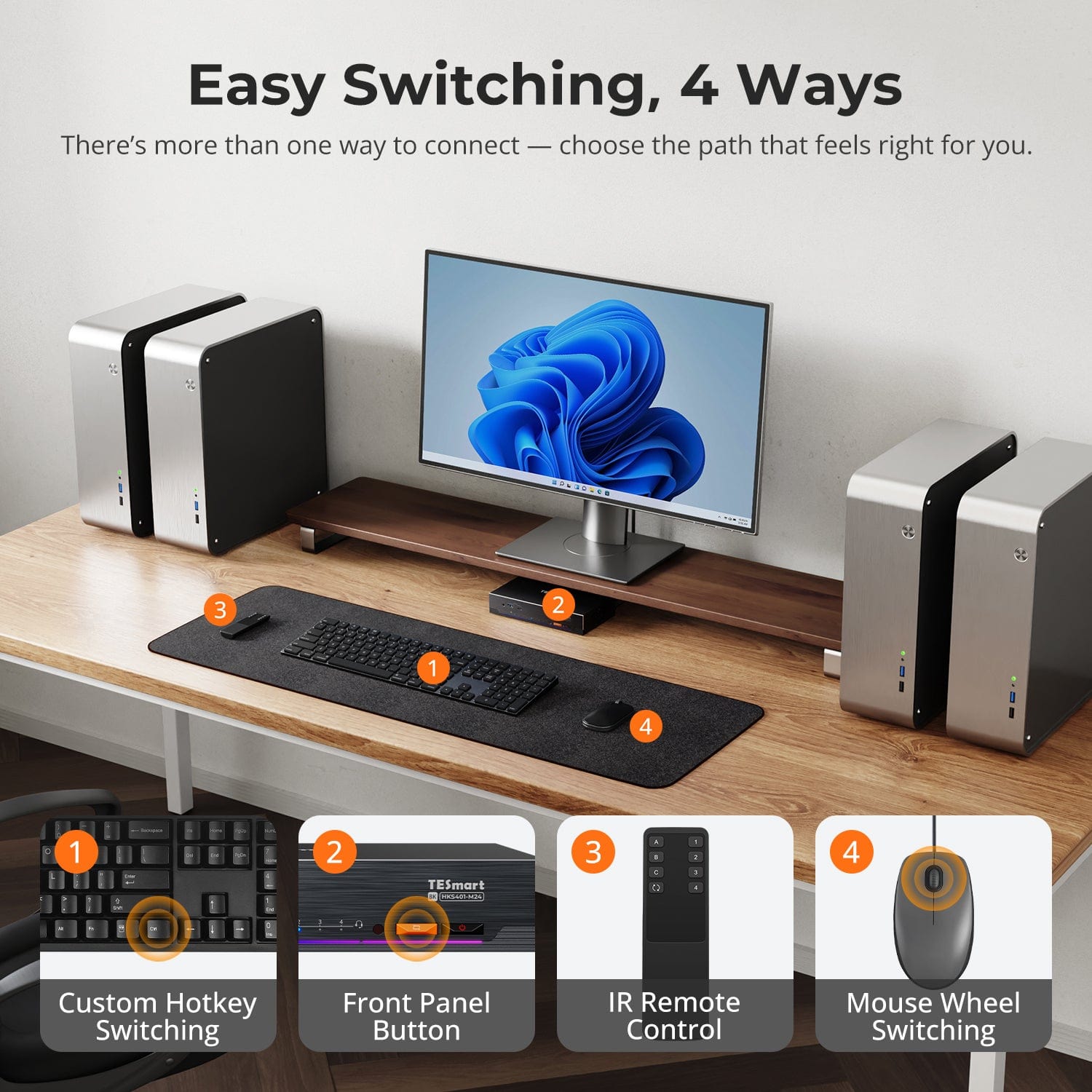
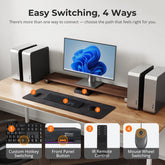
Easy switching, 4 ways
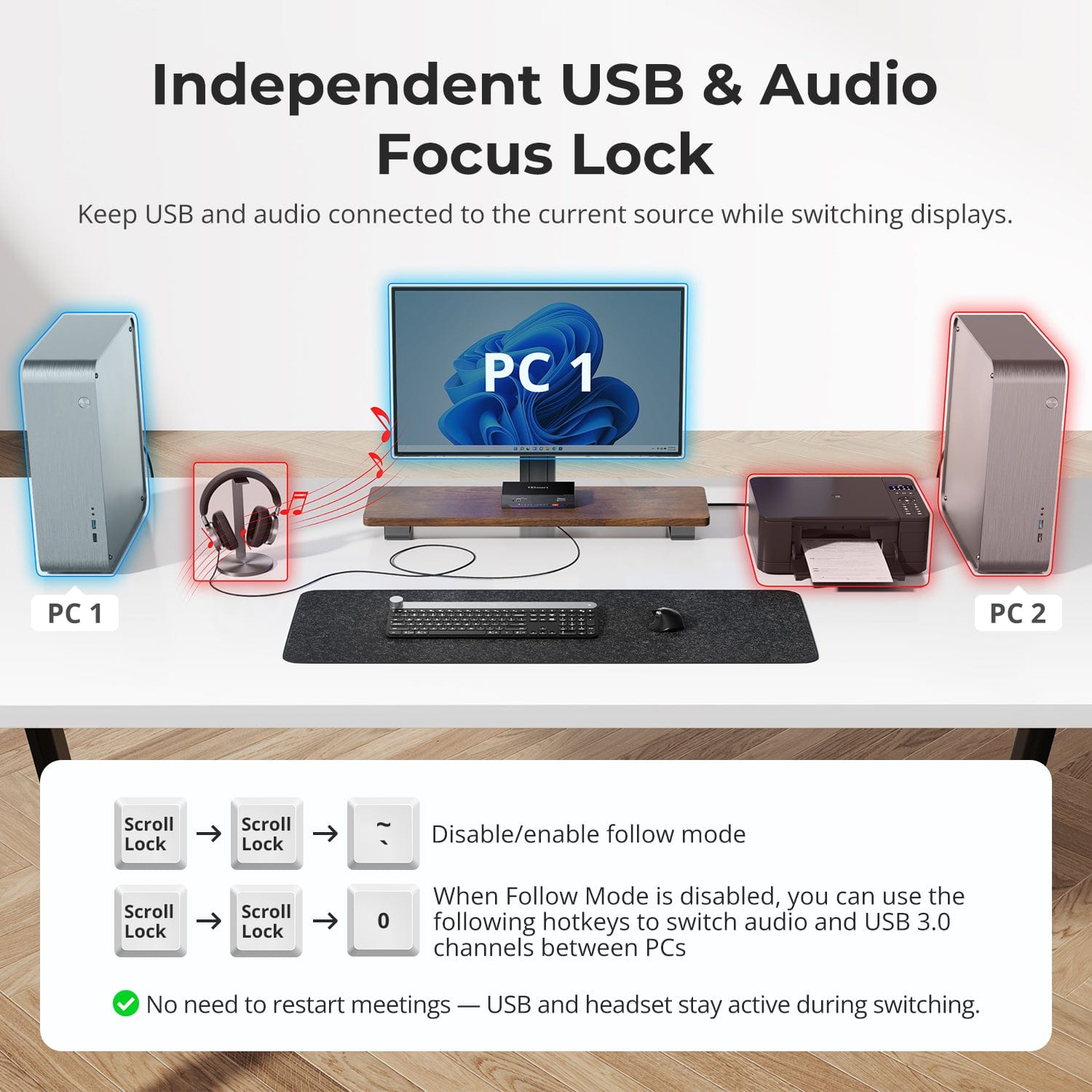
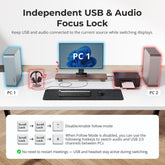
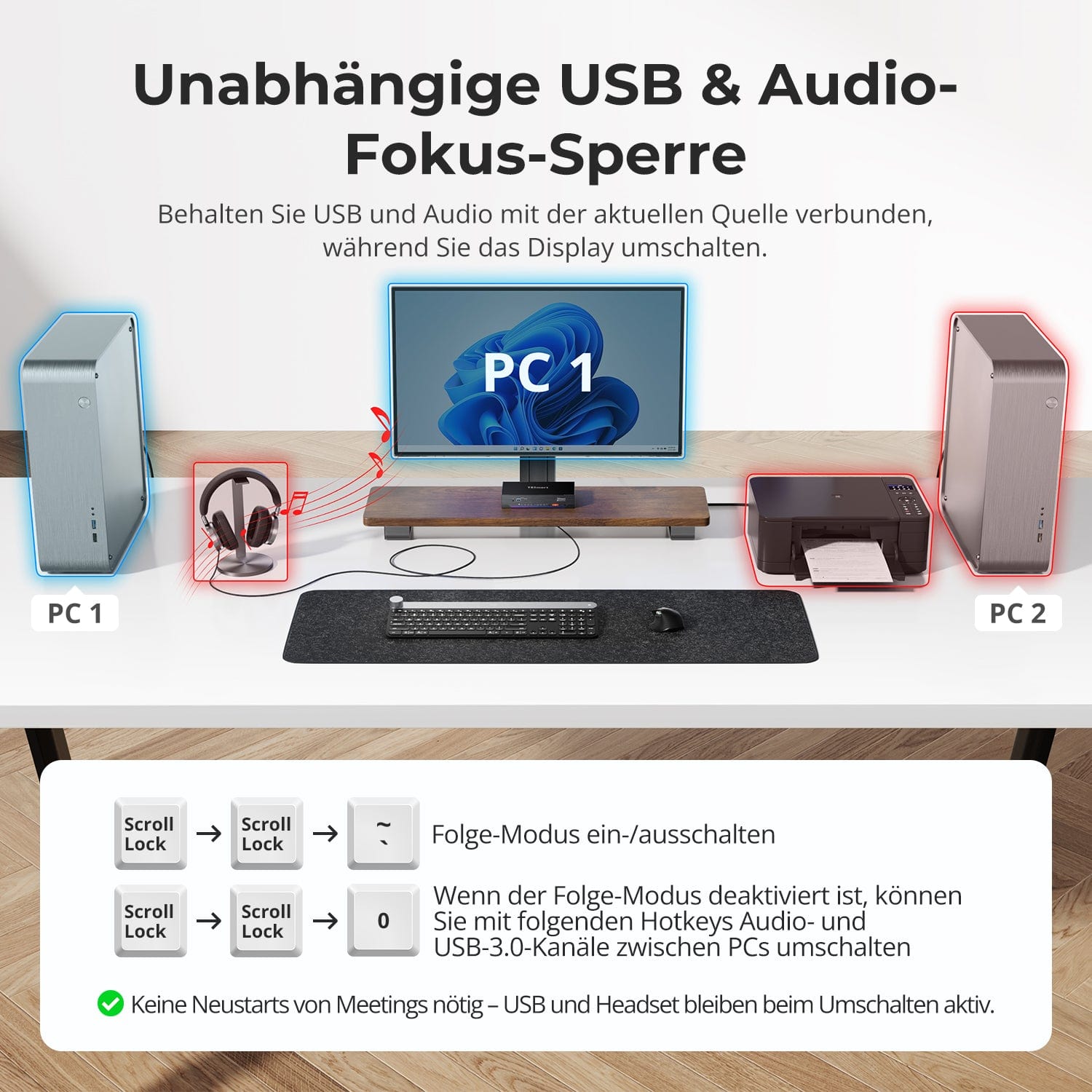
Independent USB & Audio Focus Lock
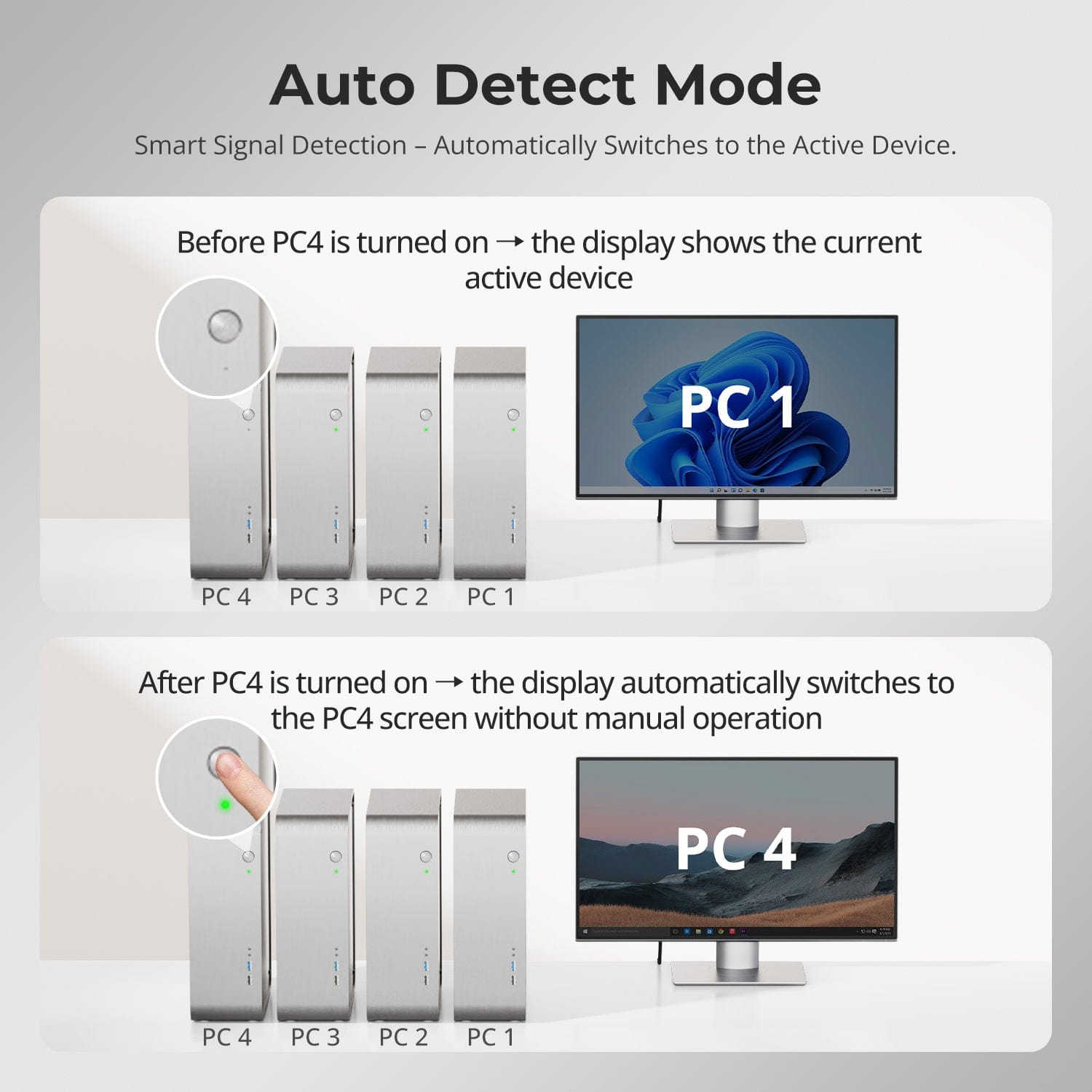
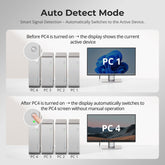
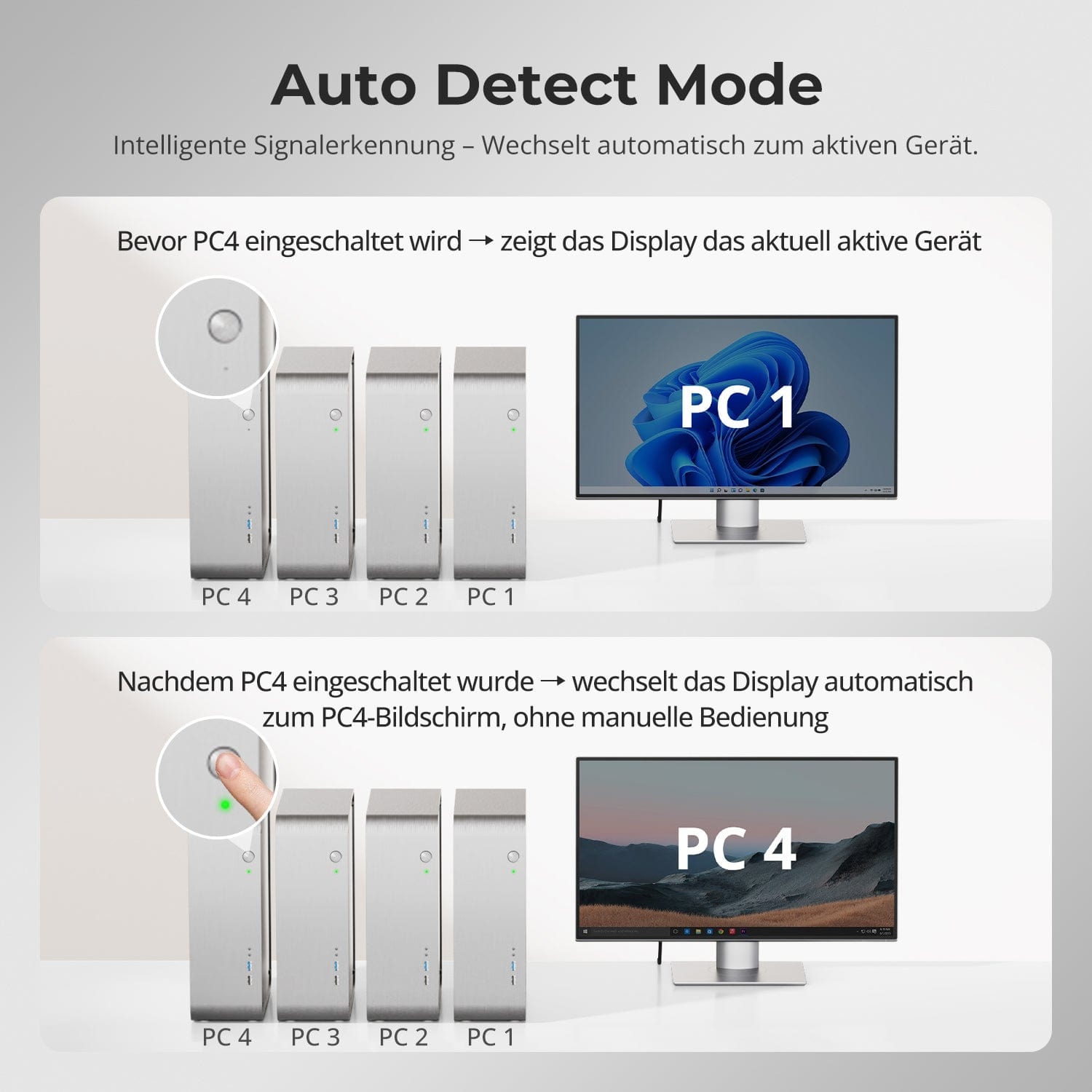
Auto detection mode — Intelligent switching, no hassle
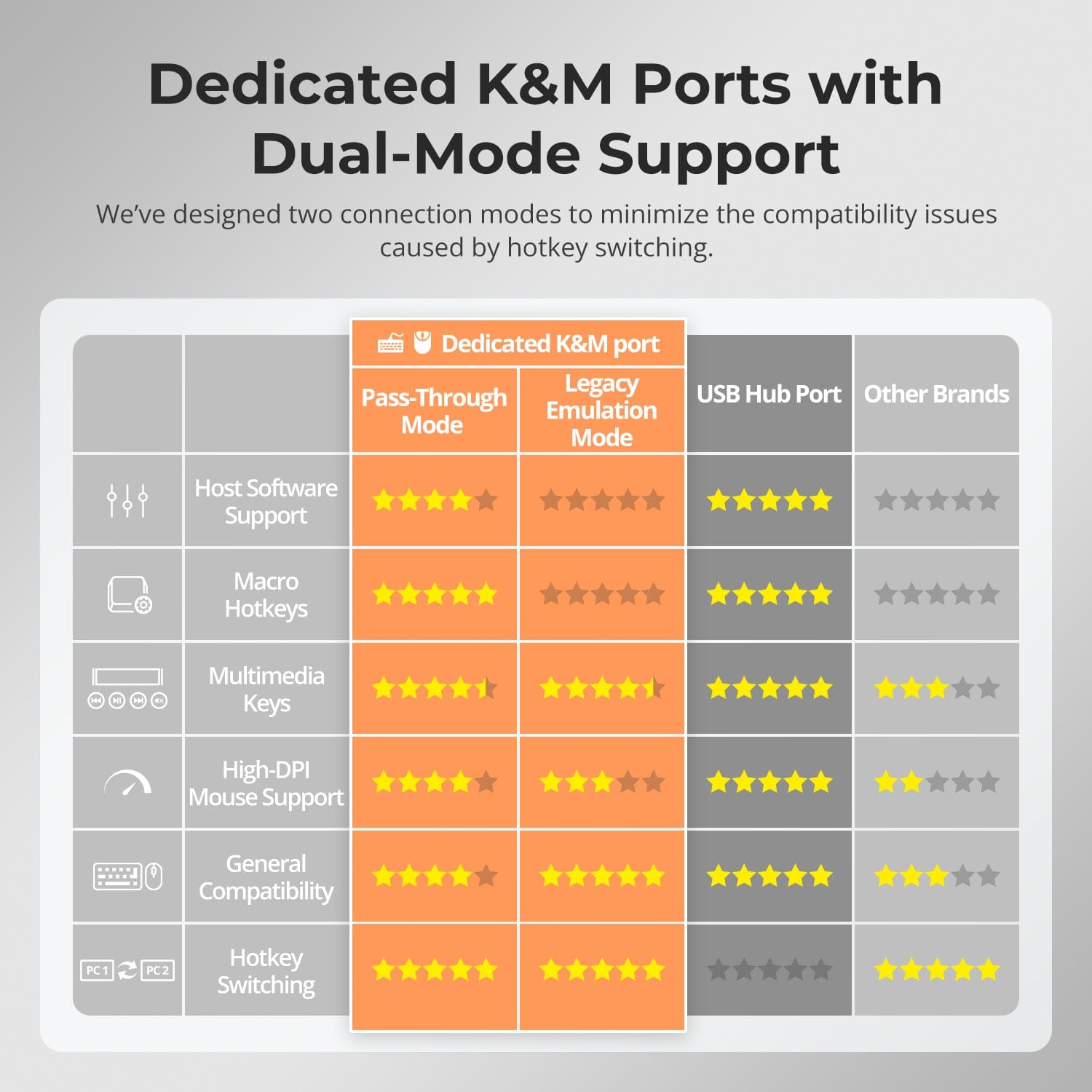
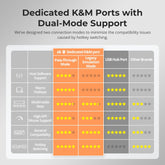
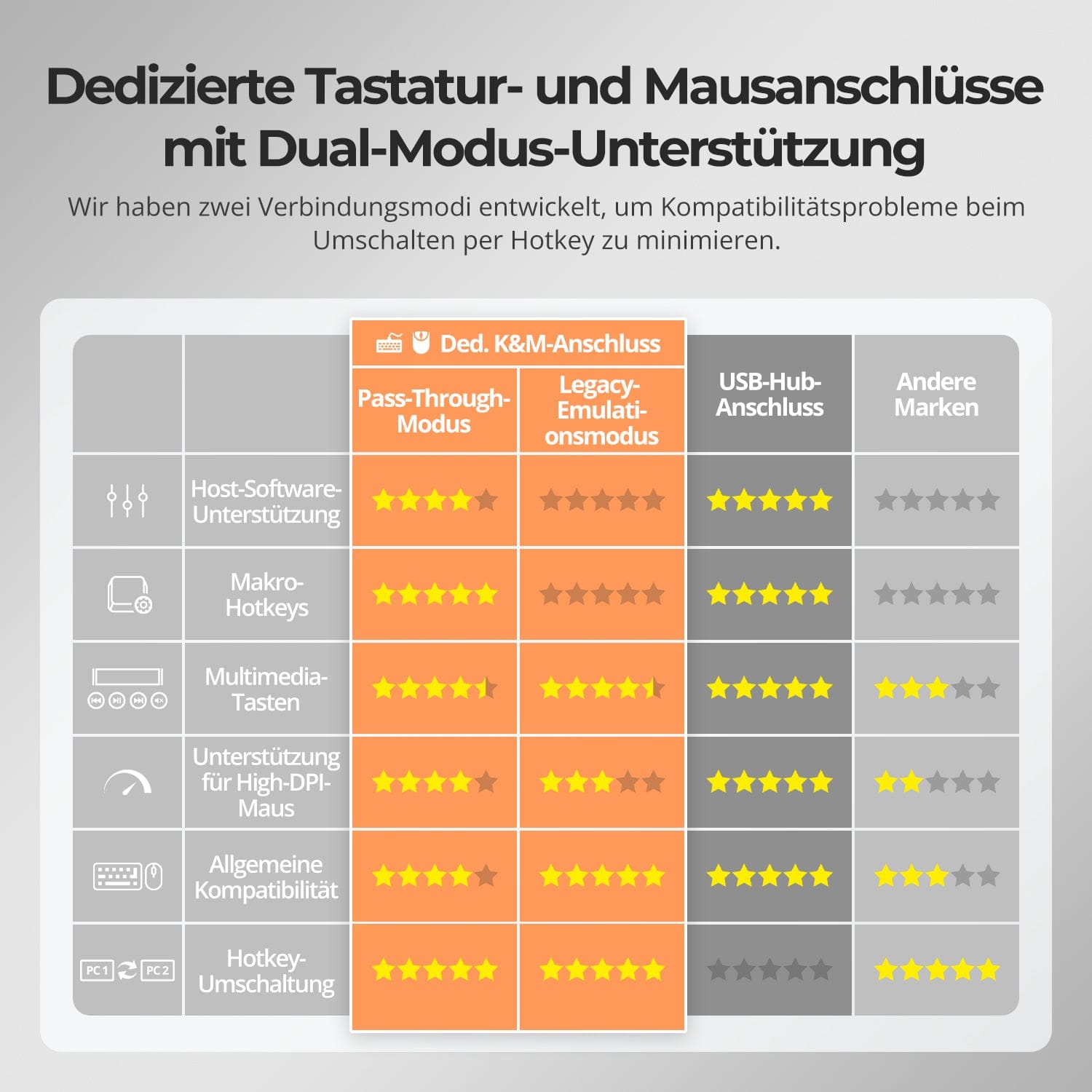
Dedicated K&M-Ports with dual-mode support
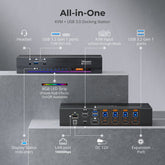
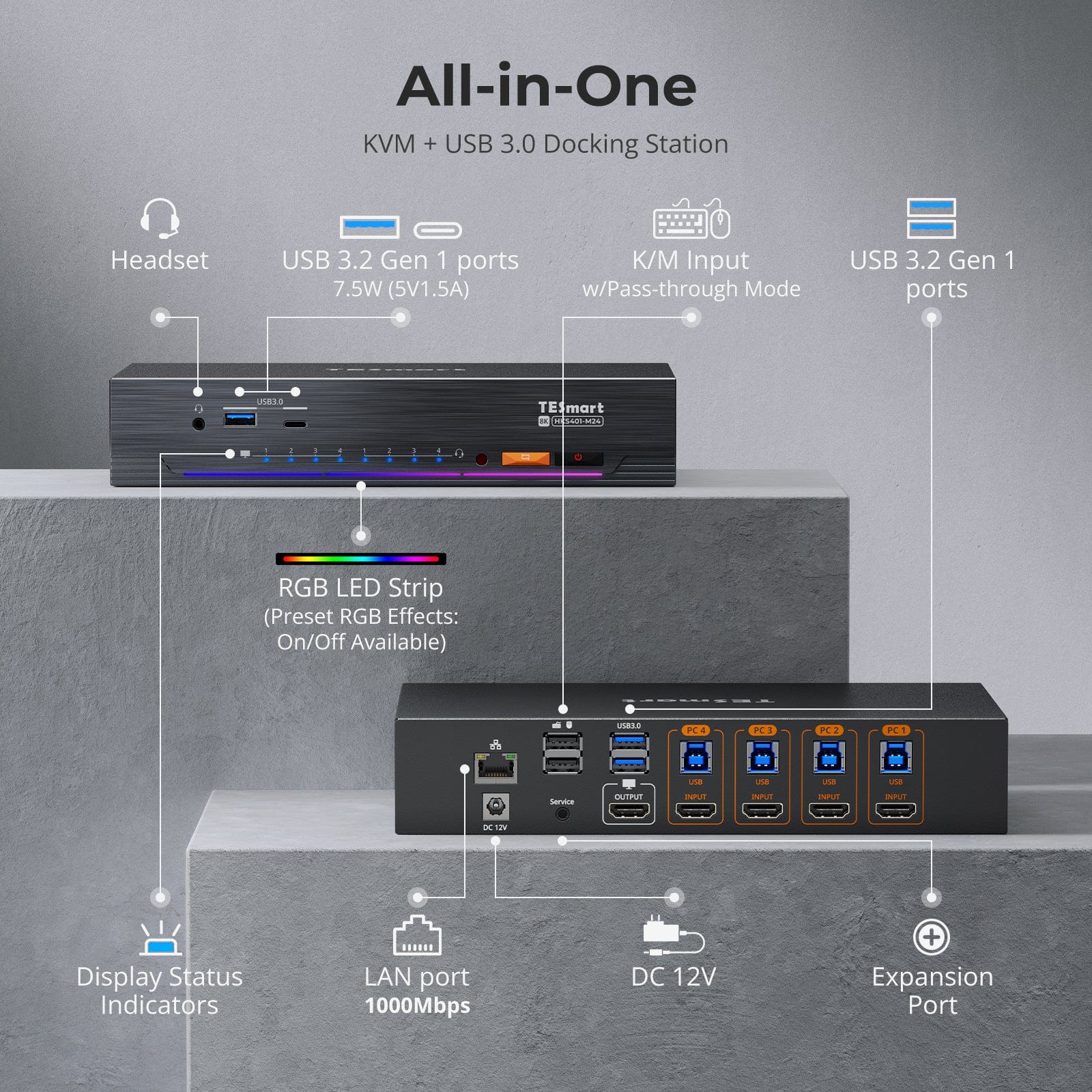
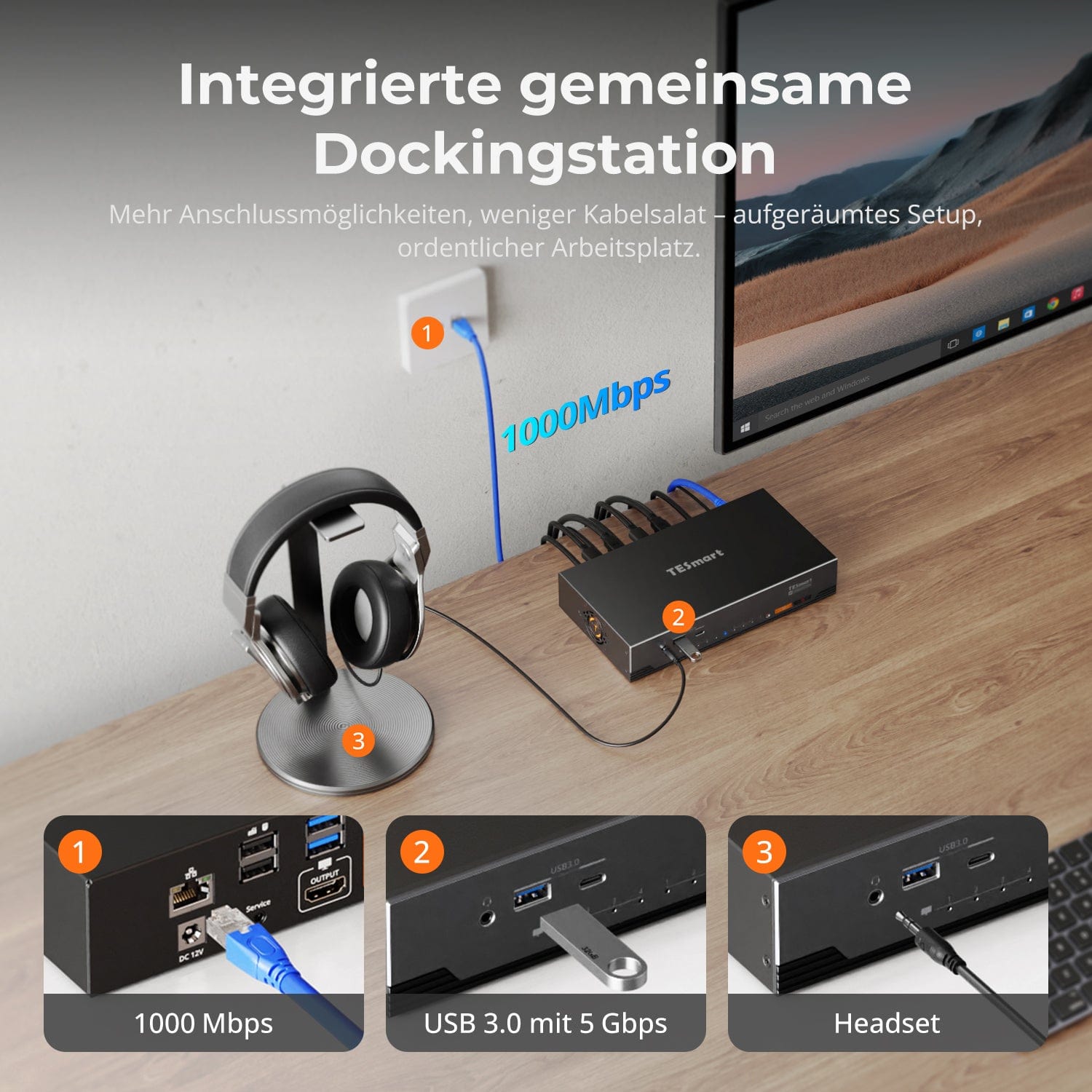
Optimize your setup with an integrated docking station that connects all devices – no additional hubs required.
- USB 3.0 (5 Gbit/s) – High-speed data transfer for drives and peripherals
- Gigabit Ethernet (1000 Mbps) – Stable wired internet for all devices
- 3.5 mm headset jack – Combined audio input/output for meetings and calls
A tidier, more efficient workspace – ideal for home office or shared desk environments.
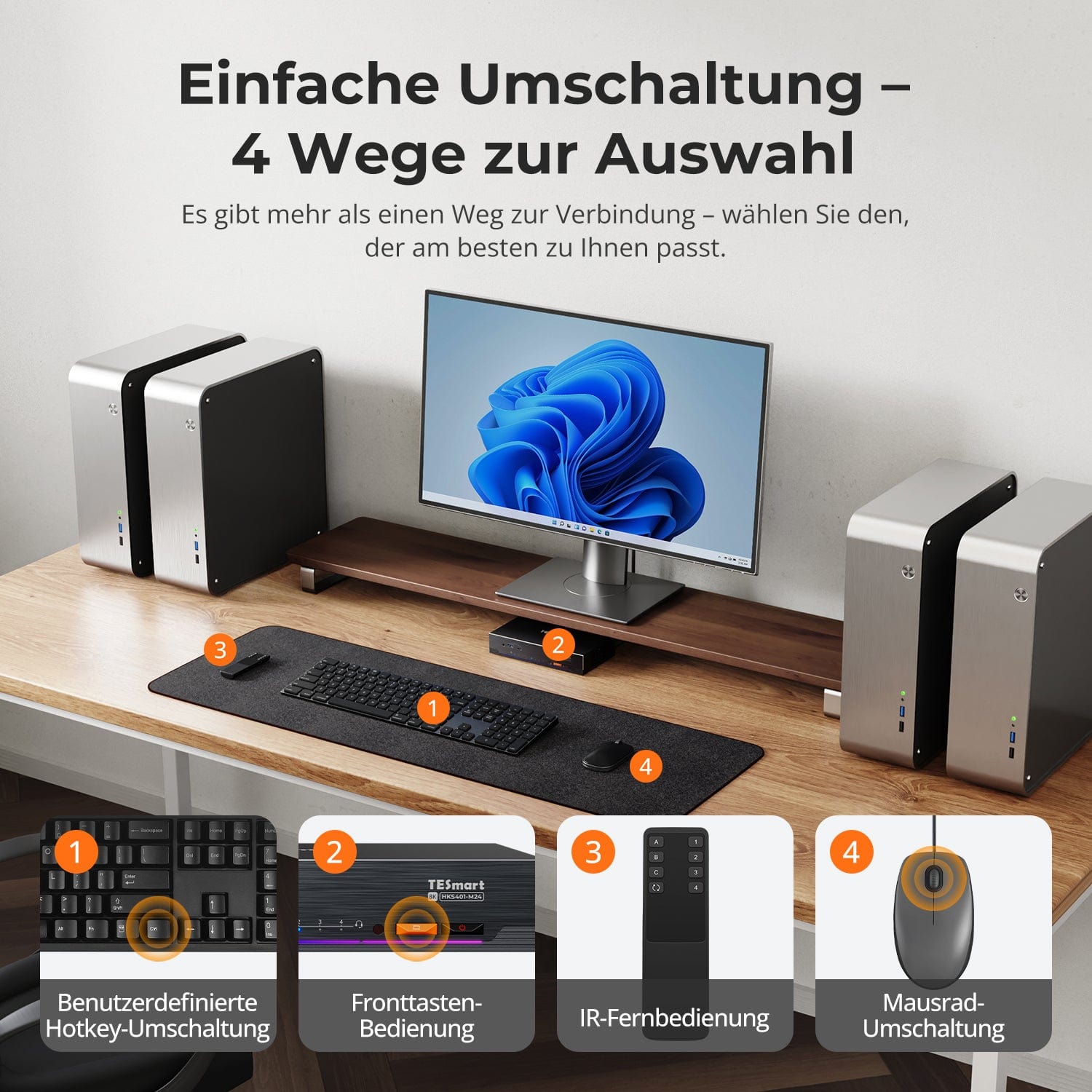
Switching shouldn't slow you down – we offer four seamless methods for every setup and habit:
- Custom Hotkey Switching – Quick Keyboard Shortcuts for Power Users
- Front buttons – Easy, direct access at any time
- IR remote control – Convenient control from the other side of the desk
- Mouse wheel – Double tap for instant toggle
Whether you're working, gaming or presenting – choose the method that suits you best.
Switch between displays without interrupting your USB devices or audio.
This KVM enables independent focus locking for USB 3.0 and L/R audio, so that headsets, webcams or external drives remain connected to the current PC – even during screen switching.
Highlights:
- Separate blocking of USB and audio
- Prevents dropped calls or device connections
- Lock state is retained after restart
✅ Ideal for meetings, streaming and multitasking
⚠️ USB focus ≠ keyboard & Mouse focus – they switch independently
No manual input switching required — the KVM detects activated devices and switches automatically.
- Intelligent signal detection
Detects new signal sources and automatically switches to the last activated PC. - Touchless operation
Ideal for setups with always-on desktops and occasional laptop use. - Seamless experience
Minimizes delays during device activation or system changes.
✅ Example: When PC4 is switched on, the display switches automatically — without pressing a button.
For improved keyboard and mouse compatibility – especially when switching hotkeys – we have developed two special connection modes:
- Pass-through mode (Recommended)
Direct throughput to the PC. Supports advanced drivers, macros, high-DPI mice, and multi-function input devices. Ideal for gaming, design, and professional workflows. - Legacy emulation mode
Ensures universal compatibility and stable hotkey functionality in most systems. Ideal for office use or when experiencing driver issues.
✅ Hotkey commands only work when the keyboard is connected to the dedicated K&M-Port.
⚠️ Emulation mode disables driver-based software and advanced features.
⚠️ Bluetooth keyboards/mice are not supported.
This is how others use it

FAQs
Why is my audio device not working?
Connection requirements
The KVM switch's audio function requires proper USB connections. Please ensure your computer is securely connected to the KVM via the designated USB-A to USB-B ports to guarantee reliable audio data transmission.
Sound settings on the computer
- With 3.5 mm jack connection: In your computer's sound settings, select "USB Audio" as the default output device.
- With USB 3.0 connection: Select the appropriate USB audio output, e.g., "USB Audio Device" or "USB Headset", depending on your system's display.
If no sound is output via the 3.5 mm output even after correct adjustment, we recommend using a USB sound card (USB to 3.5 mm adapter) to improve compatibility and ensure proper audio output.
Why does it automatically switch to a newly connected computer?
The HKS401-M24 features an auto-detect mode. When a new signal source is detected, the KVM switch automatically toggles the display according to the auto-detection logic.
Functional details:
- Automatic switching to new device: When a new active input device is connected to the KVM switch, the system automatically switches to the newly connected input source.
- Automatic switching to the next active source: If the currently displayed input source is removed (e.g., computer is turned off or disconnected), the KVM switch automatically switches to the next input source that is still providing a signal.
A notice: The auto-detect mode is enabled by default and can be used with the [M]-Button on the infrared remote control can be switched on or off.
Why can't my computer use Wi-Fi after connecting to the KVM?
The KVM switch has an integrated network card that is enabled by default. Computers may prioritize the wired connection.
If you want to use Wi-Fi instead of the KVM's wired connection, you can:
Disable the KVM's integrated network card for the selected computer:
- Switch to the desired computer using [Right Ctrl] → [Right Ctrl] → [1]/[2]/[3]/[4].
- Press [Right Ctrl] → [Right Ctrl] → [F4] to turn off the network card. Note: The buzzer sounds twice when turning on and once when turning off.
Disable the USB network adapter in the computer settings (example Windows 11):
Method 1: Advanced network settings
- Press [Win + I] to open Windows settings.
- Go to Network & Internet → Advanced network settings.
- Look for the adapter called Realtek USB GbE Family Controller in the list.
- Click on Deactivate.
Method 2: Device Manager
- Press [Win + X] and select Device Manager.
- Expand Network Adapters and search for Realtek USB GbE Family Controller.
- Right-click and select "Disable device".
Using one of the two methods, your computer prioritizes Wi-Fi while remaining connected to the KVM switch.
How can I switch USB peripherals or audio devices independently?
By default, the KVM operates in follow mode, meaning that connected USB 3.0 devices and audio devices are automatically switched with the keyboard/mouse focus.
Disable follow mode: Press [Right Ctrl] → [Right Ctrl] → [ ~ ] to toggle the follow mode. Note: The buzzer sounds twice when activated and once when deactivated.
Switch USB 3.0 and audio focus independently: After disabling Follow mode, you can use [Right Ctrl] → [Right Ctrl] → [0] to synchronously switch the USB 3.0 and audio device focus between the two computers.
How can the fan speed be adjusted?
The KVM switch supports four fan modes. Each mode is indicated by the number of beeps from the buzzer. The default mode is Mode 2.
Set fan mode: Press [Right Ctrl] → [Right Ctrl] → [F3] to switch between modes:
- Fan mode 1: The fan is deactivated. The buzzer sounds once.
- Fan mode 2: The fan operates automatically based on the current temperature. The buzzer sounds twice.
- Fan mode 3: The fan runs continuously at low speed. The buzzer sounds three times.
- Fan mode 4: The fan runs continuously at high speed. The buzzer sounds four times.
Does this KVM support Adaptive-Sync on my monitor?
Yes. The HKS401-M24 supports HDMI 2.1 and VRR (Variable Refresh Rate) and is compatible with G-Sync and FreeSync technologies.
Does this KVM support Dolby Vision?
Yes. The HKS401-M24 supports HDMI 2.1 and Dolby Vision.
Can this KVM 4K@144Hz- oder Supports 8K monitors?
Yes. The HKS401-M24 supports HDMI 2.1 and resolutions up to 8K (4320p) @60Hz. It is also backward compatible with 4K (2160p) @60/120/144Hz.
-
DE: 3 working days · EU: 3–7 working days
-
Hassle-free returns & Purchase guarantee
-
Register and receive 2 additional years of warranty
-
TESmart+ members
Trade-in with 30% discount + lifetime technical support