



HKS401-M23-EUBK
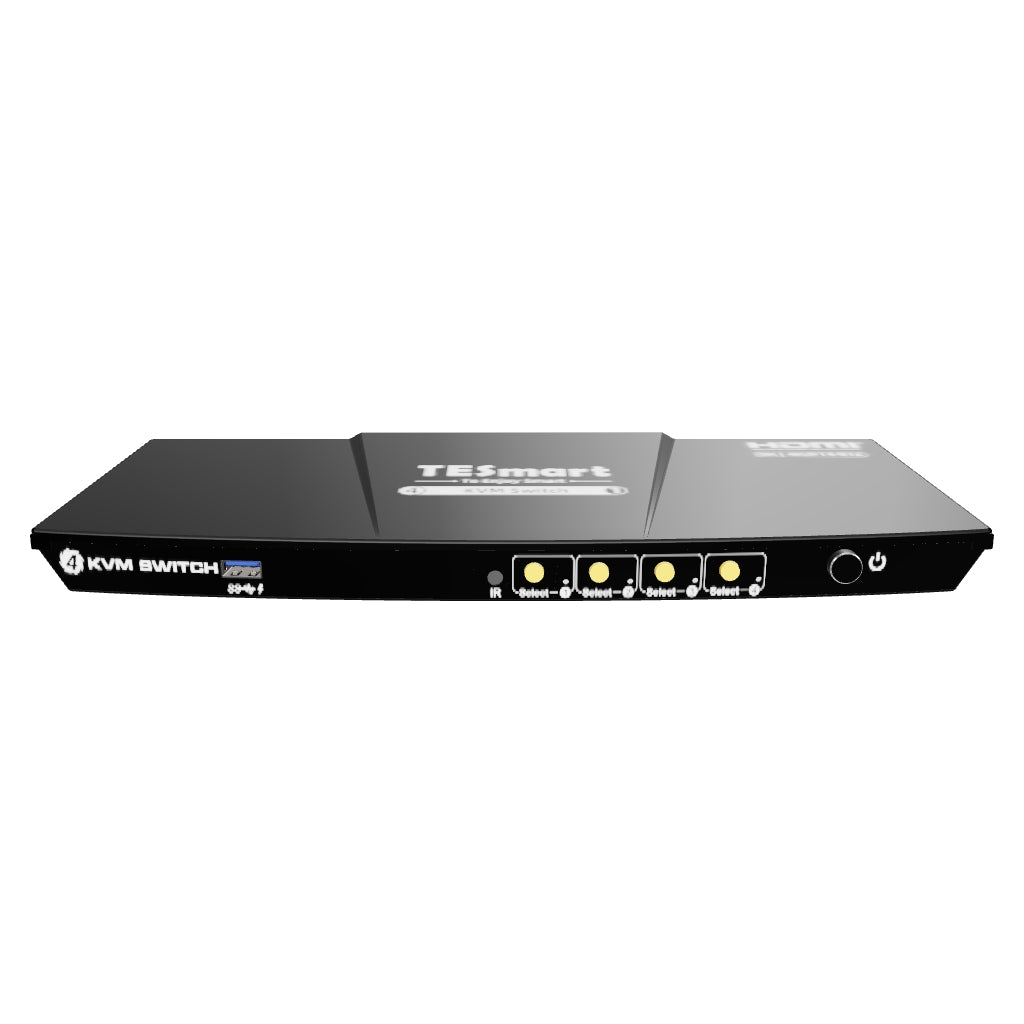
4-Port 8K60 HDMI 2.1 KVM Switch mit ADI-Chip, EDID, 4K144Hz für Gaming, 4 PCs, 1 Monitor
- Regulärer Preis
-
€363,60 - Regulärer Preis
-
€363,60 - Verkaufspreis
-
€363,60
Abholverfügbarkeit konnte nicht geladen werden
-
Beeilen Sie sich, nur noch 7 Artikel auf Lager!
Overview & Highlights
TESmart mit dir. Entwickelt sich für dich!
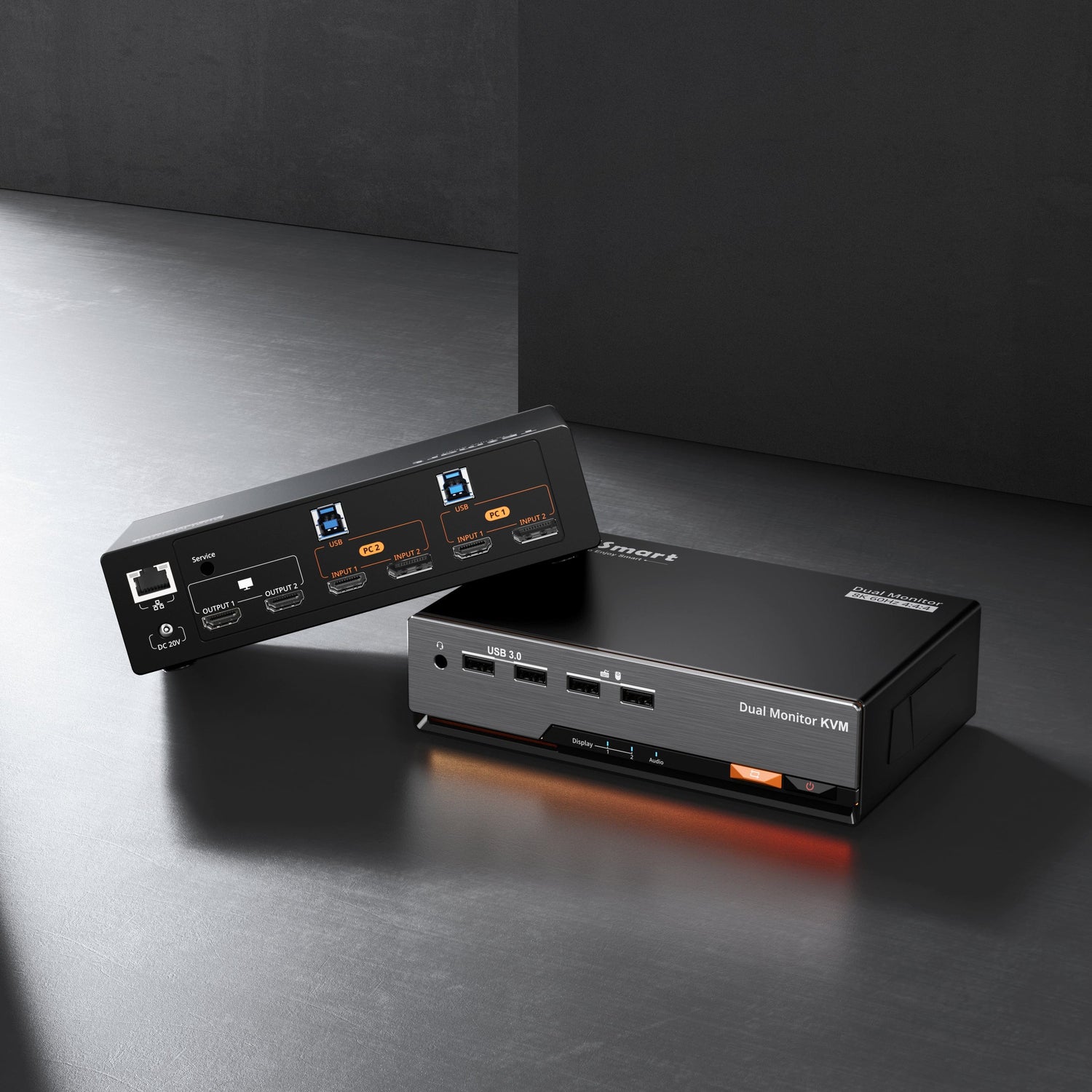
Der HKS401-M23 wurde für Anwender wie dich entwickelt, die mehrere Hosts besitzen, diese jedoch nicht ständig parallel nutzen. Er unterstützt 4 Eingänge / 1 Ausgang mit HDMI 2.1 und 8K@60Hz.
Ideal für Videoeditoren – mit Unterstützung für HDR10 und Dolby Vision bietet er hochwertige Videoausgabe und sorgt für beeindruckende visuelle Ergebnisse bei kreativer Arbeit. Die hohe Bildwiederholrate ermöglicht zudem ruckelfreies Gaming ohne Stottern.
Warum du ihn lieben wirst:
• Hohe Auflösungsunterstützung: Bis zu 3840x2160 bei 60Hz mit 4:4:4-Farbformat, kompatibel mit 3840x2160@60Hz, 2560x1440@120Hz, 3440x1440@100Hz und 1920x1080@240Hz
• Integrierter USB-3.0-Hub: Teile zwei USB 3.0-Geräte (z. B. 4K-Webcam, Speakerphone, Tastatur, Maus oder Gamecontroller) zwischen deinen zwei PCs oder Konsolen. Der USB-3.0-Port an der Vorderseite unterstützt zudem 7,5 W (5V/1.5A) Ladeleistung – ideal zum Aufladen von Mobilgeräten oder Tablets
• Schnelles Umschalten ohne Verzögerung: Nach dem Umschalten sind Tastatur, Maus, USB-Geräte und Audio (L/R) sofort einsatzbereit – für eine nahtlose, verzögerungsfreie Nutzung
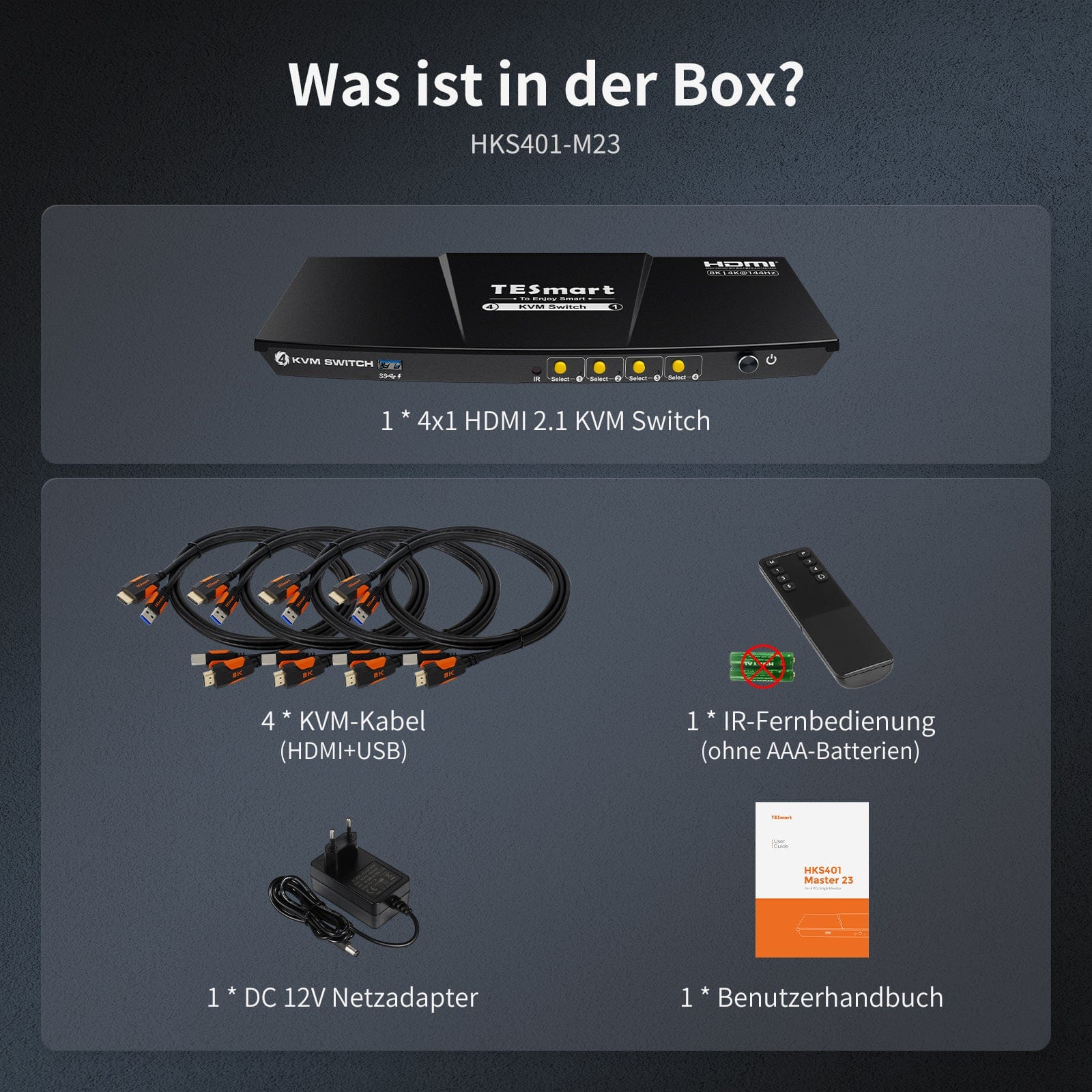
Scope of delivery
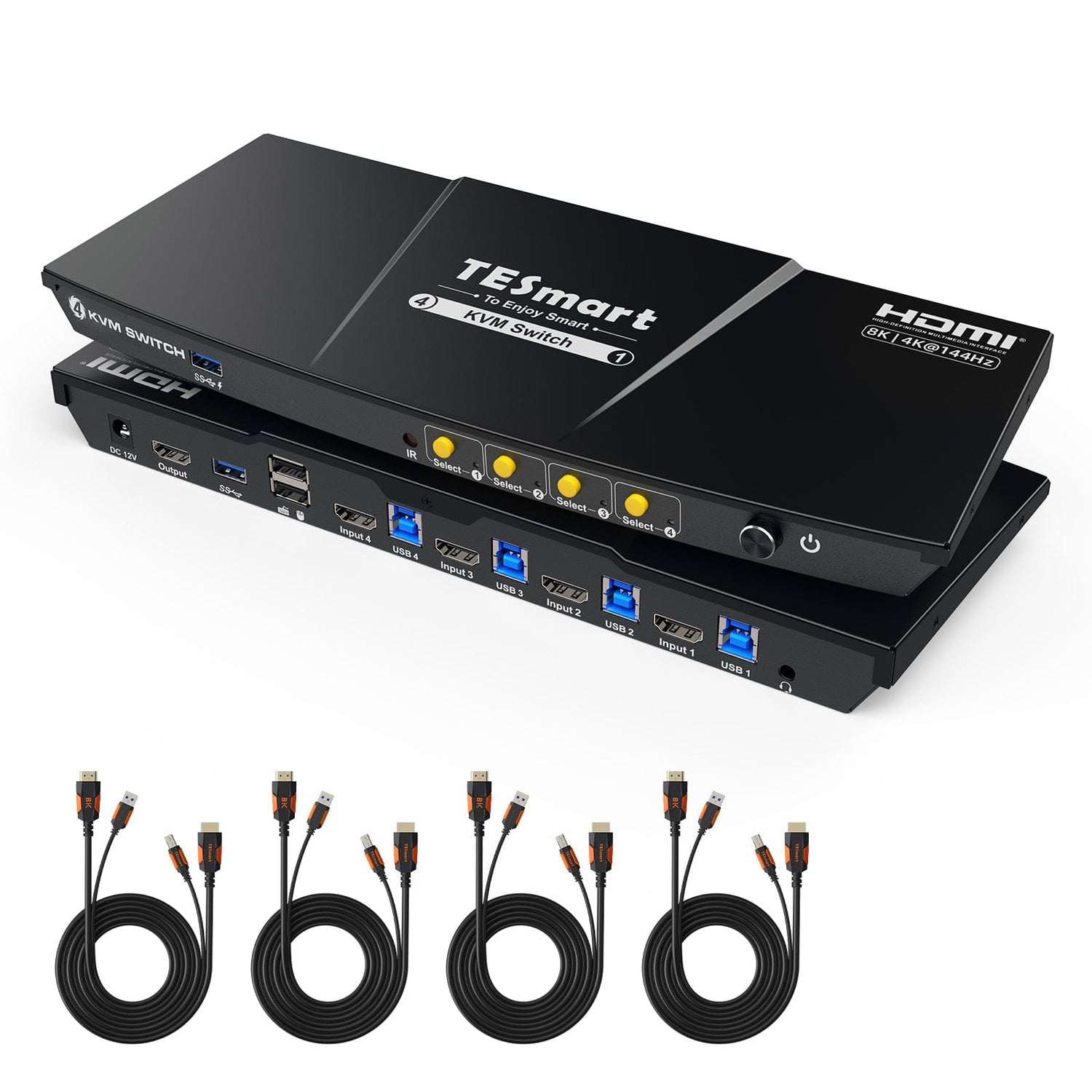
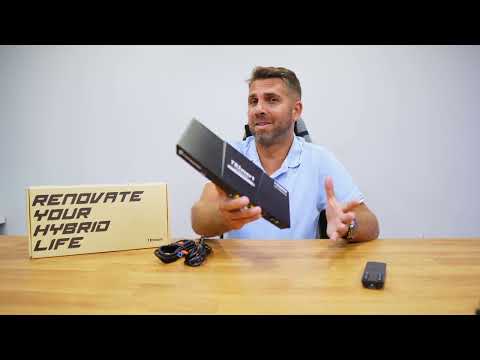
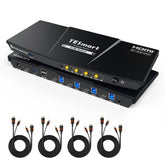
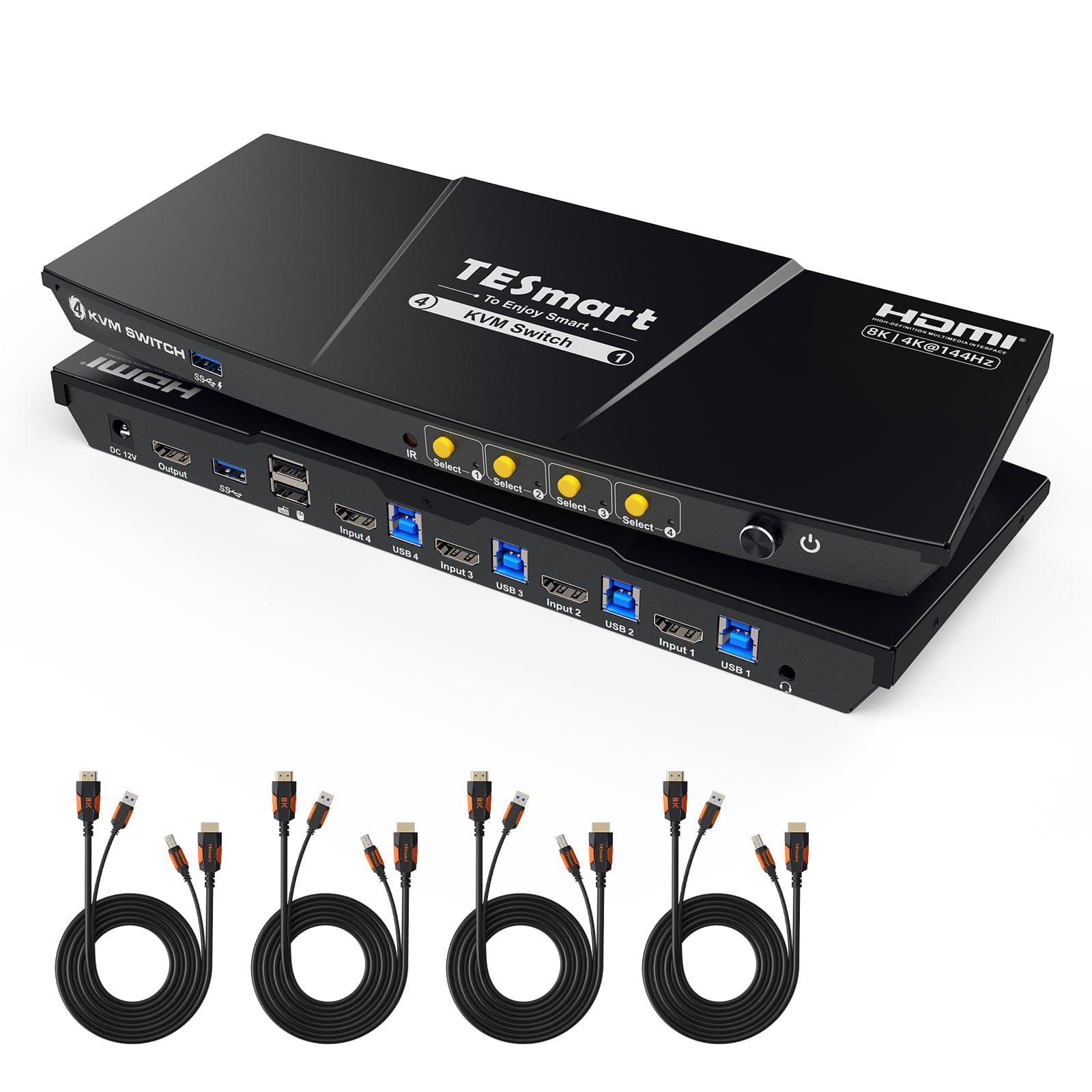
- 1 * 4x1 HDMI 2.1 KVM switch
- 4 * KVM cables
- 1 * IR remote control
- 1 * DC-12V power supply
- 1 * User manual
Downloads & User manual



Our shipping policy consists of the following 7 sections:
Order processing time (shipping lead time)
- Shipping costs & Delivery time
- Order tracking
- Delayed shipments
- Order cancellations
- Steer & Customs duties
- Contact us
1. Order processing time
The order processing time refers to the period from the time of the order until the order is handed over to the shipping service provider.
• Orders are usually shipped within 1-2 working days after confirmation/payment.
• Orders placed on weekends may be subject to delays.
• Our warehouse operates Monday to Friday during regular business hours (excluding public holidays). In such cases, we will make every effort to minimize shipping delays.
We have warehouses in Germany and other regions. Your order will be shipped directly from the nearest warehouse, depending on your delivery address. If the nearest warehouse does not have the product in stock, we will ship your order from another nearby warehouse to ensure you receive it as quickly as possible.
Shipping to the United Kingdom 🇬🇧
To ensure smooth delivery and correct customs clearance, orders from the United Kingdom are processed through our US shop.
Orders to UK addresses cannot be shipped via our EU shop.
2. Shipping costs & Delivery time
| Country or region | Estimated delivery time | Shipping costs | Logistics service provider |
| Germany | 3 working days | Free Shipping | DHL |
| Other EU countries | 3-7 working days | Free Shipping | DHL/DPD |
| Non-EU countries | 5-12 working days | From 60 euros | UPS |
3. Order tracking
4.Delayed shipments
5. Order Cancellation
6. Taxes & Customs duties
7. Contact us
- TESmart orders are processed automatically. Once shipped, they cannot be canceled or changed, including address changes.
- If you wish to return or request a refund, please contact us within 30 days of receiving the product at service@tesmart.de.
- Returns are only possible if the product is unused, complete and in its original packaging.
- For returns not due to quality issues, the customer bears the return shipping costs.
- TESmart will cover the return shipping costs for returns or refunds due to quality issues.
- Products that are searched for 30 days and within 2 years Items exhibiting problems cannot be returned, but depending on inspection, they can be repaired or replaced (same model only, replacements preferred for members).
- Between the 2nd and 3rd. No return or refund service is offered this year. Members can after 3 months A discount of [amount] will be granted from the date of purchase as part of the trade-in policy. up to 50% You will receive a refund of the original product price towards the purchase of a new product. For detailed terms and conditions, please visit: https://tesmart.de/pages/tesmart-id-trade-in
- Refunds will be processed within 5 working days of the goods being received at the warehouse.
For questions: service@tesmart.de
Full guidelines:

Technical data
| Produkattribute | |
|---|---|
Modell (SKU) |
HKS401-M23-EUBK
|
Kompatibles Setup |
|
Max Resolution |
|
Supported Resolutions |
|
VRR (Variable Bildwiederholfrequenz) |
|
MST (Multi-Stream Transport) |
|
Laptop-Aufladung |
|
Netzwerkanschluss |
|
Independent Audio Focus Switching |
|
Independent Audio Focus Locking |
|
Thunderbolt 4 Ports |
|
EDID Emulation |
|
Umschaltmethoden |
|
Belegbare Hotkeys |
|
Legacy-Emulationsmodus |
|
Input Ports |
|
Output Ports |
|
Docking Ports |
|
Anzeigemodi |
|
Handbuch (PDF) |
|
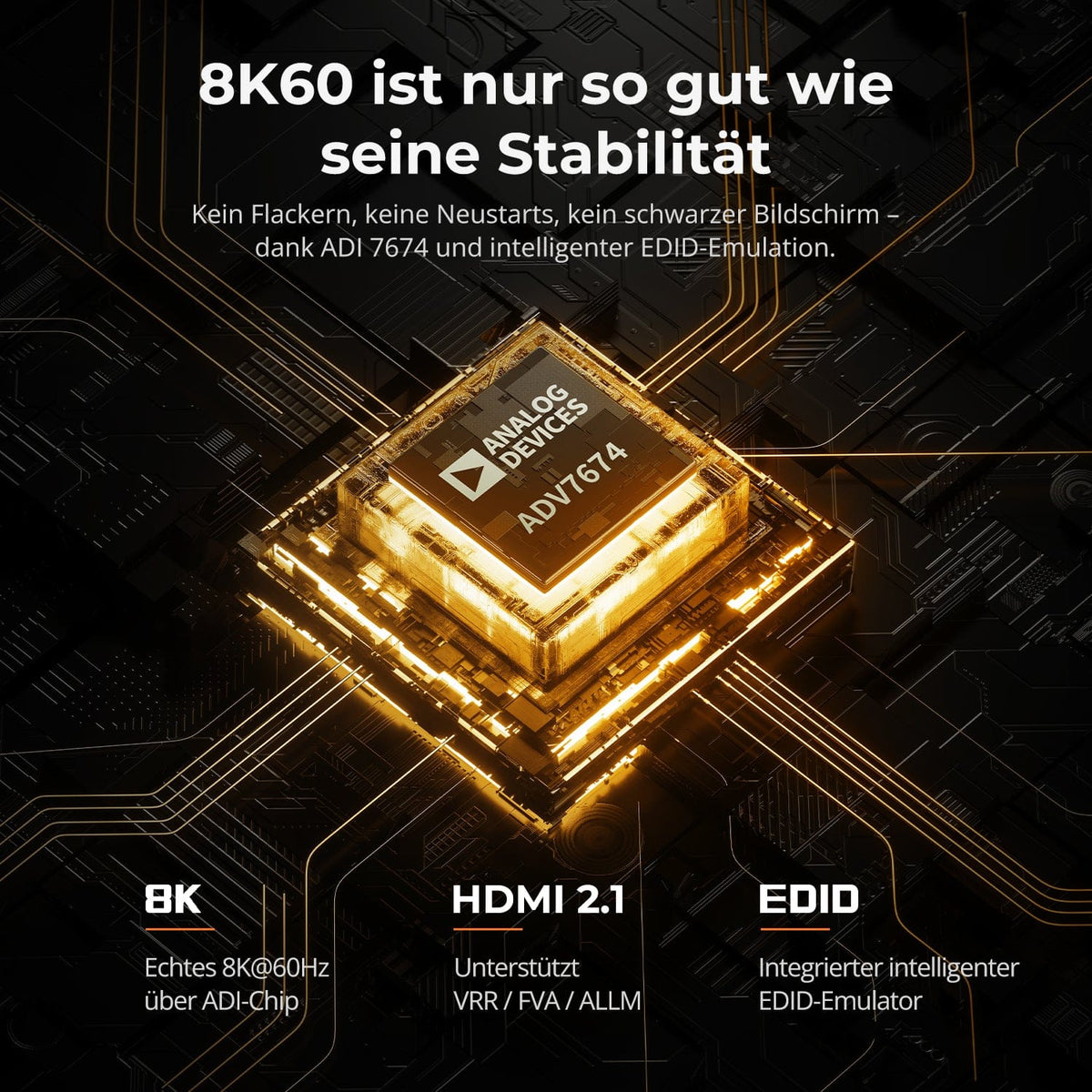
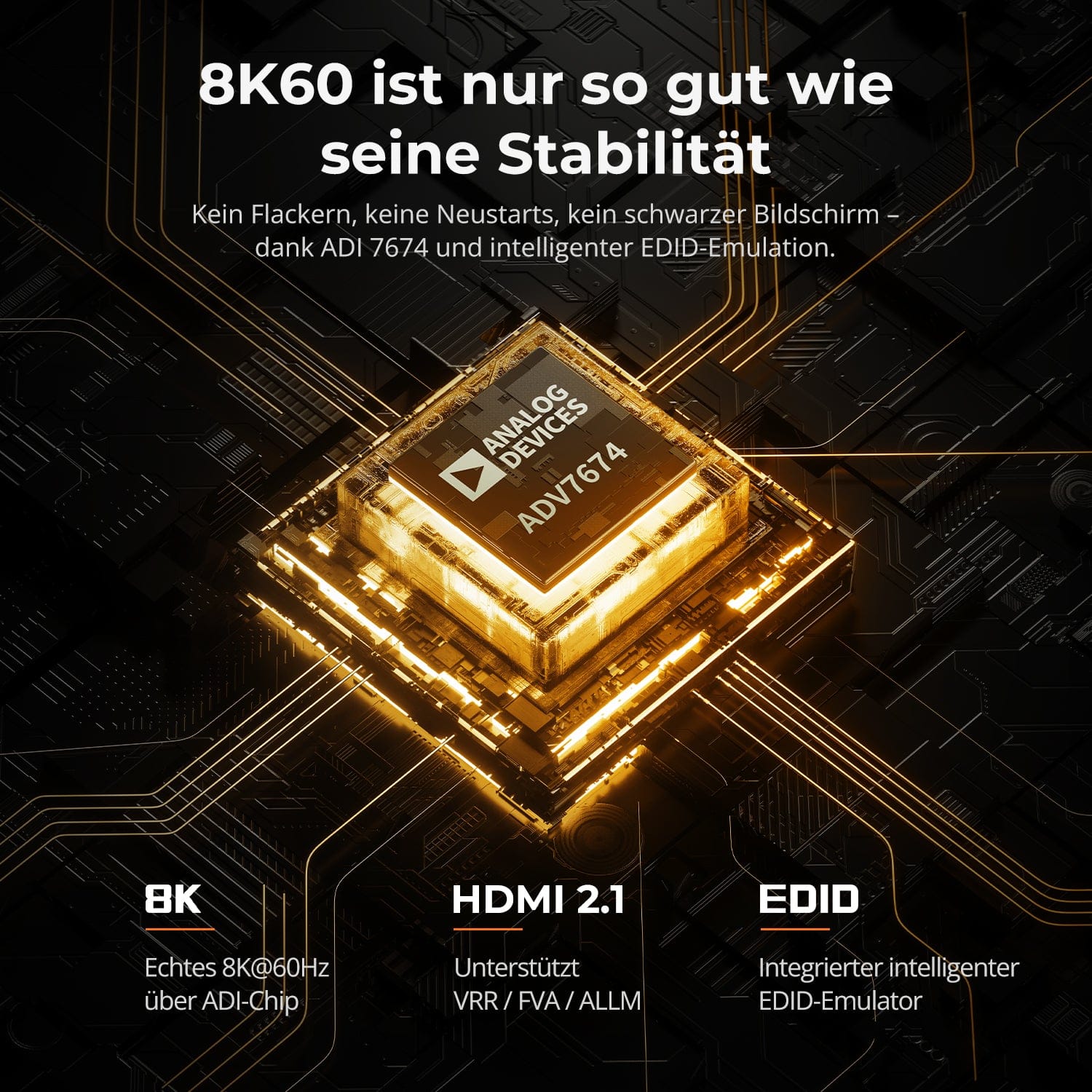
8K60 is only as good as its stability
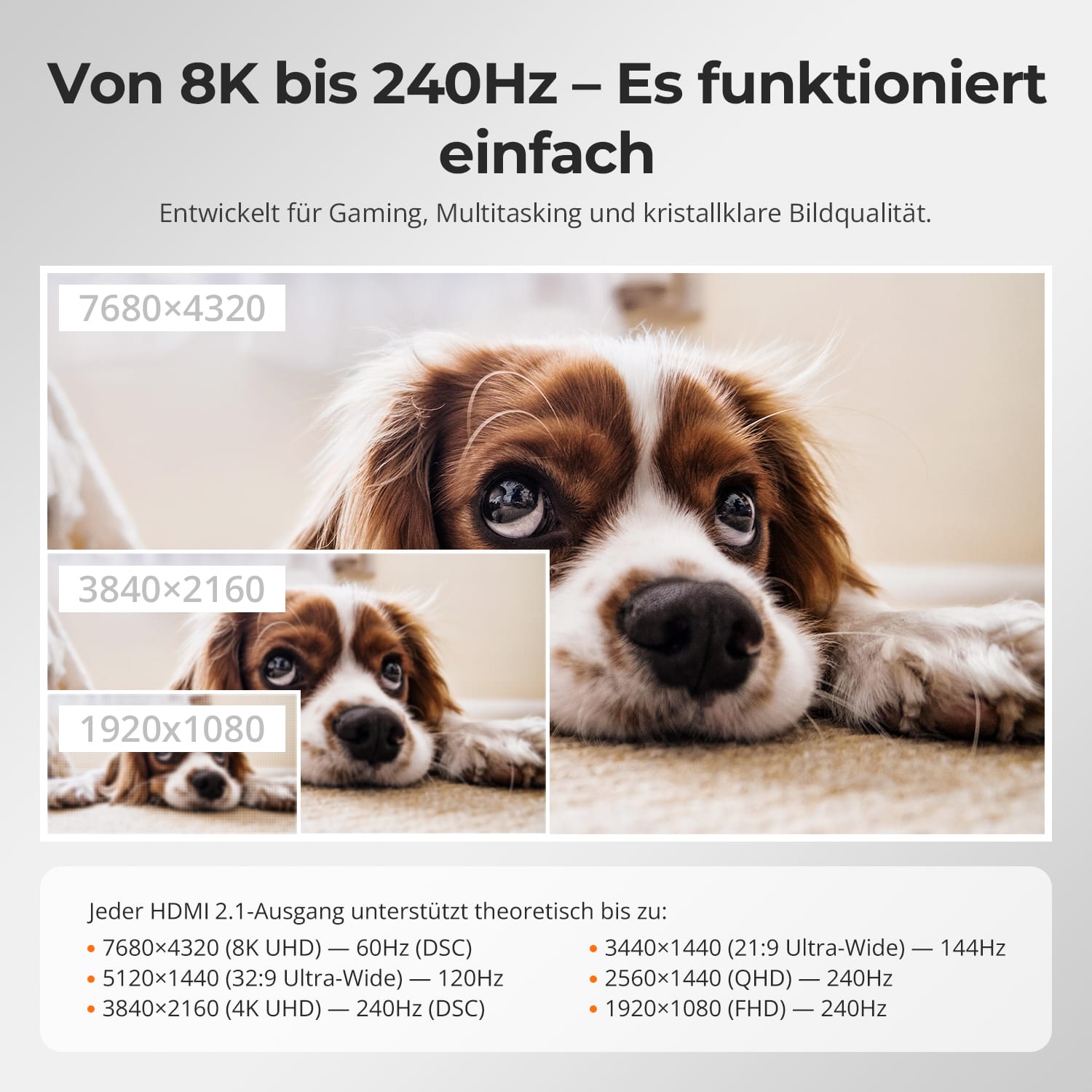
From 8K to 240Hz — Easy. Reliable.
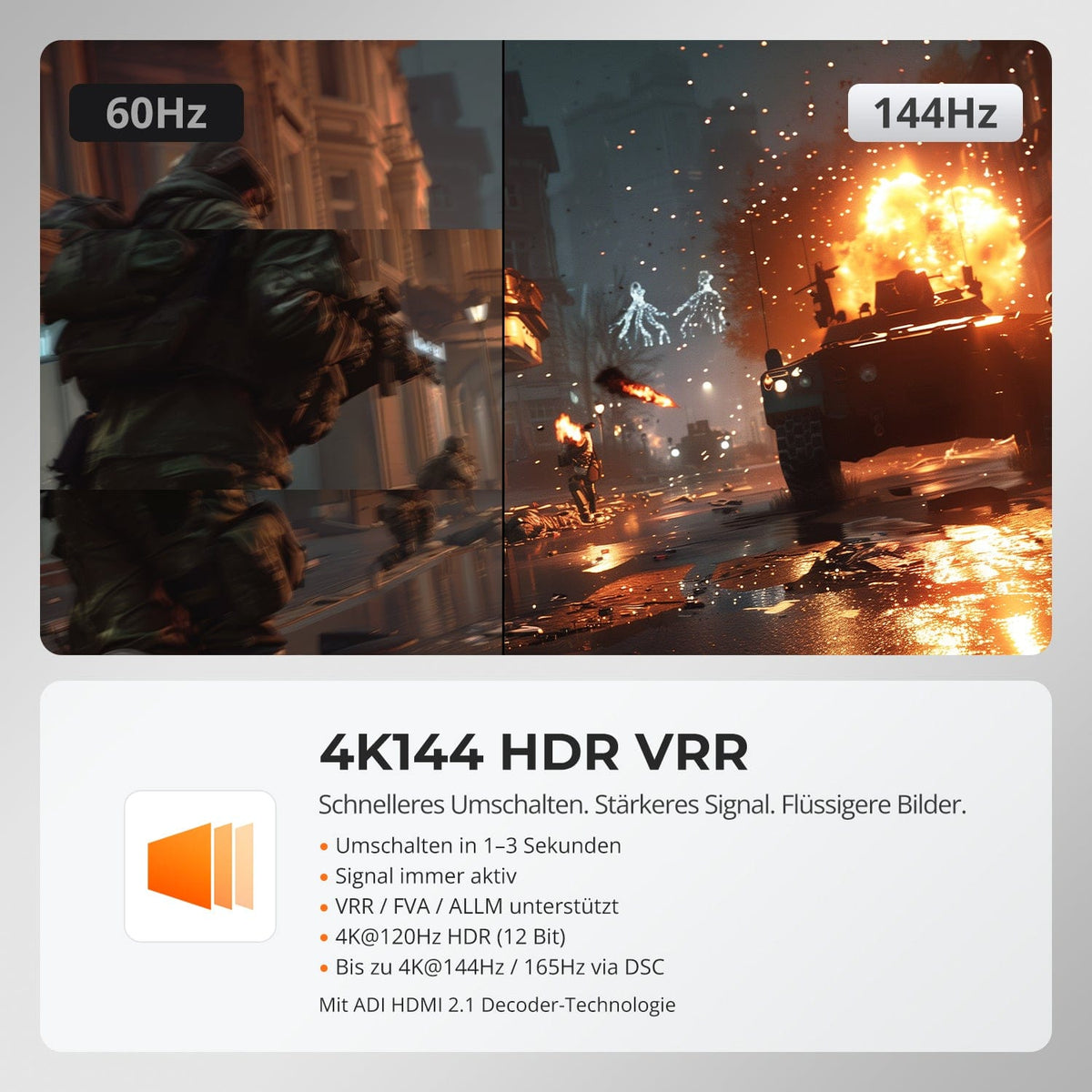
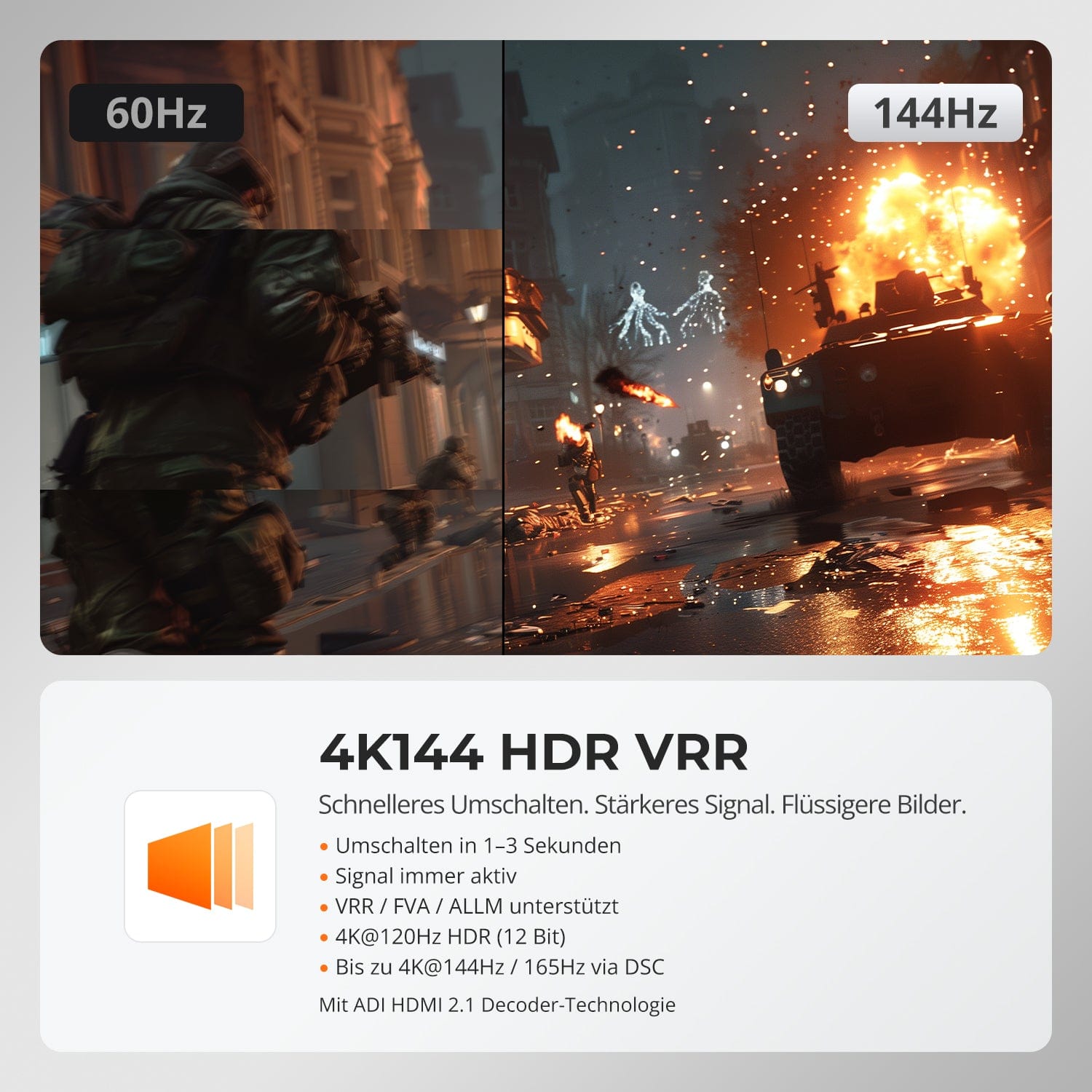
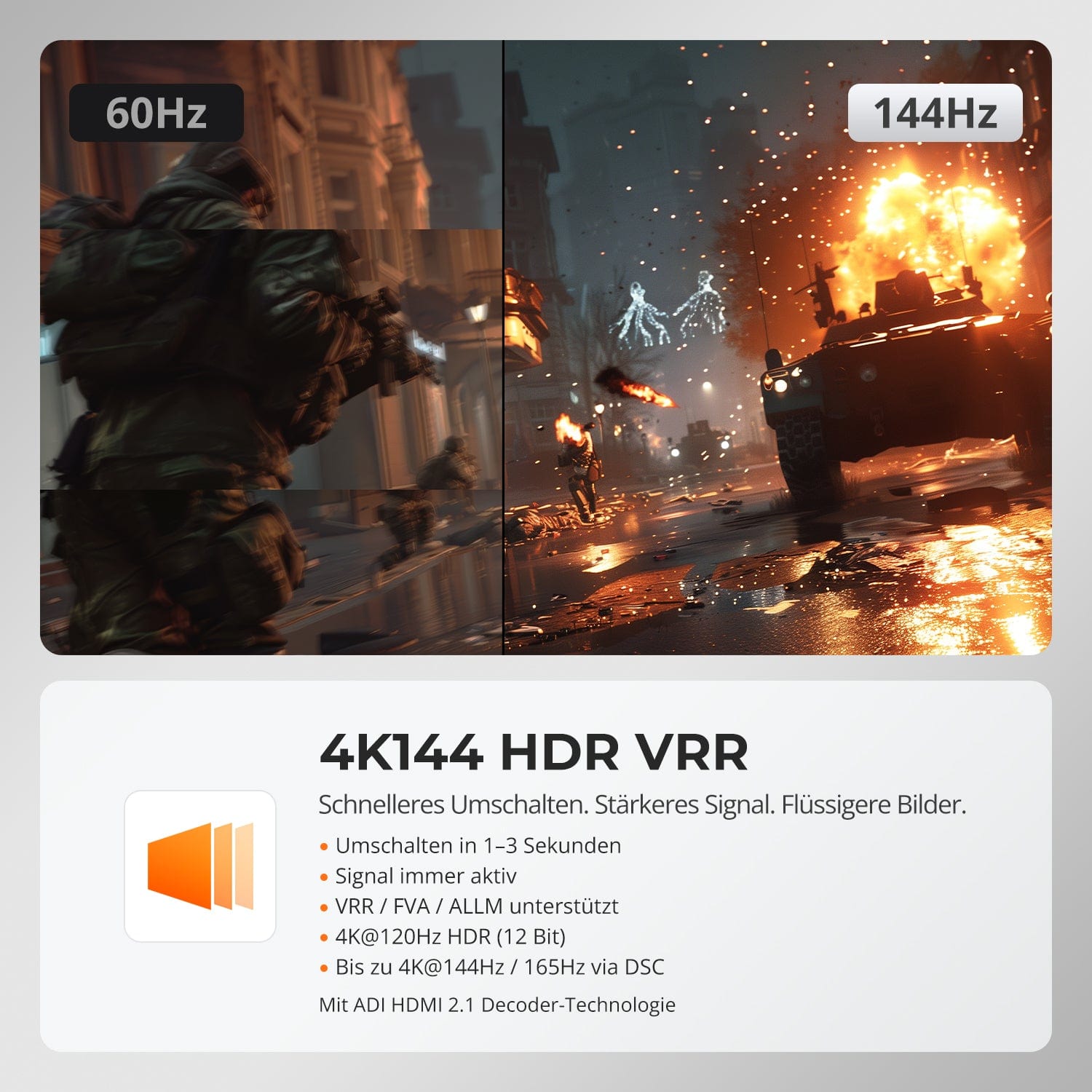
4K144 HDR VRR
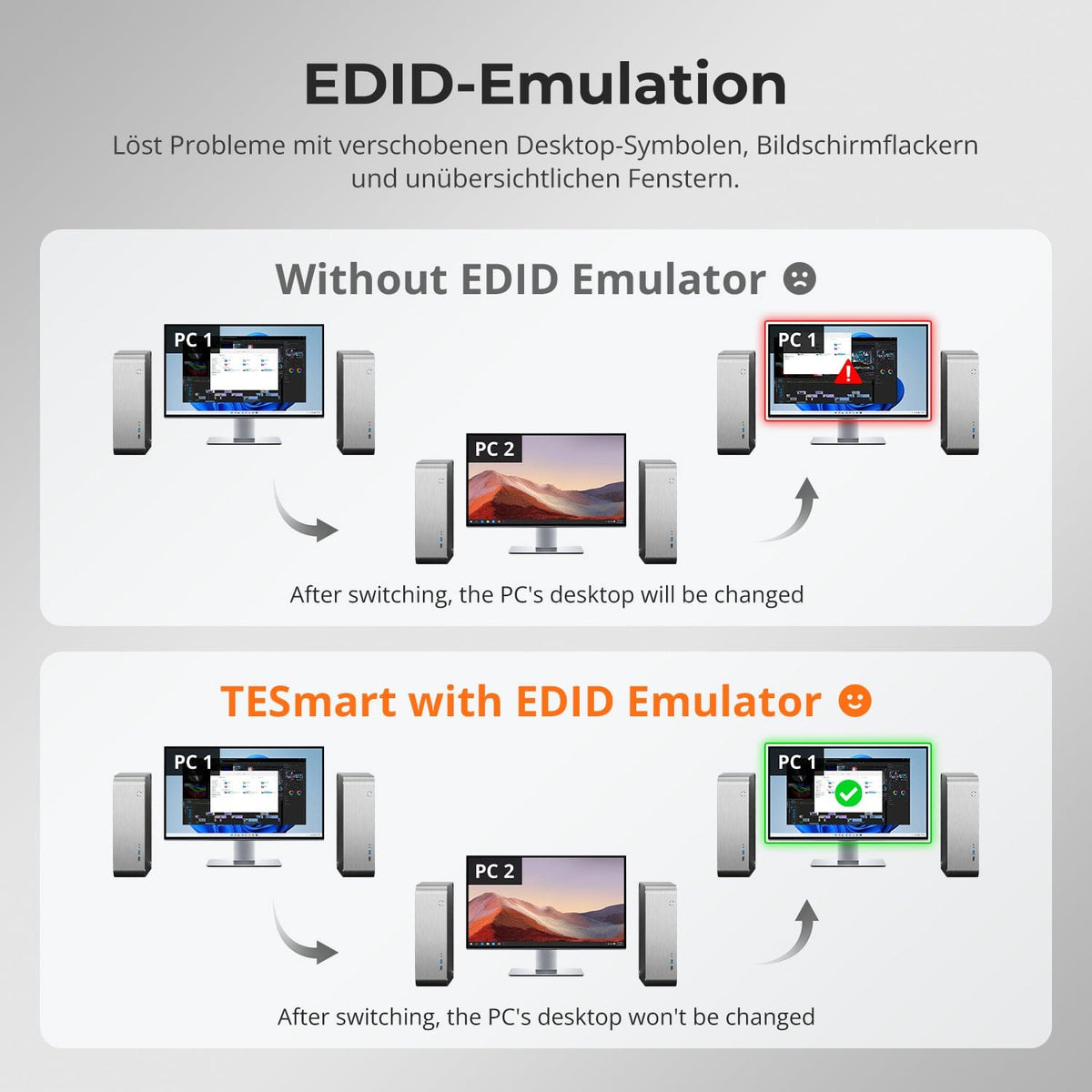
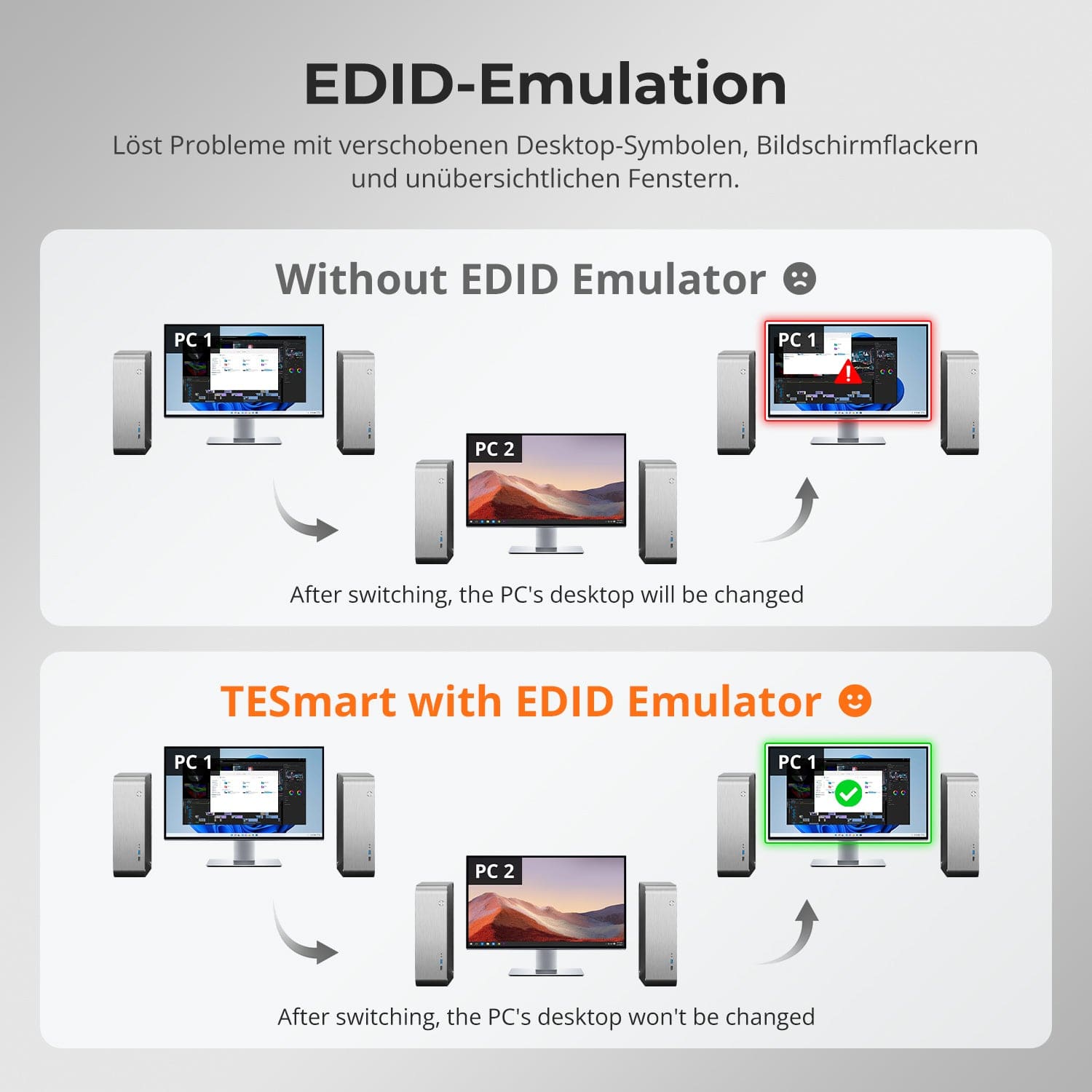
EDID Emulation – Stable screens, no surprises
No flickering. No restarts. No black screen.
Thanks to ADI 7674 decoding and advanced EDID emulation, this KVM ensures stable multi-monitor output – even with high bandwidth.
Why this KVM is different:
• ADI 7674: Industrial-grade HDMI 2.1 decoding
• Intelligent EDID: Signal always remains active, no loss of display
• Supports VRR/FVA/ALLM for smooth, stutter-free gaming
• Ideal for high-FPS gaming and high-performance creative workflows
Designed for smooth gaming, creative workflows, and ultra-clear image reproduction. With HDMI 2.1 and DSC, our KVM supports extreme resolutions and high refresh rates on a wide variety of displays.
Each HDMI 2.1 output theoretically supports up to:
- 7680×4320 (8K UHD) — 60Hz (DSC)
- 5120×1440 (32:9 Ultra Wide) — 120Hz (DSC)
- 3840×2160 (4K UHD) — 240Hz (DSC)
- 3440×1440 (21:9 Ultra Wide) — 144Hz
- 2560×1440 (QHD) — 240Hz
- 1920×1080 (FHD) — 240Hz
Faster switching. Stronger signal. Smoother images.
• Fast switching in 1–3 seconds: No blackout, no reset
• Signal remains active at all times: No interruption when switching
• VRR/FVA/ALLM supported: Smooth, low-latency gaming
• 4K@120Hz HDR (12-bit): Impressive clarity and colors
• Up to 4K@144Hz 165Hz via DSC: Optimized for fast-paced action games
Powered by ADI HDMI 2.1 decoding – amplifies weak signals and ensures stable multi-monitor performance.
Switching between displays shouldn't mess up your desktop. Our integrated EDID emulator ensures your layout stays exactly as you left it.
• No more misplaced symbols
Retains the position of desktop icons and the size of open windows when switching inputs.
• Flicker-free switching
Prevents screen dropouts and flickering caused by re-initializing the display.
• Smoother multitasking
Maintains visual consistency between workstations and monitor setups.
✅ With TESmart EDID emulation: Your display remains stable and unchanged – even after switching channels.
⚠️ Without EDID emulation: icons move, window sizes change, and the screen flickers after each change.


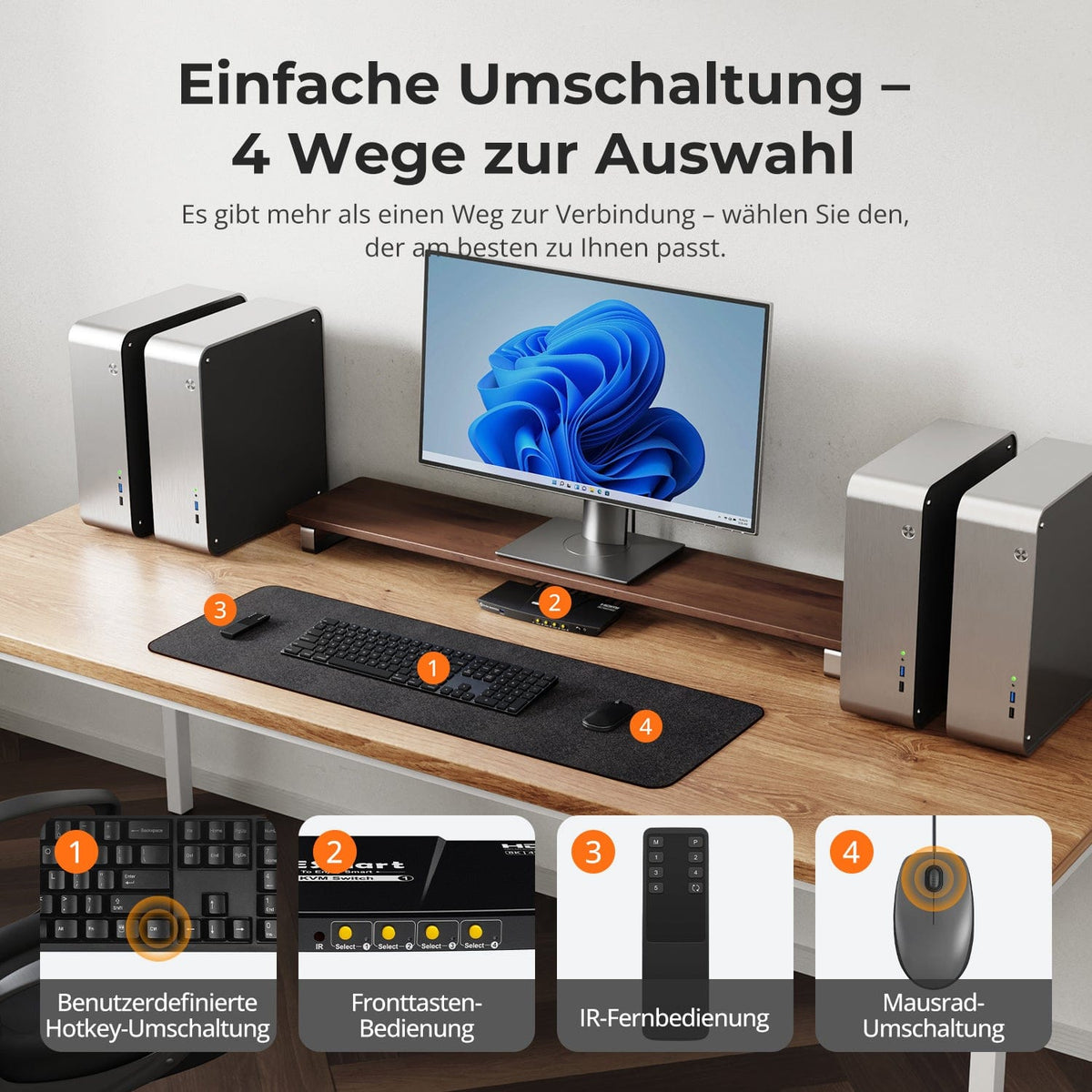
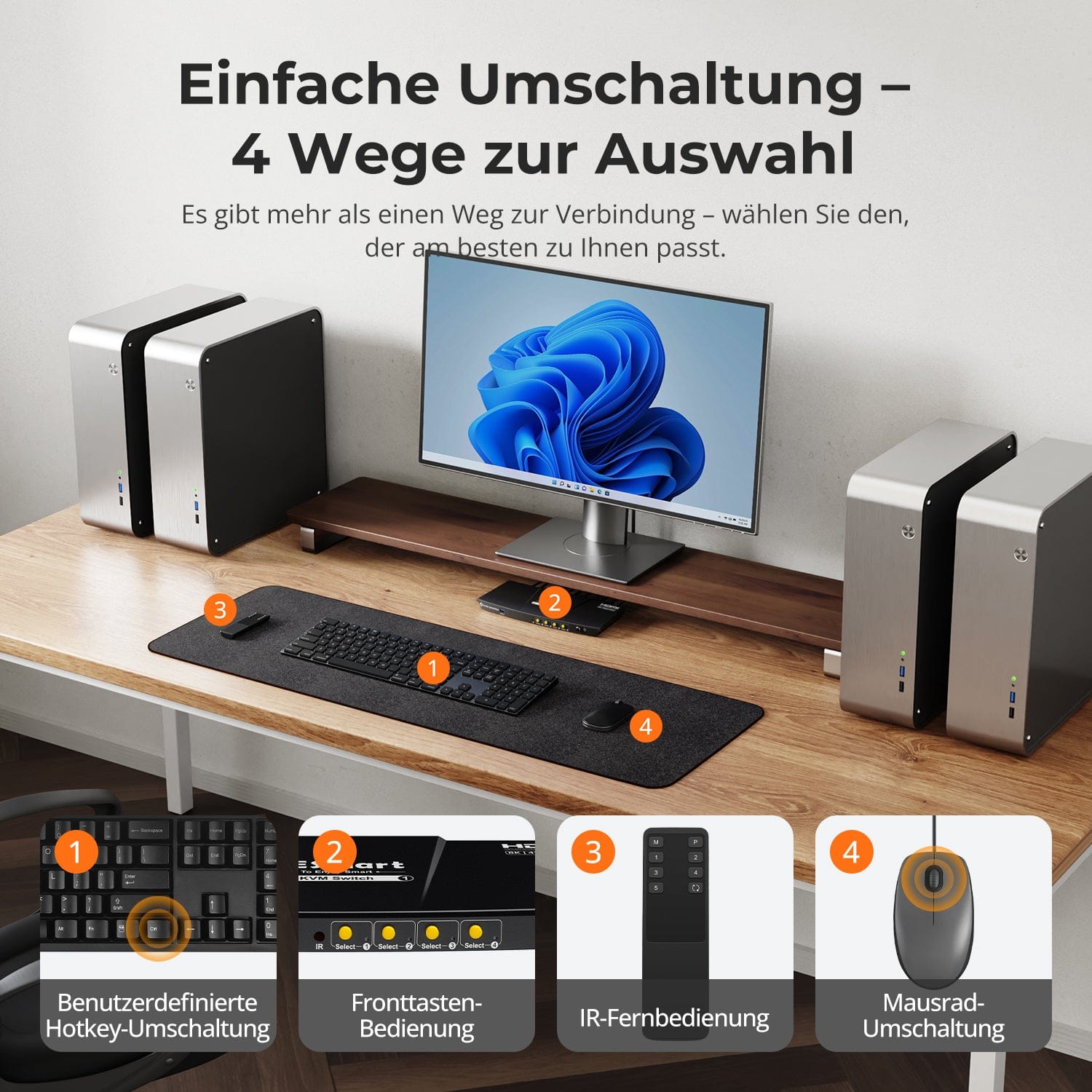
Easy switching – 4 ways to choose from
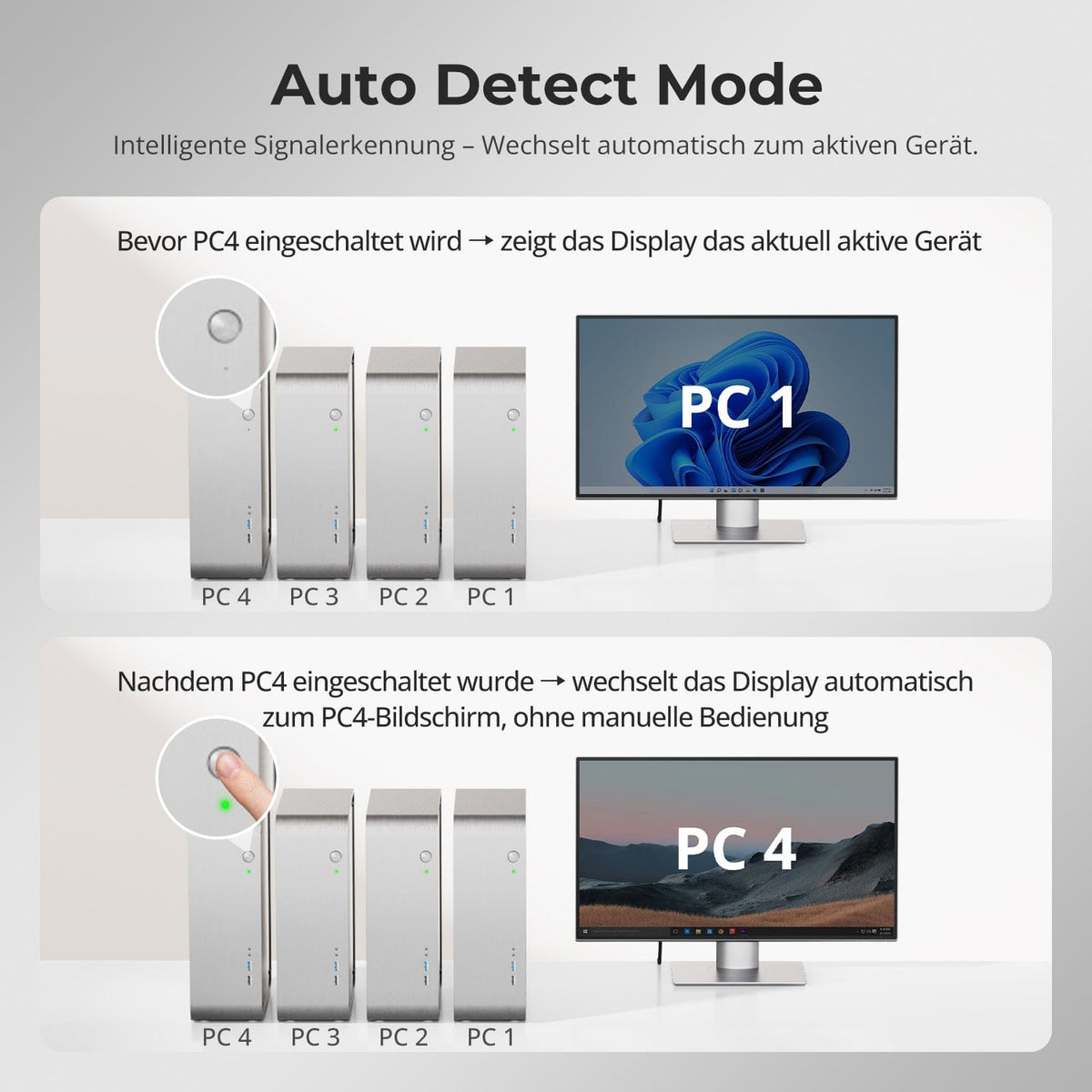
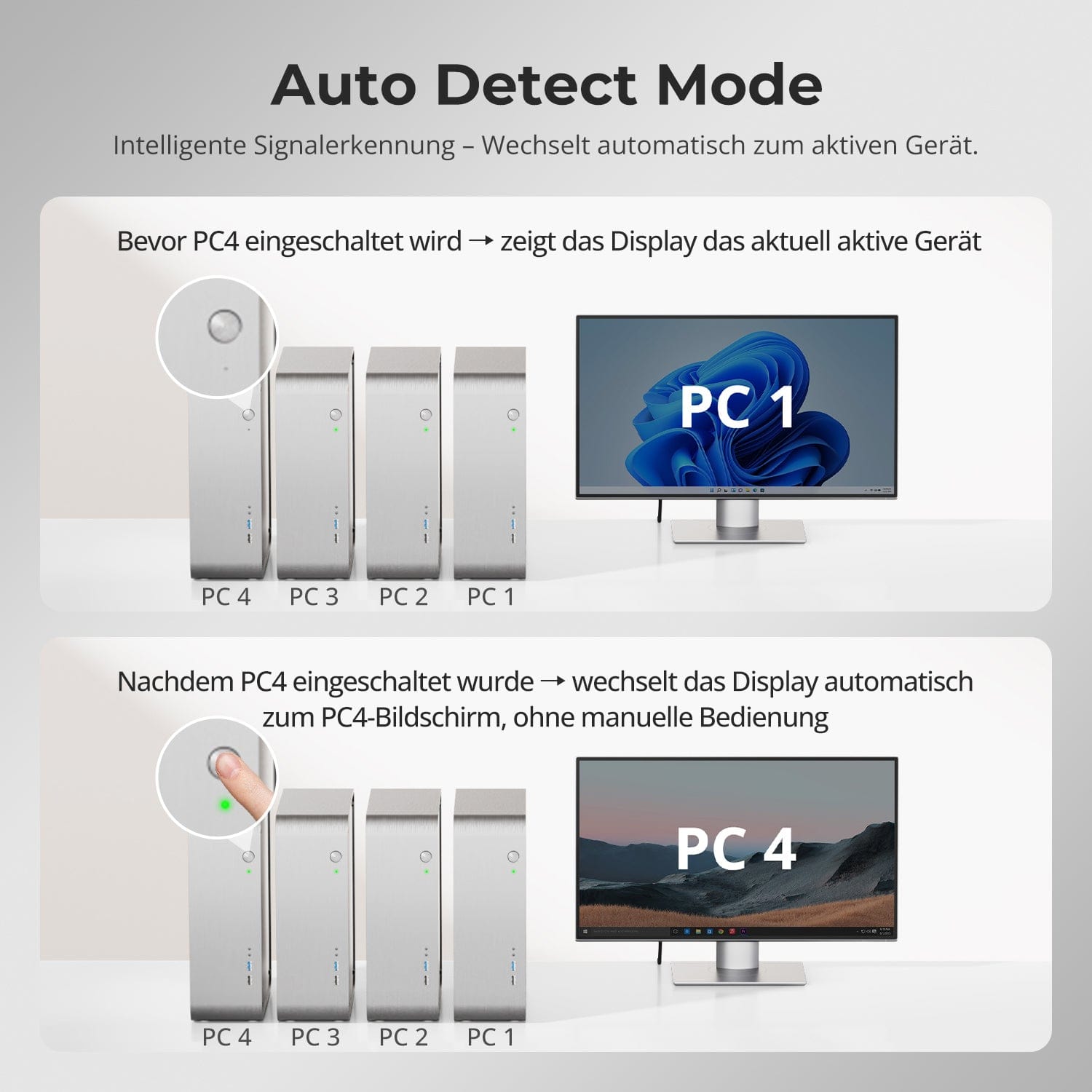
Auto Detect Mode — Intelligent switching, effortless
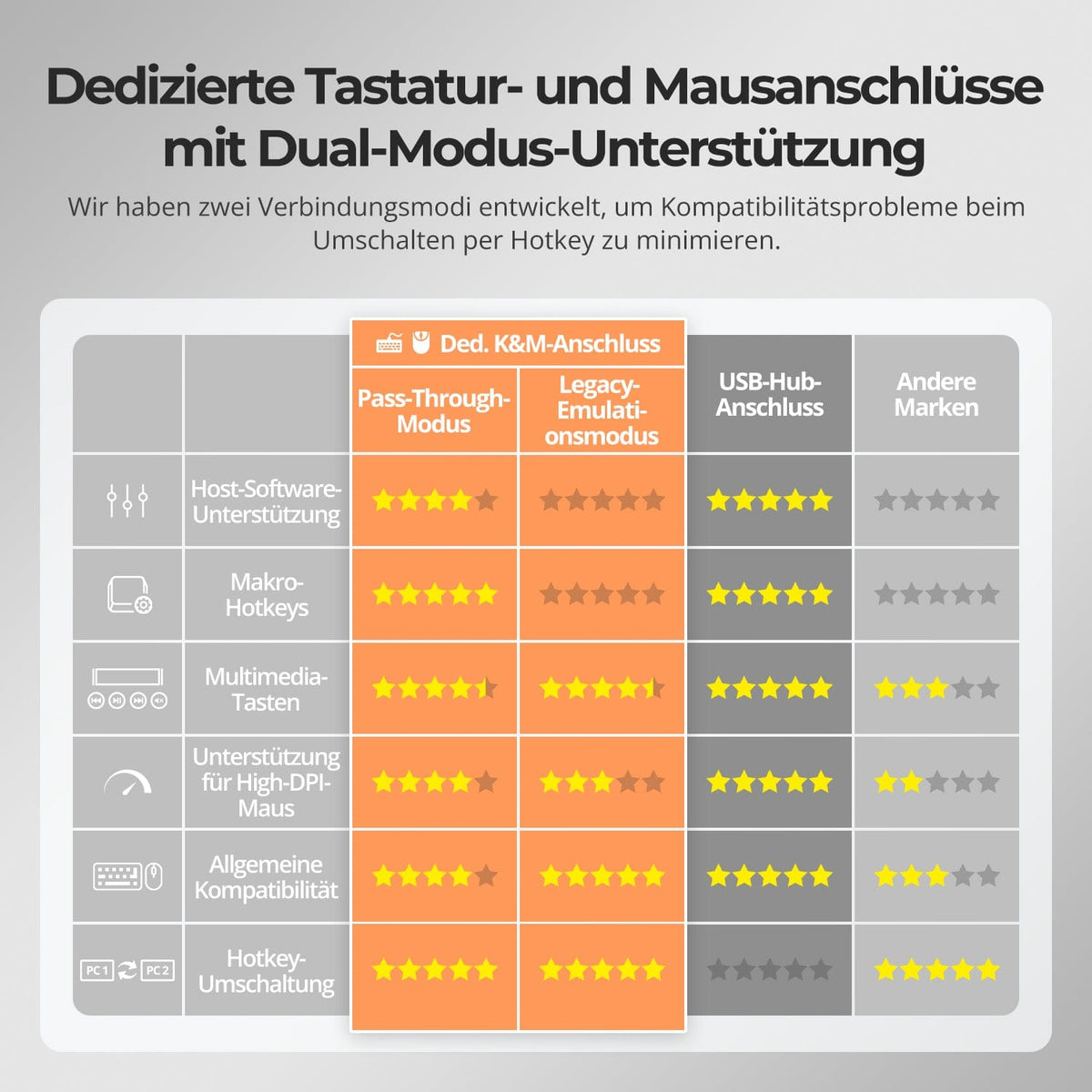
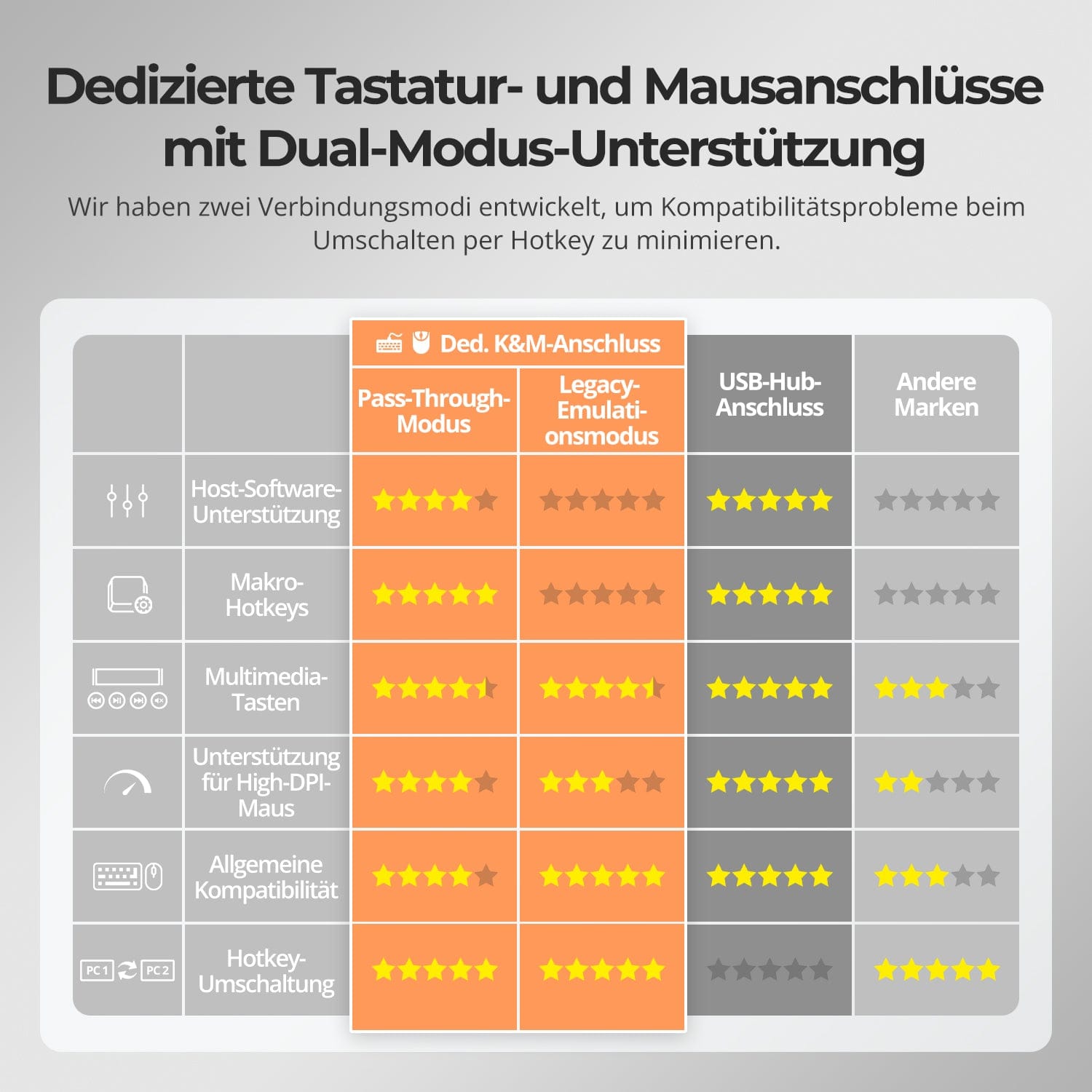
Dedicated K&M-Ports with dual-mode support
Switching shouldn't slow you down – we offer four seamless methods to suit any setup and workflow:
• Custom hotkey switching – Quick keyboard shortcuts for power users
• Front button operation – Easy, direct access at any time
• IR remote control – Convenient control from the other end of the desk
• Mouse wheel toggle – Double tap for instant toggling
Whether at work, gaming, or giving presentations – choose the method that suits you best.
No more manual switching required – the KVM automatically detects the active device and switches immediately after being switched on.
• Intelligent signal detection
Automatically detects new signal inputs and focuses on the last activated PC.
• Operation without handle
Ideal for setups with a permanently powered desktop and occasional laptop use.
• Seamless experience
Reduces delays or interruptions when waking up or switching between devices.
✅ Example: When PC4 is switched on, the display automatically switches to it – without any key operation.
To improve keyboard and mouse compatibility – especially when switching hotkeys – we have developed two special connection modes:
• Pass-through mode (recommended)
Direct routing to the PC. Supports advanced drivers, macros, high-DPI mice, and multifunctional input devices. Ideal for gaming, design, and professional workflows.
• Legacy emulation mode
Ensures universal compatibility and stable hotkey functionality on most systems. Best suited for office applications or when experiencing driver issues.
✅ Hotkey commands only work if your keyboard is connected to the dedicated K&M-Port is connected.
⚠️ Emulation mode disables driver-based software and advanced features.
⚠️ Bluetooth keyboards and mice are not supported.


FAQs
Can the front panel USB 3.0 port charge my computer? What is the output power?
The USB 3.0 port on the front panel has a built-in charging module that can charge your phone, tablet, and other devices with a maximum output of 7.5W. It is designed according to the BC1.2 protocol and can automatically adjust the voltage and current to the charger's specifications to ensure safe charging.
What is the difference between keyboard and mouse pass-through mode and legacy emulation mode, and how do I switch between them?
Legacy emulation mode provides the PC with predefined basic information for the keyboard and mouse, ensuring fundamental functionality and improving compatibility. This means the computer will not recognize the keyboard and mouse, and keyboard and mouse control software will not function. If the keyboard and mouse work correctly in pass-through mode, using pass-through mode is recommended. The default mode for the keyboard and mouse is pass-through mode. You can switch between modes using the key combination [Hotkey + Hotkey + F2]. Pressing this key combination will produce two beeps indicating entry into legacy emulation mode, and one beep indicating entry into pass-through mode.
What to do if the hotkey function doesn't work?
Please check if the keyboard is connected to the KVM's USB 3.0 port. If so, ensure the keyboard is plugged into the designated keyboard port on the back (marked with keyboard and mouse symbols). The default hotkey for the HKS401-M23 is the right Ctrl key. If you wish to use a different hotkey, please adjust the hotkey settings accordingly. It supports keyboard and mouse pass-through mode as well as legacy emulation mode. Pass-through mode offers good compatibility with most keyboards on the market, but due to the continuous evolution of keyboards and mice, some models may experience compatibility issues with our KVM. To improve compatibility, we have added legacy emulation mode. If you experience keyboard and mouse problems in pass-through mode, please connect a standard keyboard and switch to legacy emulation mode using the key combination [Hotkey + Hotkey + F2]. This mode improves keyboard and mouse compatibility. After successful setup, you can reconnect your original keyboard and continue using it.
How do I customize keyboard shortcuts (hotkeys)?
Press and hold the [Select④] button on the front panel until you hear a long beep. Then, within 5 seconds, press any key to set it as a hotkey. Alternatively, press [Hotkey + Hotkey + F1] and then any key within 5 seconds to set it as a hotkey.
What refresh rates does this KVM support at 8K and 4K resolutions?
This HKS401-M23 supports HDMI 2.1, HDCP 2.1, with a maximum bandwidth of up to 48 Gbps. 7680×4320@30 Hz – 8-bit, 3840×2160@144 Hz – 8-bit, 7680×4320@60 Hz (DSC) – 8-bit, 3840×2160@120 Hz (DSC) – 12-bit
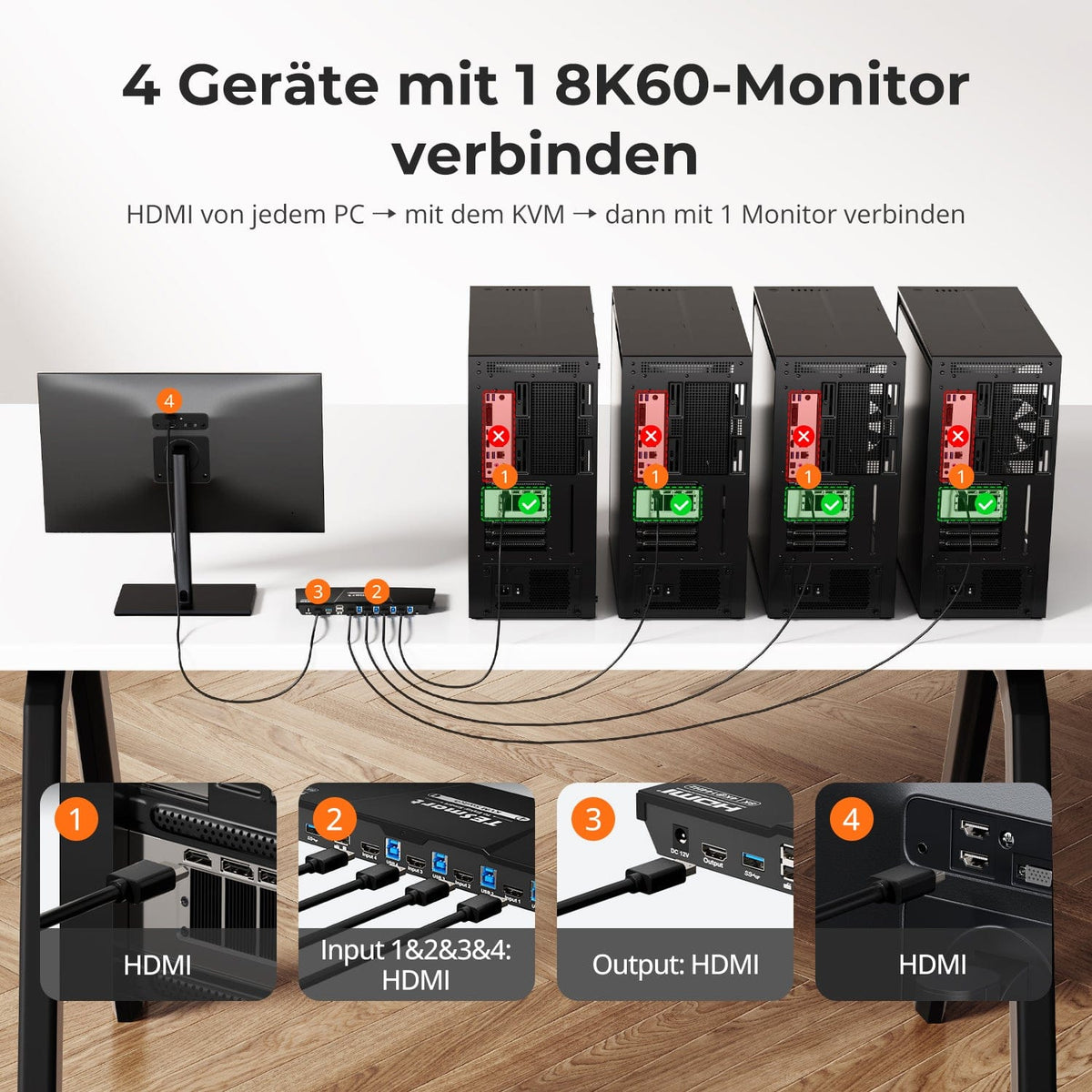
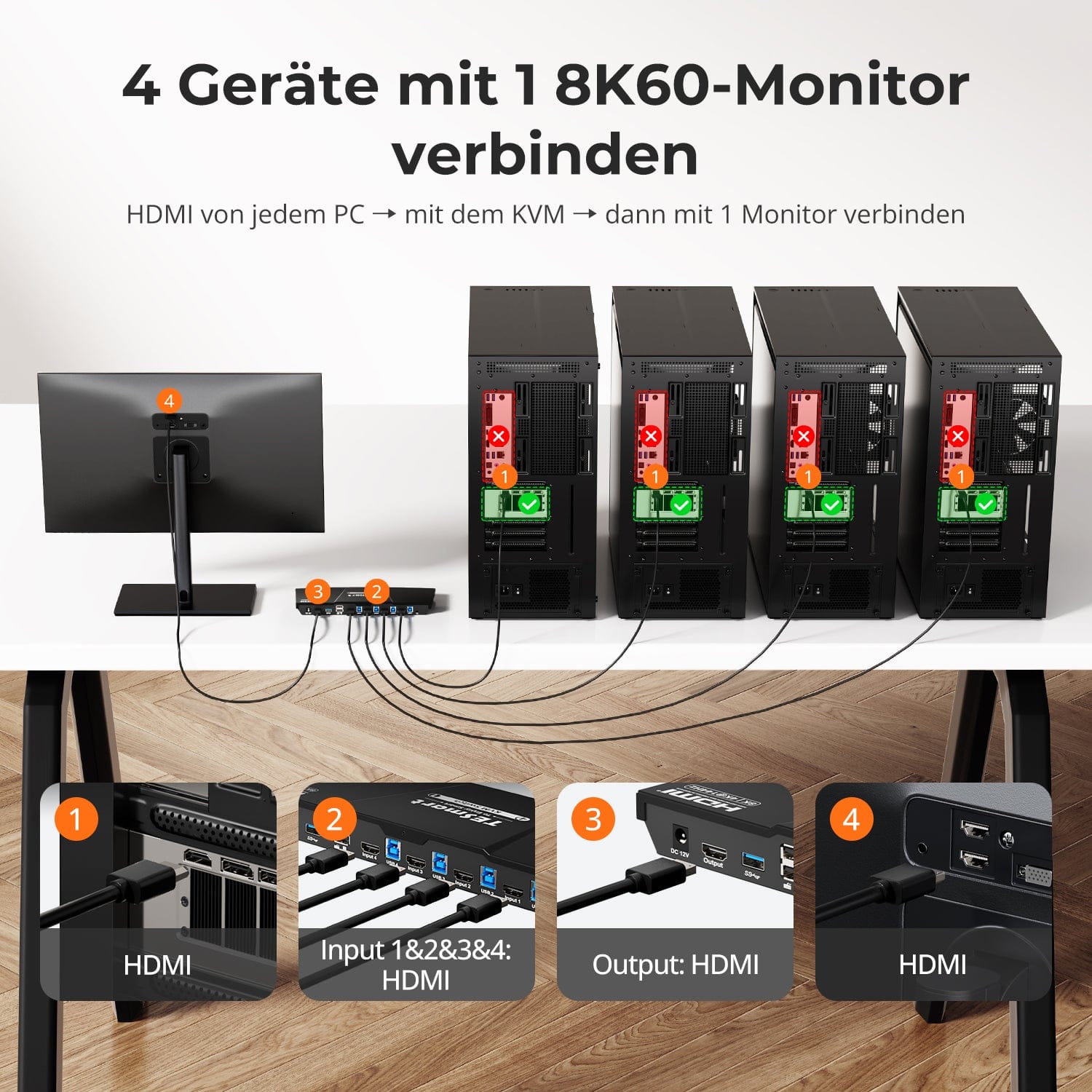
How do I connect my devices to the HKS401-M23?
When connecting your devices to the KVM, each computer should be connected to the KVM using an 8K KVM cable (consisting of an 8K HDMI cable and a USB cable). The monitor should also be connected to the KVM using an 8K HDMI cable. The product package includes four KVM cables (each consisting of an 8K HDMI cable and a USB cable) for all PC-to-KVM connections, while the 8K HDMI cable for the KVM-to-monitor connection must be purchased separately. (Please note that we recommend using an 8K HDMI cable that supports 8K resolution.)
-
DE: 3 working days · EU: 3–7 working days
-
Hassle-free returns & Purchase guarantee
-
Register and receive 2 additional years of warranty
-
TESmart+ members
Trade-in with 30% discount + lifetime technical support